
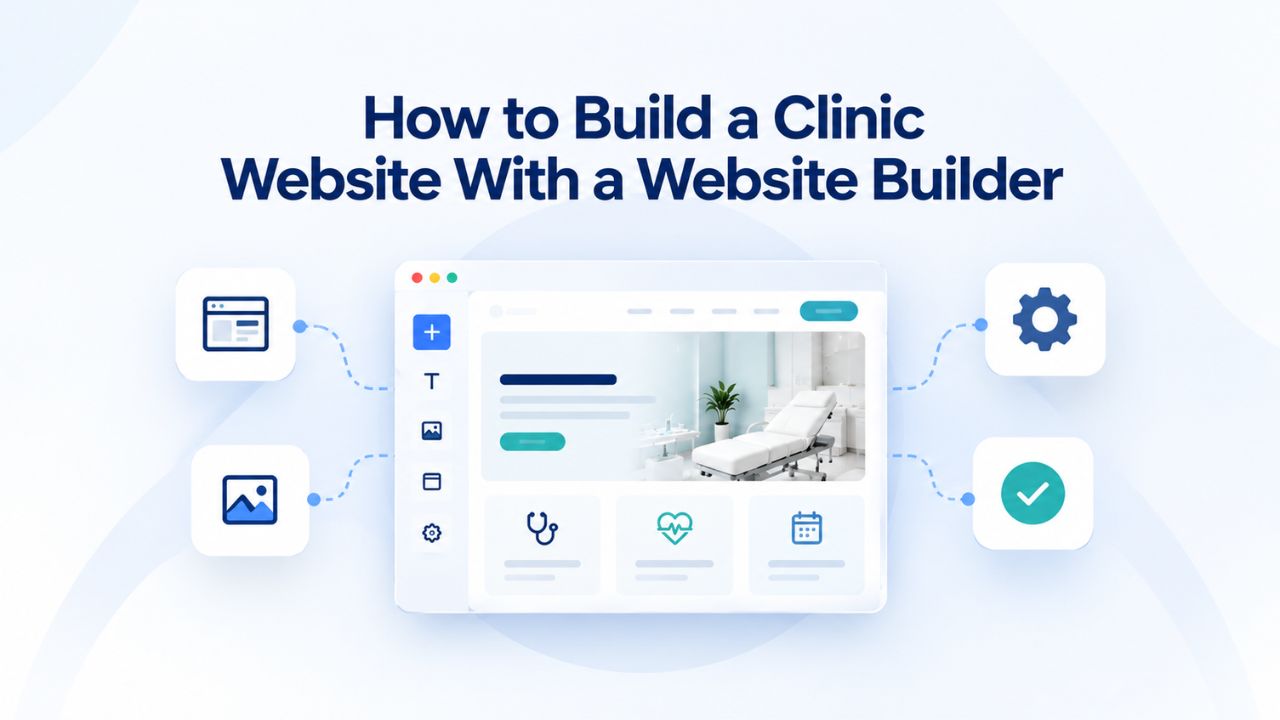
Patients search online for healthcare providers every single day, and clinics without a professional web presence lose appointments to competitors who offer clear information, easy appointment booking, and accessible contact details. A website builder designed for healthcare makes it possible to launch a professional, fully functional clinic site in days rather than months, with templates tailored to medical practices, built-in appointment booking systems, mobile responsiveness, local search optimization, and secure patient data handling, all without hiring a developer or learning to code. Niya Digital’s Website Builder Service, powered by Website Builder’s proven site-building and hosting technology, brings together the tools, guidance, and support clinic owners need to succeed online.
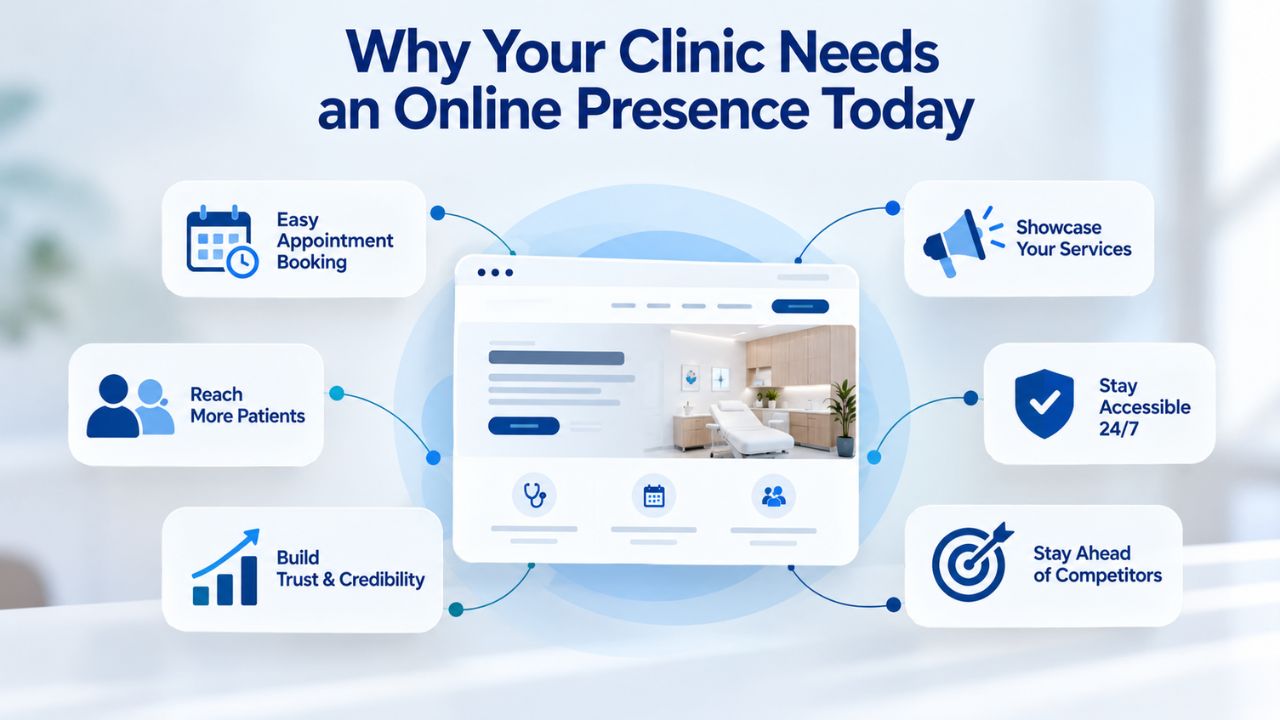
Why Your Clinic Needs an Online Presence Today
In modern healthcare, a prospective patient’s first interaction with your clinic happens online. A clinic without a professional website doesn’t just miss online visibility; it actively loses patients to competitors who have invested in clear information architecture, intuitive appointment booking, and visible credentials. Most patients now expect to research your clinic, review provider qualifications, find hours of operation, and schedule appointments without ever making a phone call. If your clinic doesn’t meet this expectation, patients move to the next search result.
The competitive landscape has shifted dramatically. Patients don’t just want websites; they expect seamless, modern digital experiences that make healthcare access convenient and transparent. For clinics and small practices, a professional online presence is no longer a luxury; it’s a necessity for survival and growth in local markets.
How Online Discovery Shapes Patient Acquisition
The patient journey now begins with a search engine query. When someone in your geographic area searches for healthcare services, whether “urgent care near me,” “dermatologist in [city],” or a specific treatment like “physical therapy for sports injuries”, your clinic’s website is a critical touchpoint. A significant portion of healthcare website visitors now use mobile devices to find local clinics, so your site must be discoverable and functional on smartphones from the moment someone finds you.
Your clinic’s website is your first opportunity to build credibility and trust with prospective patients before they dial your number or walk through your door. Professional website design can increase user trust by up to 40%, a substantial difference when competing for patient loyalty. This initial trust signals that your clinic is modern, organized, detail-oriented, and genuinely patient-focused. A polished, well-organized website tells visitors that if you care this much about their online experience, you probably care equally about their in-office experience.
Reducing Friction and Improving Patient Convenience
Beyond initial discovery, your website directly impacts operational efficiency. A clinic with integrated online appointment booking eliminates the back-and-forth phone calls that consume staff time, create scheduling bottlenecks, and frustrate patients trying to get an appointment. Patients can book appointments 24/7 directly from your website without waiting for office hours, which reduces no-shows, minimizes canceled appointments, and frees your clinical staff to focus on patient care rather than administrative scheduling.
This convenience creates a competitive advantage that extends beyond operational benefits. Patients appreciate being able to book at midnight when they think of it, without being bound by office hours or phone queues. Clinics with an effective online presence can compete locally with larger healthcare systems in their area because local search visibility depends mainly on how well your website is optimized and maintained, not on your organization’s size or budget. A solo practitioner with a well-built website can outrank larger clinics that neglect their digital presence.
Website Builder Plans & Pricing
Create a professional website with flexible website builder plans designed for businesses, portfolios, and growing online brands. Choose a plan that matches your needs and build, customize, and manage your website with easy-to-use tools, responsive designs, and essential features for a strong online presence.
Website Builder Personal
Share your passion online.
- Responsive mobile design
- Website hosting
- Rapid Page-Load performance
- Create a blog
- Security (SSL)
- 24/7 support

Website Builder Business
Create an online presence for your business.
- Responsive mobile design
- Website hosting
- Rapid Page-Load performance
- Create a blog
- Security (SSL)
- 24/7 support
- PayPal Buy Now or Donate button
- Search Engine Optimization (SEO)
Website Builder Business Plus
Attract more customers.
- Responsive mobile design
- Website hosting
- Rapid Page-Load performance
- Create a blog
- Security (SSL)
- 24/7 support
- PayPal Buy Now or Donate button
- Search Engine Optimization (SEO)
- Social Media Integration
- Share content to Facebook
- Online Appointments
Website Builder Online Store
Sell products and services.
- Responsive mobile design
- Website hosting
- Rapid Page-Load performance
- Create a blog
- Security (SSL)
- 24/7 Support
- PayPal Buy Now or Donate Button
- Search Engine Optimization (SEO)
- Social Media Integration
- Share content to Facebook
- Online Appointments
- Built-in shopping cart
- Sell physical and digital products
- Accept credit and debit cards, PayPal and more
- Flexible shipping options
- Discounts and promotions
- Manage inventory
Essential Elements Every Clinic Website Needs
Not every clinic website needs identical features, but every successful practice site must include core elements to serve its essential functions: building trust, reducing friction for new patients, supporting operational needs, and ensuring legal compliance. These elements work synergistically; missing any one compromises the entire experience.
Understanding which elements are non-negotiable and why they matter helps clinic owners build sites strategically, ensuring nothing critical is overlooked during the design and launch process.
Core Information Architecture and Trust-Building Elements
Your clinic’s website must display essential contact information prominently and consistently, making it nearly impossible for patients to miss how to reach you. This way, patients never have to hunt for a buried “Contact Us” page. Beyond basic contact details, your site should clearly display location information, hours of operation (including holiday hours), and most critically, an emergency contact protocol with a clear disclaimer that patients experiencing a medical emergency should call 911 rather than rely on your website’s contact form.
Provider bios with credentials, specializations, and personal details build confidence and establish medical authority before patients ever meet your team. Patient testimonials and success stories humanize your practice and provide social proof of quality care by showing real patient outcomes and satisfaction. Including professional photography of your providers, their educational credentials, board certifications, years of experience, and personal touches, such as interests, community involvement, or philosophy on patient care, creates transparency and shows that your clinic is staffed by qualified, approachable professionals. This credibility-building element is often overlooked by smaller clinics but can be the deciding factor when a patient chooses between your clinic and a competitor.
Patient Self-Service Systems and Data Security Architecture
Online appointment booking systems allow patients to view multiple available services, select preferred time slots, set pricing expectations, and choose payment methods, all without staff involvement. This feature is central to modern patient experience expectations and significantly reduces phone volume while increasing patient satisfaction with accessibility. Service-specific pages describing treatments, procedures, typical visit duration, and patient preparation instructions help patients understand what to expect and prepare appropriately for appointments.
Security and compliance infrastructure is equally important. Medical information sent through electronic channels must be encrypted per HITECH Act requirements, so any online forms collecting patient information, appointment requests, intake questionnaires, and health history forms must use secure HTTPS encryption. Your website builder should include built-in SSL/HTTPS security automatically on all plans, but you must ensure forms are configured properly and that data storage complies with HIPAA regulations. Access controls, secure data storage, and regular security updates are your responsibility, though website builder platforms provide the foundational security infrastructure you build upon.
Structured Data: Essential Clinic Website Elements
| Element | Primary Purpose | Patient Benefit | Operational Benefit | Implementation Complexity |
|---|---|---|---|---|
| Contact Information | Patient accessibility | Easy clinic reach | Reduces missed inquiries | Very Low |
| Online Appointment Booking | Self-service scheduling | 24/7 booking without phone calls | Fewer missed appointments, reduced no-shows | Low |
| Provider Bios & Credentials | Trust building and credibility | Know who treats them | Demonstrates expertise and qualifications | Low |
| Service Pages | Comprehensive information | Understand offerings and pricing | Sets expectations, reduces questions | Low |
| Patient Testimonials | Social proof and validation | Real patient stories and outcomes | Builds confidence in care quality | Low |
| Mobile-Responsive Design | Device accessibility | Works perfectly on phones/tablets | Reaches patients at point of decision-making | Built-in |
| Secure Contact Forms | Data security and protection | Confidence in privacy | HIPAA compliance, legal safety | Low |
| Emergency Information | Legal liability protection | Know when to call 911 | Protects clinic legally and ethically | Very Low |
| Service-Specific Images | Visual demonstration | See facility and team | Builds trust through authenticity | Medium |
| Google Business Profile Integration | Local search visibility | Find clinic in local searches | Drives patient discovery and calls | Low |
Choosing a Website Builder Designed for Healthcare Practice
Not all website builders suit clinic websites equally well, and choosing the wrong platform can lead to frustration, wasted time, and a site that doesn’t meet your practice’s needs. The ideal builder for healthcare combines healthcare-specific templates, native appointment scheduling, built-in security features supporting compliance requirements, intuitive drag-and-drop editing, and responsive design that works flawlessly on mobile devices.
Your choice of website builder shapes how quickly you can launch, how easily you can update content, and whether your site will serve patients effectively for years. This decision deserves careful consideration of your practice’s specific needs and technical comfort level.
Essential Feature Set for Healthcare Websites
A healthcare-focused website builder must include intuitive drag-and-drop editing, allowing non-technical staff to update hours, add photos, publish announcements, and make changes without coding knowledge or hiring developers. GoDaddy Website Builder, the platform powering Niya Digital’s Website Builder Service, provides a drag-and-drop editor, built-in contact forms, and over 100 professionally designed templates for various business types, including healthcare practices. This approach allows clinics to build polished, professional sites quickly without design experience.
A critical differentiator is whether appointment booking is native to the platform or requires third-party integrations. Integrated booking is superior: it’s easier to implement, more reliable, and keeps your calendar management and appointment data within your primary platform. Look for builders that include appointment scheduling natively, where adding a booking section is straightforward and doesn’t require connecting external services. Mobile responsiveness is absolutely non-negotiable. Over 60% of healthcare website traffic now originates from mobile devices, and your site must display and function equally well on phones, tablets, and desktop computers. Responsive design automatically adapts your site’s layout, reflows text, resizes buttons for touchscreen use, and optimizes images, all without requiring separate mobile development or duplicate code.
Security, SEO Capabilities, and Practitioner Support
Your website builder should include integrated SEO tools that help your clinic rank in local search results, a crucial factor because most patients find clinics by searching online. Built-in SEO features typically include page-title editing, meta-description customization, and structured data markup (schema) that tells search engines your site is a medical practice. Look specifically for builders supporting local business schema and Google Business Profile integration, since Google Business Profile listings drive 56% of all patient actions, calls, directions, website visits, and appointment requests for healthcare providers.
Customer support quality matters when you’re running a healthcare practice and have limited time for technical troubleshooting. Responsive onboarding support when you’re launching a new site can substantially reduce deployment delays. Niya Digital’s team has seen clinic owners appreciate hands-on onboarding assistance, help setting up appointment booking correctly, migrating existing content from old sites, and troubleshooting technical issues that might otherwise stall your launch. Choose a builder with accessible support channels, clear documentation, video tutorials, and live customer service available when you need it.
Leveraging Professional Templates for Speed and Quality
One of the biggest advantages of modern website builders is their professional template library. Templates provide expertly designed starting points, eliminating design decisions while ensuring a polished result. For clinic owners, templates mean you can launch a professional-looking site in days, not weeks or months of custom design work. Templates aren’t generic shortcuts; they’re strategic time-savers that give your site a professional foundation you can customize to reflect your clinic’s unique identity and values.

Template Selection Process and Customization Strategy
Most clinics can launch a full site in just 1 to 3 days using website builder templates, especially when core content, provider bios, service descriptions, and photos are prepared in advance. Healthcare templates typically include pre-built sections for contact information, service offerings, provider profiles, patient testimonials, appointment booking buttons, and FAQ sections. Starting with a template means you’re not redesigning proven layouts; you’re simply customizing colors, fonts, and content to reflect your clinic’s identity.
Customization is straightforward: update the color scheme and fonts to match your clinic’s branding guidelines, add your clinic logo and name, replace placeholder text with your clinic’s information, upload professional photos of your team and facility, and write service descriptions in your clinic’s voice. Most builders let you make these changes directly in the template through intuitive visual editors, without requiring any coding. The result is a professional-looking site that accurately represents your clinic’s unique identity and patient experience.
Avoiding Template Customization Pitfalls
Using a template doesn’t sentence your site to look generic if you approach customization thoughtfully. Differentiate your site by adding your clinic’s genuine story, your approach to patient care, your team members’ specializations and backgrounds, your clinic’s history and mission, and what makes your clinic distinct from competitors in your area. Authentic clinic content transforms a standard template into a distinctive digital home for your practice.
Avoid overloading templates with too much information. Patients visit your website with specific needs in mind, finding hours, understanding services, or booking appointments. A cluttered homepage overwhelms visitors and reduces conversion rates. Organize information hierarchically: keep your homepage clean and focused on essential information and clear calls to action, then use dedicated interior pages for detailed service descriptions, comprehensive provider biographies, treatment testimonials, and educational content. This information architecture respects patient attention and makes your site easier to navigate.
Implementing Online Appointment Booking Systems
Online appointment booking is perhaps the single most impactful feature a clinic website can offer. It reduces administrative phone volume, minimizes no-shows through automated reminders, enables 24/7 self-service access for patients, and gives your clinic organized appointment data. Implementing booking correctly requires understanding both the technical setup and best practices for patient experience.
Appointment booking is no longer a luxury feature; it’s a baseline patient expectation that directly influences whether prospects choose your clinic or a competitor.
Booking System Configuration and Patient Information Collection
GoDaddy Website Builder’s online appointments feature lets you list multiple services your clinic offers, set available time slots and duration, define pricing for each service, and decide whether patients pay online before their visit or in person during the appointment. You can assign services to specific providers, manage multiple locations, configure staff availability, and collect essential patient information during booking. The system automatically prevents double-booking, so when a patient books a time slot, it’s immediately blocked to other patients.
Start with simplicity: list your most commonly booked services first, set standard appointment lengths (30 minutes for standard visits, 60 minutes for complex consultations), and collect only essential patient information during initial booking: name, phone number, and reason for visit. Excessive form fields during booking increase abandonment rates and frustrate patients. You can collect additional detailed health history through a pre-appointment form sent after booking, giving you comprehensive information without burdening patients at the booking stage. You can expand complexity and functionality once your booking system runs smoothly and you understand your clinic’s specific patterns.
Calendar Integration and Payment Processing
GoDaddy’s appointment booking system automatically syncs with Google Calendar, Microsoft Office 365, Outlook, and other popular calendar platforms, ensuring your clinic’s schedule stays coordinated across all devices and platforms. When a patient books an appointment through your website, the time slot is simultaneously blocked in your personal calendar, preventing double-bookings and schedule confusion. Staff members can view appointments in their preferred calendar application while patients see confirmed bookings reflected in your website system; everything stays synchronized automatically.
Payment processing integrates securely through Square, allowing your clinic to accept online payments before appointments or in-person payments during visits, depending on your clinic’s preference and service model. Some clinics require deposits for certain services; others collect full payment upfront. The system tracks payment history, appointment history, and patient communication, giving your team a complete record of each patient’s interactions with your clinic. Automated payment reminders can reduce missed deposits, and online payment collection reduces administrative work and improves cash flow.
Ready to Launch Your Professional Clinic Website?
Your clinic’s online presence directly impacts patient acquisition, patient experience, and operational efficiency. With a website builder designed for healthcare, you can launch a credible, feature-rich online presence in days, offer patients 24/7 appointment booking, and establish strong local search visibility, all without technical expertise. Niya Digital’s Website Builder Service, powered by GoDaddy Website Builder’s proven technology and infrastructure, gives clinic owners the templates, integrated tools, and support they need to succeed online.
Building Patient Trust Through Strategic Design Choices
Your clinic’s website design communicates professionalism, attention to detail, and commitment to patient experience before anyone steps into your waiting room. Design choices directly influence whether prospective patients trust your clinic enough to schedule that first appointment. Trust is built through visual credibility, clear information, professional presentation, and a thoughtful user experience.
Strategic design is about more than aesthetics; it’s about creating an environment where patients feel confident, informed, and valued.
Visual Credibility and Professional First Impressions
A sleek, responsive design that works beautifully on all devices underscores a practice’s dedication to delivering a modern, patient-focused experience. Clean layouts with generous whitespace, professional typography, consistent colors and fonts, and quality imagery all signal competence and trustworthiness. Conversely, outdated design aesthetics, broken page layouts, cluttered navigation, and low-quality imagery communicate neglect and undermine trust before patients read your first word.
Invest deliberately in authentic clinic photography rather than relying exclusively on generic stock photos. Generic stock imagery, by contrast, feels impersonal and disconnected. Show your real team in your real clinic space, real waiting rooms, real treatment areas, real interactions with patients (with appropriate privacy protections). Patients want to know what to expect when they arrive, and authentic imagery communicates far more effectively than text descriptions alone.
Information Architecture and Accessibility as Trust Factors
Accessibility audits consistently reveal that 94% of healthcare websites have critical barriers that prevent patients from completing essential tasks like booking appointments. Many of these barriers stem from design issues: buttons that are too small to tap reliably on mobile devices, body text that’s too small to read comfortably, navigation structures that confuse visitors, or forms that aren’t properly labeled for screen readers. A thoughtfully designed site anticipates patient frustrations and systematically removes them.
Ensure every page on your site has a clear purpose and a direct path to action. Service pages should comprehensively answer “What does this treatment involve?” “How long does it take?” “What should I expect?” and “When should I schedule it?” Contact and appointment pages should make it obvious and effortless to call, email, or book online. Your site’s information architecture- the structure, labeling, and organization of content- directly impacts whether patients find what they need in seconds or give up frustrated. Clear, logical hierarchies, descriptive link text, and consistent navigation patterns are fundamental to accessibility and trust.
Mobile-Responsive Design as a Business Imperative
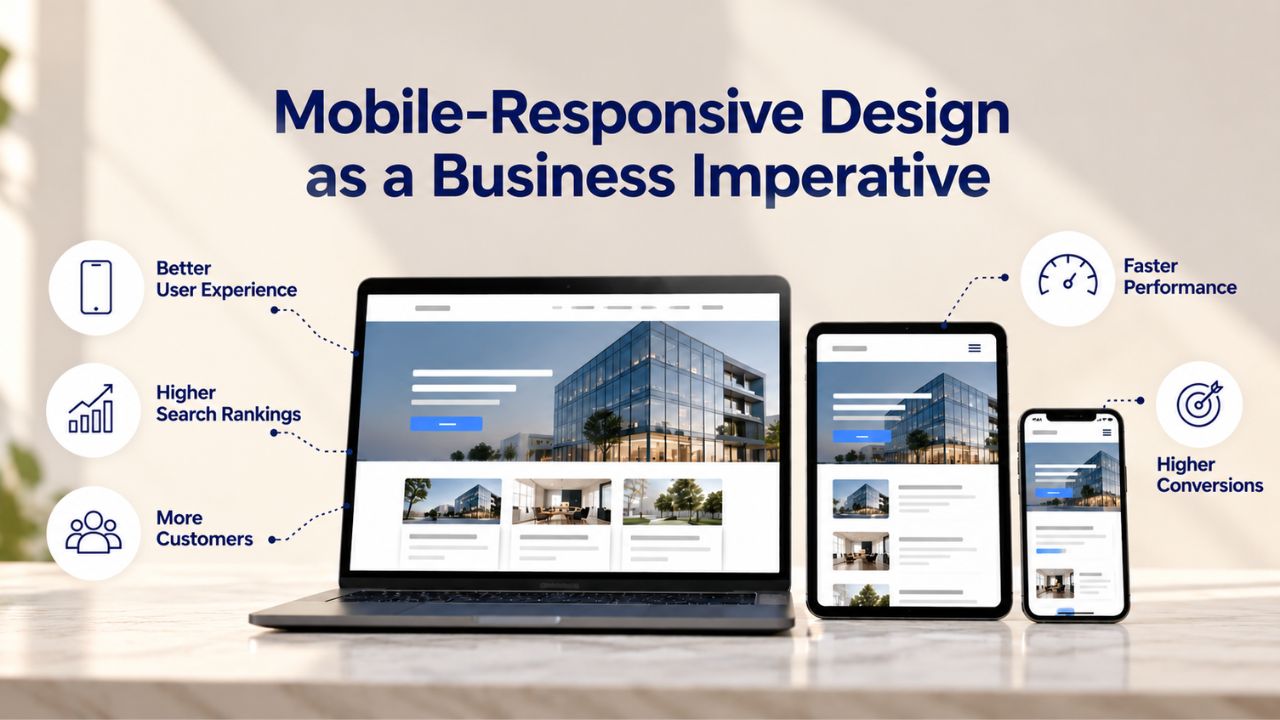
Mobile-responsive design isn’t an optional feature or a nice-to-have enhancement; it’s a fundamental requirement for clinic websites. Most patients now expect websites to function perfectly on smartphones the moment they arrive, with no need for pinching, zooming, or horizontal scrolling. Mobile optimization directly impacts patient acquisition, because how your site performs on mobile devices influences both search engine rankings and user experience.
Mobile Search Behavior and Its Impact on Patient Discovery
More than 50% of patient interactions and appointments now start with mobile searches. When a patient searches for “urgent care near me,” “pediatrician accepting new patients,” or “physical therapy [neighborhood]” on their smartphone, your site must load quickly and display perfectly on a small screen. Search engines prioritize mobile-friendly sites in their rankings, meaning a non-responsive clinic website will rank lower than mobile-optimized competitors, even if your clinic is geographically closer or has superior services.
Responsive design automatically adapts your site’s layout to fit whatever device is viewing it. Text reflows for readability, buttons resize to be easily tappable on touchscreens, images scale appropriately, and navigation restructures for mobile viewing. As a result, the site you build and preview on a desktop automatically renders beautifully on mobile devices without additional work or separate mobile development.
Touch Interface Optimization and Performance Considerations
Mobile form fields and clickable buttons should include a minimum of 44-pixel touch targets to ensure patients can interact reliably without accidentally tapping the wrong element. Undersized buttons, microscopic text, and poorly labeled form fields are major friction points that cause patients to abandon your site and seek care elsewhere. Test your completed site on real mobile devices, borrow coworkers’ phones, or use browser emulation tools to see how patients interact with your site.
Page load speed significantly affects both patient experience and search engine rankings. Mobile users demonstrate substantially less patience for slow-loading websites, with most abandoning sites that take more than 3-4 seconds to load. Website builders handle performance optimization automatically: images are compressed and optimized, code is minified, and hosting infrastructure is engineered for fast delivery. You don’t need to optimize code or configure servers; the builder does this work for you so your site performs well by default.
Local SEO Fundamentals for Clinic Websites
Local search is how most patients find clinics in their area. If your website isn’t optimized for local search, patients will find and choose your competitors instead. Local SEO for clinics relies on three interconnected pillars: your website’s content and structure, your Google Business Profile presence, and consistent clinic information across web directories.
Local SEO matters for clinics because patients typically seek care within a specific geographic area and value proximity to home or work.
Location Signals and Local Keyword Strategy
To rank effectively in local search results, your website must include strong, clear location signals and explicitly state the geographic area your clinic serves, prominently displayed across multiple pages. Including your clinic’s address in a footer isn’t enough. Your website should mention your location in page titles, headings, body copy, and service descriptions. If your clinic has multiple locations, create dedicated pages for each location with location-specific content, provider information, and service details.
Website builders with built-in SEO tools simplify local optimization by allowing you to edit page titles, meta descriptions, and heading tags directly, elements that should include local keywords relevant to your services and area. For a cardiology clinic in Austin, Texas, effective page titles might read “Cardiology Services in Austin, Texas” or “Schedule Your Cardiology Appointment in Austin.” This approach sends clear, unambiguous signals to search engines about your clinic’s services and geographic focus, improving your visibility for patients searching in your area.
Google Business Profile Optimization and Local Citations
Google Business Profile listings drive 56% of all patient actions, phone calls, directions, website visits, and appointment bookings for healthcare providers. Your profile must be complete, accurate, and regularly maintained: correct clinic name, precise street address, verified phone number, accurate hours (including holiday closures), comprehensive service listings, and high-quality photos of your facility and team. Critically, every piece of information on your website must match your Google Business Profile exactly; inconsistencies confuse search engines and dilute your local visibility.
Local citations- mentions of your clinic’s name, address, and phone number on other websites- also significantly impact search rankings. Listings on platforms like Google Maps, Yelp, health provider directories, insurance company websites, and local business directories reinforce your clinic’s legitimacy and local presence. When combined with a well-optimized website and active Google Business Profile, these citations push your clinic higher in local search results, meaning patients searching “clinic near me” or similar local queries see you first, or not at all.
Compliance, Security, and Legal Considerations for Medical Websites
Healthcare websites operate under legal and regulatory constraints that general business websites don’t face. Understanding these requirements protects your clinic, safeguards patient privacy, and helps you avoid costly legal issues. Compliance isn’t negotiable for medical practices; it’s foundational to legal operation and patient trust.
Taking compliance seriously from the start is far more efficient than scrambling to fix violations after a site launch.
HIPAA Compliance and Secure Patient Data Handling
Medical information sent through electronic channels must be encrypted per HITECH Act requirements, so any online forms collecting patient information, appointment booking forms, patient intake questionnaires, and health history requests must use HTTPS encryption. All modern website builders include SSL/HTTPS security automatically on all plans, so encryption is enabled by default. However, you must ensure forms are properly configured and that your website stores collected data securely, in compliance with HIPAA regulations.
Patient scheduling forms that collect protected health information (PHI) must comply with HIPAA regulations and requirements. This responsibility falls on your clinic; you must ensure that patient data collected through your website is stored in HIPAA-compliant systems with appropriate access controls, encryption, and audit trails. Website builders provide secure hosting and transmission infrastructure, but you must know which forms collect PHI and ensure proper data handling protocols are in place. When in doubt about compliance requirements, consult your clinic’s compliance officer, IT manager, or a HIPAA advisor.
Accessibility Requirements and State-Specific Regulations
Healthcare accessibility guidelines like WCAG 2.1 AA ensure websites are usable by patients with visual, hearing, motor, or cognitive disabilities. Inaccessible websites don’t just exclude patients who deserve care; they expose your clinic to potential legal risk under accessibility laws. Thoughtful design that includes proper heading hierarchies, image alt text, keyboard navigation, and sufficient color contrast benefits all users while ensuring compliance.
Medical board regulations vary significantly by state, with some states requiring specific disclaimers, detailed provider biographies, or prohibiting certain types of content on medical practice websites. Before launching your site, review your state medical board’s website requirements and regulations to ensure compliance. Some states require emergency disclaimers; others mandate specific language about scope of practice or credentials. Confirming requirements in advance protects your clinic from inadvertent regulatory violations.
Launch Timeline and Getting Your Site Live
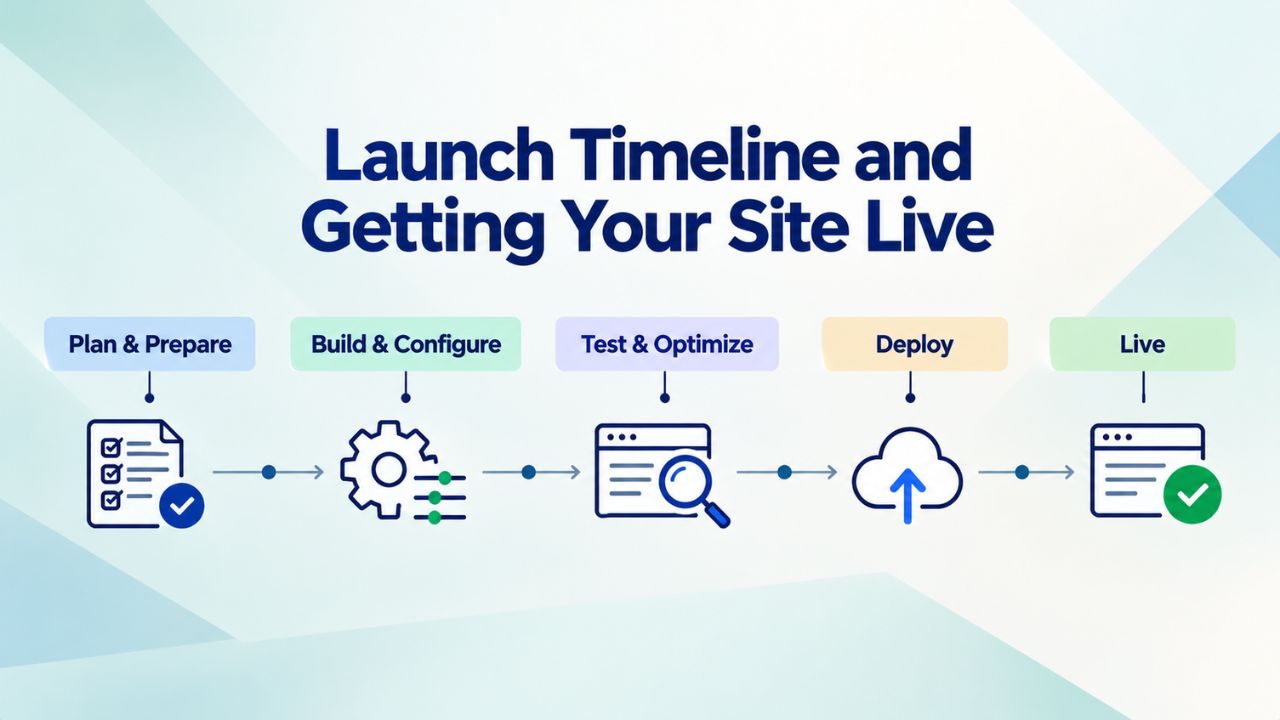
Building a clinic website with a website builder is faster and more straightforward than most clinic owners expect. Understanding the realistic timeline and sequential steps helps you plan your launch confidently and set appropriate expectations for your team. Successful launches result from careful planning, content preparation, and systematic execution rather than rushing.
Step-by-Step Website Launch Process
The typical launch process follows this sequence:
(1) Choose your website builder and select a healthcare template that resonates with your clinic’s aesthetic;
(2) Customize the template’s design elements, colors, fonts, and logo placement to match your clinic’s branding;
(3) Add core clinic information: phone number, address, hours of operation, insurance accepted;
(4) Write or import service descriptions and provider biographies;
(5) Upload high-quality photographs of your clinic, treatment areas, and team members;
(6) Configure your online appointment booking system with services, time slots, and provider assignments;
(7) Add contact forms and patient intake forms as needed;
(8) Test your site thoroughly on desktop and mobile devices, checking functionality, form submissions, and appointment booking;
(9) Connect your domain name (either register a new one through your builder or point an existing domain);
(10) Publish and go live.
Most clinics complete this process and launch successfully in 1 to 3 business days, provided content is prepared in advance. The actual timeline depends heavily on content readiness. If you arrive with provider bios, service descriptions, and professional clinic photography already prepared, you’ll move quickly. If you need to write content or arrange professional photography, add several additional days to your timeline. Plan to invest the most time in service descriptions and provider biographies; these are the first things patients read and the content that most influences trust and conversion.
Structured Data: Website Launch Timeline and Process
| Launch Step | Primary Activity | Typical Duration | Key Considerations | Tools & Resources |
|---|---|---|---|---|
| 1. Builder Selection & Template | Choose platform and healthcare template | 30 min – 1 hour | Review multiple templates, select best fit | Website builder libraries |
| 2. Design Customization | Update colors, fonts, logo, branding | 1 – 2 hours | Ensure consistency with clinic brand identity | Drag-and-drop editor |
| 3. Core Information | Add address, hours, phone, services | 1 – 2 hours | Ensure all information is accurate and current | Text editor |
| 4. Content Creation | Write provider bios and service descriptions | 2 – 4 hours | Allocate time; content quality significantly impacts conversion | Word processor or builder editor |
| 5. Photo Upload & Optimization | Add clinic and team photography | 1 – 2 hours | Use authentic clinic photos over stock images | Photo editing tools |
| 6. Appointment Booking Setup | Configure services, times, and providers | 1 – 2 hours | Test thoroughly; this is critical to patient experience | Booking system configuration |
| 7. Forms & Additional Features | Add contact, intake, and specialty forms | 1 hour | Collect only essential information initially | Form builder |
| 8. Testing & Quality Assurance | Preview site; test on desktop and mobile | 30 min – 1 hour | Essential before going live; check all functionality | Browser tools and actual devices |
| 9. Domain Connection | Connect or register domain name | 15 – 30 min | Propagation may take a few hours after connection | Domain registrar or builder |
| 10. Site Publication | Launch and go live publicly | 5 – 10 min | Monitor performance and function after going live | Publish button in builder |
| Total Elapsed Time | Complete website launch | 1 – 3 business days | Depends on content preparation; faster if materials ready | Website builder platform |
Ongoing Maintenance, Updates, and Support
Launching your website marks the beginning of your online presence, not its completion. Successful clinic websites require regular, consistent updates: new educational content, refreshed service information, updated hours and holiday schedules, new team member profiles, and current patient testimonials and reviews. Clinics that update their websites regularly show search engines their sites are active and maintained, which directly improves local search rankings.
Assign one staff member to own website maintenance, ideally someone with good writing skills and familiarity with your clinic. Most clinics need to dedicate 2 to 4 hours monthly to update content, monitor appointment bookings, respond to contact form inquiries, and handle routine maintenance. If you’re not confident managing your website independently or want professional guidance on optimization strategy, Niya Digital provides comprehensive onboarding and ongoing account management support to help clinic owners launch successfully and maintain effective websites. This support can be invaluable in keeping your site current, functional, and optimized for patient acquisition.
Ready to Build Your Clinic’s Digital Home?
With a website builder designed specifically for healthcare practices, you can launch a professional, fully functional clinic website in days, offer patients convenient 24/7 appointment booking, establish strong local search visibility, and compete effectively in your market. Niya Digital’s Website Builder Service, powered by GoDaddy Website Builder’s proven technology platform and supported by dedicated onboarding guidance, gives clinic owners everything they need to build and maintain a successful online presence.
Frequently Asked Questions
How long does it take to build a clinic website with a website builder?
Most clinics can launch a full professional site in 1 to 3 business days using website builders, provided core content is prepared beforehand. The primary variable is content preparation. If provider biographies, service descriptions, and photos are ready, you’ll move quickly through template selection, customization, and configuration. If you need to write content or arrange professional photography, add 3 to 7 additional business days. The technical build time using a website builder is minimal, usually just a few hours for template customization and feature setup. Compared with traditional web development or hiring agencies, website builders dramatically speed up launch.
Can a website builder handle secure appointment booking for my clinic?
Yes, absolutely. Modern website builders include native appointment booking systems that handle calendar management, payment processing, service selection, and patient information collection. These booking systems include HTTPS encryption by default, making payment and information transmission secure. However, your clinic remains responsible for ensuring that patient data collected through your website is stored and handled in compliance with HIPAA regulations and your state’s medical privacy requirements. The builder provides secure infrastructure; you ensure proper data management practices and staff training.
Is a website builder sufficient for a small clinic, or do I need custom-coded development?
For most small clinics, a website builder is not only sufficient, but also preferable to custom coding. Builders provide faster deployment, easier maintenance, included security and hosting, built-in appointment booking, SEO tools, and mobile responsiveness. They cost significantly less than custom development and are far easier for non-technical staff to update. Custom coding is rarely necessary for clinic websites unless you need highly specialized integrations with proprietary systems unique to your clinic.
How do I ensure my clinic website ranks in local search results?
Optimize your Google Business Profile with complete, accurate information and high-quality photos. Include your clinic’s geographic location on multiple pages throughout your website, using location-specific language in page titles, headings, and body content. Use local keywords in your site copy. Keep your website fresh with regular content updates and news. Ensure your site is mobile-responsive, since most local searches happen on mobile devices. Build local citations, accurate listings on Google Maps, Yelp, health directories, and insurance platforms. Website builders handle most technical SEO automatically; you focus on content quality and maintaining your Google Business Profile.
What core information should I include on my clinic website?
At minimum, include: clinic name and logo, complete address and directions, hours of operation (including holiday schedules), phone number and emergency contact information, list of services offered, provider names with credentials and specializations, how to book appointments, patient testimonials, and emergency disclaimers (such as “call 911 for emergencies”). Additional pages might cover detailed service descriptions, patient education resources, insurance information, clinic policies, and FAQs. Organize this information hierarchically, keep your homepage clean and focused on essential information and clear calls to action, and put detailed content on dedicated interior pages.
How do I collect patient information securely through my website?
Use forms built into your website builder, which automatically encrypt information with HTTPS. Collect only essential information in booking forms: name, phone, reason for visit. More detailed health history can be collected through separate pre-appointment forms. Never email sensitive patient information unencrypted. Store any collected patient data in HIPAA-compliant systems with appropriate access restrictions. Consult your clinic’s compliance officer or a HIPAA advisor about which information you can safely collect online and how to manage it securely.
Can I update my website myself, or do I need technical expertise?
Website builders are specifically designed for non-technical users. You can update hours, add photos, write service descriptions, manage appointment bookings, and publish announcements through an intuitive dashboard. No coding is required. Most staff members can learn basic website maintenance in just a couple of hours. For more complex updates, Niya Digital provides support and guidance to help clinic owners maintain their sites confidently.
Does a website builder include a domain name?
Most website builders include a free domain name for your first year when you sign up for an annual plan, or allow you to connect a domain you’ve registered elsewhere. Domain registration is simple and inexpensive (typically $8-15 per year). If you already own a domain, you can connect it to your website builder. If you need a new domain, your builder can handle registration during setup.
What happens if I want to move my clinic website to a different platform later?
Before choosing a builder, confirm whether the platform lets you export your content and data if you decide to move later. Most builders allow this for users who want flexibility. Niya Digital’s Website Builder Service supports site migration if your clinic’s needs evolve, so you’re never locked into a platform that no longer serves you.
What are typical costs for website builders suitable for clinics?
Website builder plans for healthcare practices typically range from free tiers with limitations to plans supporting full clinic functionality, including appointment booking and advanced features. Plans vary based on included features, storage limits, page limits, appointment-booking capability, and support level. Exact costs vary by provider and plan tier, but professional, clinic-capable plans are generally very affordable compared to alternatives like hiring developers or agencies.
Can I add a blog to my clinic website?
Yes, most website builders include native blog functionality. A clinic blog helps with local SEO (fresh content signals an active site to search engines) and provides a place to share patient education resources, health tips, community news, and clinic announcements. Start modestly; one blog post monthly is sufficient to demonstrate site activity. Quality matters far more than quantity for educational content that serves your patients.
How do automated appointment reminders reduce no-shows?
Most appointment booking systems send automated email and SMS reminders to patients 24 hours before their appointment. These reminders significantly reduce no-show rates by giving patients multiple touchpoints to confirm their intention to attend. If appointment reminders aren’t automatic on your builder, your staff can send manual reminders, though automation is more reliable and requires less manual work.
Is local SEO important for my clinic website?
Local SEO is essential for clinic success. Most patients find healthcare providers by searching online for services in their specific area, “pediatrician near me,” “orthopedic surgeon in [city],” etc. Clinics without local search visibility effectively don’t exist to patients searching online. Website builders include basic local SEO tools; you enhance results through regular content updates, Google Business Profile optimization, and local citations across directories.
Can my website integrate with my clinic’s scheduling software or electronic health record?
Integration possibilities depend on your website builder and your existing clinic software. Some builders integrate directly with common clinic management and EHR systems; others don’t. If you already use specific clinic management software, verify that your chosen builder integrates with it before committing. If not, you may need to manage appointments in two systems or select a builder that works with your existing tools.
What kind of support should I expect after my site launches?
Most website builders offer email and chat support. Niya Digital provides additional onboarding support during launch and ongoing account management guidance to help clinic owners maintain effective websites. Support availability and quality vary by builder and plan tier, so confirm support availability matches your needs, especially important if you’re not confident troubleshooting technical issues independently.
Glossary
- Appointment Booking (Online): A feature that lets patients schedule appointments with your clinic 24/7 without phone calls. Patients select services, choose time slots, provide contact information, and optionally pay deposits or fees. Systems sync with your clinic calendar to prevent double-booking.
- Domain Name: Your website’s web address (e.g., yourclinic.com). You register domains through registrars and typically renew annually. Most website builders offer domain registration directly.
- Hosting: The service maintaining your website on internet servers so visitors can access it. Website builders include hosting on all plans and automatically handle server maintenance, security, and performance.
- HIPAA Compliance: Adherence to regulations protecting patient privacy and medical data security. Healthcare website practices must comply with HIPAA requirements for data handling, encryption, and access control.
- Mobile-Responsive Design: Website design automatically adapting layout, text, and images to any screen size, desktop, tablet, phone. Responsive sites function smoothly on all devices without separate mobile versions.
- SEO (Search Engine Optimization): Practices helping websites rank higher in search results. For clinics, local SEO, appearing in “clinic near me” searches, is most critical. Website builders include basic SEO tools; quality content and regular updates maximize results.
- Template: Pre-designed website layouts you customize with your clinic’s information, colors, and photos. Templates provide professional design starting points without requiring design expertise.
- Website Builder: A platform for creating websites without coding. Website builders offer templates, drag-and-drop editing, integrated hosting, appointment booking, contact forms, and SEO tools designed for non-technical users.