
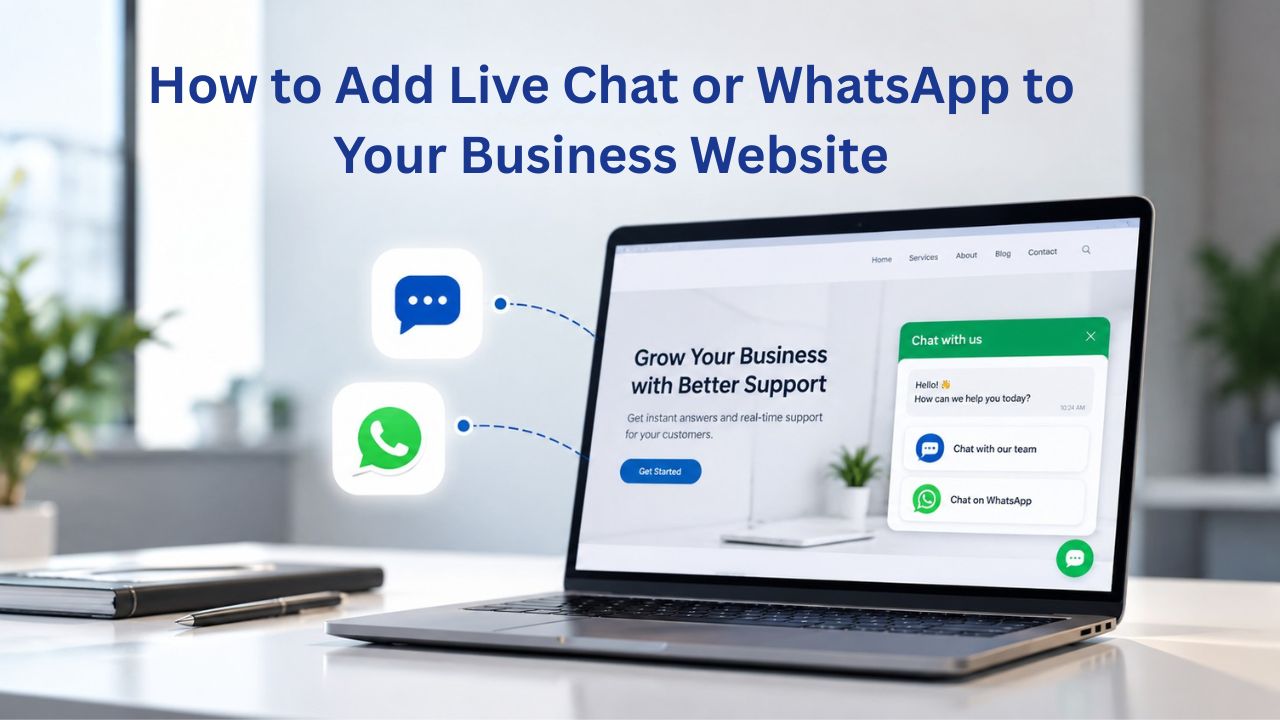
Customers expect instant responses. Delayed replies cost you sales and trust. Live chat and WhatsApp let you respond in real time through your customer’s preferred channel. Niya Digital is an authorized reseller of Website Builder-powered website builder services, not the operator of independent builder infrastructure. Business results depend on many factors outside any provider’s control, including your messaging strategy, staffing, content, and market conditions.
Why Real-Time Messaging Matters for Your Online Business
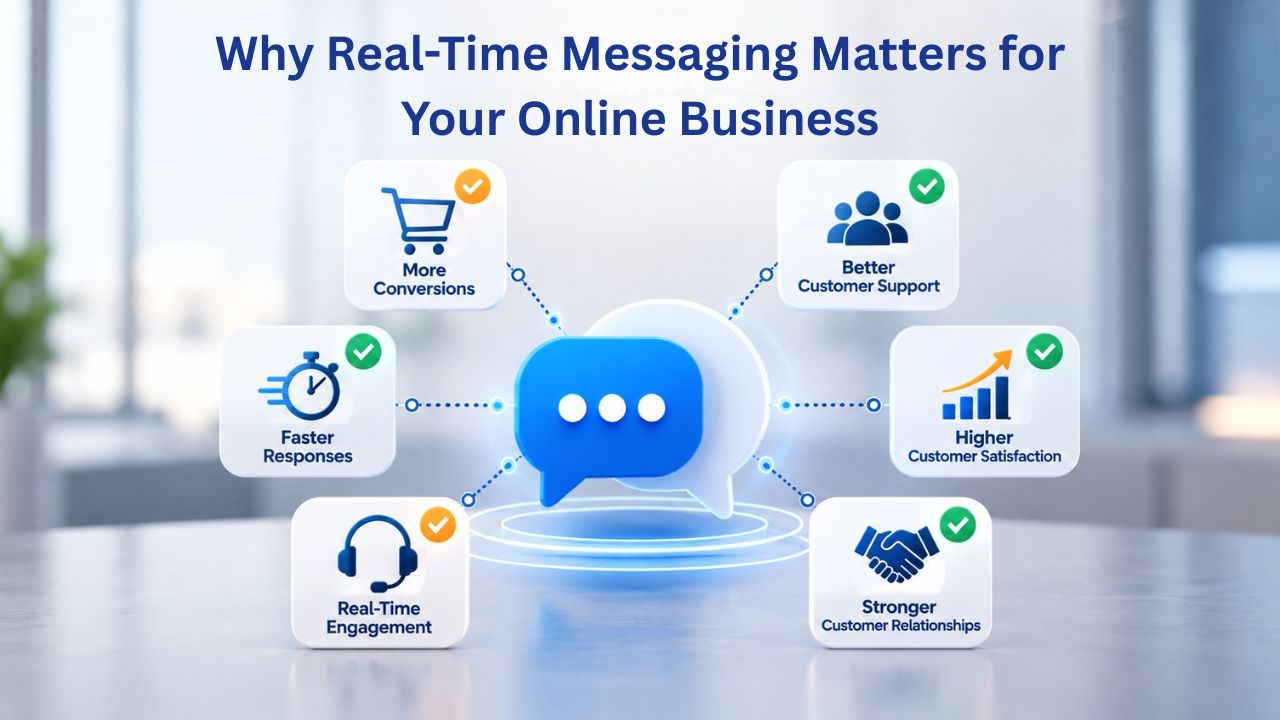
Customers decide whether to engage in seconds. A live chat widget or WhatsApp button signals responsiveness and builds trust, especially for e-commerce, appointment-based services, and support-focused businesses. When visitors can reach you immediately, conversion rates often improve and support costs drop because you handle issues before they escalate. Adding real-time messaging to your website design is one of the most direct ways to improve the customer experience.
Instant Response Reduces Friction in Every Business Type
Live chat and messaging close the gap between the customer’s question and your answer. Research shows that real-time communication reduces response times from hours to minutes, cutting the number of customers who abandon a purchase or booking while waiting. For e-commerce sites, this translates directly to fewer cart abandons; for service businesses, faster booking confirmations mean higher close rates. The window between customer interest and action is small; having live messaging open keeps the door from closing.
A website builder makes this setup simple because it handles hosting and page rendering; you add the messaging layer on top. Unlike custom-coded sites, where adding live chat requires developer work, no-code website builder tools let you embed these tools in minutes via a simple embed code or app-marketplace integration. Niya Digital’s Website Builder Service provides template-level guidance for common integrations as part of onboarding.
Building Trust Through Instant Availability
Consumers judge credibility partly by whether a business appears available. A live chat bubble tells visitors, “Someone’s here to help.” WhatsApp, where business-to-consumer messaging has grown fastest in Asia, Latin America, and parts of Europe, signals that you meet customers where they communicate. When your website design tool supports these integrations cleanly, without clunky iframes or broken widgets on mobile, the professional impression strengthens.
Website Builder Plans & Pricing
Create a professional website with flexible website builder plans designed for businesses, portfolios, and growing online brands. Choose a plan that matches your needs and build, customize, and manage your website with easy-to-use tools, responsive designs, and essential features for a strong online presence.
Website Builder Personal
Share your passion online.
- Responsive mobile design
- Website hosting
- Rapid Page-Load performance
- Create a blog
- Security (SSL)
- 24/7 support

Website Builder Business
Create an online presence for your business.
- Responsive mobile design
- Website hosting
- Rapid Page-Load performance
- Create a blog
- Security (SSL)
- 24/7 support
- PayPal Buy Now or Donate button
- Search Engine Optimization (SEO)
Website Builder Business Plus
Attract more customers.
- Responsive mobile design
- Website hosting
- Rapid Page-Load performance
- Create a blog
- Security (SSL)
- 24/7 support
- PayPal Buy Now or Donate button
- Search Engine Optimization (SEO)
- Social Media Integration
- Share content to Facebook
- Online Appointments
Website Builder Online Store
Sell products and services.
- Responsive mobile design
- Website hosting
- Rapid Page-Load performance
- Create a blog
- Security (SSL)
- 24/7 Support
- PayPal Buy Now or Donate Button
- Search Engine Optimization (SEO)
- Social Media Integration
- Share content to Facebook
- Online Appointments
- Built-in shopping cart
- Sell physical and digital products
- Accept credit and debit cards, PayPal and more
- Flexible shipping options
- Discounts and promotions
- Manage inventory
How Live Chat Integrations Work on Website Builders
Live chat platforms (Intercom, Zendesk Chat, Drift, and others) function as a separate service that your website connects to. Your website builder, whether it’s Niya Digital’s Website Builder Service powered by GoDaddy Website Builder or another platform, hosts your site; the live chat platform hosts the messaging backend and conversation storage. The two connect via an embed code (a small JavaScript snippet) or, if available, through the builder’s app marketplace.
Embed-Code Integration: The Universal Approach
Most live chat platforms provide an embed code, a few lines of JavaScript that you paste into your website. The website builder renders your pages normally; when a visitor loads your site, the embed code runs and displays the live chat widget in the corner. This approach works on any website builder because it relies only on standard web technology, not special builder features.
To use embed-code integration: log into your live chat platform, generate your embed code, then find your website builder’s “Custom Code” or “Head” section and paste it there. GoDaddy Website Builder supports custom code injection, making this a straightforward two-step process. You’ll see the live chat widget appear on your live site within minutes, and it automatically scales to mobile devices because the chat platform’s widget is responsive.
App-Marketplace Integration: The No-Code Path
Some website builders offer an apps marketplace where you can add live chat with a single click. GoDaddy Website Builder provides an app marketplace for certain integrations. If your chosen live chat platform is listed there, you skip the embed code and authorize the connection through a pop-up- no code to paste, no confusion.
Niya Digital’s Website Builder Service exposes these marketplace integrations as part of its drag-and-drop design experience, so you can add live chat the same way you’d add a contact form or testimonial block. This approach is faster for beginners, but available integrations depend on which platforms the builder officially partners with. Embed codes give you more flexibility if your preferred platform isn’t in the marketplace.
How WhatsApp Integrations Work: Widgets vs. APIs
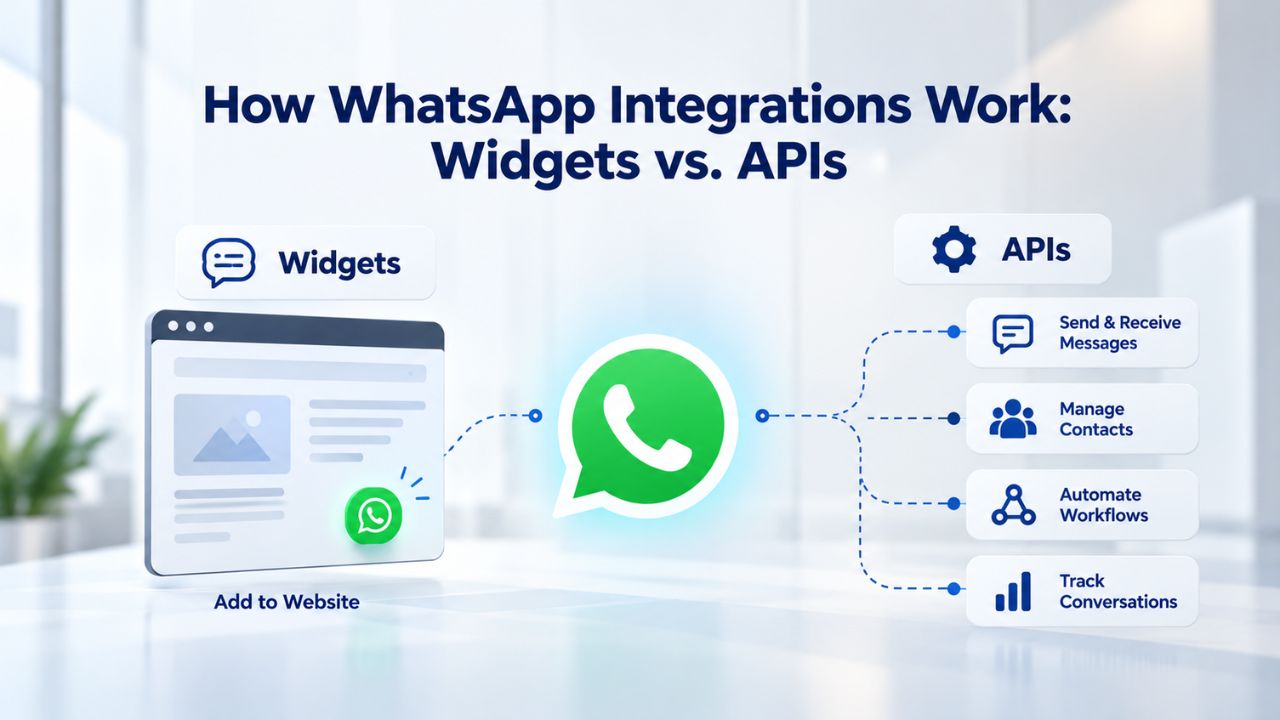
WhatsApp for Business operates differently from live chat because Meta (WhatsApp’s parent) controls the messaging infrastructure. You cannot post messages to WhatsApp directly from your website builder; instead, you use one of two paths: a third-party WhatsApp chat widget (simplest for most site builders) or Meta’s official WhatsApp Business API (most powerful, requires developer involvement).
Third-Party WhatsApp Chat Widgets: The Website-Builder Approach
A WhatsApp chat widget is a small embed (similar to live chat) that lets visitors click a button on your website and open WhatsApp on their phone or desktop to message your business account. Platforms like Tidio, Chatfuel, and others provide these widgets. You add them to your site the same way you’d add live chat: embed code or app marketplace.
The widget does not replace your WhatsApp app; it is a button that opens an existing conversation. When a customer clicks it, they see your business phone number in a pre-filled message, and the conversation happens in WhatsApp itself. This means replies come to your WhatsApp Business app or dashboard, where you manage them alongside regular WhatsApp messages. For most small businesses and website builders, this is the practical approach. It requires no developer, no API keys, and no special backend infrastructure.
Meta’s WhatsApp Business API: The Custom Development Path
If you want programmatic control, to send automated messages, integrate WhatsApp with your CRM, or build a full customer-service platform around WhatsApp, you use Meta’s WhatsApp Business API. This approach requires developer setup, API credentials, and backend infrastructure to handle message routing and storage.
Website builders alone cannot implement the WhatsApp Business API without custom code or a developer, because the API requires server-side logic the builder doesn’t expose. However, some third-party services (Twilio, MessageBird) bridge the gap by providing WhatsApp integrations that work with website builders and handle the API complexity on their side. For website-builder users, the WhatsApp Business API is rarely necessary unless your business has specialized messaging, CRM, or automation needs.
Live Chat Platforms vs. WhatsApp Widgets: Feature Comparison
| Feature / Factor | Live Chat (Zendesk, Intercom, Drift) | WhatsApp Widget (Tidio, Chatfuel) | Trade-Offs & Notes |
|---|---|---|---|
| Setup Method | Embed code or app marketplace | Embed code or app marketplace | Both integrate similarly into website builders |
| Typical Platforms | Zendesk Chat, Intercom, Drift, Freshchat | Tidio, Chatfuel, WhatsApp Chat widgets, others | Hundreds of options in each category |
| Mobile Support | Excellent; widgets scale to all devices | Excellent; widgets scale to all devices | Both are mobile-responsive by default |
| Compliance Obligations | GDPR, CCPA, regional privacy laws apply | Same, plus Meta’s WhatsApp Business Policies | You must disclose data collection and obtain consent |
| Cost (typical starting point) | $25–60 USD/month per agent | Free–$50 USD/month (freemium to paid) | Pricing varies widely; check each provider’s current rates |
| Global Reach | Highest; works for all customer bases | Medium; limited to customers with WhatsApp | Live chat reaches broader audiences |
| Best For | E-commerce, real-time support, lead capture | Existing relationships, WhatsApp-heavy markets | Use both for maximum reach if staffing allows |
Step-by-Step: Adding Live Chat to Your Website Builder
Getting live chat live takes about 15 minutes from start to finish. The process is straightforward whether you use embed codes or your builder’s app marketplace.
Prepare Your Platform and Generate the Embed Code
Choose a live chat provider: Intercom, Zendesk Chat, Drift, or another platform that suits your budget and features. Most offer free trials or freemium tiers, so you can test before paying. Sign up, create your account, and log in to your provider’s dashboard. In your live chat platform’s settings, find the “Installation” or “Embed Code” section. This is where the provider gives you the JavaScript snippet you’ll paste into your site. Copy this snippet; it typically looks like <script>…</script> and includes your unique business ID.
Open your website builder, Niya Digital’s Website Builder Service, or another platform. Navigate to your site’s settings or custom-code section. GoDaddy Website Builder calls this “Custom Code” or “Head Code”; find your builder’s equivalent. Paste the live chat embed code into the provided field. If your builder offers an app marketplace and your chat provider is listed, use that instead: search for the app by name, click “Add,” and authorize the connection. The builder handles the code injection for you. Either way, save your changes.
Deploy, Test, and Configure Notifications
Publish your site or view a live preview. You should see the live chat widget appear, usually a small bubble in the bottom-right or bottom-left corner, depending on your provider’s defaults. Test it from a mobile device to confirm it scales correctly. Once you see the widget on your live site, live chat is active, and visitors can start conversations.
In your live chat dashboard, set notification preferences so you know when a visitor messages. Assign team members as “agents” if you have a team, configure auto-responses, and set business hours. Some platforms auto-hide the widget outside business hours; others keep it visible with a message saying you’ll respond by morning. Configure this based on your availability.
Step-by-Step: Adding WhatsApp Messaging to Your Website Builder
Adding a WhatsApp widget takes about 10–20 minutes with a third-party widget provider. This is faster than the WhatsApp Business API approach and suitable for most small businesses.
Prepare Your WhatsApp Account and Choose Your Widget Provider
You need a business phone number to receive WhatsApp messages. This can be your main business line or a dedicated messaging number, but it must be registered with Meta’s WhatsApp Business account setup. Visit WhatsApp Business (https://www.whatsapp.com/business/) and complete account creation and phone verification. This is free; you only pay per message if you use Meta’s official messaging API, and widget-based messaging typically has no per-message cost.
Select a widget provider like Tidio, Chatfuel, or equivalent. Sign up and connect your WhatsApp Business account by authorizing the provider to access your WhatsApp messages. The provider’s dashboard will show you an embed code or integration setup. Copy the code or note your provider’s app name if you plan to use your builder’s app marketplace. Most widget providers integrate with website builders via standard embed codes.
Install and Verify Across Devices
Open your website builder, find the custom-code section, and paste the WhatsApp widget code. Alternatively, if your builder has a marketplace and your widget provider is listed, add it from there. Save and publish your site. Visit your live site. You should see the WhatsApp button (usually a green chat bubble with the WhatsApp logo). Click it on desktop; it should open a WhatsApp chat window in your browser or redirect to the web version of WhatsApp. On mobile, clicking the button should open your phone’s native WhatsApp app with your business number pre-filled. This confirms the widget is working correctly.
Ready to Add Real-Time Messaging to Your Site
Live chat and WhatsApp can be live on your site in under an hour. Niya Digital’s Website Builder Service includes drag-and-drop design, built-in support for third-party integrations like live chat and WhatsApp widgets, and responsive templates that look professional on every device. Choose your messaging platform, add the embed code or integration, and start responding to customers instantly.
Compliance and Data Privacy: What You Must Know Before Going Live
When you add live chat or WhatsApp to your site, customer data flows through your messaging platform. You are responsible for ensuring that flow complies with the laws and regulations that apply to your business and location. Understanding compliance is essential before deployment.
Data Privacy, User Consent, and Transparent Disclosure
Live chat and messaging platforms store conversations, which may include personal data (names, email addresses, phone numbers, purchase history, support issues). In the European Union, GDPR requires explicit consent before processing personal data, so you must disclose that live chat collects data and get agreement before a customer messages you. In California, CCPA gives residents the right to access and delete their personal data.
These regulations vary significantly by region. If your business operates in the EU, GDPR applies; if you have California customers, CCPA does. Many other countries and states have their own data-privacy frameworks. Before adding live chat or WhatsApp, review which regulations apply to your business and confirm your messaging platform’s privacy policy covers you. Most major platforms (Zendesk, Intercom, Meta) publish detailed GDPR and CCPA compliance documentation. Visitors should know their data will be stored in a messaging platform, so add a simple notice on pages where you display live chat or WhatsApp buttons.
WhatsApp Business Messaging Policies and Compliance
Meta enforces strict rules on WhatsApp Business messaging to prevent spam and harassment. You must follow these policies to keep your WhatsApp account active: only message customers who have opted in to receive messages from you, don’t send unsolicited promotional messages, respond to customer-initiated conversations within 24 hours when possible, and comply with Meta’s commerce and prohibited-content policies.
If you sell products or services via WhatsApp, review Meta’s commerce policies. Some categories (financial services, lotteries, certain health claims) have extra restrictions. Website builders, including GoDaddy Website Builder (which powers Niya Digital’s Website Builder Service), do not handle customer messaging data directly; that responsibility lies with your messaging platform provider. Small businesses often overlook these rules and risk account suspension, so read the policies before enabling WhatsApp.
Mobile Design and Responsiveness: Critical for Messaging Widgets
Live chat and WhatsApp widgets must work flawlessly on mobile, where most messaging happens. Website builders handle responsive design (the idea that your site adapts to different screen sizes), but you should verify how your messaging widget renders on mobile before deploying it widely.
Responsive Design and Widget Placement on All Screens
Modern website builders, including GoDaddy Website Builder-powered platforms like Niya Digital’s Website Builder Service, automatically scale your site to mobile screens. When you add a live chat or WhatsApp widget via embed code, the widget should also scale automatically because chat platforms design their widgets to be mobile-responsive. However, placement matters.
If your live chat widget is positioned in the bottom-right corner (typical), it should not overlap critical buttons or forms on mobile, where screen space is tight. Test your site on a phone and tablet to confirm the widget does not block the checkout button, contact form, or other conversion elements. Some platforms let you adjust the widget’s position in their settings; use this to optimize mobile UX if needed. Website-builder preview tools let you view your site on different screen sizes during design to spot any widget-placement issues.
Testing the Widget on Multiple Devices Before Launch
Before promoting your messaging channels, test them on at least three devices: your computer, an iOS phone, and an Android phone. Confirm that clicking the chat or WhatsApp button works as expected on each, and that the conversation interface is readable and responsive. A broken widget on mobile damages your credibility; thorough testing before launch prevents that.
Most chat platforms and widget providers design responsive interfaces, but interaction patterns can differ between devices. On desktop, a chat window might pop open in a browser tab; on mobile, the native app should open. Verify both experiences work smoothly before your site goes live.
Choosing the Right Tool for Your Business: Live Chat, WhatsApp, or Both
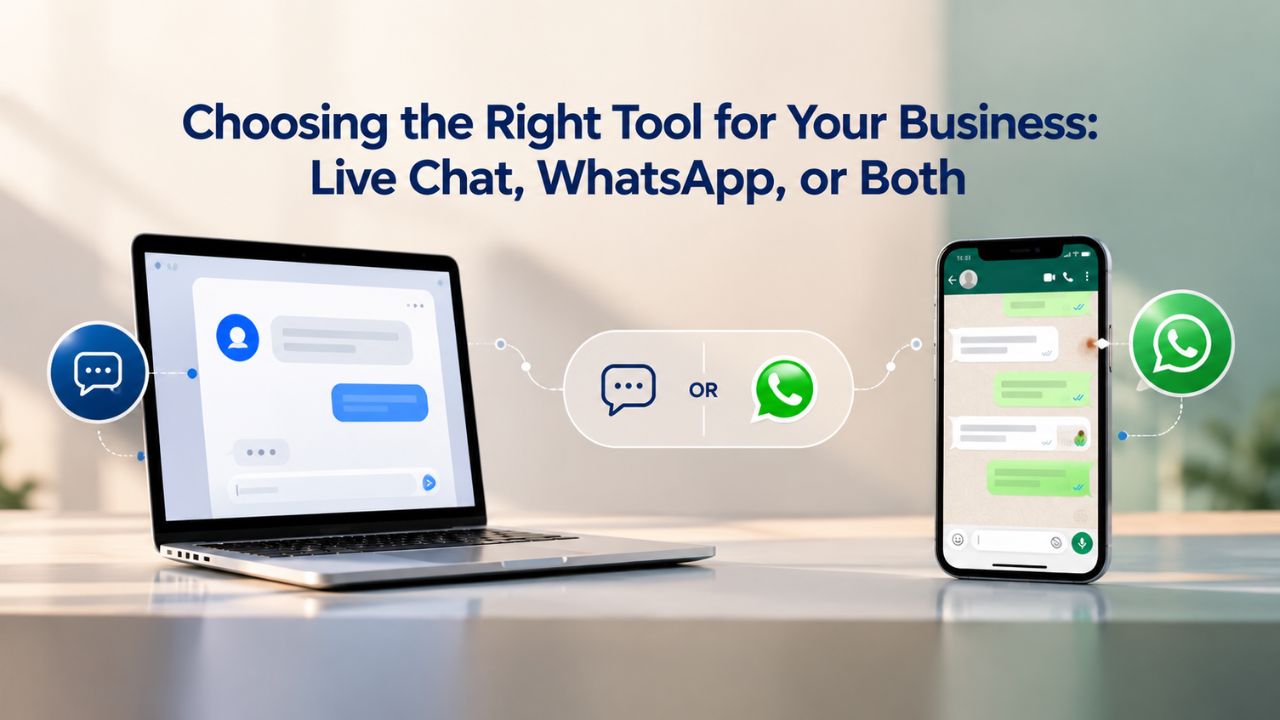
Different businesses benefit from different messaging channels. Your choice depends on your customer base, business model, and available staffing for responsive messaging.
Live Chat: E-Commerce, Booking, and Real-Time Support
Live chat is ideal if you sell products online, schedule appointments, or provide immediate customer support. Visitors can ask questions without leaving your site, and you can chat from any device, your phone, tablet, or computer. Most live chat platforms include features like canned responses (saved replies for common questions), chat history, and visitor browsing context (you can see which page the customer is on when they message). These features speed up support and improve conversion.
Live chat works globally and doesn’t require visitors to own WhatsApp or any messaging app. This makes it the broadest-reach option for businesses with diverse customer bases. A hybrid approach combining both live chat and WhatsApp maximizes customer reach if your team can manage two channels. For many growing businesses, offering both channels has become standard practice, with live chat as the primary channel and WhatsApp for customers who prefer that platform.
WhatsApp: Regional Markets and Existing Customer Relationships
WhatsApp is ideal if your customers already use WhatsApp for personal messaging, particularly if your business is in Asia, Latin America, or parts of Europe where WhatsApp is the default messaging app. If you already communicate with customers via WhatsApp, adding a widget to your site makes that channel visible and centralizes conversations.
WhatsApp works best for businesses with smaller customer volumes or existing relationships (customers who already know your business and have your contact). The widget approach is free or low-cost, making it affordable for small teams. The drawback: customers must have WhatsApp installed and know your business phone number to reach you outside the widget. This limits WhatsApp’s reach compared to live chat, which lives on your site and needs no prior knowledge of your contact method.
Cost, ROI, and Realistic Budget Expectations
Adding live chat and WhatsApp to your website has real costs, not just for the platforms, but for the time and staffing required to respond promptly. Understanding these costs helps you decide whether it’s worth it for your business.
Choose the Right Messaging Channel for Your Business
| Business Type / Need | Best Channel | Why | Setup Complexity |
|---|---|---|---|
| E-commerce with checkout | Live chat | Reduce cart abandonment, answer product questions in real time | Low (embed code, ~10 min) |
| Appointment or service booking | Live chat + WhatsApp | Confirm bookings instantly, reduce no-shows, reach customers in preferred channel | Medium (both integrations, ~20 min) |
| Customer support-heavy (SaaS, software) | Live chat | Rapid issue resolution, reduce support tickets, improve retention | Low (embed code, ~10 min) |
| Local service business (salon, repair, consulting) | WhatsApp or live chat (by region) | In WhatsApp-heavy regions, customers expect WhatsApp; live chat works globally | Low–Medium (10–20 min) |
| Product inquiry or demo request | Live chat | Capture leads immediately, qualify before sending to sales | Low (embed code, ~10 min) |
| Blog or content-heavy site (low transaction volume) | Optional; live chat if support queries arise | Lower ROI if volume very low, but useful if readers ask questions | Low (embed code, ~10 min) |
Platform Pricing and Staffing Investment
Most live chat platforms charge per agent or per feature tier. Zendesk Chat, Intercom, and Drift typically start at $25–50 USD per agent per month for a basic plan, scaling to $100+ per agent per month for advanced features. Pricing varies widely; check each provider’s current pricing page for exact figures, as pricing frequently changes and varies by region. WhatsApp widget pricing is usually lower or free; third-party widget providers often offer freemium plans or charge $20–50+ USD per month for multiple numbers and advanced features.
The highest cost is staffing. To benefit from live chat or WhatsApp, someone on your team must monitor and respond to messages. If you’re a solo founder, this might mean checking messages every 2–4 hours during business hours; if you have a support team, you might need dedicated chat agents. Budget at least 1–2 hours per day of team time to start, then adjust based on message volume. This ongoing time commitment must be factored into your ROI calculation.
Measuring ROI and Calculating Breakeven
Live chat and WhatsApp ROI comes from two sources: increased conversions (customers who message and then buy) and reduced support costs (issues resolved faster, fewer follow-up emails). For appointment-based businesses (salons, consultants, repair services), WhatsApp or live chat can reduce no-shows and booking cancellations by enabling real-time confirmation.
For e-commerce, live chat often reduces cart abandonment; if 5% of your abandoned carts are saved by a chat response, the platform is profitable. The specifics depend on your business, but for most small businesses with consistent customer volume, real-time messaging is a worthwhile investment. Track conversations and conversions; if conversions improve and support emails drop, live chat is delivering ROI.
Troubleshooting Common Integration Issues and Best Practices
Even with straightforward integration, a few things can go wrong. Here’s how to diagnose and fix the most common issues, plus best practices for long-term success.
Widget Visibility, Data Flow, and Mobile Overlap Issues
If you paste an embed code and the widget doesn’t show up, start by opening your live site in a private/incognito browser window (to bypass cache) and refresh the page. Cached pages sometimes show the old version. If the widget still isn’t visible, check that you pasted the code into the correct location: the <head> section or custom-code field, not a page’s content area. Verify your account is active in your chat platform’s dashboard, and the embed code is current, as some platforms update codes when settings change.
If conversations start but don’t save, your messaging platform’s API connection may have failed; try disconnecting and re-adding the integration through your builder’s app marketplace. If your live chat widget or WhatsApp button is blocking your checkout button or call-to-action on mobile, adjust the widget’s position in your messaging platform’s settings. Move it somewhere it won’t interfere with critical conversions, then test again.
Best Practices: Business Hours, Auto-Responses, and Continuous Improvement
Visitors expect a response when they message you. If you cannot respond in real time during all hours, set your live chat and WhatsApp to clearly display business hours. Most platforms let you set auto-responses during off-hours: “We’re offline now, but we’ll get back to you by tomorrow morning.” This manages expectations and prevents frustrated customers. Train your team to respond quickly; if a visitor messages at 2 PM and doesn’t hear back until 3 PM the next day, you lose momentum. Aim to respond within 15–30 minutes during business hours, as this is one of the biggest ROI drivers.
Monitor conversation metrics in your chat platform’s dashboard: conversation counts, average response time, and customer satisfaction ratings. Compare your conversion rate and cart abandonment before and after adding live chat. If conversions improve and support emails drop, live chat is delivering ROI. Give it at least a month of normal volume before deciding whether to expand or adjust your messaging strategy.
Launch Your Live Messaging Strategy Today
Real-time messaging is no longer optional; it’s a conversion and trust tool that small businesses need to compete. Niya Digital’s Website Builder Service makes it simple to add live chat, WhatsApp, or both to your site without coding. Choose your platform, add the integration, and start responding to customers in the time it takes to make coffee.
Frequently Asked Questions
Can I add live chat to a website builder without code?
Yes. If your website builder has an app marketplace and your chosen live chat platform is listed, you can add it with a single click, no code required. If the platform isn’t in the marketplace, you’ll paste an embed code into your builder’s custom-code section. This is straightforward (copy-paste, no coding knowledge required) and takes less than five minutes.
Will live chat and WhatsApp widgets slow down my website?
Chat widgets add minimal JavaScript that loads asynchronously (in the background) and doesn’t block your page rendering. Most visitors notice no speed difference. If you’re concerned about performance, check your website builder’s performance testing tool or a third-party service like Google PageSpeed Insights before and after adding the widget.
What happens to my conversations if I switch live chat platforms?
Conversations are stored by your messaging platform, not your website builder. If you switch from Zendesk Chat to Intercom, Zendesk keeps your conversation history, and Intercom starts fresh. Most platforms allow you to export data; check your provider’s documentation for export options before switching.
Do customers need WhatsApp installed to message me via the WhatsApp widget?
On desktop, customers can message via WhatsApp Web in their browser. On mobile, if they have WhatsApp installed, the widget opens the app; if not, it may prompt them to install it or offer an alternative. For the best experience, make sure your customer base has WhatsApp or is likely to install it.
Can I use live chat for sales, or is it only for support?
Live chat is effective for both sales and support. Use it to answer product questions, send recommendations, and help customers through the buying process. Some businesses assign chat agents to greet visitors on high-traffic pages to start conversations proactively. It’s a flexible tool; use it however your business needs.
Are there privacy risks with live chat and messaging integrations?
Not if you use a reputable platform and comply with privacy regulations (GDPR, CCPA, etc.). Major platforms encrypt conversations and comply with industry standards. The responsibility is on you: ensure you have consent to store customer data and follow regional privacy laws. Add a privacy notice on your site and include the messaging platform’s policy in your own privacy policy.
What’s the difference between live chat and chatbots?
Live chat is real-time, human-to-customer communication. Chatbots are AI-powered automated responses. Many platforms combine both: a chatbot handles common questions, and if a visitor needs human help, the bot escalates to a live agent. For most small businesses, starting with live chat alone is enough; you can add chatbot capabilities later.
How do I know if live chat is working for my business?
Track conversations and conversions in your chat platform’s dashboard. Compare your conversion rate and cart abandonment before and after adding live chat. Most platforms show conversation counts, average response time, and customer satisfaction ratings. If conversions improve and support emails drop, live chat is delivering ROI. Give it at least a month of normal volume before deciding.
Can I add live chat if my website builder is free or very basic?
Most free website builders support third-party integrations via embed code, so yes. You can add live chat or WhatsApp to almost any builder. The builder itself doesn’t need to offer an app marketplace; the embed-code approach works universally.
What’s a typical response time for live chat?
Immediate, if someone is monitoring. With a dedicated chat agent, customers can expect responses within 1–5 minutes. If one team member handles multiple tasks, responses might take 10–30 minutes. Set expectations in your auto-response: “We typically respond within 30 minutes during business hours.” Faster responses drive higher conversions and customer satisfaction.
Do I need to hire a dedicated chat agent?
Not necessarily. Solo founders often manage live chat themselves, checking messages every 2–4 hours during business hours. If message volume becomes overwhelming (more than 10–20 per day), hiring a part-time chat agent becomes cost-effective. Scale up as your business grows.
Can live chat integrations work across multiple pages on my website?
Yes. Once you add the embed code or app to your website builder, the widget appears on every page of your site automatically. You can sometimes configure it to show on specific pages only through your chat platform’s settings, giving you granular control over where the widget appears.
What if customers prefer email over chat?
Live chat and email are complementary, not exclusive. Some visitors will prefer email; others will use chat. You can offer both channels simultaneously. Route emails to your support inbox and chat messages to your chat platform, then manage both from your individual tools or a unified dashboard if your platform supports it.
Is WhatsApp Business free to use?
Setting up a WhatsApp Business account is free. Third-party widgets that display WhatsApp buttons are often free or low-cost. Meta’s WhatsApp Business API itself has no direct cost for the API connection, but you pay for messages sent at Meta’s rates (typically $0.0435–0.1365 USD per message, depending on destination country). This cost applies only to automated messaging, not to customer-initiated conversations via a widget.
How long does it take to see ROI from live chat?
ROI varies by business, but most see measurable improvements within 2–4 weeks of consistent operation. Track metrics from day one: response time, conversation volume, conversion rate, and cart abandonment. If even 1–2% of your traffic converts via chat, the platform usually pays for itself within the first month, depending on your average order value.
Glossary
- Website Builder: A no-code platform that lets you design, build, and publish a website using drag-and-drop tools instead of writing code. Website builders typically include templates, hosting, and publishing tools, all in one service.
- Third-Party Integration: Connecting a separate tool or service (like live chat or WhatsApp) to your website builder so the two systems work together. The integration allows data to flow between your site and the external tool.
- Embed Code: A snippet of code (usually JavaScript) that you copy from one platform and paste into your website builder to add functionality like live chat, forms, or widgets. The embed code runs on your page and displays the embedded content.
- Widget: A small, self-contained interface element (like a chat bubble or messaging button) that appears on your website and lets visitors interact with a service (live chat, WhatsApp, contact forms).
- Responsive Design: Website design that automatically adapts to different screen sizes, desktops, tablets, and phones, so the site looks and functions correctly on any device.
- Compliance: Following applicable laws and regulations when handling customer data and communications. For live chat and WhatsApp, this includes privacy laws like GDPR and rules set by Meta for WhatsApp messaging.