
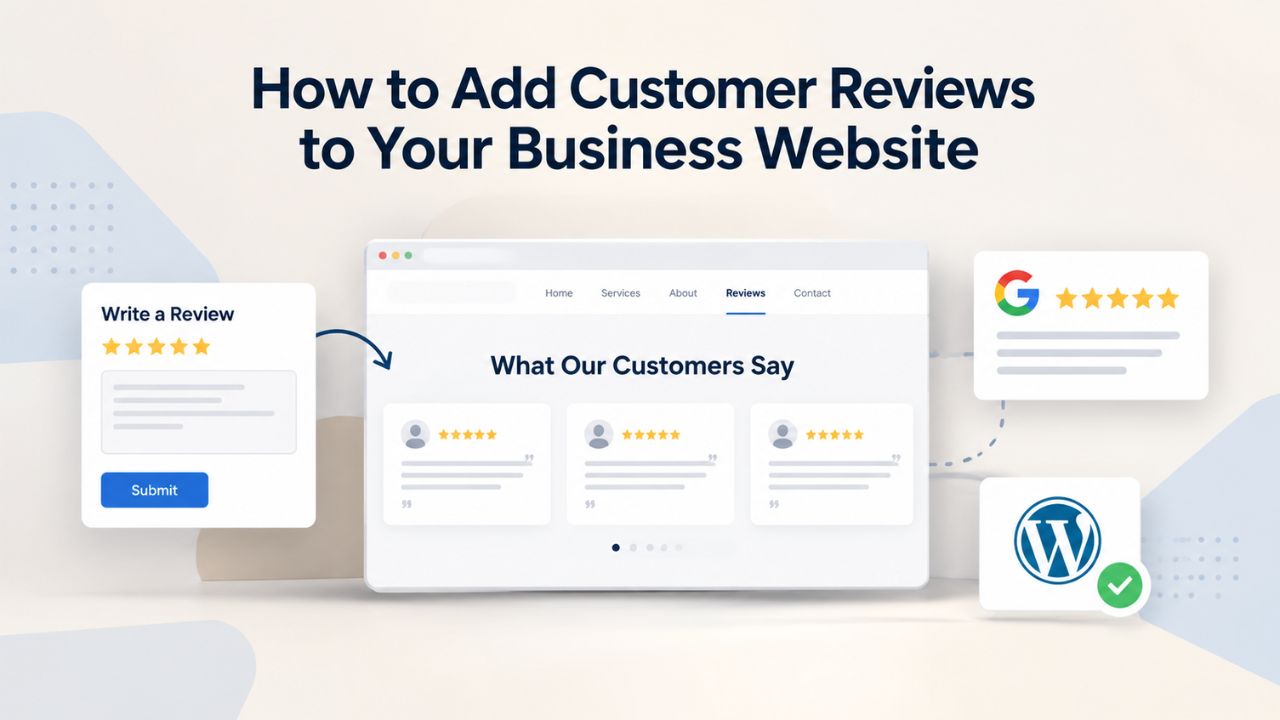
Your business loses potential customers every day to competitors who display customer reviews prominently on their websites. When prospective customers land on your site, they don’t just want to hear what you claim; they want to see proof from real people who have already bought from you. 72% of consumers trust business reviews more than traditional marketing messages, yet most small business owners never take the time to build a systematic review strategy. Adding customer reviews to your website transforms skeptical visitors into confident buyers, improves your search engine rankings, and creates a compounding asset that strengthens your business year after year.
Why Customer Reviews Matter for Online Business Success
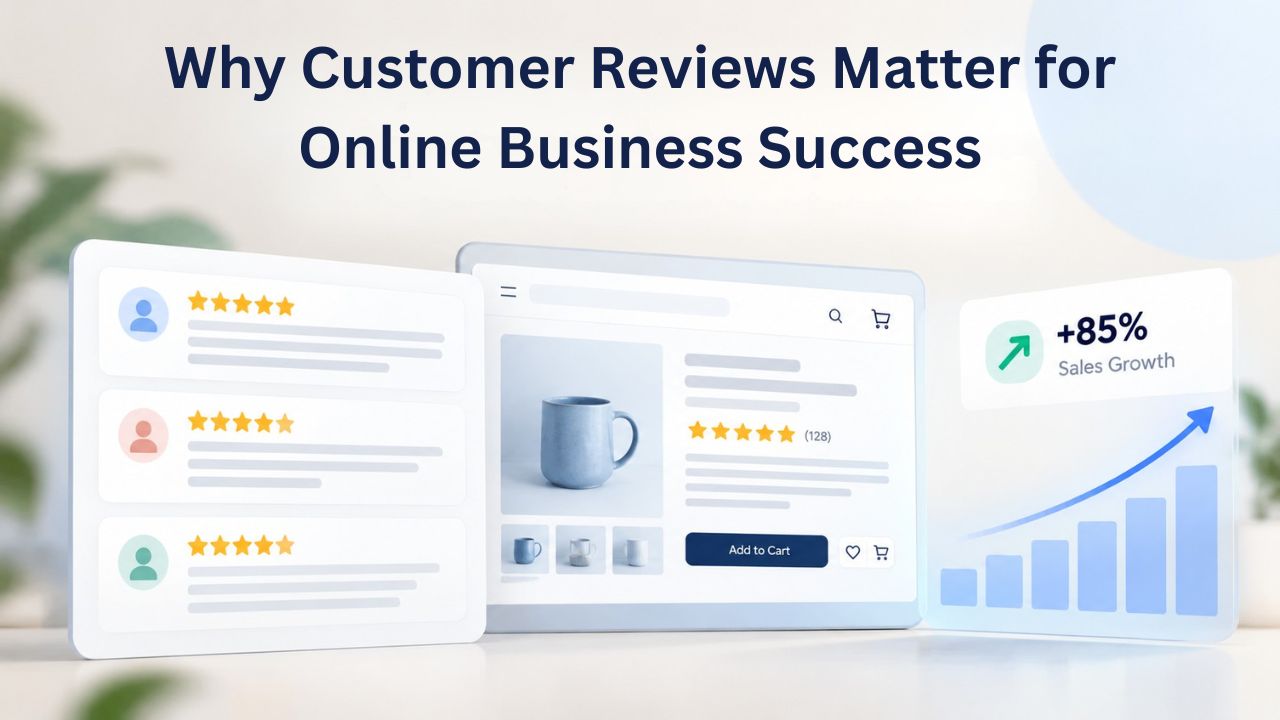
Customer reviews are no longer a nice addition to your website; they are a critical business asset that directly influences whether strangers trust you enough to buy. Reviews function as social proof, providing tangible evidence that real customers have chosen your business and found value in what you offer. Without reviews, new visitors can’t verify your claims or assess your credibility before deciding to buy. When you display reviews prominently on your homepage and product pages, the dynamic shifts immediately: skepticism turns to confidence, hesitation turns to commitment, and browsers turn into buyers.
Building Trust with Prospective Customers
Trust is the currency that drives online sales. 95% of consumers read online reviews before making a purchase decision. The average customer reads 4 to 6 reviews before deciding whether to trust a business. This means that when a visitor lands on your website, they’re not just evaluating your products or services; they’re evaluating what other customers have experienced. If your site has no reviews or very few reviews, visitors will either assume you’re brand new (and untested) or conclude you’re hiding negative feedback. Neither impression builds confidence.
The trust-building power of reviews extends across every industry. Research shows 73% of consumers are more likely to trust a local business with favorable reviews, and 81% of consumers specifically check Google Reviews before visiting a business. This means Google Reviews alone has become the first place potential customers look. When your business has a strong review profile on Google, with a high star rating and dozens of genuine reviews, you’ve already won half the battle of convincing a prospect to choose you. The reviews do the persuasion work for you, even before the prospect visits your website.
Converting Website Visitors into Paying Customers
The trust benefit of reviews directly and measurably impacts your conversion rates. Product pages with customer reviews convert 3.5 times better than pages without reviews, according to research from Spiegel Research Center. That’s not a modest improvement; that’s a 250% lift in conversion rate from a single variable. The difference between a product page showing zero reviews and one showing fifteen genuine five-star reviews can be the difference between a visitor who clicks “add to cart” and one who abandons their cart and leaves your site to buy from a competitor.
Mobile experiences make this conversion impact even more pronounced and critical. Mobile conversion rates increased 45% on average after a business implemented Google Customer Reviews because mobile screens are extremely limited, and every visual element must justify its presence. A customer review badge or star rating display takes up minimal screen real estate but delivers enormous credibility. For mobile-first shoppers, who now make up the majority of online shoppers, seeing a five-star rating with a review count can be the deciding factor that turns a casual browser into a paying customer.
Website Builder Plans & Pricing
Create a professional website with flexible website builder plans designed for businesses, portfolios, and growing online brands. Choose a plan that matches your needs and build, customize, and manage your website with easy-to-use tools, responsive designs, and essential features for a strong online presence.
Website Builder Personal
Share your passion online.
- Responsive mobile design
- Website hosting
- Rapid Page-Load performance
- Create a blog
- Security (SSL)
- 24/7 support

Website Builder Business
Create an online presence for your business.
- Responsive mobile design
- Website hosting
- Rapid Page-Load performance
- Create a blog
- Security (SSL)
- 24/7 support
- PayPal Buy Now or Donate button
- Search Engine Optimization (SEO)
Website Builder Business Plus
Attract more customers.
- Responsive mobile design
- Website hosting
- Rapid Page-Load performance
- Create a blog
- Security (SSL)
- 24/7 support
- PayPal Buy Now or Donate button
- Search Engine Optimization (SEO)
- Social Media Integration
- Share content to Facebook
- Online Appointments
Website Builder Online Store
Sell products and services.
- Responsive mobile design
- Website hosting
- Rapid Page-Load performance
- Create a blog
- Security (SSL)
- 24/7 Support
- PayPal Buy Now or Donate Button
- Search Engine Optimization (SEO)
- Social Media Integration
- Share content to Facebook
- Online Appointments
- Built-in shopping cart
- Sell physical and digital products
- Accept credit and debit cards, PayPal and more
- Flexible shipping options
- Discounts and promotions
- Manage inventory
How Customer Reviews Impact SEO and Search Rankings
Beyond converting visitors who already land on your website, customer reviews also improve your visibility in Google Search. Search engines treat customer reviews as fresh, relevant content that signals an active, legitimate business. Every new review you collect and display on your website sends a signal to Google that your site is being actively maintained, that customers are choosing your business, and that your products or services are generating real-world customer satisfaction. This signals trustworthiness to the search algorithm.
Local Search Visibility and Business Profiles
For businesses with a physical location or defined service area, customer reviews become even more critical to your search visibility. Google Customer Reviews are the #2 ranking factor for local search, behind only your physical proximity to the searcher. This means if you’re competing against another business in your area with similar products and services, the one with the higher review count and higher average star rating will rank above you in local search results and Google Maps. The compounding effect is powerful: more reviews lead to better local rankings, better rankings lead to more visibility, more visibility leads to more customers, and more customers mean more opportunities to collect reviews.
The average local business on Google has around 39 reviews, which is a useful benchmark. If your business currently has fewer than 39 reviews, you’re likely being outranked by local competitors. If you have significantly more than 39 reviews, you’re building a competitive advantage that strengthens over time. A business with 120 reviews will consistently rank higher and capture more local search traffic than a business with 40 reviews, even if both offer identical services at the same quality level.
Rich Snippets and Click-Through Rate Gains
Beyond your ranking position, customer reviews also improve how your listing appears in Google search results. When you implement review schema markup, structured data that tells search engines about your reviews, Google can display your star rating and review count directly in the search result snippet. Instead of your page title appearing as plain text, Google displays something like: Your Business Name ⭐⭐⭐⭐⭐ (127 reviews). Rich snippets showing stars and review counts increase click-through rate by 15–30% compared to plain-text listings.
This click-through improvement isn’t hypothetical; it comes from extensive research across thousands of websites. In 2026, review schema delivers 20–35% higher click-through rates, with rich results capturing most clicks. This means that even if your page ranks in position 3 or 4 in Google search results, a visually compelling star rating next to your title and description can make your listing so attractive that it captures more clicks than the position-1 result without a star rating. Your click-through rate matters because higher CTR signals to Google that your page is more relevant and more valuable than other pages ranking for the same keyword, which can improve your ranking over time.
The Conversion and Revenue Benefits of Customer Reviews
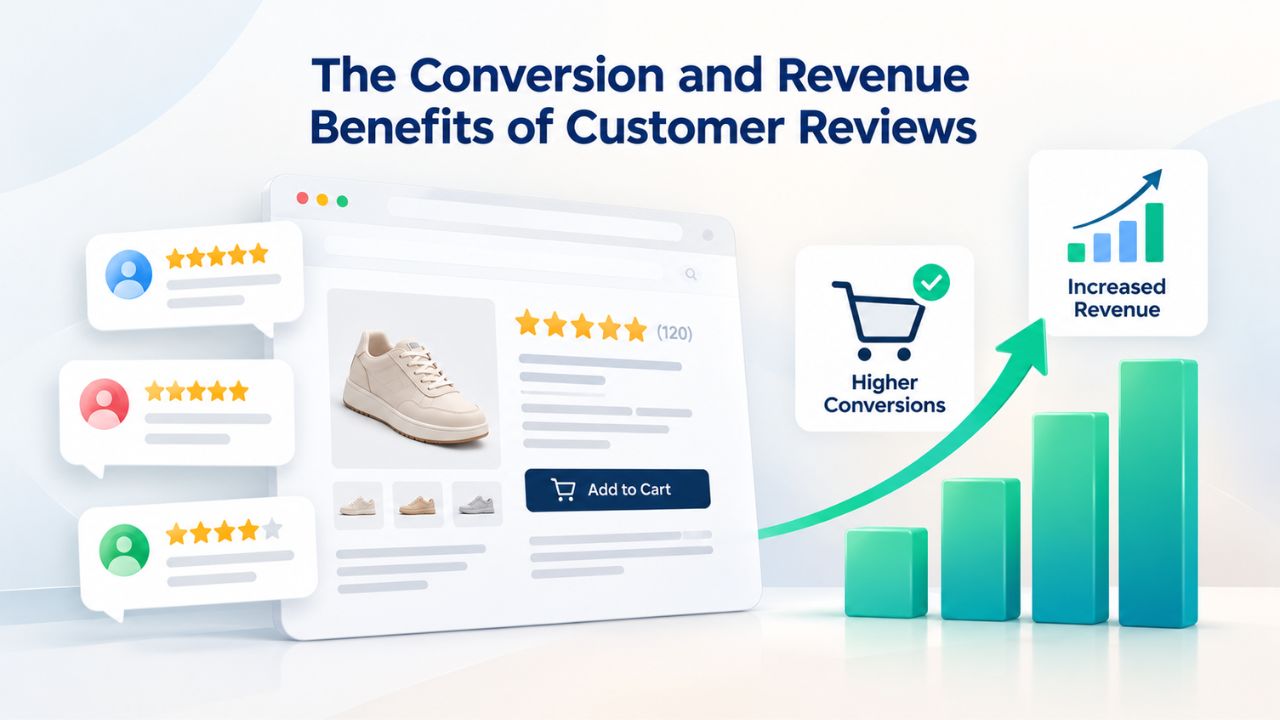
Reviews improve business revenue in ways that extend well beyond the immediate purchase. E-commerce conversion data makes this pattern clear. In 2024, the average e-commerce conversion rate across all sectors was 1.8%, with top-performing industries like beauty and skincare reaching 2.3%. The businesses achieving that 2.3% conversion rate, nearly 30% above average, typically have robust, systematized review collection and display strategies. Businesses stuck at 1.2–1.5% conversion rates usually have few or no reviews on their product pages.
Email Marketing Performance Uplift
The conversion boost from reviews extends beyond your website traffic. Emails featuring customer reviews have a 12.4% conversion rate compared to 10.5% for emails without reviews. If you’re already investing in email marketing to reach your customer list, simply embedding a customer review or testimonial quote in your promotional emails will measurably improve your return on investment. The incremental effort is minimal; you’re adding 1–2 sentences of existing customer feedback to a message you were already sending, but the conversion impact is clear and measurable.
Repeat Purchase and Customer Retention
Customer reviews also influence whether existing customers return to buy from you again. When a repeat customer visits your website for a second or third purchase, fresh reviews from other recent customers remind them of their positive experience and reinforce their decision to buy from you. Fresh reviews signal that your business is active and that other customers keep choosing you. Businesses risk increasing customer churn by 15% if they don’t respond to reviews, which shows the importance of not just collecting reviews but actively engaging with feedback. A business that ignores customer reviews signals that customer feedback doesn’t matter, weakening loyalty and driving repeat customers to competitors.
How to Collect Customer Reviews Effectively
The biggest barrier to building a strong review portfolio isn’t technology; it’s strategy and consistency. Many businesses wait weeks or months to ask for reviews, by which time the customer’s enthusiasm has faded, and the purchase feels like ancient history. The most effective review collection strategies combine three elements: perfect timing, minimal friction, and systematic automation.
Timing: The Moment of Peak Satisfaction
Request reviews promptly after purchase or service delivery, when the customer experience is still fresh. For e-commerce businesses, this means within 3–7 days of delivery. For service-based businesses like repair shops, consulting, or coaching, this means within 24–48 hours after completion. At this moment, the customer is most likely to remember the positive aspects of their experience and still has emotional energy to write detailed, specific feedback. Waiting beyond this window dramatically reduces response rates and review quality.
Automation is your most valuable tool for consistent timing. Rather than manually reaching out to each customer, set up automated email or SMS sequences that trigger after specific customer actions. Most modern email marketing platforms let you create workflows that send a pre-written review request email automatically when a customer completes a purchase or receives their delivery. You configure the system once, and it handles timing perfectly for every customer going forward, consistently and at scale. A 30-minute setup will generate dozens of reviews over the coming months with no additional manual work.
Low-Friction Collection Channels
Different customers prefer different ways to leave reviews, and offering multiple channels increases your overall response rate. Effective collection methods include QR codes, email links, SMS, website widgets, and in-app prompts; automation via email marketing software improves consistency. Email links and SMS links work especially well for online businesses because customers are already in their inbox or messaging app. QR codes on receipts, shipping labels, product packaging, or business cards work well for retail shops, restaurants, and service providers because they enable instant feedback capture at the moment of satisfaction.
The critical principle is friction reduction. Don’t ask customers to create an account before leaving a review. Don’t ask them to navigate to Google, search for your business, and figure out how to leave a review on their own. Use direct links that open the review form in their browser with one click. Use QR codes that open the form in their phone camera. Eliminate every possible barrier between the impulse to share feedback and submitting the review. The fewer clicks required, the higher your response rate.
The Role of Incentives
Incentives can boost your response rates when used correctly. Still, they must be handled ethically to preserve the credibility that reviews are supposed to build. Offer small, unconditional incentives (10% discount, loyalty points, raffle entry) without requiring a specific star rating. This approach shows appreciation for the customer’s time and effort while avoiding any appearance of bribing customers to leave fake five-star reviews. Most customers who’ve had a positive experience will leave an honest positive review; the incentive thanks them for their effort.
Never ask for only five-star reviews. Never delete negative reviews to artificially inflate your average rating. Never offer incentives that are conditional on a high rating. These practices violate the terms of service of every legitimate review platform, expose your business to account suspension, and erode your reviews’ credibility if discovered. Reviews matter because they reflect perceived authenticity and genuine customer feedback. Fake reviews or manipulated review collections destroy that credibility.
| Collection Method | Ideal Timing | Effort Level | Best Response Rate |
|---|---|---|---|
| Email (automated) | 3–7 days post-purchase | Low (set once, runs forever) | 5–10% |
| SMS link | 1–2 days post-purchase | Low (automated workflow) | 8–15% |
| QR code (receipt/packaging) | At point of purchase/delivery | Low (static asset) | 3–8% |
| Website widget/popup | On next repeat visit | Medium (requires setup) | 2–5% |
| In-app notification | Within 24 hours | Medium (requires integration) | 4–12% |
| Support team direct ask | During/after support interaction | High (requires training) | 15–25% |
Your Support Team as Review Champions
Customer support staff interact with customers daily and are best positioned to turn satisfied-customer moments into real reviews. When a customer emails your support team with a compliment or tells support that an issue was resolved perfectly, that’s the ideal moment to ask for a review. A personalized ask from the person who actually solved the customer’s problem carries significant weight and generates higher-quality reviews than an automated email request.
Train your support team to recognize these moments and ask for reviews naturally. For example: “I’m so glad we could help! We really appreciate your business. If you’ve got a moment, would you mind sharing your experience on Google or [your review platform]? Real reviews like yours help other customers discover us.” This approach is direct, appreciative, and non-aggressive. Many customers will be happy to leave a review because they just had a positive interaction with a real person who helped them.
Best Practices for Displaying Reviews on Your Website
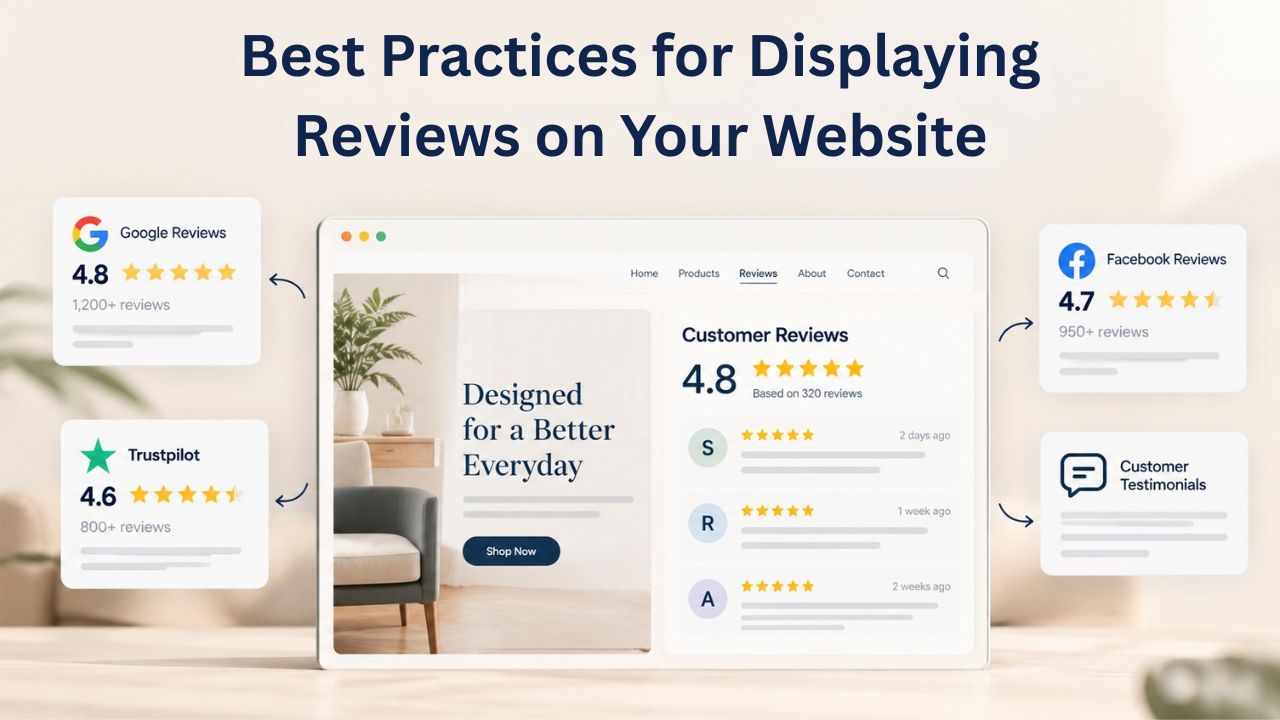
Collecting reviews is only half the battle. The other half, and equally important, is displaying them prominently on your website so visitors actually see them and are influenced by them. Where you place reviews, how many you show, and what format you use all directly affect whether reviews actually influence purchasing decisions.
Homepage and Above-the-Fold Placement
Your homepage is prime digital real estate, and customer reviews belong in a prominent position. Niya Digital’s team has found that businesses displaying customer reviews or testimonials in their homepage hero section see higher visitor engagement and longer time-on-site before visitors navigate away or scroll past the initial viewport. The logic is straightforward: a prospect lands on your site, sees a genuine customer testimonial or high star rating immediately, and their initial skepticism eases before they’ve even scrolled down the page.
For e-commerce sites and service businesses, create a dedicated “Featured Reviews” or “Customer Testimonials” section near the top of your homepage. Include 3–5 of your best reviews, each with a full name, business or location when relevant, star rating, and review text. For product-focused sites, feature a rotating carousel of recent five-star reviews with customer photos if available. On product pages, customer reviews should appear directly below the product description and images, not hidden in a collapsible tab, not on a separate reviews page, but visible in the primary product-viewing area.
Product Page Reviews: Non-Negotiable
For online stores, customer reviews on product pages are essential to your conversion strategy. Product pages with customer reviews convert 3.5 times better than pages without, so every product listing should include at least several reviews visible without scrolling. Include the star rating, reviewer name, review date, and the full review text. Optionally include reviewer photos or customer-uploaded product images, which add authenticity and visual proof that real people are using your product.
Set a minimum threshold before displaying a star rating, typically 5–10 reviews, to avoid showing a rating based on only one or two reviews, which damages credibility rather than building it. However, you can still showcase individual written reviews even if you have fewer than the threshold for a star rating. Transparency about review volume also matters: if you have 47 reviews, say “47 reviews” rather than rounding down or creating an ambiguous “trusted by customers” label.
Testimonials and Case Study Sections
Longer-form testimonials perform best when given dedicated space on your website. Create a “Testimonials” page or “What Customers Say” section separate from your product pages. Feature your best testimonials, the ones that highlight your unique value or solve a common objection. For service-based businesses and B2B companies, include 2–4 detailed case studies that show how your service solved a specific customer’s problem and delivered measurable results. A case study might explain the customer’s original challenge, how they discovered your service, how you solved their problem, and the measurable outcome (revenue increase, time saved, cost reduction, etc.).
GoDaddy Website Builder offers native testimonial section templates you can add to any page with drag-and-drop, making it easy to build a professional testimonials page without coding. These templates are mobile-responsive and customizable with your brand colors, fonts, and layout. You maintain full control over which testimonials to feature and how they’re displayed while saving the development time that would be required to build custom testimonial sections from scratch.
Get Started With Customer Reviews Today
Customer reviews are no longer a luxury addition to your online presence; they’re essential for building credibility and converting visitors into customers. Whether you’re building a brand new website or refreshing an existing one, adding a systematic strategy to collect and display customer reviews will directly impact your traffic, conversions, and bottom-line revenue. Niya Digital’s Website Builder Service makes implementation straightforward with built-in review widgets and third-party platform integrations so that you can launch your review strategy immediately without technical complexity.
Choosing Between On-Site and Third-Party Review Platforms
You essentially have two core options: collect and display reviews directly on your own website, or encourage customers to leave reviews on external platforms like Google, Trustpilot, or Facebook. The smartest strategy combines both approaches and leverages the strengths of each.
On-Site Reviews: Control and Branding
When you collect reviews directly on your website, you maintain complete control over the customer experience. Visitors never leave your site to read feedback; they see reviews in the exact layout and design you’ve chosen. You control the visual design, sorting options, filtering capabilities, and exact placement. You also own the data; if you change platforms or migrate to a new website builder, you keep your reviews and can transfer them with you.
Building an on-site review system requires either integrating a third-party review-collection tool (like Trustpilot’s own widget or a multi-platform aggregator) or using your website builder’s built-in review functionality. GoDaddy Website Builder offers an “All in One Reviews” widget that aggregates reviews from multiple sources, lets you manually approve them before display, includes advanced filtering by minimum star rating, and requires no coding expertise. This means you can collect reviews directly on your site, pull in reviews from Google and other platforms, and display them all in one unified widget, without ever writing a single line of code.
Third-Party Platforms: Reach and Authority
External review platforms like Google My Business, Trustpilot, Facebook, and Yelp have their own audiences and their own search visibility. When you encourage customers to leave reviews on Google, those reviews appear not just on your Google Business Profile but also in Google Maps and Google Search results, places where potential customers actively search for businesses like yours. A five-star Google review reaches people far beyond your website. Someone searching “best plumbers near me” might see your Google reviews before they ever visit your website.
The trade-off is that you don’t control the presentation, and visitors leave your site to read or leave reviews. However, the SEO benefits, reach, and platform authority often outweigh this cost. 81% of consumers specifically check Google Reviews before visiting a business, making Google Reviews strategically important even if you don’t display them on your own site. Every review you collect on Google improves your local search visibility and helps you reach potential customers in the search results.
Hybrid Strategy: Display and Link
The optimal approach combines both strategies: collect reviews on third-party platforms (especially Google) for reach and SEO, then aggregate and display them on your website for branding and control. Tools like EveryWidget, Elfsight, and Trustmary allow you to pull reviews from 25+ platforms (Google, Trustpilot, Facebook, Yelp, TripAdvisor, G2, Capterra, and others) and display them via customizable no-code widgets on your site. Your homepage carousel pulls reviews live from Google, Trustpilot, and Facebook, so your site always shows current feedback without manual updates. Meanwhile, customers continue leaving reviews on the third-party platforms where they naturally discover businesses.
Using Review Schema for Enhanced Search Visibility
Raw reviews displayed on your website provide enormous value for the visitors who land on your pages. But schema markup takes your reviews further by making them visible to search engines, unlocking rich snippet display in Google Search results and dramatically increasing visibility.
Understanding Review Schema Markup
Review schema is structured data markup, specialized code that communicates to search engines exactly what your customer reviews say, how many reviews you have, and what your aggregate rating is. Review schema enables search engines to display customer ratings and reviews as rich snippets in search results. The code uses a standardized format called JSON-LD, which search engines can interpret. You don’t need to write this code manually; most review plugins and website builders generate schema automatically behind the scenes.
Schema markup tells Google: “This page has 127 customer reviews. The average rating is 4.8 stars. Here are the details of each review: reviewer name, review date, star rating, review text.” When Google finds properly formatted schema on your page, it can now display this information visually in search results, not just on your website. This ability to display schema-powered rich snippets creates the visual star ratings you see in Google search results.
The Rich Snippets Advantage
When search engines find properly formatted review schema on your page and decide to display it, your search result appearance changes dramatically. Instead of your page title appearing as plain text with a standard description snippet, Google displays your star rating and review count directly in the search result. Users scrolling through search results see: Your Business Name ⭐⭐⭐⭐⭐ (127 reviews). This visual enhancement makes your listing stand out dramatically compared to plain-text listings.
This visual distinction translates directly to click-through rate improvements. Rich snippets showing stars and review counts increase click-through rate by 15–30% compared to plain-text listings. Your click-through rate matters enormously to Google because higher CTR signals that your page is more relevant and more valuable than other pages ranking for the same keyword. Over time, pages with higher CTR often see their rankings improve, creating a positive feedback loop: better schema → more clicks → better ranking → more visibility → more clicks.
Testing and Maintaining Schema Implementation
After adding reviews to your site with schema markup, test your implementation to ensure it’s working correctly. Google offers a free Rich Results Test tool (available at https://search.google.com/test/rich-results) where you can paste your page URL and see whether your review schema is properly formatted and eligible for rich snippet display. The tool will show you exactly what information Google extracted from your schema and whether any errors or warnings exist.
Improper schema implementation can prevent rich snippets from displaying or trigger Google penalties; Google requires review data in your schema to match visible content on the page. This is critical: if your schema says you have 127 reviews, you must actually display 127 reviews (or an aggregate rating representing them) somewhere visible on the page. Never inflate review counts or ratings in schema to artificially boost visibility. Google regularly audits schema data against on-page content and penalizes sites where the data doesn’t match.
How to Respond to Customer Reviews (Positive and Negative)
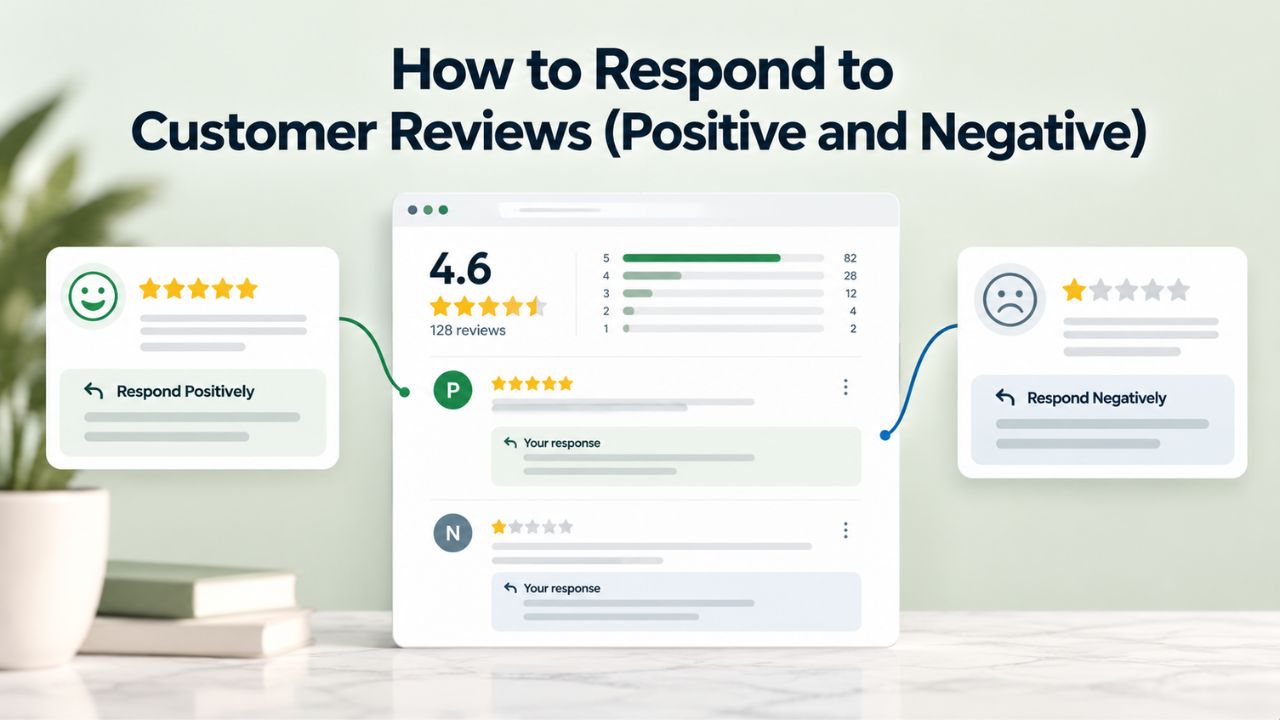
The most overlooked, and yet most impactful, part of a reviews strategy is actually responding to the reviews you receive. Collecting reviews is the active work; responding to reviews is ongoing management that requires discipline and systems. Yet the business impact of review responses is profound and measurable.
Responding to Positive Reviews
Every positive review deserves a prompt, genuine response. Thank the customer by name, mention a specific detail from their review (not a generic thank you), and invite them to return. For example: “Sarah, thanks so much for mentioning how quick our shipping was; that’s exactly what we aim for. We’d love to help with your next order!” A personalized response that references specific details from their feedback shows that a real person read their review and cared enough to respond.
These responses serve multiple purposes simultaneously. First, they show future customers browsing reviews that you’re an engaged, responsive business that values feedback. Second, they create an opportunity to deepen customer loyalty by transforming a satisfied customer into an advocate. A customer who leaves a five-star review and receives a thoughtful, personalized response is significantly more likely to become a repeat buyer and recommend you to their friends and family. The time investment is minimal- 30 seconds to write a response- but the business impact compounds over time as your community of loyal advocates grows.
Responding to Negative Reviews: The Turning Point
Negative reviews are uncomfortable to receive, but they also create opportunities to show your commitment to customer satisfaction. Responding professionally to negative reviews shows you value customer input and are committed to resolving issues. Many customers will revise their rating or add a follow-up comment if they see your business took their complaint seriously and fixed the problem.
The formula for responding to negative reviews is straightforward: acknowledge the issue, take responsibility, explain what you’ll do differently, and offer a direct way to follow up offline. For example: “We’re sorry your order arrived damaged. That’s not the experience we want you to have. Please reply here or email us at [support email], and we’ll send a replacement immediately at no cost. We appreciate the feedback.” This approach addresses the customer’s problem, takes ownership, offers a concrete solution, and moves the conversation away from public comments to a private channel where you can resolve the issue directly.
The Cost of Silence
Businesses risk increasing customer churn by 15% if they don’t respond to reviews. Silence sends a message: you don’t care about customer feedback. A response, even to a bad review, sends the opposite message: you care about customer experience, and you’re committed to fixing problems. 78% of consumers expect businesses to respond to their reviews, which means most visitors will notice if you respond to some reviews and ignore others. Inconsistent response patterns damage your reputation more than thoughtful responses to all feedback.
Establish a goal to respond to all reviews within 48 hours. For websites on Niya Digital’s Website Builder Service, review responses are straightforward using native review management features or by checking the third-party platforms (Google, Trustpilot) where reviews are posted. Set a calendar reminder or calendar event every Monday to dedicate 30 minutes to reviewing and responding to new feedback. This weekly discipline ensures no review sits unresponded for more than a few days.
Types of Reviews and Testimonials That Work Best for Your Business
Not all reviews are created equal. Different review formats work better for different business types and business models. Using a mix of review types amplifies your credibility across different customer mindsets.
Product Reviews: The E-Commerce Staple
For online stores, product reviews are star ratings combined with written customer feedback about specific products. The ideal format includes a 1–5 star rating, the reviewer’s name or first name, the review date, and 50–150 words of feedback describing their experience with the specific product. Optionally include customer-uploaded photos of the product in use, which adds visual proof and authenticity that static product photos can’t provide.
Product reviews work because they’re specific and detailed. “Fits perfectly and arrived quickly” is more valuable to a potential buyer than generic praise like “Great product!” Specific details like “The medium size fit my 12-year-old with room to grow” or “The battery lasts 8+ hours of heavy use” directly address the questions other potential buyers are asking. Encourage reviewers to be specific about their use case, body type, or situation so other similar customers can relate to their feedback.
Case Studies: Authority for Skeptical Buyers
Case studies are in-depth narratives where customers describe the challenge they faced, the solution your business provided, and the measurable results they achieved. Case studies work best for B2B companies, professional services, consulting, and complex software products where purchasing decisions are high-stakes and involve significant research. A case study might be 500–1,500 words and include specific metrics: revenue increase, time saved, cost reduction, customers acquired, etc.
Effective case studies tell a story that other similar customers can see themselves in. For example: “We were struggling with manual inventory tracking across three warehouses, which was causing frequent stockouts. After implementing [your software], we reduced stockout events by 89% within the first month. Here are the specific steps we took and the ROI metrics we’re seeing. Detailed case studies build trust with skeptical buyers who want proof your solution works for businesses like theirs.
Service Reviews: Building Trust for Intangible Offerings
For service-based businesses (consulting, repair, legal services, salons, coaching), service reviews focus on the quality of the experience and how well the service solved the customer’s problem. A strong service review might highlight responsiveness, professionalism, problem-solving ability, and measurable outcomes: “They fixed my roof leak on the first visit, communicated every step of the process, finished on time, and cleaned up after themselves. Highly recommend.” Service reviews matter because intangible services can’t be photographed or shipped; customers’ only proof is other customers’ experiences.
Video Testimonials: High-Impact, Labor-Intensive
Video testimonials are recorded customer endorsements; they’re high-impact because they convey authenticity and emotion that text alone cannot achieve, but they require significantly more effort to produce. Record 30–90 seconds of a satisfied customer speaking about their experience in their own words. You need a camera (even a smartphone works), a quiet location, good lighting, and a willing customer. The authenticity and emotional connection of a real person speaking on video can build trust powerfully.
Video testimonials work especially well on homepages, landing pages, and sales pages where you want to create an emotional connection and stop passive scrolling. A 60-second video of a real customer sharing how your product changed their life is often more persuasive than pages of written marketing copy. Video authenticity is hard to replicate with text.
Before/After Testimonials: Show Transformation
Before/After testimonials show a product’s impact on a customer’s situation, visually or through storytelling. For fitness, skincare, home renovation, and coaching services, before/after is exceptionally powerful. “My website traffic increased from 200 monthly visitors to 5,000 monthly visitors after implementing [your SEO service]” is a before/after narrative. When possible, include visual before/after photos to make the transformation concrete and undeniable.
Building and Managing a Sustainable Review Strategy Long-Term
A one-time push to collect 20 reviews is fine, but a sustainable strategy ensures new reviews continue flowing month after month. A sustainable strategy requires systems and automation, not heroic individual effort.
Automating Collection at Scale
Once you’ve set up automated review request systems via email, SMS, or QR codes, the reviews should continue arriving with minimal ongoing effort. Email marketing software automates consistent collection without manual follow-up. Use email templates that feel personal but aren’t labor-intensive to send manually. Most email platforms let you create triggered workflows: “When a customer completes a purchase, automatically send a review request email on day 5” or “When a service booking is marked complete, automatically send an SMS with a review link.”
Segment your automations if possible to maximize relevance and response rates. New customers might get a review request on day 5 post-purchase (when excitement about their purchase is still high). Repeat customers might receive a request on day 7 (since they have more past experiences to compare). High-value customers might receive a personal phone call from your support team asking for a detailed testimonial. This segmentation takes 30 minutes to set up once but dramatically improves response quality and rates over time.
Monitoring and Responding: Weekly Cadence
Set aside 30 minutes every week to monitor and respond to new reviews. Check your website’s review section, Google My Business, Trustpilot, Facebook, or whichever platforms you use. Respond to all new reviews, positive and negative, within 48 hours. This weekly cadence ensures no review sits unresponded for more than a few days, maintaining the impression that you’re actively engaged and care about customer feedback.
Use this weekly review time to look for patterns across feedback. If multiple customers mention the same complaint (“shipping took longer than expected”), you’ve identified a process that needs improvement. If several customers praise the same strength (“customer service was fantastic”), you’ve found something to highlight in your marketing. These patterns become your roadmap for continuous improvement.
Showcasing Reviews in Marketing
Don’t let your reviews live only on your website. Quote them in emails, use testimonial snippets in paid ads, feature them in social media posts, and highlight them in sales materials. Small businesses compete with national chains by using social proof (reviews) strategically across all marketing channels. When you display the same positive review in multiple places (your homepage, an email campaign, a social media post, a Facebook ad), you reinforce the message and reach people who don’t land on your website. Each touchpoint with social proof strengthens your brand credibility.
Building Credibility Over Time
88% of small businesses monitor their online reputation quarterly, suggesting most business owners recognize the value but don’t treat reviews as a daily or weekly priority. Make it a priority. Reviews compound: the more you have, the more credible you appear, the more traffic you attract, the more customers you serve, and the more reviews you can collect. After 3–6 months of consistent collection and response, you should have enough reviews to claim meaningful competitive advantage. After 12 months, your review strategy should be generating measurable business impact.
| Timeline | Expected Achievement | Metric |
|---|---|---|
| Month 1–2 | Initial credibility establishment | 10–25 reviews visible; first engagement patterns evident |
| Month 3–4 | Noticeable conversion lift | Visitors spend more time on review sections; conversion rates begin improving |
| Month 5–6 | Competitive advantage emerges | Local search rankings improve; conversion rates 5–15% higher than baseline |
| Month 9–12 | Compounding impact | 50–100+ reviews; measurable revenue increase from review-influenced traffic |
| Month 12+ | Sustainable competitive moat | Reviews become self-reinforcing asset; high review volume attracts more customers |
Launch Your Review Strategy With Confidence
Reviews don’t build themselves, but they shouldn’t be complicated to manage. Niya Digital’s Website Builder Service gives you the tools to collect, display, and respond to customer feedback across your entire site. With native review widgets, third-party platform integrations, and automated response workflows already built in, you’re ready to launch your strategy on day one.
Frequently Asked Questions
How many reviews do I need before displaying them on my website?
Display a star rating only after you’ve collected at least 5–10 reviews; otherwise, a rating based on one or two reviews lacks credibility and might actually damage your reputation. However, you can still showcase individual written reviews even if you have fewer than 10 total. Aim for at least 20–30 reviews to establish strong baseline credibility with most visitors. The benchmark: the average local business on Google has around 39 reviews, so reaching 40+ reviews puts you on par with local competition.
What should I do if a customer leaves a fake or fraudulent review?
Report it to the platform where it was posted (Google, Trustpilot, Facebook, etc.), each of which has specific processes for removing fake reviews. Never buy fake reviews or incentivize customers for specific star ratings. These practices violate platform terms, can lead to account suspension, and erode trust if discovered. Review credibility depends on authenticity.
Can I delete negative reviews from my website?
You can moderate reviews on your own website if they violate your review policy (profanity, off-topic spam, etc.). However, never delete a negative review solely because it’s negative. Customers understand that no business is perfect, and a realistic mix of positive and negative reviews is actually more credible than all five-star reviews. Respond professionally instead. 94% of customers say they’ve avoided a business due to negative reviews, but they trust businesses more when they see evidence of thoughtful responses to problems.
How often should I ask customers for reviews?
Ask after every purchase or service delivery. You won’t get a review from every customer (typical response rates are 5–15%), but consistent asking ensures a steady stream of new feedback. If a customer has already left a review recently, skip the next ask to avoid fatigue and maintain goodwill.
Which review platform should I prioritize?
Start with Google My Business (free, high SEO value, widely used). Add Trustpilot or Facebook if your target audience uses those platforms frequently. If your industry has a dominant review platform (Yelp for local services, TripAdvisor for hospitality), prioritize that too. Track which platform drives the most clicks and responses to guide where you allocate effort.
How do I embed reviews from Google or Trustpilot on my website?
Use a review aggregation tool like EveryWidget, Elfsight, or Trustmary to pull reviews from multiple platforms and display them on your site via a customizable widget. No coding required; setup is typically drag-and-drop. Alternatively, if your website builder (like GoDaddy Website Builder) offers native review integration, use that for seamless display.
Do customer reviews actually help with SEO rankings?
Yes. Reviews provide fresh, relevant content that search engines crawl and index. They naturally incorporate customer keywords, increase time-on-page, improve user engagement signals, and enable rich snippet display. Research shows reviews contribute measurably to local search rankings and can influence organic search position over time.
What’s the difference between a review and a testimonial?
A review is typically shorter, star-rated feedback left on a review platform or your website. A testimonial is often a longer, customer-focused endorsement that you request, sometimes in video or case-study format. Use both: reviews for quick social proof, testimonials for deeper storytelling.
How can I turn negative reviews into positive interactions?
Respond quickly and professionally to negative reviews, take responsibility for issues, and offer a concrete solution. Many dissatisfied customers will revise their rating or add a follow-up comment if they see you’ve addressed their concern. Sometimes a negative review becomes a success story more credible than perfect reviews.
Should I offer incentives for reviews?
Small unconditional incentives (discount, raffle entry, loyalty points) can boost response rates. Avoid incentives tied to star rating, which violates review-platform terms and signals fake reviews. Keep incentives modest so they feel like gratitude, not a bribe.
How do I display reviews on mobile devices?
Most review widgets and website builders are mobile-responsive by default. Test on your phone to ensure star ratings, reviewer names, and review text are readable, and layouts don’t look cramped. Mobile users often rely on reviews even more than desktop users because screen space is limited; make reviews easy to scan.
Can reviews help with email marketing conversion rates?
Yes. Emails featuring customer reviews have higher conversion rates (12.4%) than emails without (10.5%). Include a short customer testimonial or review quote in promotional emails to boost clicks and conversions.
What’s review schema and do I need it?
Review schema is structured data markup that tells search engines about your reviews, enabling rich snippet display (star ratings in search results). It’s optional but highly recommended because it increases click-through rates from search results. Most website builders and review plugins generate schema automatically.
How long does it take to see results from a reviews strategy?
Initial credibility improvements (trust, conversion rate boost) can happen within weeks if you start displaying even 5–10 reviews. SEO rankings typically improve over 2–3 months as search engines index your fresh review content. Long-term compounding benefits (brand authority, competitive advantage) build over 6–12 months.
What if my industry isn’t typical for online reviews?
Every industry benefits from reviews. B2B companies use case studies and testimonials. Luxury brands use client testimonials. Local services use Google and Yelp reviews. Professional services use case studies and credentials. Even niche markets see improved conversion from social proof. Start with Google My Business or your industry’s most-used platform.
Glossary
- Website Builder: A software platform that lets non-technical users create, design, and publish professional websites using pre-built templates and drag-and-drop design tools, without writing code.
- Review Schema (Structured Data): Specialized code markup (typically JSON-LD format) that communicates customer review information to search engines, enabling rich snippet display (star ratings, review counts) in search results.
- Rich Snippets: Enhanced search result listings that display additional visual information such as star ratings, review counts, and review excerpts, separate from the standard title and description text.
- Google My Business: Google’s free platform that lets businesses manage their online presence across Google Search and Google Maps, including review collection, display, and management.
- Testimonial: A longer-form customer endorsement, often specifically requested by your business, that highlights a product or service’s benefits; can be written, video, or detailed case-study format.
- Conversion Rate: The percentage of website visitors who complete a desired action (purchase, sign-up, contact form submission, etc.), expressed as a percentage.
- Schema Markup (Structured Data): Standardized code added to a website’s HTML to help search engines better understand and categorize page content.
- Third-Party Integration: A connection between your website and an external platform or service, such as Google, Trustpilot, or a review aggregation tool, enabling data flow between systems.