
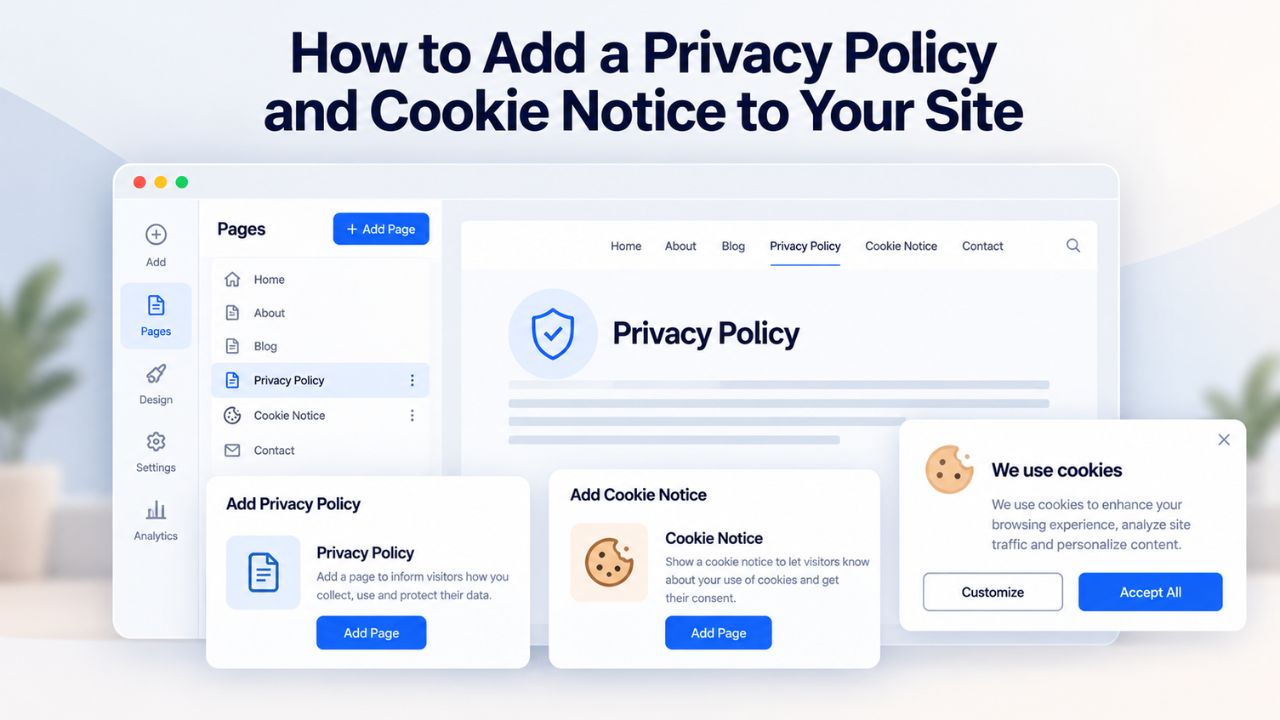
Many small-business owners launch websites without realizing that privacy policies and cookie notices are no longer optional; they’re legally required in most jurisdictions where sites collect personal data. If your site accepts email signups, processes payments, or uses analytics tracking, you need both documents live before your first customer arrives. A website builder with built-in compliance tools can walk you through setup in under an hour, turning what once required legal consultants into a straightforward, guided workflow any non-technical business owner can complete.
Why Privacy Policies & Cookie Notices Matter for Your Business
Privacy policies and cookie notices have become foundational trust signals that directly influence customer behavior and regulatory compliance. They’re not bureaucratic checkboxes; they’re credibility markers that show visitors you take data protection seriously and understand your legal obligations.
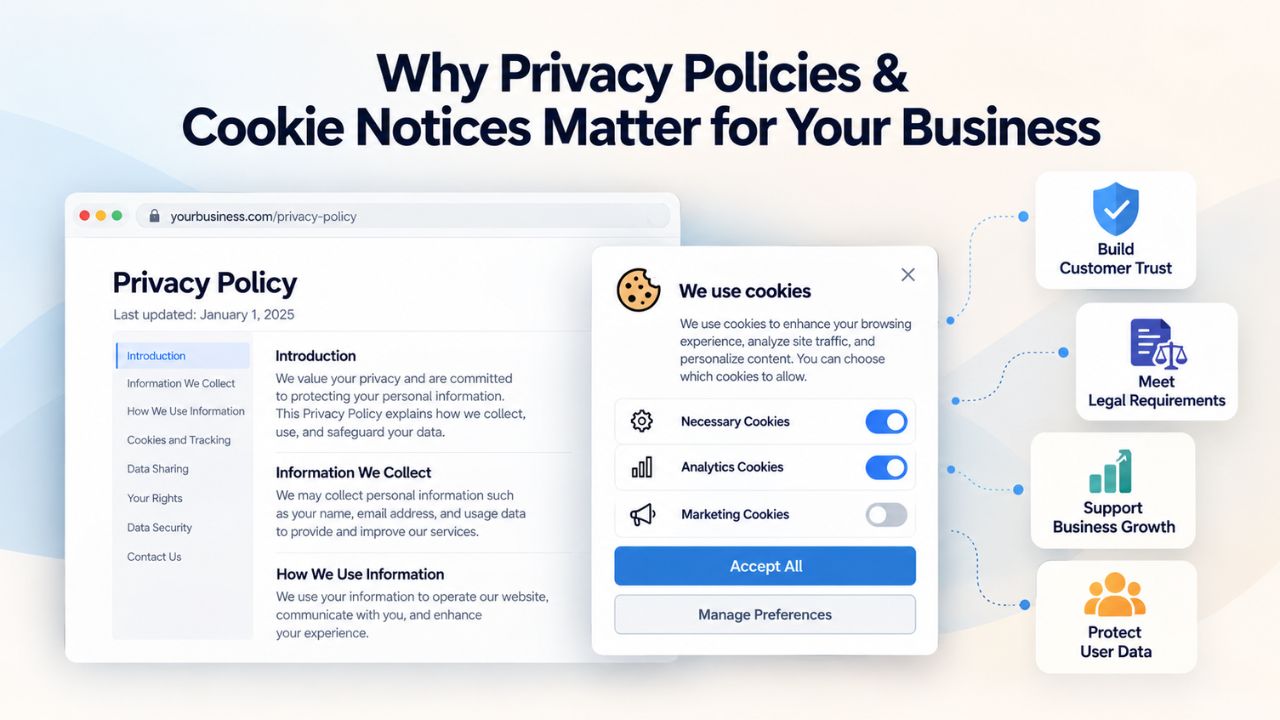
Building Immediate Customer Trust & Credibility
Consumers have become increasingly skeptical about how their personal information is handled online. Research from Deloitte found that 80% of consumers are more likely to purchase from companies they believe protect their personal information, yet only 37% actually believe companies do so. A clear, professionally drafted privacy policy bridges this trust gap immediately. When visitors see you’ve thoughtfully documented your data-handling practices, they’re significantly more likely to complete a purchase, subscribe to your email list, or book an appointment.
Not having a privacy policy sends an unspoken message that your business isn’t serious about security or professionalism. Research by Canada’s Office of the Privacy Commissioner found that only 53% of small businesses have a privacy policy in place, leaving most vulnerable to regulatory action and lost sales opportunities. The good news is that modern website builders have eliminated the complexity barrier. What used to require hiring a lawyer and spending days on documentation can now be completed in minutes using guided templates and no-code tools.
Legal Requirements & Regulatory Compliance
Privacy regulations have become a global standard, not a niche requirement. The EU’s GDPR requires explicit consent before certain cookies load and gives visitors the option to opt out of tracking; some U.S. states and many countries worldwide have similar laws requiring notification about data tracking and visitor consent or opt-out mechanisms. Each jurisdiction has unique requirements, but the overarching pattern is consistent: transparency about data collection, clear disclosure of third-party data sharing, and protection of visitor privacy rights.
The responsibility for compliance rests entirely with you as the site owner. No website builder can guarantee compliance for every jurisdiction; your business model, data practices, and customer locations determine which regulations apply. This is why a policy generator that asks targeted questions about your specific business is so valuable: it customizes the baseline legal language to match your actual data flows, rather than offering generic boilerplate that doesn’t reflect your situation. When you add new integrations or features, the policy must be updated to reflect those changes, making it a living document that grows with your business.
Website Builder Plans & Pricing
Create a professional website with flexible website builder plans designed for businesses, portfolios, and growing online brands. Choose a plan that matches your needs and build, customize, and manage your website with easy-to-use tools, responsive designs, and essential features for a strong online presence.
Website Builder Personal
Share your passion online.
- Responsive mobile design
- Website hosting
- Rapid Page-Load performance
- Create a blog
- Security (SSL)
- 24/7 support

Website Builder Business
Create an online presence for your business.
- Responsive mobile design
- Website hosting
- Rapid Page-Load performance
- Create a blog
- Security (SSL)
- 24/7 support
- PayPal Buy Now or Donate button
- Search Engine Optimization (SEO)
Website Builder Business Plus
Attract more customers.
- Responsive mobile design
- Website hosting
- Rapid Page-Load performance
- Create a blog
- Security (SSL)
- 24/7 support
- PayPal Buy Now or Donate button
- Search Engine Optimization (SEO)
- Social Media Integration
- Share content to Facebook
- Online Appointments
Website Builder Online Store
Sell products and services.
- Responsive mobile design
- Website hosting
- Rapid Page-Load performance
- Create a blog
- Security (SSL)
- 24/7 Support
- PayPal Buy Now or Donate Button
- Search Engine Optimization (SEO)
- Social Media Integration
- Share content to Facebook
- Online Appointments
- Built-in shopping cart
- Sell physical and digital products
- Accept credit and debit cards, PayPal and more
- Flexible shipping options
- Discounts and promotions
- Manage inventory
Privacy Policies vs. Cookie Notices: Understanding the Distinction
These two documents serve closely related but legally distinct purposes. Many small-business owners conflate them, resulting in incomplete compliance documentation or confusing visitors with redundant language. Understanding the difference helps you set each up correctly and avoid gaps in your protection.
The Purpose, Scope & Legal Foundation of Each
A privacy policy is a comprehensive legal document that covers all personal data your site collects, from every possible source. This includes visitor names and emails from contact forms; customer payment information and billing addresses from e-commerce transactions; behavioral data from analytics tools like Google Analytics; information submitted through appointment-booking systems; email addresses collected through newsletter signup forms; and information from third-party integrations like email marketing platforms or payment processors. The privacy policy explains why you collect each type of information, how long you retain it before deletion, who you share it with (third-party vendors, service providers, etc.), and what rights visitors have under applicable law to access, modify, or delete their data.
A cookie banner notifies visitors and gives them control over their privacy, while also protecting you from potential fines if you aren’t following the law. A cookie notice, also called a cookie banner or cookie consent prompt, is narrower and more focused: it specifically addresses cookies and similar tracking technologies.
It appears as a prominent prompt when visitors first land on your site, requests consent before tracking cookies load in their browser, and links to your full privacy policy for details on how you handle all data. A typical cookie banner might read: “We use cookies to enhance your browsing experience and analyze how visitors use our site. Review our privacy policy for details about cookie types and your consent options.”
When Each Document is Required & Expected
A privacy policy is legally required in nearly every jurisdiction where a website collects any form of personal information. Contact forms that capture names and email addresses, newsletter signup forms that store email addresses for future marketing, e-commerce checkout processes that collect payment and shipping information, and analytics tracking tools that record visitor behavior all require privacy-policy disclosure. Even sites that collect minimal data benefit from having a comprehensive privacy policy, as it sets clear expectations with visitors and provides legal protection if disputes arise.
A cookie banner is required in some U.S. states and many countries around the world where privacy laws require consent before tracking or notification of tracking use. GDPR-regulated sites (serving customers in the EU or UK) must display a functional cookie banner before non-essential cookies load. CCPA-regulated sites (serving California residents) must allow opt-outs from data sales through their privacy policy. Sites outside these regulated zones sometimes implement a cookie banner anyway as a trust-building best practice, even where not legally mandated. Website builders automate the technical placement of both: privacy policy sections can be embedded on any page with customizable templates, and cookie banners appear site-wide automatically once enabled in your settings.
How Website Builders Simplify Privacy & Cookie Implementation
Website builders have transformed privacy and cookie setup from a legal obstacle into a streamlined, non-technical workflow. The shift from “hire a lawyer” to “use a guided template” has democratized compliance, making professional-grade privacy protection accessible to solopreneurs and small businesses without legal budgets.
Built-In Privacy Policy Generators & Templates
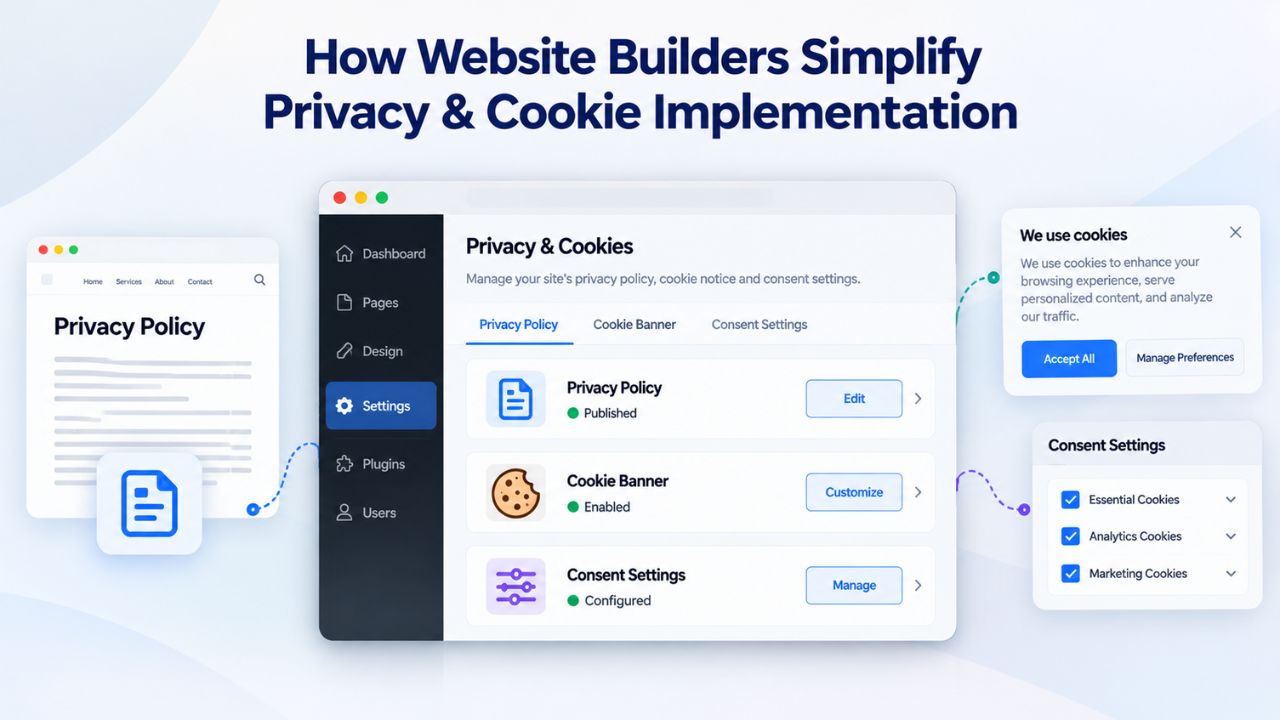
GoDaddy Website Builder includes a Privacy Policy section type where you can customize the background color and title, write or paste your privacy policy into the text box, and customize your text to include bold, italic, underline, lists, and links; if you’re a customer in the European Union, the first time you launch a new site, it automatically adds a blank privacy policy section to your site and a link to that section in the footer.
Rather than starting from scratch with a blank document, you add a Privacy Policy section to any page (or create a dedicated privacy page), and the builder displays a template with standard legal language and structured prompts. You then fill in your business details: what specific data types you collect, how you use each type, your data retention timeline before deletion, which third-party integrations and services access customer data, and your contact information for privacy inquiries.
The template intelligently adapts to your inputs through conditional logic. If you indicate you use Google Analytics and email marketing platforms, the policy automatically mentions those specific services and links to their privacy policies. If you don’t use e-commerce checkout functionality, those e-commerce-specific clauses are omitted, keeping the policy concise and relevant to your actual practices.
This customization approach produces a baseline that’s far more compliant than generic boilerplate templates and much faster to customize than writing a privacy policy from scratch. Most website builders allow up to six privacy-policy sections per site, which provides adequate space for most small businesses; if you need additional room, you can create a dedicated Privacy page and link to it from other sections.
Cookie Consent Banners & Configuration Options
Cookie consent management is equally streamlined in GoDaddy Website Builder; you can go to your product page, expand Websites + Marketing, select Manage next to your site, then select SETTINGS and then Cookie Banner, and ensure the Show cookie notification toggle is turned on so the cookie policy window appears when your website loads and persists until the visitor accepts or declines.
The default cookie banner configuration prompts visitors with “Accept” or “Decline” buttons, shows a concise message about cookie use, and automatically links to your privacy policy for more detail. For EU and UK sites regulated by GDPR, the banner loads before Google Analytics, Meta Pixel, or other third-party tracking scripts fire, ensuring explicit visitor consent before any tracking begins. For other jurisdictions, the banner operates as a visible trust signal and transparency mechanism without blocking cookies initially.
Customizing the banner to match your brand is intuitive and requires no coding: you adjust the message text, select banner colors that align with your brand palette, customize the button labels, and configure which types of cookies visitors can accept or decline separately. If your cookie banner is off, you must turn it on when adding any third-party tracking integrations such as Google Analytics or Facebook Pixel; the banner is turned on by default for new websites. Niya Digital’s team has found that small businesses most often underestimate the importance of cookie-banner configuration and forget to update it after adding new integrations, resulting in accidentally non-compliant tracking setups that violate GDPR or other regional regulations.
Customizing Your Privacy Policy to Match Your Actual Business Practices
A generic, one-size-fits-all privacy policy is a liability waiting to happen. Customized policies that address your specific data practices, business model, and customer base reduce legal risk and build trust more effectively than off-the-shelf boilerplate that doesn’t reflect your reality.
Identifying Every Data Collection Point Across Your Site
Start with a thorough audit of every location and method where your site collects personal information. Common sources for small businesses include contact forms that capture names, email addresses, phone numbers, and message content; e-commerce checkout processes that collect billing addresses, shipping addresses, payment card information, and order history; email newsletter signup forms that store email addresses for marketing communication; appointment-booking systems that collect names, contact information, and appointment preferences; and analytics tracking tools like Google Analytics that record anonymous visitor behavior, traffic sources, and page views. Each third-party integration you use, payment processors like Stripe or PayPal, email marketing platforms like Mailchimp, customer-relationship-management (CRM) tools, or scheduling applications, collects, processes, or stores customer data in some way.
Your privacy policy must comprehensively disclose all of these data collection points. Website-builder templates guide you through identifying these sources systematically, ensuring nothing is accidentally overlooked during the drafting process. The resulting policy tells visitors exactly what data you collect at each step of their interaction with your site, preventing confusion and demonstrating transparency. This detailed explanation matters most for e-commerce sites, where customers are understandably concerned about payment security and limits on third-party data sharing.
Tailoring Policy Content to Your Specific Business Model
A solopreneur business consultant has fundamentally different data practices than an online e-commerce store, which in turn differs substantially from a service provider who manages client appointments and project data. Your privacy policy should reflect your actual business reality, not generic business practices. A consultant might collect names and email addresses only through inquiry forms and retain them briefly to send proposals; an online store needs to collect, retain, and protect payment information, billing addresses, and shipping addresses; a service provider like a therapist or personal trainer needs appointment details, contact information, and possibly payment history for recurring bookings.
Website-builder policy generators ask targeted questions designed to uncover your business model: “Do you accept online payments through your site? Do you collect data through appointment-booking systems? Do you use email marketing to contact customers after purchase? Do you have an online store with product listings?” Based on your specific answers, the policy generator includes only the relevant sections and omits irrelevant ones, ensuring your policy is both accurate and concise. Long, generic privacy policies filled with inapplicable boilerplate are less likely to be read and understood by actual customers, and they can create confusion about what data you actually collect versus what you theoretically might collect.
Setting Up Cookie Consent on Your Website Properly
Once you understand the distinct purposes of privacy policies and cookies, implementation becomes straightforward. Cookie-consent setup in website-builder platforms typically takes 10–15 minutes total and requires no technical knowledge, coding ability, or third-party service subscriptions for basic functionality.
Enabling & Customizing Your Cookie Banner Correctly
To activate your site’s cookie banner, go to your GoDaddy product page, scroll down, expand Websites + Marketing, and select Manage next to your site, then select SETTINGS, then Cookie Banner, and ensure the Show cookie notification toggle is turned on. The builder immediately displays a live preview of what visitors will see: a message about cookies, Accept and Decline buttons, and a link to your privacy policy.
The default message template works effectively for most small businesses: “We use cookies to enhance your experience and analyze site performance. By continuing to use this site, you consent to our use of cookies.” You can customize this message to reflect your brand voice, modify button text from generic “Accept/Decline” to branded alternatives like “Allow Tracking/Opt Out,” and adjust colors to match your brand palette and website design.
Once enabled, the cookie banner appears automatically on all pages- homepage, product pages, contact pages- before any third-party tracking cookies or analytics scripts load. Visitors who decline cookies are not tracked by analytics or advertising pixels, though your site remains fully functional and accessible. Those who accept allow analytics tracking, conversion pixels, and other third-party trackers to proceed normally. Test this functionality before launch to ensure compliance with regulations in your specific jurisdictions.
Testing Cookie Banner Functionality Across Devices
Before publishing your site with cookie-banner functionality enabled, test it thoroughly in an incognito window to confirm the banner loads correctly, buttons respond to clicks, and the privacy-policy link works and opens in a new tab. Check that the banner doesn’t cover critical page elements like checkout buttons, email signup fields, or contact-form submit buttons that visitors need to interact with. Verify that the banner displays clearly and remains readable on mobile devices, tablets, and desktop screens, since mobile-first visitors are likely to encounter the banner on smaller screens where layout can be challenging.
Website builders generally handle responsive design for cookie banners automatically, but a few minutes of manual testing is worth it. After clicking “Accept,” verify that the banner disappears and doesn’t reappear on every page load; visitors should see it only once per browser session. After clicking “Decline,” confirm that Google Analytics, Meta Pixel, and other tracking scripts don’t fire by checking your browser’s developer console (F12 → Network tab). Proper testing before launch prevents embarrassing compliance issues after your site goes live and customers start visiting.
Ready to Configure Your Cookie Consent Correctly?
Don’t let cookie-consent configuration slip through the cracks during launch. Proper cookie-banner setup is non-negotiable for GDPR compliance and essential for customer trust. Niya Digital’s onboarding support can walk you through cookie-banner configuration step by step, ensuring you’re GDPR-compliant and that all your integrations are properly disclosed before your site goes live.
Understanding Global Compliance Frameworks: GDPR, CCPA & Beyond
Privacy regulations have become a truly global concern, though major frameworks differ significantly in their approach, enforcement mechanisms, and specific requirements. Understanding the basics of the largest regulatory regimes helps you configure your privacy policy and cookie banner correctly for your actual customer base.
GDPR: European Data Protection Regulation Requirements
The GDPR, which applies to websites serving European Union or United Kingdom residents regardless of where the site operates, requires explicit consent before certain cookies load, gives visitors the option to opt out of tracking, and mandates clear, accessible privacy policies. The regulation divides cookies into two distinct categories: essential cookies (required for the site to function, login sessions, security tokens, language preferences) and non-essential cookies (analytics, advertising, personalization, behavior tracking). Essential cookies can load without visitor consent; non-essential cookies require explicit visitor consent before activation. Your cookie banner must reflect this distinction, offering granular consent options rather than an all-or-nothing “Accept Everything” or “Decline Everything” prompt.
If you’re a customer in the European Union, the first time you launch a new website, GoDaddy Website Builder automatically adds a blank privacy policy section in your site and a link to that section in the footer, recognizing that GDPR compliance is often a priority for European visitors. This automatic configuration signals that compliance is built into the platform from day one, not an afterthought or optional feature. The GDPR’s enforcement record is strict: fines can reach up to 20 million EUR or 4% of global revenue (whichever is higher) for serious violations, making compliance a financial imperative, not merely a legal nicety.
CCPA: California Consumer Privacy Act Requirements
The California Consumer Privacy Act (CCPA) covers any business that collects personal data from California residents, regardless of where the business or website is located. Unlike GDPR’s emphasis on consent before data collection, CCPA focuses on transparency and consumer rights after data collection. You must provide a clear explanation of what data categories you collect, how you use each category, whether you share data with third parties, and what rights California residents have: the right to access their data, the right to delete their data, the right to opt out of data sales, and the right to non-discrimination if they exercise their privacy rights.
The CCPA does not mandate a cookie banner the way GDPR does; it requires disclosure in your privacy policy. However, many California-focused businesses implement a cookie banner anyway to streamline consent collection and provide transparent real-time notification of tracking. The law’s enforcement record is also significant: the California Attorney General and private citizens can sue for violations, with statutory damages of 100–750 per consumer per incident in private litigation. Many countries have enacted laws similar to the GDPR and CCPA that require businesses to explain how they collect, handle, and process personal data from website visitors, making global compliance increasingly important for any site with international customers.
Compliance Requirements Comparison Table
| Requirement | GDPR (EU/UK) | CCPA (California) | Global Best Practice |
|---|---|---|---|
| Privacy Policy Required | Yes, must be clear and accessible at data collection | Yes, must disclose practices and visitor rights | Yes, for any data collection whatsoever |
| Cookie Consent Banner | Yes, mandatory before non-essential cookies load | Not legally mandated, but increasingly recommended | Yes, builds transparency and trust |
| Data Access Rights | Yes, individuals can request their data | Yes, individuals can request to access data | Yes, demonstrates respect for privacy |
| Data Deletion Rights | Yes, individuals can request erasure (“right to be forgotten”) | Yes, individuals can request deletion of data | Yes, enables individuals to control footprint |
| Opt-Out Mechanism | Yes, granular consent for different cookie types | Yes, opt-out of data sales and sharing | Yes, for tracking and marketing cookies |
| Annual Privacy Updates | Recommended, policies should stay current | Recommended, practices change frequently | Yes, quarterly minimum review advised |
| Third-Party Disclosure | Yes, must list all vendors accessing data | Yes, must explain data sharing practices | Yes, disclose all data flows transparently |
| Enforcement & Penalties | Up to 20 million EUR or 4% revenue fine | Per-incident fines 100–750 in private suits | Varies by jurisdiction; escalating severity |
Managing & Updating Your Privacy Policy as Your Business Evolves
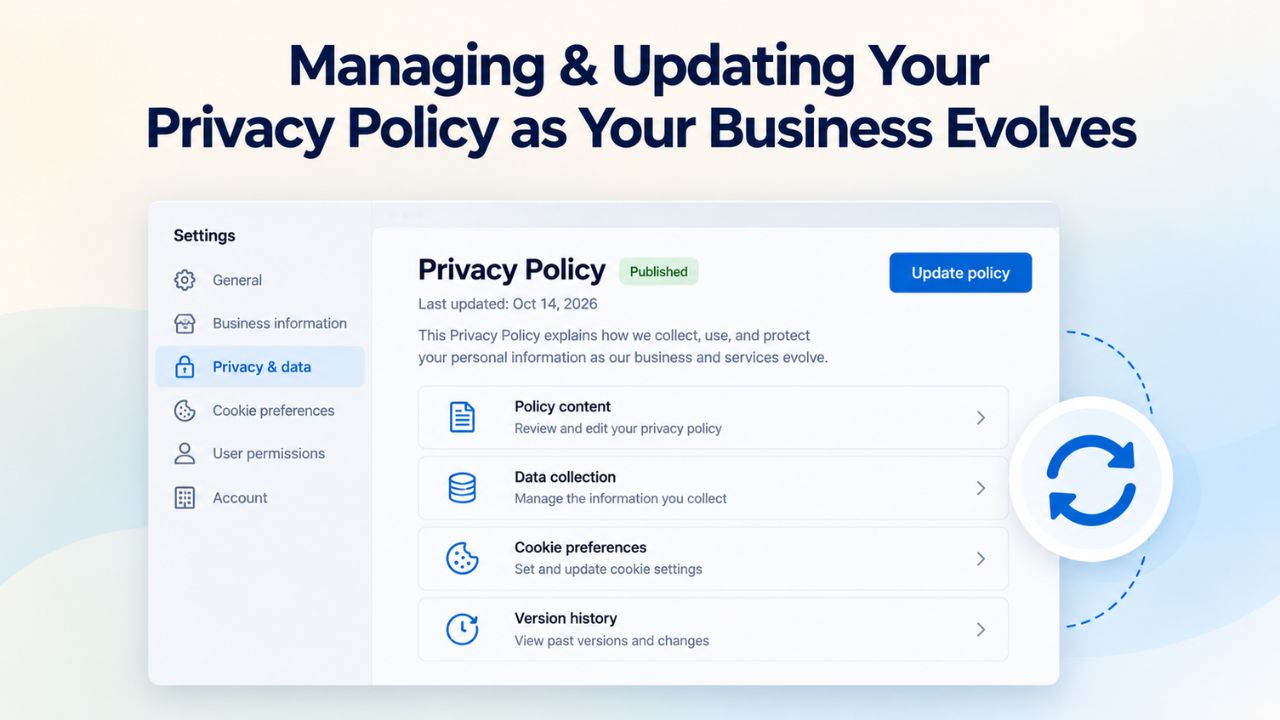
Privacy policies aren’t static documents you create once and then ignore; they’re living agreements you must review, update, and maintain as your business practices, technology stack, and regulatory environment change. Neglecting to update your privacy policy when your business changes is one of the most common and costly compliance mistakes.
Recognizing Trigger Events for Policy Updates
Common trigger events that require privacy-policy updates include adding a new third-party integration (new email marketing platform, new payment processor, new analytics tool, new CRM system), changing your data retention practices (deciding to delete customer data after 1 year instead of 3 years, for example), expanding into a new region or country with different regulatory requirements, adding a new feature to your site (launching an online store, adding an appointment-booking system, opening a community forum), launching new data collection practices (beginning to collect phone numbers where you previously collected only emails), or responding to new regulations.
If you add a new feature- an e-commerce store, a booking system, an email newsletter, a customer community- your privacy policy should reflect that change within weeks, not months.
Website-builder platforms make updates trivially easy: log into your account, navigate to the privacy-policy section, edit the text directly, and republish your site. There’s no need to redeploy servers, manage version control, or contact technical support. Small clarifications, like adding a new integration to the list, take minutes; larger updates that substantially change your data practices might take an hour. Set a quarterly calendar reminder to audit your data collection points: review what integrations you’re using, what data you’re collecting, who you’re sharing it with, and how long you’re retaining it. If anything has changed, update your policy immediately.
Communicating Material Changes to Your Customer Base
When you make material changes to your privacy policy, notify existing customers and email subscribers promptly. A brief email message, “We’ve updated our privacy policy to reflect new features; please review the updated version,” informs customers and demonstrates respect for their data concerns. Depending on your jurisdiction and the nature of the changes, significant modifications may require explicit re-consent or affirmative acknowledgment that customers have reviewed the updates. GDPR and similar regulations sometimes require explicit re-consent for material changes; state and federal regulations vary, so consult legal counsel about your specific situation.
Subscribe to privacy-regulation updates relevant to your industry and the geographic regions where your customers are located. Many jurisdictions announce regulatory changes 6–12 months before enforcement begins, giving you adequate time to update your policies and systems without rushing. Industry associations and privacy-focused organizations often provide free email alerts when new regulations take effect; spending 10 minutes to sign up can prevent expensive compliance surprises later.
Privacy Policy Implementation Timeline Table
| Week | Action | Effort | Key Outcomes |
|---|---|---|---|
| Week 1 | Audit all data collection points (forms, checkout, integrations, analytics) | 2 hours | Complete inventory of what data you collect and from where |
| Week 1-2 | Answer website builder’s privacy policy generator questions | 30 minutes | Initial policy draft generated by system |
| Week 2 | Customize generated policy; add specific retention periods and vendor disclosures | 1 hour | Customized policy reflecting your actual practices |
| Week 2-3 | Enable cookie banner; configure consent options for your integrations | 30 minutes | Cookie banner live and functional before launch |
| Week 3 | Test privacy policy and cookie banner across devices and browsers | 1 hour | Verify all links work, banner displays correctly on mobile |
| Week 3-4 | Review documentation about GDPR/CCPA requirements for your customers | 1 hour | Understand which regulations apply to your business |
| Launch Day | Publish website with privacy policy and cookie banner enabled | 15 minutes | Site goes live with compliance built in |
| Post-Launch | Set quarterly calendar reminder to review policy | 1 minute per quarter | Continuous compliance maintenance |
Common Privacy & Cookie Implementation Mistakes to Avoid
Most small-business owners make privacy-policy and cookie-implementation mistakes not out of malice, but because they lack awareness or face competing priorities during the rush to launch their site. Recognizing and avoiding these pitfalls protects both your business and your customers’ data simultaneously.
Using Generic Templates Without Customization
A vague, generic privacy-policy template says things like “We collect data and use it for business purposes.” Regulators, privacy advocates, and customers alike find this vague language unhelpful and potentially suspicious. Your policy should be specific and clear: “We collect your email address through our contact form and use it to send you a response to your inquiry within 24 hours. We do not share your email address with any third parties. We retain your email and message for two years to respond to follow-up inquiries, then permanently delete it.” This specificity builds trust and demonstrates competence.
Website-builder policy generators ask targeted questions to produce a customized baseline template rather than generic boilerplate: “What types of personal information do you collect? What do you use each type for? How long do you retain it? Do you share data with third parties, and if so, which ones?” Use this questionnaire seriously rather than rushing through it, as your answers directly shape the resulting policy. After the generator produces the initial template, review it carefully and customize it further to match your exact practices. Skipping this customization step and publishing a generic policy leaves you with boilerplate that doesn’t reflect your actual data flows and can create confusion about what you collect.
Forgetting to Update Your Policy When Adding Integrations or Features
You add Google Analytics to track traffic patterns, Stripe to accept payments, and Mailchimp to send marketing emails, all valuable integrations that improve your business. But you forget to update your privacy policy to mention them. Months pass, and you collect customer data, process payments, and email thousands of subscribers. Yet, your privacy policy still claims you “don’t share data with third parties” because you haven’t mentioned these services. This gap creates regulatory liability and erodes customer trust if they discover the omission.
This scenario happens more often than you might expect. The integration delivers immediate business value, but the privacy-policy update feels like administrative busywork that can wait. This is precisely when compliance gaps grow. When you add any new technology to your site, especially analytics tools, email platforms, or payment processors, make updating your privacy policy part of the launch checklist. Set an internal rule: “No new integration goes live until the privacy policy is updated to mention it.” This simple discipline prevents most compliance issues before they become expensive problems.
Choosing a Website Builder That Truly Supports Privacy Compliance
Not all website builders include strong privacy and compliance features. When evaluating a website builder for your business, prioritize platforms that offer built-in policy generators, functional cookie-banner features, clear documentation, and evidence of privacy-first thinking in their product design.
Essential Features for Building & Maintaining Compliance
A high-quality website builder for small businesses includes a privacy-policy section type or generator that asks targeted questions about your business practices, built-in cookie-banner functionality that works correctly with GDPR and other regulations, and clear, updated documentation explaining regional compliance requirements and how the platform supports them. The platform should make it trivially easy to update these documents as your business evolves, without requiring technical support, developer assistance, or third-party tools.
GoDaddy Website Builder includes a Privacy Policy section type where you can customize colors and title, write or paste text directly, and format using bold, italic, underline, lists, and links; it provides up to six privacy policy sections per site and automatically adds a privacy-policy section for European Union customers at site launch. The platform’s help documentation is comprehensive and regularly updated, making it easy to configure both privacy policies and cookie banners. Updates can be made instantly without waiting for technical support or deploying code changes.
Support Quality & Hands-On Onboarding Guidance
Compliance is complex, and business owners will inevitably have questions about specific scenarios. A website builder with thorough help documentation, responsive customer support, and real examples of compliant sites in action is invaluable. When you add a new third-party integration, the platform’s documentation should clearly explain the data-flow implications and remind you to update your privacy policy accordingly. Some platforms provide privacy-policy templates for popular integrations, cutting your customization work in half.
Niya Digital’s Website Builder Service, built on GoDaddy Website Builder’s platform, includes dedicated onboarding support that can guide you through privacy-policy creation and cookie-banner configuration as part of your initial site launch process. This hands-on guidance significantly reduces the chance of missing critical compliance steps during the rush to go live. Niya Digital operates its own reseller storefront, plan selection guidance, onboarding and setup support, template customization assistance, and ongoing account management, layered on top of GoDaddy Website Builder’s site-building engine, hosting infrastructure, and publishing technology.
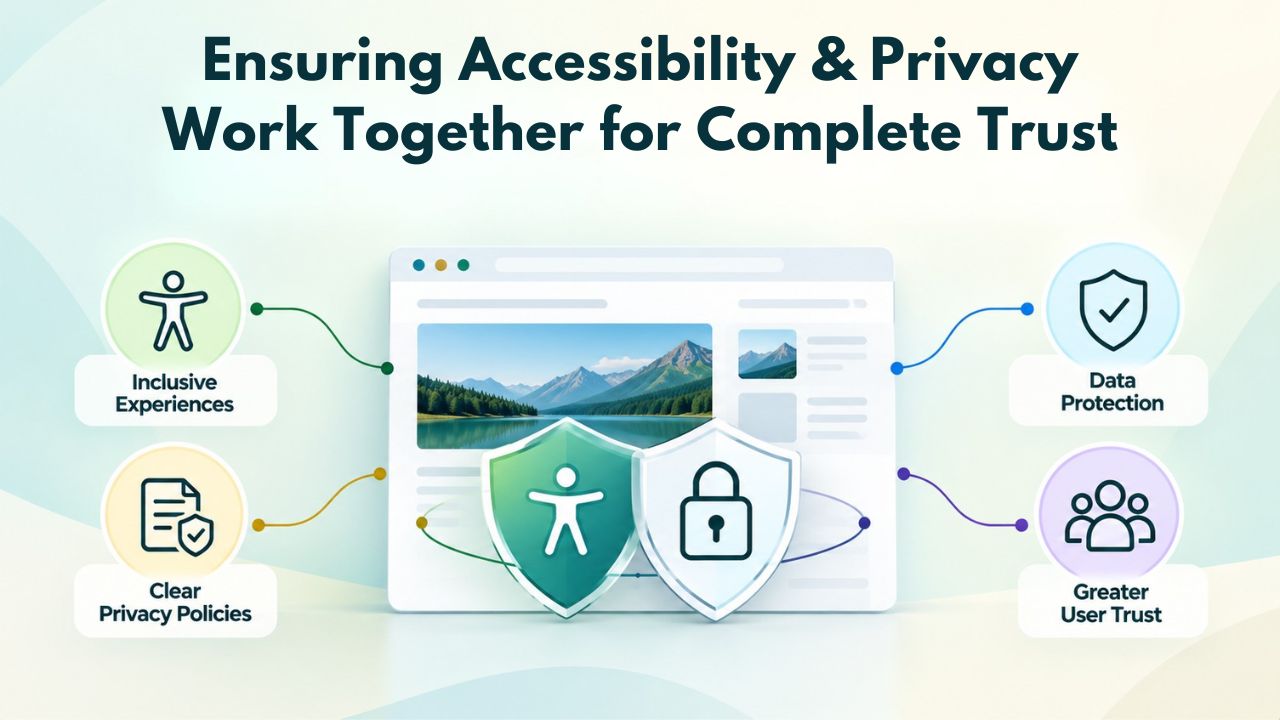
Ensuring Accessibility & Privacy Work Together for Complete Trust
Privacy compliance and website accessibility are two distinct requirements that often overlap in practice and should be managed as complementary obligations, not separate concerns. A website that protects visitor privacy but remains inaccessible to people with disabilities fails half the trust equation; conversely, an accessible site that ignores privacy concerns leaves visitors vulnerable. Modern website builders integrate both considerations into their templates and tools.
Making Your Privacy Policy Accessible to All Visitors
A privacy policy serves no compliance purpose if visitors with disabilities cannot read, understand, or interact with it. Your privacy policy must meet Web Content Accessibility Guidelines (WCAG) 2.1 Level AA standards, the internationally recognized accessibility benchmark. This means using clear, simple language; organizing content with proper heading hierarchy; ensuring sufficient color contrast between text and background; providing alt text for any images or diagrams; making your policy keyboard-navigable for users who can’t use a mouse; and ensuring cookie banners don’t trap keyboard focus or interfere with screen reader navigation.
Website builders like GoDaddy Website Builder typically handle much of this accessibility automatically through their templates and design systems. However, you should test your privacy policy and cookie banner using accessibility tools: browser extensions that simulate colorblindness, screen-reader software like NVDA (Windows) or VoiceOver (Mac), and keyboard-only navigation (try controlling your site using only the Tab key and Enter key, no mouse). If your cookie banner can’t be dismissed using only a keyboard, that’s an accessibility failure and a compliance risk. The good news is that most accessibility improvements also improve user experience for everyone, making sites faster and easier to navigate.
Building Trust Through Privacy & Accessibility Transparency
Visitors increasingly expect websites to demonstrate concern for both privacy and accessibility. A site that discloses privacy practices clearly AND provides accessibility features signals professionalism and respect for diverse user needs. This dual transparency builds measurable trust and can improve conversion rates. Some customers will never return to a site that doesn’t work with their assistive technology; others will abandon a site with vague privacy practices. Neither group is small.
When you communicate about your privacy commitments, mention your accessibility practices too: “We protect your privacy and ensure our site works for everyone. Our privacy policy is clear and accessible. Our website meets WCAG 2.1 AA accessibility standards.” This transparency demonstrates holistic thinking about user welfare. Website builders increasingly market privacy and accessibility as standard features, recognizing that customers expect both to be built in, not add-ons or afterthoughts. Testing both together, ensuring your cookie banner is both privacy-respecting AND accessibility-compliant, is a best practice that distinguishes professional websites from amateur ones.
Start Building Your Compliant Website Today
Niya Digital’s Website Builder Service guides you through privacy-policy creation and cookie-banner setup during onboarding, powered by GoDaddy Website Builder’s robust site-building and hosting platform. You’ll have a professionally compliant, fully functional website ready to accept customers without legal uncertainty hanging over your head. Begin with our free trial to explore the privacy-policy generator, cookie-banner configuration, and full template library yourself.
Frequently Asked Questions
What’s the practical difference between a privacy policy and a privacy notice?
A privacy policy is a comprehensive document explaining all your data collection, use, and sharing practices. A privacy notice (or privacy statement) is sometimes used as a synonym, though it can refer specifically to a notification you provide when you collect data.
For consistency and legal clarity, refer to your overall document as your “privacy policy” and your on-site cookie notification as a “cookie banner” or “cookie consent notice.” Website builders typically let you manage both as separate but linked documents.
Do I absolutely need both a privacy policy and a cookie banner?
In most cases, yes, though specific requirements depend on your jurisdiction and customer base. If you collect any personal data at all (contact forms, email signups, e-commerce purchases), you legally need a privacy policy. If you use analytics, advertising pixels, or any tracking cookies, add a cookie banner.
In GDPR-governed jurisdictions (EU/UK), a functional cookie banner is legally mandatory; elsewhere, it’s increasingly standard best practice to build customer trust and demonstrate professionalism and transparency.
How frequently should I review and update my privacy policy?
At minimum, review your privacy policy quarterly, and update it immediately if you change your data collection practices. Add a new integration? Update the policy within days. Launch a new feature? Update within two weeks. Major changes to your data practices warrant an announcement email to existing customers. Small clarifications can be updated silently; significant changes involving new data types or third-party sharing should include explicit notification.
Can a website builder’s policy generator handle my unique business model and data practices?
Website-builder generators excel for typical small-business models: contact forms, e-commerce transactions, email marketing, analytics tracking, and basic appointment bookings. If your business involves sensitive data categories (health information, financial data, data on minors), international data transfers, or complex data-sharing arrangements with many vendors, use the builder’s template as a starting point, then consult a privacy attorney to customize it for your specific edge cases and regulatory environment.
What exactly happens when a website visitor declines cookies?
If a visitor clicks “Decline” on your cookie banner, non-essential cookies don’t load on their browser, and analytics and advertising tracking scripts don’t fire. Functional cookies required for site operation (login sessions, security tokens, language preferences) typically load regardless. The site remains fully accessible and functional; the visitor won’t be tracked for analytics or marketing purposes. This is the correct and legally required behavior under GDPR and recommended practice elsewhere.
Is my website builder legally responsible for my privacy compliance?
No. You, as the site owner, bear full legal responsibility for ensuring your privacy policy is accurate, and your site complies with applicable laws and regulations. A website builder provides tools, generators, banners, and documentation that make compliance easier, but you must configure them correctly and maintain them as your business changes. This is why consulting a lawyer about compliance requirements in your specific jurisdiction before launch is always wise.
Should each of my websites have its own separate privacy policy?
Yes, absolutely. If you operate multiple websites serving different purposes or customer bases, each site needs its own privacy policy that reflects that site’s data practices. A consulting website collecting only emails differs from an e-commerce store collecting payment data, which differs from a membership community collecting profile information. While website-builder templates make it easy to create customized policies for each site, keeping separate policies ensures accuracy and prevents confusion.
What should I do if I realize my privacy policy is outdated or incomplete?
Update it immediately; there’s no benefit to delay. Add a note explaining what changed and when the change took effect. If the omission is significant (you’ve been collecting data for weeks or months that your policy doesn’t mention), consider notifying affected customers and evaluating whether re-consent is required under your applicable regulations. Most website builders let you update and republish your site instantly, so there’s no technical barrier to timely compliance.
Should I mention every third-party tool I use in my privacy policy?
Yes, you should mention any third-party service that accesses, processes, or stores customer data. If you use Mailchimp to send marketing emails, mention it with a link to Mailchimp’s privacy policy. If you use Google Analytics to track traffic patterns, disclose it.
If you use Stripe or PayPal for payments, explain that they process payment information. Don’t assume your payment processor’s privacy policy covers you from a customer’s perspective; visitors need to understand your data flows as you describe them.
What are the real-world consequences of launching without a privacy policy?
The consequences are substantial and escalating: regulatory agencies can issue significant fines (GDPR violations up to 20 million EUR or 4% of revenue; CCPA violations per-incident fines of 100–750), private citizens can file class-action lawsuits, you lose the trust signal that a clear privacy policy provides, and you face potential business interruption if your site is identified as non-compliant. Beyond legal risk, operating without a privacy policy signals to potential customers that you’re not a serious, professional business, a costly reputational penalty.
What exactly is a cookie, and why do websites use different types?
Cookies are small text files that store data on a visitor’s browser, enabling websites to remember information between visits. Essential cookies enable core site functionality, keep you logged in, maintain shopping-cart contents, and enable site navigation.
Tracking cookies record visitor behavior (pages visited, time spent, clicks) for analytics (understanding traffic patterns and user behavior) or advertising (displaying relevant ads based on browsing history). Your privacy policy must disclose what cookies you use; your cookie banner must request consent for non-essential tracking cookies.
Can I require visitors to review and agree to my privacy policy before accessing my site?
Technically yes, but it’s generally not recommended. GDPR and CCPA don’t require a privacy-policy agreement popup before site access; they require the policy be accessible and clear. Many successful sites link their policy in the footer and trust visitors to review it before sharing data.
More aggressive approaches that require explicit agreement before accessing content can reduce engagement, increase bounce rates, and frustrate potential customers. Balance transparency with user experience; a clear policy easily accessible in the footer usually achieves both.
How do GDPR and CCPA differ in what my privacy policy needs to cover?
GDPR (EU/UK) emphasizes consent before collection and granular visitor control over tracking, with detailed disclosures at the point of collection. CCPA (California) emphasizes post-collection transparency and visitor rights, explaining what you collect, allowing access, enabling deletion, and preventing data sales.
Both require clear privacy policies, but they approach privacy differently. If your site serves customers in both regions, your policy should reference both frameworks and explain how you comply with each, since they’re not fully harmonized.
How detailed should my cookie disclosures be in my privacy policy?
Your privacy policy should list each type of cookie your site uses (or link to a detailed “Cookie Policy” page if your list is long), explain the purpose of each type (analytics, marketing, functionality), mention how long each persists before expiring, explain visitor control options for managing cookies, and describe how visitors can manage consent preferences. Website-builder documentation and cookie-banner tools guide the expected level of detail in your specific jurisdiction; err on the side of more detail rather than less when in doubt.
What is the “right to be forgotten” under GDPR, and how does it affect my site?
The “right to be forgotten” is a GDPR provision allowing individuals to request that an organization delete their personal data, with limited exceptions. If a customer emails requesting that you delete their data from your systems, you must comply within 30 days.
Document your data-retention practices in your privacy policy (how long you keep customer records before deletion), outline the process for handling deletion requests, and confirm that your website-builder platform and third-party integrations support data access and deletion. Some platforms offer built-in data-management features; others require manual processes.
How can small businesses actually afford proper privacy compliance?
Modern website builders have eliminated the cost barrier. Privacy-policy generators that once required $1,000+ in legal fees now cost nothing as part of a website builder. Cookie banners that required custom development are now built-in features.
The time investment is minimal: an hour of work, and the financial investment is zero beyond your standard website-builder plan. The highest cost is not setup but ongoing maintenance: spending 10 minutes quarterly to review and update your policy as your business changes. This low-cost approach puts proper compliance within reach of any business.
Glossary
- Cookie: A small text file stored on a visitor’s browser that enables websites to remember information between visits. Cookies track browsing behavior, preferences, login status, and shopping-cart contents. Essential cookies enable site functionality; tracking cookies record behavior for analytics or advertising purposes.
- Cookie Consent Banner: A notification displayed on a website requesting visitor permission before non-essential cookies are stored on their browser. Required by GDPR in regulated jurisdictions; increasingly used globally as a transparency best practice and trust-building signal.
- GDPR (General Data Protection Regulation): An EU regulatory framework governing how organizations collect, store, process, and protect personal data of EU and UK residents. Requires explicit consent before using non-essential cookies, mandates clear privacy disclosures, and grants individuals rights to access, modify, and delete their data.
- Privacy Policy: A legal document disclosing what personal data a website collects, how that data is used and retained, who data is shared with, and what rights and choices visitors have regarding their information.
- CCPA (California Consumer Privacy Act): A California state law that grants residents rights over their personal data and requires businesses to disclose data practices, allow data deletion, and permit opt-outs from data sales. Enforced through AG action and private litigation.
- Responsive Design: A website design approach that ensures content displays clearly and functions properly across devices of all screen sizes, including smartphones, tablets, and desktop computers, with proper display of cookie banners and privacy policy links.
- Third-Party Integration: External software or service (payment processor, email platform, analytics tool, CRM system) that connects to your website and accesses, processes, or stores customer data. Requires disclosure in the privacy policy and data-flow documentation.