
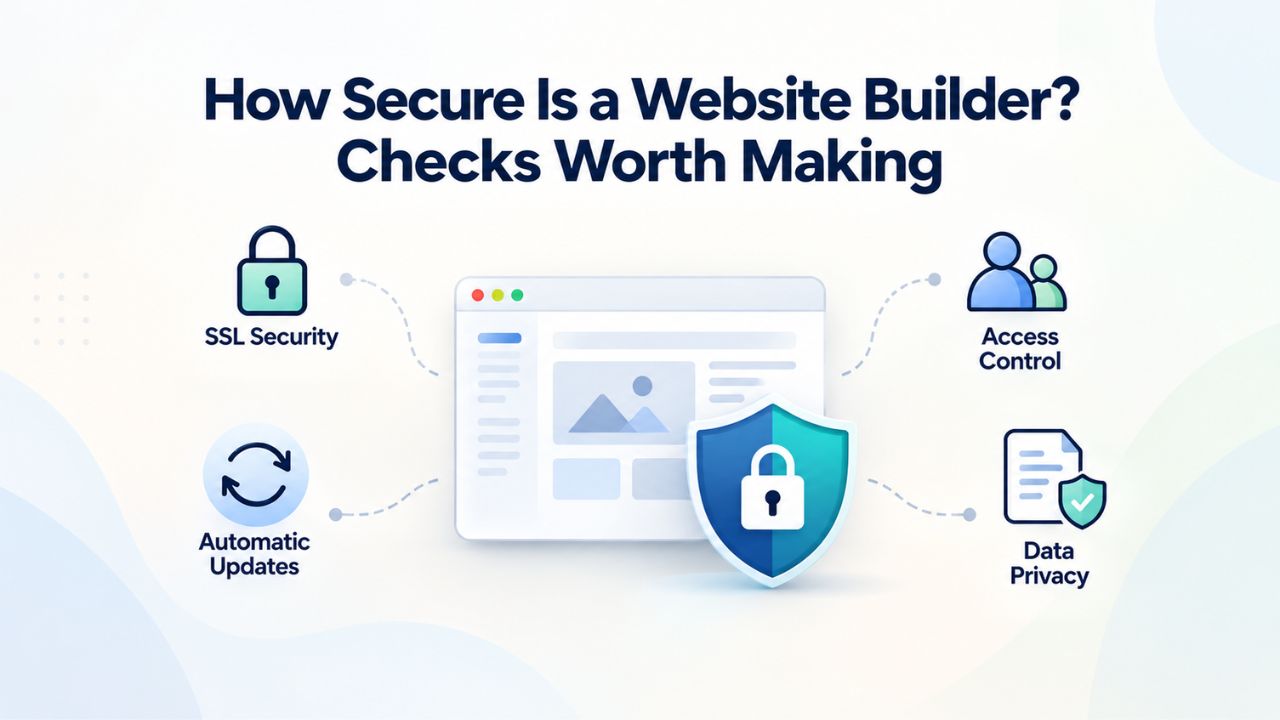
Every day, small businesses operate websites without understanding the security foundation beneath their online presence. Cyberattacks targeting small businesses have reached epidemic levels, with 43% of all attacks now aimed at companies your size. The real question isn’t whether your website builder is secure in an absolute sense, but whether you understand what security it provides automatically, what you must actively manage yourself, and which checkpoints separate a well-protected site from a vulnerable one. Niya Digital is an authorized reseller of these services, not an independent operator of the underlying builder infrastructure. Website security depends on both the platform’s automatic defenses and your own practices; neither alone is sufficient.
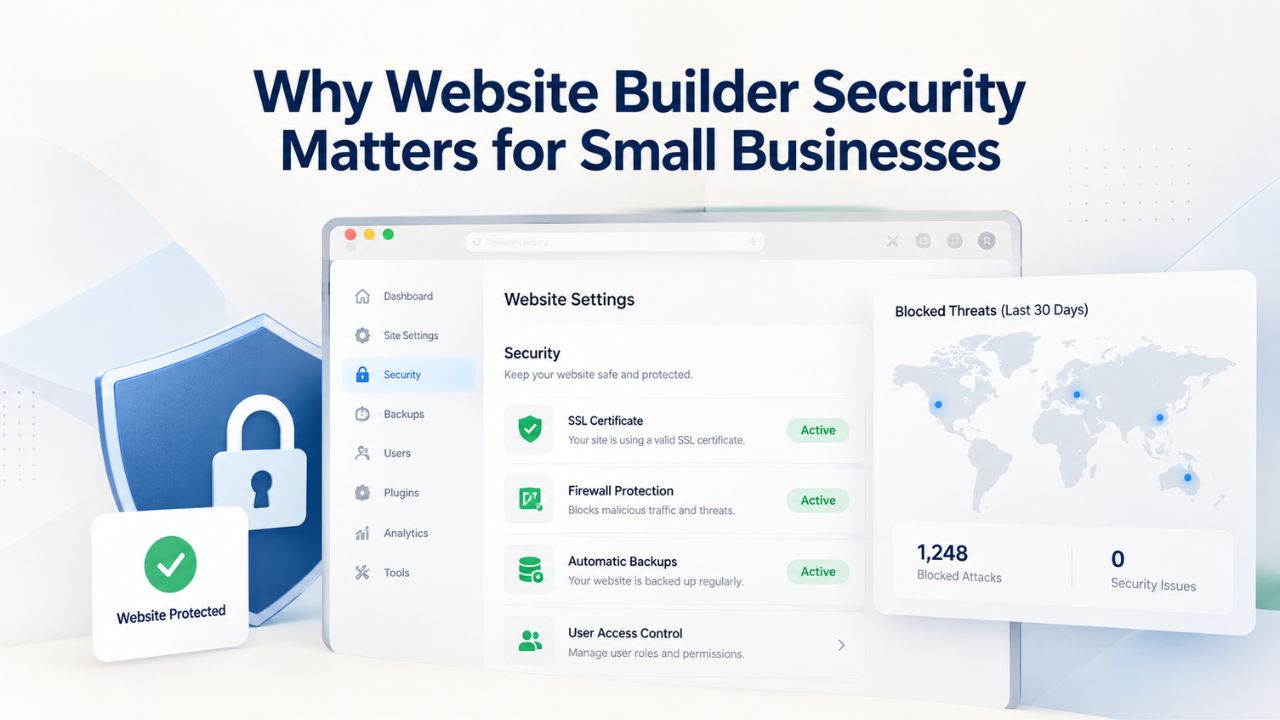
Why Website Builder Security Matters for Small Businesses
Website security is not a technical luxury for large enterprises. It has become a survival requirement for any business operating online, particularly small and medium-sized companies that often lack dedicated security staff and sophisticated defense systems. The threat landscape has fundamentally shifted over the past five years, with organized criminals and state-sponsored actors deliberately targeting small businesses because they offer easier entry points than large corporations.
Small Businesses Face Disproportionate Attack Risk
The statistics paint a sobering picture of the current threat environment. According to recent Research, 43% of all cyberattacks now specifically target small businesses, making them deliberate targets rather than collateral damage in attacks aimed elsewhere. This represents a strategic shift by attackers who have discovered that small companies often have weaker defenses while still holding valuable customer data and financial assets. Research from the Identity Theft Resource Center reveals that 81% of small business owners reported experiencing at least one cyberattack or data breach in the past year, meaning a breach is now statistically more likely than not for any small business.
The human impact of these attacks extends far beyond technical recovery. When a breach occurs, the average cost for a small business to recover reaches approximately $120,000, with figures ranging from $120,000 to $1.24 million depending on the nature and scope of the attack. This calculation includes forensic investigation costs, legal and regulatory compliance expenses, system restoration and remediation, notification and credit monitoring services for affected customers, and downtime-related revenue loss. For many small businesses, a six-figure recovery bill can threaten the company’s viability.
The Hidden Cost: Customer Trust and Long-Term Reputation Damage
Beyond the immediate financial impact lies an even more damaging consequence many business owners overlook. Research shows that 29% of small businesses that suffer a breach lose customers permanently because trust is destroyed. Once a customer learns that their personal information or payment data was compromised, they often take their business to competitors they perceive as more secure. This customer attrition compounds over months and years, representing a loss far greater than the direct recovery costs. When a business owner tells a prospective customer, “we had a data breach two years ago,” it creates an immediate credibility deficit that money alone cannot repair.
Additionally, most small businesses lose 10–30 business days managing and recovering from a breach itself, not counting the extended period of reduced operations and customer confidence afterward. For service-based businesses, each lost day means canceled appointments and unrecoverable revenue. For e-commerce businesses, downtime during peak seasons translates directly to missed sales that will never materialize. This is precisely why choosing a website builder that handles security automatically, so you never experience this downtime in the first place, is not a technical detail but a business survival strategy.
Website Builder Plans & Pricing
Create a professional website with flexible website builder plans designed for businesses, portfolios, and growing online brands. Choose a plan that matches your needs and build, customize, and manage your website with easy-to-use tools, responsive designs, and essential features for a strong online presence.
Website Builder Personal
Share your passion online.
- Responsive mobile design
- Website hosting
- Rapid Page-Load performance
- Create a blog
- Security (SSL)
- 24/7 support

Website Builder Business
Create an online presence for your business.
- Responsive mobile design
- Website hosting
- Rapid Page-Load performance
- Create a blog
- Security (SSL)
- 24/7 support
- PayPal Buy Now or Donate button
- Search Engine Optimization (SEO)
Website Builder Business Plus
Attract more customers.
- Responsive mobile design
- Website hosting
- Rapid Page-Load performance
- Create a blog
- Security (SSL)
- 24/7 support
- PayPal Buy Now or Donate button
- Search Engine Optimization (SEO)
- Social Media Integration
- Share content to Facebook
- Online Appointments
Website Builder Online Store
Sell products and services.
- Responsive mobile design
- Website hosting
- Rapid Page-Load performance
- Create a blog
- Security (SSL)
- 24/7 Support
- PayPal Buy Now or Donate Button
- Search Engine Optimization (SEO)
- Social Media Integration
- Share content to Facebook
- Online Appointments
- Built-in shopping cart
- Sell physical and digital products
- Accept credit and debit cards, PayPal and more
- Flexible shipping options
- Discounts and promotions
- Manage inventory
What “Secure” Actually Means in a Website Builder Context
The term “secure” gets misused so frequently in marketing materials that it has become almost meaningless. A builder claiming to be “the most secure platform on Earth” is typically making an unverifiable marketing claim rather than describing a measurable reality. Real security in a website builder follows a specific framework: a clear division of labor where the platform provider assumes responsibility for infrastructure-level threats. In contrast, the site owner assumes responsibility for access control and content decisions.
Understanding the Shared Responsibility Security Model
Website builder security operates on a shared responsibility model, a framework that defines precisely which party, provider or customer, bears responsibility for different security layers. This division isn’t a limitation; it’s how modern cloud-based security works in practice. The provider’s responsibilities include maintaining the physical security of data centers, securing the operating systems running servers, managing network firewalls and intrusion detection systems, applying security patches to the platform code and libraries, managing encryption keys for data at rest, and performing regular security audits and penetration testing of the entire infrastructure.
Your responsibilities as the site owner include choosing and protecting your admin login credentials, deciding who receives access to the website editor, selecting which third-party integrations and plugins to install, managing the content you publish (ensuring no sensitive data is unnecessarily exposed), and maintaining regular backup procedures. Understanding this division prevents two common mistakes: assuming the builder will protect you regardless of what you do, and assuming you must handle everything yourself because the builder cannot guarantee perfect security. Neither assumption is correct. The builder can guarantee rapid response to infrastructure vulnerabilities; it cannot guarantee you will use a strong password.
What the Platform Handles Automatically: Infrastructure-Level Defense
The builder’s side of the security partnership includes several critical automatic protections that would be extremely expensive and complex for an individual business to implement independently. GoDaddy Website Builder, which powers Niya Digital’s Website Builder Service, provides automatic security updates for all hosted sites without user intervention. When security researchers discover vulnerabilities in the platform code, the provider patches those vulnerabilities and deploys the fix across every site using the platform, typically within hours or days. You never need to check for updates, schedule maintenance windows, or risk forgetting a critical patch. The protection is applied silently and consistently.
The platform also deploys automatic SSL/TLS certificates that encrypt all data traveling between visitor browsers and your web servers, ensuring that passwords, payment information, and personal data remain encrypted in transit. Additionally, Web Application Firewalls (WAF) and Distributed Denial of Service (DDoS) mitigation are built into the infrastructure and applied automatically to every site. You do not configure these systems; they operate transparently in the background. The provider also maintains multiple geographically distributed data centers with automatic failover, meaning if one server or facility experiences an outage, your site automatically moves to another location without downtime. None of these protections require your action or technical knowledge to remain active.
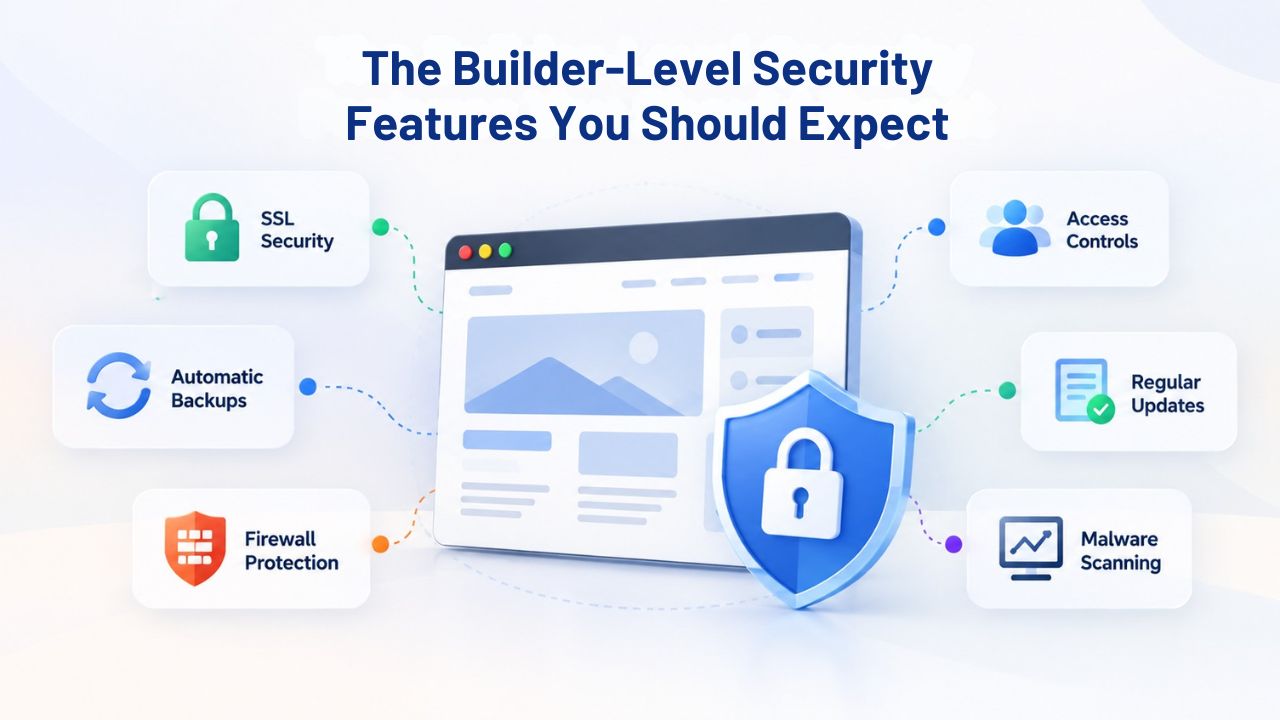
The Builder-Level Security Features You Should Expect
Before committing to a website builder, knowing which security features are table stakes and which genuinely differentiate helps you avoid platforms that cut corners. The quality of a builder’s security baseline often correlates directly with how well-protected your site will be throughout its operational life.
SSL/HTTPS Encryption: The Non-Negotiable Foundation
SSL/TLS encryption is a foundational security technology that ensures all data transmitted between a visitor’s browser and your website server is encrypted and cannot be intercepted by attackers listening on the network. Every modern website builder should provide SSL certificates automatically at no additional cost, and this encryption should be enabled by default for all pages, not just the login or checkout pages. You will know encryption is active when you see a padlock icon in the browser’s address bar and “https://” (rather than “http://”) in the URL itself. This small visual indicator represents a critical security boundary that protects every visitor interaction with your site.
For e-commerce sites accepting credit card payments, SSL encryption is not optional; it is required under PCI DSS (Payment Card Industry Data Security Standard) regulations. A site without SSL that accepts payment card information violates these regulations and exposes the business to regulatory fines and liability for any resulting customer data breach. Even for non-commercial sites, visitor expectations now include encryption as a baseline.
Modern web browsers increasingly flag unencrypted sites with warning messages that discourage visitors from accessing them. Google’s search rankings also penalize unencrypted sites, making SSL adoption both a security best practice and a search engine optimization necessity. If a builder charges extra for SSL certificates or limits encryption to premium plans, that is a strong red flag that the builder doesn’t prioritize security as a core value.
Automatic Updates and Patches: Protection Without Your Effort
A website platform that provides regular security updates and patches protects against newly discovered vulnerabilities far more effectively than one that leaves patching to the user. Modern cybersecurity threats, including zero-day exploits, supply chain attacks, and vulnerability chains, are discovered, weaponized, and exploited faster than ever. When a serious vulnerability is announced, the window between public disclosure and widespread exploitation is often measured in hours or days. A platform that waits for users to update code or plugins manually will inevitably have unpatched sites running outdated, vulnerable code for weeks or months after a patch becomes available.
Hosted website builders like those powered by GoDaddy Website Builder’s architecture apply security patches automatically and simultaneously across all hosted sites. When you wake up the morning after a major vulnerability is announced, your site is already protected; you never need to manually check for updates, test patches, or schedule maintenance windows. This automatic approach is one of the biggest security advantages of a hosted website builder compared to self-managed platforms like self-hosted WordPress, which require the site owner to update core software, themes, and plugins manually. The difference between automatic updates and manual updates often determines whether a site gets patched within days or remains vulnerable for months.
Security Checks to Make Before Selecting a Website Builder
Not all security features are prominently displayed in a builder’s marketing materials or free trial. Asking specific questions before you commit reveals whether a builder has implemented security as a core principle or merely paid lip service in its promotional content.
The Pre-Purchase Security Due Diligence Questionnaire
Before purchasing a website builder plan, obtain written answers to these specific questions that every security-conscious builder should be able to answer clearly.
Ask: Does the platform provide automatic daily backups of all site files and databases? Where are backups physically stored, only on the same servers as the live site, or in geographically separate data centers? What is the platform’s Recovery Time Objective (RTO) if you need to restore your site from backup, and what is the Recovery Point Objective (RPO), in other words, how much data might you lose if the most recent backup does not include your latest changes? Can you download and keep a backup copy yourself, or are you entirely dependent on the provider’s backup system?
Also ask whether the platform supports two-factor authentication (2FA) for account login and, if so, whether it uses standard protocols like TOTP (time-based one-time password) apps or SMS codes. Request documentation about the builder’s security incident response plan, what specific procedures are followed when security vulnerabilities are discovered, how quickly patches are deployed, and whether there is a formal process for receiving security advisories. Ask for the builder’s published security policies and any third-party security audit reports or compliance certifications. Reputable builders maintain a published Security and Trust page or Responsible Disclosure program where security researchers can report vulnerabilities. A builder that cannot point to written security documentation has not prioritized security in its organizational structure.
Backup and Disaster Recovery Capability: Testing Your Safety Net
A comprehensive backup and disaster recovery strategy is often more important than preventing breaches, because even with perfect security, hardware failures and accidental deletions can destroy your website. Specifically ask whether the platform offers automatic daily backups, and confirm that these backups are stored off-site, meaning in a separate geographic location or cloud storage system so that a local disaster affecting the primary data center does not also destroy your backups. Typical website restoration times from backup range from 2–4 hours for routine restores, with major disasters recoverable within 24 hours maximum. If a builder cannot meet these windows, that is an important limitation to understand before depending on them.
Also ask whether you can manually download and keep your own backup copies outside the provider’s system. This personal backup serves as insurance against scenarios where the provider itself experiences a catastrophic breach, loses data, or ceases operations. Ask how often the platform tests and verifies its backup systems; backups that have never been tested often fail to restore cleanly when you actually need them.
Ask whether you can perform test restores yourself to a staging environment (a test copy of your site separate from the live site) to verify that backups contain all your data and that restoration procedures work correctly. Testing your disaster recovery procedures before you actually need them is one of the most important security practices any business can perform. Yet businesses often neglect it until a disaster forces the issue.
Security Strategy Comparison: Protection Layers Across Website Builder Lifecycle
| Security Phase | Builder Handles Automatically | What You Must Do | Why This Matters | Common Mistakes |
|---|---|---|---|---|
| Pre-Launch Planning | Provides documented security architecture | Define security requirements; choose compliant processors | Establishes foundation for secure site | Skipping security planning; launching without understanding compliance obligations |
| Launch & Configuration | Auto-enables SSL; deploys WAF | Configure integrations correctly; set user permissions | Ensures encryption and access control from day one | Not verifying all connections use HTTPS; granting excessive permissions |
| Ongoing Operations | Auto-patches; maintains backups; monitors threats | Monitor for unusual activity; change passwords regularly | Detects and responds to incidents quickly | Ignoring security alerts; never reviewing login activity |
| Incident Response | Provides recovery options; restores from backup | Notify customers; implement improvements; review logs | Minimizes damage and prevents recurrence | Delaying notification; failing to investigate root cause |
| Post-Incident | Provides patch for root cause; updates system | Monitor for recurrence; test backup procedures; strengthen security | Prevents the same incident from happening again | Assuming “never happens twice”; failing to implement improvements |
| Long-Term Maintenance | Continues automatic updates; manages infrastructure | Quarterly access reviews; annual security scans; password changes | Maintains security as threats evolve | “Set it and forget it” mentality; neglecting ongoing maintenance |
User Access Control and Strong Authentication
While the builder handles infrastructure security automatically, you remain directly responsible for controlling who can access your website editor and protecting your login credentials. This access control layer represents one of the most commonly exploited security gaps because it lies entirely within your control yet requires discipline and attention to detail.
Password Strength and Two-Factor Authentication: Protecting Your Master Key
Weak or reused passwords remain responsible for a significant proportion of website compromises. Your website builder login is the master key to your entire online presence; if an attacker obtains this credential, they can delete your content, modify your site to inject malware, impersonate your business in communications with customers, or steal sensitive information stored in your website’s database.
Every basic security principle therefore demands that your website builder password be unique, complex, and protected with obsessive care. Use a password manager (such as Bitwarden, 1Password, or LastPass) to generate a random, cryptographically strong password containing at least 16 characters, mixing uppercase letters, lowercase letters, numbers, and special symbols. Do not reuse this password on email accounts, social media, or anywhere else. If you use the same password across multiple sites and one site is breached, attackers will immediately try that credential on all other sites you use.
Enable two-factor authentication (2FA) on your website builder account if the platform offers this feature. Two-factor authentication means that even if an attacker steals your password through phishing, social engineering, or credential-stuffing attacks, they still cannot log into your account without also possessing your second authentication factor, typically your smartphone with an authenticator app installed. The builder cannot force 2FA, but it should offer it as an option. If a builder does not support 2FA, that is a significant limitation worth considering carefully. Two-factor authentication is one of the most effective security investments available and should be non-negotiable for any account controlling critical business infrastructure.
Team Permissions and Access Logging: Least Privilege Principle
If your business includes team members who need editor access to your website, designers, content writers, copyeditors, marketing consultants, or other collaborators, do not grant them access by sharing your personal login credentials. Shared passwords immediately break your ability to track who made changes, make individual password changes ineffective at locking someone out, and create a security nightmare if the person’s employment ends or their device is compromised.
Instead, create separate user accounts with limited permissions aligned to each person’s specific role. A content editor should only be able to edit page text and images, not modify security settings, payment configuration, or site architecture. A designer should be able to change page layouts and styling but not access customer databases or admin functions.
Ask whether your builder provides access logging: a record of which user accounts accessed the site, when they logged in, what pages they viewed, and, importantly, what changes they made. This audit trail lets you spot unauthorized changes, identify whether someone who should have lost access still can access the site, and provide evidence if disputes arise about who made specific modifications.
Niya Digital’s team has found that the most common internal security incidents occur because team members were given broader permissions than their actual job responsibilities required, or because a person who left the organization retained access that was never revoked. A simple access log can catch these scenarios quickly and prevent damage. When team members leave your organization, remove their user accounts from your website builder immediately. Don’t just deactivate the account; delete it entirely to prevent any possibility of reconnection.
Ready to Protect Your Website With Enterprise-Grade Security?
Protecting your website from unauthorized access starts with choosing a builder that makes security simple and automatic. Niya Digital’s Website Builder Service gives you strong encryption, automatic updates, and built-in access controls- all the infrastructure security you need so you can focus on your business rather than managing complex security systems. When you combine the platform’s automatic protections with your own strong access practices, you create a security foundation that protects both your site and your customers’ data.
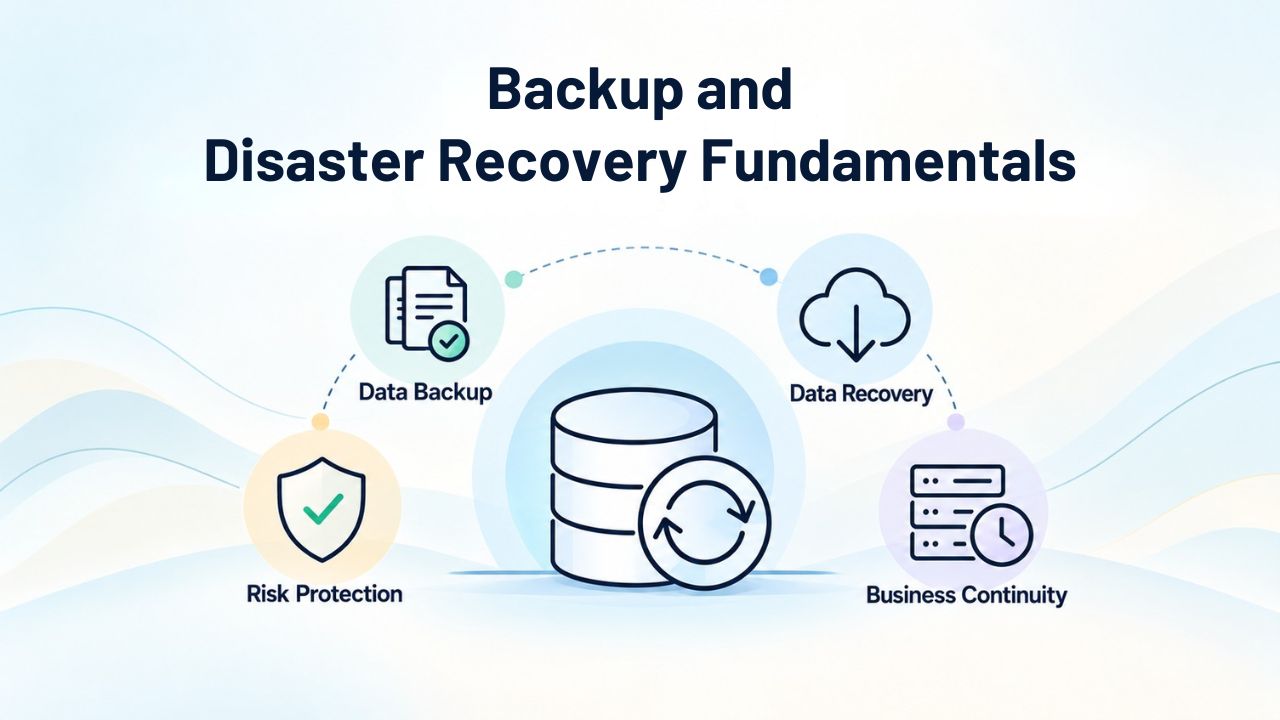
Backup and Disaster Recovery Fundamentals
The principle of disaster recovery is simple: always maintain a current, tested, off-site copy of your website data so you can restore your site even if the original hosting infrastructure is destroyed. Implementing this principle requires understanding how backups work, what frequency is appropriate, and how to verify that backups will actually restore cleanly when needed.
How Backups Protect Your Site: Frequency and Off-Site Storage Requirements
A backup is a complete copy of your website’s files, databases, and configuration, saved to a separate location independent from your live hosting infrastructure. Modern website builders should provide automatic daily backups of all site content, with higher-frequency backups (multiple times daily) preferred for sites that change frequently or process transactions continuously. Backup frequency determines your Recovery Point Objective (RPO), the maximum amount of data you might lose if you need to restore. If you have daily backups and your site is corrupted at 11:59 PM, you might lose up to 23 hours and 59 minutes of work created that day. More frequent backups reduce this loss window proportionally.
Critically, backups must be stored off-site in geographically separate data centers, not merely on different physical servers in the same facility. If your builder stores both live data and backups in the same data center and that facility experiences a catastrophic event, a massive electrical fire, a ransomware attack affecting the entire facility’s network, or a natural disaster, both the live site and the backups would be destroyed simultaneously, leaving you with no recovery option. Cloud-based backup storage in geographically distributed locations ensures that a regional disaster cannot eliminate both copies of your data. Ask your builder specifically where backups are stored and whether they can guarantee geographic separation from the live hosting infrastructure.
Testing Your Recovery Plan: Download Personal Copies and Verify Restoration Procedures
Best practices for backup strategy extend beyond relying entirely on your builder’s backup system. Many experienced website managers also maintain personal backup copies of their site that they download and store locally on their own computers or external drives. If your builder offers a site export feature, use it quarterly to download a complete copy of your website, including all files, database content, images, and media.
Store this personal copy in at least two separate physical locations (for example, your local computer and an external hard drive kept in a different room or location). This approach protects you if the builder experiences a security breach, faces financial difficulties and ceases operations, or suffers catastrophic data loss beyond its recovery capabilities.
Most critically, test your backup restoration procedures at least once before you face an actual emergency. Many backup systems fail to restore cleanly even when the backup files appear to exist, often due to corruption, incomplete backups, or version incompatibilities that only become apparent during restoration attempts. Request that your builder provide access to a staging environment (a test copy of your site separate from the live version) where you can perform test restores.
Restore an old backup to this staging environment and verify that all pages load correctly, all images display, all forms function properly, and all content appears exactly as it should. Only hands-on testing can give you confidence that your disaster recovery procedures will work when you need them most. Niya Digital’s support team regularly encounters customers who assume their backups are functional, only to discover during an actual emergency that they’re incomplete or corrupted. Testing eliminates this risk.
Payment Processing Security and PCI DSS Compliance
If your website accepts credit card payments, security requirements move from best practices to legal requirements. The Payment Card Industry establishes specific security standards that every business accepting card payments must follow, regardless of business size or transaction volume.
Understanding PCI DSS: The Industry Security Requirement for Payment Processing
The Payment Card Industry Data Security Standard (PCI DSS) is a comprehensive set of security and compliance requirements that every business accepting credit card payments must follow. These requirements cover network architecture, encryption, access controls, monitoring, incident response procedures, and security awareness training. The standard includes 12 core requirements across six major categories, each addressing critical aspects of payment card data handling. Violating PCI DSS requirements carries severe penalties, fines up to $100,000 per month, plus liability for any customer data stolen due to non-compliance. Regulatory fines are often dwarfed by the civil liability customers can pursue if their payment data is compromised due to your negligence.
Importantly, PCI DSS compliance remains your responsibility even if you use a third-party payment processor like Stripe, PayPal, or Square to handle credit card transactions. Using a payment processor significantly reduces your compliance burden because your website never directly handles or stores raw credit card numbers; the processor handles the sensitive card data in its own PCI-compliant systems. However, you’re still responsible for maintaining your own security practices and understanding which compliance requirements apply to your situation. Your compliance obligation depends on your transaction volume: businesses processing fewer than 20,000 Visa transactions annually have different requirements than those processing 100,000+ transactions annually. Most small businesses fall into the lowest compliance level, but even small merchants cannot ignore PCI requirements.
Payment Gateway Selection and Compliance Verification
Most modern website builders with e-commerce features are designed to be PCI compliant and have already implemented the security infrastructure needed for payment processing. The builder’s payment processing integration routes card data through certified payment processors rather than through your website, which minimizes your compliance exposure. However, you maintain responsibility for selecting a payment processor that is genuinely PCI DSS certified and for configuring the integration correctly. PCI DSS-compliant payment processors do not store raw card numbers on your website; instead, they tokenize card data and store only a token reference that cannot be used to reconstruct the original card information.
Before integrating any payment processor, verify the processor’s PCI DSS certification level. Major processors like Stripe, PayPal, and Square all publicly declare their compliance status, typically at the highest certification level. If you cannot find it on their public website, ask for the processor’s compliance documentation. Request your payment processor’s Self-Assessment Questionnaire (SAQ) or audit report that documents how they maintain compliance.
You should also review the processor’s documentation on your responsibilities and what you must do to maintain compliance when using their services. This typically includes using HTTPS for all payment pages, never storing raw card numbers, maintaining access controls, and monitoring for unusual transaction patterns. When you understand both what the builder provides automatically and what you must actively maintain, you can build an e-commerce site that protects customer payment information while staying compliant with industry requirements.
| E-Commerce Security Component | Builder/Platform Responsibility | Your Responsibility | Verification Method |
|---|---|---|---|
| SSL/HTTPS Encryption | Provide a free certificate; enable by default | Ensure checkout uses HTTPS URLs | Check address bar for padlock icon; verify URLs start with https:// |
| Payment Gateway Integration | Provide integration; route to compliant processor | Select certified processor; configure correctly | Confirm processor is PCI Level 1 certified; test transactions |
| Card Data Storage | Platform does not store raw numbers | Ensure you never store raw card numbers | Review database contents; audit payment storage practices |
| Platform Security Updates | Automatic patches to payment infrastructure | Monitor for notifications; keep custom code updated | Subscribe to platform security alerts |
| Access Control | Support user role restrictions | Grant minimum necessary permissions to payment settings | Test user accounts; verify permissions restrictions |
| PCI Compliance Documentation | Provide compliance audit results | Complete annual Self-Assessment Questionnaire | Request builder’s audit report; document your compliance efforts |
| Encryption Strength | Minimum TLS 1.2+; modern ciphers | Ensure no downgrade attacks; maintain secure configuration | Verify with security testing tools; check SSL certificate details |
| Backup Procedures | Encrypt and store off-site | Test restore procedures; maintain personal backups | Perform test restore; verify transaction record backups |
| Incident Response | Published procedures for breach scenarios | Notify customers within required timeframe | Request builder’s SLA for breach notification |
| Transaction Logging | Maintain audit trail for regulatory review | Monitor logs for unusual patterns; retain records | Download transaction history regularly; review for anomalies |
Common Web Vulnerabilities and How Builders Defend Against Them
Understanding the most common ways websites are compromised helps you evaluate how well your chosen builder defends against these attacks. The OWASP Top 10 is the industry-standard list of the ten most critical web application security risks and provides the framework security professionals use to prioritize defensive efforts.
Injection Attacks and Cross-Site Scripting: Platform-Level Defense
An injection attack occurs when an attacker injects malicious code into a form field, URL parameter, or database query, and the vulnerable application treats that input as a command to execute rather than as data to store safely. The most common form is SQL injection, where an attacker injects SQL code into a login form that, when a naive application processes it, grants unauthorized database access.
A cross-site scripting (XSS) attack occurs when an attacker injects malicious JavaScript code that executes in victims’ browsers, potentially stealing login cookies, redirecting users to phishing sites, or capturing keyboard input. Both injection and XSS vulnerabilities are prevented through input validation and output escaping, security techniques that automatically filter and transform user input so it cannot be interpreted as executable code.
Modern website builders prevent these attacks automatically by implementing these defensive techniques in the platform code. When you use a builder’s form builder to create contact forms or checkout pages, the builder’s code automatically handles all the security sanitization behind the scenes. Injection or XSS risks arise only if you add custom code, install poorly written third-party plugins, or implement custom functionality without proper security considerations. For non-technical business owners using the builder’s standard features, these attacks are effectively mitigated. This is one of the major security advantages of using a hosted website builder rather than self-managed platforms; the hosting provider implements these defenses once, correctly, and applies them to all sites.
Broken Authentication and Vulnerable Components
Broken authentication, weak session management, insecure password resets, or insufficient access controls rank among the top OWASP vulnerabilities. Builders defend against these vulnerabilities by enforcing HTTPS for all login pages, using cryptographically secure session tokens, automatically logging out idle sessions after a defined timeout, and never storing passwords in reversible formats. You defend against broken authentication by using strong, unique passwords and enabling two-factor authentication on your account.
Using software components with known vulnerabilities represents another category that ranks high among web application security risks. A plugin or library with a publicly disclosed security vulnerability, if not updated, lets attackers exploit that known flaw against every site using the vulnerable component. This is why automatic platform updates matter: they remove this risk category before you even know a vulnerability exists.
Evaluating Your Builder’s Security Track Record and Transparency
How a builder has performed during past security incidents is the most reliable indicator of how they will handle security in the future. Asking about incident response procedures and examining published security documentation reveals whether security is integrated throughout the builder’s organizational culture or treated as an afterthought.
Published Security Policies and Responsible Disclosure Programs
Before signing up, spend time on the builder’s website looking specifically for a Security, Trust, Privacy, or Compliance page that describes their security architecture, data handling practices, and compliance certifications in technical detail. That page should explain their incident response process, the specific procedures followed when security vulnerabilities are discovered, how quickly patches are deployed across hosted sites, and whether the company maintains a formal responsible disclosure program where security researchers can report vulnerabilities.
A builder that publishes detailed security documentation shows they have invested in security as a core organizational value and feel confident enough in their practices to be transparent about them. A builder with no published security documentation, no transparency about infrastructure, and no incident response plan is taking a shortcut that should concern you.
Look for third-party security certifications or audit reports. Serious builders often obtain ISO 27001 certification (an international standard for information security management), SOC 2 Type II reports (which document security and compliance controls), or PCI DSS compliance certifications if they process payment data. These certifications are expensive and time-consuming to obtain and maintain, so their presence indicates genuine security investment. A builder that claims to be secure but cannot produce audit reports or certifications is asking you to accept their claims on faith alone, which is an unacceptable risk when your business data is at stake.
Incident History and Response Capability
Search for news articles about data breaches or security incidents involving your prospective builder. If a breach occurred in the past, examine how the builder responded. Did they disclose the breach promptly and transparently, or did it remain hidden until outside researchers discovered it? Did they immediately notify affected customers and provide credit monitoring or remediation services? Did they thoroughly investigate the root cause and implement changes to prevent recurrence, or did similar incidents happen repeatedly? A builder that experienced one serious incident five or six years ago but has since implemented substantial security improvements is preferable to a builder that claims perfect security history but lacks published security practices.
Contact current customers of your prospective builder and ask directly about their experience with builder support during security incidents. Ask whether the builder was responsive, transparent, and effective at resolving issues. Real customer feedback often reveals much more about a builder’s true security commitment than marketing materials ever could. The quality of a builder’s incident response- how quickly they acknowledge problems, how thoroughly they investigate, how transparently they communicate, and how effectively they remediate- says more about their security culture than any marketing claim.
Ongoing Security Practices After Site Launch
Security doesn’t end on launch day. Maintaining security requires ongoing monitoring, regular updates, and consistent attention to evolving threats throughout your site’s operational life. Businesses that treat security as a launch-day activity and then ignore it afterward inevitably see security degrade over time as new vulnerabilities emerge and old defenses become outdated.
Monthly Monitoring and Content Review
Every month, log into your website and review it from a visitor’s perspective, checking that all links work correctly, all forms work properly, and all content displays as intended. Look specifically for unexpected changes, new pages you did not create, redirects to unusual sites, strange text or images inserted into pages, or any modifications that do not match your expectations. Such changes can indicate unauthorized access, compromised accounts, or injected malware. Check the email inbox associated with your builder account for security notifications. A quality builder sends alerts when suspicious activity is detected, unusual login attempts from unexpected geographic locations, rapid changes to sensitive settings, or attempts to modify payment configuration. Treat these notifications as urgent and investigate immediately.
Review the login history for your builder account if the platform provides this information. Look for sessions you don’t recognize, logins from geographic locations you have never visited, login attempts at unusual times, or connections from devices you don’t own. If you find unauthorized access attempts, change your password immediately and enable two-factor authentication if it isn’t already active. If someone logged into your account, change your password, review recent changes to your site, and check whether any third-party integrations or users were added without your authorization. Niya Digital’s team has repeatedly found that early detection of unauthorized account access, through reviewing login history and email alerts, enabled customers to detect and stop damage before serious harm occurred.
Plugin and Integration Lifecycle Management
Review your installed third-party apps, plugins, and integrations every quarter, asking yourself whether each one is still necessary for your site’s operation. Delete anything you no longer use; each inactive plugin is a potential attack surface that might contain vulnerabilities. For integrations you do keep, confirm that the developer actively maintains the plugin by checking when the last update was released.
A plugin that has not been updated in a year is likely accumulating security vulnerabilities. Many plugin developers stop maintaining older code once newer versions are released, meaning vulnerabilities in old versions never get patched. If your plugin hasn’t been updated in over six months, consider whether a newer alternative exists or whether you can remove the functionality if it isn’t essential.
Update all plugins and integrations to the latest versions available. Do this on a regular schedule rather than randomly, perhaps quarterly or semi-annually depending on update frequency. For critical plugins that frequently release security patches, consider enabling automatic updates if the platform offers that option. Test updates in a staging environment (a test copy of your site) before applying them to your live site, ensuring that updates do not break any functionality. After applying updates, verify that all site features continue working correctly and that the update did not inadvertently change site behavior in unexpected ways.
Password Updates and Access Control Reviews
Change your website builder password at least every six months, and immediately if you suspect any possibility of compromise or if you have used it on another site that has been breached. When changing your password, use a password manager to generate a completely new, random password rather than slightly modifying your existing one. Also review which devices or browsers have active sessions connected to your builder account. Log out of any devices you no longer use or recognize. If you share a personal computer with family members or employees, log out completely after each use rather than leaving the session active so someone else can access it.
If your business uses multiple staff members with builder access, conduct a formal access control review every six months. Verify that every account with access is held by someone still employed by your business and still needs that access level. Delete accounts for people who have left the organization, contractors who have finished their work, or consultants whose engagement has ended.
Change permissions for remaining team members if their job responsibilities have shifted. Implement a formal offboarding procedure so that when someone leaves your organization, their builder access is immediately revoked as part of the exit process. Many businesses discover unauthorized access to their website long after a former employee or contractor should have lost access because the offboarding process was forgotten.
Launching with Confidence: Security Preparation Strategy
Launching a website represents the culmination of weeks or months of work, but security preparation should begin during planning, before you build anything. Planning your security architecture before you need to retrofit an existing site saves enormous effort and substantially reduces risk.
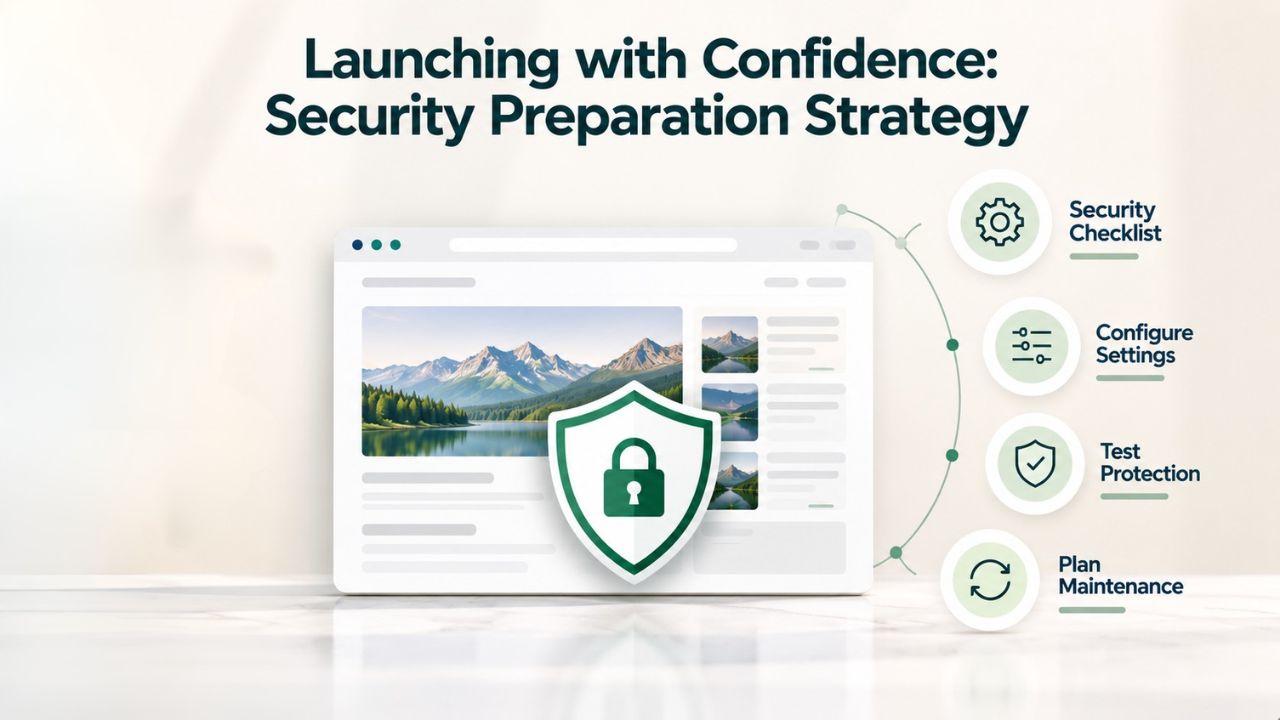
Pre-Launch Security Checklist and Testing
Before you publish your site to the public, conduct a comprehensive security review using a detailed pre-launch checklist. Verify that SSL/HTTPS is enabled on every page, not just checkout or login pages. Confirm that your admin password is strong and unique, and that two-factor authentication is enabled on your builder account. Test every form and interactive feature to ensure they work correctly and don’t expose sensitive information in error messages or URLs. Review all user accounts and integrations to ensure only necessary access has been granted.
Test your backup and restore procedures at least once by restoring to a staging environment. Verify that all payment processing is configured correctly, and that the payment processor appears in your documentation as PCI DSS certified. Ensure that payment forms use the processor’s secure hosted checkout rather than handling card data on your own servers.
For e-commerce sites, review your PCI DSS compliance obligations specific to your transaction volume and compliance level. Complete the appropriate Self-Assessment Questionnaire for your compliance level and retain documentation showing which compliance requirements apply to your business and which requirements you have addressed. Conduct a security scan using a vulnerability scanner if your builder offers one, or use a public security scanning tool to identify common vulnerabilities. Address any vulnerabilities discovered before going live. Obtain email confirmation that your builder has received notification of your launch and understands your site’s purpose and criticality; this ensures the builder’s support team knows to prioritize your account if security incidents occur.
First Month Monitoring and Adjustment
During the first month after launch, monitor your site more frequently than normal, ideally daily for the first week and weekly thereafter. Check traffic statistics and look for unusual patterns. Review your backend logs and form submission records for suspicious entries. Monitor your email inbox for form submissions and inquiries, watching for spam, injection attempts in form data, or other anomalies. Many sites experience increased attack volume immediately after launch as automated scanners discover the new site. Monitor your builder’s security alerts closely during this period. If unusual activity is detected, respond immediately rather than waiting to address issues later.
After approximately one month, if the site appears stable and no security incidents have occurred, you can transition to normal monthly monitoring. However, stay vigilant during the first few months of operation, as new sites can attract attention from vulnerability scanners and automated attack tools. Once a site has been operating securely for several months without incident, standard ongoing monitoring practices can continue indefinitely.
Build a Secure Future: Your Next Steps
Niya Digital’s Website Builder Service, powered by GoDaddy Website Builder’s proven hosting and security infrastructure, includes automatic SSL certificates, daily backups, automatic security updates, and built-in Web Application Firewall protection with every plan. You get enterprise-grade infrastructure security automatically; you provide the access control and ongoing vigilance.
Frequently Asked Questions
Do all website builders include free SSL certificates with all plans?
Most modern website builders now include SSL certificates at no additional cost across all pricing tiers, not just premium plans. SSL encryption is recognized as a non-negotiable baseline feature rather than a premium add-on. If you encounter a builder that charges extra for SSL certificates, that is an unusual practice that suggests security may not be a core priority for that provider. Major builders recognize that encrypted connections are essential for visitor trust, search engine rankings, and legal compliance, particularly for any site processing payments or collecting personal information. A free SSL certificate should be automatic on day one of your account, not something requiring an upgrade or additional purchase.
What exactly is the difference between platform-level security and user-level security responsibilities?
The builder handles infrastructure-level security: maintaining physical data center security, securing servers and networking hardware, applying operating system patches, managing firewalls and intrusion detection, patching the platform code itself, and maintaining encrypted backups. You handle account-level security: choosing a strong password, not reusing it elsewhere, enabling two-factor authentication, deciding who gets editor access, selecting which third-party integrations to install, managing the sensitive information you publish, and monitoring for unauthorized changes. Think of it this way: the builder is responsible for making the building secure; you are responsible for keeping your door locked and not opening it for strangers. Both responsibilities matter; neither is enough on its own.
How frequently should my website builder perform automatic backups?
Daily automatic backups represent the modern minimum standard for website builders, with more frequent backups preferred for sites that change continuously or process transactions. Some builders offer multiple backups per day, for example, one backup every four hours, which provides better protection against data loss. The backup frequency determines your Recovery Point Objective (RPO), meaning how much work might be lost if you must restore from backup. With daily backups, you might lose up to 24 hours of work if the most recent backup does not include your latest changes. Ask your builder for their exact backup schedule and confirm that backups are stored off-site in geographically separate locations, not just on different servers in the same data center.
If my website is hacked or compromised, what should I do immediately?
First, stay calm and resist the urge to panic-change passwords repeatedly or delete content; your actions during the initial response can either help or hinder recovery. Contact your website builder’s support team immediately and explain what you have noticed. The builder’s security team can help you access backups, isolate the compromised site if needed, and restore from a clean backup from before the compromise.
If customer payment data or personal information might be involved, notify your payment processor or relevant third parties immediately. You may also need to notify affected customers depending on what was compromised and your jurisdiction’s data breach notification laws. Consider hiring a professional security firm to audit the compromised site and identify how the attacker gained access so you can prevent recurrence. Having a disaster recovery plan and knowing who to contact before a breach means you can respond quickly instead of improvising under stress.
Is two-factor authentication truly necessary for a website builder login?
Two-factor authentication (2FA) is one of the single most effective security controls available and should be considered non-negotiable for any account that controls business-critical infrastructure. Your website builder login is the master key to your entire online presence; if an attacker compromises this credential through phishing, credential theft, or a password leak from another service, 2FA prevents them from accessing your account even with the correct password. The attacker would need your password plus your phone or authenticator app, which dramatically raises the bar for account compromise. For small business owners, 2FA on your builder account is worth far more than the 30 seconds of additional time required to log in using an authenticator app.
Should I rely entirely on the builder’s backups, or maintain my own backup copies?
Use both strategies: the builder’s automatic backups plus personal backup copies you download and store independently. The builder’s backups protect you against infrastructure failures and many types of attacks. Your personal backups, downloaded copies of your site that you store on your own computer or external drives, protect you against scenarios where the builder itself is compromised, experiences data loss, or ceases operations.
Download a complete backup of your site at least quarterly using any export feature your builder provides. Store these personal backups in at least two separate physical locations (for example, your computer and an external drive kept in a different room or building). Most critically, test a restoration from your personal backup at least once by restoring to a staging environment and verifying everything works correctly. An untested backup is not a backup.
What does PCI DSS compliance mean, and is it relevant to my website?
PCI DSS (Payment Card Industry Data Security Standard) is a set of industry requirements that every business accepting credit card payments must follow. If your website processes credit card payments, even if you use a payment processor like Stripe or PayPal to handle the actual card data, you have PCI DSS compliance obligations. Violating these requirements can result in regulatory fines, liability for customer data breaches, and payment processor penalties.
The good news is that modern website builders with e-commerce features are designed to be PCI DSS compliant and handle most requirements automatically. Your responsibility is to confirm your payment processor is PCI DSS certified, configure the integration correctly, and maintain your own security practices for access control and monitoring. Ask your builder for their compliance documentation; they should be able to provide audit reports or self-assessment questionnaires showing compliance status.
What should I prioritize when choosing a payment gateway or processor?
Confirm the payment processor is PCI DSS Level 1 certified, the highest certification level and an indicator of strong security practices. Verify the processor handles credit card data securely without storing raw card numbers on your website; it should tokenize card data, converting it to a unique token your site stores instead of the actual card number. Check that the processor integrates seamlessly with your website builder with no compatibility issues.
Review the processor’s fees and settlement procedures to ensure they align with your business model. Ask for the processor’s compliance documentation showing its PCI DSS certification status and its published policies on how it handles security incidents. Compare multiple processors before deciding; Stripe, PayPal, Square, and similar major processors meet high security standards, so you can base your decision on integration quality, fee structure, and support responsiveness rather than security concerns.
How do I know whether my website builder quickly applies security patches when vulnerabilities are discovered?
Subscribe to your builder’s security mailing list and ask them to add you to notifications about security updates and patches. Ask specifically about their patch deployment timeline; many builders maintain published security policies stating how quickly patches are deployed after discovery. Modern builders often publish security advisories that document vulnerabilities, when patches were released, and when they were deployed across all hosted sites. You should be able to verify that patches are applied automatically without requiring you to check for and install updates manually. If a builder cannot clearly communicate their patch timeline or suggests you must manually update security-critical components, that is a significant limitation requiring careful consideration.
What is Recovery Time Objective (RTO), and how does it affect my choice of builder?
Recovery Time Objective (RTO) is the maximum acceptable time to restore your website from backup after a disaster occurs. If your RTO is four hours and your site goes offline at noon, you expect to be back online by 4 PM. If your RTO is 48 hours, you are offline for two full days; that is two days of lost sales, lost appointments, and eroded customer confidence.
Different builders offer different RTO guarantees, typically ranging from 2–4 hours for routine restores to 24 hours for major disasters. Before choosing a builder, ask about their specific RTO commitment. For business-critical sites, a shorter RTO is worth paying for. For hobby sites or less-critical services, a longer RTO may be acceptable. Factor your RTO requirement into your builder selection process.
How often should I change my website builder password, and when should I change it immediately?
Change your website builder password at least every six months on a regular schedule, even if you have no reason to believe your account is compromised. When changing your password, generate a completely new random password with a password manager rather than slightly modifying your existing one. Additionally, change your password immediately if you believe it might be compromised, for example, if you reused it on another site that was later breached, if you typed it in front of someone else, if you suspect phishing, or if you see login activity in your account from unexpected locations. Maintaining password security through regular changes and responding immediately to suspected compromises is one of your most important personal security responsibilities.
What is an access log, and why would a business owner want one?
An access log records which user accounts accessed your website editor, when they logged in, and in many cases, what changes they made. This audit trail lets you spot unauthorized access, identify changes you don’t recognize, verify whether someone who should have lost access is still accessing the site, or provide evidence if disputes arise about who made specific modifications. Access logs are particularly valuable for businesses with multiple team members where it is important to know who made specific changes. Not all builders provide detailed access logging; if this capability matters to your business, ask before signing up whether the builder maintains access logs and what information they record.
Can I run security scans or vulnerability tests on my website?
Many website builders offer built-in security scanning tools that check your site for malware, vulnerabilities, and compliance issues. Some builders integrate with third-party security scanners that can provide more comprehensive testing. Run a security scan at least annually, and more frequently if your site processes payments or stores sensitive information. The scan results tell you whether your site contains known vulnerabilities or injected malware that might have been missed by manual inspection. If a scan identifies vulnerabilities, work with your builder or a security professional to remediate them promptly. Annual security scanning is an important component of ongoing security maintenance.
What is a DDoS attack, and how do website builders defend against them?
A DDoS (Distributed Denial of Service) attack floods your website with massive amounts of fake traffic from many sources, preventing legitimate visitors from accessing your site. Builders defend against DDoS attacks through automatic traffic filtering, rate limiting (blocking IPs that send abnormal amounts of traffic), and failover to additional servers when traffic spikes unexpectedly. You don’t configure DDoS protection; it operates automatically in the background. If your site suddenly receives abnormally high traffic due to a DDoS attack, the builder’s automatic defenses keep your site accessible to legitimate visitors even as attack traffic is filtered out. This automatic protection is another major advantage of using a hosted website builder rather than managing your own servers.
How do I know if my backups are actually working and will successfully restore my site?
Test them hands-on. Most builders allow you to restore a backup to a staging environment, a test copy of your site separate from the live version where you can verify restoration without affecting your published site. Restore an older backup and verify that every page loads correctly, every image displays, every form function works properly, and all content appears exactly as it should. Check the database, verify that customer records, transaction histories, and other critical data are present and intact.
Test every feature your site uses. An untested backup is essentially useless because you will only discover it failed to restore cleanly during an actual emergency when time is critical, and stress is high. Testing takes an hour but gives you enormous confidence that your disaster recovery procedures work.
Glossary
- SSL/TLS Certificate: A digital security file that encrypts all data transmitted between visitor web browsers and your website server. HTTPS (Hypertext Transfer Protocol Secure) is HTTP with SSL/TLS encryption enabled. Every website should use SSL certificates to protect sensitive information like passwords, personal data, and payment card numbers.
- Two-Factor Authentication (2FA): A security verification method requiring two independent forms of identification before allowing account access, typically something you know (your password) plus something you have (your phone or authentication app generating a time-based code). 2FA dramatically increases account security compared to password-only authentication.
- Web Application Firewall (WAF): Security software that sits between your website and incoming internet traffic, filtering out malicious requests, denial-of-service attacks, and intrusion attempts before they reach your web servers. A WAF inspects HTTP traffic and blocks obvious attacks based on rules and behavioral analysis.
- PCI DSS: Payment Card Industry Data Security Standard, a set of twelve security requirements that every business processing, storing, or transmitting credit card data must follow. Compliance is mandatory for any business accepting credit card payments, and violations can result in regulatory fines and liability for data breaches.
- Recovery Time Objective (RTO): The maximum acceptable time to restore a website from backup and return it to operational status after a disaster or data loss. Measured in hours or days, RTO reflects how long your business can tolerate being offline. Shorter RTOs require more frequent backups and faster recovery procedures, often at higher cost.
- Backup: A complete copy of your website’s files, databases, images, and all operational data, stored in a separate secure location independent from your live hosting infrastructure. Backups enable recovery from data loss, corruption, ransomware attacks, or hosting infrastructure failure.
- DDoS Attack: A distributed denial-of-service attack that floods a website with massive amounts of traffic from many sources simultaneously, causing the site to slow down or become completely inaccessible to legitimate visitors. Builders defend against DDoS attacks through automatic traffic filtering and failover mechanisms.
- Phishing: A social engineering attack in which an attacker sends fake emails or messages, or creates fake websites that impersonate a legitimate service to trick victims into revealing passwords, login credentials, or personal information. Phishing remains one of the most common attack vectors despite being relatively unsophisticated.
- Ransomware: Malicious software that encrypts a victim’s files and demands payment for the decryption key. Ransomware attacks are devastating because without backups, you cannot recover your files without paying the ransom. Regular off-site backups are the primary defense against ransomware.
- Access Log: A record maintained by your website hosting platform documenting which user accounts accessed your website, when they logged in, from which IP addresses, and often what changes they made. Access logs provide an audit trail for security investigations and compliance verification.