
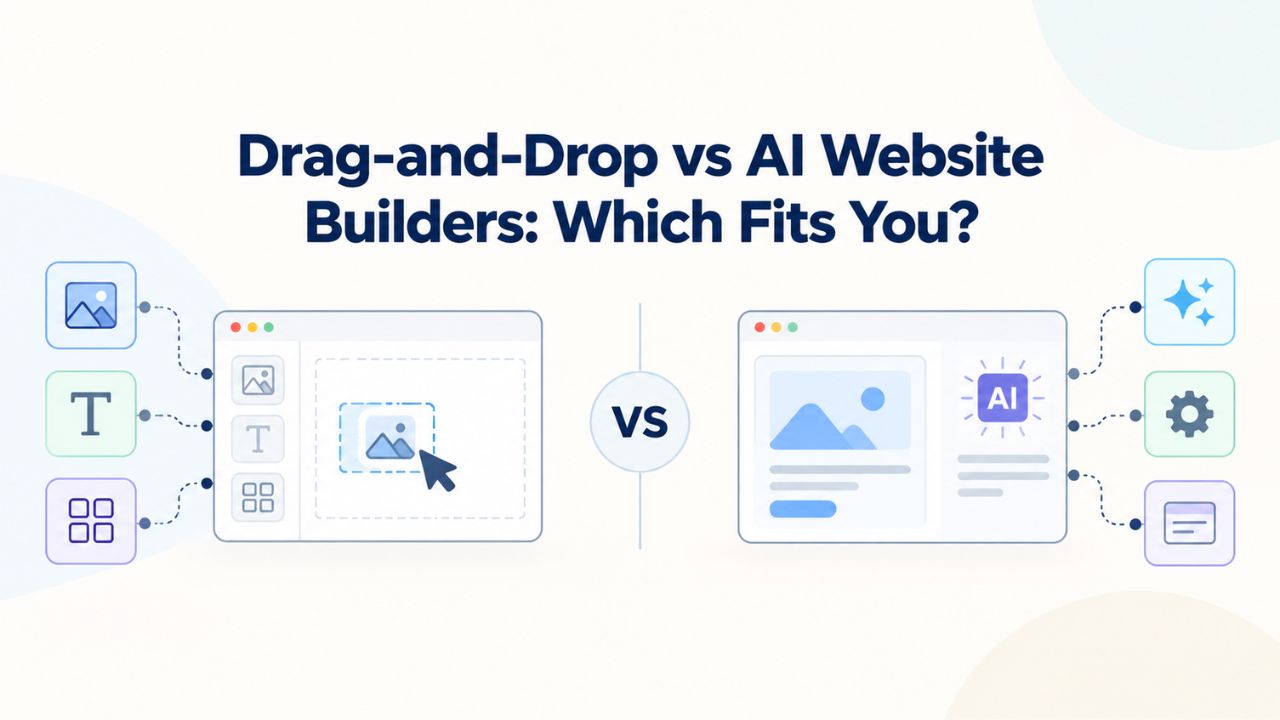
Deciding between a drag-and-drop website builder and an AI-assisted one comes down to your timeline, design control needs, and technical comfort. Drag-and-drop offers granular customization; AI delivers speed and automation. Both power professional sites for small businesses without coding.
Understanding Website Builder Approaches: Drag-and-Drop vs AI
Website builders have transformed how individuals and small businesses launch online. Two dominant approaches exist today, each solving the website-creation puzzle differently. Understanding how each works and the trade-offs involved is the first step toward choosing the right option for your needs.
The Drag-and-Drop Workflow
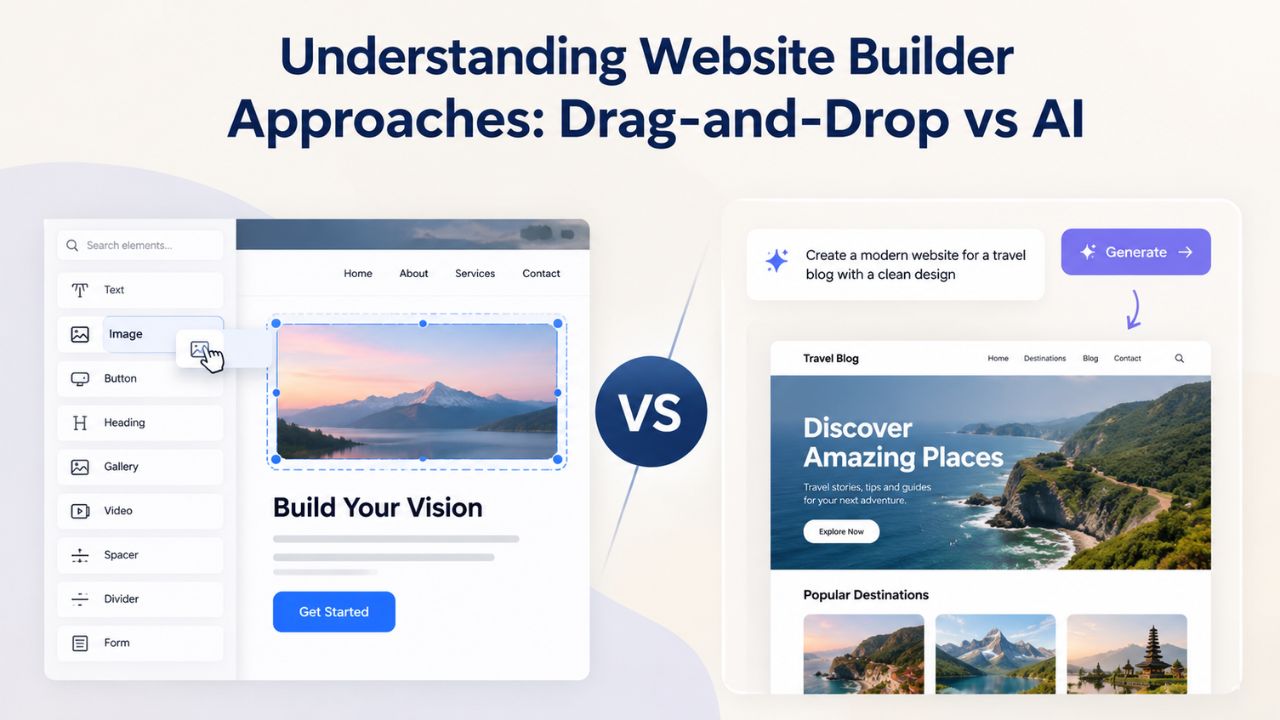
Drag-and-drop builders provide pre-designed templates and a visual editing canvas where you manually select, place, and customize every element. You start with a template, then drag components (text boxes, images, buttons, galleries) from a palette onto your page. Each element can be resized, recolored, and repositioned until the layout matches your vision. This hands-on approach gives you complete visibility into every design decision; you control exactly where elements sit, how they align, and what they look like.
The learning curve for drag-and-drop is typically 4–8 hours, depending on design complexity and platform familiarity. You’ll spend time not just arranging elements but also writing content, selecting or uploading images, and testing responsiveness across devices. A simple 5-page site usually takes 2–8 hours of active building, though with strong templates you can reduce that to 10–15 minutes for a usable first draft. This workflow suits people who enjoy the design process and want precise control over brand consistency.
The AI-Assisted Workflow
AI website builders flip the process. Instead of starting with a blank template, you answer a questionnaire about your business (industry, services, goals, brand voice) or provide a plain-language description. The AI analyzes your input and generates a complete, multi-page website with structure, copy, images, and layout already in place. You then review the generated site and refine it using built-in editing tools, often a mix of drag-and-drop refinement and regeneration prompts.
This approach dramatically compresses launch time. A functional website can go live in 30 seconds to 5 minutes for basic sites, or up to 60 minutes if you regenerate sections multiple times. The learning curve collapses to roughly 15 minutes. Content creation is automated; the AI writes initial copy and selects relevant images. The trade-off is that customization depth varies: some AI builders lock you into their generated layout. In contrast, others (like modern integrations) now offer full drag-and-drop editing after generation, giving you both speed and control.
Website Builder Plans & Pricing
Create a professional website with flexible website builder plans designed for businesses, portfolios, and growing online brands. Choose a plan that matches your needs and build, customize, and manage your website with easy-to-use tools, responsive designs, and essential features for a strong online presence.
Website Builder Personal
Share your passion online.
- Responsive mobile design
- Website hosting
- Rapid Page-Load performance
- Create a blog
- Security (SSL)
- 24/7 support

Website Builder Business
Create an online presence for your business.
- Responsive mobile design
- Website hosting
- Rapid Page-Load performance
- Create a blog
- Security (SSL)
- 24/7 support
- PayPal Buy Now or Donate button
- Search Engine Optimization (SEO)
Website Builder Business Plus
Attract more customers.
- Responsive mobile design
- Website hosting
- Rapid Page-Load performance
- Create a blog
- Security (SSL)
- 24/7 support
- PayPal Buy Now or Donate button
- Search Engine Optimization (SEO)
- Social Media Integration
- Share content to Facebook
- Online Appointments
Website Builder Online Store
Sell products and services.
- Responsive mobile design
- Website hosting
- Rapid Page-Load performance
- Create a blog
- Security (SSL)
- 24/7 Support
- PayPal Buy Now or Donate Button
- Search Engine Optimization (SEO)
- Social Media Integration
- Share content to Facebook
- Online Appointments
- Built-in shopping cart
- Sell physical and digital products
- Accept credit and debit cards, PayPal and more
- Flexible shipping options
- Discounts and promotions
- Manage inventory
Speed to Launch: How Much Faster Is AI Really?
Time to market matters, especially for startups, seasonal businesses, and owners who need revenue flowing before investing heavily in web design. AI’s speed advantage is one of its most compelling features, but the real-world difference depends on your project scope and customization needs.
Launch Timeline Comparison
Drag-and-drop builders require manual work at every stage. You select a template, then manually customize the homepage, build secondary pages, write and edit all copy, source or upload images, set up contact forms or e-commerce features, optimize mobile responsiveness, and test across devices. Even with strong templates that cut setup time to 10–15 minutes, adding meaningful content and testing still takes hours. A realistic timeline: simple service site (5–7 pages), 4–8 hours; content-heavy site, 8–12+ hours; e-commerce store, 8–20 hours depending on product count.
AI builders collapse this timeline because automation handles the heavy lifting upfront. You answer setup questions in 5–10 minutes, the AI generates a complete site in 30 seconds to 5 minutes, and you spend 15–30 minutes reviewing and tweaking. One industry analysis found AI cuts production time by roughly 70% compared to traditional drag-and-drop development. For small business owners juggling multiple responsibilities, this difference is transformative. Instead of spending a weekend building a site, you launch one during a lunch break and refine it over the next few days.
When Speed Becomes Critical
Certain business scenarios make AI’s speed advantage non-negotiable. A solo founder who needs to validate a business idea online has days, not weeks. A service business responding to a sudden market opportunity (seasonal demand, a viral social media moment, a local event) can’t afford to spend 8 hours building a website. An e-commerce seller pivoting their product line needs a new storefront live before inventory ships.
In these high-speed scenarios, AI is often the only practical choice. Drag-and-drop works perfectly for established businesses with consistent branding guidelines and lower time pressure, or for designers who see the building process as part of the brand experience. But if your website needs to be live this week, or ideally, this week and refined next week, AI gives you a functioning online presence immediately while drag-and-drop leaves you midway through page three.
Design Control: Hands-On vs. Automated Customization
Professional appearance matters. Ninety-four percent of first impressions are tied to website design. The question is whether you want to control every detail yourself or trust automation to make smart choices and then refine from there.
Drag-and-Drop Granular Control
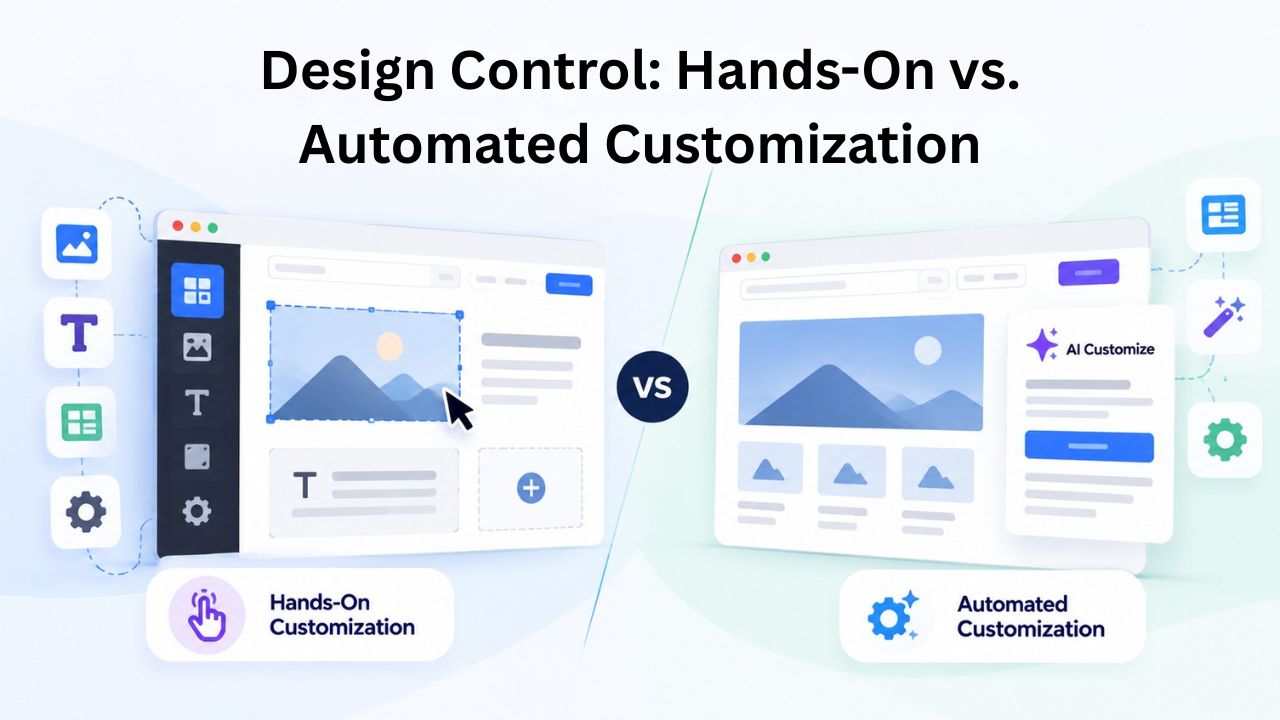
Drag-and-drop builders excel at giving you pixel-perfect control. You can modify every design element: colors, fonts, spacing, alignment, layering, animations, and responsive breakpoints. If your brand requires a specific shade of teal in the header, or a particular serif font for body copy, or a custom layout that doesn’t match any template, drag-and-drop delivers. You’re not constrained by a builder’s assumptions; you shape the design to match your vision exactly.
This depth of customization comes with responsibility. You must make hundreds of micro-decisions: Should this button be 12px or 16px? Should the section padding be 40px or 60px? Does the mobile layout work for tablets? These decisions add up, and that’s why drag-and-drop sites take hours to complete. The payoff is a deeply personalized, brand-consistent site where every visual choice reflects your intent. For established brands, portfolio sites, and design-conscious owners, this control is essential.
AI-Generated Design with Refinement Options
AI builders generate designs based on design best practices and your industry. The AI selects layouts, typography, spacing, and color palettes that work well together, reducing decision fatigue and ensuring a professional result even without design experience. However, AI-generated designs are opinionated. If the AI’s color scheme doesn’t match your brand, or if the layout doesn’t align with your vision, you need to refine it.
Modern AI builders now offer post-generation customization. Some provide full drag-and-drop editing (the design is editable like a traditional builder), others allow prompt-based refinement (“make the hero section more minimal,” “use warmer tones”), and some combine both. Customization depth varies widely by platform. Basic AI builders lock you into generated styles; advanced ones (like Elementor AI) integrate AI into a mature visual builder, giving you granular control if you need it. The practical outcome: AI gets you 80% of the way to a professional site in minutes, then you refine the last 20% over hours if needed, still faster than building from scratch.
Comparing Drag-and-Drop and AI Builders Head-to-Head
To help you see these differences in action, here’s a structured comparison of how drag-and-drop and AI builders stack up across the factors that matter most to small business owners:
| Factor | Drag-and-Drop Builder | AI-Assisted Builder |
|---|---|---|
| Time to First Live Site | 5–40+ hours (typical 2–8 hours for simple sites; 10–15 min with strong templates) | 30 seconds to 5 minutes for initial generation; 15–60 minutes with refinement |
| Content Creation | Manual writing + image selection (4–6 hours typical) | Automatic generation included; editing adds 1–2 hours for personalization |
| Learning Curve | 4–8 hours to intermediate competence | ~15 minutes |
| Design Customization Depth | Granular control; pixel-perfect editing; unlimited customization | Automated design; customization depth varies by platform; improving with drag-and-drop post-generation features |
| Best For | Established brands needing precise control; portfolios; design-conscious owners; ongoing refinement | Time-sensitive launches; limited budgets; non-technical founders; quick-to-market businesses |
| Editing After Launch | Predictable, hands-on updates; visual feedback for every change | Faster for content rewrites; prompt-based or visual refinement; iteration toward goals |
| Mobile Responsiveness | Manual testing and customization required | Automatic mobile-first optimization included |
| SEO Setup | Full control; tools provided; requires manual optimization | Baseline structure generated; still needs refinement for competitiveness |
| Typical Timeline for Simple Service Site | 4–8 hours build + content time | 30 minutes to 2 hours including refinement |
| Scaling Ceiling | Handles simple to moderately complex sites; advanced needs require developer help | Handles quick launches and iterations; deep customization or advanced e-commerce may require platform migration later |
Learning Curve & Technical Barriers: Accessibility for Everyone
Neither drag-and-drop nor AI requires coding knowledge. Both are designed for non-technical users. The difference is what kind of thinking each demands and how much prior knowledge helps.
What Drag-and-Drop Requires of You
Drag-and-drop builders assume you can think in terms of layout, spacing, and visual hierarchy. You don’t write code, but you do make design decisions. “Does this button belong above or below this text? Should this section be full width or contained? How much white space does this need?” If design thinking comes naturally to you, or if you’re willing to experiment and learn by doing, drag-and-drop is accessible. If you freeze at design choices or lack visual intuition, you’ll spend extra time second-guessing yourself.
The learning curve is genuinely 4–8 hours to intermediate competence, not because the software is hard (modern drag-and-drop platforms are intuitive) but because you’re also learning design principles on the fly. You need to understand mobile responsiveness, why legibility matters, how to use whitespace, and how elements interact visually. This learning phase is valuable for ongoing site refinement, but it adds time to your initial build.
What AI Requires of You
AI builders assume you can describe your business clearly. You answer structured questions (“What is your business name?” “What industry are you in?” “What’s your main goal?”) or write a free-form description. The AI handles design and layout automatically. The learning curve collapses to roughly 15 minutes because you don’t have to learn design decisions; you focus on accuracy and clarity in your input.
The catch is that AI-generated output quality depends on input quality. If your business description is vague, the AI output will be generic. If you can articulate what your business does and who it serves, the AI generates a site that reflects that clarity. This is a different skill than design thinking, but most business owners already have it. You know your business better than anyone; the main task is translating that knowledge into a questionnaire or prompt. For non-designers, this lower barrier to entry is transformative.
Content Creation: Automatic vs. Manual Writing
Content is the engine of any website. It communicates value, drives search visibility, and converts visitors. How you create it differs dramatically between approaches.
Manual Content in Drag-and-Drop Builders
Drag-and-drop builders provide the canvas; you provide the words. You write the homepage headline, the services description, the about-page narrative, the FAQ answers, and the call-to-action copy. You source or upload images for each section. You optimize alt text for accessibility and SEO. Typical content creation time for a 5–7 page service site: 4–6 hours of writing, reviewing, and editing, plus additional time to find or create images.
This manual approach has a hidden benefit: you’re forced to be intentional about messaging. You clarify your value proposition as you write it, identify gaps in your service offering, and craft narratives that resonate with your audience. For established businesses with a clear brand voice, this is efficient. For new businesses still figuring out their story, it can stall the process. You might spend hours writing a mission statement only to realize halfway through that you’re not sure what you’re actually selling.
Automated Content in AI Builders
AI builders generate initial copy and select images automatically. You provide business details; the AI writes a homepage headline, service descriptions, about-page content, and suggested CTAs. The AI selects or generates relevant images that match your industry and brand. The output is functional, professional, and ready to launch, often within 5 minutes of setup.
The trade-off is authenticity. AI-generated copy is generic by design; it reflects best practices and common messaging patterns. It sounds professional but may not capture your unique voice or the specific insights that differentiate you. Most businesses then edit AI-generated copy to add personality, specificity, and local flavor. This editing phase takes 1–2 hours but is far faster than writing from scratch. Some AI builders also offer prompt-based refinement (“Make this section more conversational” or “Add statistics about industry trends”), which can improve quality without requiring you to rewrite everything manually.
Choose Your Approach and Launch This Week
Stop debating and start building. Niya Digital’s Website Builder Service gives you both options: drag-and-drop templates for total control and AI-powered generation for instant launches. Get expert onboarding, responsive templates, and ongoing support to stay competitive. Choose your approach, launch this week, and refine over time.
Who Each Approach Fits Best: Decision Criteria by Business Type
The “best” builder is the one that matches your situation. Neither approach is universally superior; each solves different problems for different owners.
When Drag-and-Drop Makes Sense
Drag-and-drop is the right choice if you have time to invest, design control matters deeply, or you’re already committed to a platform and switching costs are high. Established brands with detailed branding guidelines benefit from drag-and-drop’s granular control. Portfolio sites and showcase sites (photography, design, art) demand precise visual presentation. Ongoing, iterative sites (blogs, content hubs, frequently updated e-commerce stores) work well in drag-and-drop because editing individual elements is predictable and visual.
You should also choose drag-and-drop if you enjoy the design process. Some owners find building a website meditative or creative; for them, the longer timeline is a feature, not a bug. Drag-and-drop works if you have a designer on staff or are collaborating with an agency that will handle customization. And if you’re already using a drag-and-drop platform for other projects (email, landing pages, internal tools), staying within one ecosystem reduces the learning curve.
When AI-Assisted Builders Make Sense
AI is the right choice if your timeline is compressed, design control is less critical, or you’re a non-technical founder who needs simplicity. Solo entrepreneurs and small teams without dedicated design staff benefit most from AI’s automation. Service-based businesses (consulting, coaching, freelancing) can launch a professional site in hours and refine it incrementally as the business grows. Seasonal businesses and side projects benefit from fast, low-effort launches.
Choose AI if you’re unsure about design direction. AI removes decision fatigue and gives you a working site fast; you can iterate toward your vision over time rather than being paralyzed by choices upfront. Choose AI if your business model favors fast iteration, testing a new service offering, validating market demand, or pivoting your focus. And choose AI if you want a website builder that requires minimal learning; you can get online and stay focused on running your business rather than mastering software.
Editing & Updates Over Time: Predictability After Launch
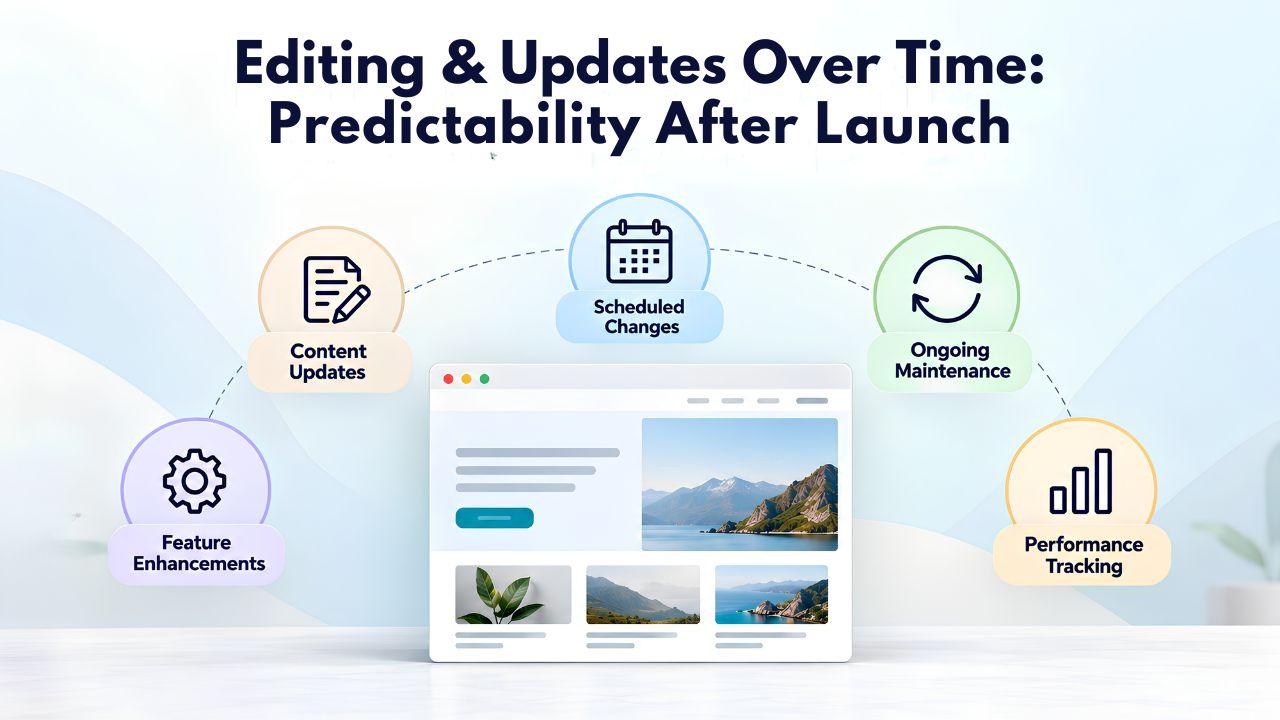
A website isn’t static. You’ll update copy, add new services, refresh images, and adjust layouts as your business evolves. How easy this is, and how predictable the process remains, differs between approaches.
Drag-and-Drop Edit Predictability
Drag-and-drop editing is visual and predictable. You open the editor, see exactly what will change, make the edit, preview it, and publish. Each change is a discrete, hands-on action. If you need to update a service description, you click the text, edit it, and see the change instantly. If you want to move a button, you drag it. The visual feedback loop is immediate, and the result is exactly what you see.
This predictability comes with a time cost. Every edit requires opening the editor and manually updating that element. Updating five service descriptions takes five separate edits. Changing a color across multiple pages requires updating each page individually (unless the builder supports global styles, in which case one change ripples everywhere). Over time, as your site grows and your business evolves, these manual edits accumulate. However, the predictability is valuable: you know exactly what’s happening and can reverse changes easily if needed.
AI Edit Flexibility & Speed
AI-assisted updates can be faster. Some AI builders allow prompt-based regeneration: “Rewrite this section to emphasize sustainability” or “Add three new team member profiles.” The AI updates that section while leaving the rest of the site intact. This is faster than manually editing each sentence but less precise than visual editing; you can’t see the exact change until regeneration is complete.
The trade-off is trust. Dragging a button is certain; you see the before and after. Prompting the AI to “make this more professional” is faster but requires you to trust the AI’s interpretation. If the output isn’t quite right, you refine it again. The iterative cycle is usually shorter than drag-and-drop editing (especially for content-heavy changes). Still, it demands a different workflow: you iterate toward your goal via prompt feedback rather than direct visual control. Both approaches work; they reflect different preferences for control versus speed.
Mobile Responsiveness & SEO: Automatic vs. Manual Optimization
A professional website must work on mobile devices and be discoverable by search engines. How each builder handles these critical requirements varies.
Mobile Responsiveness by Builder Type
Drag-and-drop builders require manual responsive design testing. The builder provides tools to adjust layouts for mobile (typically a mobile preview mode where you customize how elements stack and reflow on small screens). Still, you must actively test and refine each page across breakpoints. This is thorough but time-consuming. You set how the desktop layout adapts to tablets and phones, ensuring text remains readable, buttons are tappable, and images scale appropriately.
AI builders typically include automatic mobile optimization. The AI generates mobile-first layouts by design: elements stack naturally on small screens, fonts scale appropriately, and spacing adjusts automatically. This is faster and often good enough for service sites and small e-commerce stores. However, it’s less customizable. If your mobile experience needs unique tweaks (a different navigation structure on phones, for example), you may need to refine it manually, which can reduce AI’s speed advantage.
SEO Tooling & Structure
Drag-and-drop builders provide SEO tools (title tag editors, meta description fields, heading structure controls, sitemap generation) and put control in your hands. You manually write compelling title tags and meta descriptions, ensure headings are hierarchically structured (H1 for the main heading, H2S for sections), and optimize on-page elements for keywords. This is time-consuming, but it gives you full control over your SEO strategy.
AI builders typically generate baseline SEO structure automatically. The AI creates appropriate heading hierarchy, generates meta descriptions, and suggests keywords based on your industry and content. The result is SEO-friendly by default but generic. Most AI-generated sites need manual SEO refinement to rank competitively. Some AI builders now include SEO suggestions or AI-powered recommendations (e.g., “this page lacks keywords for your target audience”), making optimization faster than drag-and-drop but still requiring your input. Neither approach guarantees search visibility; both require ongoing SEO effort beyond the initial build.
Feature Limitations & When You Outgrow Your Builder
Every website builder has a ceiling. Knowing where that ceiling sits for your business prevents the painful, expensive mid-growth discovery that you’ve outgrown your platform.
Drag-and-Drop Ceiling
Drag-and-drop builders handle simple to moderately complex sites well. They excel at service sites, portfolios, small e-commerce stores (up to hundreds of products), and content hubs. The ceiling hits when you need advanced integrations (custom API connections, complex workflows), custom code (because no template fits your vision), high-volume e-commerce (thousands of products, complex fulfillment logic, advanced inventory management), or white-label capabilities.
Some drag-and-drop platforms offer code injection (HTML/CSS/JavaScript snippets), extending the ceiling slightly. Others integrate with third-party tools (payment processors, CRM platforms, email marketing) through pre-built connectors. But drag-and-drop is fundamentally a visual layer; adding complexity beyond what templates support requires developer resources. For small businesses, this isn’t a problem for years. For scaling operations, it’s worth planning for now.
AI-Assisted Ceiling
AI builders hit a ceiling sooner because they prioritize speed over customization depth. The generated site is excellent for launches but may feel constrained as your needs evolve. You might outgrow an AI builder if you need highly custom designs (not just variations of AI-generated layouts), complex e-commerce with advanced features, or deep integrations with business-critical tools.
However, this ceiling is rapidly rising. Modern AI builders integrate visual editing after generation, allowing you to hand-customize layouts, and many now offer API access or white-label options. The practical ceiling for an AI builder is often 1–2 years of growth for a small business. At this point, you either customize deeply (moving it closer to a traditional drag-and-drop experience) or migrate to a more specialized platform. This isn’t a weakness if you plan for it; launching fast with AI and refining over time is often smarter than over-engineering upfront.
Making Your Choice: A Practical Framework
The decision between drag-and-drop and AI comes down to three factors: timeline, control preference, and technical comfort. This framework helps you choose.

The Timeline Question
Ask yourself: How quickly must this website be live? If the answer is “within days” or “within 48 hours,” AI is your answer. Drag-and-drop with customization rarely launches in less than a full day of work. If the answer is “I have weeks” or “I have a month,” drag-and-drop becomes viable. You can invest time in design refinement and content quality without feeling rushed.
Timeline isn’t just calendar days; it’s your available effort hours per day. A founder working 14-hour days can build a drag-and-drop site in 6–8 focused hours. A part-time business owner with 2 hours per week can’t complete a drag-and-drop site in a week, but can launch an AI site that same week. Be honest about availability, not just deadline.
Choosing by Business Scenario: Practical Use Cases
Real-world decisions are easier when you see how these builders fit different situations. Here’s a breakdown of common business scenarios and which approach typically works best:
| Business Scenario | Timeline | Skill Level | Recommended Approach | Why This Works |
|---|---|---|---|---|
| Solo founder validating idea online | Under 1 week | Beginner | AI-Assisted | Launch fast with minimal setup; refine as feedback arrives |
| Established service business rebranding | No hard deadline | Moderate | Drag-and-Drop | Full design control for brand consistency; time investment is worthwhile |
| E-commerce seller launching seasonal products | Under 48 hours | Beginner | AI-Assisted | Speed is critical; generate store structure quickly, add products manually |
| Portfolio (designer, photographer, artist) | Flexible | Moderate to Advanced | Drag-and-Drop | Precise visual presentation is non-negotiable; customization is the point |
| Consulting or coaching business going online | 1–2 weeks | Beginner | AI-Assisted → Hybrid | Launch with AI; refine copy and branding over following weeks |
| Established brand, high-traffic site | No constraint | Advanced | Drag-and-Drop or Custom | Deep customization, integrations, and optimization are priorities |
| Micro-business (freelancer, side gig) | Flexible | Beginner | AI-Assisted | Simplicity is key; launch, test, iterate with minimal learning curve |
| Content hub or blog | 1–4 weeks | Moderate | Drag-and-Drop | Templating and consistent structure benefit from hands-on control |
The Control & Design Preferences Question
Ask yourself: Do you have strong design opinions, or are you comfortable with professional defaults? If you can clearly articulate your vision (specific colors, layouts, typography), drag-and-drop lets you execute it precisely. If you trust professionals and want simplicity, AI-generated defaults will likely satisfy you. Ask yourself: Is ongoing refinement a feature or a bug? If you enjoy iterating on your site, tweaking colors, trying new layouts, optimizing for conversions, drag-and-drop’s hands-on experience suits you. If you want to build once and move on, AI’s “launch and forget” simplicity is more appealing.
Finally, ask: How much do you enjoy learning software? Drag-and-drop has a steeper learning curve but teaches you useful skills for future projects. AI builders are simple but teach less transferable knowledge. Your answer often depends on whether you see the website builder as a tool for this project or an investment in capability for future projects.
Ready to Build Your Website
Start building today with Niya Digital’s Website Builder Service. Get access to templates, AI-powered generation, onboarding support, and the tools you need to launch a professional website without coding. Whether you prefer hands-on design or automated creation, Niya Digital’s expert team is here to guide your setup and help your site grow with your business.
Frequently Asked Questions
Can I start with AI and switch to drag-and-drop editing later?
Yes, most modern AI builders now offer this hybrid approach. The AI generates your site, and you then access drag-and-drop editing to refine any element. This combines AI’s launch speed with drag-and-drop’s customization control, making it ideal for owners who want both. Some platforms (like modern integrations with Elementor) are built specifically for this workflow.
Will an AI-generated site look unprofessional?
No. AI-generated sites are designed using professional best practices, typography principles, and industry-standard layouts. They look polished and credible from launch. The trade-off is uniqueness, not quality; AI sites look like well-executed templates, not custom designs. For most small businesses, this is perfectly professional. If your brand requires distinctive visual identity, refinement is needed.
How much time will I spend editing an AI-generated site after launch?
Typical editing time for personalization and brand-voice refinement is 1–3 hours post-launch, spread over several days or weeks. You’ll update generic copy with specific details, adjust colors or fonts if needed, and add photos or content unique to your business. Most of this happens over the first 1–2 weeks, not all upfront.
Is drag-and-drop overkill for a simple site?
Not overkill, but it might be more process than necessary. If you need a simple 3–5 page site with straightforward content, AI-assisted approaches often deliver 80% of the value in 5% of the time. Drag-and-drop is worth the effort if you have specific design goals or if you want to learn the platform for future projects.
Can I migrate a site from one builder to another later?
Migration is possible but varies in complexity. Some builders offer export options (download as HTML/CSS, or migration tools to import into WordPress or another platform). Others make migration harder to reduce customer switching. Check export options before committing to a platform if portability matters.
Which builder is better for SEO?
Both can be SEO-friendly with effort. Drag-and-drop gives you more control over technical SEO (heading structure, meta tags, schema markup), but it requires you to implement best practices. AI builders include basic SEO structure automatically, which is faster but less optimized. Real SEO success depends on content quality and ongoing effort, not the builder itself.
Do I need design experience to use drag-and-drop?
No, but design intuition helps. Drag-and-drop is intuitive once you understand concepts like spacing, alignment, and hierarchy. Many platforms include tutorials and templates that guide you. If you’re completely uncomfortable with design, AI automation removes this burden entirely.
Can I use AI for initial content and drag-and-drop for later editing?
Absolutely. Many owners use AI to generate initial copy and layouts, then refine everything with drag-and-drop tools. This is a common workflow: AI provides the first draft quickly, drag-and-drop lets you polish it into your brand voice and exact specifications.
What if I outgrow my AI builder’s capabilities?
If you outgrow an AI builder (e.g., you need advanced e-commerce features or custom integrations), you can either deeply customize the AI-generated site with post-generation tools (if the platform offers them) or migrate to a more advanced platform. Planning for growth during setup is smart; it often points you toward a platform that supports both fast launches and growth customization.
Can I use both approaches simultaneously, drag-and-drop for some pages and AI for others?
Yes, if the builder supports hybrid workflows. Some AI builders generate AI-enhanced pages within a broader drag-and-drop builder, letting you mix approaches. This is useful for launching quickly (AI pages) while maintaining custom pages (drag-and-drop pages) where brand control is essential.
How long does it take to become proficient in each builder?
Drag-and-drop proficiency: 4–8 hours of active building, plus ongoing learning as you discover advanced features. You’re reasonably productive after the first hour, skilled after 8 hours. AI-builder proficiency: 15–30 minutes. The platform’s simplicity is intentional; minimal learning enables quick launches.
Is one builder significantly cheaper than the other?
Pricing varies widely by platform, not by approach type. Some drag-and-drop builders are cheaper than AI builders, and vice versa. Both can range from free tiers to several hundred dollars monthly. Compare specific platforms, not builder types, for accurate cost comparison.
Which builder is better for e-commerce?
Both work for small e-commerce stores. Drag-and-drop offers more customization for product presentation and checkout flow. AI builders excel at generating store structure quickly and providing basic e-commerce features. For high-volume or complex fulfillment, both builders may need additional tools or custom development.
Can I maintain my site myself with either approach, or do I need ongoing support?
Both builders are designed for self-maintenance. You can update content, add products, and modify pages yourself using the editor. Many platforms offer support resources (tutorials, documentation, customer support) to help troubleshoot. For ongoing optimization (SEO refinement, conversion testing, advanced features), many owners hire support, but it’s optional.
What’s the best way to choose if I’m still uncertain?
Start by defining your timeline and how much control you want. If you need to launch in days, AI removes the decision; it’s the only practical choice. If you have weeks or months, draft a list of design features that matter to you. If you can clearly articulate them (specific fonts, color schemes, layout preferences), drag-and-drop is worth the time investment. If you’re comfortable with professional defaults, AI’s speed and simplicity matter more. Many builders offer free trials; test both approaches with your actual business before committing.
Glossary
- Drag-and-Drop Editor: A visual website building interface where users select design elements (text boxes, images, buttons) from a palette and manually position them on a page by dragging and dropping, offering full customization control.
- AI Website Builder: A website builder powered by artificial intelligence that automatically generates a complete site structure, layout, copy, and images based on user input (a questionnaire or description), prioritizing speed over manual customization.
- Template: A pre-designed website structure with placeholder content and styling that users customize to match their brand; templates form the foundation of both drag-and-drop and AI-assisted builders.
- Mobile Responsive Design: Website design that automatically adapts layout, fonts, and spacing to work optimally on devices of all sizes (desktop, tablet, mobile), ensuring a legible and usable experience across screens.
- SEO (Search Engine Optimization): The practice of optimizing website content, structure, and technical elements to improve visibility in search engine results and attract organic traffic from search queries.
- Hosting: The service that stores your website files on a server and makes them accessible on the internet; most website builders include hosting as part of their service.
- Domain Connection: The process of linking a custom domain name (e.g., yoursite.com) to a website, allowing visitors to access your site using your branded URL instead of a generic builder subdomain.
- Customization Depth: How much a website builder lets users modify design elements, layouts, and functionality; drag-and-drop offers granular control, while AI-assisted builders vary in depth.
- Conversion Rate: The percentage of website visitors who complete a desired action (purchase, sign-up, contact) divided by total visitors; influenced by design, content quality, and user experience.