
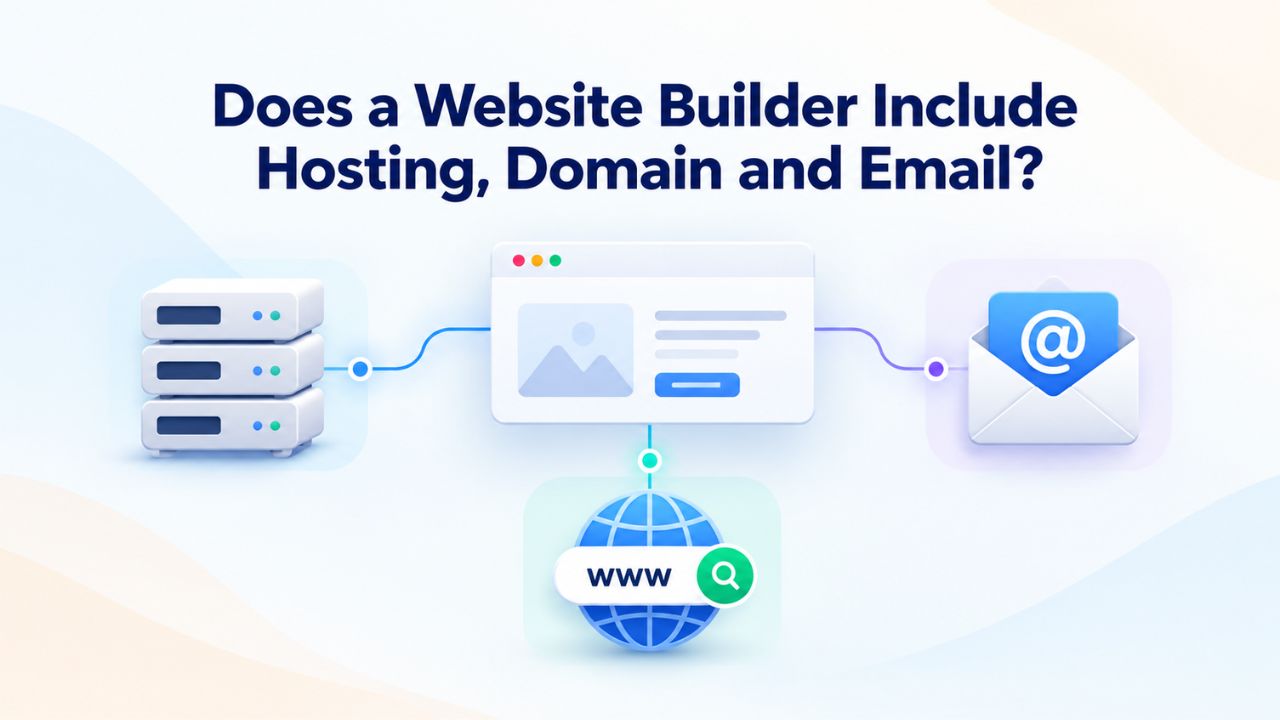
Launching a professional website once required coordinating multiple vendors: a hosting company, a domain registrar, and a separate email provider. Modern website builder services have fundamentally changed this landscape by consolidating these essential services into unified subscription packages. Understanding what actually comes bundled with your website builder plan, and what doesn’t, is crucial for making an informed decision about your digital presence.
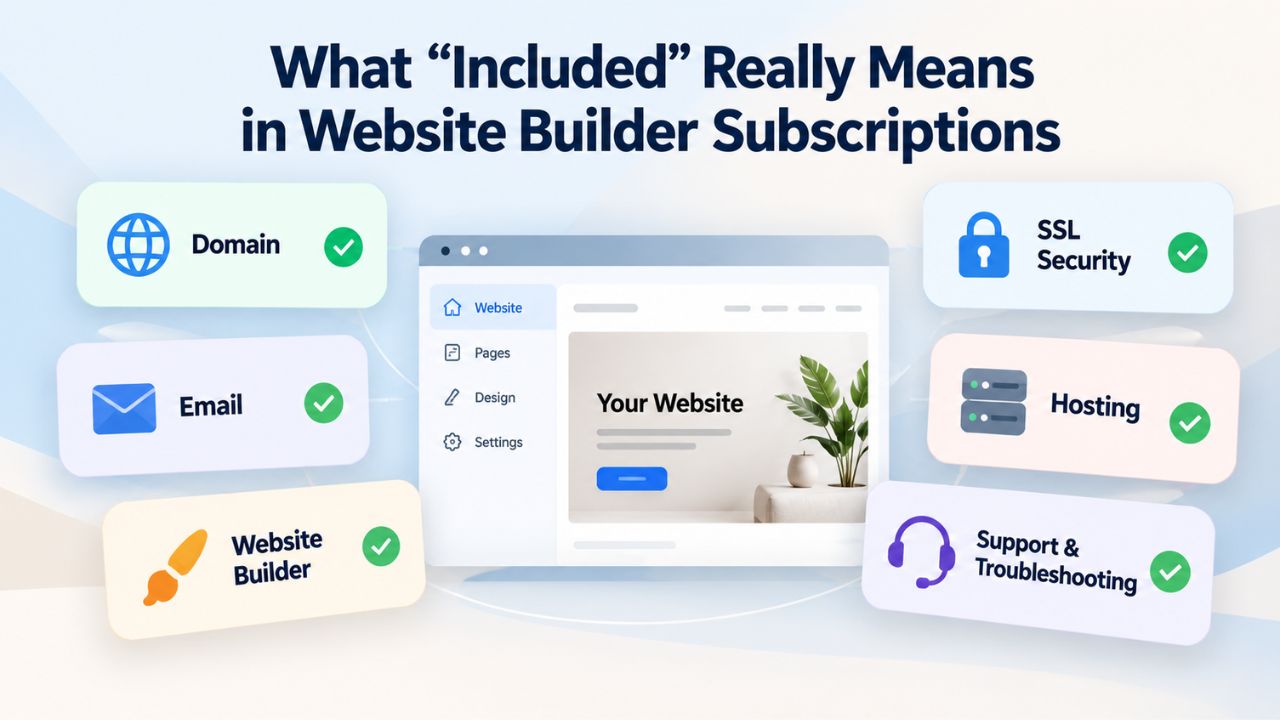
What “Included” Really Means in Website Builder Subscriptions
The term “included” in website builder marketing requires careful interpretation because it means different things depending on the plan tier you’re examining. Most website builders structure their offerings so that free plans serve as entry points with limited features, while paid tiers unlock the full suite of bundled services that define the platform’s core value proposition.
The Critical Distinction Between Free and Paid Offerings
When website builder providers advertise that hosting, domains, and email are “included,” they’re referring specifically to their paid subscription tiers. This distinction matters because the free trial or freemium plans most builders offer intentionally exclude the features that generate revenue and build long-term customer relationships. A free plan typically lets you build and design your site but prevents you from publishing it on your own domain name. Instead, your free website lives on a builder-branded subdomain such as “yourname.builderplatform.com,” which signals to visitors that your site isn’t a professional business property but rather a personal experiment or portfolio.
GoDaddy Website Builder’s paid tiers exemplify this model. Beginning with their Basic plan, customers receive a custom domain registration for the first year, professional email addresses matching that domain, included web hosting to keep the site permanently online, and an SSL certificate that encrypts visitor data and signals security to browsers. This bundling represents the industry standard that has emerged over the past decade as builders moved away from the à la carte purchasing model that dominated earlier in web development’s history. Most established platforms, Hostinger, IONOS, HostGator, Namecheap, and others, follow the identical approach of combining these four foundational services into a single monthly subscription.
Understanding the Business Model Behind Bundling
Website builders bundle hosting, domains, and email to improve customer lifetime value and operational efficiency. When you maintain separate vendor relationships, you become a vulnerable customer; if one service disappoints you, it’s easy to switch to a competitor for just that component. Conversely, when all your website infrastructure lives under one roof with a single provider, switching becomes an increasingly complex proposition as your site grows and your workflows become integrated with the platform. Operationally, bundling also improves the builder’s ability to optimize performance and reliability because they control all components of the stack simultaneously rather than relying on third-party integrations.
For you as a customer, this bundling delivers genuine benefits beyond simplicity. A single dashboard replaces four separate control panels. One monthly billing date replaces four renewal schedules. A single support team that understands your entire setup provides more effective help than reaching out to different companies for different issues. Small business owners frequently cite this reduction in administrative overhead as a primary reason for choosing website builders over traditional self-hosted WordPress installations, which require managing hosting, domain services, and email independently.
Website Builder Plans & Pricing
Create a professional website with flexible website builder plans designed for businesses, portfolios, and growing online brands. Choose a plan that matches your needs and build, customize, and manage your website with easy-to-use tools, responsive designs, and essential features for a strong online presence.
Website Builder Personal
Share your passion online.
- Responsive mobile design
- Website hosting
- Rapid Page-Load performance
- Create a blog
- Security (SSL)
- 24/7 support

Website Builder Business
Create an online presence for your business.
- Responsive mobile design
- Website hosting
- Rapid Page-Load performance
- Create a blog
- Security (SSL)
- 24/7 support
- PayPal Buy Now or Donate button
- Search Engine Optimization (SEO)
Website Builder Business Plus
Attract more customers.
- Responsive mobile design
- Website hosting
- Rapid Page-Load performance
- Create a blog
- Security (SSL)
- 24/7 support
- PayPal Buy Now or Donate button
- Search Engine Optimization (SEO)
- Social Media Integration
- Share content to Facebook
- Online Appointments
Website Builder Online Store
Sell products and services.
- Responsive mobile design
- Website hosting
- Rapid Page-Load performance
- Create a blog
- Security (SSL)
- 24/7 Support
- PayPal Buy Now or Donate Button
- Search Engine Optimization (SEO)
- Social Media Integration
- Share content to Facebook
- Online Appointments
- Built-in shopping cart
- Sell physical and digital products
- Accept credit and debit cards, PayPal and more
- Flexible shipping options
- Discounts and promotions
- Manage inventory
The All-in-One Bundling Model Explained
Consolidating hosting, domain registration, email services, and website-building tools into unified packages reflects a deliberate business model that emerged from recognizing key pain points in traditional web presence setup. Understanding how this model evolved and why it persists helps you evaluate whether bundling fits your specific business needs.
Historical Context: Why All-in-One Makes Sense
Two decades ago, building a website meant engaging with a fragmented ecosystem where each component came from a different vendor. You’d hire a hosting company like Bluehost or GoDaddy for server space, use that same host’s domain registration service, possibly use a third email provider if the hosting email was unreliable, and then either hire a developer or install WordPress yourself to build the actual site. Each vendor had different interfaces, pricing structures, renewal dates, and customer support philosophies. The most common disasters that befell small business owners weren’t technical failures but administrative mistakes: forgetting to renew a domain, losing or corrupting email credentials, or misconfiguring DNS settings that broke email delivery.
Website builders solved this coordination problem by encapsulating the entire workflow within a single platform. Rather than you coordinating between vendors, the builder coordinates internally. If you need to add an email address, you don’t need to contact a separate email host and understand complex mail server configuration; you create it within the builder’s dashboard. If your site needs to move to faster servers for better performance, you don’t contact your hosting company to request upgrades; you change your subscription tier within the same platform.
This architectural approach works because the builder operates its own data center infrastructure or partners with established providers like GoDaddy to access their backend systems. Niya Digital’s Website Builder Service, for example, leverages GoDaddy Website Builder’s proven infrastructure to deliver a unified experience while adding its own layer of expert onboarding and support.
Economic Advantages and Trade-Offs of the Bundled Approach
The bundled model creates genuine economic benefits that translate directly to your costs. A website builder platform negotiating bulk infrastructure contracts receives volume discounts on domains, hosting capacity, and email services that individual small businesses could never achieve independently. These savings get passed partially to the customer through lower overall pricing than buying each component separately. Additionally, bundling reduces operational complexity on the provider’s side, which allows them to invest more in user experience, customer support, and feature development rather than spending engineering resources on integrations and third-party vendor management.
The trade-off is less flexibility and fewer vendor options. With a bundled provider, you can’t upgrade your email hosting separately from your website hosting if one component becomes constraining. You can’t switch to a preferred domain registrar while keeping your website with the current builder. Your exit options become more constrained because migrating your site to a different platform requires transferring domain registration, rebuilding email routing, and exporting site content, a substantially more complex operation than switching a single component. For most small businesses, this trade-off favors bundling because the coordination and cost savings outweigh the loss of flexibility. However, enterprises and developers building custom applications might find the constraints too limiting.
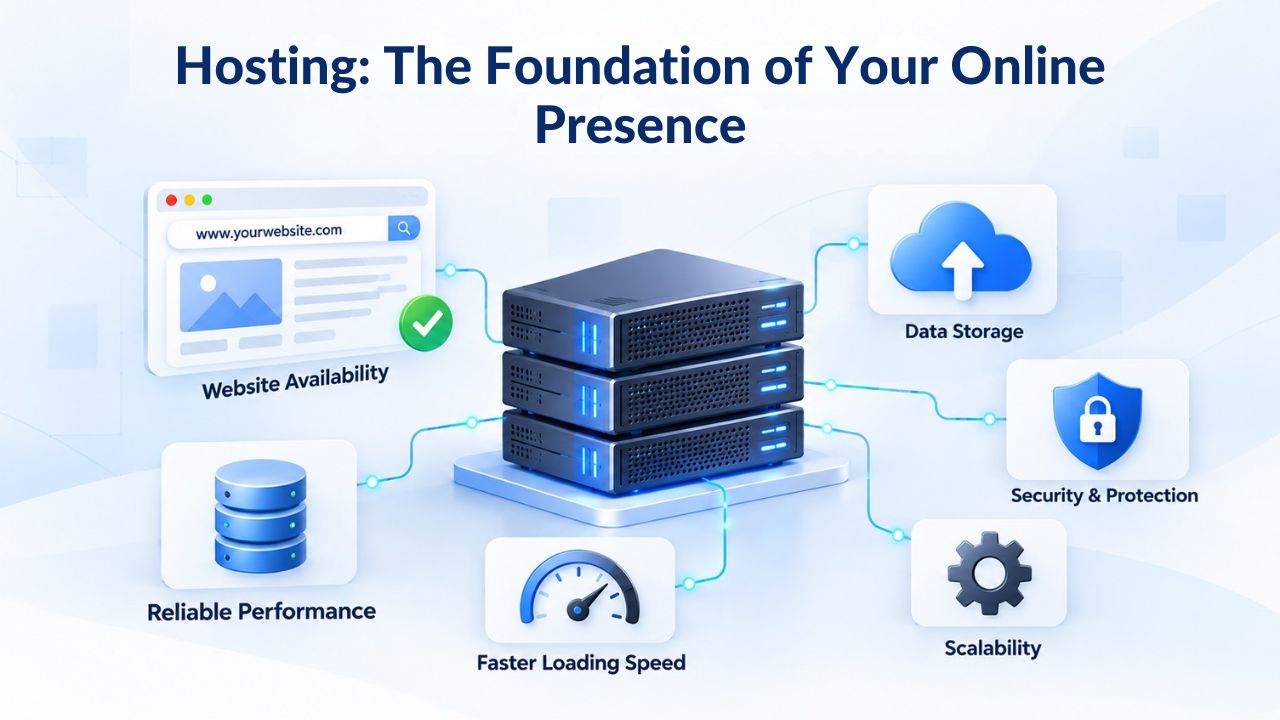
Hosting: The Foundation of Your Online Presence
Website hosting, the infrastructure that keeps your site accessible to visitors, is typically the component that website builders emphasize least in their marketing. Yet, it’s arguably the most critical for actual performance and reliability. Understanding what hosting means within a website builder context and how different plan tiers affect your site’s performance helps you select the right plan for your business’s growth trajectory.
How Website Builder Hosting Architecture Functions
When you publish a website through a website builder platform, your site’s files- the HTML code, images, CSS styling, and any databases your site uses- are stored on servers owned or operated by the builder or their infrastructure partner. Unlike traditional hosting where you might have direct access to a server’s file system and can install arbitrary software, website builder hosting is “managed,” meaning the provider handles all the technical infrastructure work behind the scenes. Server configuration, security patches, operating system updates, database maintenance, automatic backups, and intrusion detection all happen without any action required from you.
This managed approach means you never need to understand concepts like PHP versions, server memory allocation, or database optimization. The builder automatically distributes your site across multiple servers for redundancy, so if one server fails, your site remains online using another. The builder automatically scales your site’s resources if traffic increases, so a sudden surge in visitors doesn’t cause performance problems or downtime. You build and publish your site, and the infrastructure layer handles everything else. This abstraction of technical complexity is the primary reason website builders appeal to small business owners and entrepreneurs without technical expertise; they can launch a professional site without learning server administration.
Understanding Performance Tiers and Storage Allocation
Website builder plans typically allocate different levels of infrastructure resources based on subscription tier. Basic plans might include up to 10GB of storage and standard-tier servers that handle typical small business traffic patterns. Standard or Premium plans expand storage to 50GB or more and provide access to faster server hardware and priority resource allocation. Commerce or enterprise plans offer even more storage, direct database optimization, and dedicated infrastructure. In practice, a basic plan with a simple informational website loads quickly and reliably, but a basic plan running an e-commerce store with thousands of product listings and heavy image galleries may load more slowly, especially during traffic spikes.
Performance isn’t purely about plan tier; your design choices matter significantly. Large uncompressed images dramatically slow any site down. Excessive use of third-party widgets and plugins can add seconds to page load time. Poor database query design affects sites running e-commerce functionality. However, website builder templates are designed with performance best practices built in, so even basic plans perform well for typical business sites if you follow reasonable practices. Most builders provide tools to optimize images automatically, suggest which plugins are creating performance problems, and monitor your site’s loading speed. Understanding your expected traffic volume and content type- text and basic images versus high-resolution photography versus video- helps you select an appropriate plan tier.
Free Plans vs. Paid Plans: Bridging the Feature Gap
The difference between free and paid website builder plans is substantial and goes far beyond “you can use a custom domain if you pay.” Free plans operate under a completely different value proposition, serving as marketing channels that introduce potential customers to the platform’s capabilities rather than as viable solutions for anyone building a professional online presence.
Limitations That Define Free Plan Viability
Free website builder plans deliberately restrict the features that matter for business purposes. Your free site cannot use a custom domain; it remains on the builder’s subdomain, which looks unprofessional and limits your ability to build brand identity. You cannot create professional email addresses with your domain, so you cannot present yourself as a business with an official email address. The builder displays branding and potentially advertisements on your free site, which undermines credibility and wastes valuable screen space that should showcase your content or offerings. Storage is severely limited, typically ranging from 500MB to 1GB, which accommodates a small informational site but is insufficient for any business with multiple product photos or media content.
Feature Comparison Across Website Builder Plan Tiers
| Feature | Free Plan | Basic Paid Plan | Professional Plan | Commerce Plan |
|---|---|---|---|---|
| Custom Domain | No (subdomain only) | ✓ First year free | ✓ First year free | ✓ First year free |
| Professional Email Accounts | None included | 1-5 accounts | 10-25 accounts | 25-50+ accounts |
| Website Hosting | Limited (subdomain) | ✓ Included | ✓ Included | ✓ Included |
| SSL Certificate | ✓ | ✓ | ✓ | ✓ |
| Storage Allocation | 500MB-1GB | 10-25GB | 50-100GB | 100GB+ (unlimited) |
| Drag-and-Drop Builder | ✓ | ✓ | ✓ | ✓ |
| Mobile Responsiveness | ✓ | ✓ | ✓ | ✓ |
| Basic SEO Tools | Limited | ✓ | ✓ | ✓ |
| Advanced Analytics | Limited visitor data | Basic analytics | Advanced analytics | Detailed reporting |
| Payment Processing | None | Basic (fees apply) | Standard integration | Advanced e-commerce |
| Appointment Booking | No | Limited | ✓ | ✓ |
| Email Marketing Integration | No | Limited | ✓ Advanced | ✓ Advanced |
| Platform Branding/Ads | ✓ Builder branding visible | Ad-free | Ad-free | Ad-free |
The Business Case for Upgrading to Paid Plans
As soon as your website serves any professional or commercial purpose, the limitations of free plans become unacceptable business constraints. A freelancer, consultant, or service provider running their business from a free website plan undermines their credibility at first impression; a visitor seeing a subdomain address and generic builder branding immediately questions whether they’re dealing with a real business or a hobbyist. A small business owner cannot collect payments, schedule appointments, or maintain customer email lists on a free plan, which eliminates the core business functions a website should support.
Upgrading to a paid plan typically provides an immediate return on investment for any business. A professional domain name builds trust that translates into conversions. Accepting online payments directly supports revenue. Email workflows that follow up with interested prospects convert casual website visitors into actual customers. For professionals, these capabilities often generate more in additional business than the annual subscription cost within the first month of implementation. Many website builder platforms report that customers who upgrade from free to paid plans see immediate increases in customer inquiries and business leads simply because a professional domain and email address signal credibility.
Domain Registration, Control, and Renewal Dynamics
Your domain name, your web address like “yourbusiness.com”, is arguably the single most valuable asset your website builder subscription includes. A custom domain establishes your business identity online, creates professional email addresses, and represents years of accumulated search engine rankings and brand recognition. Understanding how website builders handle domain registration and the renewal process that begins after year one is essential for long-term planning.
First-Year Domain Inclusion and Long-Term Renewal Responsibilities
Website builders universally include a free domain registration for the first year as a standard offering across their paid plans. This isn’t a limited-time promotion or a “first time only” benefit; it’s included with every paid plan subscription. Domain registration is genuinely free during year one; you pay nothing to register the domain through the builder’s platform. The builder’s reasoning is straightforward: by including a free domain, they remove a psychological obstacle to upgrading from free to paid plans. Customers are more likely to commit to a paid plan if they can register their business domain immediately without an additional purchase decision.
The critical detail occurs when you enter year two of your subscription. The domain registration doesn’t disappear, but the renewal shifts to the standard market rate for domain registration. You must renew your domain registration annually, and that renewal requires a payment that typically ranges from single-digit to double-digit dollars per year, depending on the domain extension (.com, .co.uk, .org, .net) and any premiums associated with that specific domain.
Most website builders default to automatic renewal, automatically charging your account each year to keep your domain active. This automatic renewal prevents the all-too-common mistake of letting a domain expire, which can cause you to lose that web address permanently; competitors can then register it, and you lose your identity and email addresses at that domain.
Planning for Multi-Year Domain Commitments
Understanding domain renewal is essential for long-term financial planning and prevents unexpected billing surprises. Some website builders let you prepay domain registration for multiple years, locking in renewal costs upfront instead of facing annual charges. This approach provides budget predictability and protects against potential price increases. If you’re building a website for a business with long-term ambitions, treat your domain renewal cost as a permanent operating expense, like your website builder subscription, so you never accidentally let it lapse.
Additionally, understand that domain registration and web hosting are technically separate services, even though your website builder bundles them. Your domain registration creates ownership of that specific web address globally, registered in a central database. Your web hosting creates the actual website content accessible at that address. While your website builder manages both, they’re separate contracts.
If you eventually want to move your website to a different platform, you can transfer your domain registration away from your current builder’s hosting, though this requires administrative steps. Conversely, if your builder closes or discontinues service, you still own your domain. You can point it to hosting with a different provider, though you’d need to rebuild your website content elsewhere. Understanding this separation protects your long-term business interests.
Trust & Simplicity Focus
Stop juggling separate vendors and billing cycles. Niya Digital’s Website Builder Service handles hosting, domain registration, professional email, and SSL security in one integrated platform with expert setup support. Simplify your business infrastructure and launch with confidence.
Email Services: Building Professional Communication Channels
Professional email addresses at your custom domain, like “sales@yourbusiness.com” rather than “your.business.gmail@gmail.com”, represent one of the most underrated yet valuable components of a website builder subscription. Email is how customers contact you, how you maintain relationships, and how you establish credibility. Website builders’ inclusion of email services transforms what was once a separate line item and technical setup into a seamless part of the overall platform.
Email Account Capabilities and Professional Credibility
When a website builder includes email services, it provides mailboxes under your custom domain, typically with storage allocations, IMAP and POP access for clients like Outlook and Apple Mail, and web-based access through a browser interface. The exact number of email accounts included with each plan tier varies; basic plans might include 1-5 mailboxes, while higher tiers accommodate dozens or hundreds. Creating multiple addresses under your domain lets you set up department- or function-specific email addresses (info@, support@, sales@, orders@) that make your business look larger and more organized than it is, even if you’re a solo operation.
The credibility impact of professional email cannot be overstated. Decades of research on small business perception consistently show that businesses using professional domain email are perceived as more established, legitimate, and trustworthy than those using free email services. This effect compounds across customer communications; every email you send from a professional address reinforces your business identity and professionalism. For service-based businesses where initial customer contact often happens via email, the professional impression your email address creates influences whether potential customers move forward with a consultation or proposal.
Managing Multiple Email Addresses and Organizational Scale
Website builders’ email services include tools to manage multiple mailboxes from a central dashboard, create forwarding rules that route incoming mail to different people, and set up autoresponders that acknowledge customer inquiries when you’re unavailable. These features let growing businesses scale their communication infrastructure without added technical complexity. When you hire your first employee, you can create an email account for them in minutes instead of using a separate email provider. If you need to reorganize your email structure, perhaps renaming departments or adjusting who receives which messages, you can modify everything within your website builder’s dashboard.
Email storage allocations vary by plan tier, typically ranging from 2GB to 50GB per mailbox. For most small businesses, these allocations are ample; the average business email user generates 100-200 emails per day, so 2GB supports months of email history. However, businesses that need to retain extensive email archives or those in regulated industries with retention requirements should verify their plan’s storage allocation and understand how to manage archived messages. Many builders let you increase email storage by upgrading plan tiers, and some let you buy additional storage separately if you exceed your plan’s allocation.
SSL Certificates and Data Security Infrastructure
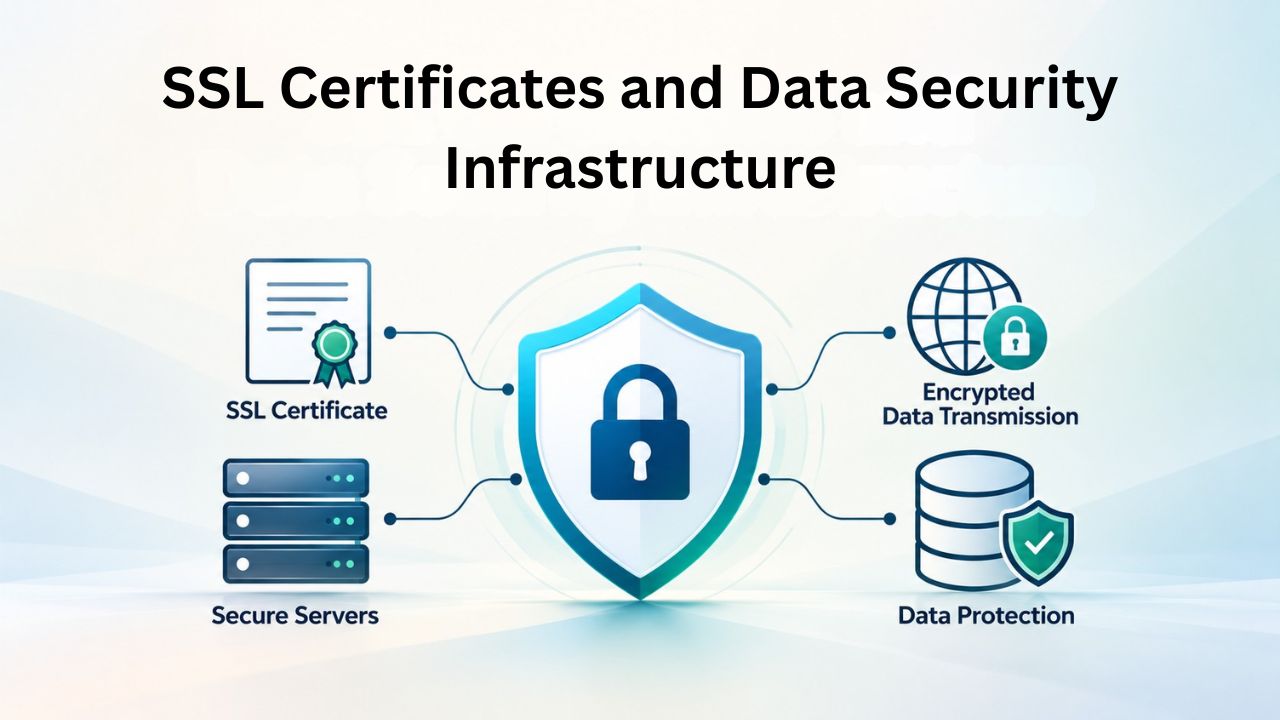
An SSL certificate, the cryptographic protocol that creates the “https://” secure connection indicator in your browser, is a technical detail that most website users never think about. Yet, it’s fundamental to protecting customer data and establishing trust. Modern website builders include SSL certificates automatically with every paid plan, removing this complexity from your setup requirements.
Security Encryption and Visitor Trust Signals
When your website uses HTTPS encryption through an SSL certificate, all data transmitted between a visitor’s browser and your website- form submissions, payment information, login credentials, contact details- is encrypted so that attackers on the same network cannot intercept it. Without this encryption, a malicious actor on a coffee shop’s WiFi network could theoretically capture credit card numbers or passwords entered into unencrypted web forms.
Modern browsers make this urgency visible through visual indicators: sites without HTTPS display a warning message indicating the site is “not secure.” In contrast, secured sites show a green padlock icon. This visual signal tells visitors their data is protected, which directly influences whether they’re willing to enter information into your forms or complete purchases through your store.
Website builders handle SSL certificate installation and renewal automatically, with no extra work for you. When you publish your site, the builder issues an SSL certificate (typically a free Let’s Encrypt certificate, though the specific type varies by provider) and installs it on your site’s server. This happens instantly, with no configuration required on your part. The certificate automatically renews before it expires, so you won’t lose encryption or show security warnings because you forgot to renew it. This mistake was common in earlier eras of web development, when website owners managed certificates manually.
Regulatory Compliance and Search Engine Implications
Including SSL certificates in website builder subscriptions isn’t merely a convenience; it’s essential for regulatory compliance and search engine optimization. Various privacy regulations, including GDPR in Europe, CCPA in California, and others globally, require websites that collect personal information to protect that data with appropriate encryption.
Payment processors like Stripe and PayPal refuse to work with websites that don’t use HTTPS encryption, making SSL effectively mandatory for any website that accepts payments. Google’s search algorithm treats HTTPS as a ranking factor, meaning encrypted sites receive a subtle ranking boost over unencrypted competitors. These requirements are so universal that a website builder that doesn’t include SSL in all plans would be unthinkable today; it would be like a hosting provider not including backups.
Knowing your website builder includes proper security infrastructure lets you confidently display security seals and privacy information that build customer trust. You can prominently show that your site is encrypted and customer data is protected, knowing this infrastructure is included in your subscription. This security confidence matters most if your website collects payment information, personal details, or other sensitive customer data; knowing proper encryption is in place and automatic provides both legal protection and customer reassurance.
Selecting the Optimal Plan Tier for Your Business Stage
Choosing the right website builder plan tier is fundamentally about matching your current needs with your projected growth trajectory while staying fiscally responsible and avoiding unused features. Different business models and industries have different requirements, and knowing which features matter most prevents both under-buying (choosing a plan too basic to meet your goals) and over-buying (paying for features you’ll never use).
Aligning Plan Features to Business Type and Growth Stage
A freelancer or service provider launching their first web presence typically thrives on a basic plan that includes a custom domain, professional email, essential templates, and basic analytics. These elements establish credibility and create a professional foundation without excess capacity that won’t be used. As your freelance business grows and you potentially hire contractors, upgrading to a higher tier unlocks additional email accounts for team members and more advanced marketing features. If you transition from service delivery to selling digital products or physical goods, you’d need to upgrade again to a plan that includes e-commerce capabilities, product listings, shopping cart functionality, payment processing integration, and inventory management.
Small service businesses operating locally, salons, plumbing services, and consulting firms benefit from plans that include appointment booking and customer relationship management features. These capabilities allow you to accept online bookings, automatically send appointment reminders, collect customer information, and maintain a client database. If your business is information-based or content-heavy, such as a blog, news site, or extensive knowledge base, you benefit from plans with advanced publishing features and higher storage allocations. E-commerce businesses need commerce-focused plans with robust product management, multiple payment gateway integrations, and customer order management. Understanding your primary business purpose helps you identify which plan tier genuinely supports your operations versus which features you might never access.
Business Type Alignment to Recommended Plan Tier
| Business Type | Primary Purpose | Recommended Tier | Key Features Needed |
|---|---|---|---|
| Freelancer (design, writing, consulting) | Portfolio and contact | Basic Paid | Custom domain, professional email, contact forms, portfolio showcase |
| Local Service Business (salon, repairs, plumbing) | Local presence and scheduling | Professional | Appointment booking, local search optimization, team email accounts, contact management |
| Boutique E-Commerce (handmade, niche products) | Product sales and inventory | Commerce | Shopping cart, payment processing, inventory tracking, product listings, order management |
| Content Creator (blog, news, resources) | Information publishing | Professional | Advanced publishing tools, email marketing integration, high storage, subscriber management |
| Multi-Service Agency | Multiple service offerings | Professional or Commerce+ | Team email accounts, multiple service booking options, client portfolio sections, advanced integrations |
| Personal Brand (coach, speaker, author) | Thought leadership presence | Professional | Blog capabilities, email capture forms, media gallery, client testimonials, scheduling |
| Non-Profit Organization | Mission communication and donations | Professional | Donation processing, event scheduling, volunteer management integrations, mission storytelling |
| Real Estate Agent or Broker | Property listings and lead capture | Professional+ | Property search functionality, lead capture, CRM integration, listing management, agent directory |
Making Long-Term Scaling Decisions
When selecting a plan, consider your reasonable growth projections for the next 2-3 years. If you’re launching a business you genuinely believe might grow to 10 team members or multiple product categories, starting with a more feature-rich plan tier than your current operations require prevents you from having to migrate to new infrastructure later. Conversely, if you’re unsure whether your project will succeed, starting with a basic plan lets you validate your business model and prove demand before investing more in premium features.
The cost difference between plan tiers is typically modest, often representing a small percentage increase that yields substantial feature additions. A basic plan might include 1-5 email accounts and simple forms, while a professional plan at only slightly higher cost includes 10-50 email accounts, appointment booking, integrations, and marketing automation. On a cost-per-feature basis, higher plans often offer better value than lower plans, so the decision is mainly about which features you need rather than abstract budget minimization.
Beyond the Subscription Basics: Additional Considerations in Your Evaluation
While hosting, domain, email, and core website-building tools form the foundation of what website builders include, your decision-making should extend beyond these basics to consider the broader platform ecosystem and how well it supports your long-term business goals.
Integrations, Extensions, and Ecosystem Maturity
Modern website builders function not as isolated platforms but as connective hubs that integrate with dozens or hundreds of third-party services. Your chosen builder’s integration ecosystem determines how easily you can connect to the tools you already use for business operations. Can you integrate your email service with email marketing platforms to send newsletters? Connect booking systems for appointment scheduling? Integrate payment processors beyond the defaults? Connect customer relationship management systems to track leads? Connect accounting software to automate invoicing?
Website builders typically include integrations in a tiered approach: basic plans include the most common integrations (Google Analytics, Facebook pixels, standard payment processors). Higher tiers unlock more specialized integrations and advanced workflow automation. Some platforms use Zapier or Make (formerly Integromat) to offer thousands of integration possibilities, while others maintain curated lists of officially supported integrations. Understanding your required integration needs and verifying your chosen platform supports them prevents situations where you’re forced to choose between your builder and essential business tools. Niya Digital’s Website Builder Service, built on GoDaddy Website Builder, includes integrations for email marketing, payment processing, and customer management tools small businesses commonly need.
Support Quality, Onboarding, and Exit Options
The quality of support you receive when implementing your website builder significantly impacts your ability to launch successfully. Some builders offer only email support or community forums, while others include phone support, live chat, and dedicated onboarding assistance. For non-technical business owners, responsive support that can help troubleshoot problems and answer questions can be the difference between a successful launch and a frustrating experience. Niya Digital’s Website Builder Service emphasizes expert onboarding and dedicated account management, going beyond self-service documentation to actively help clients through setup, customization, and optimization.
Consider also the practical reality that you might eventually want to migrate to a different platform. Some builders let you easily export your site’s content and design, while others make migration technically challenging to discourage you from leaving. Understand your chosen platform’s policies around content export, domain transfer, and data portability. If you’re making a long-term commitment to a provider, this may feel less relevant. Still, it’s an insurance policy that protects you if the builder changes direction, discontinues features you depend on, or stops meeting your needs.
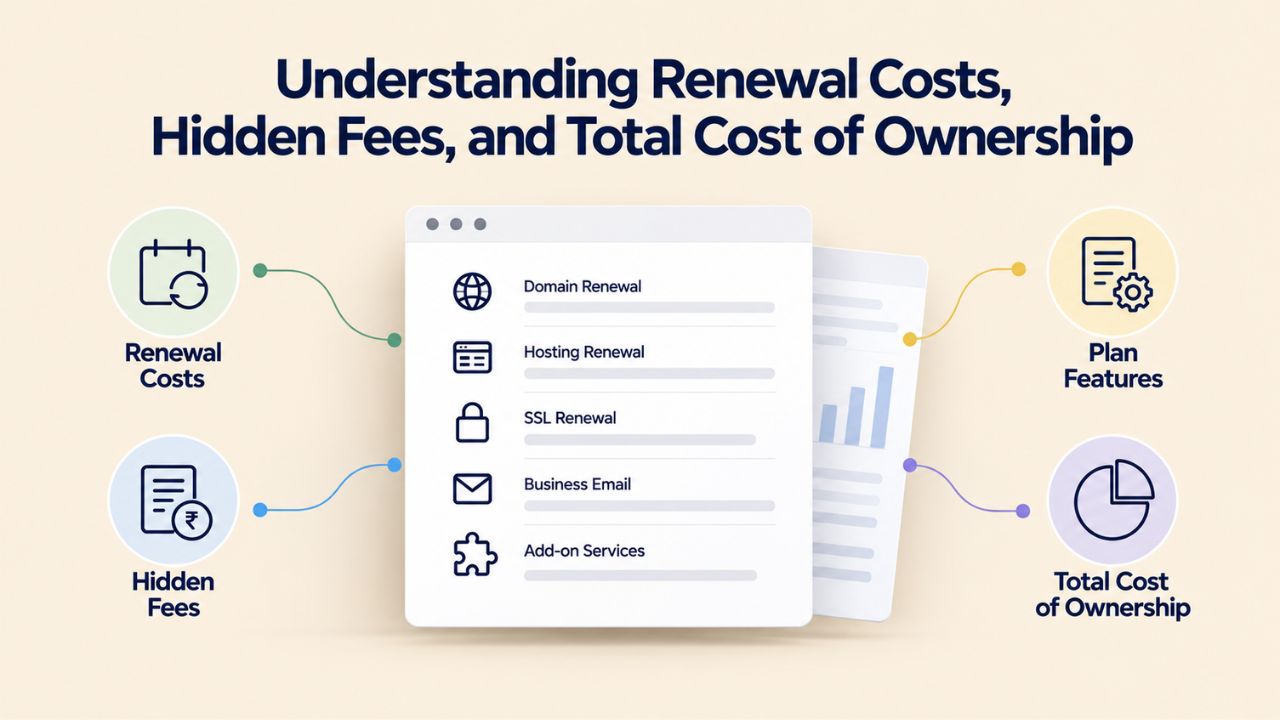
Understanding Renewal Costs, Hidden Fees, and Total Cost of Ownership
Your first year with a website builder typically bundles numerous services at an attractive rate because the first-year domain is free and introductory pricing often applies. Understanding what changes in year two and beyond prevents budget surprises and keeps your website within your financial plan.
Navigating Domain Renewals and Price Changes
Your first-year domain registration is genuinely free, but domain renewal is an ongoing annual cost you’ll face as long as you maintain that web address. Domain renewal rates are generally predictable; standard extensions like .com typically renew in a fixed price range, though less common extensions might vary. Most website builders enable automatic renewal to prevent accidental expiration, but that means automatic charges appear on your billing statement each year. Some builders increase plan pricing in year two and beyond, moving you from introductory rates to regular pricing, details you should verify when initially committing to a platform.
Also consider the storage and bandwidth included with your plan. While most website builders provide generous allocations that accommodate typical small-business usage, growing businesses might hit constraints. If you exceed your plan’s storage allocation, most builders let you upgrade to a higher tier or buy additional storage. Understanding these potential incremental costs- additional email accounts, extra storage, or premium features- helps you accurately project your total cost of ownership over multiple years.
Evaluating Optional Add-Ons and Premium Features
Beyond your base subscription, website builders typically offer optional add-ons and premium features available for additional fees. Examples include premium themes with more sophisticated designs, advanced email marketing with automation, priority support tiers with phone access, and enhanced analytics and reporting. For many small businesses, these add-ons remain unnecessary, but specific industries or business models might benefit from them. The key is understanding what’s included in your base subscription versus what requires additional payment, so you can budget accurately and choose features that genuinely support your business objectives.
A complete total cost of ownership assessment includes not just your website builder subscription, but also domain renewals, email add-ons, payment processing fees for e-commerce transactions, email marketing add-ons, and optional premium features. Adding these up reveals your true financial commitment. This helps you compare whether upgrading to a higher base tier with more features offers better value than buying multiple lower-tier add-ons separately.
Prepare Your Business for Digital Success
Niya Digital’s Website Builder Service, powered by GoDaddy Website Builder’s proven infrastructure, combines inclusive bundled features with expert onboarding and ongoing support to guide your business through each stage of digital growth. Whether you’re launching your first professional website or scaling your online operations, selecting a platform with included hosting, domain, email, and security infrastructure lets you move forward with confidence.
Frequently Asked Questions
Does every website builder include web hosting?
All major website builders include hosting in their paid subscription plans. Hosting, the servers storing your site files and making your site accessible to visitors, is bundled as a core component because it’s essential for any website that needs to be online. Free plans typically include basic hosting on a builder-branded subdomain, but paid plans include hosting that supports custom domains. This is now an industry standard, not an optional premium feature.
Will I be charged for my domain after the first year?
Yes, domain renewal becomes your responsibility starting in year two. The first-year registration is genuinely free with any paid plan, but maintaining that domain requires annual renewal. Most builders default to automatic renewal, charging your account annually to keep your domain active. This protects you from accidentally allowing your domain to expire and losing that web address permanently. You can change auto-renewal settings in your account, though letting a domain lapse is rarely advisable.
How many email addresses can I create with my plan?
The number of email accounts included depends on your plan tier. Basic plans typically allow 5-10 accounts; standard plans accommodate 10-50 accounts; higher tiers support 100 or more email addresses. These allocations are generous for most small businesses. If you need more accounts than your plan includes, you can typically purchase additional accounts or upgrade to a higher plan tier, which often represents better value than purchasing individual accounts.
What happens if my website gets a lot of traffic, will I be charged overage fees?
Website builders rarely charge bandwidth overage fees in the traditional sense. Most builders include generous bandwidth allocations and automatically scale resources if traffic increases. However, performance might slow during extreme traffic spikes if you’re on a basic plan. If you experience sustained traffic growth, upgrading to a higher plan tier provides more allocated bandwidth and faster servers.
Is SSL security really included, or is it an extra feature?
SSL certificates are included in all paid website builder plans without additional cost. This security encryption that protects visitor data is now considered a baseline feature, not a premium add-on. The builder automatically issues and renews your SSL certificate, so the process is invisible to you. This is essential to protect customer information and maintain search engine rankings.
Can I transfer my domain to a different registrar later if I want to leave the builder?
Yes, domain transfers are possible. While your domain is registered through your website builder, you retain ownership and can transfer it to a different registrar if you decide to move your website to a different platform. The transfer process involves administrative steps and typically takes a few days. However, most customers remain with their builder for convenience since all services are managed through one dashboard.
Do I need a professional plan if I’m creating a portfolio site?
Not necessarily. If your primary goal is to showcase your work without collecting payments or handling appointments, a basic plan provides the essential features you need: a custom domain, professional email, templates, and hosting. You’d only need a higher-tier plan if you need features like e-commerce, advanced booking functions, or marketing automation.
What’s included in customer support, and is it available 24/7?
Support options vary by plan tier. Basic plans typically offer email support or community forums; higher tiers include phone support and live chat during business hours. 24/7 support is relatively rare in the industry, though some platforms offer it as a premium add-on. Niya Digital emphasizes ongoing account management and expert support beyond standard self-service documentation.
If I upgrade my plan later, do I lose anything from my current setup?
Upgrading plans typically adds features and capabilities without removing or disrupting existing content and settings. Your site, email accounts, and customizations remain intact while you gain access to higher-tier features. It’s a purely additive process that allows your platform to grow with your business.
Can I use my website builder with a domain I already own?
Yes, most builders allow you to connect a domain you previously registered elsewhere. However, the “free domain” offer typically applies only to new registrations through the builder. If you transfer an existing domain to your builder, you keep ownership and can choose where the domain points, but you won’t receive the first-year free registration discount.
What’s the difference between website builder email and Gmail or Outlook?
Website builder email allows you to create addresses at your custom business domain, establishing professional credibility. Gmail or Outlook addresses use those companies’ domains, signaling personal rather than business email. Website builder email typically offers less storage than Gmail’s unlimited capacity but provides integration with your website platform and brand consistency since addresses match your domain.
Are there contract lock-ins or can I cancel anytime?
Most website builders allow month-to-month subscriptions with the ability to cancel anytime. However, annual subscriptions typically offer significant discounts compared to monthly billing. When you cancel, your site goes offline and becomes inaccessible, though your content remains accessible if you export it. If you don’t renew, your domain expires and becomes available for others to register.
Will my website builder work with my accounting or CRM software?
Most builders integrate with popular business tools through their integration marketplace. Common integrations include Stripe and PayPal for payments, Zapier for workflow automation, Google Analytics for analytics, and various email marketing platforms. Higher-tier plans typically unlock more specialized integrations. Verify your specific tools are supported before choosing a platform.
How does website builder hosting performance compare to traditional web hosting?
Website builder hosting is typically optimized for small business performance and reliability, with modern infrastructure that handles typical small business traffic efficiently. Traditional hosting offers more customization and direct server control for advanced users, but requires technical expertise. For most small businesses, website builder performance is more than adequate and eliminates the need for technical management.
If the website builder company goes out of business, what happens to my site?
If a major builder discontinues service, standard practice involves providing notification periods for data export and migration. You retain ownership of your domain and content, even if the builder ceases operations. Your domain registration remains valid as a separate asset. However, your website content would need to be migrated to a different platform or traditional hosting. Choosing established builders significantly reduces this risk.
Glossary
- Website Builder: Cloud-based software that lets you create and publish websites through visual drag-and-drop interfaces without coding knowledge, typically bundling hosting, domain services, and email.
- Custom Domain: A unique web address registered in your business name (such as yourbusiness.com), distinct from a builder-branded subdomain (yourbusiness.builderplatform.com).
- Web Hosting: The servers and infrastructure that store your website files and deliver them to visitors’ browsers, making your site accessible on the internet.
- Email Account: A mailbox at your custom domain (such as contact@yourbusiness.com) for professional business communication, managed through the website builder platform.
- Plan Tier: A subscription level bundling different combinations of storage, email accounts, features, and tools, typically categorized as Basic, Standard, Professional, or Commerce.
- SSL Certificate: A cryptographic security protocol that creates HTTPS encrypted connections between visitors’ browsers and your website, protecting transmitted data and signaling security to customers.
- Domain Renewal: The annual process and cost of maintaining ownership of your domain name after the initial registration period expires, required indefinitely to keep your web address active.