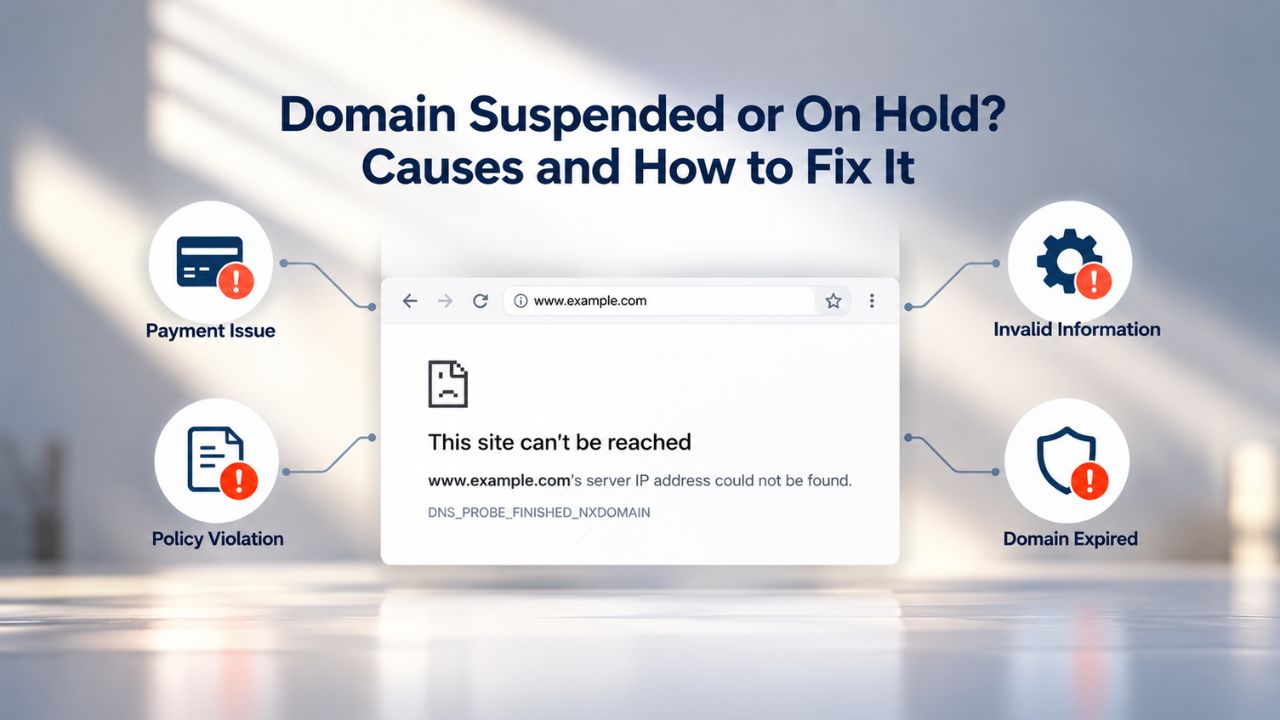
A suspended or held domain stops working without warning; your website disappears, email bounces, and your online presence vanishes. For many business owners, this moment feels like a crisis with no clear path forward. But suspensions are rarely random, and understanding what triggered them puts you back in control. Most suspensions result from missed routine communications rather than malicious activity, so swift action can restore your domain within hours.
Niya Digital is a reseller offering domain registration and hosting services in partnership with an ICANN-accredited registrar partner.
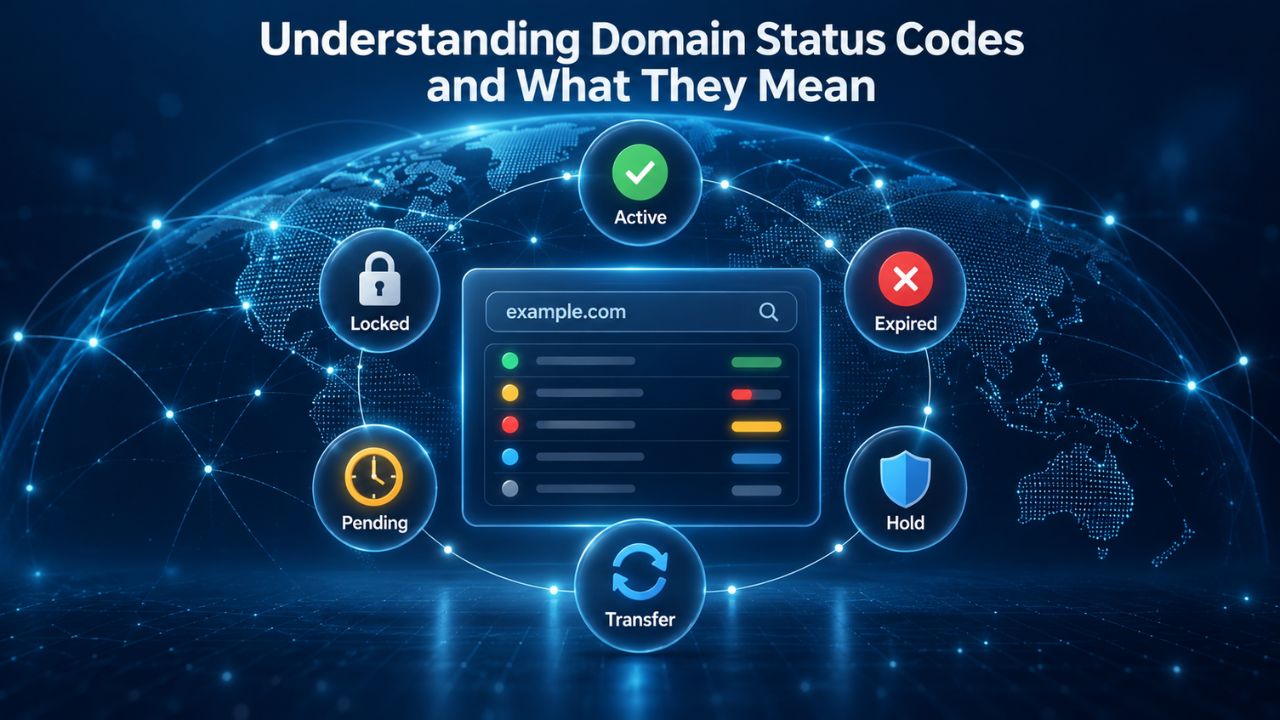
Understanding Domain Status Codes and What They Mean
Every domain name has a status code that describes what actions are allowed or restricted at any given moment. When a domain is suspended or placed on hold, a specific status code appears in WHOIS or RDAP records, public databases that display domain registration information. Understanding these codes tells you which authority (registrar or registry) placed the hold and why, which is your first step toward resolution.
clientHold vs. serverHold: Which Authority Controls Your Domain
ClientHold status is set by your registrar, the company you registered your domain through. When a registrar places clientHold on a domain, DNS resolution stops immediately, and your domain no longer resolves on the internet. This means your website becomes inaccessible, email delivery fails, and any services relying on that domain stop working. Common reasons for clientHold include failure to verify contact information within ICANN’s required timeframe, payment issues, abuse complaints, or violations of the registrar’s terms of service.
The good news is that clientHold is your registrar’s way of enforcing compliance, and it can be lifted quickly once you resolve the underlying issue. Your registrar can remove this hold immediately, sometimes automatically, once you complete the required action. Whether you need to verify an email address, update a payment method, or resolve an abuse allegation, your registrar can restore your domain within hours once they confirm the issue is addressed. This differs from serverHold, where the registry is involved and resolution typically takes longer.
Recognizing serverHold and Understanding Its Severity
ServerHold status is set by the registry, the organization that operates your specific domain extension, such as the .com registry or .org registry. This hold is considerably more serious than clientHold and typically indicates abuse under investigation, a legal dispute, or a compliance violation at the registry level. When the registry places a serverHold, it means it has determined the domain poses a risk to the internet ecosystem or violates its policies in a way that requires direct intervention.
Lifting a serverHold requires the registry to act; your registrar cannot unilaterally remove it, even if they want to. Your registrar’s role shifts to acting as your advocate; they’ll explain why the registry imposed the hold, help you understand what needs to change, and submit your removal request to the registry once you’ve addressed the issue. This process is slower and more complex than lifting clientHold because it requires multiple organizations to coordinate and the registry to verify that the problem has truly been resolved before releasing your domain.

Domain Name Registration
Each and every domain name comes with all you need to get online.
- Domain Forwarding and Masking: Direct any domain name you own to your website. Anyone who types that domain name into their browser is taken directly to your website.
- Domain Locking: Domain locking prevents accidental or intentional transfers of domain ownership and stops anyone from redirecting your nameservers.
- Total DNS Control: Manage your domain nameserver (DNS) records and set your email, FTP, sub-domains and website location all from one control panel.
- Change of Registration: Assign your domain name to someone else or change the contacts for your domain online anytime.
- Status Alerts: Monitor the status of your domain and get instant alerts if there's been a change.
- Auto Renew Protection: No need to watch expiration dates to make sure you renew on time! Auto renew keeps your domains, hosting, website builders, and other products in your name and under your control.
Domain Disclaimers:
- Special savings apply only to first year of registration. You must purchase entire section to qualify for special savings.
- The final price may differ because of additional sales, fees, and promotions.
- Products will automatically renew until cancelled. You may turn off the auto-renewal feature by visiting your account.
- Change of registration may require a fee for certain domains.
ICANN Verification Failure: The Most Common Suspension Trigger
The internet’s domain system depends on accurate contact information. ICANN, the nonprofit organization that oversees the global domain name system, requires all registrars to verify domain contact information within 15 calendar days of new registration or any contact update. This verification process is straightforward on the surface but is also the single most common reason domains get suspended. Understanding how this process works and why it matters will help you avoid becoming part of this statistic.
Why the 15-Day Deadline Exists and What Happens If You Miss It
The 2013 Registrar Accreditation Agreement requires mandatory contact verification to ensure domain registrant information stays accurate and current. When you register a new domain or update any contact field, your name, email, phone number, or mailing address, your registrar sends a verification email to the address on file. You receive this email and have 15 calendar days to click the verification link and confirm your details. The registrar needs this verification to prove to ICANN that they have made a good-faith effort to ensure the person registering or updating the domain actually controls that contact email.
If you don’t confirm the verification email within 15 days, the registrar is contractually required to suspend your domain. The suspension remains in place until you complete verification. The silver lining is that once you click the verification link and confirm your contact details, the registrar can lift the clientHold automatically, often within hours. Niya Digital’s team has found that most suspension cases stem from this verification step: registrants either don’t receive the email because their inbox address is outdated, miss the Deadline amid busy schedules, or don’t recognize the verification email as urgent. The email often arrives from the registrar’s system with a formal tone, and many business owners mistake it for spam or low-priority correspondence.
What Triggers a Verification Request and How to Respond
Verification is required after three key events: registering a new domain name, transferring a domain from another registrar to a new one, or updating any contact field on an existing domain. Even a minor change, updating your phone number, changing your email address, or correcting your address, triggers the verification requirement. When you receive a verification email, open it right away and click the verification link.
The email will have clear instructions and a direct link to confirm your details. If you cannot find the verification email, check your spam or junk folder first, as these critical emails sometimes end up there. If the email genuinely isn’t in your inbox or spam folder, log into your registrar’s control panel and look for a resend or re-verify option in your domain’s details page.
Don’t ignore the verification request or assume it will go away. The clock starts immediately, and you have only 15 days. Waiting until day 14 leaves no margin for error if you’re traveling, busy, or if the verification page experiences technical issues. Set a phone reminder the day you receive a verification email, or better yet, respond immediately and verify your contact information on the same day you receive the message. This single action, responding promptly to verification requests, prevents the vast majority of suspension issues before they begin.
Expired Domains: Grace Period vs. Redemption Period
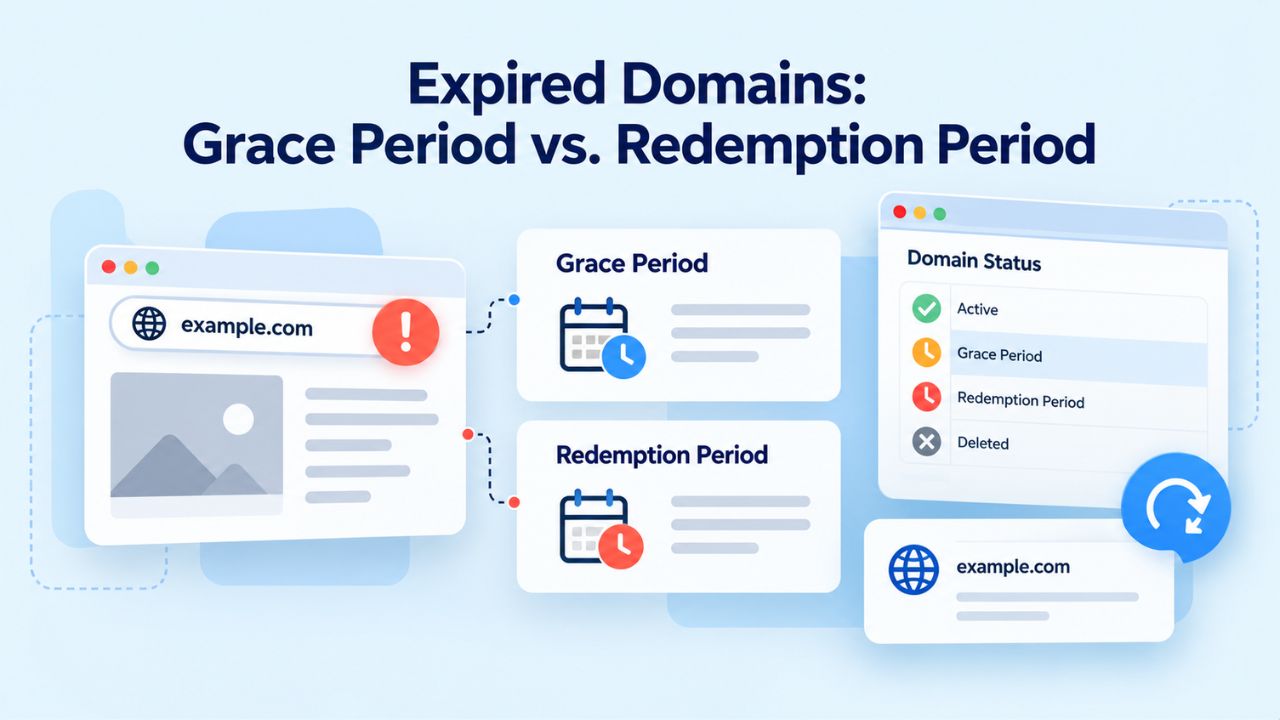
When a domain registration expires, ICANN policy sets a carefully structured timeline for recovery. Understanding the distinction between the grace period and redemption period is critical because the later you act, the more complex and expensive recovery becomes. Each phase has different deadlines, different costs, and different recovery options, so knowing where your domain is in this lifecycle determines your next move.
The 30–45 Day Grace Period: Your Window for Standard-Price Renewal
After a domain expires, it enters a grace period lasting 30 to 45 days, depending on your registrar and the specific top-level domain. During this period, your domain no longer resolves on the internet, your website goes offline, and email delivery fails. Still, you can renew the domain at its standard renewal cost with no penalties or additional fees. This is your most favorable recovery window. Renewal during the grace period is as simple as logging into your registrar account, selecting your expired domain, and processing a renewal. The domain reactivates within hours, and DNS propagation typically completes within 24 hours.
Most registrars send renewal reminder emails at standard intervals, often 60 days before expiration and again at 30 days before expiration. Some send additional reminders at 14 and 7 days before expiration. If your registered contact email is outdated, unmonitored, or frequently overlooked, these critical renewal notices will never reach you. You might not discover your domain has expired until weeks into the grace period, when time is working against you. The moment you realize a domain has expired, act immediately; don’t wait to remember later or until renewal becomes urgent. Log in to your registrar account and renew the domain right away.
The 30-Day Redemption Period: Last Chance at a Higher Cost
If the grace period expires without renewal, the domain enters a 30-day Redemption Grace Period. During this critical window, the original registrant can still recover the domain, but recovery now costs significantly more because the registry imposes a higher fee. The registry adds a substantial redemption fee on top of the standard renewal cost to discourage frivolous domain abandonment and to compensate for the administrative burden of processing the recovery.
To restore a domain during redemption, your registrar must submit a formal restore request to the registry along with a restore report documenting the recovery process. After submission, the domain enters a 5-day pending-restore state while the registry processes the request. If you don’t complete the restore report within this 5-day window, the domain returns to pending-delete status, and you may need to restart the entire redemption process.
Once the registry finalizes and accepts the restore, the domain reactivates and returns to your registrar account. You can then verify that the domain is resolving correctly and reconnect it to your website and email services. The entire process from restoration request to full reactivation typically takes 24 to 48 hours. However, DNS propagation means you should wait a few hours before testing to ensure your DNS changes have fully distributed across the internet’s servers. The redemption period is your last real chance to recover your domain; after these 30 days, the next phase offers no recovery options whatsoever.
The 5-Day Pending-Delete Period: Final Window Before Public Release
After the 30-day redemption window closes, the domain enters a 5-day Pending Delete phase (sometimes called the Redemption Holding Period). During these five days, the domain is locked and cannot be recovered under any circumstances. It won’t resolve on the internet, and you can’t change its records. This isn’t a final opportunity; it is the final countdown. At the end of these 5 days, the domain is permanently deleted from the registry’s database and released to the public, making it available for anyone else to register.
At this point, the original registrant has no recovery option, and you have lost all rights to the domain name. If you want to use that domain again in the future, you would need to register it fresh at standard registration rates, competing with other individuals or businesses also interested in registering that domain. If someone else registers it first, negotiating to reclaim it becomes an entirely different (and often difficult) matter. Understanding this timeline is crucial: the grace period is your low-cost window, the redemption period is your expensive last-chance window, and pending delete is when your opportunity ends.
Domain Lifecycle Timeline and Cost Structure
| Lifecycle Phase | Duration After Expiration | Domain Resolves? | Registrant Can Renew | Can Still Act | What Happens Next |
|---|---|---|---|---|---|
| Grace Period | 30–45 days | No | Yes, standard cost | Yes, time-sensitive | Expires to Redemption |
| Redemption Period | 30 days | No | Yes, recovery cost | Yes, very time-sensitive | Expires to Pending Delete |
| Pending Delete | 5 days | No | No | No recovery possible | Domain released to public |
| Public Release | Ongoing | Varies | Anyone can register | Anyone can register | New registrant takes over |
Abuse Reports and Compliance Investigations
Abuse reports are among the most common triggers for domain suspension, yet they also inspire the most confusion among domain owners. When someone reports your domain for alleged abuse, whether that allegation is accurate or completely false, your registrar is contractually required to investigate the claim. Understanding how this escalation process works, and knowing how to respond effectively, can mean the difference between a quick resolution and a prolonged suspension.
What Counts as DNS Abuse and How Complaints Escalate
DNS abuse encompasses a range of harmful activities including phishing (creating fake sites to steal login credentials), malware distribution (hosting malicious software), spam campaigns (using the domain to send unsolicited bulk email), fraud (using the domain to deceive people), and other violations of the registrar’s acceptable use policies. When a third party reports your domain for one of these activities, ICANN’s policies require ICANN-accredited registrars to investigate and take appropriate action. The registrar will send a formal abuse notice to your registered contact email, describing the alleged abuse and asking you to respond within a specific timeframe, typically 5 to 10 days.
Most suspensions triggered by abuse complaints result not from proven guilt but from non-response. If you don’t reply to the abuse notice, or if you fail to address the reported issue (such as removing malicious content from a hacked website), the registrar may escalate the matter by placing your domain on clientHold or referring it to the registry for serverHold. Even if the complaint is ultimately shown to be unfounded, your failure to respond to the initial notice is what triggers the escalation. The registrar’s obligation is not to determine your guilt but to investigate complaints and document that they took the complaint seriously and attempted to resolve it.
Responding to Abuse Complaints and Dispute Processes
If you receive an abuse complaint notice, read it carefully and note the response deadline. Then respond within the specified timeframe; this single action prevents escalation in most cases. If you believe the complaint is incorrect, respond with specific details explaining why the allegation doesn’t apply to your domain. For example, if your domain was reported for malware distribution and you have recent logs showing your website was never compromised, share that evidence. If your domain was recently transferred to you and the alleged abuse occurred under a previous owner, explain that timeline.
If the complaint has merit, for instance, your domain was compromised. If it distributed malware before you regained control, describe the specific remediation steps you took to secure the domain and prevent future abuse. Many registrars have formal dispute processes and will consider your substantive response before proceeding with suspension. A thoughtful, detailed response that takes the complaint seriously and explains your position prevents escalation far more often than silence or dismissal. Even if you’re frustrated or confident the complaint is wrong, engage professionally and provide evidence rather than simply denying the allegation.
Payment Failures and Non-Payment Suspensions
Non-payment of renewal fees is a straightforward suspension cause, yet it catches domain owners by surprise with surprising frequency. Unlike verification failures or abuse holds, which often involve compliance or security concerns, payment-based suspensions are easy to prevent with basic account monitoring and simple habits. Most payment suspensions result not from intentional non-payment but from expired credit cards, changed billing addresses, fraud-protection blocks, or forgotten renewal dates.
Detecting Payment Problems Before Suspension Occurs
Payment methods expire, credit cards are reissued with new numbers, billing addresses change when you relocate, or a card is declined due to fraud protection when your registrar attempts to process payment from an unusual location. If your registrar cannot process your renewal payment automatically, your domain enters the grace period without being renewed. Many registrars send multiple payment reminder emails at standard intervals: 30 days before expiration, 15 days before, 7 days before, and sometimes again on the expiration date itself. If your billing email is outdated, goes to a mailbox you rarely check, or frequently lands in spam, you may not realize payment has failed until your domain is already on hold and inaccessible.
To prevent payment-based suspension, review your registrar account settings at least once per quarter. Confirm your payment method is valid and hasn’t expired. If you use a credit card, confirm the expiration date is current and that the billing address matches what your credit card issuer has on file. If your registrar supports backup payment methods, add a second payment option so that if the primary method fails, renewal can proceed with the backup. Set a calendar reminder three months before your domain expires to review these settings, even if you have auto-renewal enabled, because auto-renewal depends on a valid payment method.
Resolving Payment-Based Suspension and Preventing Recurrence
If your domain is suspended for nonpayment, log into your registrar account immediately, update your payment method with a valid credit card or another payment option, and renew. If the domain is still within the grace period, renewal costs only the standard fee. If the grace period has expired and the domain is in the redemption phase, you’ll pay both the increased recovery cost and the standard renewal fee. Once payment processes successfully, ask your registrar to lift the clientHold immediately; in most cases, the lift is automatic or happens within hours.
After resolving the suspension, enable auto-renewal for that domain if your registrar offers it. Auto-renewal renews a few days before expiration, so your domain doesn’t expire because you missed the deadline. However, auto-renewal depends on having a valid payment method on file and sufficient account balance (for registrars that use prepaid accounts). Set auto-renewal as the default for any domain you want to keep long-term, and treat your payment method information with the same care you give your login credentials.
Ready to Protect Your Domain? Let Niya Digital Help You Stay Compliant
Domain suspensions are preventable, but they require consistent attention and proactive management. Niya Digital, in partnership with an ICANN-accredited registrar, provides comprehensive domain registration, renewal, and support services designed to keep your domains active, compliant, and secure. Our team understands the compliance landscape and supports you through any suspension issue with responsive, knowledgeable assistance.
How to Check Your Domain Status and Identify the Reason for Suspension
Before you can fix a suspension, you need to know exactly what type it is and why it was placed. These diagnostic steps quickly identify the problem and clarify your resolution path. Most domain status information is publicly available through standardized databases, and your registrar’s control panel displays the same information in a more user-friendly format.
Using WHOIS and RDAP to Check Your Domain’s Current Status
WHOIS and RDAP (Registration Data Access Protocol) are public databases that display domain registration information, including the current status code. To check your domain status, visit any free WHOIS lookup tool available online, enter your domain name, and look for the “Domain Status” field in the results. You’ll see one or more status codes such as clientHold, serverHold, ok (normal), redemptionPeriod, pendingDelete, or others. These codes are standardized across all registrars and registries, so the same code means the same thing regardless of where you look it up. Note the exact status code or codes you find; you’ll reference this information when contacting your registrar for support.
You can also check your domain status directly in your registrar’s control panel by logging in and navigating to your domain list. Most registrars display domain status and any suspension reason right on the domain detail page. This method often provides more context than the basic status code; some registrars explain what the status means and what actions are required to resolve it. If you see a status code you don’t immediately recognize, many registrars provide links to explanations or support documentation. Taking a screenshot of your domain status from both WHOIS and your registrar’s control panel gives you documentation to reference when you contact support.
Checking Your Email and Registrar Control Panel for Suspension Notices
Your registrar will send notification emails to your registered contact address when a domain is suspended or when action is required to prevent suspension. These emails are critical; they explain the reason for suspension and often include instructions to resolve it. Check your inbox carefully, including your spam or junk folder, for emails with subject lines such as “Domain Suspension Notice,” “Action Required: Verification Needed,” “Abuse Complaint,” or “Payment Failed.” Read these emails in full and note any deadlines they specify. If an email specifies that you have X days to take action before escalation, treat that deadline seriously.
You can also log into your registrar’s control panel and navigate to your domain list to look for suspension notices or alerts displayed prominently near your domain name. Most registrars show a warning banner or alert icon if a domain is suspended or if action is required. Click through to your domain’s detail page to read the full explanation. If you see a suspension reason you don’t understand, use your registrar’s help documentation or search for an explanation of the specific status code. Having this information before contacting support makes the interaction more efficient and helps you resolve it faster.
Domain Suspension Causes and Resolution Paths
| Suspension Type | Primary Trigger | Who Sets It | Resolution Path | Typical Timeframe |
|---|---|---|---|---|
| ICANN Verification | Unverified contact info after 15 days | Registrar | Click verification link in email | Hours to 24 hours |
| Abuse Report | DNS abuse complaint (phishing, malware, spam) | Registrar or Registry | Respond to abuse notice; resolve issue | 5–10 days (if abuse confirmed); weeks if registry involved |
| Non-Payment | Renewal payment not processed | Registrar | Update payment method; process renewal | Hours after payment |
| Expired Domain (Grace) | Domain not renewed before expiration | Registrar | Process renewal at standard cost | Hours to 24 hours |
| Expired Domain (Redemption) | Not renewed during grace period | Registry | Submit restore request; pay recovery cost | Up to 30 days (time-limited window) |
| Pending Delete | Redemption period expired without restoration | Registry | No recovery possible | N/A (permanent deletion) |
| Registry Compliance | Registry policy violation or legal hold | Registry | Work with registrar to resolve issue | Weeks to months depending on cause |
Lifting a Registrar Hold (clientHold): Step-by-Step Resolution
You can usually resolve a registrar-placed hold quickly once you identify and address the underlying cause. Act immediately; the longer you wait, the more phases your domain may pass through, escalating the problem from a simple clientHold to a redemption situation. Follow these steps in the order that matches your specific suspension reason.
Step 1: Verify Your Email Address If Verification Is the Issue
If your domain is suspended due to unverified contact information, search your email inbox (including spam folders) for a message from your registrar with the subject “Verification Required” or similar phrasing. The email will contain a verification link and instructions. Click the verification link immediately and confirm your contact details as prompted. Once you’ve completed verification, the registrar should automatically lift the clientHold; DNS resolution typically resumes within hours, though full DNS propagation across the internet’s servers may take up to 24 hours.
If you cannot find the original verification email, log into your registrar account and look for a “Resend Verification” or “Re-verify” button on your domain’s detail page. Many registrars allow you to request a new verification email directly from your control panel. Request the resend immediately and check your email (and spam folder) for the new message. Complete verification as soon as the new email arrives. Don’t delay or assume the email will arrive on its own; resend it immediately if needed. You have 15 days from the original verification request, so if significant time has passed, your deadline is shrinking.
Step 2–3: Resolve Abuse or Payment Issues to Lift the Hold
If your domain is held due to an abuse complaint, locate the abuse notice email from your registrar and read it carefully. Note the exact allegations and the deadline for your response. Respond to the registrar within the specified timeframe, typically 5 to 10 days, with specific information about the alleged abuse. If you believe the complaint is incorrect, provide evidence explaining why. If the complaint is valid (for example, your website was hacked and distributed malware), describe the exact remediation steps you took to secure your website, remove the malicious content, and prevent future abuse. Ask your registrar to review your response and lift the hold once they’re satisfied you’ve addressed the issue.
If your domain is suspended due to non-payment, log into your registrar account and update your payment method with a valid credit card or alternate payment option. Go to your domain, select Renewal, and complete payment. If the domain is still in the grace period, renewal costs only the standard fee. If the grace period has expired and the domain is in the redemption phase, payment will include both the standard renewal fee and any additional redemption charges. Once payment processes successfully, contact your registrar’s support team and ask them to lift the clientHold immediately. In most cases, this lift is automatic or occurs within a few hours.
Lifting a Registry Hold (serverHold): More Complex Resolution
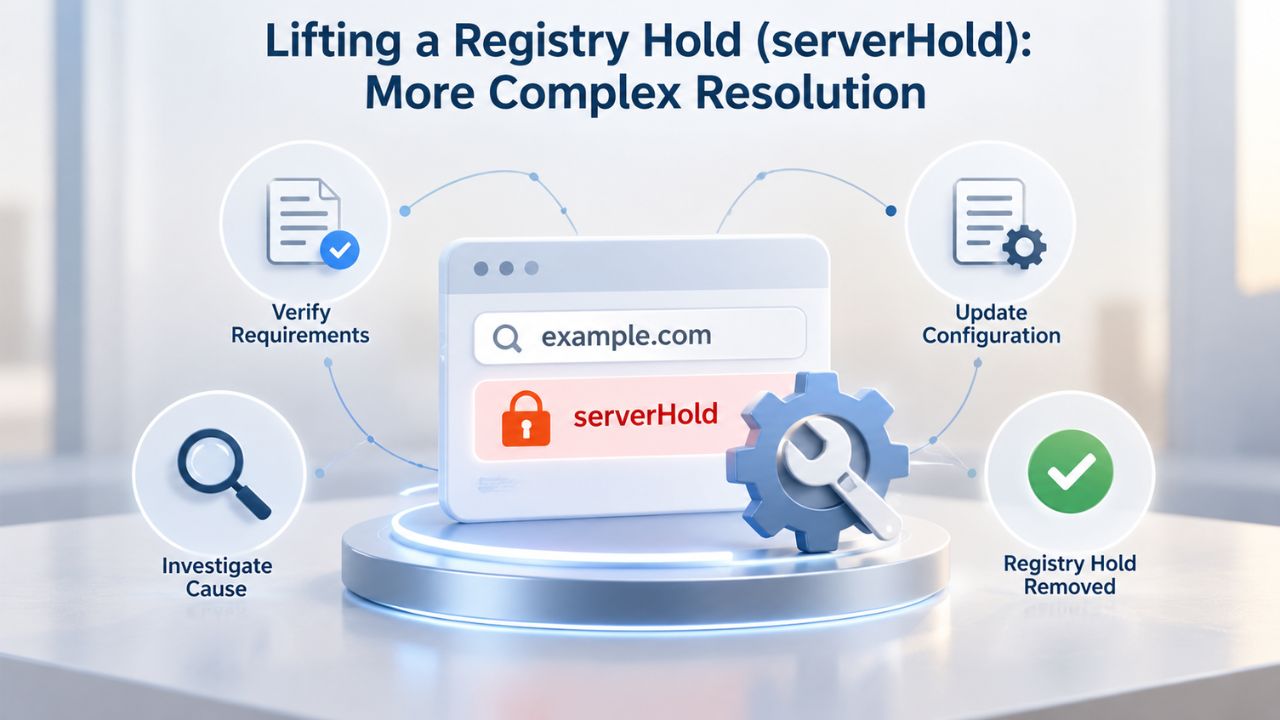
A registry-placed hold requires intervention from the registry operator and typically takes longer to resolve than a registrar hold. Your registrar becomes your advocate and point of contact, but the registry itself must ultimately approve removal of the hold. Understanding why registry holds are more complex and how to work through the resolution process sets realistic expectations and keeps you moving forward.
Understanding Why Registry Holds Are Harder to Resolve
ServerHold is set by the registry, the organization operating your domain extension, not by your registrar. This usually means the registry has identified abuse under investigation, flagged a legal dispute, or determined that your domain violates their policies in a way that poses a risk to the domain name system itself. Unlike clientHold, which your registrar can lift immediately once you address the issue, serverHold requires the registry to confirm the underlying problem has been resolved before removing the hold.
The resolution timeline varies widely depending on the reason for the hold. Some registries have formal appeal processes with defined timeframes; others may require documentation proving that an issue has been resolved. In rare cases involving legal disputes, resolution may take weeks or longer. Your registrar’s role shifts to representing you; they’ll submit inquiries to the registry on your behalf, explain the actions you’re taking to address the issue, and request that the registry lift the hold once satisfied. Communication with the registry typically goes through your registrar rather than directly, so your registrar becomes essential to the resolution process.
Steps to Resolve serverHold and Work With the Registry
Contact your registrar immediately and explain that your domain has a serverHold status. Ask your registrar for the specific reason the registry imposed the hold and the steps needed to resolve it. Your registrar may submit an inquiry to the registry on your behalf, explain your situation, and ask what actions are required. They may also direct you to contact the registry directly with documentation supporting your case. Gather evidence that the issue is resolved; for example, if the hold was due to reported malware, obtain documentation from your hosting provider confirming that malware has been removed and the website is now secure.
Once you have addressed the underlying issue, ask your registrar to formally request that the registry lift the hold. Some registries allow registrar-mediated requests where your registrar submits the lift request on your behalf; others require direct communication from you as the registrant. Follow your registrar’s guidance on the specific process for your domain’s registry. If you don’t hear progress within one week, follow up with your registrar to confirm that your request is being actively processed. Don’t assume silence means rejection; registry processes can be slow, and a follow-up often confirms your request is in the queue.
Recovering an Expired Domain During Redemption: Timing and Costs
If your domain has already expired and entered the redemption period, you can still recover it, but timing is critical because the redemption window is only 30 days long. Act immediately rather than waiting to see if you’ll need it or if the situation will resolve itself. Every day that passes consumes your window, and once the redemption period ends, recovery becomes impossible.
Understanding Your Window: The Critical 30-Day Redemption Period
Once a domain enters redemption, after the grace period ends, you have 30 days to restore it. This Redemption Grace Period is ICANN-mandated and applies to all generic top-level domains (.com, .net, .org, .biz, etc.) worldwide. Contact your registrar immediately and request domain restoration. Explain that your domain has expired and that you want to recover it during the redemption period. Your registrar will initiate the restoration process by submitting a formal restore request to the registry, along with a restore report documenting the recovery.
After you submit the restoration request, your domain enters a 5-day pending-restore state during which the registry processes your request. If the restore report is not completed or accepted within 5 days, the domain returns to pending-delete status, and you may need to retry the restoration. Some registries process restore requests quickly; others may require the full 5 days. Once the registry completes restoration and accepts it, the domain reactivates and returns to your registrar account. DNS propagation typically takes a few hours, after which your website and email service resume normal operation.
Completing Restoration and Reactivating Your Domain
Once the registry has accepted your restore request, the domain reactivates, and you can reconnect it to your website hosting and email services. If your domain pointed to active hosting during the redemption period, DNS changes may take effect within hours. If you’ve made hosting changes during the downtime, update your DNS records to point to the correct location before restoration completes so your domain resolves to the right place when it comes back online. Test your domain after restoration is complete to confirm that your website is accessible and email is being delivered correctly.
The entire process from restoration request to full reactivation usually takes 24 to 48 hours. To avoid missing the critical 30-day window, set a calendar reminder the day you discover your domain has expired. Don’t wait; contact your registrar immediately to initiate restoration. Waiting even one week unnecessarily eats into your window, and redemption periods don’t extend. Once 30 days have passed, your recovery window closes permanently, and the domain enters pending delete with no recovery options remaining.
Proactive Prevention: Monitoring, Auto-Renew, and Contact Accuracy
The most effective strategy is prevention. Simple, consistent account habits prevent the vast majority of suspensions and preserve your domain’s continuity. These practices take minimal time and effort but save you the stress and expense of dealing with suspension after the fact.
Enable Auto-Renew and Monitor Your Account Quarterly
Most registrars offer auto-renewal, which automatically renews your domain a few days before it expires. Enable auto-renew for all domains you want to keep long-term through your registrar’s control panel. However, auto-renewal only works if you have a valid payment method on file and sufficient account balance (for registrars that use prepaid accounts). Review your registrar account settings at least once per quarter. Confirm that your payment methods remain valid and have not expired. If you use a credit card, verify the expiration date is current. Check that your billing email address matches your registrar’s records.
For registrars that use prepaid accounts, maintain a balance sufficient to cover your anticipated annual renewals. Set a quarterly calendar reminder to review these settings. This simple quarterly check takes 10 minutes and eliminates most suspension risk. If you’re managing multiple domains, create a simple spreadsheet listing each domain and its expiration date. This gives you visibility into your domain portfolio and helps you plan renewals. Many registrars also offer renewal reminders at specified intervals before expiration; make sure these reminders are enabled and sent to an email address you actively monitor.
Keep Your Contact Information Accurate and Actively Monitored
All verification emails, abuse notices, and renewal reminders are sent to your registered contact email address. If that email is outdated, unmonitored, or infrequently checked, critical notices will go unanswered, and suspension will follow automatically. Use a monitored, actively used business or administrative email address for your domain contacts, not a personal email you check only occasionally, and definitely not an email address based on your domain itself (for example, don’t use admin@yourdomain.com as your primary contact email, because if your domain is suspended, you can’t access that email).
After you register a new domain or transfer a domain to a new registrar, expect to receive a verification email within a few days. Open it immediately and complete verification that same day. If you update any domain contact information, anticipate receiving another verification email within a few days and respond promptly. Treat these emails as urgent business communications, not optional follow-up items. Check your spam and junk folders regularly to ensure verification emails aren’t being filtered away. If you haven’t received a verification email within a week of registering or updating your domain, log into your registrar account, manually resend the verification email, and monitor your inbox closely.
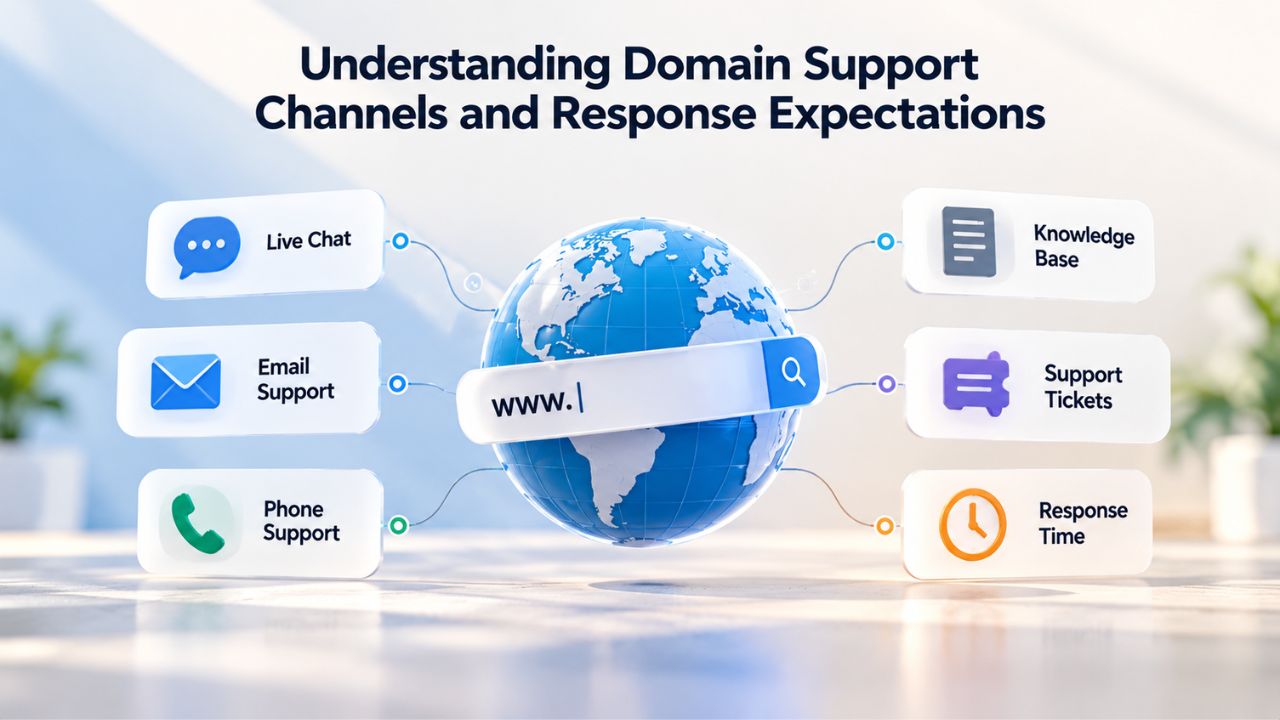
Understanding Domain Support Channels and Response Expectations
When you need help resolving a suspension, your registrar is your primary point of contact. Understanding how registrar support works, what response times are realistic, and when to escalate helps you navigate the resolution process efficiently and reduces frustration during an already stressful situation.
Multi-Channel Support: Email, Live Chat, and Support Tickets
ICANN-accredited registrars must maintain support channels through email, live chat, and ticket submission. Many offer support 24 hours a day, 7 days a week. When you contact your registrar with a suspension issue, you can reach support through whichever method works best for your situation. Live chat often offers the fastest response for time-sensitive issues, for example, if your domain is about to exit the redemption window and you need immediate assistance. Email and support tickets work well for non-urgent inquiries or detailed explanations that benefit from written documentation.
When you contact support, have the following information ready: your domain name, your account email address, your current domain status code (from a WHOIS lookup or your registrar’s control panel), and a clear description of the issue you’re facing. The more information you provide upfront, the faster support can diagnose and assist you. Initial responses may be automated acknowledgments; actual resolution requires human review and typically takes longer than the initial acknowledgment. Don’t assume silence means your request wasn’t received; many registrars automatically acknowledge support requests and then route them to appropriate teams for resolution.
Realistic Response Times and Escalation Procedures
Support response times vary by registrar, but ICANN stakeholders recognize 24 hours as a reasonable maximum for standard inquiries. For time-sensitive issues, for example, a verified contact deadline approaching within days, an abuse hold you need to resolve, or a redemption period about to expire, many registrars prioritize response within 6 hours. Set realistic expectations based on your registrar’s published support standards and the urgency of your issue. If you don’t receive a response within the promised timeframe, follow up directly. Don’t assume your request was lost; sometimes support tickets get deprioritized, and a polite follow-up moves your request up the queue.
Your registrar handles clientHold issues, billing questions, and most policy questions directly. For serverHold situations or registry-level disputes, your registrar coordinates with the registry on your behalf, but the registry’s response time is beyond your registrar’s control. If your registrar is unresponsive to your suspension issue or refuses to help, you have escalation options. ICANN maintains a Contractual Compliance team that accepts formal complaints about registrar performance. This is a last resort, but it’s available if your registrar has breached their contractual obligations to you.
Prevent Suspensions Before They Happen: Niya Digital’s Compliance Monitoring
Staying ahead of domain issues means monitoring your portfolio before problems emerge. Niya Digital, in partnership with an ICANN-accredited registrar, helps you keep all your domains active and compliant with proactive monitoring and responsive support. Our team tracks verification deadlines, renewal dates, and compliance requirements so you don’t have to, giving you peace of mind and protecting your online presence from unexpected suspension.
Frequently Asked Questions
What does it mean when a domain is in “on hold” status?
“On hold” and “suspended” are synonymous; both mean your domain isn’t resolving on the internet, and your website and email services aren’t accessible. Either your registrar (clientHold) or the registry (serverHold) places the hold. Check your WHOIS status code to determine which authority set the hold, then contact your registrar for the specific reason and steps to resolve it. Your registrar can explain both what happened and what you need to do to restore your domain.
How long does it take to lift a domain suspension?
Lifting a registrar hold (clientHold) typically takes hours to 24 hours once the underlying issue is resolved, for example, once you verify your email or update your payment method. Registry holds (serverHold) take considerably longer because the registry must approve the lift, which may take days to weeks depending on the reason for the hold and the registry’s processes. If your domain is in redemption, restoration takes a few days for the registry to process the restore report and reactivate your domain.
Can I still renew my domain during the grace period after it expires?
Yes, absolutely. During the grace period, typically 30 to 45 days after expiration, you can renew your domain at the standard renewal cost with no penalty or additional fees. Renewing during the grace period is straightforward: log into your registrar account, select your expired domain, and renew. The domain reactivates within hours. Don’t wait until the grace period expires; renew as soon as you discover your domain has expired.
What happens if my domain expires and the grace period passes?
After the grace period ends, your domain enters the redemption period where recovery is possible but significantly more expensive and complex. If you don’t act during redemption either, your domain enters pending delete, where recovery is no longer possible. After pending delete ends, the domain is permanently released to the public and becomes available for anyone else to register.
If my domain is suspended for abuse, am I definitely guilty?
No. Many suspension notices result from third-party complaints that may be incorrect, falsely attributed, or based on misunderstandings. When your registrar sends an abuse notice, respond promptly with your perspective and any evidence you can provide. Registrars investigate and consider your response before escalating. Not responding to the notice often triggers suspension, not the complaint itself.
How do I know if I need to re-verify my contact information?
After registering a new domain, transferring a domain to a new registrar, or updating any contact field on an existing domain, ICANN requires verification within 15 days. Your registrar will send a verification email to the address on file. If you don’t receive it, check your spam folder or request a resend from your registrar’s control panel.
What happens if I don’t respond to a verification email within 15 days?
Your registrar must suspend your domain if you don’t complete verification within 15 days of the request. The suspension (clientHold status) will remain until you complete verification by clicking the link in the email. Verification typically lifts the hold automatically within hours.
Can I transfer my domain if it is suspended?
No. You can’t transfer a suspended domain to another registrar until the suspension is lifted. First, resolve the suspension with your current registrar by addressing the underlying issue (verify email, resolve abuse, update payment method). Once the domain is active and resolving normally again, you can unlock it from your registrar and initiate a transfer.
What should I do if I receive an abuse complaint email from my registrar?
Read the email carefully and note the deadline for your response. Respond within the specified timeframe with specific information about the alleged abuse. If you believe the complaint is incorrect, provide evidence explaining why. If the complaint is valid, describe the remediation steps you’ve taken. Silence or non-response will escalate to suspension; responding prevents escalation.
Can I recover my domain after the pending-delete period ends?
No. Once the 5-day pending-delete period ends, the domain is permanently deleted and released for public registration. There is no recovery option after this point. If someone else registers the domain, you’ll need to negotiate with the new owner to reclaim it, or wait for it to expire and try registering it again.
Why should I use a monitored email address that isn’t in my domain?
If your domain is suspended or down, an email address based on that domain (such as admin@yourdomain.com) becomes unreachable. Critical notices from your registrar will not reach you. Use a separate, monitored email address (Gmail, Outlook, etc.) so you receive all registrar communications regardless of your domain’s status.
How often should I check my domain status and account settings?
Review your registrar account at least once per quarter. Confirm that auto-renew is enabled, payment methods are current and haven’t expired, your contact email is monitored, and your domain status shows “ok.” This simple quarterly habit takes about 10 minutes and prevents most suspension issues.
What is the difference between domain privacy and domain suspension?
Domain privacy (WHOIS privacy protection) masks your personal contact information from the public WHOIS database. Still, your actual contact details remain on file with your registrar for verification and abuse handling. Suspension is a hold placed on your domain that prevents it from resolving. These are completely unrelated; you can have privacy protection enabled and still face suspension.
Can a domain registrar suspend my domain without reason?
No. ICANN-accredited registrars are contractually prohibited from suspending a domain without cause. Suspensions are triggered by specific violations such as ICANN verification failure, abuse reports, payment delinquency, or direct orders from the registry. If you believe your registrar has suspended your domain incorrectly, contact them to review the reason.
What is ICANN and why does domain suspension relate to ICANN policy?
ICANN (Internet Corporation for Assigned Names and Numbers) is the international nonprofit organization that oversees the domain name system. ICANN sets global policies that all accredited registrars must follow, including requirements for contact verification, abuse handling, domain lifecycle management, and redemption. When a domain is suspended for verification failure or after expiration, ICANN policy defines the timeline and process.
Glossary
- Registrar: An ICANN-accredited company authorized to sell and manage domain name registrations on behalf of customers. Your registrar is your primary point of contact for all domain services, support, and policy questions.
- Redemption Grace Period (RGP): The 30-day window after a domain expires, during which the original registrant can recover the domain by paying a higher recovery cost set by the registry.
- WHOIS/RDAP: Public registration databases displaying domain owner contact information and current status codes. RDAP is the modern successor to WHOIS and provides more privacy-friendly access to registration data.
- clientHold: A domain status code indicating that the registrar has suspended the domain. DNS resolution is blocked, and the domain is not accessible on the internet. Can be lifted quickly once the underlying issue is resolved.
- serverHold: A domain status code indicating that the registry has suspended the domain, usually due to abuse, legal dispute, or compliance violation. Requires registry intervention to lift and typically takes longer to resolve.
- Grace Period: The 30–45-day window after domain expiration during which renewal can occur at standard pricing with no penalty or additional fees. Your most favorable recovery window if your domain expires.