
Most modern website builders include a free SSL certificate across all subscription tiers, automatically encrypting your site to protect visitor data and displaying the trust signals- HTTPS and a padlock icon- that search engines and browsers now consider essential. If you’re launching a website, understanding SSL inclusion, how it activates, and why it matters for security, customer trust, and search rankings will help you choose the right builder and avoid costly gaps in your site’s security posture. Niya Digital is an authorized reseller of Website Builder-powered website builder services, not the operator of its own independent builder infrastructure or hosting stack.
What Is an SSL Certificate and How Does It Protect Your Website?
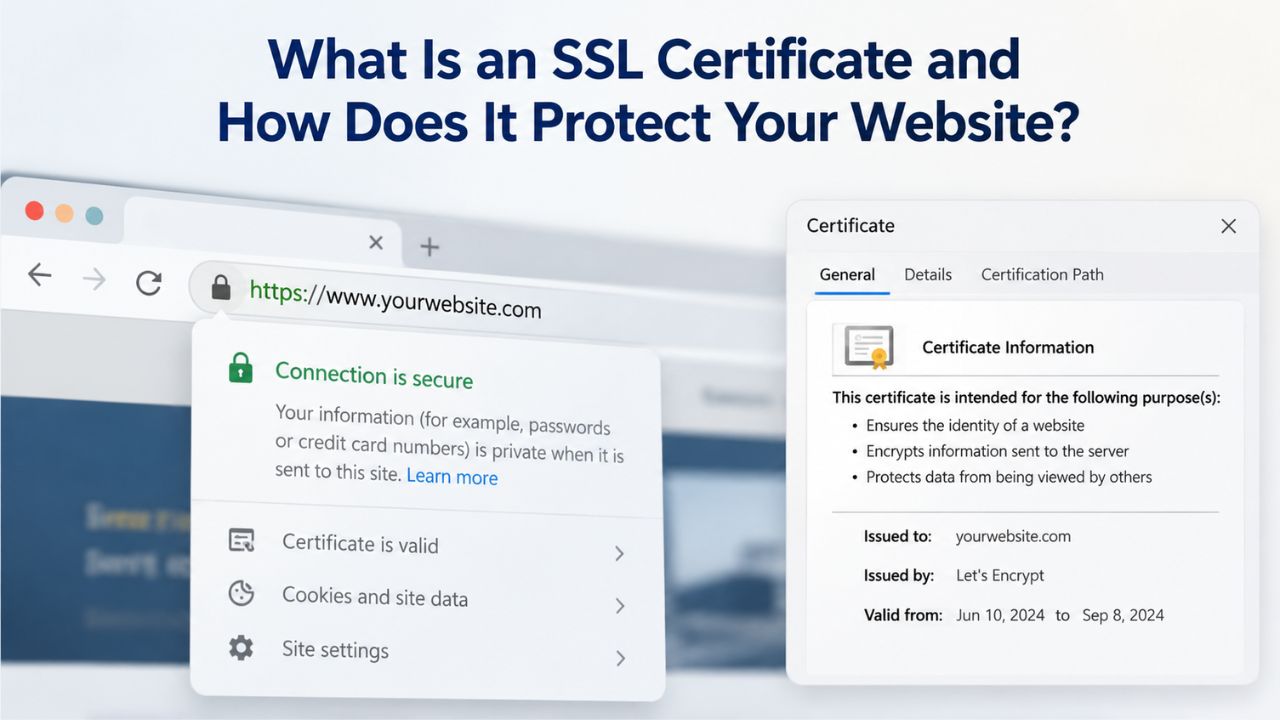
An SSL (Secure Sockets Layer) certificate is a digital credential that encrypts sensitive data traveling between a visitor’s web browser and your website’s server. When someone enters their email, password, contact information, or payment details on your site, the SSL certificate scrambles that data into an unreadable code during transmission, ensuring only the website owner and the legitimate visitor can access it. This encryption underpins modern web security, protecting both your visitors’ privacy and your business’s credibility.
How SSL Encryption Works Behind the Scenes
When a visitor navigates to your website, their browser initiates an encrypted “handshake” with your web server. During this handshake, the server presents its SSL certificate, a digitally signed credential issued by a trusted Certificate Authority, and proves its identity. Once verified, the browser and server exchange cryptographic keys, establishing an encrypted tunnel through which all subsequent data flows. This entire process happens invisibly in milliseconds; the visitor sees “HTTPS” in the address bar and a padlock icon, both universal signals that the connection is secure.
The encryption itself uses sophisticated mathematical algorithms that transform plain-text data into ciphertext, code that appears as random characters to anyone who doesn’t possess the decryption key. A visitor’s credit card number, social security number, or password is worthless to a hacker who intercepts it, because it exists only as encrypted gibberish during transmission. Even if a malicious actor successfully captures the encrypted data, decrypting it without the key would take millions of years of computational effort, making the attack economically unfeasible. This is why SSL encryption is so effective: it doesn’t just discourage casual snooping; it makes data theft mathematically impractical.
The Visual Trust Signals: Padlock Icon and HTTPS
The padlock icon and HTTPS prefix in the address bar have become universally recognized symbols of online security. Visitors see them and immediately relax; their subconscious recognizes the signal and interprets it as “this website is trustworthy.” The absence of these symbols triggers the opposite reaction: anxiety, suspicion, and departure. This psychological response is backed by behavioral data; multiple studies confirm that users abandon sites lacking HTTPS almost immediately upon seeing the “Not Secure” warning.
For small business owners, e-commerce merchants, and service providers, this trust marker is invaluable. You’re asking visitors to make decisions, contact you, hire you, buy from you, share their information. The padlock answers an unspoken question: “Is this person legitimate?” Without SSL, you answer that same question with an implied “no.” SSL is one of the cheapest, highest-impact trust signals available, and modern website builders now include it for free, so launching a website without it is inexcusable.
Website Builder Plans & Pricing
Create a professional website with flexible website builder plans designed for businesses, portfolios, and growing online brands. Choose a plan that matches your needs and build, customize, and manage your website with easy-to-use tools, responsive designs, and essential features for a strong online presence.
Website Builder Personal
Share your passion online.
- Responsive mobile design
- Website hosting
- Rapid Page-Load performance
- Create a blog
- Security (SSL)
- 24/7 support

Website Builder Business
Create an online presence for your business.
- Responsive mobile design
- Website hosting
- Rapid Page-Load performance
- Create a blog
- Security (SSL)
- 24/7 support
- PayPal Buy Now or Donate button
- Search Engine Optimization (SEO)
Website Builder Business Plus
Attract more customers.
- Responsive mobile design
- Website hosting
- Rapid Page-Load performance
- Create a blog
- Security (SSL)
- 24/7 support
- PayPal Buy Now or Donate button
- Search Engine Optimization (SEO)
- Social Media Integration
- Share content to Facebook
- Online Appointments
Website Builder Online Store
Sell products and services.
- Responsive mobile design
- Website hosting
- Rapid Page-Load performance
- Create a blog
- Security (SSL)
- 24/7 Support
- PayPal Buy Now or Donate Button
- Search Engine Optimization (SEO)
- Social Media Integration
- Share content to Facebook
- Online Appointments
- Built-in shopping cart
- Sell physical and digital products
- Accept credit and debit cards, PayPal and more
- Flexible shipping options
- Discounts and promotions
- Manage inventory
Does a Website Builder Include Free SSL as Standard?
Yes, the answer is straightforward: virtually all modern website builders now include free SSL certificates with their plans, with no additional fees, separate upgrades, or annual renewal costs. This represents a massive shift over the past decade; SSL used to be an optional add-on purchased separately. Today, it’s table stakes. GoDaddy Website Builder explicitly includes a free SSL certificate across all plans, Basic, Premium, and Commerce, with automatic provisioning and renewal. The inclusion is universal, transparent, and automatic.
GoDaddy Website Builder’s SSL Inclusion and Niya Digital’s Integration
GoDaddy Website Builder provides a free Domain Validated (DV) SSL certificate with every plan, automatically installed and renewed without user intervention. Because Niya Digital’s Website Builder Service is powered by GoDaddy Website Builder’s underlying infrastructure, the site-building engine, templates, hosting, and domain publishing system, users accessing Niya Digital’s reseller platform receive the same SSL protection and automatic provisioning. Whether you’re building a free starter site, a personal portfolio, or a full e-commerce store through Niya Digital, SSL is included at no additional cost and requires no configuration.
This means when you publish your site to a connected domain using Niya Digital’s Website Builder Service, the system automatically provisions a valid SSL certificate, configures your server to serve the site over HTTPS, and handles certificate renewal annually, all without any action from you. You focus on building your site; the security infrastructure takes care of itself. [CHECK: missing real niya.domains URL for Niya Digital Website Builder plans page, see Step 3 for verification.]
The Broader Market: SSL Inclusion Across Leading Builders
The broader website-builder market reflects this same trend toward universal SSL inclusion. Wix bundles free SSL with both free and paid plans; Weebly includes it on all paid tiers; IONOS, HubSpot, Spaceship, and other major builders include free SSL across their offerings. Edge cases remain: a very small number of entry-level or specialty builders exclude SSL from absolutely free tiers. Still, these are exceptions, not the rule. For any paid subscription, SSL inclusion is now the norm.
This market-wide shift reflects economic reality: SSL is cheap for builders to provide at scale. Certificate authorities have automated issuance to the point where generating and provisioning certificates is nearly cost-free for large-scale hosting providers. Builders that don’t include SSL lose customers to competitors who do. As a result, SSL has transitioned from a premium feature to a commoditized baseline, bundled into every plan tier to remain competitive.
How Does SSL Automatically Activate in Website Builders?
One of the defining advantages of using a modern website builder is that SSL setup is entirely hands-off. You don’t purchase a certificate, install software, configure DNS records, or manage renewal schedules. The builder handles all of this automatically, behind the scenes, without requiring any technical knowledge from you. This automation makes website builders accessible to non-technical users and is why they’ve become the default choice for small business owners and entrepreneurs.
Automatic Provisioning When You Connect Your Domain
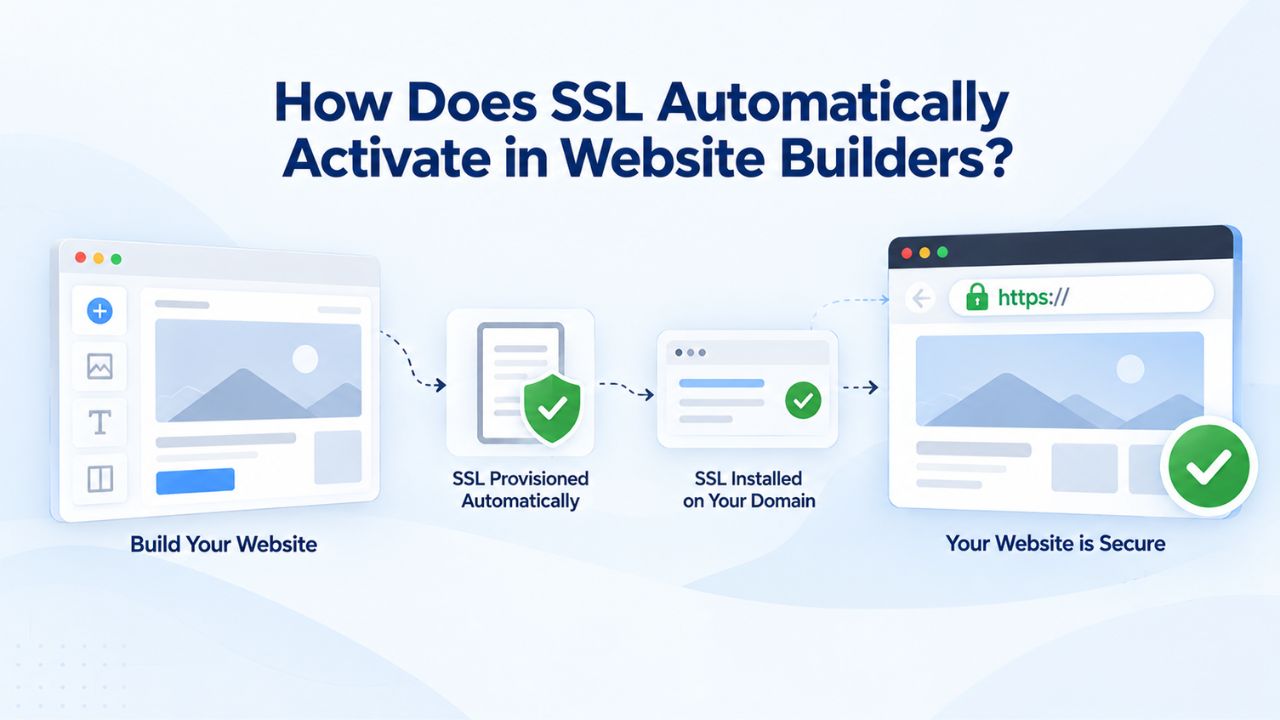
When you publish a website built with a website builder to a connected domain name, the SSL certificate automatically provisions within 24 hours of domain connection. No ordering forms, no waiting for approval, no certificate installation; the system handles it automatically. You point your domain to the builder’s nameservers (or connect it via a CNAME record, depending on your domain registrar), publish your site, and the builder’s infrastructure immediately registers that domain with a trusted Certificate Authority, generates a certificate, installs it on the web server, and configures HTTPS.
From your perspective, the process is invisible. You publish your site, wait 24 hours (or often just a few hours), and when you visit your site, the padlock appears in the address bar. Your site is now served over HTTPS to all visitors: no certificate files to manage, no configuration settings to adjust, no renewal reminders to worry about. The entire SSL lifecycle- issuance, installation, renewal- is automated and invisible.
Timeline for Activation and Browser Caching Considerations
In most cases, SSL activation happens within minutes to a few hours of publishing, not the full 24 hours. The 24-hour window accounts for DNS propagation, the time required for internet infrastructure worldwide to recognize your domain’s new connection to the builder’s servers. During this propagation window, some visitors might hit old DNS records pointing to different servers, so the full window ensures everyone worldwide reaches the correct, SSL-protected server.
If you visit your site shortly after publishing and don’t see the padlock, the most likely explanation is browser caching. Your browser may be displaying a cached (stored) version of your site from before SSL was activated. The fix is simple: clear your browser’s cache, restart your browser, or open your site in an incognito/private window (which doesn’t use cached data). After clearing the cache, reload your site, and the padlock should appear. If it still doesn’t after a full 24 hours, contact your builder’s support team; a DNS configuration issue might require manual intervention, though this is rare.
Consumer Trust: Why the “Not Secure” Warning Costs You Business
The visual trust signals- HTTPS, padlock, secure connection indicators- have real, measurable business consequences. Visitors who see a “Not Secure” warning immediately lose confidence in your site and are statistically far more likely to leave without engaging. The data is conclusive and sobering: HubSpot research found that 82% of web users report abandoning a website immediately upon seeing a “Not Secure” warning. This means if your site lacks SSL, you’re losing about four out of five visitors the moment they see the warning.
The “Not Secure” Warning and Visitor Abandonment Patterns
Modern web browsers, Chrome, Firefox, Safari, Edge, and all others, now display an explicit “Not Secure” label (often in red) in the address bar for any site lacking a valid SSL certificate. This warning is unavoidable and impossible to ignore. It’s positioned prominently, uses alarm-bell language, and is positioned right next to your domain name where visitors can’t miss it. The messaging is accurate: an unencrypted site is insecure, at least for data transmission.
When visitors see this warning, they don’t think “this website forgot to set up SSL.” They think “this website is untrustworthy,” “this website might be a scam,” or “this website doesn’t care about my privacy.” Whether those interpretations are fair is irrelevant; perception matters. A visitor who clicks the back button after seeing the warning is lost forever. They’ll find a competitor with a secure website. SSL is no longer optional if you want to compete online.
SSL as a Credibility Marker and Conversion Driver
Conversely, the padlock icon and HTTPS signal confidence and professionalism. Visitors see them and relax. They’re more willing to enter contact information, scroll through product pages, and complete checkouts. The padlock is a silent vouching mechanism; it signals that the website owner is responsible enough to secure their site and cares about visitor safety.
For service businesses, portfolio sites, and personal brands, this credibility marker is invaluable. You’re asking potential clients to decide whether to contact you, hire you, or recommend you to others. The padlock says “this person is professional.” The “Not Secure” warning says the opposite. Niya Digital’s team has found that merchants and service providers who emphasize security in their messaging, “Your information is protected with bank-level encryption,” see higher conversion rates than those who don’t, because visitors feel safe committing to interaction or purchase.
SSL’s Direct and Indirect Impact on Search Engine Rankings
Search engines have made it explicit: HTTPS is a ranking signal. Google announced in 2014 that HTTPS would be used as a ranking factor, and this signal has remained consistent and influential through 2024. While the ranking boost for having SSL is modest compared to factors like content quality and backlinks, it’s real and measurable. More importantly, the absence of HTTPS is now a small but definitive penalty in competitive searches. Sites without SSL start from a disadvantage against similar competitors who have it.
Google’s HTTPS Ranking Signal: Direct SEO Impact
The direct SEO impact of having HTTPS is modest, typically a fraction of a ranking position depending on your niche and competition, but the impact compounds across many queries. When you’re competing against hundreds of other sites for a keyword, every signal counts. If two sites have similar content quality, authority, and backlink profiles, the one with HTTPS ranks slightly higher. This edge grows larger in high-competition niches where ranking factors are closely matched.
More significantly, HTTPS is now a table-stakes expectation. Sites without it are flagged as “Not Secure” in search results and browser warnings, explicitly signaling to users that they’re risky. This negative signal often outweighs any content quality the site offers. For practical SEO purposes, launching a site without SSL handicaps you from day one. Modern website builders eliminate this handicap by including SSL automatically.
Indirect SEO Benefits: User Engagement, Bounce Rate, and Page Speed
Beyond the direct ranking signal, HTTPS offers measurable indirect SEO benefits. Sites with HTTPS experience higher user trust, lower bounce rates, and longer session durations, all metrics that search engines use to evaluate content quality and usefulness. When visitors land on your HTTPS site, see the padlock, and relax, they’re more likely to stay longer, read more pages, and engage with your content. Search engines interpret this engagement as a signal that your content is valuable and trustworthy.
Additionally, HTTPS sites often load marginally faster than unencrypted sites because modern browsers optimize encrypted connections and HTTP/2 protocols (which require HTTPS). Page speed is a confirmed Google ranking factor, so this efficiency gain compounds. The net result: a site with SSL benefits from multiple reinforcing advantages, the direct HTTPS ranking signal, improved user engagement metrics, lower bounce rates, and modest speed improvements. Taken together, these indirect benefits often exceed the value of the direct ranking signal.
Build Your Website with Professional SSL Security Included
Niya Digital’s Website Builder Service, powered by GoDaddy Website Builder, includes free SSL protection with every plan, automatic HTTPS activation, and ongoing certificate renewal, all without additional fees or technical setup. Focus on building your site; we handle security. Get started today and launch a professional, secure website your visitors will trust.
Payment Security and E-Commerce Compliance Requirements
If you plan to accept payments online, whether selling physical products, digital downloads, services, or collecting donations, SSL isn’t a recommendation; it’s a legal and industry requirement. This is where SSL shifts from “nice to have” to “absolutely mandatory.” Ignoring SSL for an e-commerce site isn’t just a bad security practice; it’s non-compliance with payment industry standards.
PCI DSS: The Payment Card Industry Data Security Standard
The Payment Card Industry Data Security Standard (PCI DSS) requires any website that accepts credit cards or processes payments to use a valid SSL certificate. This isn’t a suggestion from Visa, Mastercard, American Express, or Discover; it’s a binding compliance requirement enforced by payment processors and acquiring banks. Websites without SSL literally cannot process payments; payment gateways like Stripe, PayPal, Square, and others will refuse to connect to non-HTTPS sites.
For e-commerce merchants, this requirement eliminates any ambiguity: SSL is mandatory from the moment you enable your online store, not something you can skip or delay. The good news is that website builders with e-commerce capabilities, including Niya Digital’s e-commerce tier, include SSL automatically with all plans. You don’t need to purchase additional security, worry about compliance, or manage certificates yourself; it’s built into your plan from day one.
Protecting Customer Financial Data and Building Trust
Beyond compliance, SSL is your legal and ethical obligation to your customers. When a customer enters their credit card number, billing address, or other sensitive financial data to make a purchase, you’re accepting custody of information that could be used for identity theft or fraud if intercepted. SSL encryption ensures that data cannot be intercepted in transit by man-in-the-middle attackers, network sniffers, or malicious ISPs. Without encryption, payment data travels as plain text across the internet, visible to anyone with network access.
SSL’s psychological impact on purchase completion matters just as much. Customers expect to see the padlock when entering payment information. Its absence is a major red flag that can stop transactions cold. Studies consistently show that e-commerce sites with visible SSL indicators have higher checkout completion rates than those without, because customers feel protected when entering their payment information. This trust is worth far more than the trivial cost of SSL (which builders include for free anyway).
| Factor | DV Certificate | OV Certificate | EV Certificate |
|---|---|---|---|
| Domain Ownership Verified | ✓ Yes | ✓ Yes | ✓ Yes |
| Business Existence Verified | ✗ No | ✓ Yes (moderate depth) | ✓ Yes (extensive depth) |
| Company Name Displayed | ✗ No | ✓ Yes in details | ✓ Yes prominently |
| Green Address Bar | ✗ No | ✗ No | ✓ Yes (older browsers) |
| Encryption Strength | 256–2048 bit | 256–2048 bit | 256–2048 bit |
| Issuance Speed | Minutes | Hours–days | Days–weeks |
| Website Builder Default | ✓ Yes | ✗ Rarely | ✗ Never |
| Best For | Blogs, portfolios, small business | Professional services, consultancies | Banks, major e-commerce, high-stakes trust |
| E-Commerce Compliance | ✓ PCI DSS compliant | ✓ PCI DSS compliant | ✓ PCI DSS compliant |
Understanding SSL Certificate Types: DV, OV, and EV Explained
Not all SSL certificates are identical. While website builders typically use the most basic type, Domain Validated (DV), understanding the differences helps clarify what you’re getting and whether a higher-tier certificate could benefit your business. The differences lie not in encryption strength but in the level of organizational verification and the trust signals displayed to visitors.
Domain Validated (DV) Certificates: The Industry Standard for Builders
Domain Validated (DV) certificates are the most common type of SSL certificate used on the internet. They require only proof that you own or control the domain, verified via email confirmation, DNS record verification, or file upload to your server. Validation happens automatically and takes minutes. GoDaddy Website Builder uses DV certificates, which suit blogs, portfolios, small businesses, personal sites, and e-commerce stores.
DV certificates provide the same encryption strength as more expensive certificate types: 256-bit or 2048-bit encryption, depending on the issuing Certificate Authority. The difference isn’t security; it’s organizational verification. A DV certificate says, “This domain is encrypted, and the certificate owner has proven control of it.” It does not say, “This company has been thoroughly vetted and is definitely legitimate.” Higher-tier certificates provide that verification. For most small business owners, DV is entirely sufficient.
Organization Validated (OV) Certificates: For Professional Services and B2B
Organization Validated (OV) certificates require the Certificate Authority to verify that your business actually exists and is legitimate. The issuer checks your business registration, confirms your phone number, and may verify your physical address. The certificate then displays your company name in the certificate details, a small additional trust signal for the tiny percentage of visitors who inspect certificate information. OV certificates cost more and take significantly longer to issue (hours to days). Still, they’re appropriate for professional services, financial advising, law firms, or other B2B businesses where organizational credibility is part of your value proposition.
Most small business owners and website builders don’t need OV. A DV certificate paired with great design, clear copy, customer testimonials, and professional imagery is entirely sufficient to build trust. OV adds only a marginal trust boost for the small fraction of visitors who examine certificate details. For cost-benefit purposes, OV rarely makes sense for small businesses; the trust return doesn’t justify the complexity and cost.
Extended Validation (EV) Certificates: Enterprise and High-Trust Sectors
Extended Validation (EV) certificates are the premium tier, requiring extensive organizational vetting, business license verification, beneficial-owner checks, sometimes even on-site inspection. EV certificates display a green address bar in some older browsers, a visual badge of high organizational trust. EV is overkill for most websites and is rarely offered (let alone included) with website builder plans. You typically buy it separately, and banks, payment processors, major e-commerce retailers, and government agencies use it.
For anyone building a website with a website builder, DV is unambiguously the right choice. It provides full encryption, ranks the same as OV or EV in Google’s algorithm, and signals security clearly to visitors. The modest trust boost from OV or EV isn’t worth the cost, complexity, or hassle for a small business or personal brand.
When Is SSL Automatic Versus Requiring Manual Configuration?
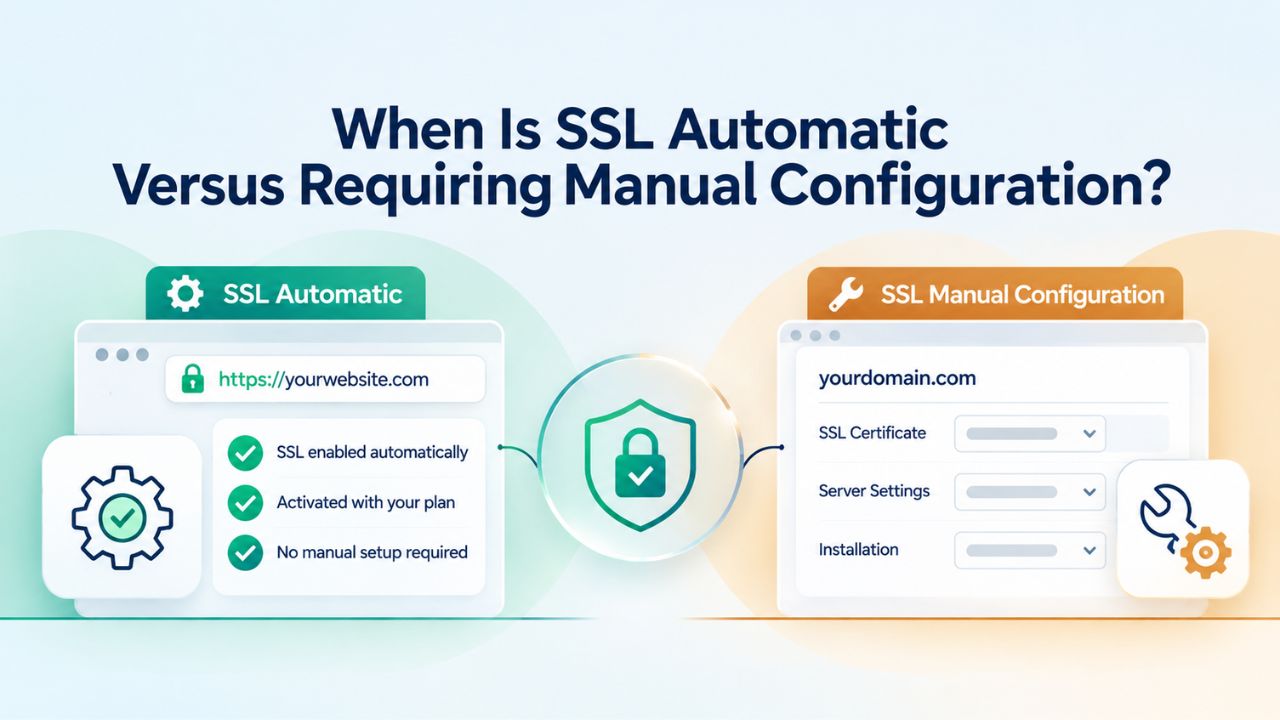
The defining advantage of modern website builders is that SSL is automatic for 99% of users in standard scenarios. However, edge cases exist, particularly when using external domains registered with third-party registrars or when adding subdomains, where a few additional considerations apply.
Automatic Activation in Standard Builder Scenarios
When you build and publish a site using Niya Digital’s Website Builder Service powered by GoDaddy Website Builder, SSL activates automatically in standard setups. You connect your domain (via pointing nameservers or DNS records to the builder), publish your site, and within 24 hours, the system provisions a valid SSL certificate and routes your site to HTTPS. No certificate ordering, no form submissions, no installation steps; it simply happens in the background. This automation is possible because the builder controls the hosting infrastructure and can register new domains with trusted Certificate Authorities immediately.
The entire SSL lifecycle is invisible to you. You publish to your domain, wait a day, visit your site, and see the padlock. Behind the scenes, the system registers your domain with a Certificate Authority, requests a certificate, validates domain ownership, installs the certificate on the web server, and configures the server to serve your site over HTTPS. From the visitor’s perspective, they arrive at your site and see security indicators. They never see any of the machinery; they experience a secure connection.
Edge Cases: External Domains, Subdomains, and Nameserver Requirements
If you’re using a domain registered with a third-party registrar (not the builder’s own registrar), you still get automatic SSL; you need to ensure the domain’s nameservers point to the builder’s infrastructure. Some builders also support adding multiple subdomains (e.g., blog.yourdomain.com, shop.yourdomain.com), and SSL applies to all of them automatically once the root domain is connected.
One important edge case: if you’re using an external domain with certain builders, the domain’s nameservers must point to that builder’s infrastructure for SSL to activate. This isn’t a manual certificate configuration; it’s a requirement for the builder to provision the certificate. Once nameservers are updated (which can take 24–48 hours to propagate globally), SSL is automatic. No website builder can secure a domain it doesn’t control; that’s a fundamental limitation of SSL architecture, not a builder choice. Niya Digital’s support team can help configure this if needed.
SSL Renewal and Ongoing Maintenance: Automatic and Worry-Free
One of the most common concerns website owners express is whether they’ll need to renew their SSL certificate annually and whether renewal costs extra. The answer is reassuring: SSL renewal is entirely automatic and completely free when you use a website builder. You don’t need to do anything; the builder handles it behind the scenes.
Automatic Certificate Renewal Without User Intervention
SSL certificates are valid for one year (sometimes up to two years, depending on the Certificate Authority and current industry standards). Before expiration, the builder’s system automatically requests a renewed certificate, re-validates your domain ownership, and installs the new certificate on your server, all without any action required from you. You don’t receive a renewal notice, you don’t click a button, and you don’t re-enter any information. Renewal happens silently in the background, typically 30–60 days before the old certificate expires.
This automation is a major advantage over buying SSL separately from a third-party provider, where renewal reminders arrive via email, and you’re responsible for renewing on time. Miss the renewal deadline, and your site’s SSL expires, triggering the “Not Secure” warning and damaging your site’s credibility. With website builders’ automatic renewal, this scenario is virtually impossible unless the builder’s entire infrastructure fails, an extremely rare occurrence with established providers.
What Happens If an SSL Certificate Expires (And Why It’s Unlikely)
If an SSL certificate expires without being renewed, your site immediately shows a “Not Secure” warning to all visitors. The site remains accessible and functional, but browsers flag it as insecure. Visitors lose confidence, form submissions drop sharply, conversion rates plummet, and search engine rankings take a hit. However, with website builders’ automatic renewal system, this scenario is rare; it occurs only if the builder’s infrastructure fails or your domain is no longer connected to the builder.
If you notice your site unexpectedly showing “Not Secure,” the causes are usually DNS propagation (wait 24 hours), an outdated browser cache (clear it), or, very rarely, the Certificate Authority denying renewal because of a domain ownership issue. In all cases, contacting your builder’s support team resolves it quickly. Niya Digital’s support can troubleshoot SSL issues and confirm that your certificate is active, valid, and correctly installed.
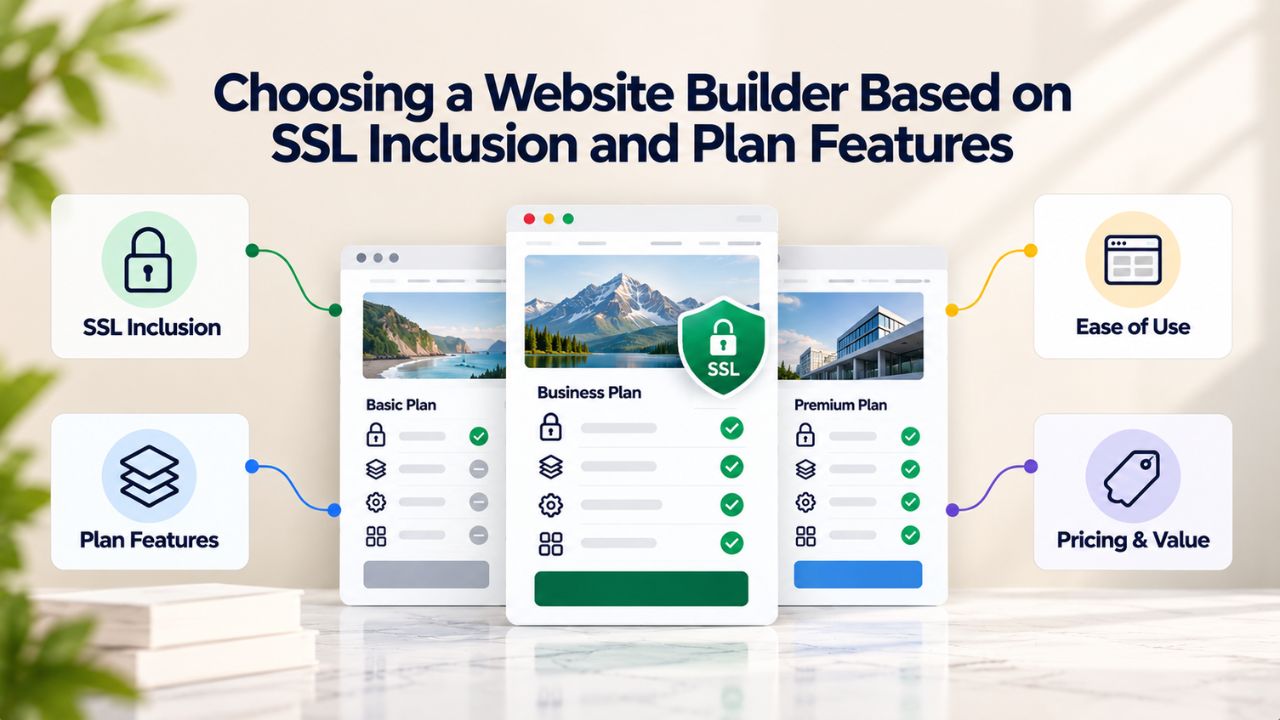
Choosing a Website Builder Based on SSL Inclusion and Plan Features
When comparing website builder options, SSL should be on your checklist, but it’s a checkbox you can quickly mark as “solved,” because nearly all modern builders include it. Instead of using SSL as a decision factor, focus on plan tiers, storage, page limits, e-commerce capacity, support level, and template quality. Those features vary meaningfully across builders and should drive your choice.
Evaluating Plan Tiers: What SSL Includes and What Doesn’t
When reviewing website builder plans, confirm that SSL is listed for each tier; for Niya Digital’s Website Builder Service powered by GoDaddy Website Builder, SSL is included across all plans: Basic, Premium, and Commerce. No upgrades unlock SSL; no plan tiers exclude it. [CHECK: missing real niya.domains URL for detailed plan comparison] This simplifies your decision: you can compare plans based on features that actually differ (storage, page limits, e-commerce capacity, email accounts) rather than security, which is standardized.
Look at the plan comparison table and identify which features change across tiers: storage limits, number of pages, product limits, email mailboxes, marketing tools, and support level. SSL is consistent; those other features vary. Focus your decision on the features that matter most to your specific use case. If you’re starting a blog, choose a plan with sufficient storage and pages. If you’re launching an online store, choose a plan with robust e-commerce features. SSL is a given across all of them.
Hidden Costs and Plan Limitations Beyond SSL
One thing that’s definitely not hidden: SSL cost. If a builder includes SSL in their plan, there’s no separate fee, no “unlock SSL” upsell, no annual renewal charge. Some third-party SSL resellers charge significant annual fees, but website builders have eliminated that cost by integrating SSL into their core hosting infrastructure.
The hidden costs to watch are elsewhere: domain registration or renewal fees (beyond the first year), premium domain extensions (a .io costs more than .com), third-party integrations or advanced features (Zapier, email automation tools, advanced analytics), transaction fees on e-commerce sales, or premium support tiers. Read the plan details carefully, and you’ll know exactly what you’re paying for. SSL is free; understand where your money actually goes across different plan tiers.
| Plan Tier | Best For | SSL Included | Domain | Storage | Pages | E-Commerce |
|---|---|---|---|---|---|---|
| Starter / Free | Testing, learning the builder | ✓ Yes | Limited | 500MB–1GB | 3–5 | ✗ No |
| Basic / Personal | Small business, service providers | ✓ Yes | 1 year free | 10–50GB | 10–20 | Limited (up to 10 products) |
| Premium / Business | Growing businesses, online stores | ✓ Yes | 1 year free | 50–100GB | Unlimited | Yes (up to 100+ products) |
| Commerce / E-Commerce | Full online stores, high-volume sales | ✓ Yes | 1 year free | Unlimited | Unlimited | Yes (unlimited products) |
Ready to Launch Your Secure Website with Professional Builder Support
Niya Digital’s Website Builder Service gives you everything needed to build, publish, and grow a professional website, including automatic SSL security that protects your visitors and builds trust. All plans include free SSL, automatic HTTPS activation, professional templates, drag-and-drop editing, and ongoing support to help you succeed online.
Frequently Asked Questions
Do I have to pay extra for SSL protection with a website builder?
No. Modern website builders include free SSL certificates with all plans, including free and paid tiers. GoDaddy Website Builder and most builders bundle SSL into hosting at no additional cost. There’s no separate SSL subscription, annual renewal fee, or upgrade tier required to access it. SSL is automatic and free.
What type of SSL certificate do website builders use?
Website builders typically use Domain Validated (DV) SSL certificates, the most common and fastest-to-issue type. DV certificates require only proof of domain ownership, verified via email or DNS confirmation, and are issued within minutes. They provide the same 256-bit or 2048-bit encryption as more expensive certificate types. They are perfectly adequate for blogs, portfolios, small businesses, and online stores.
How long does it take for SSL to activate on my newly published website?
SSL certificates typically activate within 24 hours after you publish your site to a connected domain. In most cases, the padlock appears within minutes to a few hours. The full 24-hour window accounts for worldwide DNS propagation. If you don’t see the padlock after a few hours, try clearing your browser cache or restarting your browser; browsers sometimes cache the old non-HTTPS version of your site.
Will having an SSL certificate improve my website’s search engine rankings?
Yes, Google has used HTTPS as a ranking signal since 2014, giving secure sites a measurable ranking boost. The boost is modest but compounds with other factors like user engagement and trust. More importantly, Google now applies a small ranking penalty for sites without SSL. Having SSL ensures you’re not starting from a competitive disadvantage; it’s a baseline expectation in modern SEO.
Do I need to renew my SSL certificate every year, and does renewal cost money?
Technically, yes, SSL certificates are valid for one year, but your website builder handles renewal automatically at no cost to you. You don’t need to do anything. The builder’s system renews the certificate before it expires and installs it automatically. Renewal happens silently in the background with no action, no cost, and no interruption to your site’s security.
Can I use an SSL certificate from another provider with my website builder?
Most website builders don’t support third-party SSL certificates; they use their own integrated SSL infrastructure. This is an advantage: SSL is fully automated, constantly maintained, and requires no configuration. If you purchase SSL separately, you’re adding complexity and cost without any security benefit. Use your builder’s included SSL; it’s superior to third-party options.
What’s the practical difference between HTTP and HTTPS?
HTTP (Hypertext Transfer Protocol) transmits data in plain text, so anyone intercepting network traffic can read it. HTTPS adds “S” for Secure; it encrypts data using an SSL certificate, scrambling information into unreadable code. All modern sites should use HTTPS; browsers display a padlock icon and “HTTPS” in the address bar for secure sites and show a “Not Secure” warning for unencrypted sites.
Is a Domain Validated (DV) SSL certificate strong enough for an e-commerce store?
Yes. DV certificates provide the same encryption strength as Organization Validated (OV) or Extended Validation (EV) certificates; they differ only in verification depth, not encryption. For e-commerce, a DV certificate fully complies with PCI DSS payment security standards. Millions of online stores worldwide use it, from small shops to large retailers. Encryption strength is the same across all certificate types.
What does the padlock icon in my browser address bar actually mean?
The padlock icon signals that your connection to the website is encrypted with SSL. It means data you transmit to and from that site- passwords, payment information, contact details- is scrambled and protected from interception. The padlock appears only on sites with a valid, trusted SSL certificate. Its presence is a universal, instantly recognizable trust signal, indicating a secure connection.
Can visitors see my SSL certificate’s detailed information?
Yes. Visitors can click the padlock icon to inspect certificate details, including the domain name, issuing Certificate Authority, and expiration date. For DV certificates, they’ll see domain information and no company details. For OV certificates, they’ll also see the verified company name. EV certificates also show additional company information. However, most visitors never inspect certificates; they trust the padlock’s presence.
What happens to my website if my SSL certificate expires?
Your site displays a “Not Secure” warning to all visitors, signaling that the connection is unencrypted. Visitors may hesitate to enter information or make purchases. However, website builders renew SSL certificates automatically before they expire at no cost, so this scenario is extremely rare; it occurs only if the builder’s infrastructure fails or your domain is no longer connected to the builder.
Is having an SSL certificate important if my website doesn’t collect any visitor information?
Yes. Even if your site is purely informational with no forms, payments, or logins, Google treats HTTPS as a ranking signal and expects all sites to use it. Additionally, visitors psychologically expect to see the padlock, regardless of whether the site collects data. An informational site without SSL signals carelessness to visitors. SSL is important for every website type in modern web standards.
Can I use a single SSL certificate to secure multiple different domains?
Standard DV certificates from website builders typically cover one primary domain and its “www” subdomain (e.g., yourdomain.com and www.yourdomain.com). To secure multiple unrelated domains, you’d need multiple certificates or a wildcard certificate (which covers all subdomains of one root domain). Website builders usually handle this automatically if you add multiple domains to your account with separate certificates for each.
Does having SSL encryption slow down my website’s loading speed?
No. Modern HTTPS connections are faster than HTTP due to browser optimization for encrypted protocols and HTTP/2 standards (which require HTTPS). Any performance difference is negligible and unmeasurable for users. SSL has no negative impact on site speed and often offers small, measurable speed benefits. Security and speed both improve with HTTPS; there’s no trade-off to consider.
Is free SSL from a website builder as secure as paid SSL from a separate provider?
Yes. Free SSL certificates from website builders use identical encryption algorithms and are issued by trusted Certificate Authorities, just like paid certificates. The only difference is verification level (DV vs. OV vs. EV). For security purposes, free DV SSL is cryptographically identical to paid DV SSL. The difference is in trust verification, not encryption strength, another reason to use builder-included SSL.
Glossary
- SSL Certificate: A digital credential issued by a trusted Certificate Authority that enables HTTPS encryption. SSL certificates verify website ownership, encrypt data transmitted between browsers and servers, and are valid for one year before requiring renewal. Website builders include SSL with all plans.
- HTTPS: The secure version of HTTP (Hypertext Transfer Protocol), using SSL encryption to protect data transmission. Indicated by “HTTPS” in the browser address bar instead of “HTTP” and by a padlock icon next to the domain name.
- Domain Validation (DV): The most common type of SSL certificate, requiring only proof of domain ownership verified via email, DNS, or file upload. Issued in minutes and suitable for all website types, including e-commerce.
- Encryption: The process of converting readable data into unreadable code using mathematical algorithms. SSL uses encryption to scramble sensitive information (passwords, payment details, personal data) during transmission so only authorized parties can decrypt it.
- Padlock Icon: The visual trust indicator displayed in the browser address bar when a website has a valid, trusted SSL certificate. The padlock signals to visitors that their connection is encrypted and secure.
- Website Hosting: The server infrastructure that stores your website’s files and serves them to visitors over the internet. Website builders often include hosting automatically, with plans bundled with SSL security, domain connection, and email.
- Certificate Authority (CA): An organization trusted by web browsers to issue and validate SSL certificates. Certificate Authorities verify domain ownership, issue certificates, and maintain lists of trusted certificates used by browsers.
- “Not Secure” Warning: The explicit security warning displayed in browser address bars for websites without valid SSL certificates. Modern browsers flag unencrypted sites prominently in red, signaling to visitors that the connection is unencrypted and potentially unsafe.