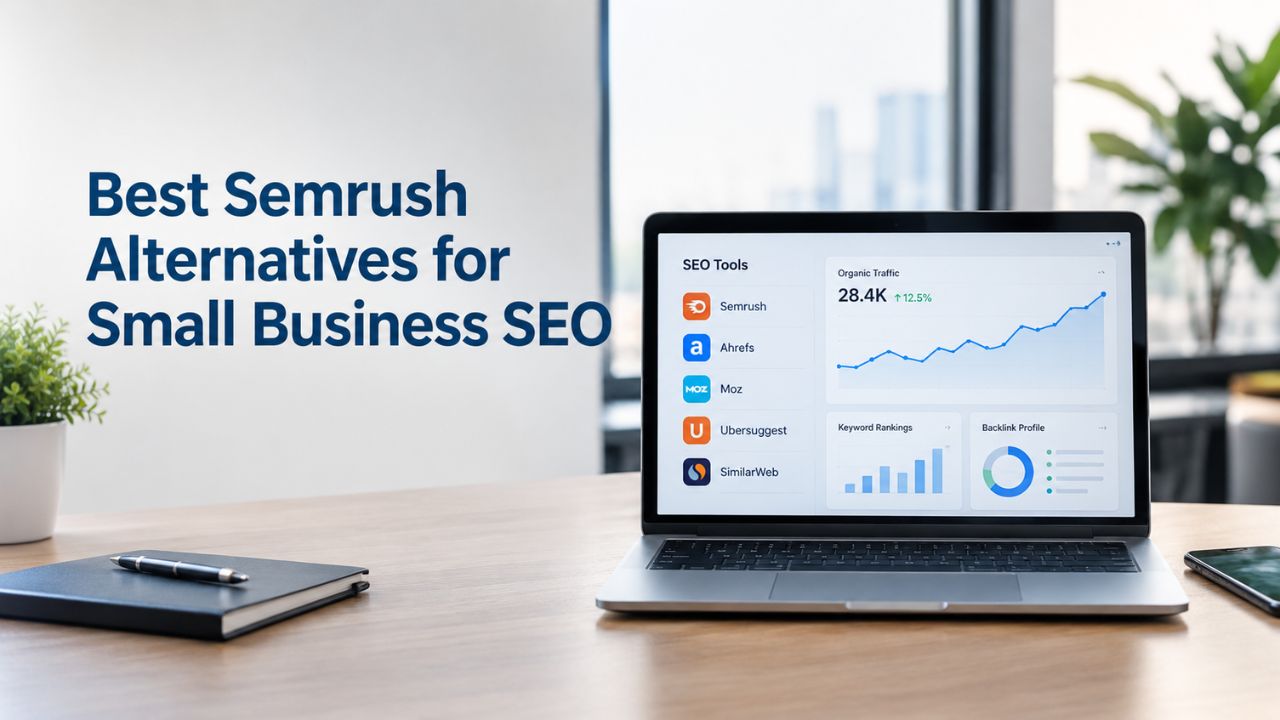
Semrush is powerful, but many small teams find it unnecessarily complex and resource-heavy. If you’re a freelancer, solopreneur, or small business running SEO independently, proven alternatives deliver core functionality without enterprise overhead. Niya Digital’s DIY SEO tool draws on third-party search and keyword-data sources to generate its metrics, as all SEO tools do. No tool provides 100% real-time data for every keyword; all platforms use estimates refreshed periodically.
Why Small Businesses Look Beyond Semrush
Semrush remains an industry leader for enterprises and multi-channel marketing teams running integrated SEO, PPC, content, and social campaigns. However, its sprawling feature set and operational complexity create friction for smaller operators who need focused tools, not comprehensive platforms.
The core frustration centers on three factors: the 50+ tool ecosystem feels overwhelming when most small-business SEO relies on just four workflows- keyword research, rank tracking, site audits, and competitor analysis; the entry-level plan caps project management at a strict limit before tier upgrades become necessary; and the credit system restricts how much data you can extract, often forcing additional purchases to complete routine work. For businesses focused only on organic search visibility, this overhead translates into wasted features and mental energy spent learning tools you’ll never use.
Feature Complexity & Overhead
Semrush bundles PPC management, content calendars, social media monitoring, PR tools, and advertising intelligence into a single dashboard. This integration creates genuine efficiency for agencies running multi-channel campaigns across 10+ client accounts. For a small business or freelancer focused exclusively on SEO, these tools represent financial drag and cognitive overhead. Every login surfaces irrelevant modules; reports require navigation through nested dashboards designed for enterprise teams; and onboarding demands weeks of learning before you’re efficient.
Cheaper, focused alternatives strip away the PPC and content marketing layers, keeping only the core SEO functions. This isn’t a limitation for SEO-only teams; it’s clarity. You pay for what you use and learn only what matters. Additionally, Semrush’s interface design assumes users have time to master complex workflows. The reporting engine offers extraordinary customization but requires 2–3 weeks to navigate intuitively. Smaller tools embrace simplicity: enter a keyword, get results. Run an audit, see actionable fixes. This efficiency gap grows when your team divides time between SEO and other responsibilities; simpler tools deliver value in days, not weeks.
Learning Curve & Team Adoption
Semrush’s power emerges only after sustained effort. Beginners report feeling disoriented by dashboard density; intermediate users spend hours configuring saved reports and custom filters; only advanced users leverage the platform’s full capability. This learning curve becomes a liability when you need team buy-in. If your team won’t actively use the tool, either because the interface intimidates them or because onboarding feels like work instead of enablement, the tool’s value collapses.
Alternatives like Mangools and Ubersuggest deliberately prioritize simplicity. Mangools organizes every function around a single pattern: input a keyword or domain, receive ranked results. Ubersuggest packages step-by-step guidance directly into the interface, reducing the need for external training. This accessibility advantage compounds: teams that adopt tools faster execute SEO faster, test hypotheses faster, and refine strategy faster.
Search Engine Optimization Plans & Pricing
Choose the right SEO plan for your website. Improve search engine visibility, discover relevant keywords, monitor rankings, and access customized optimization services to support your business growth.
Search Engine Optimization (SEO)
Bring more traffic to your website with Search Engine Optimization.
- Search Optimization: Improve search engine rankings with keyword and suggested topics tool
- Keyword suggestions: Get personalized phrases and words to add to increase traffic to your website and help it rank better.
- Tracking your ranking: Track the progress of your website’s rank on Google over time
- Create your sitemap: Customize, create and submit a site map to aid search engines in crawling your site.

Customized SEO Plan
Get Customized Plan For your Business Website SEO (Search Engine Optimization)
- On-Page & Off-Page Optimization: Update Meta Tags, Titles, Descriptions, Alt Tags, Schema / JSON-LD / Microdata Format, HTML + TXT + XML Sitemap, Robots.TXT, Google Analytics & Google Search Console integration
- Keyword Research & Analysis: Improve Keyword Effectiveness Index (KEI) with main heading & sub-heading tags, Content Review by professional content editor
- Competitor Research & Analysis: Compare and Compete with competitors search engine ranking positions, Track and analyse competitor trends
- Diversify Back Link Profile: Relevant Business Directory Submission, Article Submission, Blog Creation, Web 2.0 asset creations, Author Profile Links, Social Book Marking links
- Monthly Task Review & Progress Reporting: Get Monthly SERP Reports and Task Performance Reports
SE Ranking: Maximum Flexibility for Growing Teams
SE Ranking positions itself explicitly as a mid-market alternative for agencies and growing marketing teams frustrated by Semrush’s inflexible project limits and credit-based data rationing. Its feature set prioritizes what agencies actually need: unlimited project capacity on higher tiers, white-label reporting (so you can present findings under your own brand), accurate rank tracking with daily updates, and built-in user seats for team management. For freelancers managing multiple client sites or small agencies managing 5+ accounts, this flexibility is transformative.
Unlimited Projects on Upper Tiers
SE Ranking’s top-tier plan removes the project cap entirely, allowing you to spin up new audits, add new rank-tracking domains, and run competitor analyses without hitting artificial limits. This contrasts sharply with entry-level competitor plans that limit you to 5 or 10 projects, forcing you to choose between selective client acceptance and platform upgrades. The platform’s rank-tracking accuracy rivals Semrush’s best performance, with daily updates and location-based tracking for local SEO campaigns. For agencies accustomed to Semrush’s rigid structure, this flexibility feels like suddenly removing shackles; you stop worrying about plan limits and focus on client work.
A genuine limitation exists in backlink database depth: SE Ranking’s backlink index is smaller than Ahrefs’ or Semrush’s most comprehensive offering, so competitive backlink analysis is possible but less detailed. For small-business SEO, where you’re primarily auditing your own site and tracking your own rankings, this limitation is inconsequential. Additionally, the platform’s site audit tool identifies technical issues (missing meta tags, broken links, mobile usability problems) with the same thoroughness as pricier competitors. The reports format findings in an actionable format: specific page → specific issue → specific fix. This directness reduces decision paralysis and accelerates execution.
Integration & Support for Lean Operations
SE Ranking integrates seamlessly with Google Analytics and Google Search Console, pulling performance data into unified dashboards so you don’t constantly switch between platforms. The interface emphasizes clarity: the Rank Tracker module shows historical trends and position changes; the Website Audit module lists crawl errors and severity levels; the Competitor Analysis module reveals keyword overlaps and ranking gaps.
Each module is self-contained enough that new users become productive within 4–8 hours, not weeks. Support is available via email and live chat with typical response times of 2–4 hours, and the platform includes detailed documentation and video tutorials for common workflows.
Mangools: The Beginner’s Choice for Solopreneurs
Mangools is a rare tool that sacrifices no usability to stay affordable. The platform integrates five core tools, KWFinder (keyword research), SERPChecker (SERP analysis), SERPWatcher (rank tracking), LinkMiner (backlink analysis), and SiteProfiler (website profiling), into a single, unified interface where every function follows identical workflows. This consistency dramatically speeds up learning: once you master keyword research, understanding rank tracking requires almost no extra effort. For solopreneurs, small freelancers, and teams without dedicated SEO professionals, this approachability is invaluable.
Intuitive Interface & Local Data Depth
Mangools’ user interface is consistently rated the most intuitive among mid-market tools, and beginners often praise it as the clearest starting point for independent SEO work. Every tool follows an identical pattern: enter a seed keyword or competitor domain, and the platform returns ranked, color-coded results with supporting metrics. Keyword difficulty scoring is transparent, and you can drill into each suggestion’s monthly search volume, cost-per-click, and historical trend data without navigation complexity. For small-business keyword research, this workflow delivers insights faster than more complex platforms.
The platform’s standout feature is location-based keyword research covering 65,000+ global locations. Small businesses and local service providers can fine-tune keywords by region, state, and city, essential for multi-location franchises or agencies managing regional campaigns. Search volume, competition metrics, and CPC estimates break down by geography, allowing you to identify high-opportunity keywords in specific markets. This localization depth is superior to competitors’ more aggregated approach.
Limitations for Enterprise-Scale Work
Mangools’ free tier (5 daily lookups) is genuinely useful for light research; the entry-level paid plan scales to support active freelancers and small agencies. However, the platform’s keyword database (5 billion+ keywords) is smaller than Semrush’s (25 billion+) or Ahrefs’ (170 million+ unique keywords tracked).
For hyper-niche keyword research or markets with thin search data, this database size can miss emerging opportunities. In practice, this matters primarily for enterprise clients or highly specialized verticals; 90% of small-business keyword research completes successfully with Mangools’ available keywords. The backlink analysis helps identify obvious link-building opportunities but lacks the depth needed for a sophisticated competitive backlink strategy.
Ahrefs: Unmatched Backlink & Content Research
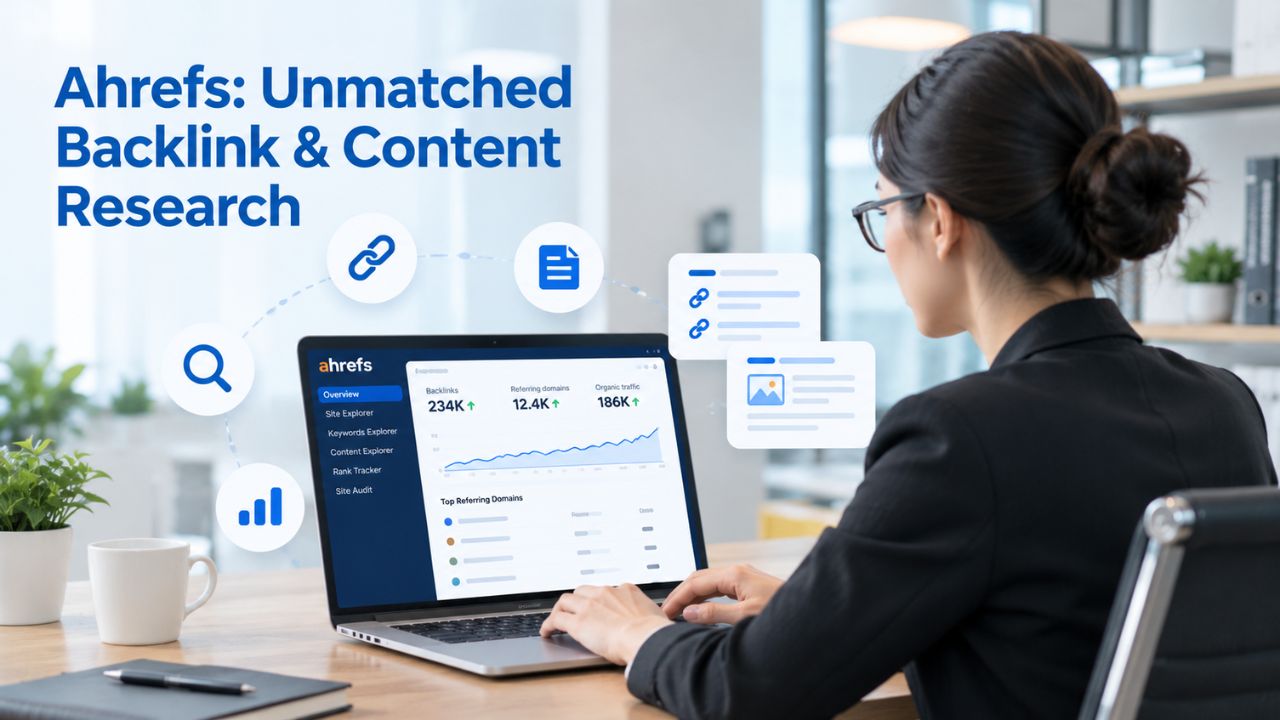
Ahrefs positions itself as the specialist’s choice for deep competitive analysis, backlink strategy, and content gap research. While Semrush aims to integrate across all digital marketing functions, Ahrefs focuses on three areas: backlink intelligence, organic search competitive analysis, and content performance research. For agencies and teams whose SEO strategy centers on outreach, link building, or content syndication, Ahrefs delivers unmatched capability.
Largest Backlink Database in the Industry
Ahrefs maintains the industry’s largest backlink index, tracking 16+ trillion active backlinks across the internet and analyzing 170+ million unique keywords. This scale matters enormously for competitive backlink research: when you want to understand exactly which sites link to your competitors, what anchor text they use, whether those links come from high-authority or low-quality sources, and how recently those links were acquired, Ahrefs delivers depth competitors can’t match. The Site Explorer tool lets you analyze multiple competitor domains simultaneously, generating link intersections (sites that link to competitor A but not to you) that become outreach targets.
This workflow is central to professional link-building strategy and nearly impossible to replicate in less specialized tools. Content Explorer similarly excels at identifying high-performing content in your topic area, showing you which pages rank, how much traffic they receive, and how many backlinks support them. For content marketing teams, this competitive intelligence directly informs strategy: you see which topics resonate, which formats perform, and which angles competitors missed.
Feature Mix & Learning Curve Tradeoff
Ahrefs’ entry-level plan supports multiple projects, rank tracking, and site audits alongside its specialized backlink and content tools. However, the interface is dense and powerful, requiring 3–4 weeks of sustained use before proficiency. Navigating Site Explorer, Keywords Explorer, Content Explorer, and Rank Tracker involves understanding distinct navigation paradigms and mental models. For teams with dedicated SEO professionals, this depth is an asset. For solopreneurs dividing time across multiple functions, the learning curve represents a genuine barrier.
Additionally, some features and data depth are restricted to higher tiers, so entry-level plans feel limited compared to the full platform’s capability. The tradeoff is intentional: you’re paying for backlink intelligence depth that generalist tools can’t provide.
Niya Digital DIY SEO: User-Friendly Management for Teams
Niya Digital’s DIY SEO tool is purpose-built for small businesses and teams running their own SEO without agency support or complex platform infrastructure. The platform covers the four pillars every independent SEO operator needs: keyword research, technical SEO audits, competitor analysis, and rank tracking. Like all SEO platforms, Niya Digital draws on third-party search and keyword-data sources to generate metrics; the tool refreshes data periodically and estimates search volume based on underlying data provider trends rather than claiming exclusive proprietary data.
Focused Feature Set Without Bloat
While Semrush adds PPC, content calendars, social media management, and 50+ secondary tools, Niya Digital’s DIY SEO stays focused on core functions. You get keyword research (including long-tail keyword discovery), competitor analysis (revealing keyword overlaps and ranking gaps), technical audit (identifying common on-page, mobile, and page-speed issues), and rank tracking (monitoring position changes over time).
For teams whose only need is improving organic search visibility, this focus is an asset. You won’t pay for features your team doesn’t use, and onboarding is faster because the learning scope is narrower. The platform emphasizes transparency and actionability: audit reports list specific issues (missing alt text, slow page load, duplicate title tags) with concrete fixes, not abstract scores that require interpretation. For small-business owners new to SEO, this directness reduces decision paralysis. You know exactly what’s broken and how to fix it.
Transparent Data & Realistic Expectations
Niya Digital’s DIY SEO doesn’t claim 100% accuracy or exclusive data ownership. The platform makes it clear that all SEO metrics, search volume, keyword difficulty, and estimated traffic are estimates based on third-party search and keyword-data sources, refreshed periodically. This honesty builds trust with users who understand that no tool delivers perfect data for every keyword, and that SEO success depends on testing and iteration rather than blind reliance on algorithms. The platform avoids guarantees (“guaranteed 1 ranking,” “guaranteed traffic increase”) and instead supports incremental improvement through structured keyword targeting and technical optimization.
Start Managing Your Own SEO Without Complexity
Niya Digital’s DIY SEO tool gives you the four core functions every independent operator needs: keyword research, technical audits, competitor analysis, and rank tracking, without PPC, content calendars, or 50+ unused tools creating distraction. Transparent data sourcing and actionable audit reporting mean you know exactly what’s broken and how to fix it. Test it free and experience SEO software built specifically for teams doing their own search optimization without agency overhead.
Moz Pro: Industry-Standard Authority Metrics
Moz has operated in SEO since 2004, longer than Semrush (2008) or Ahrefs (2010). That longevity produced Domain Authority, the 0–100 metric that predicts ranking likelihood and that the marketing industry uses as standard language. Moz Pro combines this industry-standard metric with a suite of core SEO tools designed for accessibility and ease of use, making it especially valuable for freelancers and small teams that prioritize simplicity alongside capability.
Domain Authority & 22-Year Track Record
Domain Authority remains Moz Pro’s signature strength. While Google doesn’t officially use DA as a ranking factor, the metric correlates closely with ranking difficulty and is universally understood across the marketing industry. This standardization matters: when you tell a client their site has a Domain Authority of 28, they immediately understand the implication and how much effort it takes to move from DA 28 to DA 35. Semrush and Ahrefs offer their own authority metrics, but neither carries the same universal recognition or immediate comprehension.
Beyond this metric, Moz Pro’s 22-year history in SEO means the platform benefits from long-term refinement, extensive educational content, and deep community support. The company’s research into ranking factors, local SEO, and SEO trends shapes industry understanding. Recent platform updates added AI-powered keyword suggestions to every Moz Pro tier, narrowing the feature gap with Semrush. The Keyword Explorer tool generates long-tail keyword ideas, competition estimates, and on-page optimization recommendations within the same interface, eliminating the need to switch tools between discovery and implementation.
Best for Teams Learning SEO
Moz Pro’s entry point is intentionally low-friction, making it ideal for freelancers just entering the SEO market or small teams establishing their first formal SEO program. The Starter tier provides all core functionality: rank tracking, site auditing, keyword exploration, and link analysis. The Standard tier adds deeper rank tracking capacity and more granular site audit reports. Moz Pro explicitly does not bundle PPC management, content calendars, or social media tools; this focus is intentional, not a limitation. For teams whose sole goal is improving organic search visibility, every feature serves that mission.
Customer support is notably strong: Moz Pro users consistently report responsive email support with straightforward answers. The platform also offers permanent free access to limited versions of Keyword Explorer and Link Explorer through the free Moz Community account, letting you trial core functionality before paying. Moz’s educational resources, from the Moz Blog to official training guides to community forums, provide context that helps newer practitioners understand not just how to use the tool but why each feature matters for SEO strategy.
Ubersuggest: Maximum Simplicity for Content-Focused Teams
Ubersuggest, owned by digital marketer Neil Patel, prioritizes radical simplicity above all else. The platform covers keyword research, site audits, backlink analysis, and content ideas in an interface designed to feel less intimidating. For bloggers, content marketers, and solopreneurs without formal SEO training, this accessibility approach is transformative. You can begin meaningful keyword research and competitive analysis within minutes of signing up, with minimal tutorial required.

Content Ideas & Beginner-Friendly Guidance
Ubersuggest’s strongest differentiator is the Content Ideas module, which automatically identifies high-performing topics in your niche and suggests outline structures based on competitor content. This feature directly supports content creators whose primary goal is writing pieces that rank, rather than building a comprehensive SEO strategy. The platform packages step-by-step SEO guidance directly into the interface, answering questions before users even know to ask them. On-page optimization recommendations explain not just what to fix but why that fix matters for search visibility.
The platform includes access to Neil Patel’s extensive educational ecosystem: YouTube videos, email courses, blog articles, and case studies that provide context beyond tool features. For users who learn best through explanation and examples, this educational scaffolding is invaluable. The overall experience feels less like learning software and more like having an SEO mentor guide your first campaigns.
Data Depth Tradeoffs
Ubersuggest’s keyword database is smaller than Mangools’, SE Ranking’s, or Semrush’s, so the tool misses niche long-tail keywords and high-intent commercial terms in thin verticals. Backlink data is less comprehensive than Ahrefs’ or Semrush’s most detailed reports. For SEO beginners whose keywords are already audience-validated, or content teams writing about established topics, these limitations are negligible.
For competitive research in unfamiliar markets or identification of micro-niche keyword opportunities, you’ll reach the tool’s ceiling relatively quickly. The intention is clear: Ubersuggest excels for users whose primary focus is content and keyword validation, not advanced competitive intelligence or link-building strategy.
Understanding the Alternatives: Feature Comparison
Selecting a Semrush alternative requires understanding how tools differ in capability and focus. The comparison table below breaks down core features, best-use scenarios, and tool positioning across all seven platforms. Each tool excels in specific workflows while making intentional trade-offs in others.
| Tool | Best For | Keyword Research | Rank Tracking | Backlink Analysis | Site Audit | Learning Curve |
|---|---|---|---|---|---|---|
| Semrush | Agencies, multi-channel campaigns, enterprise clients | Comprehensive (25B+ keywords), advanced filtering | Excellent, all locations | Good (43T+ backlinks) | Excellent, detailed reports | Steep (3–4 weeks) |
| SE Ranking | Freelancers, small agencies, multi-client work | Very good, accurate estimates | Excellent, daily updates | Good, adequate for most use | Excellent, actionable | Moderate (4–8 hours) |
| Mangools | Solopreneurs, local SEO, beginner-friendly teams | Very good (5B+ keywords), 65k+ locations | Excellent, intuitive | Basic but useful | Good, clear findings | Very easy (2–4 hours) |
| Ahrefs | Agencies, link builders, content strategists | Very good (170M+ unique keywords) | Good (but not primary focus) | Unmatched (16T+ backlinks) | Good, detailed crawls | Steep (3–4 weeks) |
| Moz Pro | Freelancers, learning teams, DA-focused users | Very good, AI suggestions included | Excellent, historical trends | Good (sufficient for most) | Very good, clear format | Easy (4–8 hours) |
| Ubersuggest | Content writers, bloggers, complete beginners | Good, content-focused angles | Good, simplified interface | Basic, emerging opportunities | Good, actionable fixes | Very easy (2–4 hours) |
| Niya Digital DIY SEO | Small business owners, DIY teams, simplicity-first | Excellent, transparent methodology | Excellent, straightforward | Good, sufficient for strategy | Excellent, actionable focus | Very easy (2–4 hours) |
When Each Tool Excels
Different scenarios demand different tools. A freelancer managing five client sites needs unlimited project capacity and white-label reporting; SE Ranking excels here. A content marketer writing 100+ articles annually benefits more from content-idea generation and ease of use; Ubersuggest or Mangools shine.
A link-building specialist analyzing competitor backlink profiles requires depth and sophistication; Ahrefs is essential. A solo business owner running SEO independently benefits from simplicity and transparency; Niya Digital or Ubersuggest work best. An agency running integrated PPC and SEO campaigns may justify Semrush’s overhead despite its complexity. The right tool depends on your actual workflow, not your perceived needs.
Comparing Tool Capabilities Across Platforms
Beyond high-level positioning, tools differ significantly in how they execute core functions. Keyword research varies from Semrush’s 25+ billion-keyword database with advanced Boolean filtering to Ubersuggest’s smaller, content-focused approach, which emphasizes search intent over sheer volume.
Rank tracking ranges from Ahrefs’ lighter implementation (not a primary focus) to Mangools’ and SE Ranking’s daily-update, location-specific tracking. Backlink analysis ranges from Ahrefs’ unmatched 16+ trillion backlink index, which enables sophisticated link strategy, to Mangools’ basic but useful link discovery that supports simple outreach efforts.
Decision Framework: Evaluating Tools for Your Workflow
Once you’ve narrowed your consideration to 2–3 tools, evaluate them systematically against factors that directly impact your ability to execute SEO effectively. The framework below helps you weight these factors according to your team’s actual priorities.

| Decision Factor | Why It Matters | Key Consideration for Small Business |
|---|---|---|
| Learning curve | Time-to-proficiency determines when you see results | Steep curves delay ROI; simpler tools deliver value days after adoption |
| Keyword database scope | Database size determines which opportunities you’ll find | Niche markets need larger databases; general audiences succeed with smaller ones |
| Backlink depth | Deep analysis enables link-building and competitive strategy | Essential for agencies; less critical for on-page optimization focus |
| Local SEO capability | Regional targeting matters for multi-location businesses | Must-have for franchises; irrelevant for national/global campaigns |
| Support responsiveness | Quick answers prevent workflow stalls | Critical for mission-critical client work; less urgent for internal projects |
| Project capacity | Limit determines how many sites you can manage | Restrictive limits force difficult business decisions for growing agencies |
| Interface simplicity | Cluttered dashboards slow work and confuse new users | Direct correlation between interface clarity and team adoption rates |
| Reporting format | Understandable reports accelerate client decisions | Technical jargon loses non-SEO clients; actionable language drives understanding |
Weighting Decision Factors for Your Business
Your weighting of these factors should reflect your actual workflow and organizational priorities, not your aspirational vision of future needs. A solo operator might prioritize learning curve and interface simplicity above all else, accepting smaller keyword databases and basic backlink analysis because those limitations rarely impact their client results. An established agency managing 15+ client accounts might accept steep learning curves in exchange for unlimited project capacity and detailed backlink research capabilities that enable sophisticated competitive strategy.
A team focused on local SEO might weight local targeting capability as the primary decision factor, making Mangools’ 65,000+ location coverage the deciding feature regardless of other tool capabilities. Honest self-assessment prevents expensive mistakes: choosing a powerful tool you won’t use because the learning curve is prohibitive, or a simple tool that plateaus as your business scales and creates future switching costs. Document your team’s answers to these questions:
What do we need this tool for most? (Keyword research, rank tracking, audits, backlink analysis, or some combination?)
How much time can we invest in learning before we need immediate ROI? (Days, weeks, or months?)
How many sites will we manage in the next 12 months? (This drives project capacity requirements.)
Who will primarily use this tool? (Their technical comfort level matters enormously.)
Common Decision Scenarios
Specific business situations often clarify tool selection. If you’re a freelancer doing keyword research for clients and charging per project, Mangools or Ubersuggest deliver profit per project because the minimal learning curve lets you start billing immediately, and monthly tool costs stay low relative to client fees. If you’re an in-house marketer building an SEO program for a single corporate website, Moz Pro’s accessibility and industry-standard Domain Authority metric reduce internal educational burden while establishing credibility with non-SEO stakeholders. If you’re a content agency writing 50+ articles monthly, Ubersuggest’s content-idea generation and topic research acceleration directly impacts output and profitability.
If you’re a link-building agency, Ahrefs is non-negotiable despite the steep learning curve; its backlink database depth and competitive link analysis are central to service delivery and differentiation. If you’re managing 5+ client SEO accounts and need white-label reporting to maintain client relationships, SE Ranking solves this specific problem elegantly while keeping per-client costs reasonable. If you’re a small business owner managing your own SEO with limited technical background, Niya Digital or Ubersuggest minimize friction and maximize the likelihood you’ll actually execute SEO work, rather than abandoning the tool because of overwhelming complexity.
Getting Started: Running a Proper Tool Trial
Most platforms offer free trials or money-back guarantees, so the evaluation investment is genuinely zero-risk. However, not all trials are equally useful. Generic exploration of features and dashboards rarely reveals whether a tool will actually improve your workflow. Instead, run each tool through real work projects that match your actual use cases.
Test keyword research by analyzing 5–10 terms your business actually targets. Run a technical audit on your own website and assess the report’s actionability. Set up rank tracking on real competitors and evaluate whether the dashboard answers your actual questions. Time how long this setup requires and note whether the interface feels intuitive or labyrinthine.
The Free Trial Checklist
Before committing to any paid plan, work through this structured evaluation:
(1) Import or manually enter 5–10 keywords your business genuinely targets. Note how long this setup requires and whether the tool guides you through the process or assumes existing knowledge.
(2) Run a technical site audit on your actual website and carefully review the report format. Does it list specific issues and fixes, or does it generate abstract scores requiring external research?
(3) Set up competitor analysis on 2–3 real competitors, examining whether the tool reveals gaps or overlaps in your keyword strategies.
(4) Check integration capabilities with Google Analytics and Google Search Console, noting whether connecting these platforms is straightforward or requires technical troubleshooting.
(5) Time how long you can productively use the tool before confusion slows your pace; if you’re still searching for answers after 2 hours, the learning curve is likely too steep for your team.
Entry-level and beginner-focused tools typically pass this checklist within 4 hours. Specialist and enterprise tools often require 2–3 days of hands-on exploration before you’re efficient enough to evaluate reliably. This time investment is worth it; choosing the wrong tool costs far more in wasted learning curve and misalignment than a day spent evaluating carefully.
Making the Switch Without Data Loss
Most tools export rank-tracking history, keyword lists, and audit reports to CSV or PDF formats. When switching platforms, you’ll lose dashboard customizations and saved report templates but retain all raw data. Plan platform migrations during slower business periods, not during critical campaign phases. Run parallel testing with both tools for 2–3 weeks to confirm the new platform delivers equivalent or superior insights before decommissioning the old one. Expect 2–4 weeks of reduced output while your team learns the new interface, though simpler tools compress this timeline to days. The real cost isn’t the data migration; it’s the operational interruption and learning curve. Choose intentionally the first time rather than cycling through multiple platforms repeatedly.
Ready to Find Your Ideal SEO Tool?
Choosing a Semrush alternative requires matching tool capability to your actual workflow, not your aspirational vision of your SEO program. For most small businesses, this means prioritizing simplicity, clear reporting, and focused features over comprehensive feature sets and enterprise overhead. Niya Digital’s DIY SEO tool is built specifically for teams managing their own SEO, providing keyword research, technical audits, competitor analysis, and rank tracking without forcing you to learn PPC management, content calendars, or 50+ unnecessary tools. Try it alongside your current shortlist during your evaluation period and see which tool feels most natural to your team.
Frequently Asked Questions
Is Semrush worth the cost for a single-person business?
For a solopreneur or freelancer managing their own SEO, Semrush’s comprehensive suite is often unnecessary overhead. Simpler, focused alternatives deliver 90% of the functionality most small businesses need for core keyword research, rank tracking, and competitive analysis.
Semrush’s value emerges when you’re managing multiple client accounts or running integrated campaigns combining PPC, content calendars, and social media management alongside SEO. If you focus only on organic search, you’re likely paying for unused features.
Which alternative is best for keyword research?
Mangools and Ubersuggest lead for beginner-friendly keyword research workflows. Mangools offers superior depth and localization (65,000+ locations for regional targeting); Ubersuggest prioritizes educational scaffolding and content-idea generation.
For competitive keyword analysis and niche long-tail discovery, SE Ranking and Ahrefs offer larger databases and advanced filtering. For most small businesses, Mangools’ balance of accuracy, usability, and local targeting is the practical choice.
Do cheaper SEO tools provide accurate data?
All SEO tools estimate keyword search volume, keyword difficulty, and ranking forecasts using data from search engines (Google Trends, Search Console) and third-party providers. No tool is 100% real-time or perfectly accurate for every keyword. In practice, Mangools, SE Ranking, and Ubersuggest provide search volume estimates within 10–20% of Semrush’s.
For high-stakes keyword decisions, cross-check estimates using Google Keyword Planner (free, uses Google’s own data). For most content decisions, mid-range estimates are sufficiently accurate.
Can I use a cheaper tool if I manage multiple client websites?
Yes, with caveats. SE Ranking supports unlimited projects on its top tier with white-label reporting, making it ideal for agencies. Mangools technically supports multiple projects, but it requires manual workflow management. Ahrefs supports multiple projects across all tiers.
Moz Pro’s higher tiers handle 10–25 campaigns. Semrush Pro’s 5-project limit is genuinely restrictive for agency work and forces expensive upgrades. Evaluate project capacity needs carefully; this factor alone often determines tool selection for growing agencies.
How does rank tracking accuracy compare across tools?
SE Ranking, Mangools, and Ahrefs deliver rank-tracking accuracy equivalent to Semrush’s. Differences mainly come from update frequency (daily vs. weekly) and location specificity (local tracking vs. national aggregates).
For typical small-business use monitoring performance trends over weeks and months, these differences are negligible. Ubersuggest and free tools offer rank tracking with less frequent updates; this works fine for monitoring directional trends.
Which tool should I choose if I’ve never done SEO before?
Start with Ubersuggest or Mangools. Both prioritize ease of use and include educational resources. Ubersuggest packages step-by-step guidance and training courses directly into the platform; Mangools’ interface is self-explanatory.
Avoid Ahrefs and Semrush initially; their power requires sustained learning effort. After you’re comfortable with keyword research and rank tracking fundamentals, you can migrate to more advanced tools if your needs grow.
Can I switch SEO tools later without losing data?
Yes. Most tools export rank-tracking history, keyword lists, and audit reports to standard formats like CSV or PDF. When switching, you’ll lose dashboard customizations and saved report templates but retain all raw data.
Plan migrations during slow business periods and run both tools in parallel for 2–3 weeks before full decommissioning. Expect 2–4 weeks of reduced efficiency while your team learns new interface conventions.
Do any alternatives offer free versions?
Mangools (free: limited daily lookups), Moz (free Moz Community tier), Ubersuggest (free tier with significant limitations), and Ahrefs (free tier with basic features) all offer free access. These free tiers work for one-off research or initial evaluation but don’t support ongoing rank tracking or routine auditing. For continuous SEO work, investing in a paid tier is standard practice.
What’s the typical onboarding time for a new tool?
Mangools and Ubersuggest: 2–4 hours to become comfortable with keyword research and basic rank tracking. Moz Pro and SE Ranking: 4–8 hours to confidently use rank tracking, site audits, and reports. Ahrefs and Semrush: 3–4 weeks to become proficient with most tools. Begin with a trial and schedule 2–3 focused one-hour sessions using the tool against real projects rather than generic exploration.
Should I use multiple tools?
Many agencies do. Combining a focused, affordable tool (Mangools for keyword research) with a specialized tool (Ahrefs for backlink analysis) often delivers better results at lower total cost than a single all-in-one platform. The downside is inconsistent data (different keyword estimates) and the cost of switching interfaces. For solopreneurs, stick with one. For teams with specialized roles, multi-tool stacks are standard practice.
Does cheaper mean slower customer support?
Support quality varies by tool more than by price. Ubersuggest and Mangools offer email and chat support with 4–24 hour response times. SE Ranking and Moz Pro respond faster, typically 2–4 hours.
Ahrefs support is email-based with variable response times. Semrush includes phone support on higher tiers. For routine issues (missing data, forgotten passwords), email support is sufficient. Premium phone support matters only if you’re managing mission-critical client work on tight deadlines.
Can I negotiate tool pricing?
Semrush offers enterprise custom pricing through sales discussions. Most alternatives, Mangools, Ubersuggest, Moz Pro, SE Ranking, maintain fixed pricing with occasional promotions (annual billing discounts, seasonal offers).
Ahrefs doesn’t negotiate. For agencies managing 10+ accounts, contacting SE Ranking or Ahrefs sales may yield volume discounts. Solo users should expect no flexibility.
What if my needs change after I choose a tool?
Most tools offer seamless upgrade paths between tiers. Contracts are typically month-to-month or annual with cancellation options. Expect 2–4 weeks of administrative overhead when migrating data and reports.
Choose a tool that covers your current needs plus one tier above to build in growth capacity. If uncertain, start with a mid-tier option rather than entry-level; the modest additional cost buys flexibility.
What are red flags when evaluating a Semrush alternative?
Watch for:
(1) No free trial; avoid tools you can’t test directly.
(2) Delayed data updates (weekly or slower) when you need daily tracking.
(3) Unclear documentation on how metrics are calculated.
(4) Absent community support (forums, webinars, training content).
(5) Unexpected pricing increases or features locked behind high tiers.
Established alternatives (Mangools, Ahrefs, Moz Pro, SE Ranking, Ubersuggest) generally score well on these dimensions.
How do I know if a tool is right for my specific situation?
Use the decision framework above to score each tool against your priorities. Run real work through each tool during the trial: research keywords your business actually targets, audit your actual website, analyze real competitors.
Involve your team; the tool they’ll actually use matters more than abstract “best” recommendations. Track time-to-insight: does the tool give you actionable direction in 30 minutes, or do you need hours of navigation? Small businesses succeed with tools rewarding fast adoption.
Glossary
- Domain Authority (DA): A proprietary metric developed by Moz, scaled 0–100, that estimates the likelihood a domain will rank in Google search results based on backlink profile quality and quantity. Higher DA scores (60+) indicate stronger ranking potential; DA correlates with ranking difficulty but is not an official Google ranking factor.
- Keyword Difficulty (KD): A 0–100 score estimating the competitive effort required to rank on Google’s first page for a specific keyword, based on backlink authority and on-page optimization levels of currently ranking pages. Low KD (0–30) indicates easier ranking; high KD (70+) indicates highly competitive keywords. All tools estimate KD differently, so cross-check high-stakes keywords against multiple sources.
- Search Volume: The estimated monthly number of searches for a specific keyword on Google, derived from Google Trends data and third-party aggregators. No tool provides real-time search volume; all platforms estimate based on periodic data refreshes. Estimates typically vary by 10–30% between tools because of different underlying data sources and methodologies.
- Backlink: A hyperlink from one website to another, functioning as a “vote of confidence” in search engine ranking algorithms. High-authority backlinks from topically relevant domains provide stronger ranking signals than low-authority or unrelated site backlinks. Backlink analysis is central to competitive research and outreach-based link-building strategy.
- SERP (Search Engine Results Page): The web page Google displays in response to a user’s search query, showing organic search results, paid advertisements, featured snippets, knowledge panels, and related queries. SEO’s fundamental goal is to achieve higher positioning on SERPs for target keywords.
- White-Label Reporting: Custom-branded reports and dashboards that agencies generate and present to clients using their own branding, without visible third-party tool branding. Agencies use white-label reports to maintain direct client relationships and conceal underlying tool dependencies.