Mailchimp dominated the small-business email marketing landscape for years, but changing needs and platform limitations have made alternatives worth serious consideration. As your subscriber list grows and your campaigns become more sophisticated, the platform that worked at startup may no longer meet your needs, leaving you locked out of automations your business needs or frustrated by feature restrictions.
What Mailchimp Is and Why Alternatives Exist
Mailchimp is one of the world’s most popular email marketing and marketing automation platforms, serving over 13 million users worldwide. Acquired by Intuit in 2021 for $12 billion, it has evolved from a simple email newsletter tool into a comprehensive marketing platform offering landing pages, social media ads, postcards, and sophisticated customer journey automation. Its reputation for ease of use and generous free tier made it the default choice for generations of bootstrapped businesses starting their first email campaigns.
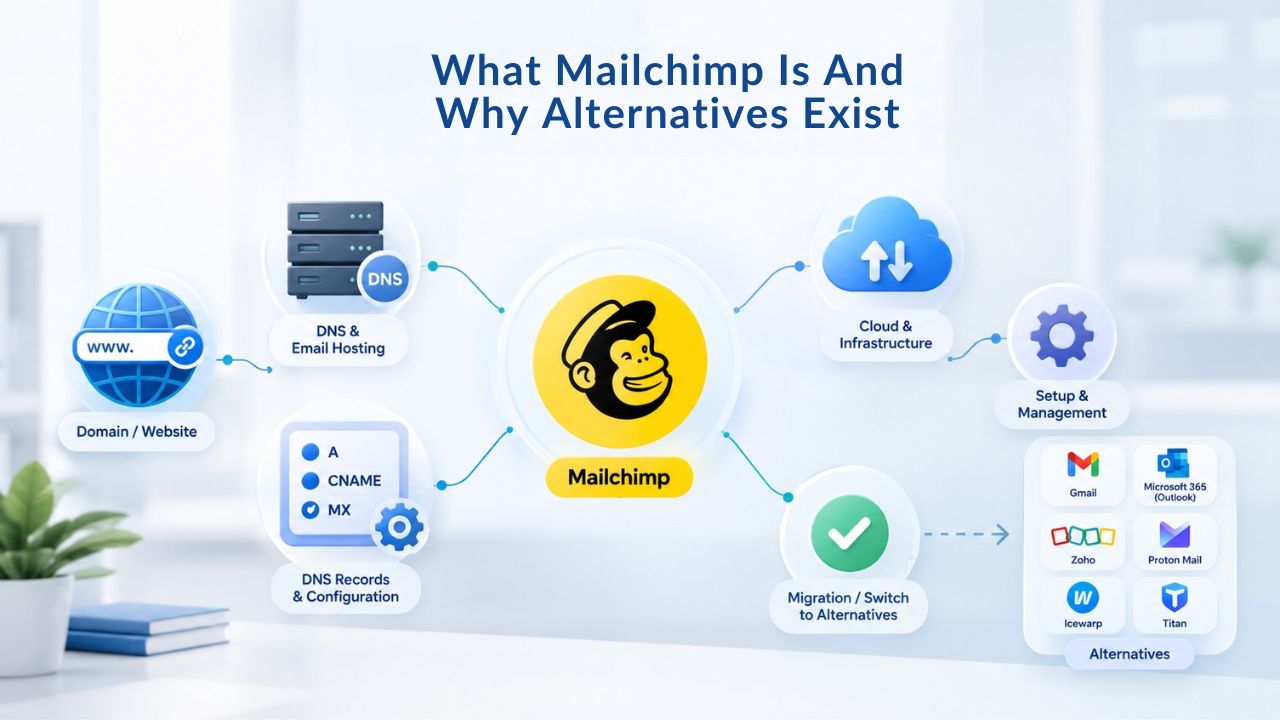
Mailchimp’s Genuine Strengths
Mailchimp offers a user-friendly interface that’s great for beginners, a free plan available for small businesses with limited needs, powerful automation features to save time, and extensive integrations with third-party apps. The platform remains a solid choice for teams just starting email marketing and willing to accept feature limitations in exchange for simplicity. For absolute beginners with subscriber lists under 500 contacts, the free tier delivers real value without requiring payment or credit card commitment.
The platform’s email builder is intuitive enough that non-designers can create professional-looking campaigns without external design tools. Mailchimp’s template library is extensive, and the drag-and-drop interface requires no coding knowledge. For startups and small teams testing email marketing for the first time, this accessibility is a genuine advantage that shouldn’t be dismissed. Mailchimp has proven its staying power precisely because it removes barriers to entry for audiences with zero email marketing experience.
Why Growing Businesses Outgrow It
Mailchimp has increased costs and restricted features in recent years. The free plan’s contact limit was cut significantly, and automations were restricted. For growing small businesses, this creates a painful squeeze: your subscriber list expands and suddenly your monthly bill jumps, or you lose access to the automation workflows you’ve come to rely on. Alternatives offer different pricing models, fewer feature gates, and sometimes better value for specific use cases, whether you’re an e-commerce brand, a creator, or a B2B service company.
Beyond pricing, many users find Mailchimp’s feature set feels generic when their business needs become more specialized. E-commerce brands want revenue tracking. Creators want audience segmentation. B2B companies want complex workflows. Mailchimp tries to serve everyone, which often means serving no one exceptionally well. This is where understanding your alternatives becomes critical: find a platform built for your use case, not one that tries to be everything to everyone.
Email Marketing Plans
Email Marketing Beginner
For anyone getting started with email marketing.
- Up to 500 Contacts
- Add more anytime
- Send up to 5,000 Emails/Month
- Single Signup Form
- Basic Image Storage
- Unsubscribe Handling
- Works with Facebook, Etsy & More

Email Marketing Up & Running
Already have clients? This plan’s for you.
- Up to 2,500 Contacts
- Add more anytime
- Send up to 25,000 Emails/Month
- Unlimited Signup Forms
- Unlimited Image Storage
- Unsubscribe Handling
- Works with Facebook, Etsy & More
- Automated Welcome Email
- Converts Blog Posts to Email
- Unsubscribe Options
- Hot Leads List
Email Marketing Pro
For savvy marketers with growing mailing lists.
- Up to 5,000 Contacts
- Add more anytime
- Send up to 50,000 Emails/Month
- Unlimited Signup Forms
- Unlimited Image Storage
- Unsubscribe Handling
- Works with Facebook, Etsy & More
- Automated Welcome Email
- Converts Blog Posts to Email
- Unsubscribe Options
- Hot Leads List
- Auto-sends Event Emails
- Automated Email Campaigns
- Record Signup IPs
- Share Statistics w/Others
Seven Proven Alternatives to Mailchimp for Small Business Email
The alternatives market has matured significantly. Niche providers now excel in specific areas, automation depth, ease of use, e-commerce integration, and affordable scaling in ways that Mailchimp cannot match without pushing users to premium tiers. Each of the seven alternatives below targets different business needs and priorities. Understanding what each platform does best helps you match your requirements to the tool that will serve you best for the longest time.
Platform Comparison Overview
| Platform | Best For | Core Strength | Differentiator |
|---|---|---|---|
| Brevo (formerly Sendinblue) | Small-to-mid-market all-in-one | Multi-channel (email, SMS, live chat) | Generous free tier with unlimited contacts |
| MailerLite | Beginners and creators | Clean, intuitive interface | Automation included on free tier |
| Moosend | Budget-conscious small businesses | Real-time analytics and reporting | Affordable at scale |
| AWeber | Small-business newsletters | Legendary customer support | High user satisfaction ratings |
| ActiveCampaign | Growing businesses needing depth | Advanced workflow automation | CRM and sales integration |
| Klaviyo | E-commerce and product-driven brands | Revenue-focused analytics | Behavioral targeting at scale |
| Niya Digital Email Marketing Service | Small businesses prioritizing simplicity | Direct platform operation | Built-in list building and automation |
Why Businesses Seek Alternatives
The decision to leave Mailchimp usually isn’t about a single issue; it’s a combination of factors. Users outgrow the free tier but find paid-tier pricing increases faster than their revenue. Others discover their specific need (e-commerce automation, SMS integration, advanced segmentation) requires expensive upgrades or isn’t available at all. Still others prefer working with a platform built for their industry rather than a generalist tool that doesn’t understand their workflow. Understanding these decision drivers helps you evaluate which alternative truly fits your business model.
Many businesses also report that finding responsive support becomes increasingly important as email marketing becomes more critical to their revenue. Mailchimp’s support is often perceived as generic, routing questions through ticketing systems with long response times. By contrast, many alternative platforms pride themselves on direct, personal support, particularly platforms aimed at smaller audiences where each customer relationship matters more. Don’t underestimate this human element when choosing a platform you’ll live in for dozens of hours per month.
List Building and Audience Growth
Small businesses live or die by their email list. Email marketing is effective only if you have engaged subscribers to send to. Research shows that 81% of small businesses use email as their main way to get customers, with 49% currently using email automation. Building and maintaining that list is the foundation of email marketing success. Without a growing, engaged subscriber base, even the most sophisticated platform features become irrelevant.
Signup Forms and Lead Capture
All professional email marketing platforms provide drag-and-drop form builders for website signup forms and landing pages. The practical difference comes down to flexibility and lead-capture automation. Mailchimp’s free plan includes a landing page builder and email creation, making it accessible for absolute beginners who want everything in one place. MailerLite offers an exceptional email editor and templates, and its free plan includes automation and landing pages, making it particularly strong for creators who care about design quality.
Brevo bundles SMS lead capture with email forms at no extra cost, giving small businesses multi-channel reach from day one. This means you’re not limited to email; you can capture subscribers via SMS, web forms, and live chat within the same platform ecosystem. Niya Digital’s Email Marketing Service includes list-building tools integrated with campaign creation, so once a subscriber opts in, they flow directly into your email workflows without manual export steps. For small businesses sending dozens of campaigns per month, this built-in integration reduces friction and saves onboarding time that would otherwise go to data management.
Segmentation and List Quality
Dividing your subscriber list by behavior, demographics, or engagement level, a process called segmentation, improves email performance dramatically. List quality directly influences email marketing benchmarks; a clean, segmented list yields better engagement metrics than a generic one, and regularly removing inactive subscribers helps improve rates. The cost savings from not paying for inactive contacts also add up fast, particularly if you’re using a contact-based pricing model.
Mailchimp’s free tier limits segmentation to basic criteria; paid plans unlock deeper rules. MailerLite and Moosend include segmentation across all tiers, letting small businesses segment their audience without paying premium prices. Brevo emphasizes list hygiene through compliance-focused automation, making it easier to keep lists clean without manual effort. For small businesses managing hundreds rather than millions of contacts, most alternatives’ segmentation capabilities exceed what Mailchimp’s free tier offers at a comparable price point. This means better campaign performance: engaged, segmented audiences respond measurably better.
Campaign Creation and Automation Workflows
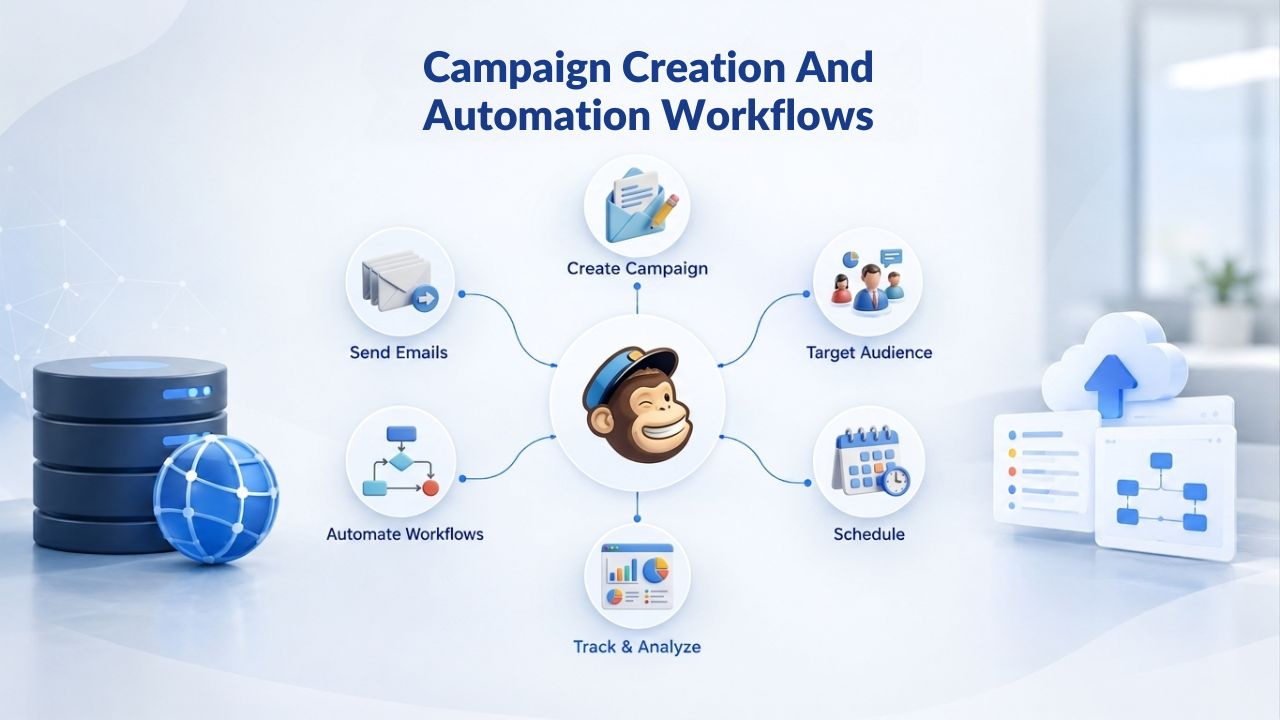
Creating an email campaign should not require design skills or hours of template customization. The ability to launch a professional-looking email in under 30 minutes, then automate sending based on subscriber behavior, separates user-friendly platforms from complexity. Email marketing automation lets you send welcome series to new subscribers, re-engage inactive contacts, and trigger abandoned-cart campaigns, all without manual work after initial setup.
Email Design and Template Flexibility
Mailchimp provides tools for creating beautiful email templates with a drag-and-drop editor and advanced audience segmentation, giving non-designers a fighting chance at professional-looking campaigns. MailerLite has a clean interface and simple personalization, making it especially attractive for small businesses and creators who value design quality without complexity. Brevo’s template library is generous and well-organized, though some users report the template builder feels less flexible than competitors for complex, custom layouts.
Niya Digital’s Email Marketing Service includes a drag-and-drop campaign builder as part of its core offering, removing the friction of template hunting or relying on external design tools. The builder is specifically optimized for speed; you can move from blank canvas to sent campaign in minutes, not hours. For non-designers sending regular campaigns, this simplicity is liberating. You focus on content and messaging while the platform handles the visual presentation. The templates are modern enough that campaigns don’t look amateurish, yet customizable enough to match your brand.
Automation and Triggered Campaigns
Mailchimp offers workflows for welcome emails, abandoned cart reminders, or even birthday greetings, though access to more sophisticated automation is often gated to paid tiers. MailerLite includes automation workflows on its free plan, a major advantage if you’re starting and want to test automation without commitment. ActiveCampaign and Klaviyo excel at multi-step automation with conditional branches, which is critical for complex customer journeys in e-commerce or SaaS environments.
Automated flows have higher open rates than broadcast campaigns because they trigger on specific behavior rather than being sent to broad audiences on a fixed schedule. This targeted, timely approach means subscribers are more likely to be interested when they receive it. Niya Digital’s Email Marketing Service includes automation flows as a core feature, allowing small businesses to build welcome series, re-engagement campaigns, and trigger-based workflows without upgrading to a premium tier. This means you get automation depth at entry-level pricing.
Personalization and Advanced Features
Generic emails perform poorly. Personalization, inserting a subscriber’s name, referencing their purchase history, or showing content based on their interests, lifts engagement significantly. Advanced platforms also offer predictive sending and behavioral triggers that adapt to each subscriber’s habits. The difference between platforms often comes down to how easy they make personalization for teams without data science expertise.
Name and Behavioral Personalization
At minimum, your email platform should let you insert a subscriber’s first name, company, or product-purchase history into email body copy. All seven alternatives support this basic personalization. Mailchimp’s advanced personalization is available in Standard and Premium plans; predictive segmentation is a premium feature. Klaviyo’s predictive analytics, suggesting which products a customer is most likely to purchase, begin in mid-tier plans.
For small businesses, this depth may be unnecessary at first; MailerLite and Niya Digital Email Marketing Service balance simplicity with enough personalization to move the needle on engagement and revenue. You can always upgrade to deeper personalization as you mature and your data sophistication increases. Starting simple lets you prove email marketing fundamentals before investing in advanced capabilities. Many small businesses find that basic name and behavioral personalization solves 80% of their engagement problems.
Dynamic Content and Segmentation
Dynamic content blocks let you show different email sections to different audience segments, all within one campaign. For example, an e-commerce brand can show winter coats to cold-weather subscribers and summer dresses to warm-weather ones, same send time, same campaign, different content. ActiveCampaign and Klaviyo excel here, making dynamic content as simple as setting conditions based on subscriber data. Brevo includes this capability in mid-tier plans, making it accessible without enterprise spending.
Mailchimp gates dynamic content to higher tiers, requiring paid accounts to access this functionality. Niya Digital’s Email Marketing Service supports segmented content sending, allowing small businesses to branch campaigns without premium pricing. This means you get sophisticated personalization at entry-level pricing, not locked behind expensive tiers. For small businesses, this accessibility matters: you can test whether dynamic content improves your metrics before committing a significant budget.
Start Building Personalized Campaigns Today
Personalization isn’t a luxury; it’s the difference between emails people open and emails they delete. The seven alternatives above give small businesses access to personalization tools that once required enterprise spending. Niya Digital’s Email Marketing Service makes it simple to segment your list, personalize messages, and measure impact, without months of setup or complex training.
Deliverability and Email Authentication
Email deliverability, the likelihood that your email reaches a subscriber’s inbox instead of spam, depends on authentication protocols and sender reputation, not the platform alone. All platforms rely on the same industry standards. Understanding this distinction is critical to avoiding unrealistic expectations about any platform’s “guaranteed” deliverability. No platform controls all factors that influence whether your emails land in inboxes or spam folders.
SPF, DKIM, and DMARC Setup
SPF, DKIM, and DMARC are essential email authentication protocols that help secure your domain’s outgoing emails and prevent unauthorized use or spoofing. SPF lets you define which mail servers are allowed to send email on behalf of your domain. DKIM adds a cryptographic signature to your email headers using a private key, confirming the message came from you and wasn’t altered in transit. DMARC builds on SPF and DKIM by defining what should happen when authentication fails, whether receiving servers should reject, quarantine, or monitor unauthenticated messages.
Professional platforms support all three protocols. Mailchimp’s documentation is thorough and beginner-friendly. MailerLite and Brevo provide setup guides for smaller audiences, walking you through each step. Klaviyo and ActiveCampaign cater to higher-volume senders with advanced configuration options. Niya Digital’s Email Marketing Service supports full authentication setup, helping small businesses configure these protocols correctly from day one, reducing the risk of landing in spam folders. Most platforms also verify your authentication setup automatically and alert you if something isn’t configured correctly.
Sender Reputation and Inbox Placement
Your sender reputation is a score ISPs (Gmail, Outlook, Yahoo) assign based on complaint rates, bounce rates, and engagement. A good reputation means inbox placement; a poor one means spam folder. Platform choice alone doesn’t determine this; your sending practices matter as much as the platform itself. Email providers continue to strengthen their security requirements, and messages that aren’t properly authenticated are more likely to be filtered, marked as spam, or rejected altogether.
All seven alternatives offer monitoring tools to track sender reputation and deliverability metrics. Larger platforms like Klaviyo, ActiveCampaign, and Brevo offer dedicated deliverability support and warming services for new sending IPs, which is valuable if you’re sending large volumes. Smaller platforms like MailerLite, Moosend, and Niya Digital offer basic reputation monitoring in the platform dashboard, which is enough for most small businesses. The key insight: good deliverability comes from good list quality, relevant content, and authentication setup, not from platform choice.
Performance Metrics and Reporting
Email marketing effectiveness lives in the data. Open rates, click rates, and conversion rates tell you what’s working and what’s not. Understanding these metrics guides optimization decisions and ROI measurement. Without data, you’re sending emails in the dark, unable to know whether your campaigns are actually moving the needle for your business.
Core Metrics: Opens, Clicks, and Conversions
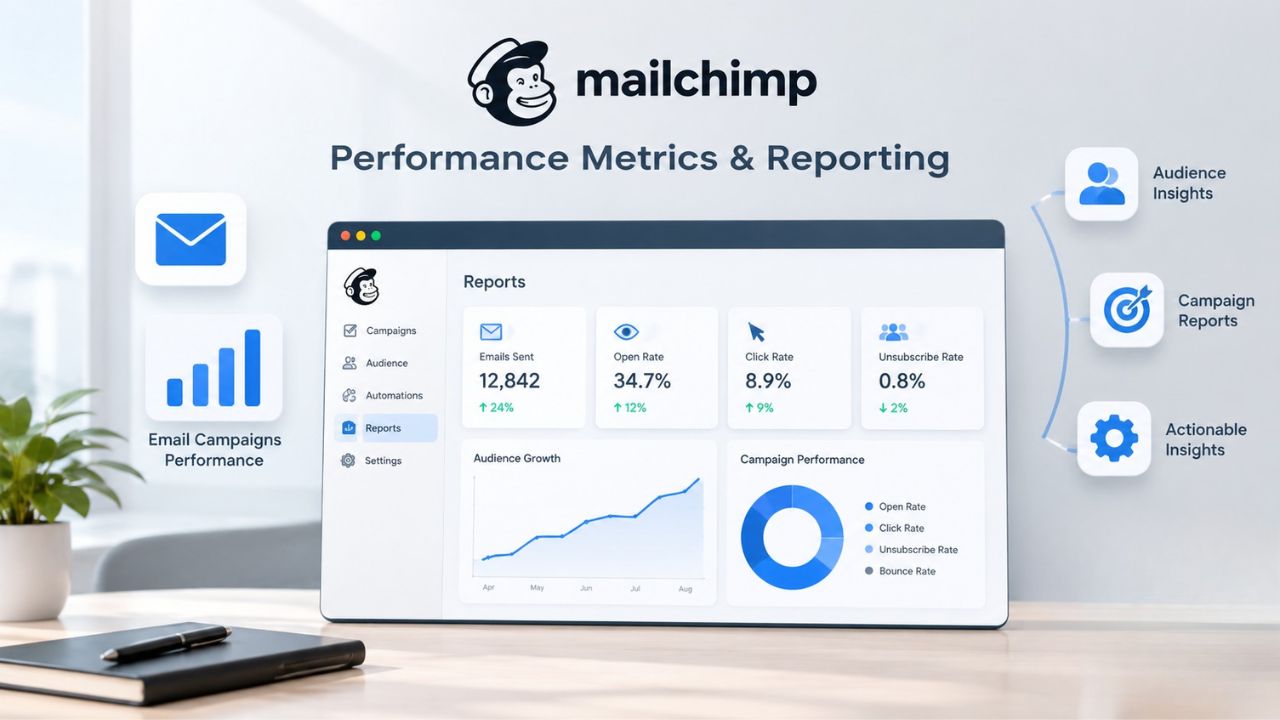
Open rate measures the percentage of recipients who open your email; the average across industries is 20-25%, though this varies significantly by industry and list quality. Click-through rate (CTR) measures the percentage of recipients who clicked on one or more links; the average CTR is 2-5%. Click-to-open rate (CTOR) measures the percentage of recipients who clicked a link after opening; the average CTOR is 10-15%. These benchmarks vary significantly by industry, so compare yourself to competitors in your space, not to generic industry averages.
All platforms track these metrics. Mailchimp’s analytics dashboard gives detailed insights into open rates and click-through rates. Klaviyo and ActiveCampaign layer revenue attribution on top, showing not just clicks, but which emails drove actual sales. For e-commerce, this is essential; for service-based small businesses, basic metrics suffice. Niya Digital’s Email Marketing Service includes performance reporting and metrics tracking, giving small-business owners visibility into campaign effectiveness without complex data export or third-party analytics tools. You can see what’s working at a glance and iterate quickly.
Campaign Analysis and Continuous Improvement
Understanding why one subject line outperforms another, or which send time drives higher engagement, allows continuous improvement over time. Mailchimp’s analytics dashboard provides detailed campaign performance insights, but interpreting them takes experience. Brevo and MailerLite offer clear, at-a-glance dashboards without overwhelming detail. Klaviyo and ActiveCampaign provide deep segmentation of results by audience subset.
For small businesses just starting performance tracking, straightforward dashboards work well; as teams grow, more detailed analysis becomes valuable. Don’t overcomplicate your metrics early on; focus first on open rate, click rate, and email-attributed revenue. Once those become part of your normal review process, you can layer in more sophisticated analysis. Most platforms allow you to track multiple campaigns over time, showing trends in your metrics. This historical perspective is invaluable for proving email marketing’s impact to stakeholders.
Integrations and Platform Compatibility
Email marketing doesn’t live in isolation. Your email platform needs to connect with your website (WordPress, Shopify), CRM (HubSpot, Salesforce), or e-commerce backend to trigger campaigns automatically and track revenue. The depth and ease of these integrations significantly affect your operational efficiency.
Native E-commerce and CRM Connections
Mailchimp integrates with tons of apps like Shopify, WordPress, and Salesforce, making it easy to connect with your existing tools. Klaviyo was purpose-built for Shopify e-commerce, with deep native integration and product-recommendation engines that feel built-in. ActiveCampaign connects broadly to CRM and sales tools, making it particularly strong for B2B workflows. Brevo includes native CRM capabilities, eliminating the need to switch tools.
For small-business owners using popular tools like Shopify or WordPress, Mailchimp’s integration ecosystem is mature and reliable. Klaviyo excels if Shopify is your e-commerce platform. For more niche tools, Zapier (a popular automation platform) bridges most gaps, letting Mailchimp, MailerLite, Moosend, and others integrate indirectly. Niya Digital’s Email Marketing Service connects via API and supports standard integrations, with expansion ongoing as the platform grows. The key question: does the platform connect to your three most important business tools? If yes, everything else is secondary.
Form and Landing Page Builders
Capturing leads requires signup forms and landing pages. Mailchimp offers landing pages and signup forms as part of its feature set, bundling these tools together. MailerLite includes both on all tiers, allowing you to build entire lead-generation funnels without leaving the platform. Brevo and GetResponse bundle landing pages alongside email. Klaviyo focuses on email and SMS, leaving landing pages to third parties like Leadpages or Unbounce.
For small businesses, bundled form and landing-page builders reduce tool-switching and speed up campaign deployment. Specialized platforms like Klaviyo integrate with external tools, adding complexity but offering deeper e-commerce specialization for high-volume sellers. Niya Digital’s Email Marketing Service includes integrated form and landing-page capabilities, allowing you to build signup flows entirely within the platform. This all-in-one approach appeals to small teams managing multiple responsibilities without the bandwidth to integrate tools.
Scalability and Growth Planning
Different platforms scale differently. Some begin small and affordable, then become increasingly expensive as you grow. Others have transparent scaling where costs remain predictable. Some offer unlimited sending on fixed plans, removing the cost-growth concern entirely. Understanding your growth projections- where will you be in 12 months, 24 months?- helps you choose a platform built to scale with you rather than one you’ll outgrow.
Feature Expansion and Advanced Capabilities
As your business grows, you’ll likely need features that weren’t important at startup. Welcome series seem sufficient at first, then you need abandoned-cart automation, then behavioral segmentation, then predictive sending. Platforms differ dramatically in how they add features as you upgrade. Some gate critical functionality behind expensive tiers, forcing expensive upgrades. Others include most features across all tiers, letting you graduate naturally as you’re ready.
Mailchimp’s model gates advanced features to higher tiers, meaning as your needs grow, your costs grow dramatically. MailerLite and Brevo take a different approach, including automation and segmentation across all tiers to reduce surprise cost jumps. ActiveCampaign and Klaviyo offer tiered features, but the tiers are built around user roles and team size rather than core functionality. Niya Digital’s Email Marketing Service positions itself for affordable growth, meaning you access automation and personalization at entry-level pricing, not locked behind premium tiers. This matters tremendously for small businesses financing tools from limited marketing budgets.
Infrastructure Reliability and Uptime
As email marketing becomes mission-critical to your business, platform reliability becomes a legitimate concern. Can the platform handle your sending volume without performance degradation? What happens during traffic spikes? Do they have redundant infrastructure, or is your success dependent on a single data center? These aren’t concerns for casual senders, but they matter for businesses where email drives significant revenue.
All major platforms maintain high-availability infrastructure with redundancy and failover systems. Mailchimp, ActiveCampaign, and Klaviyo explicitly publish their uptime commitments. Smaller platforms like MailerLite and Moosend are equally reliable but may not publish formal SLAs. Niya Digital’s Email Marketing Service operates on standard cloud infrastructure with layered protection, ensuring your campaigns send reliably even during high-volume periods. For most small businesses, all platforms are reliable enough; the differences matter only at very high sending volumes.
Choosing the Right Platform for Your Business
Choosing an email platform comes down to weighing your current needs against your growth trajectory. A startup’s ideal platform differs from a three-year-old e-commerce brand’s. The right choice depends on your use case, budget, technical comfort, and growth plans. Thinking this through now saves migration work later.
Feature Comparison: Core Capabilities Across Platforms
| Feature / Capability | Why It Matters | Entry-Level Access | Advanced Access |
|---|---|---|---|
| Email Templates | Speeds campaign creation for non-designers | All platforms (free/base tiers) | All platforms offer design flexibility |
| Automation Workflows | Sends emails based on subscriber actions without manual work | MailerLite, Brevo, Niya Digital on free tier; others on paid | ActiveCampaign, Klaviyo offer advanced conditional logic |
| A/B Testing | Tests subject lines, content, and send times to optimize performance | MailerLite, Brevo offer on free/base tier | ActiveCampaign, Klaviyo offer multivariate testing |
| Segmentation | Branches audience into groups for targeted campaigns | MailerLite, Moosend include basic segmentation | ActiveCampaign, Klaviyo offer behavioral segmentation |
| Landing Pages | Captures leads without external tools | MailerLite, Brevo, Niya Digital include | ActiveCampaign includes; Klaviyo integrates with external |
| CRM Integration | Connects email to customer data for automation | Mailchimp, MailerLite, Brevo via integration | ActiveCampaign, Brevo include native CRM |
| Deliverability Tools | Monitors authentication, sender reputation, inbox placement | All platforms include basic monitoring | Larger platforms offer advanced diagnostics |
| Analytics & Reporting | Measures email performance and ROI | All platforms track opens, clicks, unsubscribes | Klaviyo, ActiveCampaign include revenue attribution |
| Customer Support | Provides help when you’re stuck | Email/chat on paid plans for most | MailerLite is known for responsive support |
How to Evaluate Your Options
Start with your core use case. Are you sending weekly newsletters? Running e-commerce abandoned-cart campaigns? Automating welcome series? MailerLite and Moosend excel for newsletter-heavy senders focused on simplicity. Klaviyo dominates e-commerce. ActiveCampaign powers complex B2B automations. Brevo handles high-volume transactional email. Niya Digital’s Email Marketing Service handles all three competently without requiring specialization or platform switching.
Most alternatives offer free trials or free tiers. Spend 2–3 hours building a test campaign, creating a signup form, and exploring automation features. A platform that feels intuitive to you will save hours of frustration later. Try to send your first email within your first 30 minutes; if the platform makes this hard, move on. Test customer support by submitting a question; a platform that responds quickly likely prioritizes small customers. By the end of your trial, you’ll have a genuine sense of whether this platform works for you.
Making Your Final Decision
Project your growth. Where will your subscriber count and sending volume be in 12 months? Which features will you actually use, and which are nice-to-haves? Niya Digital’s team has found that small businesses often underestimate how quickly their subscriber list grows once they implement consistent list-building and have working automations in place. Choosing a platform built for affordable growth, not one you’ll outgrow in 18 months, pays dividends long-term.
Email marketing effectiveness is driven by message relevance, list quality, and sending consistency, not platform choice alone. A simple platform used consistently will outperform a complex platform used sporadically. Start simple, measure results, and scale your tools as your business grows. The best platform isn’t the one with the most features; it’s the one you’ll actually use consistently.
Take Action: Move Beyond Mailchimp This Month
If Mailchimp’s limitations or changing needs have you reconsidering, the alternatives listed above offer real value for different business models and priorities. Most offer free trials so you can test-drive a new platform without financial commitment. Niya Digital’s Email Marketing Service helps small businesses move from manual email sending to automated, personalized campaigns, with straightforward operations and no surprises as your subscriber list grows.
Frequently Asked Questions
What is the difference between a free plan and a paid plan in email marketing software?
Free plans typically limit you to a small subscriber count (usually 500–5,000 contacts), basic features like drag-and-drop email builders, simple automation, and limited sending volume. Paid plans remove or scale subscriber limits, unlock advanced automations like multi-step workflows and conditional logic, enable A/B testing, and provide dedicated support. Most free plans are genuinely useful for testing a platform or sending to a small existing audience; they’re not just loss leaders designed to upsell premium features you actually need.
How quickly can I build and send my first email campaign?
Most platforms let you upload a contact list or create a signup form, design an email using a drag-and-drop template, and send within 20–60 minutes. The time depends on your comfort with email design and how particular you are about formatting. Once you’ve sent one campaign, the second and third take much less time because you reuse templates and lists. Expect a 1–2 hour learning curve for your first full workflow, signup form creation, list segmentation, campaign design, scheduling, and delivery, then dramatically faster subsequent campaigns.
Can I switch email platforms later without losing my subscriber data?
Yes. Your email list is your data and belongs to you, not the platform. All professional platforms let you export your subscribers as a CSV file (a simple spreadsheet). You can then upload that list to a new platform. The only thing you might lose is historical campaign performance data and saved automation workflows, so it’s worth choosing a platform that fits your needs, rather than constantly switching around based on shiny features.
What is email deliverability and why does it matter for my business?
Deliverability is the percentage of emails you send that actually reach subscribers’ inboxes rather than spam folders or being rejected entirely. Poor deliverability means your campaigns don’t reach people even though you invested time building them. It depends on domain authentication (SPF, DKIM, DMARC setup), list quality (no fake addresses or spam traps), content quality (avoiding spam-trigger words), and sender reputation (mailbox providers penalize complaints and bounces). Your email platform can help with setup and monitoring, but you control list quality and content.
Which automation should I set up first for maximum business impact?
A welcome series, 3–5 emails sent automatically when someone joins your list, is the highest-impact first automation. It builds trust, introduces your brand, and typically drives 30–50% higher engagement than standalone broadcast campaigns. After that, a re-engagement campaign reaching inactive subscribers after 90 days of no opens, and an abandoned-cart campaign for e-commerce businesses, deliver quick, measurable ROI. Don’t try to build a complex multi-step workflow on day one; start simple and iterate based on results.
How often should I email my subscriber list to maintain engagement?
Sending frequency depends on your industry and audience expectations. Newsletter and content-driven senders (media, education, creators) often send 1–5 times weekly. E-commerce and SaaS typically send 2–4 times per week. B2B service providers often send weekly or bi-weekly. Monitor unsubscribe rates and engagement metrics after increasing frequency; if they drop significantly, pull back. Most platforms provide industry benchmarks to guide your decision, and your analytics will tell you what your specific audience prefers.
Is Mailchimp really becoming prohibitively expensive, or am I just price-sensitive?
Mailchimp’s costs have genuinely increased significantly over the past few years. The free plan’s contact limit was reduced from 2,000 to 500, and automations were restricted. For a small business with a growing list, these changes compound quickly. At 5,000 contacts, Mailchimp’s costs can exceed many alternatives offering similar or better features. For under 1,000 contacts, Mailchimp’s free tier remains competitive; above that, comparing alternatives carefully is worth your time.
What’s the practical difference between Mailchimp and MailerLite for small business email?
Mailchimp offers broader features (SMS, social ads, postcards) and deeper integrations, but locks automation and testing behind paid tiers. MailerLite focuses on email marketing depth, a cleaner interface, automation included on free plans, a faster learning curve, and more accessible advanced features. For pure email marketing, MailerLite often wins on user experience. For omnichannel campaigns, Mailchimp wins on breadth. For small budgets and beginners prioritizing simplicity, MailerLite is usually the better choice.
Can I use multiple email marketing platforms at the same time?
You can technically, but shouldn’t operationally. Splitting your subscriber list across two platforms creates duplicate work, fragmented reporting, and compliance headaches. If you’re testing a new platform, export a small sample list or run it in parallel for a defined trial period (2–4 weeks), then pick one and fully migrate. The exception: using a specialist platform like Klaviyo for e-commerce automation alongside a generalist like MailerLite for newsletters by routing subscribers based on their behavior, but this requires API-level integration and is complex for most small businesses.
What should I look for in email platform customer support?
For small businesses, good support means responsive help channels (email, live chat, phone) and easy-to-find documentation. Mailchimp offers 24/7 email and live chat for paid plans. MailerLite and Brevo provide email and chat support. Klaviyo and ActiveCampaign offer support depending on plan tier. Niya Digital’s Email Marketing Service provides support through standard channels. Before signing up, test support responsiveness by submitting a genuine question and noting how quickly you get a real answer.
How do I know if an email marketing platform is right for me?
Use the platform’s free trial or free tier to complete your full workflow: build a signup form, upload a list, create a campaign, set up one automation workflow, and review the reporting. Spend 2–4 hours getting familiar. A platform that feels intuitive and doesn’t frustrate you in those first few hours is likely the right fit. If you spend that time fighting the interface or feeling lost, the platform isn’t for you; move to another option.
Which alternative is best for complete beginners to email marketing?
MailerLite and Moosend are widely regarded as the most beginner-friendly alternatives, with clean interfaces, included automation on free tiers, and straightforward workflows. Niya Digital’s Email Marketing Service is also designed for small businesses without complexity overhead. Mailchimp, despite its reputation for ease of use, now has a steeper setup curve because it gates automation features behind paid tiers. If simplicity is your top priority, start with MailerLite or Moosend.
Is there a completely free email marketing tool that doesn’t require a credit card?
Yes. MailerLite’s free tier doesn’t require a credit card upfront. Brevo’s free tier doesn’t require a credit card. Moosend’s free tier doesn’t. Mailchimp’s free plan now requires either a credit card or manual approval for access. Niya Digital’s Email Marketing Service is designed with accessibility in mind; check the website for current free-trial or free-tier options to get started without a payment commitment.
Why would I pay for email marketing when I could send emails manually?
Manual email sends don’t scale practically. Once you have 100+ subscribers, sending individual emails becomes impractical, error-prone, and time-consuming. Email platforms automate list sends, personalize messages at scale, track engagement (opens and clicks), and enable automation workflows (welcome series, triggered sends, re-engagement). The time savings and engagement gains justify platform costs almost immediately; a single successful automation workflow like abandoned-cart recovery often pays for an annual subscription in recovered sales.
How much can email marketing impact my overall business revenue?
Email marketing is one of the highest-return marketing channels, with businesses reporting 40:1 or better ROI depending on their industry and execution. This means every dollar spent on email marketing tools returns at least that much in revenue. This ROI assumes you’re sending relevant, well-targeted campaigns to engaged lists, not spamming everyone indiscriminately. The platform you choose affects ROI less than your strategy, list quality, and consistency, but choosing a platform built for your business model reduces implementation friction.
Glossary
- Automation Workflow: A series of actions triggered automatically based on a subscriber’s behavior or specific time intervals. Example: A welcome-series workflow sends Email 1 immediately upon signup, Email 2 three days later, and Email 3 a week later, no manual trigger needed after initial setup.
- Click-Through Rate (CTR): The percentage of recipients who clicked on at least one link within an email, calculated as (Unique Clicks ÷ Emails Delivered) × 100. Industry average: 2–5%; varies significantly by industry and content relevance.
- DKIM (DomainKeys Identified Mail): An email authentication protocol that adds a cryptographic signature to outgoing emails, allowing receiving mail servers to verify the email genuinely came from your domain and wasn’t altered during transit or by intermediaries.
- DMARC (Domain-based Message Authentication, Reporting & Conformance): An email authentication policy framework built on SPF and DKIM that defines how receiving mail servers should handle emails failing authentication checks, and provides detailed reporting on email authentication results.
- Email Deliverability: The likelihood that your email reaches a recipient’s inbox rather than the spam folder or rejection. Depends on authentication setup (SPF/DKIM/DMARC), list quality, content quality, and sender reputation, not platform choice alone.
- Open Rate: The percentage of delivered emails that recipients actually opened, calculated as (Unique Opens ÷ Emails Delivered) × 100. Industry average: 20–25%; varies significantly by industry and list engagement level.
- Segmentation: Dividing your subscriber list into groups based on shared characteristics, demographics, purchase history, engagement level, geographic location, or behavior so that you can send targeted emails to each group rather than one generic message to everyone.
- SPF (Sender Policy Framework): An email authentication protocol that specifies which mail servers are authorized to send emails on behalf of your domain, helping prevent email spoofing and improving the likelihood of inbox delivery by confirming message legitimacy.