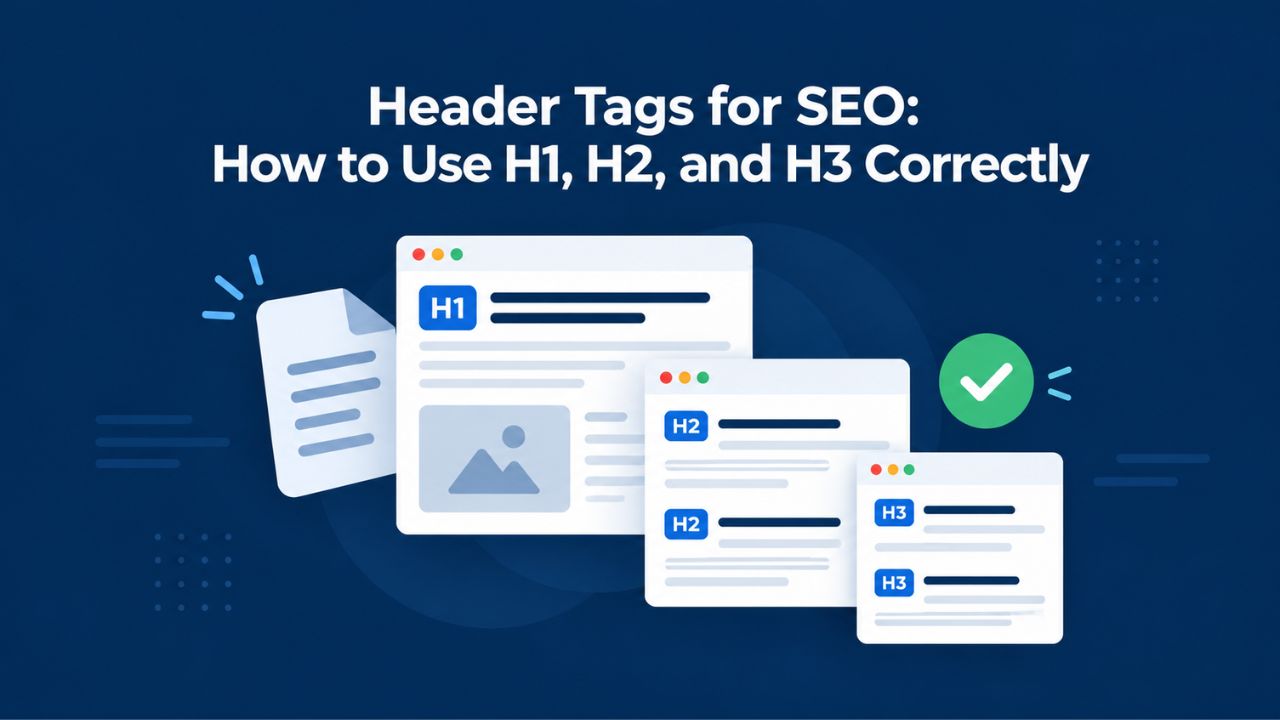
Many site owners overlook header tags when optimizing for search engines, yet they play a critical role in both user experience and search visibility. Headers structure your content and signal page topics to search engines, making proper configuration essential. Using header tags correctly improves readability, accessibility, and search performance. DIY SEO, GoDaddy’s self-serve platform offered through Niya Digital as an authorized reseller, draws on public search-engine data and third-party keyword and traffic sources to generate its technical-audit metrics.
What Header Tags Are & Why They Matter for SEO
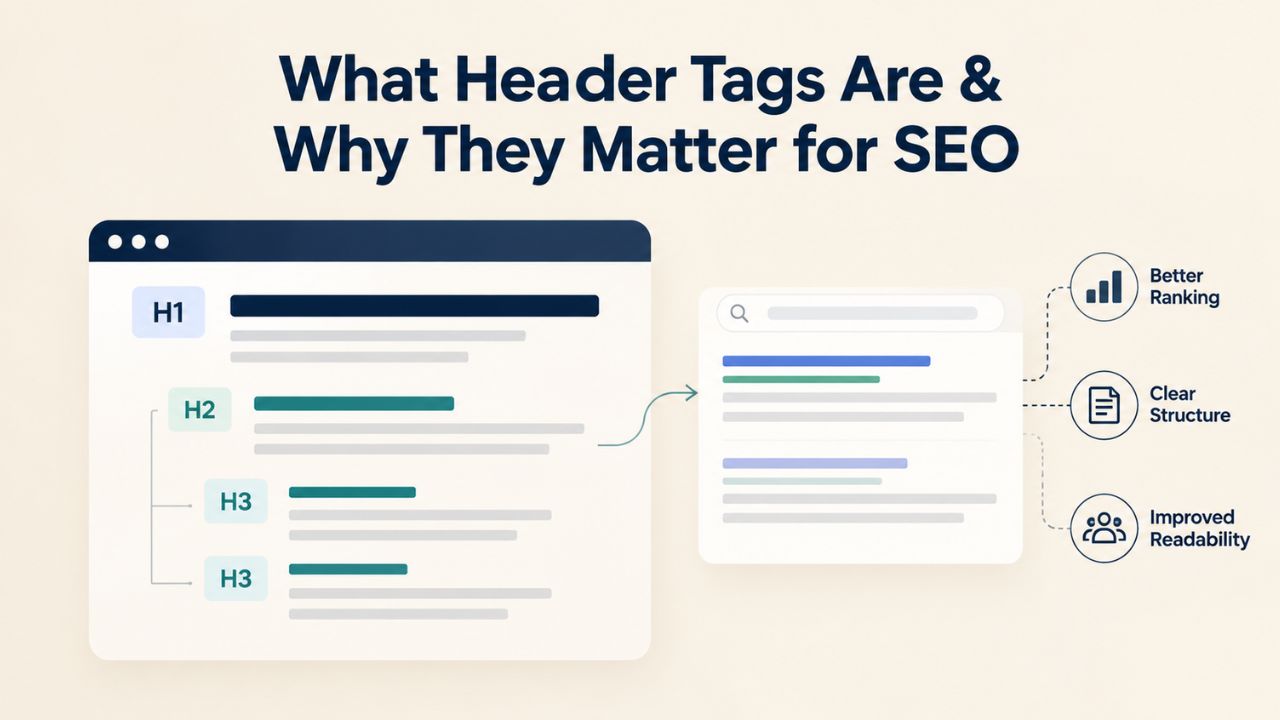
Header tags provide structural hierarchy to web pages and help both readers and search engines understand your content. Search engines use header content to identify page topics and determine relevance to search queries. When a crawler visits your page, it reads headers to identify primary, secondary, and tertiary topics and build a semantic map of your content. Readers also rely on headers to scan pages and decide whether to continue reading, making headers critical for engagement and time-on-page metrics.
How Search Engines Read Your Headers
Header tags signal topic importance to search engines and improve content discoverability. When a search engine crawls your page, it recognizes header hierarchy: one H1 (main topic), H2S (major sections), H3S (subsections), and uses this structure to contextualize your entire page. Headers with relevant keywords receive a modest ranking signal boost compared to body text alone, though this boost is small compared to overall content quality and topical relevance. Search engines treat the H1 as the page’s primary topic, making it one of the first signals they use to determine what a page is about.
Strong header structure also improves Core Web Vitals and accessibility compliance, both factors Google explicitly considers in ranking and user-experience scoring. Readers on mobile devices especially rely on headers to scan content, reducing their need to read every word. Clear, descriptive headers lower bounce rates and increase time-on-page, signals that indirectly strengthen rankings. When search engines see readers engaging longer with well-structured pages, they gain confidence that the page delivers value.
The Role of Headers in On-Page SEO
On-page SEO encompasses content quality, meta tags, internal links, and HTML structure, and headers are a visible, controllable HTML element that directly influences all three. Headers are a minor-to-moderate ranking factor; fixing header issues alone will not move rankings overnight. However, combined with keyword research, internal linking, content depth, and user engagement optimization, proper headers support gradual visibility gains over weeks and months. Headers work alongside other on-page signals; a page with perfect headers but thin content will still underperform compared to a comprehensive page with proper headers.
Headers also serve a semantic function beyond SEO: they tell search engines and assistive technologies which topics are primary, secondary, and tertiary on your page. A page about “DIY SEO tools for small business” should have an H1 matching that topic, with H2s covering keyword research, technical audits, rank tracking, and competitor analysis, a structure that reinforces topical relevance and helps both humans and machines understand your content architecture. This semantic clarity is foundational to effective on-page SEO and accessible design.
Search Engine Optimization (SEO) Plans & Pricing
Choose an SEO plan designed to support your website’s search visibility and growth goals. Whether you need keyword research, technical SEO audits, competitor analysis, rank tracking, or ongoing optimization support, our flexible plans provide the tools and insights you need to build a stronger SEO strategy and improve your online presence.
Search Engine Optimization (SEO)
Bring more traffic to your website with Search Engine Optimization.
- Search Optimization: Improve search engine rankings with keyword and suggested topics tool
- Keyword suggestions: Get personalized phrases and words to add to increase traffic to your website and help it rank better.
- Tracking your ranking: Track the progress of your website’s rank on Google over time
- Create your sitemap: Customize, create and submit a site map to aid search engines in crawling your site.

Search Engine Optimization (SEO)
- Search Optimization: Improve search engine rankings with keyword and suggested topics tool
- Keyword suggestions: Get personalized phrases and words to add to increase traffic to your website and help it rank better.
- Tracking your ranking: Track the progress of your website’s rank on Google over time
- Create your sitemap: Customize, create and submit a site map to aid search engines in crawling your site.
Customized SEO Plan
Get Customized Plan For your Business Website SEO (Search Engine Optimization)
- On-Page & Off-Page Optimization: Update Meta Tags, Titles, Descriptions, Alt Tags, Schema / JSON-LD / Microdata Format, HTML + TXT + XML Sitemap, Robots.TXT, Google Analytics & Google Search Console integration
- Keyword Research & Analysis: Improve Keyword Effectiveness Index (KEI) with main heading & sub-heading tags, Content Review by professional content editor
- Competitor Research & Analysis: Compare and Compete with competitors search engine ranking positions, Track and analyse competitor trends
- Diversify Back Link Profile: Relevant Business Directory Submission, Article Submission, Blog Creation, Web 2.0 asset creations, Author Profile Links, Social Book Marking links
- Monthly Task Review & Progress Reporting: Get Monthly SERP Reports and Task Performance Reports
Proper Header Hierarchy: H1, H2, H3 Structure
The hierarchy rule is straightforward yet powerful: use one H1 per page, place H2S beneath it for major sections, and nest H3S beneath H2S for subsections. Never skip levels; jumping from H1 directly to H3 weakens semantic structure and confuses both search engines and assistive technologies. Proper nesting clarifies content structure for readers and crawlers alike, improving comprehension and indexing. Understanding and implementing correct header hierarchy is one of the quickest wins in on-page SEO optimization.
Why One H1 Per Page Matters
A single H1 signals the page’s primary topic to search engines with unmistakable clarity. A page should have exactly one H1 tag per page, placed near the top of the visible content, describing the page’s main topic in 5–10 words without forced keyword repetition. Multiple H1S on a single page create competing topic signals that confuse crawlers about which subject should be prioritized for indexing. A missing H1 leaves the page’s primary focus unclear, forcing search engines to guess at the main topic by analyzing body text, a less reliable signal.
Place your H1 near the top, ideally as the first heading on the page, visible to visitors immediately after the page title or introductory text. Keep it concise, keyword-relevant, and naturally phrased without stuffing multiple keyword variations. An H1 like “Best DIY SEO Tools for Small Business Owners” is clear, scannable, and incorporates target keywords naturally. Avoid H1S like “DIY SEO Tools | Keyword Research | Technical Audits | Rank Tracking” which attempt to cram multiple topics into one heading and dilute the primary topic signal.
Nesting H2s and H3s Under Your H1
After your H1, each major content section should have its own H2 heading. Under each H2, you may add H3S for subsections when content warrants deeper division. This creates an outline-like structure that readers and search engines both understand at a glance. H2 tags should divide the H1 topic into major sections; H3 tags should subdivide H2 sections. Skipping levels, such as H1 → H3 → H4 without using H2, breaks this logical progression and weakens semantic meaning.
For example, a page titled “DIY SEO Audit Tool Guide” (H1) might use H2s like “What a Technical SEO Audit Covers,” “How to Run Your Own Audit,” “Common Audit Findings,” and “Tools That Automate Auditing.” Under “How to Run Your Own Audit,” you might use H3s like “Step 1: Scan for Missing Headers,” “Step 2: Check Site Speed,” and “Step 3: Review Internal Links.” This logical progression aids both human comprehension and search engine parsing, improving overall page quality signals.
Best Practices for Your H1 Tag
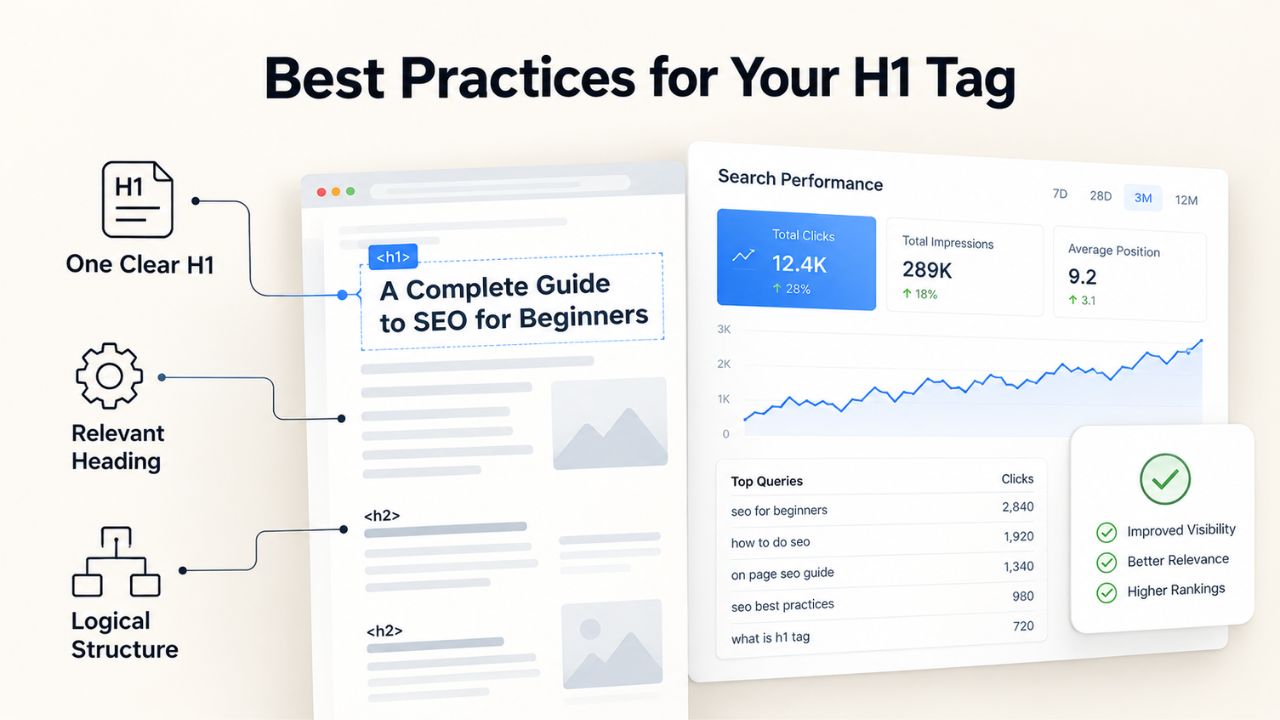
Your H1 is your page’s primary headline; it should always be clear, keyword-relevant, and user-focused. The best H1 tags describe page content in plain language readers understand immediately, regardless of their SEO expertise. Avoid stuffing multiple keywords or creating overly long, awkward titles that prioritize search engines over readability. Your H1 should pass the “read-aloud test”: if it sounds unnatural when spoken, refine it.
Crafting a Keyword-Rich H1
Incorporate your primary keyword naturally into your H1 without forced repetition or awkward phrasing. If your page targets “DIY SEO audit tool,” your H1 might read “DIY SEO Audit Tool: Detect and Fix Issues” rather than “Ultimate Guide to DIY SEO Audit Tools and DIY SEO Audits.” The keyword appears once or twice at most, in natural context, without keyword densification. Natural keywords carry ranking weight; forced, repetitive keywords dilute readability and may trigger quality penalties from search algorithms.
Headers should be clear and scannable; search-engine optimization is secondary to user clarity. A natural H1 reads well aloud, makes sense to a human visitor, and incorporates keywords organically. Tools like DIY SEO’s technical audit feature flag missing H1S and mismatched keywords in seconds, helping you spot optimization opportunities without manual source-code inspection. This automated detection saves hours of manual auditing and catches issues your in-house team might miss.
Length and Readability
Keep your H1 between 5 and 10 words, ideally under 75 characters including spaces. Concise headers are easier to scan, take up less screen real estate on mobile devices, and reduce cognitive load. A 5–10 word H1 also fits cleanly on small screens without wrapping, improving visual hierarchy and professional appearance. Search engines also process short, focused H1S more efficiently when determining page relevance.
Long, complex H1 tags (15+ words) dilute keyword focus, take up excessive screen space, and read awkwardly to both humans and machines. Compare “How to Use Header Tags for SEO: A Complete Guide to H1, H2, H3 Tags and Best Practices for On-Page Optimization” to “Header Tags for SEO: How to Use H1, H2, and H3 Correctly.” The second is tighter, scannable without truncation on mobile, and still captures the core topic. Aim for brevity without sacrificing keyword relevance or clarity.
Using Keywords in Headers Without Overdoing It
Keywords in headers matter; they carry ranking weight, but only when placed naturally and strategically. Keyword stuffing (repeating a keyword unnaturally) in headers sounds robotic, hurts readability, and risks quality penalties from Google’s helpful-content algorithms. The goal is keyword relevance, not keyword density. Headers should read naturally to human visitors first; SEO is a secondary benefit of good header writing, not the primary objective.
Natural Keyword Placement
Write headers for readers first, then optimize for search engines. Ask yourself: “Would a human user write this header this way?” If the answer is no, rewrite it to be more natural. A header like “DIY SEO tools, best DIY SEO tools, affordable DIY SEO tools for small business” is keyword stuffing that damages readability. A header like “DIY SEO Tools for Small Business Owners” is natural, includes the relevant keyword phrase once, and reads professionally.
Distribute your keywords across multiple headers, your H1, one or two H2s, and a few H3s, rather than cramming every keyword variation into a single header. This spreads keyword relevance across the page while maintaining readability and semantic clarity. If your page targets “DIY SEO tools,” “keyword research,” and “technical audits,” you might use separate H2s for each topic rather than trying to include all three in your H1. This approach pleases both search algorithms and human readers.
Avoiding Keyword Gaps and Missed Opportunities
Review your headers after drafting your outline to confirm they cover your page’s core topics and target keywords. If a major keyword or concept is missing from your headers, consider adding it naturally in a new H2 or H3. A page about “technical SEO audit tools” should mention “audit,” “technical SEO,” “on-page SEO,” or related concepts in at least one or two headers. Keyword gaps in headers often indicate gaps in your content planning.
Niya Digital’s team has found that header-tag misconfigurations, particularly multiple H1S, missing hierarchy, and keyword gaps, appear across DIY SEO technical audits for new small-business sites, often undetected by in-house teams until an automated audit is run. This pattern reflects a broader issue: many businesses build pages without planning header structure first. Taking ten minutes to outline your page and assign keywords to each section prevents hours of rework later.
H2 & H3 Tags: Organizing Content Within Your Page
H2 and H3 tags divide your H1 topic into logical sections, helping readers navigate and helping search engines parse your content’s sub-topics. Well-organized headers create natural break points for internal linking; each section can link to related pages using the H2 or H3 topic as anchor text. A clear hierarchy also improves your page’s information architecture, making it easier for both users and crawlers to understand how your content relates to other pages on your site.
| Factor | Best Practice | Why It Matters |
|---|---|---|
| H1 Count Per Page | Exactly 1 | Multiple H1S confuse search engines about the primary topic; a single H1 signals a clear hierarchy |
| H1 Length | 5–10 words | Concise H1 improves readability and keyword focus; overly long H1 dilutes signal |
| H2/H3 Hierarchy | Sequential (H1 → H2 → H3) | Proper nesting clarifies content structure for users and crawlers; skipped levels weaken meaning |
| Keywords in Headers | Natural, not forced | Relevant keywords add ranking signal; stuffing keywords sounds unnatural and risks penalty |
| Header Reuse | Unique per page | Duplicate headers dilute topic signals; unique headers clarify each page’s distinct purpose |
| Visual Styling | Use CSS, not header tags | Using heading tags only for styling breaks semantic meaning; proper markup + CSS keeps structure intact |
Creating Logical Section Breaks with H2 Tags
Each H2 should cover a distinct aspect of your H1 topic without overlap or redundancy. On a page about “DIY SEO tools,” you might use H2s for “Keyword Research Features,” “Technical Audit Capabilities,” “Rank Tracking,” and “Competitor Analysis Tools.” Each H2 separates a functional area, helping readers jump to relevant sections and helping search engines categorize your content correctly. Well-separated H2s also make your page scannable, a critical factor for mobile users and readers with limited time.
Choose H2 headings that would work as chapter titles in a book, clear, distinct, and covering different ground. Avoid repeating the same concept across multiple H2s, and avoid generic headers like “Overview,” “Details,” or “More Information.” Specific headers like “How Header Tags Affect Click-Through Rates” or “Implementing Header Changes Safely” are more useful to readers and more informative to search engines. Descriptive headers also increase the chance your content appears in featured snippets, where Google often extracts well-structured header text.
Subdividing with H3 Tags When Needed
Use H3 tags to break down complex H2 topics further only when necessary and beneficial. If an H2 covers “How to Run a Technical SEO Audit,” you might use H3s for “Step 1: Check Site Speed,” “Step 2: Audit Header Tags,” and “Step 3: Validate Internal Links.” H3S provide structure and scannability without adding unnecessary hierarchy layers. Not every H2 needs H3S; use them only when a section is complex enough to warrant subsections.
A short H2 with two or three paragraphs may stand alone without H3 subdivisions. Longer sections (four or more paragraphs covering multiple related subtopics) benefit from H3 subdivisions, which improve scannability and internal navigation. For example, a section titled “Common Header Mistakes” might include H3S for “Missing H1 Tags,” “Multiple H1S Per Page,” “Broken Hierarchy,” and “Duplicate Headers,” allowing readers to jump directly to the issue they’re facing. This user-centric approach boosts engagement and time on page.
Ready to Optimize Your Headers?
A well-structured header strategy is foundational to SEO success, yet many businesses overlook this quick-win opportunity. Niya Digital helps you implement header best practices efficiently through DIY SEO’s automated audit and guidance tools. Whether you’re starting from scratch or refining an existing site, proper headers boost both user engagement and search visibility. Take the first step today with a comprehensive header audit.
Headers & User Experience: Scanability Over SEO Metrics
Headers exist first for human readers; search-engine optimization is secondary. A page with perfect header hierarchy but vague, non-descriptive headers will underperform. Conversely, a page with natural, reader-focused headers that happen to follow proper hierarchy will outperform pages with technically correct but confusing headers. This principle should guide every header decision: optimize for readers, and search rankings follow naturally.
How Headers Improve Engagement and Reduce Bounce Rate
Readers use headers to scan pages and decide whether to continue reading or navigate away. Clear, descriptive headers signal what each section covers, allowing readers to find relevant information quickly without reading every word. On mobile devices, where screen real estate is limited and data usage may be metered, scannable headers are especially critical for user experience and retention. A visitor who sees an H2 matching their specific need is more likely to stay and read deeply.
Pages with good header structure see lower bounce rates and higher time-on-page, metrics that Google’s algorithms consider as engagement signals. When headers are vague or overloaded with keywords, readers bounce quickly because they can’t find what they’re looking for. Clear, descriptive headers keep readers longer, encourage them to explore more sections, and engage with your content more deeply. This extended engagement indirectly boosts rankings by signaling to search engines that your page delivers genuine value.
Balancing Keywords and Clarity
Your headers should be keyword-relevant and user-friendly at the same time; this isn’t a tradeoff but a reinforcement. A page about “DIY SEO tools for beginners” benefits from headers that incorporate these words naturally. A header like “Best DIY SEO Tools for Beginners” is both clear to new readers and keyword-rich for search engines. Both audiences benefit when keywords appear naturally in headers.
Avoid headers designed purely for SEO that confuse or alienate readers. A header like “DIY SEO platform solution for small business entrepreneurs seeking automated optimization” is keyword-dense but awkward and hard to scan. A header like “DIY SEO Platform for Small Businesses” is tighter, reads naturally, and achieves the same keyword goals. Choose clarity and naturalness every time; search engines reward readable, well-written headers more than keyword-stuffed alternatives.
Common Header Tag Mistakes & How to Fix Them
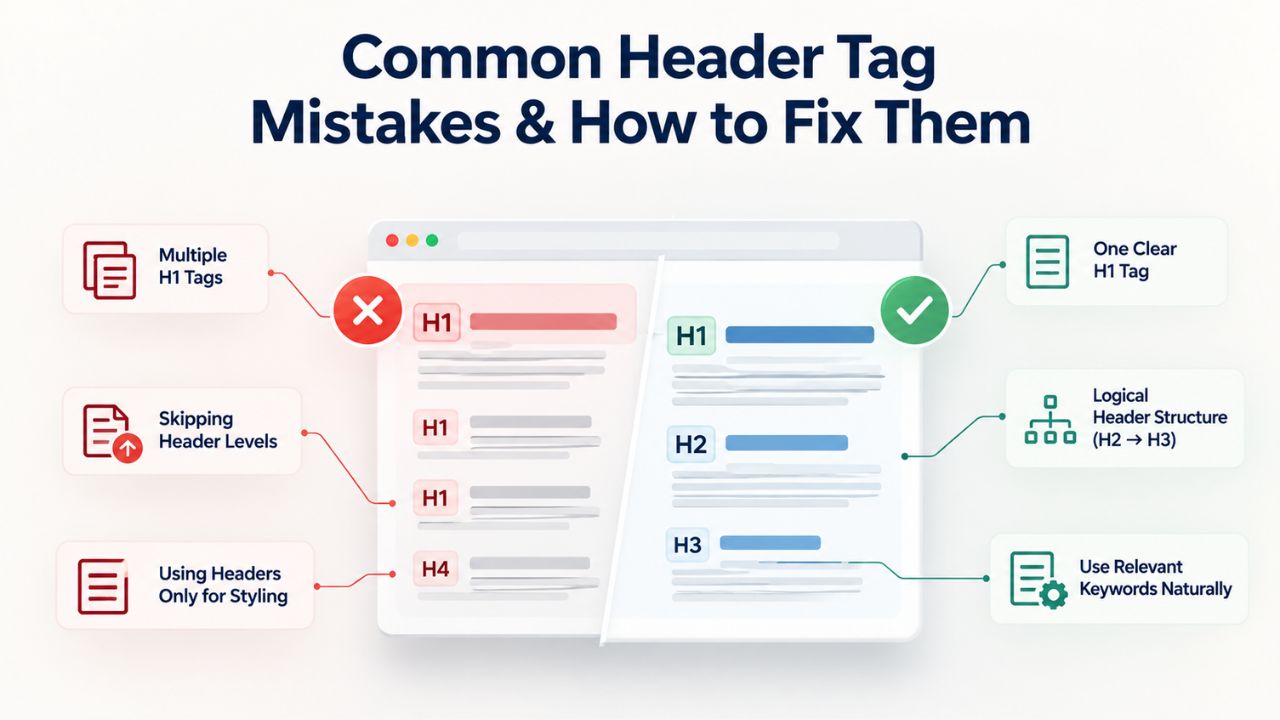
Most small-business websites have at least one header configuration issue: a missing H1, duplicate headers, broken hierarchy, or keyword gaps. Identifying and fixing these issues is straightforward and can immediately improve page readability, technical compliance, and search visibility. An audit typically takes minutes per page, and fixes often require only a few edits to your HTML or page editor.
Missing or Multiple H1 Tags
A page without an H1 lacks a clear primary topic signal, forcing search engines to infer the main subject from body text, a much weaker signal. Conversely, a page with two or three H1 tags sends competing signals to search engines about which topic should be prioritized. Both scenarios are common in sites built with templates or website builders where H1 assignment happens automatically or inconsistently. These pages may rank poorly despite good content simply because their structure is ambiguous.
To fix: audit your site systematically and confirm every page has exactly one H1. If a page has no H1, add one near the top of the visible content. If a page has multiple H1S, keep only one, convert the others to H2S, or restructure your content to eliminate duplication. Tools like DIY SEO’s technical audit automatically detect these issues and flag them by severity, saving you hours of manual inspection. The audit report tells you which pages need attention and what the specific issue is, enabling fast, targeted fixes.
Broken Hierarchy and Duplicate Headers
Broken hierarchy occurs when headers skip levels, jumping from H1 to H3, or from H2 to H4, without using intermediate levels. While search engines may still understand the page, semantic meaning weakens and accessibility suffers. Duplicate headers across your site or within a single page dilute topic signals and confuse readers about which sections are unique or primary. A site with ten pages all titled “Introduction” tells search engines nothing distinct about those pages.
Fix broken hierarchy by ensuring sequential nesting: H1 → H2 → H3 → H4 (if needed). Never skip levels; if you don’t need H3S in a particular section, omit them rather than jumping from H2 to H4. Fix duplicates by renaming headers so each section has a unique, descriptive heading. A technical audit tool can flag both issues automatically and generate a prioritized list of problems. Correcting these issues, often a matter of hours for a small site, improves both user experience and SEO compliance measurably.
Auditing Your Headers: Tools & Manual Checks
You can audit headers manually by inspecting page source code, but a technical SEO audit tool is faster and more thorough for multi-page sites. Header-tag audits are deterministic: headers either exist, follow hierarchy correctly, or they don’t. Detection is near-100% accurate, unlike ranking predictions or content-quality assessments. Automated detection catches issues across your entire site in minutes, versus the hours or days manual inspection would require.
| Issue | How DIY SEO Detects It | Impact on SEO |
|---|---|---|
| Missing H1 | Automated scan; returns pages without H1 | Moderate, search engine loses primary topic signal |
| Multiple H1S per page | Automated scan; flags >1 H1 per page | Moderate, competing topic signals confuse crawlers |
| Broken Hierarchy | Scans for H1 → H2 → H3 order; flags skips | Minor-to-moderate, weakens semantic structure |
| Duplicate Headers Across Pages | Compares header text across site; flags repeats | Minor, reduces topic clarity; low ranking impact |
| Header Keyword Gaps | Compares headers to page topic keywords; flags missing terms | Minor-to-moderate, missed keyword placement opportunity |
| Very Long Headers | Scans header character count; flags >75 characters | Minor, readability suffered; unclear focus |
Manual Header Inspection via Browser
Open any page in your browser, right-click on the page content, and select “Inspect” or “View Page Source” to see the underlying HTML. Search for <h1>, <h2>, <h3>, and <h4> tags to verify your header structure manually. This works effectively for a single page or a handful of pages, but becomes impractical and error-prone for sites with hundreds of pages. Manual inspection also requires technical knowledge to read HTML and understand hierarchy.
Count the H1S (should be exactly 1), verify they nest sequentially without gaps, and confirm each header text is descriptive and keyword-relevant. Look for obvious mistakes: multiple H1S, missing H1S, or headers that skip levels. Document your findings in a spreadsheet and prioritize fixes by impact. This manual approach works for very small sites but quickly becomes inefficient as your site grows, which is why automated tools exist.
Using Automated Audit Tools
Technical SEO audit tools scan your entire site automatically and generate reports on header compliance and other on-page issues. DIY SEO’s audit feature detects missing H1S, multiple H1S, broken hierarchy, duplicate headers, and header-keyword gaps, then ranks issues by severity and frequency. This automates the tedious manual work and surfaces issues you’d likely miss through hand inspection. The audit report provides actionable recommendations, not just a list of problems.
Running a full-site audit takes minutes and produces detailed reports you can export or track over time. You can prioritize fixes by issue type (e.g., “fix all missing H1S first”) or by traffic (e.g., “fix highest-traffic pages first”). For small-business owners without SEO experience, automated auditing removes guesswork, ensures nothing is missed, and provides a clear roadmap for improvements. Re-running the audit quarterly helps you track progress and catch new issues early.
Headers Across Device Types & Responsive Design
Headers are semantic HTML elements; their meaning does not change across devices or screen sizes. An H1 on desktop remains an H1 on mobile; the text content and hierarchical meaning stay identical. However, how headers render visually (font size, line height, spacing, line breaks) adjusts for screen size through CSS media queries. This is a styling concern handled by CSS, not an HTML or header-structure concern. Never compromise semantic header structure to achieve visual effects on mobile devices.
Headers and Mobile Responsiveness
Responsive design ensures headers scale appropriately on small screens while maintaining readability and hierarchy. An H1 might be 32px on desktop and 20px on mobile, both readably sized for their respective viewports. Headers should remain clear and scannable on all devices; CSS and proper markup keep structure intact. Responsive CSS handles visual sizing; your HTML header hierarchy remains unchanged and equally valid across all breakpoints.
Never use a smaller header tag (e.g., H3 instead of H2) to make text smaller on mobile devices. Always use proper semantic hierarchy, H1, H2, H3, and control visual size exclusively with CSS. This preserves semantic meaning, accessibility, and search-engine understanding across all devices. A header that reads as H2 on desktop should read as H2 on mobile; adjust visual size in your stylesheet, not in your HTML markup.
Accessibility and Header Hierarchy Across Devices
Screen readers and assistive technologies rely on header hierarchy to help users navigate pages and understand context. A user with a screen reader may skip between H2s to scan a page, expecting each H2 to represent a major topic shift. Using headers correctly- one H1, sequential H2s/H3s- ensures accessibility across all devices and assistive technologies. Broken hierarchy confuses screen readers and makes pages harder to navigate for disabled users.
Proper header structure also improves keyboard navigation and cognitive load for all users. Mobile readers benefit from scannable headers just as much as desktop users. Header best practices are universal and improve the experience for every audience, regardless of device, ability, or browsing method. Accessible design is good design that benefits everyone, not just users with disabilities.
Implementing Header-Tag Changes: Prioritization & Testing
After you audit your site and identify header issues, prioritize fixes by impact and scope. Missing H1S and broken hierarchy are high-priority because they directly confuse search engines about page topics. Keyword gaps and duplicate headers are medium-priority improvements. After implementing fixes, monitor your site for changes in indexing and rankings over several weeks.

Which Pages to Fix First
Start with your highest-traffic pages and pages targeting competitive keywords. Fixing the H1 on your homepage and top-performing product pages has more immediate, visible impact than fixing lesser-traffic internal pages. Work through your site systematically: homepage first, then main category pages, then individual product or article pages. This prioritization maximizes return on optimization effort and signals improvements to search engines on your most important pages.
If your audit tool flagged specific issues, such as “15 pages missing H1” or “8 pages with broken hierarchy,” fix the high-traffic ones first. You can address remaining issues over weeks or months. This phased approach is realistic for most businesses and prevents the overwhelm that stops many people from implementing improvements. A small fix on your homepage is often more valuable than a perfect fix on a low-traffic internal page.
Safe Implementation and Post-Fix Monitoring
When implementing header changes, avoid major content restructuring at the same time. Change only headers, not page URLs, internal links, or content. This isolates the header change so you can measure its specific impact. After implementing fixes, monitor Google Search Console for indexing changes and track rankings for your target keywords using DIY SEO’s rank-tracking feature or Search Console data.
Google typically re-crawls and re-indexes changed pages within days to a week. You should see indexing updates in Search Console within seven days. Some ranking changes may take longer, two to four weeks, as Google’s algorithms fully process the updated page signals. Be patient and continue monitoring; header fixes compound with other SEO improvements over time. Don’t expect overnight results, but expect steady improvement as your fixes accumulate across your site.
Start Your Header-Tag Audit Today
Proper headers improve user experience, accessibility, and search visibility. DIY SEO, GoDaddy’s self-serve SEO platform offered through Niya Digital as an authorized reseller, automatically detects missing H1S, duplicate headers, broken hierarchy, and keyword gaps across your entire site in minutes. Get clear, actionable insights into your header structure and implement fixes with confidence. No technical knowledge required.
Frequently Asked Questions
Why does my page have multiple H1 tags?
Multiple H1S often occur when you use website builders with templates that auto-generate headers, or when you manually add headers alongside template headers without removing duplicates. Search engines may be unsure which topic to prioritize, weakening your overall topic signal. Audit your pages systematically and remove all but one H1 per page. If both headers seem equally important, restructure: keep one as your H1 (primary topic) and convert the other to an H2 (major subtopic). This preserves both topics while clarifying hierarchy.
Can I use H1 for styling instead of semantic meaning?
No. Never use headers for styling purposes only. Always use proper semantic headers (H1 for main topic, H2 for sections, H3 for subsections, etc.) and use CSS exclusively for visual styling like font size, color, and spacing. Using headers only for styling breaks semantic HTML, harms screen-reader accessibility, weakens SEO signals, and violates web standards. Misusing headers for visual effects confuses search engines and assistive technologies, harming both SEO and accessibility.
What’s the difference between H1 and a page title tag?
Your H1 appears on the page and conveys the main topic in plain language for visitors. Your page title tag is the meta element displayed in browser tabs and search results, a separate HTML element that may phrase the topic differently. Both should be similar and keyword-relevant, but they serve different functions. The H1 is user-facing on the page; the title tag is search-engine-facing in results. For example: Title tag: “DIY SEO Tools for Beginners | Niya Digital” vs. H1: “DIY SEO Tools for Small Business Beginners.”
How do header tags affect click-through rates?
Headers improve click-through rates indirectly through multiple mechanisms. Clear headers in search results (when they appear in snippets) make pages look relevant and trustworthy, encouraging clicks. On-page headers improve readability and engagement, reducing bounce rates and increasing time on page. While headers don’t directly appear in search snippets, they improve the overall page quality signals that affect visibility and CTR over time. Better-structured pages rank higher, appear more prominent, and convert searchers into visitors.
Should every section have an H2?
Not necessarily. Use H2s to mark major topic divisions within your H1 topic. A page with five short paragraphs on one topic may need only one or two H2s. A long page covering multiple related aspects might use five or more H2s. Use headers to reflect your content structure and your readers’ navigation needs, not to hit a specific header count. Let content requirements drive header decisions, not SEO theory.
Can I skip from H2 directly to H4?
Avoid skipping levels in header hierarchy. If you skip from H2 to H4, search engines and screen readers lose the semantic meaning of the missing H3 level. Use sequential nesting: H1 → H2 → H3 → H4 only when necessary. If you don’t need H3S in a particular section, omit them entirely, but don’t skip from H2 to H4. This maintains semantic integrity even without every level present.
Do header tags affect mobile rankings differently than desktop?
No. Headers are semantic HTML; their meaning is device-agnostic. Both mobile and desktop search algorithms consider header structure equally when determining page relevance and quality. However, mobile users rely more heavily on scannable headers to navigate quickly. Ensure your headers are clear, concise, and descriptive so they render well on small screens and help readers find relevant content without excessive scrolling.
What’s the ideal length for headers?
Keep H1S under 75 characters or 5–10 words, ideally closer to 8 words. H2S and H3S can be slightly longer (10–12 words) but should still be scannable without wrapping on most screen sizes. Shorter headers are easier to read aloud, scan, and fit cleanly on mobile devices. Very long headers dilute keyword focus, hurt readability, and wrap awkwardly on small screens. Conciseness is a feature, not a limitation.
How often should I audit header tags?
Audit headers when you redesign your site, add major new content sections, or notice ranking drops without an obvious cause. For ongoing maintenance, run quarterly audits to catch new issues early. After implementing major fixes, re-audit in two to four weeks to confirm the changes were applied correctly and didn’t introduce new problems. Treat header audits as part of your regular SEO maintenance routine.
Do search engines weight H1 keywords more than H2 or H3 keywords?
Search engines do weight header-tag keywords, with H1 receiving a modest boost over H2 and H3. However, the difference is small compared to content quality, topical relevance, and user engagement signals. Focus on natural, descriptive headers across all levels rather than keyword-stuffing only your H1. The semantic meaning and readability of all headers matter more than keyword density in any single header.
Can a page rank without an H1?
A page may rank without an H1, but it’s suboptimal. Search engines struggle to identify the page’s primary topic without a clear H1, forcing them to infer meaning from body text. Pages with proper H1S typically outrank similar pages lacking them because search engines and users both understand them better. Always use one clear, descriptive H1 per page to signal your topic explicitly.
Should H1 match my page title tag exactly?
No. Your H1 and title tag should be similar and keyword-relevant, but they don’t need to match exactly. Your title tag may be longer (up to 60 characters) and phrased for search-results visibility. Your H1 is on-page and should read naturally to visitors. A title tag might be “Header Tags for SEO | Niya Digital” (40 chars) while the H1 is “Header Tags for SEO: How to Use H1, H2, and H3 Correctly” (58 chars). Both cover the same topic; the H1 is more descriptive.
What HTML tools detect header tag errors?
Browser developer tools (right-click → Inspect or Inspect Element) let you view page source and find headers manually. Automated tools like DIY SEO scan your entire site and flag issues in a prioritized report. For command-line technical checking, use tools like Screaming Frog to crawl your site and export header data. Most SEO professionals recommend automated tools for multi-page sites; manual inspection works only for very small sites.
Is there an SEO penalty for improper headers?
No direct penalty, but improper headers harm SEO indirectly by weakening topical signals and user experience. Pages with clear, proper headers rank better than identical pages with poor headers because both search engines and readers understand them better. The ranking difference isn’t a “penalty” but a natural result of clearer content and stronger user engagement. Fix headers to improve overall SEO performance.
How do headers relate to featured snippets?
Search engines often extract headers when building featured snippets, especially for question-based queries. A clear, descriptive H2 or H3 that directly answers a common question increases the likelihood your content appears in a snippet. Structure your headers and content to align with question-based queries in your niche. If your headers answer specific questions clearly, you’re more likely to win featured-snippet positions.
Glossary
- H1 Tag (Main Heading): The primary heading on a page, ideally appearing once per page, describing the page’s main topic in 5–10 words. Signals to search engines which subject is most important and helps readers understand the page’s focus immediately.
- H2 Tag (Subheading): A second-level heading used to divide an H1 topic into major content sections. Each major topic division should have its own H2, helping readers navigate and search engines categorize content.
- H3 Tag (Tertiary Heading): A third-level heading used to subdivide H2 sections further. Provides additional structure for complex topics without overwhelming readers or creating unnecessary hierarchy layers.
- Header Hierarchy: The nesting order of headings (H1 → H2 → H3) that structures a page’s content outline. Proper hierarchy clarifies topic relationships for readers, search engines, and assistive technologies.
- Semantic HTML: HTML markup that conveys meaning (e.g., using <h1> for main headings, <p> for paragraphs, <strong> for emphasis) rather than styling-only markup. Improves accessibility, SEO, and code maintainability.
- On-Page SEO: Optimization of page-level factors visible to both users and search engines, including content quality, headers, meta tags, internal links, site structure, and media optimization.
- Technical SEO Audit: An automated or manual scan of a website for structural and technical issues affecting search visibility, such as missing headers, slow load times, broken links, poor mobile formatting, and crawlability problems.
- Keyword Stuffing: Unnaturally repeating a keyword in headers, body text, or meta tags to manipulate search rankings. Reads awkwardly, hurts user experience, and may trigger quality penalties from search algorithms.