Every day, domain owners receive emails that look like legitimate renewal notices, but many are carefully crafted scams designed to steal credentials or extract payment under false pretenses. Understanding how to verify a real renewal notice protects your domain, keeps your website online, and prevents your brand from being hijacked or redirected. Niya Digital is a reseller partnered with an ICANN-accredited registrar, and we’ve observed this confusion firsthand.
What Domain Renewal Scams Are
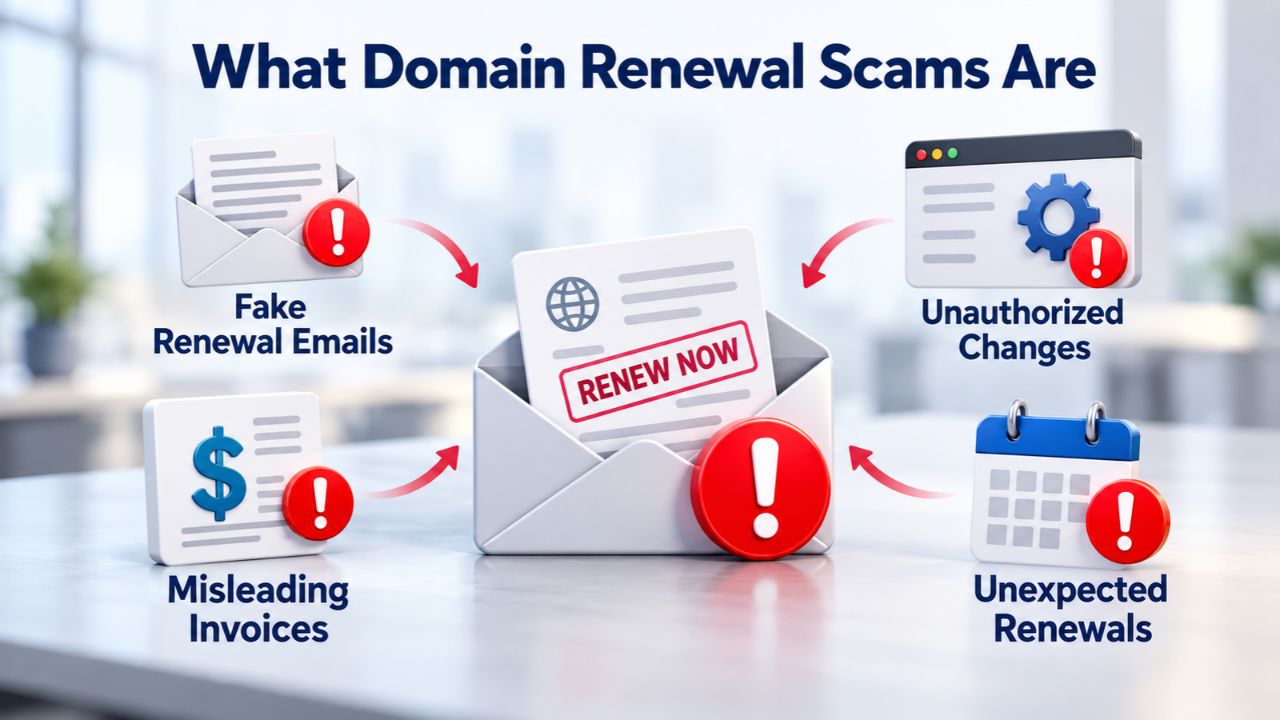
Domain renewal scams exploit a genuine business need- renewing active domains- by impersonating registrars or hosting providers. Scammers send unsolicited emails that mimic official renewal notifications and often request payment or account verification. The goal is twofold: extract money from domain owners at inflated rates, or harvest credentials to gain unauthorized access and transfer domains to fraudulent registrars. These scams succeed because domain expiration creates real-time pressure and because most domain owners manage registrations across multiple providers, making it easy to forget where each domain is registered.
The Anatomy of a Renewal Scam
Domain renewal scams are fraudulent attempts to trick businesses into paying for unnecessary or non-existent services, often involving emails or physical letters designed to look like legitimate domain renewal notices. Most scams rely on two psychological triggers: urgency and confusion. Scammers use urgency tactics like “Act Now” language and arbitrary reply-by dates to pressure rapid action without verification, capitalizing on the legitimate fear that a missed deadline means domain loss. The scam works because domain owners often register at multiple providers and lose track of where each domain is registered, making it easy to believe an unfamiliar sender is a real registrar.
Different scams take different forms. Domain slamming is a scam where renewal notices are designed to transfer a domain to a fraudulent registrar under false pretenses, while phishing emails steal login credentials that attackers use to hijack accounts. In both cases, the first warning is often a domain going dark or contact details changing without authorization. The financial damage is secondary to the operational impact: your email stops working, your website goes offline, and your brand becomes inaccessible.
Why Domain Renewal Scams Succeed
Domain renewal scams are described as “a growing threat that businesses cannot afford to ignore” because millions of domain names come up for renewal annually, making fraudulent renewal notices a high-volume attack vector. Scammers operate at scale, sending thousands of fake renewal notices timed to coincide with real expiration dates, making the scam more credible. A business owner who receives a renewal notice in the exact week their domain is due to expire is far more likely to trust it, especially if the sender address is close enough to their real registrar to fool a glance.
Scams are particularly effective because they target real pain: business owners already worried about domain expiration are primed to act fast. A carefully worded email can bypass skepticism that would normally catch a fraud. The scammer’s advantage is that they don’t need to commit to a fake identity or maintain a support channel; once they extract payment or steal credentials, they disappear. The victim is left dealing with the aftermath: unauthorized domain transfers, compromised accounts, and the time-consuming process of regaining control.

Domain Name Registration
Each and every domain name comes with all you need to get online.
- Domain Forwarding and Masking: Direct any domain name you own to your website. Anyone who types that domain name into their browser is taken directly to your website.
- Domain Locking: Domain locking prevents accidental or intentional transfers of domain ownership and stops anyone from redirecting your nameservers.
- Total DNS Control: Manage your domain nameserver (DNS) records and set your email, FTP, sub-domains and website location all from one control panel.
- Change of Registration: Assign your domain name to someone else or change the contacts for your domain online anytime.
- Status Alerts: Monitor the status of your domain and get instant alerts if there's been a change.
- Auto Renew Protection: No need to watch expiration dates to make sure you renew on time! Auto renew keeps your domains, hosting, website builders, and other products in your name and under your control.
Domain Disclaimers:
- Special savings apply only to first year of registration. You must purchase entire section to qualify for special savings.
- The final price may differ because of additional sales, fees, and promotions.
- Products will automatically renew until cancelled. You may turn off the auto-renewal feature by visiting your account.
- Change of registration may require a fee for certain domains.
How Scammers Get Your Contact Information
Scammers do not hack registrar databases en masse to steal contact lists. Instead, they use a simpler but equally effective method: they look up your domain owner details in the public WHOIS directory. Scammers obtain domain owner contact information from public WHOIS records, which is why unprotected domains receive high volumes of phishing and solicitation emails. This vulnerability is why WHOIS privacy exists and why enabling it is one of the most important protective steps you can take.
The Public WHOIS Risk
When you register a domain, ICANN requires that registrars collect and store ownership information (name, address, email, phone) as part of the registration agreement. For most generic top-level domains (.com, .net, .org, etc.), this information is made publicly searchable through WHOIS lookup tools. Anyone, scammer or legitimate buyer, can run a WHOIS lookup and find your personal details. This is by design: WHOIS transparency allows law enforcement and domain dispute resolution systems to verify ownership and maintain accountability across the domain system. But the same transparency makes you a target for exploitation.
WHOIS privacy services hide personal information (name, address, phone) from public databases, replacing owner details with proxy contact information to prevent scammers and spammers from accessing target data. When privacy is enabled, a WHOIS lookup returns the privacy provider’s company information instead of yours. Scammers still know a domain exists, but they cannot identify the owner, making a personalized phishing email impossible and significantly reducing the effectiveness of bulk scam campaigns. The impact is measurable: domains without privacy protection receive disproportionately high volumes of phishing mail, renewal scams, and solicitation emails from telemarketers and resellers.
Data Harvesting at Scale
ICANN’s Security and Stability Advisory Committee found that publishing registrant email addresses and contact information contributes to domain hijacking and registrant impersonation. Scammers use automated tools to bulk-harvest WHOIS data, then cross-reference it with domain expiration dates (which are also public). This allows them to send thousands of fake renewal notices timed to coincide with real expiration dates, making the scam more credible. A business owner who receives a renewal notice in the exact week their domain is due to expire is far more likely to trust it, even if the sender address seems slightly off.
This is the power of timing in scam psychology. The scammer is betting that urgency will override skepticism. Your brain is already primed to expect a renewal notice because your domain is actually expiring soon. A fake email that arrives in that window becomes more believable, even if other elements of the message should set off alarms.
Red Flags in the Email Itself
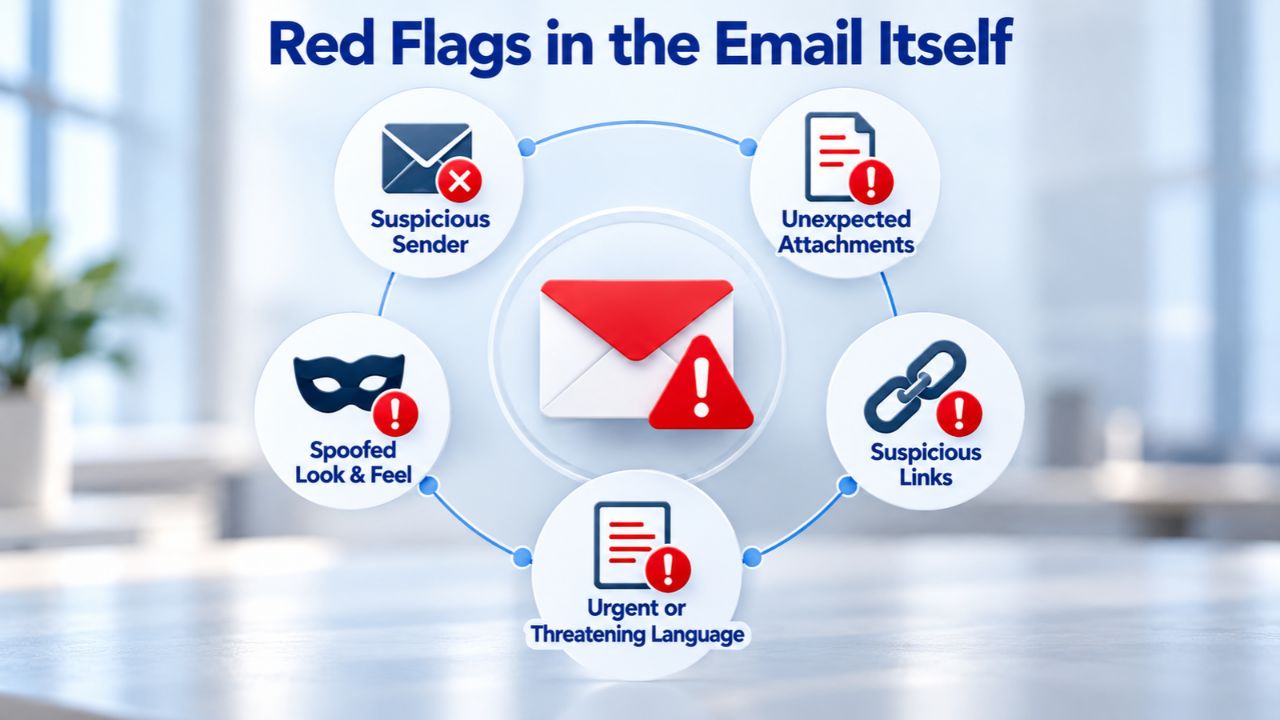
Fake renewal emails share recognizable characteristics that separate them from legitimate registrar communications. Learning to spot these red flags dramatically reduces your risk of falling victim to phishing. Real registrars follow standardized, professional communication patterns, and deviations from those patterns are almost always a sign of fraud.
Sender Address & Domain Mismatches
Fake domain renewal emails often claim to be from a near-duplicate domain (e.g., “exmple.com” instead of “example.com”) or use generic sender names like “Domain Notice” instead of legitimate company branding. The From field is the first place scammers trip up. Legitimate registrars send from their own verified email domain (noreply@registrar.com or support@registrar.com). Scammers often send from free email providers (Gmail, Yahoo) or domain addresses they control that resemble, but do not exactly match, the real registrar. Check the From line carefully: does it come from a domain you recognize? Does the sender address spelling match the official registrar website?
The scam also sometimes relies on lookalike domains. For example, if you registered at yourlocalregistrar.com, a scammer might send from yourlocalregistrars.com (extra ‘s’) or yourlocal-registrar.com (hyphen added). These tiny differences can slip past a glance, especially when your inbox is crowded or you are in a hurry. The scammer is counting on this human error; they know most people scan emails and don’t verify every detail. That is why taking an extra 30 seconds to check the sender’s email domain matters.
Generic Greetings & Inconsistent Details
Real registrars personalize renewal emails by including your domain name, registrant name, and account identifier in the message body. Scams use placeholder language: “Dear Domain Owner,” “Dear Valued Customer,” or no greeting at all. Legitimate renewal emails come from the registrar’s verified email domain (matching the registrar’s official website) and contain clear branding, logos, and links to the registrar’s actual website. If the email addresses you generically and includes inconsistent details (wrong domain name, misspelled contact info, unrelated pricing), it is almost certainly a scam.
Another red flag is inconsistency in domain details. Scammers cast wide nets and send the same email to thousands of addresses. They cannot customize each message, so they often include vague or incorrect domain names. If the email claims your domain “example-business.com” is expiring, but your actual domain is “examplebusiness.com”, or if the listed expiration date doesn’t match your records, it’s a scam. Real registrars can access your account data and will always cite your correct domain name and expiration date.
Verifying Your Registrar’s Real Email
Before trusting any renewal email, verify that it comes from your actual registrar using independent methods. This is the single most effective scam-prevention technique because it relies on information the scammer cannot fake.
How to Identify Your Real Registrar
Start by checking your domain’s registration records. ICANN requires registrars to send expiration reminder notices to domain registrants about a month and a week before expiration, giving you a predictable timeline. To confirm which registrar manages your domain, use an independent WHOIS lookup tool, search for your domain, and check the “Registrar Name” field in the results. Cross-reference this name with the registrar’s official website by typing the domain into your browser directly (do not click any link from the email). If the sender claims to be “ReliableRegistrar” but your WHOIS shows “DifferentRegistrar,” the email is fake.
Once you know your real registrar, bookmark their official website and the support phone number. Store this information somewhere safe, a physical document or password manager. The next time you receive a renewal notice, log into your account through your bookmark (or by typing the URL directly into your browser) instead of clicking any link in the email. Navigate to your domain settings and check the actual expiration date. If you need to renew, you can do so directly from your account dashboard using the secure, authenticated interface you trust.
Contacting Your Registrar Independently
If you receive a suspicious renewal email, do not reply to it or click any links. Instead, contact your registrar directly using a phone number or website you find yourself. Many scams fail at this step because scammers cannot impersonate your registrar’s customer service when you call them directly. Phone calls reach real people who can access your account and confirm immediately whether the email is legitimate or a phishing attempt.
A real registrar will confirm the email or tell you the message is a phishing attempt. This also allows you to ask whether your account shows any pending transfers or unauthorized changes, an early warning sign of a hijack attempt. If a scammer has already started a transfer, you can intervene during the grace period and stop it before it completes.
| Signal | Scam Email | Legitimate Renewal Email |
|---|---|---|
| Sender Domain | Does not match registrar website (e.g., suspicious.com or free email provider) | Matches registrar’s official domain (e.g., registrar.com) |
| Greeting | Generic (“Dear User”) or missing your name | Personalized with your registrant name or account ID |
| Urgency Language | “Act Now,” arbitrary deadlines, threats of immediate domain loss | Standard reminder; calm explanation of renewal window |
| Included Links | Suspicious URLs leading to phishing sites | Links to official registrar website and your secure account portal |
| Sender Email Address | Random or generic (Domain Notice <fake@email.com>) | Clear sender identity with official registrar email address |
| Renewal Information | Significantly inflated fees or vague pricing | Standard renewal fee consistent with original registration |
| Information Requests | Asks for password, full credit card, or sensitive details | Never asks for sensitive info; directs to secure account login only |
Phishing Links & URL Inspection
Phishing links are how scammers steal credentials. Learning to inspect URLs before clicking is your second line of defense, and it takes just seconds to develop.
How to Read a URL
A URL tells a story if you know how to read it. The format is: https:// (protocol) + subdomain. domain.tld (hostname) + /path (page). Scammers exploit the fact that many users only glance at the middle part and miss the critical detail: the actual domain. A fake link might look like https://registrar-account-verify.com/login/ or https://registrar.phishing-domain.com/account. The first looks like it could be “registrar” but is actually “phishing-domain.” The second cleverly includes “registrar” in the subdomain, but the real domain is “phishing-domain.com,” not the registrar’s official domain.
Before clicking any link in a renewal email, hover over it (on desktop) to see the actual URL. Does it match your registrar’s official website? Does it use HTTPS (secure connection)? If you cannot identify the real domain name in the URL, do not click. A link that should go to “myregistrar.com” but instead points to “myregistrar-renewal.xyz” or “secure-myregistrar.co.uk” is a scam designed to harvest your login credentials.
Malware & Credential Theft
Phishing emails with malicious links can deliver software designed to steal login credentials, harvest personal data, or track your activities without your knowledge. When you click a phishing link, you may land on a fake website that perfectly mimics your registrar’s login page. The design looks identical, the branding is exact, and you enter your username and password, thinking you are logging into your real account, but you’ve just handed your credentials to scammers. They then use those credentials to access your real account at the registrar, disable security locks, and transfer your domain away.
To avoid this trap, never log into your registrar account via a link in an email. Always navigate directly using your bookmarks, a typed URL, or a phone call to the registrar’s support line. This simple discipline prevents most credential-theft attacks. Legitimate registrars never send login links in email; they only send renewal reminders and direct you to log in through their website.
Continue Building Your Domain Strategy with Niya Digital
Long-term domain ownership requires deep understanding of renewal rates, proactive comparison of registrar options based on total cost of ownership, and careful planning of your annual renewal budget. Niya Digital’s partnership with an ICANN-accredited registrar ensures transparent renewal pricing, proactive support and reminders before expiration, and complete compliance with global ICANN domain-management standards and transparency requirements.
Email Authentication & Spoofing Protection
Email authentication technologies exist to prevent spoofing, but they work only if registrars implement them correctly and enforce them properly. Understanding this layer adds context to why some scams slip through even well-intentioned email filters.
How Email Spoofing Works
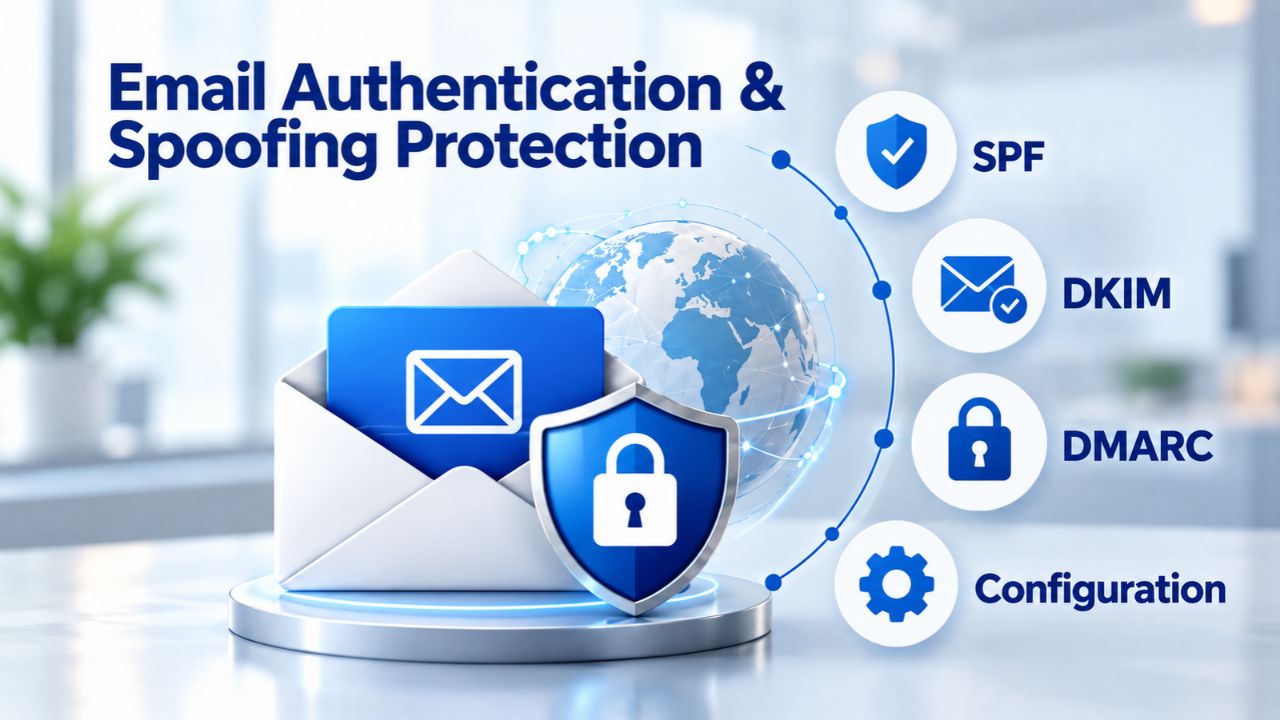
Email spoofing succeeds when the spoofed entity does not enable or enforce identity authentication tools such as SPF (Sender Policy Framework), DKIM (DomainKeys Identified Mail), and DMARC (Domain-based Message Authentication, Reporting and Conformance). At a technical level, an email server can be instructed to send mail “from” any address without verifying that the sender actually owns it. A scammer can send an email that appears to come from “support@legitimateregistrar.com” even though the scammer’s server is located in a different country. Email receivers use three authentication protocols to verify the sender’s legitimacy and decide whether to deliver an email, send it to spam, or reject it entirely.
SPF (Sender Policy Framework): SPF is a DNS record that lists which servers are authorized to send email on behalf of a domain; when an email arrives, the receiving server checks the sender’s domain SPF record to verify that the email came from an authorized server. If an email arrives from a server that is not on the authorized list, it fails SPF validation.
DKIM (DomainKeys Identified Mail): DKIM cryptographically signs emails to verify the sender’s identity; the receiving server can check the digital signature to confirm that the email truly came from the claimed sender. This signature is unique to each sending server and cannot be forged without the private key.
DMARC (Domain-based Message Authentication, Reporting and Conformance): DMARC combines both SPF and DKIM and instructs receiving servers what to do when authentication fails, either accept the email, send it to spam, or reject it entirely.
Why Authentication Alone Isn’t Enough
Even if SPF and DKIM are configured, spoofing may succeed if DMARC is set to a weak policy (p=none) that does not enforce filtering action. Some registrars publish SPF and DKIM records but do not enforce a strict DMARC policy. This means their email authentication is present but not mandatory; email servers can relay unauthenticated emails rather than being forced to reject them. The result: a scammer can still send a fake email that technically passes authentication checks because the receiving server is instructed to accept it anyway.
This is why authentication is a backstop, not a barrier. Your email provider uses these checks as one filter among many. However, a determined scammer can still spoof a domain if that domain’s authentication policy is weak or not strictly enforced. Niya Digital’s team has found that relying solely on email authentication leaves domain owners vulnerable, which is why verification through independent account login remains the most reliable defense against phishing.
WHOIS Privacy: Your First Defense
The simplest way to stop renewal scams before they reach your inbox is to hide your contact information from scammers. WHOIS privacy does exactly that by placing a trusted intermediary between your personal details and public databases.
How WHOIS Privacy Works
WHOIS privacy services hide personal information (name, address, phone) from public databases, replacing owner details with proxy contact information to prevent scammers and spammers from accessing target data. When you enable privacy, your domain’s WHOIS record shows the privacy provider’s company name and email instead of yours. Scammers running bulk WHOIS harvests will collect the privacy provider’s contact details, not yours. Their phishing emails will go to the privacy provider’s inbox, not yours. Even if they guess your domain is expiring, they can’t contact you directly.
The privacy provider maintains a forwarding system so that legitimate contacts can still reach you. If someone needs to reach the domain owner (for legal proceedings, a UDRP dispute, or technical issues), they can message the privacy provider’s address. The provider then forwards it to your real email, preserving the accountability that ICANN requires while protecting your personal information from exploitation. This system creates a barrier scammers cannot bypass: they cannot impersonate a legitimate contact because they don’t have your real email address.
Availability & Limitations by TLD
Privacy protection varies by country and top-level domain. For most generic top-level domains (gTLDs) such as .com, .net, and .org, privacy is widely available. However, some country-code top-level domains (ccTLDs) restrict or prohibit it based on local registry policies. Before registering a domain, check with your registrar whether privacy is available for that specific extension. If it is, enable it immediately at registration; adding privacy later is possible but may leave your details in search-engine caches or historical WHOIS archives for some time.
Some TLDs have additional restrictions. For example, some country registries require the domain owner’s identity to remain visible for verification purposes. In these cases, privacy may not be an option at all, or it may be available only for certain registrant types (individuals versus companies). Ask your registrar about privacy availability before you commit to a registration, especially if you plan to register a large portfolio of domains across multiple extensions.
What Happens If You Fall for a Scam
Understanding the consequences of a scam reinforces why prevention matters. If you click a phishing link or pay a fraudster, the damage unfolds quickly and can be hard to reverse.
Immediate Damage: Credential Theft & Account Hijacking
If you entered your registrar login credentials into a phishing page, scammers now have your username and password. When you click a phishing link and enter your login credentials, scammers can use them to access your real account at the registrar, disable security locks, and transfer your domain away. Within minutes, they can disable the registrar lock feature (which normally prevents transfers), change your contact email address, and initiate a transfer to another registrar. Once the transfer is underway, your legitimate registrar cannot stop it; the domain is already in motion to the fraudulent registrar.
The financial damage is secondary to the operational damage. You lose control of your domain; your email stops working if it was hosted on that domain; your website goes offline; and your brand is now inaccessible. If the fraudster resells your domain or parks it on an ad page, it can damage your reputation and confuse your customers. Recovery requires you to prove ownership to ICANN and fight to get your domain back through dispute processes that can take weeks.
Payment Fraud & Refund Challenges
If you paid a fraudster for a fake renewal, the scammer’s payment processor may resist refunds. Many domain renewal scam payment sites include fine-print disclaimers stating “this is not actually a bill,” language designed to shield the fraudster from legal liability. Even if you dispute the charge with your credit card company, the dispute process can take months. The fraudster has already moved on to the next victim. Some fraudsters also use payment methods that are difficult to trace or reverse (cryptocurrency, wire transfers).
The financial loss often comes with the realization that criminals now have your information. Your email address, which was already public in WHOIS, is now marked as a viable target. You may receive additional phishing attempts from the same scammer or from other criminals who bought your contact information from the original fraudster. This is why each scam creates ripple effects of risk that extend beyond the immediate financial loss.
Domain Hijacking & Loss of Control
Domain hijacking (unauthorized takeover) often happens when fraudsters trick domain owners into clicking malicious links that steal credentials or transfer domains without the owner’s consent. If a scammer gains access to your registrar account, they control your domain. They can change your DNS records to redirect your website traffic elsewhere, modify your contact information to lock you out of recovery, sell the domain to a third party, or hold it for ransom. Recovering a hijacked domain requires you to prove ownership to ICANN and your registrar, a process that can take weeks and may fail if the scammer changed your contact details first.
The emotional toll of domain hijacking is significant. Your brand is no longer your own. Your customers may land on fraudulent pages. Your email bounces. Someone else now controls the domain that represents your business or creative work. Even after recovery, restoring your reputation and rebuilding customer trust takes time. This is why prevention, by securing your credentials and monitoring your account, is infinitely preferable to recovery.
Domain Lifecycle & Real Renewal Notices
Understanding how the legitimate domain renewal process works helps you distinguish real notices from fake ones. ICANN has built in multiple recovery windows specifically to prevent accidental loss.
How Renewal Reminders Are Sent
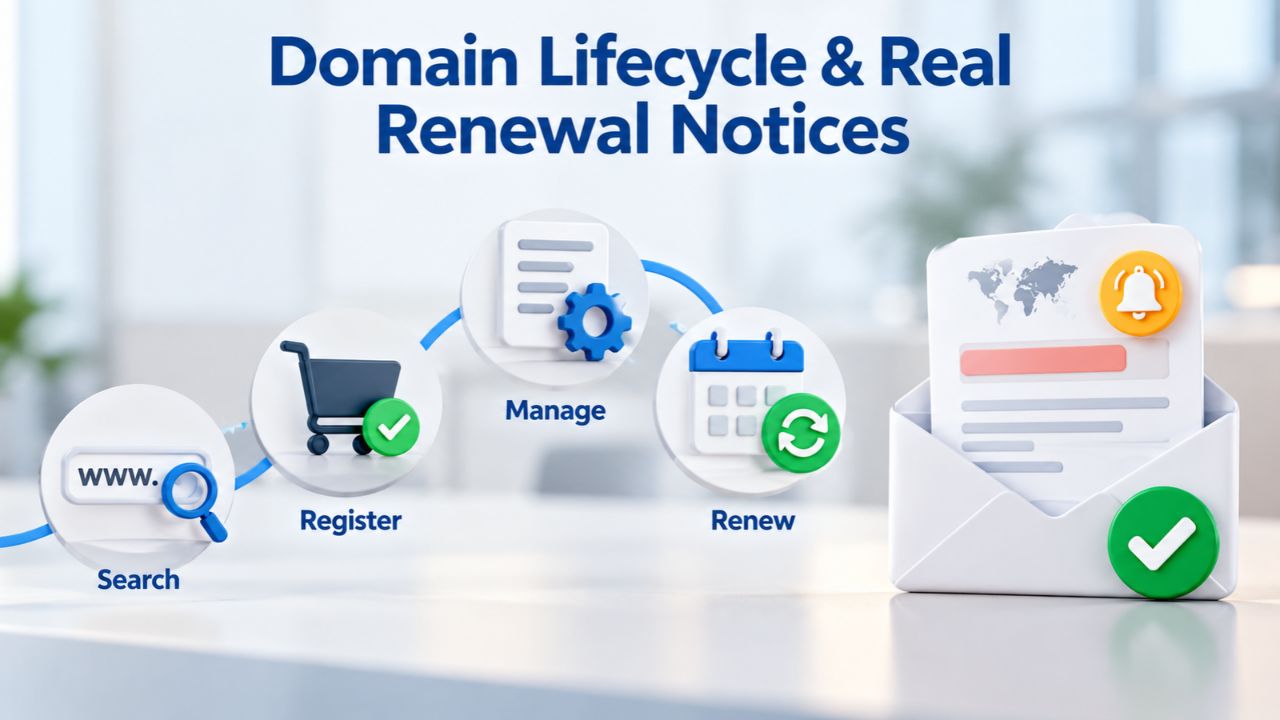
ICANN requires registrars to send expiration reminder notices to domain registrants approximately one month and one week before expiration. These are standardized, required notifications that form the backbone of the legitimate renewal process. Your real domain renewal notice will nearly always be emailed rather than snail-mailed; paper mail renewal notices are always scams. The first reminder arrives roughly 30 days before expiration, giving you a month to decide whether to renew. The second arrives roughly 7 days before expiration, as a final reminder. Both come from your registrar’s official email address.
Legitimate renewal emails are calm and straightforward. They state your domain name, the expiration date, and direct you to log in to your account, where you can choose to renew. They do not threaten loss of the domain, pressure you to act within hours, or ask for sensitive information. They are designed to be helpful and clear, not to create panic. If you receive an email that creates urgency or threatens immediate consequences, it is almost certainly a scam.
Grace Periods & Recovery Options
If a domain expires, the registrant is not immediately locked out. If a domain expires, it enters a grace period (length varies by registrar, typically up to 29 days) during which the domain can still be renewed at the standard rate without penalty. If you miss the grace period, the domain enters a 30-day Redemption Grace Period (RGP) during which the original registrant can recover it by contacting their registrar and paying a higher manual restoration fee.
This multi-stage recovery process is built into ICANN policy; it gives domain owners multiple chances to recover accidentally expired domains. Scammers misrepresent this timeline, claiming your domain is already gone forever and demanding immediate payment. In reality, you have at least 30 days (grace period) plus another 30 days (RGP) to recover your domain at a legitimate registrar. The process is designed to be forgiving and to give you time to realize your mistake and take corrective action.
| Domain Lifecycle Phase | Timeframe | Legitimate Renewal Action | Typical Scam Behavior |
|---|---|---|---|
| Pre-Expiration Reminders Begin | ~30 days before expiration | Registrar sends first email reminder; ICANN-required notification | Scammers begin monitoring or may mimic timing |
| First Renewal Reminder Email | ~30 days before expiration | Official registrar sends email to registrant contact; renewal window opens | Fake emails begin appearing; scammers mimic legitimate timing |
| Second Reminder Email (ICANN-Mandated) | ~7 days before expiration | Final official renewal reminder via email from registrar | Scam volume peaks; fraudsters claim “final chance” and urgency |
| Domain Expiration Date Arrives | Day 0 | Domain enters grace/auto-renew period (if offered by registrar); functionality may pause | Scammers claim domain is “already lost” or “transferred”; demand immediate payment |
| Grace Period | Up to 29 days after expiration (non-guaranteed, varies by registrar) | Renewal available at standard rate; no extra fees; domain can still be renewed or transferred | Scammers try to convince the owner the domain is gone forever and non-recoverable |
| Redemption Grace Period (RGP) | 30 days after registrar deletes domain | [Original registrant can recover domain by contacting registrar; higher manual restoration fee applies] | Scammers rarely mention RGP; may already have transferred or sold the domain |
| Deletion & Availability | After RGP ends (~75+ days post-expiration) | Domain returns to the pool of available registrations; no recovery possible | Scammers profit by having registered the domain to another party or parked it for monetization |
Protecting Your Domain Long-Term
Prevention is ongoing. A few simple practices compound over time to create a secure domain portfolio that resists attack.
Enable Security Features at Registration
The moment you register a domain, enable all available security features. Enable WHOIS privacy by default or add it at checkout. Registrar lock prevents the domain from being transferred to another registrar. With the lock active, scammers find it much harder to execute unauthorized transfers. Set your domain to auto-renew so that even if you forget a renewal notice, your domain renews automatically and never enters the grace period. Keep your administrative email current and protected with multi-factor authentication; your registrar will use it for account recovery or if a dispute arises.
Taking these steps at registration is more effective than trying to secure a domain after it is already registered and potentially exposed. It creates multiple layers of defense, making your domain a harder target for scammers and hijackers.
Keep Your Registrar Account Credentials Secure
Preventing domain hijacking starts with securing every account and setting that controls your domain, from your registrar account and administrative email to your DNS provider account and renewal settings. Use a strong, unique password (15+ characters, mixed case, numbers, symbols) and store it in a password manager, not in a shared document or browser. Enabling multifactor authentication (MFA) on your registrar account is one of the most important ways to reduce the risk of domain hijacking. With MFA enabled, an attacker cannot access your account even if they have your password; they also need access to your phone or authenticator app.
Your registrar account is the master control center for your domain. If someone gains access, they control everything. Treat your registrar credentials with the same care you give your email password or bank account password.
Monitor for Unauthorized Changes
Set calendar reminders to log into your registrar account quarterly. Check that your contact information has not changed, that domain locks are still enabled, that auto-renewal is active, and that no pending transfers are in progress. Some registrars let you set alerts for transfer requests or contact changes; enable these if available. If you notice any unauthorized changes, contact your registrar immediately by phone.
This quarterly review takes 10 minutes and can catch unauthorized access before it results in domain loss. Many domain hijackings succeed because the owner does not notice the attack until the domain is already transferred. Regular monitoring turns that timeline in your favor.
Report Phishing Attempts
If you receive a phishing email impersonating your registrar, report it. The FTC advises that if you get spam that is phishing for information, you can forward it to spam@uce.gov. You can also report the email directly to your registrar’s security or abuse team. Each report helps your registrar identify spoofing campaigns and improves email authentication systems across the industry. Your report may be the first warning sign of a new scam campaign.
Ready to Secure Your Domain?
Scammers rely on speed and confusion to succeed. By verifying your registrar independently, checking email authentication details, and enabling WHOIS privacy, you eliminate the conditions that make scams effective. Niya Digital helps you register, renew, and secure domain names with features designed to reduce hijacking risk and keep your brand online safely.
Frequently Asked Questions
What is the difference between a phishing email and a legitimate domain renewal notice?
Legitimate renewal emails come from your registrar’s official email domain (matching their website), include your actual domain name and expiration date, and never ask for passwords or sensitive information. Phishing emails come from unfamiliar senders, use generic greetings like “Dear Domain Owner,” include suspicious links, claim urgent deadlines, and often request credentials or payment outside your registrar’s secure portal. Spending 30 seconds to compare the sender domain with your registrar’s official website catches most scams immediately.
Can I trust a renewal email that looks like it matches my registrar’s branding?
No. Scammers can easily copy logos, colors, and layout from a registrar’s website. The only reliable verification is to log into your actual registrar account using your own bookmark (or by typing the URL directly into your browser) and check whether a renewal is truly due. Do not use any links in the email to verify; navigate independently every time. Branding alone is not trustworthy because it can be replicated.
What should I do if I accidentally clicked a phishing link?
Immediately change your registrar password (from a different computer, if possible) and call your registrar’s support team to report the breach. Ask them to check whether your account shows any pending transfers, contact changes, or suspicious activity. Enable multi-factor authentication on your account if you haven’t already. Check whether your email password has been compromised by visiting haveibeenpwned.com and entering your email address to see if it appears in known breaches.
How does WHOIS privacy actually work?
WHOIS privacy services replace your personal information (name, address, phone, email) with the privacy provider’s company information in the public WHOIS database. When scammers look up your domain, they find the privacy provider’s contact details instead of yours. Legitimate contacts can message the privacy provider’s address, which then forwards it to your real email. This creates a buffer that prevents scammers from targeting you directly while maintaining the accountability ICANN requires.
What is the Redemption Grace Period?
The Redemption Grace Period (RGP) is a 30-day recovery window that begins after a domain is deleted; during this window, the original registrant can recover the domain by contacting their registrar and paying a higher manual restoration fee. If you miss the RGP, the domain is released to the pool of available registrations and cannot be recovered by you. That is why paying attention to expiration dates and renewal notices matters; you have multiple recovery windows, but they aren’t infinite.
How do I verify which registrar actually manages my domain?
Use a free WHOIS lookup tool and search for your domain. The results will show the “Registrar Name” in the record. Cross-reference this name with the registrar’s official website. If you’re unsure, call the registrar’s phone number (listed on their website) and confirm. This is the authoritative way to identify your real registrar and should be your first step any time you receive a renewal email.
Are paper mail domain renewal notices ever legitimate?
No. Your real domain renewal notice will nearly always be emailed rather than snail-mailed; paper mail renewal notices are always scams. ICANN requires registrars to notify you via email. Any paper notice claiming to be a renewal invoice is a fraudulent solicitation designed to confuse you. Treat any physical mail about domain renewal with extreme skepticism.
Can a scammer transfer my domain if I enable domain lock?
Domain lock makes unauthorized transfers significantly harder, but it is not foolproof. If a scammer compromises your registrar account (through phishing or password theft), they can disable the lock before requesting a transfer. Multi-factor authentication and a strong password are more critical defenses than the lock alone. Use all three together: domain lock, MFA, and a strong unique password.
What is email spoofing and how does it relate to renewal scams?
Email spoofing is the practice of sending email from a forged sender address, making it appear to come from a trusted source. Scammers use spoofing to make phishing emails look like they come from your registrar. They exploit weak email authentication (SPF, DKIM, DMARC) policies to slip through spam filters and into your inbox. That is why checking the actual sender domain matters: the From line is the easiest thing for scammers to forge.
How do I report a domain renewal scam?
Report phishing emails to the Federal Trade Commission at reportfraud.ftc.gov and to your email provider’s abuse team. You can also report the email to your registrar’s abuse or security team. Each report helps identify fraudulent campaigns and strengthens email authentication industry-wide. Your report might be the warning that helps protect other domain owners from the same scammer.
If I paid a scammer, can I get my money back?
This depends on how you paid and how quickly you report it. If you used a credit card, immediately contact your credit card company and dispute the charge. If you used a wire transfer or cryptocurrency, recovery is extremely difficult because these methods are generally irreversible. Report the scam to law enforcement (via your country’s consumer protection agency) to document the fraud, though financial recovery is often unlikely.
Why do scammers know my domain expiration date?
Your domain’s expiration date is public information, searchable through WHOIS lookup tools. Scammers harvest this data in bulk and send fake renewal notices timed to arrive near your actual expiration date. This timing makes the scam more credible. Enabling WHOIS privacy hides your expiration date from public lookups, making this targeting method less effective and reducing the volume of phishing mail you receive.
What should I do to prepare if my domain has already expired?
Contact your registrar immediately. If the domain is still in the grace period (typically up to 29 days), you can renew it at the standard rate with no penalty. If it is in the Redemption Grace Period (up to 30 days after deletion), you can restore it at a higher fee. If it has been released (after the RGP ends), you can only re-register it if it is available, potentially competing with other interested parties. Act quickly; each window closes.
How often should I update my domain contact information?
Keep your registrant contact information current at all times. Update changes to your name, address, email, or phone in your registrar account immediately. Accurate contact information is essential to receive legitimate renewal notices and to prove ownership if there is ever a dispute or recovery attempt. Outdated contact information is one reason domain owners miss renewal deadlines.
What registrar features should I prioritize for security?
Prioritize:
(1) multi-factor authentication for your account login,
(2) WHOIS privacy,
(3) registrar lock,
(4) auto-renewal,
(5) alerts for transfer requests or contact changes, and
(6) a secure, unique password.
Together, these features create multiple layers of defense that make your domain a harder target. Each one addresses a different attack vector, so using all six together is more effective than using any single feature alone.
Glossary
- Phishing: Fraudulent emails or messages impersonating legitimate organizations to trick recipients into disclosing sensitive information (passwords, credit cards, credentials) or clicking malicious links that install malware or redirect to fake login pages.
- Email Spoofing: Forging the sender’s email address or domain name to make an unauthorized email appear to come from a trusted source, circumventing email authentication checks and trust signals.
- WHOIS: A public database maintained by ICANN that lists domain registrant contact information (name, address, email, phone) required for accountability and used in dispute resolution and domain ownership verification.
- Redemption Grace Period (RGP): A 30-day window after a domain is deleted during which the original registrant can recover it by paying a higher manual restoration fee to their registrar; after this period ends, recovery is no longer possible.
- Domain Lock (Registrar Lock): A security feature offered by registrars that prevents a domain from being transferred to another registrar without first disabling the lock, providing protection against unauthorized domain transfers.
- SPF/DKIM/DMARC: Email authentication protocols that verify sender identity and help prevent spoofing; SPF checks authorized sending servers, DKIM verifies message integrity through a cryptographic signature, and DMARC enforces policy and reporting.
- Domain Hijacking: The unauthorized takeover of a registered domain through compromised accounts, credential theft, transfer policy violations, or social engineering, resulting in loss of owner control over the domain.