
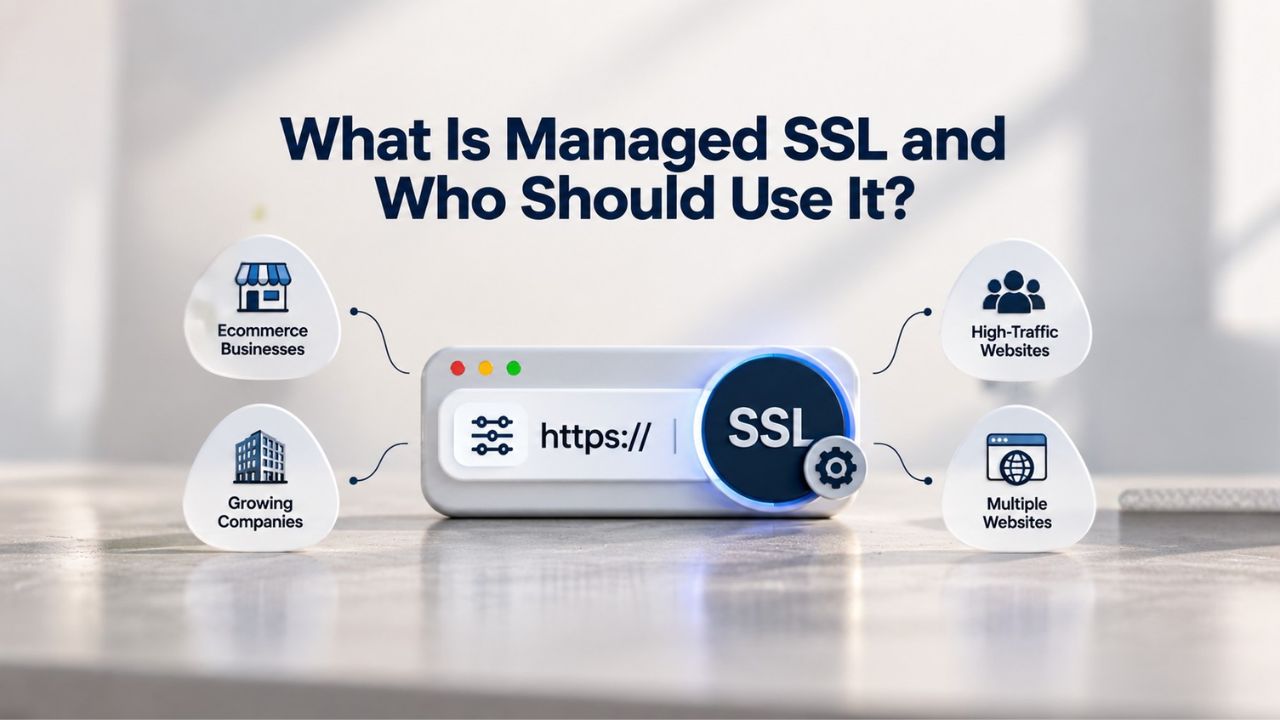
What Is Managed SSL, and How Does It Differ From Self-Managed?
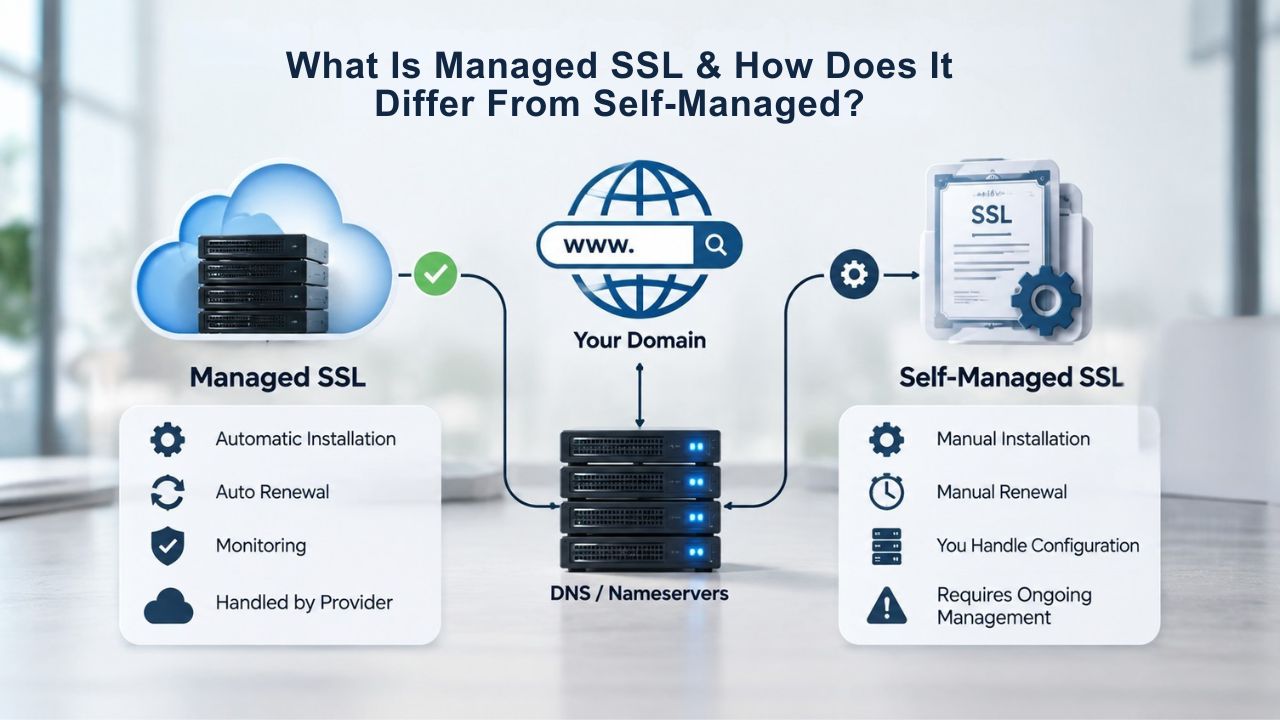
Managed SSL and self-managed SSL represent two fundamentally different approaches to keeping your certificate current and secure. Understanding how each model works and what each demands from your organization helps you choose the approach that aligns with your team’s capacity and your site’s uptime requirements. Your choice shapes not only your workload but also your risk profile and peace of mind.
Managed SSL: The Provider-Handled Approach
Managed SSL means your certificate provider handles the entire certificate lifecycle from start to finish. That includes requesting the certificate on your behalf, completing domain validation without requiring your technical intervention, installing the certificate on your server, monitoring it continuously for expiration risk, initiating renewal well before expiration, and deploying the new certificate automatically when it arrives. When you set up managed SSL, you provide minimal information, typically just your domain name and server access details, and the provider’s team handles the rest.
With managed SSL, your operational burden shrinks dramatically compared to managing certificates yourself. You no longer need to track expiration dates on a calendar, set phone reminders, or manually request a renewal 30 days before expiration arrives. You don’t coordinate CSR generation or installation steps across multiple team members or scramble to complete domain validation when it times out. Instead, the provider’s automation and support team handle those responsibilities reliably on a predictable schedule. Your role becomes reactive and minimal: respond to occasional support questions or, in rare cases, provide server access if the provider needs direct intervention.
Self-Managed SSL: The Full-Control Approach
Self-managed SSL places the entire responsibility on your internal team. You initiate the certificate request, generate the Certificate Signing Request (CSR) if your hosting platform requires it, complete domain validation by responding to emails or creating DNS records, download the certificate and intermediate chain files, install both on your server correctly, configure your web server’s SSL directives, and verify the installation succeeded by checking for the padlock icon and running SSL diagnostic tools. When the certificate nears expiration, you repeat the entire process. If you manage multiple domains, subdomains across different servers, or internal certificates for backend systems, that responsibility multiplies across all of them.
Self-managed SSL works well for organizations with experienced IT teams, solid automation infrastructure (tools like Certbot or ACME clients that handle renewal automatically), and proper change control procedures. It also suits teams that want maximum control over when and how certificates are deployed across their infrastructure, or organizations with compliance requirements that mandate direct oversight of certificate issuance.
However, this approach requires sustained vigilance and strong processes. If the team member who originally set up the certificate leaves the organization, knowledge walks out with them. If renewal reminders get lost in email, filtered into spam, or sent to an inbox nobody checks, expiration becomes a real and preventable downtime risk. At scale, when you’re managing dozens of certificates across multiple environments, self-management becomes a significant operational burden that requires dedicated time or a dedicated staff member.
SSL Certificate Plans & Pricing
Choose from a selection of SSL certificates designed to meet different website security and validation requirements. Find the right certificate to secure your website, protect sensitive information, improve search visibility, and build trust with your visitors.
Domain Validated (DV) SSL
(1-Site)
Protect 1 site.
- Domain validation
- SHA-2 & 2048-bit encryption.
- Boost SEO rankings
- Fast issuance in 5min
- Display HTTPS & padlock
- Security trust seal
- Support unlimited servers
- Free unlimited reissues
- $100,000 USD warranty
Domain Validated (DV) SSL
(5-Site)
Protect 5 sites.
- Domain validation
- SHA-2 & 2048-bit encryption.
- Boost SEO rankings
- Fast issuance in 5min
- Display HTTPS & padlock
- Security trust seal
- Support unlimited servers
- Free unlimited reissues
- $100,000 USD warranty
Extended Validation (EV) SSL
(1-Site)
Protect 1 site.
- Extended validation
- SHA-2 & 2048-bit encryption.
- Boost SEO rankings
- Display HTTPS & padlock
- Green address bar
- Security trust seal
- Support unlimited servers
- Free unlimited reissues
- $1,000,000 USD warranty
Extended Validation (EV) SSL
(5-Site)
Protect 5 sites.
- Extended validation
- SHA-2 & 2048-bit encryption.
- Boost SEO rankings
- Display HTTPS & padlock
- Green address bar
- Security trust seal
- Support unlimited servers
- Free unlimited reissues
- $1,000,000 USD warranty
Domain Validated (DV) SSL
(Wildcard)
Protect unlimited sub-domains.
- Domain validation
- SHA-2 & 2048-bit encryption.
- Boost SEO rankings
- Fast issuance in 5min
- Display HTTPS & padlock
- Security trust seal
- Support unlimited servers
- Free unlimited reissues
- $100,000 USD warranty
How GoDaddy’s 90-Day Managed SSL Certificates Work
One of the most important innovations in managed SSL over the past several years is the industry-wide shift to shorter certificate lifespans. GoDaddy, which issues and validates the certificates that authorized resellers like Niya Digital offer to customers, has moved its Managed SSL service to 90-day certificate validity rather than the traditional 1-year renewal cycle. This change matters significantly more than the shortened timeframe might initially suggest, affecting both your security posture and the automation burden on your operations team.
Why 90-Day Certificates Improve Your Security Posture
A 90-day certificate validity period means your certificate is automatically reprovisioned, fully revalidated, and reissued with a new encryption key every 90 days. Over a full year of subscription, that translates to five complete certificate refreshes, compared to a single annual refresh for traditional 1-year certificates. Each time the certificate is reissued, a new encryption key is generated and deployed to your server. Shorter key lifespans reduce the window in which attackers could exploit a compromised private key to impersonate your website or intercept visitor data. The industry has moved toward shorter validity periods because a key compromised for only 90 days poses significantly less risk than one that could remain active for an entire year.
GoDaddy’s documentation on its 90-day managed model emphasizes this security advantage: more frequent key rotation limits exposure of your SSL private keys, minimizing risk to your websites and business operations. Additionally, the shorter cycle encourages better security hygiene across your infrastructure. If a certificate is only valid for 90 days, administrators must touch it regularly, keeping certificate management processes fresh and catching configuration drift or deprecated server setups that might otherwise persist unnoticed for years.
How Frequent Re-Issuance Reduces Long-Term Key Exposure
From a practical operational standpoint, the 90-day model also forces more frequent domain re-validation at the Certificate Authority level. Your domain ownership is verified every three months, keeping validation current and quickly catching unauthorized changes to domain registration, DNS configuration, or registrant contact information. This regular validation cycle also ensures you’re always running a certificate aligned with the latest CA/Browser Forum validation standards and modern browser security policies, reducing the risk that your certificate becomes obsolete, loses trust in a particular browser, or fails compliance audits.
A more frequent refresh cycle further reduces the exposure window if a Certificate Authority is compromised or browser root-store trust programs change. If a CA is breached or loses trust status, certificates issued before the incident are replaced more quickly with 90-day cycles than with annual cycles. For website owners, this means your certificate infrastructure automatically benefits from security improvements and policy updates without manual intervention; the managed service handles it automatically at each renewal.
The Real Cost of Missing a Certificate Renewal
Certificate expiration is one of the most common and preventable causes of website downtime and loss of visitor trust. Understanding exactly what happens when an SSL certificate expires, and how quickly the consequences compound, clarifies why automated renewal through managed SSL is increasingly seen as essential rather than optional. When an SSL certificate expires, the consequences arrive fast and hit hard across multiple dimensions of your business at once.
What Happens the Moment Your Certificate Expires
The instant an SSL certificate expires, every major browser- Chrome, Firefox, Safari, Edge- immediately displays a prominent, full-page warning to every single visitor attempting to access your site. The warning message typically reads something like “Your connection is not private” or “This site is not secure” and often includes a red warning icon or a red address bar. Browsers don’t just warn visitors politely; they actively block or strongly discourage users from proceeding to your website. Visitors must click through multiple warnings or type hidden commands to access your site.
The impact on visitor behavior is immediate and severe. Visitors see the red warning, lose trust in your site instantly, and leave without entering any sensitive data or completing any purchase. For e-commerce platforms, checkout pages, or SaaS login systems, an expired certificate means abandoned shopping carts, lost sales, and direct revenue impact within minutes. Email clients also warn users that your domain may not be trustworthy when they receive emails from it. For businesses that depend on email communication with customers, this compounds the trust erosion.
Downstream Business Impact
The security implications of an expired certificate are equally serious as the visitor-trust impact. Once a certificate expires, the encrypted connection between your visitor’s browser and your server no longer protects data. All communication becomes unencrypted and vulnerable to interception. Sensitive data, passwords, credit card numbers, personal information, and private messages are no longer protected from attackers. Malicious actors on the same network as a visitor, or internet service providers, or government agencies with network access can intercept, read, and potentially modify data in transit. This exposure continues until you renew the certificate and deploy it to your server, a process that can take anywhere from a few minutes to several hours if you discover the renewal reactively rather than plan it.
An expired certificate also affects more than your website’s public-facing pages. Modern applications increasingly rely on SSL certificates for internal API communication, database server connections, and service-to-service authentication across your infrastructure. When a certificate expires unexpectedly on a backend service, that service stops communicating with dependent systems, entire application stacks can fail, and recovery requires emergency IT intervention and potential data inconsistency cleanup.
Additionally, search engines like Google actively penalize sites with expired certificates, dropping them in search rankings and significantly reducing organic traffic visibility. Combined with the immediate visitor-trust loss from browser warnings, an expired certificate can cause a multi-day spike in traffic loss, customer complaints, and reputational damage that takes weeks to recover from and may permanently damage customer relationships.
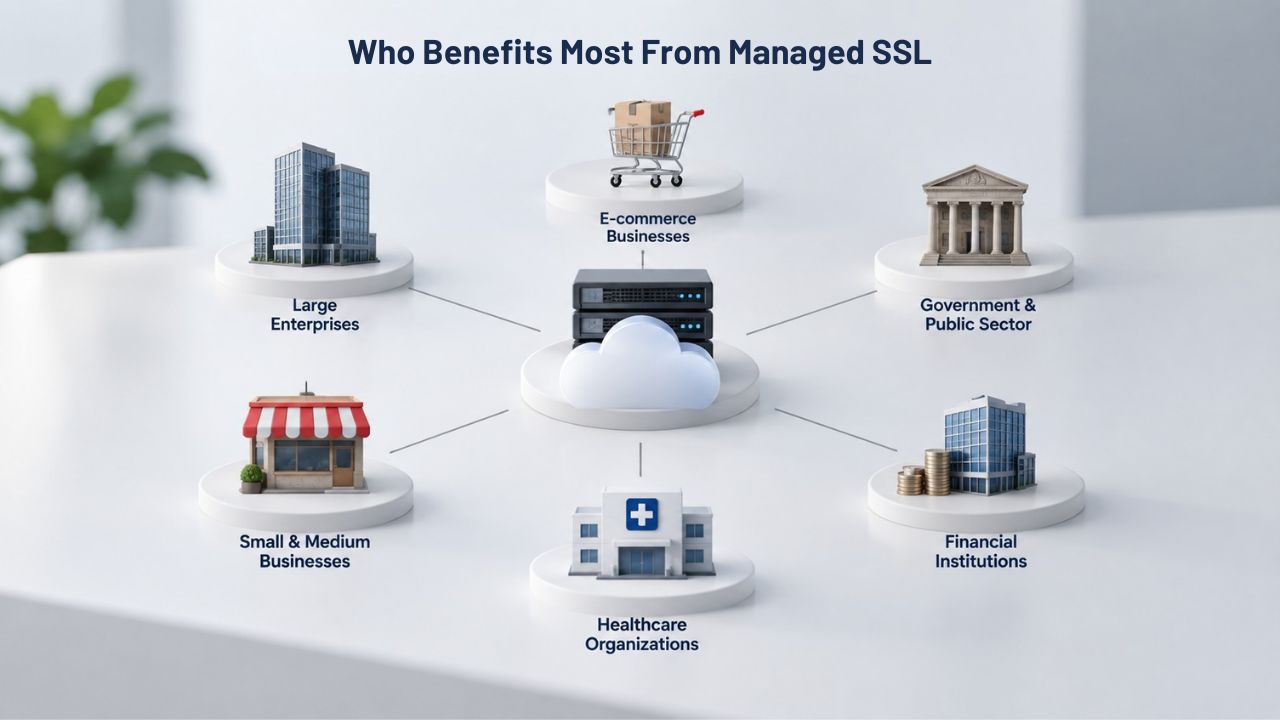
Who Benefits Most From Managed SSL
Managed SSL isn’t necessary for every website owner, but it’s the natural fit for a significant portion of the online ecosystem. Understanding whether you’re in the group that benefits most from managed SSL helps you avoid unnecessary operational burden if you’re not, or prevents costly mistakes if you try to self-manage when managed SSL would be wiser.
Personas That Thrive With Managed SSL
Business owners, bloggers, freelancers, and small-to-medium e-commerce operators typically benefit most from managed SSL. These site owners typically operate one to a few websites, have limited IT staff (often just themselves or a part-time contractor), and have more important priorities- growing their actual business- than spending time on certificate administration. Managed SSL lets them focus on content creation, client work, and sales while the provider handles all the technical plumbing quietly in the background. Similarly, WordPress-based sites, SaaS login portals where downtime is particularly damaging, and service-provider websites that absolutely cannot afford unexpected downtime are ideal candidates for managed SSL.
Non-technical founders and site owners benefit disproportionately from managed SSL because managing SSL yourself requires understanding several technical concepts: CSRs, domain validation methods, certificate chains, web server configuration syntax, and the difference between the certificate file itself and the private key file. For someone without that background, the learning curve is steep and the cost of mistakes, particularly an installation error that breaks the site, is high. Managed SSL abstracts those implementation details away, letting non-technical owners keep their sites secure without becoming part-time certificate administrators or hiring external consultants.
When Self-Managed Still Makes Sense
If your organization has a dedicated IT or security team with proper automation tooling and expertise (Certbot, ACME clients, orchestration platforms, infrastructure-as-code), self-managed SSL can be more cost-effective and gives you finer control over certificate deployment timing and validation procedures.
Large enterprises managing hundreds of certificates across multiple business units often run their own managed PKI (Public Key Infrastructure) platforms rather than relying on reseller services, because the infrastructure investment becomes worthwhile at that scale. Additionally, if you need Extended Validation (EV) or Organization Validation (OV) certificates that require more involved third-party business verification and legal document review, some organizations prefer to manage that validation dialog directly with the Certificate Authority rather than delegating to a reseller intermediary.
Certificate Expiration: Why It Happens and How Managed Services Prevent It
Certificates expire by design, not by accident or technical limitation. Understanding why certificates have expiration dates in the first place clarifies why managed renewal through automated services is such a powerful safeguard against downtime.
Why Certificates Have Expiration Dates
SSL/TLS certificates have fixed validity periods set at issuance, typically 90 days, 1 year, or sometimes up to 398 days (roughly 13 months), depending on the issuing Certificate Authority and the certificate type. These expiration windows exist for important security reasons. Shorter validity periods reduce the window during which a compromised or stolen certificate could be exploited before becoming useless. They also encourage regular security reviews and updates, ensuring websites stay current with evolving encryption standards, cryptographic algorithms, and browser security policies. The CA/Browser Forum, the industry body that sets baseline requirements for certificate issuance across all major browsers and root stores, has been progressively shortening maximum certificate lifespans over the past decade, pushing the industry toward 90-day cycles as the emerging standard for all managed services.
The downside of short validity periods is obvious and immediate: renewals happen more frequently, creating exponentially more opportunities for the process to be missed, forgotten, or disrupted. A website manager who forgets a renewal window, whether due to team turnover, email filtering issues, simple oversight, or a server migration that breaks auto-renewal, now faces certificate expiration every three months instead of just once per year. The renewal burden multiplies fourfold. At scale, when you’re managing dozens or hundreds of certificates across multiple environments, subdomains, and internal services, self-managed certificate tracking becomes mathematically impossible without formal automation.
How Managed SSL Prevents Expiration Downtime
Managed SSL services eliminate the expiration-deadline risk through multi-layered automation and proactive monitoring. The provider’s systems automatically track expiration dates for every certificate, initiate renewal well before expiration (typically 30 or more days in advance), complete all domain re-validation steps without requiring any action from you, and deploy the new certificate directly to your production server. No calendar reminders, no manual CSR generation, and no installation verification checklists to complete. The only realistic way an expiration sneaks through is if the managed service itself fails, a rare event from reputable providers, and one that typically comes with published service-level guarantees and incident response commitments.
For sites with multiple domains or subdomains across different servers, this automation scales effortlessly and transparently. A single renewal process handles ten domains as easily as one, a hundred domains as easily as ten. The provider’s systems track them all in parallel, ensuring no certificate slips through its renewal window, no matter how complex your domain structure is. Niya Digital’s team has found that the single most common cause of unplanned downtime their customers would have experienced independently, before switching to managed renewal, is certificate expiration. That downtime disappears almost entirely once customers move to managed renewal, freeing IT resources for higher-value security work and business initiatives.
| Renewal Challenge | Self-Managed Risk | Managed SSL Solution | Business Impact if Failure Occurs |
|---|---|---|---|
| Expiration date tracking | Relies on calendar reminders, email, or spreadsheets; easy to miss | Automated monitoring checks daily; alerts 30+ days before expiration | Site goes offline; visitors see “Not Secure” warning; revenue loss |
| Domain re-validation | Must manually respond to CA emails or set up DNS records | Automatic re-validation using DNS or email; no action needed | Renewal fails silently; certificate expires unexpectedly |
| Certificate installation | Manual download and server configuration required | Provider handles installation; confirms it succeeded | Installation error causes mismatched certificate warnings |
| Silent renewal failure | Auto-renewal breaks without alerting; discovered only after expiration | Multiple monitoring layers catch failures before expiration | Hours or days of downtime; customer complaints; SEO penalty |
| Multiple domains | Renewal burden multiplies with each domain; error-prone at scale | Single renewal process handles all domains in parallel | Missed renewal on one domain takes down that service |
| Team turnover | Knowledge walks out with departing team member | Managed service continues regardless of staff changes | New hire unfamiliar with process; expiration happens |
| Emergency renewals | Slow and manual; recovery takes hours | Fast-track process; provider handles emergency reissuance immediately | Prolonged downtime; reputation damage; lost customers |
Protect Your Site From Certificate Expiration Downtime
Certificate expiration is preventable. Managed SSL removes the renewal burden entirely, automating domain validation, certificate issuance, and deployment so expiration never causes downtime again. Let Niya Digital’s SSL Certificates Service handle your certificate lifecycle automatically while you focus on growing your business.
Installation and Support: How Managed SSL Simplifies Deployment
The managed SSL experience doesn’t end with purchase or initial setup. True managed service includes professional installation guidance and continuous monitoring to catch configuration problems before they affect visitors.
How Installation Works Under Managed SSL
When you purchase managed SSL through a reseller like Niya Digital, the provider typically requests minimal information from you to get started: your domain name, the type of hosting platform or web server you’re running (cPanel, Plesk, generic Apache/Nginx, or cloud platform), and ideally, the access credentials or hosting control panel login needed to install the certificate. From there, the provider’s support team takes the process off your hands. They generate the Certificate Signing Request (CSR) on your behalf, or guide you through generating it if your hosting platform requires you to submit it yourself. The team handles all domain validation steps, waits for validation to complete, retrieves the issued certificate and complete intermediate certificate chain from the Certificate Authority, and installs both on your production server.
This hands-off approach means you avoid the most common installation mistakes that plague DIY certificate installations. Many site owners forget to install the intermediate certificate chain alongside their end-entity certificate, resulting in “incomplete certificate chain” warnings that scare visitors. Others misconfigure their web server’s SSL directives or point to the wrong certificate file, causing browsers to warn that the certificate doesn’t match the domain. Some accidentally install the certificate on a staging or development server instead of production, only discovering the mistake when visitors see security warnings. Professional installers have done this hundreds or thousands of times and know the quirks of different hosting platforms, server configurations, and web application frameworks, making the installation faster, more reliable, and more accurate than a first-time DIY attempt.
Ongoing Monitoring and Renewal Alerts
Beyond the initial installation, managed services typically monitor your certificate’s validity continuously using automated checking systems. The provider’s systems check your live certificate daily, verify it’s correctly installed, confirm the chain is complete, and validate that major browsers trust it. If a certificate is about to expire soon (typically 30 days before), you receive alerts well in advance, giving you time to plan or coordinate with the provider’s team if questions arise.
If the certificate is misconfigured, broken, or compromised, the provider notifies you promptly and offers remediation steps or takes corrective action directly. Some managed services also include post-installation verification testing: the provider confirms the certificate installed correctly, the chain is complete and in the right order, and browsers trust it before closing the installation ticket. This verification step catches configuration errors immediately, before they affect any visitors.
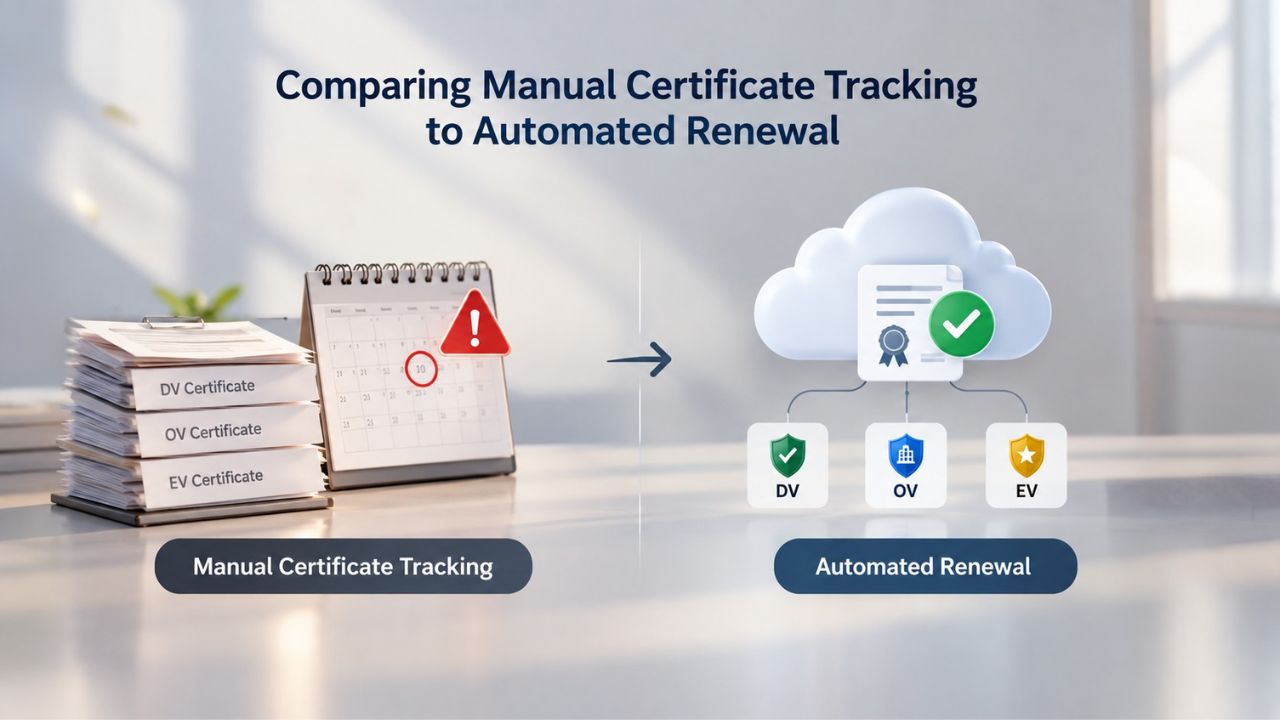
Comparing Manual Certificate Tracking to Automated Renewal
The operational cost of self-managed certificate tracking scales in ways that often surprise organizations until they’ve already become painfully aware of it. Understanding those scaling costs clarifies why managed renewal is increasingly becoming the default choice for organizations managing any significant number of certificates.
The Hidden Failures in Manual Tracking
Many organizations still track SSL certificates in spreadsheets: domain names in one column, expiration dates in another, renewal status in a third, and installation server in a fourth. This approach works adequately for a handful of certificates, numbering perhaps one to five per organization. But it breaks down quickly at scale, and it fails silently in subtle ways even with small numbers. Spreadsheets fall out of sync when domains are added to or removed from the website, when servers are decommissioned, or when DNS configurations change. Email reminders get lost in inbox floods, marked as spam by email filters, or routed to people who’ve since left the organization or changed roles.
Spreadsheet-based tracking also systematically misses internal certificates, those used for API communication, database server connections, email systems, staging environments, development servers, and internal service-to-service communication. It’s not uncommon for a company to successfully renew and reinstall its production website certificate. In contrast, a critical backend database certificate can expire silently, causing service disruptions that initially seem unrelated to SSL. Another common and particularly dangerous failure mode is silent renewal failure.
A website owner sets up automatic renewal through Let’s Encrypt or configures renewal reminders through their hosting platform. Still, a DNS change, server migration, hosting account update, or firewall rule change breaks the renewal process without triggering any visible error. The automated renewal fails silently, but no alert reaches anyone because the system appeared to run without errors. Weeks or months later, the certificate expires, and the downtime is discovered only when customers report the browser security warning or the site stops responding. Managed services typically have human oversight, multiple monitoring layers, and fallback procedures that catch these renewal failures before certificates expire.
How Automation Prevents Silent Failures
Automated managed services use multiple overlapping monitoring and validation layers to ensure renewal succeeds. The provider’s renewal system attempts renewal on a fixed schedule, confirms success by independently checking the live certificate on your server, and escalates alerts to the provider’s support team if anything goes wrong at any step. The provider’s team intervenes proactively before expiration, not reactively after downtime begins. This multi-layer approach eliminates the single-point-of-failure risk that plagues manual tracking methods.
Additionally, for organizations managing dozens or hundreds of certificates across multiple business units and server environments, automation becomes not just desirable but mathematically necessary. At a certain scale, perhaps 20 to 50 certificates across multiple domains and production/staging/development environments, manual tracking becomes essentially a full-time job for one person, and the cost of hiring someone to manage certificates alone often exceeds the cost of a managed SSL service that handles all of it automatically.
Certificate Types Available in Managed SSL Plans
Managed SSL isn’t a one-size-fits-all offering when it comes to certificate types. Most providers, including those that Niya Digital partners with, offer several certificate types under managed renewal services, each suited to different site architectures and trust requirements.
Domain Validation (DV) Certificates
Domain Validation (DV) certificates, the most common type used globally, verify only that you own or control the domain name for which the certificate is issued. They don’t verify your business’s legal identity, business registration status, or organizational entity status. DV certificates are ideal for blogs, personal portfolios, staging environments, development servers, and internal applications where visitor trust in your organization’s verified business identity matters less than having encrypted communication. They’re also the fastest type to issue, often completed within minutes after domain control is confirmed through email or DNS verification, and typically the most affordable option.
Under managed renewal, DV certificates are the default because they’re easy to automate: domain control can be re-verified automatically using DNS records or HTTP verification files, with no human intervention required. When you renew a DV certificate under a managed service, the entire process runs automatically. The provider initiates domain re-verification using whatever method you originally used (email, DNS, or file-based), confirms the verification succeeded, retrieves the new certificate, and installs it. You don’t need to do or approve anything; it happens automatically on schedule.
Wildcard and Multi-Domain Certificates
Wildcard certificates secure a domain and all of its subdomains with a single certificate. For example, a wildcard certificate for *.example.com secures mail.example.com, shop.example.com, api.example.com, blog.example.com, and any other subdomains you might create under example.com, without needing to purchase separate certificates for each subdomain.
Multi-domain certificates, also called SAN (Subject Alternative Name) certificates, secure a primary domain plus several additional separate domains under one certificate, useful if you run related but distinct websites under different domain names but want to manage their SSL certificates as a single unit. Both wildcard and multi-domain certificates are supported under managed renewal models. The renewal process handles all subdomains and additional domains in parallel, significantly simplifying management for sites with complex domain structures.
When Should You Choose Managed SSL Over Self-Managed?
The choice between managed and self-managed SSL comes down to several key factors: your team’s technical capability, the total number of SSL certificates you manage, your tolerance for downtime risk, your team’s historical track record with certificate administration, and the total labor time your organization spends annually on certificate tasks.
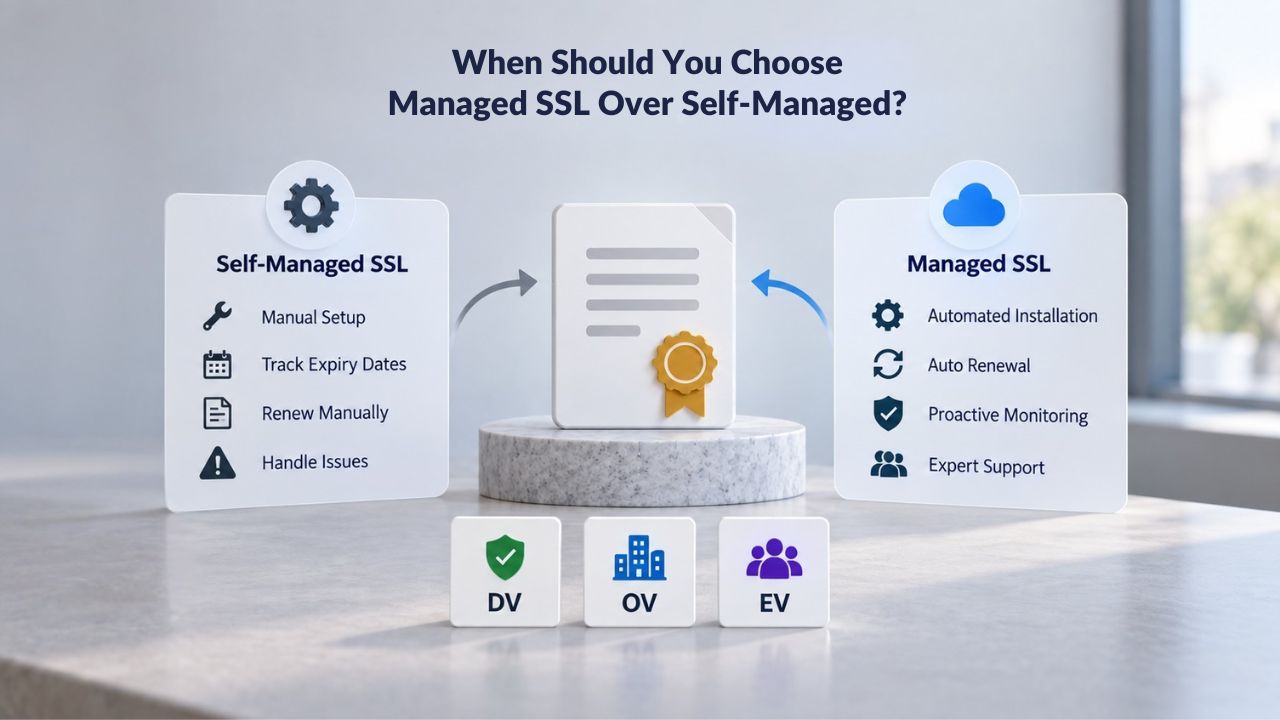
Decision Framework: Five Key Questions
Do you have a dedicated IT or security team with automation experience? If yes, and that team has hands-on experience with tools like Certbot, ACME clients, configuration management, and infrastructure-as-code practices, self-managed SSL can work well for your organization and gives you fine-grained control. If not, if you’re a small organization without a dedicated IT person, or you may have IT staff. Still, if they lack automation experience, managed SSL is usually the faster, lower-risk path to reliable certificate management.
How many SSL certificates do you manage across all domains, subdomains, and environments combined? If the answer is one or two certificates covering your main website, self-managed is manageable with a little diligence and calendar reminders. If you’re managing twenty or more certificates across production and staging environments, multiple domains, API servers, and internal services, automation becomes essential, and managed renewal is typically more cost-effective than paying IT staff to track renewals manually or absorbing the cost of downtime from expirations.
Can your business afford downtime caused by a missed certificate renewal? If your website is mission-critical, an e-commerce platform where every hour of downtime is lost revenue, a SaaS application where users can’t log in, a payment processor, or a financial service, the insurance value of managed renewal often outweighs any upfront cost difference. If your site is a low-traffic blog or informational site, downtime is inconvenient and embarrassing but not catastrophic to your business.
What’s your team’s actual track record with certificate administration? If you’ve had expiration incidents before, deployed a certificate to the wrong server, or forgotten a renewal and only found out when customers complained, that’s a clear red flag that your current process isn’t reliable enough for your business needs. Managed SSL shifts that operational risk to the provider and their automation systems.
How much time does your IT team actually spend on certificate tasks annually? Track the hours: time spent setting up calendar reminders, responding to expiration alerts, generating CSRs, installing certificates, testing installations, troubleshooting certificate errors, and handling downtime incidents. If the answer is more than a few hours per year, managed renewal probably saves you money when you add up fully loaded labor costs and factor in the cost of downtime incidents.
Common Scenarios
A typical small-business website owner with one domain, no dedicated IT staff, and limited technical background should use managed SSL. An enterprise IT department managing fifty-plus certificates across production, staging, and backend services should evaluate enterprise managed PKI platforms or managed SSL at scale.
A WordPress site on shared hosting where the hosting provider already includes managed SSL renewal should stay with that provider unless you have specific reasons to change. A developer running a few personal projects might prefer self-managed SSL so they can control deployment timing and practice certificate administration skills for resume-building purposes.
Building a Certificate Management Strategy for Your Business
Whether you choose managed or self-managed SSL, a deliberate strategy prevents surprises and keeps your site consistently secure over time. Even with managed SSL, knowing what certificates you have and when they expire helps you manage your overall business infrastructure effectively.
Audit, Calculate, and Evaluate Your Model
Start by conducting a complete audit: list every SSL certificate your organization currently uses or manages. This includes production website certificates, mobile app backend certificates, API certificates, staging environment certificates, development environment certificates, database SSL connections, email certificates, internal service-to-service communication certificates, and any other certificates you maintain. For each certificate, document the domain name or IP address it secures, the certificate type (DV/OV/EV), the issuing Certificate Authority, the expiration date, the installation location (which server, which application, which service), and the renewal contact person if applicable.
Count the total number of certificates and calculate your renewal frequency across one year. If you have five certificates expiring annually on a staggered schedule, that’s roughly one renewal every ten weeks, manageable with spreadsheet tracking and reminders. If you have thirty certificates with the industry shift to 90-day validity, you’re facing one hundred twenty renewal events per year, approximately two renewal events per week. That scale makes self-managed renewal impractical and makes managed renewal look like a bargain for operational efficiency.
Choose Your Provider and Implement Monitoring
For managed SSL, select a provider whose support responsiveness and automation reliability you trust. Evaluate their typical renewal response time, the monitoring capabilities they offer, any service-level agreements (SLAs) they publish, and the quality and availability of their customer support. For self-managed SSL, ensure you have solid automation tooling (Certbot for Let’s Encrypt, ACME clients, orchestration platforms like Kubernetes with cert-manager) and documented runbooks for certificate generation, installation, testing, and rollback if something goes wrong.
Assign clear ownership regardless of your chosen model: which team, which individual, or which role is responsible for tracking renewals and responding to renewal failures? What’s the escalation path if that person is unavailable? Who has access to the certificate management dashboard or renewal system? Whether you’re using managed or self-managed SSL, set up independent monitoring that checks your live certificate validity daily and alerts you automatically 30 days before expiration. Use tools like SSL Labs, Qualys SSL Labs, or your provider’s own monitoring dashboard. Test your renewal process at least once per year by renewing a certificate before it actually expires and confirming the new certificate deployed correctly before the old one expired.
Getting Started With Managed SSL
Explore how managed SSL can eliminate certificate renewal headaches and keep your site secure around the clock. Niya Digital’s SSL Certificates Service handles domain validation, installation, monitoring, and automated renewal on your behalf, ending the operational complexity of tracking expiration dates and managing renewals across multiple servers.
Frequently Asked Questions
What is the difference between SSL and TLS?
SSL (Secure Sockets Layer) and TLS (Transport Layer Security) are cryptographic protocols for encrypting data between a user’s browser and a website. SSL is the older protocol developed in the 1990s; TLS is the modern, more secure successor developed in the 2000s and continually updated.
People often use the terms interchangeably in conversation, and modern “SSL certificates” are technically TLS certificates. From a user’s perspective, both work identically: they enable HTTPS in the browser address bar and the padlock icon that signals a secure connection.
How often do SSL certificates need to be renewed?
Certificate renewal depends on the validity period the Certificate Authority sets at issuance. Modern certificates are typically valid for 90 days (common for managed services and Let’s Encrypt free certificates), one year (common for commercial paid certificates), or up to 398 days (roughly thirteen months) for some commercial providers.
Managed SSL services automate renewal, so you don’t need to track the renewal date or renew it yourself. With self-managed SSL, you must renew before expiration to avoid downtime and browser warnings.
Can I move my certificate to a different hosting provider?
Most SSL certificates can be moved to a different provider, but the process varies by Certificate Authority and certificate type. You’ll typically need to generate a new Certificate Signing Request (CSR) on the new server, request a reissue from the CA, complete domain validation again with the new provider, and install the reissued certificate on the new server.
Some CAs allow certificate reissues without re-validating the domain if you do it within a certain timeframe, but policies vary by issuer. If you use managed SSL, your provider typically handles the migration for you as part of their service.
What happens if my SSL certificate expires while I’m on vacation or unavailable?
With self-managed SSL, an expired certificate immediately displays a full-page browser warning that prevents most visitors from accessing your site. Your traffic tanks, your search engine rankings drop, and your reputation takes a hit. With managed SSL, the provider’s automated renewal and monitoring systems continue working regardless of your personal availability or vacation status. The certificate renews on its regular schedule, and your site stays secure and accessible. This is one of the core reasons many site owners prefer managed renewal; it provides protection even when you’re offline or unavailable.
Is managed SSL more expensive than self-managed or free options?
Managed SSL typically costs more per certificate than free options like Let’s Encrypt or even some self-managed paid options. Still, that cost includes automation, support, and monitoring value. For a site owner managing certificates alone or with limited IT resources, managed SSL is usually much cheaper than paying someone to track renewals manually, dealing with downtime from missed renewals, or losing revenue from certificate-related outages.
Can I use a free SSL certificate instead of managed SSL?
Free certificates from providers like Let’s Encrypt are completely valid and provide the same level of encryption as paid certificates. However, free certificates require technical setup and automation, and they have shorter validity periods (typically 90 days), meaning more frequent renewals and more opportunities to miss renewals.
Free certificates work best for technically proficient site owners with solid automation tooling and processes in place. If you prefer hands-off management and professional support, managed paid SSL is often worth the investment.
Do I need a different certificate type for a mobile app?
Mobile apps typically don’t use SSL certificates in the same way websites do. Instead, mobile apps connect to a backend API server that runs on a web server protected by an SSL certificate. The SSL certificate on your API server is what matters for mobile app security. You’d use a standard SSL certificate for your API backend, managed or self-managed depending on your infrastructure and team capability.
What is a certificate chain, and why is it important?
A certificate chain consists of your site’s certificate (the end-entity certificate), plus one or more intermediate certificates issued by the Certificate Authority that link your certificate back to the root certificate that browsers trust. Browsers need the entire chain to verify that your certificate is legitimate and trusted.
If you install only your certificate without the intermediate certificates, browsers display “incomplete certificate chain” errors or warnings. Managed SSL services handle chain installation automatically; with self-managed SSL, you must manually install the full chain.
Can I use the same SSL certificate on multiple servers?
Yes, you can use the same certificate on multiple servers, but only within the certificate type’s scope. A single-domain certificate works for one domain on as many servers as you want. A wildcard certificate works for all subdomains (*.example.com) across any number of servers.
A multi-domain (SAN) certificate works for each listed domain across any number of servers. Self-managed SSL gives you complete control over where you install each certificate; managed SSL services may have policies or limitations on how many servers you can cover with a single certificate purchase.
How does managed SSL handle domain validation?
Managed SSL providers automate domain validation by using DNS records, HTTP verification files, or email verification. The provider’s system requests validation, guides you to add a specific DNS record to your domain or upload a verification file to your web server, and then automatically confirms validation. Once confirmed, the CA issues and installs the certificate. With self-managed SSL, you handle validation yourself by responding to CA validation emails or setting up DNS records per the CA’s instructions.
What happens to my certificate when I renew my domain registration?
When you renew your domain registration (a completely separate transaction from SSL certificate renewal), your existing SSL certificate is completely unaffected. The certificate remains valid and functional through its stated expiration date, whether your domain registration is active or expired. When your SSL certificate expires, you’ll renew it separately through your certificate provider (or a managed service will do it automatically).
Can managed SSL scale to hundreds or thousands of certificates?
Absolutely yes. Many managed SSL and enterprise managed PKI services are specifically designed for large-scale certificate management. They can handle hundreds or thousands of certificates simultaneously, automate renewal and reissuance across all of them, provide centralized monitoring dashboards, and enforce organizational policies on certificate configuration and validation. If you manage a large certificate footprint, enterprise managed solutions are often far more cost-effective than maintaining your own infrastructure or relying on manual processes.
Is managed SSL HIPAA-compliant or PCI DSS-compliant?
SSL certificate encryption is one component of HIPAA and PCI DSS compliance, but compliance requires far more than just SSL. You must also secure your servers, restrict access, encrypt data at rest, maintain audit logs, implement strong authentication, and follow dozens of other requirements.
Managed SSL helps you meet the data-in-transit encryption component; full compliance requires security practices across many areas beyond certificates. Check with your managed SSL provider about their compliance certifications and audit history to understand what they cover.
Can I renew my SSL certificate before it expires?
Yes, most Certificate Authorities allow early renewal. When you renew early, the new certificate’s validity period typically starts immediately, and you can often carry over some remaining time from your old certificate (usually up to thirty days, depending on the CA’s policy). Managed SSL services often renew automatically 30 or more days before expiration, so you don’t have to worry about timing.
What should I do if I suspect my SSL certificate private key has been compromised?
Contact your Certificate Authority or managed SSL provider immediately and request certificate revocation and emergency reissuance. Do not wait for the certificate to expire naturally. The CA will revoke the compromised certificate (causing browsers to flag it as untrustworthy) and issue a new certificate with a completely new private key.
Most managed SSL providers maintain fast-track emergency renewal processes for this scenario. For self-managed SSL, document this emergency procedure in advance and keep your CA’s contact information readily accessible.
Glossary
- Certificate Authority (CA): An organization that is trusted by web browsers to issue and validate SSL/TLS certificates. CAs verify domain ownership (for DV certificates) or business identity (for OV/EV certificates) before issuing a certificate. GoDaddy and Starfield Technologies are prominent examples of CAs that issue millions of certificates globally.
- Domain Validation (DV): The simplest SSL certificate validation level, requiring only proof that you own or control the domain name. The CA sends a verification email or checks a DNS record to confirm domain control. DV certificates are the fastest to issue and the most affordable option, but they don’t verify your business’s legal identity or organizational legitimacy.
- Domain Control Verification (DCV): The process by which a Certificate Authority confirms you actually own or control a specific domain name. Common verification methods include responding to a verification email sent to standard domain mailboxes, adding a specific DNS record to your domain’s DNS configuration, or uploading a verification file to your web server’s root directory. Successful DCV is required before issuing any certificate.
- SSL Certificate Expiration: The date on which an SSL certificate stops being valid and providing any protection or trust signal. After expiration, browsers immediately display “Not Secure” warnings, and the certificate provides no encryption or visitor trust. Managed SSL services prevent expiration by automating renewal well before the expiration date arrives.
- SSL Certificate Renewal: The process of obtaining a new SSL certificate to replace one that is expiring soon. Renewal typically involves re-validating domain ownership, potentially generating a new CSR, and deploying the new certificate to your server. Managed SSL automates this entire process; self-managed SSL requires manual intervention at each step.
- Wildcard SSL Certificate: A certificate that secures not just a domain but a domain and all of its subdomains with a single certificate. For example, a wildcard certificate for *.example.com automatically secures mail.example.com, shop.example.com, blog.example.com, and any other subdomains without needing separate certificates for each one.