
How SSL and TLS Encrypt Your Website Traffic
SSL (Secure Sockets Layer) was the original encryption standard for web traffic; TLS (Transport Layer Security) replaced it as a more secure protocol. Today, people often use the terms interchangeably, though TLS is the current standard. An SSL certificate enables HTTPS, the secure version of HTTP, so your site’s data is encrypted and authenticated before it travels across the internet.
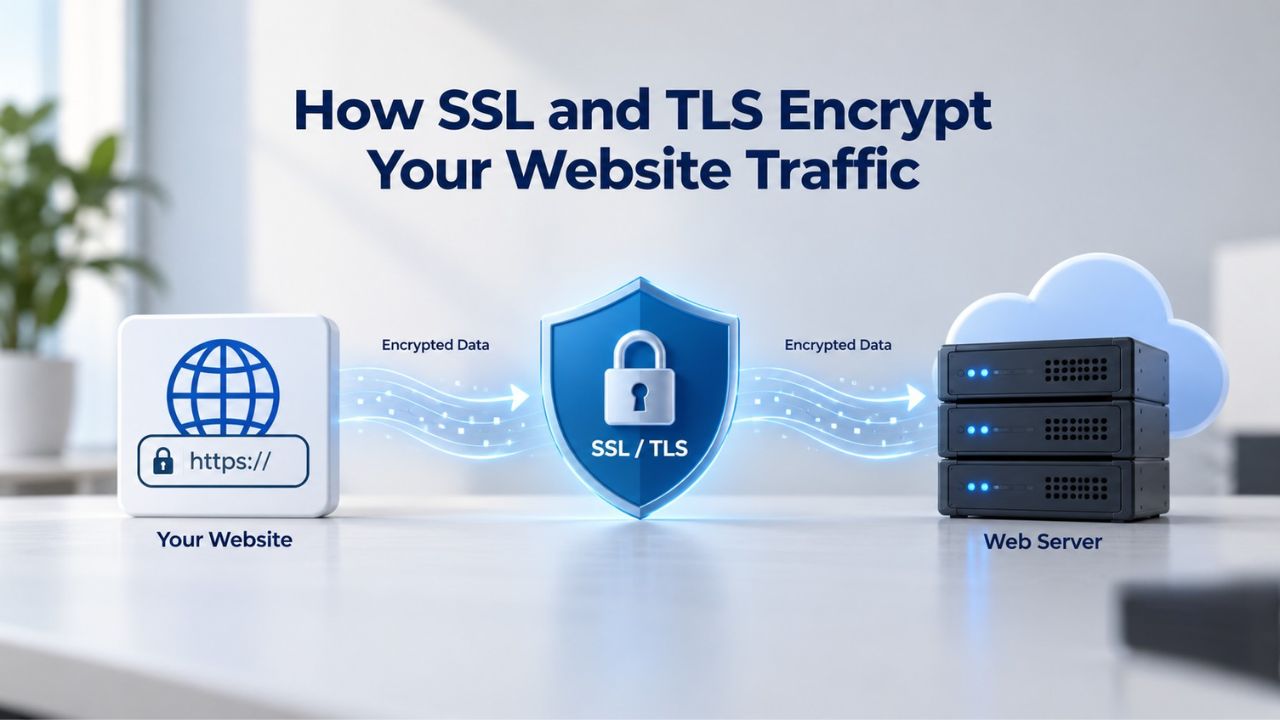
The Role of Encryption in Browser-to-Server Communication
This encryption happens automatically when a site uses HTTPS. Your visitors don’t need to do anything special, no passwords to enter, no extra clicks. The certificate lets the browser verify that the web server is who it claims to be and that all subsequent communication is confidential. The browser checks the certificate’s validity, confirms it matches the domain being accessed, and verifies that a trusted Certificate Authority issued it before proceeding.
Once the browser confirms the certificate is legitimate, the two parties begin the TLS handshake, a rapid negotiation where they agree on which encryption methods to use. This entire process takes milliseconds and is invisible to visitors, yet it’s the foundation of every secure HTTPS connection. The padlock icon appears only after this verification completes, signaling to visitors that their connection is encrypted and authenticated.
Understanding Public and Private Keys
SSL/TLS relies on a clever mathematical relationship between two keys: a public key (which the website shares openly) and a private key (which the server keeps secret). Data encrypted with the public key can only be decrypted with the private key, and vice versa. This asymmetric approach solves a fundamental problem: how do two parties who’ve never met establish a secret without first meeting in person?
During the initial connection, the server sends its public key to the browser, the browser generates a temporary session key, encrypts it with the server’s public key, and sends it back. Only the server, with its private key, can decrypt the session key. From that point forward, both the browser and server use the same session key (symmetric encryption) to encrypt and decrypt all traffic. This hybrid approach combines the security of public-key cryptography with the speed of symmetric encryption, allowing thousands of concurrent users to maintain secure sessions without slowing performance.
SSL Certificate Plans & Pricing
Choose from a selection of SSL certificates designed to meet different website security and validation requirements. Find the right certificate to secure your website, protect sensitive information, improve search visibility, and build trust with your visitors.
Domain Validated (DV) SSL
(1-Site)
Protect 1 site.
- Domain validation
- SHA-2 & 2048-bit encryption.
- Boost SEO rankings
- Fast issuance in 5min
- Display HTTPS & padlock
- Security trust seal
- Support unlimited servers
- Free unlimited reissues
- $100,000 USD warranty
Domain Validated (DV) SSL
(5-Site)
Protect 5 sites.
- Domain validation
- SHA-2 & 2048-bit encryption.
- Boost SEO rankings
- Fast issuance in 5min
- Display HTTPS & padlock
- Security trust seal
- Support unlimited servers
- Free unlimited reissues
- $100,000 USD warranty
Extended Validation (EV) SSL
(1-Site)
Protect 1 site.
- Extended validation
- SHA-2 & 2048-bit encryption.
- Boost SEO rankings
- Display HTTPS & padlock
- Green address bar
- Security trust seal
- Support unlimited servers
- Free unlimited reissues
- $1,000,000 USD warranty
Extended Validation (EV) SSL
(5-Site)
Protect 5 sites.
- Extended validation
- SHA-2 & 2048-bit encryption.
- Boost SEO rankings
- Display HTTPS & padlock
- Green address bar
- Security trust seal
- Support unlimited servers
- Free unlimited reissues
- $1,000,000 USD warranty
Domain Validated (DV) SSL
(Wildcard)
Protect unlimited sub-domains.
- Domain validation
- SHA-2 & 2048-bit encryption.
- Boost SEO rankings
- Fast issuance in 5min
- Display HTTPS & padlock
- Security trust seal
- Support unlimited servers
- Free unlimited reissues
- $100,000 USD warranty
The TLS Handshake: How a Secure Connection Begins
Before any data passes between a browser and server, a TLS handshake occurs: a brief negotiation in which the two parties verify each other’s identity and agree on encryption settings. This handshake happens in milliseconds and is invisible to the user, yet it underpins every secure HTTPS connection. Understanding this process helps explain why SSL certificates must come from a trusted source and why they include specific technical details that browsers verify before allowing communication.
The Sequence of Events During Connection Setup
The TLS handshake follows a predictable sequence. First, the client (browser) sends a “ClientHello” message specifying which encryption algorithms and TLS version it supports. The server responds with a “ServerHello” that picks the mutually supported options, then sends its SSL certificate to prove its identity. The certificate includes the server’s public key, the domain name it protects, the organization’s identity (depending on the validation level), and a digital signature from a trusted Certificate Authority confirming the certificate is legitimate.
After the browser receives and validates the certificate, it generates a random session key, encrypts it with the server’s public key, and sends it back. The server decrypts the session key with its private key. Both sides now share the same session key and use it to encrypt all subsequent traffic for that connection. When the browser closes the tab, or the session ends, it discards the session key; the next connection uses a new, random session key. This ensures that even if one session is somehow compromised, future sessions remain protected by different encryption keys.
Why Browsers Trust Some Certificates and Not Others
Browsers maintain root stores, collections of root certificates issued by Certificate Authorities (CAs) that the browser’s vendor (Mozilla, Apple, Google, Microsoft) has audited and deemed trustworthy. When a browser receives a server’s certificate, it checks whether a CA whose root certificate is in the browser’s root store digitally signed it. If not, the browser displays a warning and may block the connection entirely. This chain of trust helps the internet prevent forgery: a fraudulent website cannot present a valid certificate because no trusted CA would issue one for someone else’s domain.
The CA/Browser Forum, an industry consortium of Certificate Authorities and browser vendors, maintains the Baseline Requirements for SSL/TLS certificate issuance and management. These requirements ensure every trusted CA follows security practices, including domain validation, security audits, Certificate Transparency logging (so misissued certificates can be detected), and secure key handling. Compliance with these baseline standards is mandatory for any CA seeking inclusion in browser root stores, making them a critical safeguard for the entire web PKI ecosystem.
Validation Levels: DV, OV, and EV Explained
Not all SSL certificates are created equal. Validation levels determine how thoroughly a Certificate Authority verifies the entity requesting the certificate. A Domain Validation (DV) certificate verifies only that the applicant controls the domain; Organization Validation (OV) confirms the organization behind the domain; Extended Validation (EV) involves the deepest vetting, including legal business documents and background checks. The right level depends on your industry, data sensitivity, and the trust signals your visitors need.
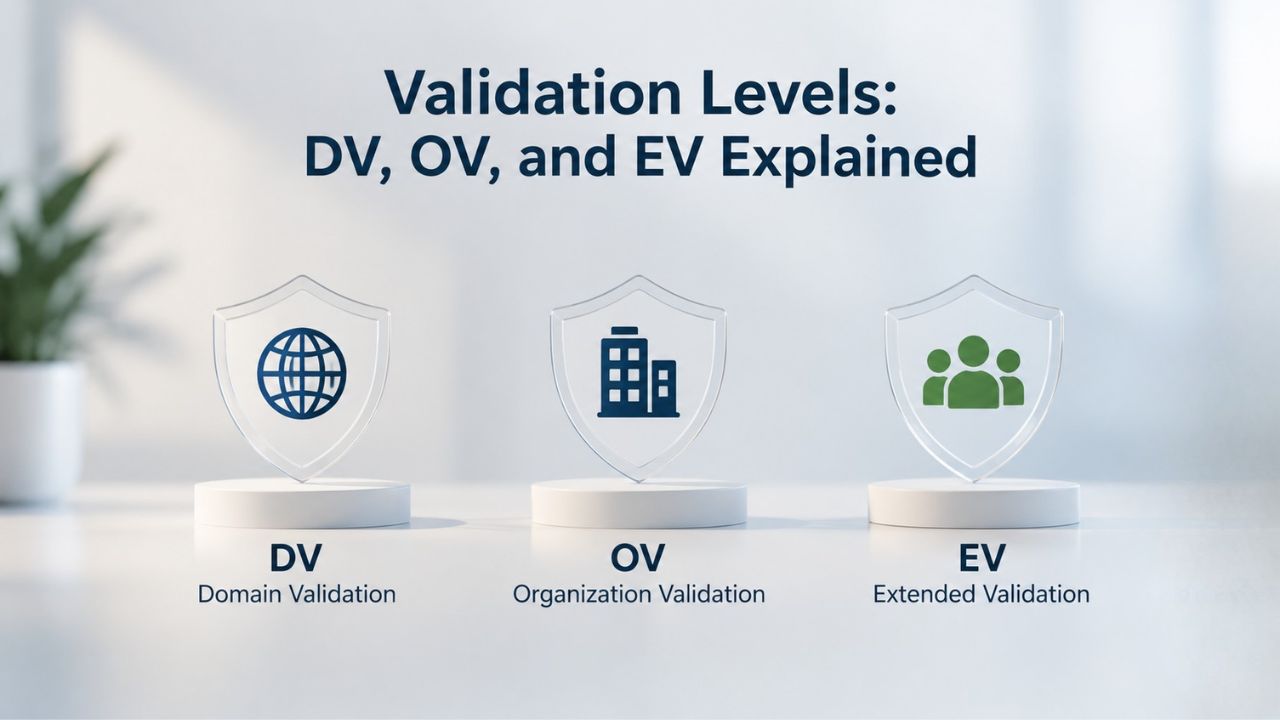
Domain Validation: Speed and Simplicity
A Domain Validation (DV) SSL certificate requires the applicant to prove control over the domain, typically by adding a DNS record, responding to an email sent to the domain, or hosting a specific file on the web server. This verification can happen in minutes, and DV certificates are issued quickly and cheaply. DV certificates are ideal for blogs, personal sites, and internal tools where you’re not handling sensitive customer data or asking visitors to trust an organizational identity.
When a visitor lands on a DV-protected site, they see the padlock icon and HTTPS in the address bar, confirming the connection is encrypted. However, the certificate does not display the organization’s name in the browser; DV certificates only verify domain ownership, not organizational identity. This is why many e-commerce sites and financial institutions use higher validation levels: they need visitors to see the company name in the address bar, which signals legitimacy beyond just encryption. DV certificates dominate the web by volume (94.4% of all certificates) because they’re accessible to any domain owner. Still, they account for only 60% of web traffic, suggesting they’re used mainly for lower-stakes sites.
Organization Validation: Trust Through Identity Verification
Organization Validation (OV) certificates require manual verification of the business’s legal identity, address, and phone number. A Certificate Authority contacts the applicant by phone or email, cross-checks details against business registries, and confirms the organization actually exists and is authorizing the certificate request. OV issuance typically takes 1–2 business days, and the certificate displays the company name alongside the encryption indicator when visitors inspect the certificate details through the browser’s security interface.
OV certificates are popular among small-to-medium businesses, professional services firms, and sites handling customer forms or modest payment transactions. The validation process adds a layer of organizational accountability; if a phishing site claims to be a legitimate business but cannot pass OV validation, the scheme is exposed. OV certificates cost more than DV but less than EV, making them a middle ground for businesses seeking stronger trust signals than DV provides. These certificates hold approximately 5.5% market share by volume but represent 27% of web traffic, reflecting their use by established business sites serving significant visitor numbers.
Extended Validation: The Highest Level of Assurance
Extended Validation (EV) certificates involve the most rigorous vetting. The Certificate Authority verifies not just domain control and organizational identity, but also legal business status, physical address, authorized signatories, and sometimes background checks using government and legal registries. An EV certificate can take 3–5 business days to issue, reflecting the thoroughness of validation. When visitors access an EV-protected site, major browsers historically displayed a green address bar with the company name, a high-visibility trust indicator that immediately confirmed organizational legitimacy.
EV certificates are standard for e-commerce platforms, financial institutions, payment processors, and any site handling high-value transactions or sensitive customer data. While modern browsers have de-emphasized the visual green bar (shifting focus to the padlock for all HTTPS sites), EV certificates still provide the strongest organizational validation. Compliance frameworks and underwriters in regulated industries often require them. Market data shows EV certificates represent only 0.1% by volume but 13% of all web traffic, indicating their concentration on high-traffic, high-trust sites where organizational verification is critical to visitor confidence.
Certificate Types: Single-Domain, Wildcard, Multi-Domain, and SAN
Beyond validation level, certificate type determines which domains and subdomains a single certificate can protect. Choosing the right type reduces management overhead and ensures the same certificate automatically covers every subdomain you launch. The wrong choice forces you to purchase multiple certificates or leave some subdomains unencrypted, creating security gaps and complicating renewal schedules.
| Certificate Type | What It Secures | Domains Covered | Renewal Complexity | Ideal For |
|---|---|---|---|---|
| Single-Domain | One specific domain | 1 | Low | Small sites with one primary domain |
| Wildcard | Domain + all first-level subdomains (*.example.com) | 1 base + unlimited subs | Low-Medium | Sites with multiple subdomains (blog, shop, mail under one domain) |
| Multi-Domain (SAN) | Multiple unrelated domains | Up to 250 distinct domains | Medium | Multi-brand organizations or site portfolios |
| Multi-Domain Wildcard | Multiple domains + all subdomains under each | Multiple bases + unlimited subs per base | Medium-High | Large enterprises with complex domain structures |
| Managed SSL | Any type, automated by provider | Varies | Low (provider manages) | Organizations without in-house certificate/SSL expertise |
| Free DV (Let’s Encrypt) | Single or wildcard, domain control only | 1 or *.base | Medium (short validity, frequent renewal) | Cost-conscious sites, rapid testing/deployment scenarios |
Single-Domain and Wildcard Certificates
A Single-Domain SSL certificate protects one specific domain, for example, www.example.com or example.com. If you need to secure blog.example.com or shop.example.com, you must purchase additional certificates unless you use a Wildcard or Multi-Domain certificate. A Wildcard SSL certificate, by contrast, uses an asterisk (*) in the domain name and secures a domain and all its first-level subdomains with a single certificate. One Wildcard certificate covering *.example.com automatically protects www.example.com, blog.example.com, shop.example.com, mail.example.com, and any other first-level subdomain you create.
Wildcard certificates are cost-effective for organizations with multiple subdomains. They simplify management: you renew one certificate instead of juggling multiple expiration dates, reducing administrative overhead. However, if you operate unrelated domains (example.com and example.net), a Wildcard certificate only covers subdomains under one base domain, so you’d still need separate certificates for different parent domains. Wildcard certificates also introduce a management consideration: if the private key is compromised, all subdomains sharing that key are affected, so key security practices become even more critical.
Multi-Domain (SAN) and Multi-Domain Wildcard Certificates
A Multi-Domain SSL certificate, also called a SAN (Subject Alternative Name) certificate, protects multiple unrelated domains under a single certificate. The SAN field lists each covered domain; for example, example.com, example.net, and example.org can all be protected by one certificate, along with any combination of their subdomains. This approach is ideal for organizations managing multiple brands or properties and wanting to reduce certificate complexity. Multi-Domain certificates typically support up to 250 domains (SANs) per certificate, though some providers offer higher or lower defaults.
A Multi-Domain Wildcard certificate combines both features: it covers multiple distinct parent domains and all first-level subdomains under each. One Multi-Domain Wildcard certificate might protect *.example.com, *.example.net, www.example.org, and api.example.org at the same time. This is the most versatile option for large organizations with complex domain structures, but it adds management complexity; if the private key is compromised, all covered domains are affected. For this reason, enterprises using Multi-Domain Wildcard certificates often implement additional security controls such as hardware security modules and access restrictions on private key storage.
How Browsers Display Security Indicators and Trust Signals
When a visitor lands on your SSL-protected site, their browser provides visual cues that the connection is secure. A padlock icon in the address bar, the HTTPS protocol prefix, and the absence of a “Not Secure” warning all signal that encryption is active. Understanding these indicators helps you recognize when something is wrong; a missing padlock often means a certificate is misconfigured or expired.
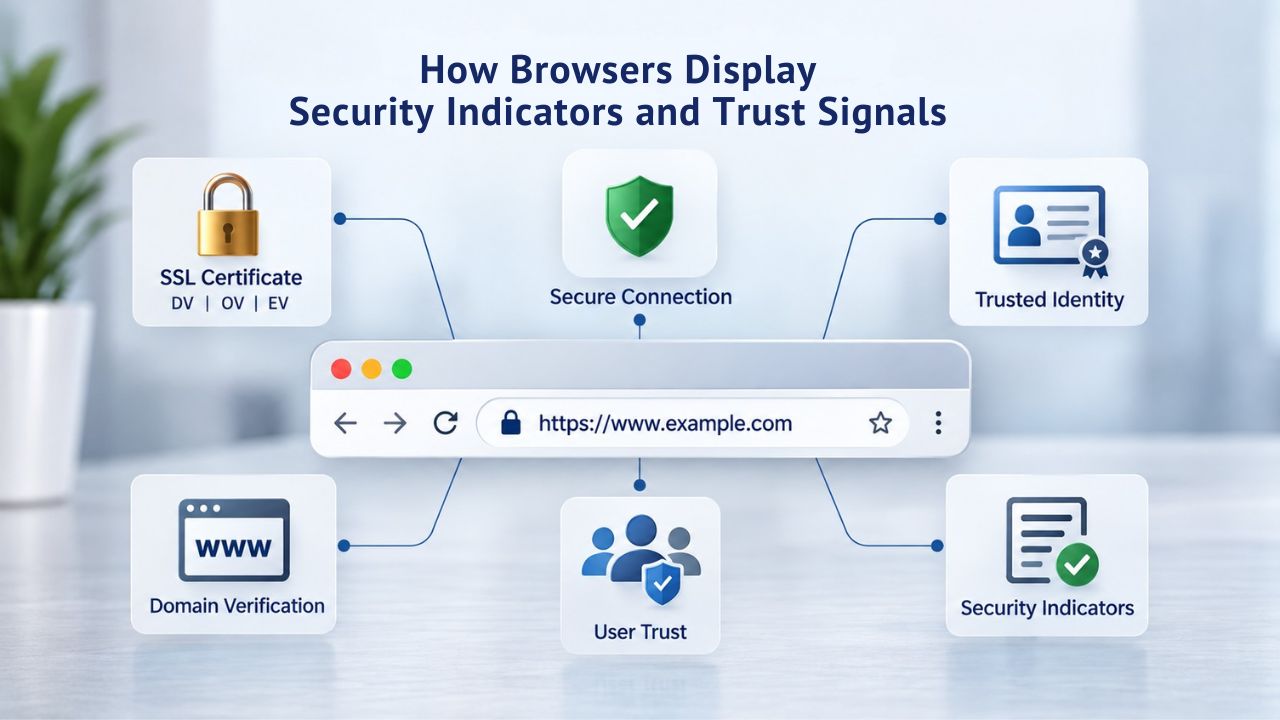
Visual Security Indicators in the Browser Address Bar
The padlock icon appears in the browser address bar whenever a site is served over HTTPS with a valid SSL certificate. It signals to visitors that their data is encrypted and that a trusted Certificate Authority has verified the website’s identity. If a visitor sees a padlock with a red “X” or a “Not Secure” warning, it means the certificate is expired, misconfigured, or issued by an untrusted CA. Modern browsers are strict about this; they block access entirely for certain certificate errors rather than merely warning, to protect users from phishing and man-in-the-middle attacks.
The HTTPS prefix in the URL (rather than HTTP) is another indicator that encryption is active. For technically savvy users, this signals a secure connection. For most users, the padlock is the primary trust indicator. Together, these visual cues create a habit loop: visitors expect to see the padlock on legitimate e-commerce and banking sites, and its absence triggers suspicion. This expectation has become so widespread that every website, even small blogs, now benefits from an SSL certificate. The padlock has become the baseline expectation for trustworthiness, shifting from an optional security feature to a fundamental requirement for maintaining visitor confidence.
Root Store Membership and Certificate Authority Trust
Behind every trusted SSL certificate is membership in a browser’s root store, a curated list of Certificate Authorities approved by the browser vendor (Mozilla for Firefox, Google for Chrome, Apple for Safari, Microsoft for Windows). A CA must undergo rigorous, often multi-year security audits before inclusion. The audit process evaluates the CA’s operational security, key management practices, domain validation procedures, and compliance with the CA/Browser Forum Baseline Requirements. Root store inclusion is a privilege, not a right, and CAs can be removed if they show security lapses or mis-issue certificates.
Niya Digital’s SSL Certificates Service resells certificates issued by GoDaddy and Starfield Technologies, both long-established CAs with roots in all major browser trust stores. This means certificates obtained through Niya Digital are automatically trusted by Chrome, Firefox, Safari, Edge, and other browsers worldwide; customers don’t need to install anything manually or worry about root store membership. The reseller relationship ensures you receive certificates from audited, trusted sources without the complexity of evaluating CA credentials yourself.
Trust a Certificate from a Verified Source
Understanding how browser trust works is the first step; choosing a reseller who respects that trust is the next. Niya Digital’s SSL Certificates Service sources certificates exclusively from GoDaddy and Starfield Technologies, both included in every major browser’s root store. You get the same trusted certificates major enterprises rely on, with professional installation support and built-in renewal management. Start with confidence knowing your certificate comes from a verified, audited source.
SSL Certificate Expiration and the Renewal Process
SSL certificates have a finite validity period, typically one to two years, after which they expire. Before expiration, a Certificate Authority must re-verify that the domain owner still controls the domain and that the organizational information remains current. This expiration-and-renewal cycle is a security feature: it ensures websites regularly update their encryption, stay aligned with evolving security standards, and can’t indefinitely use a single certificate even if the private key is compromised. However, expiration also introduces a critical maintenance task: if you miss the renewal deadline, your site displays “Not Secure” warnings that terrify visitors and halt transactions.
What Happens When a Certificate Expires
When an SSL certificate expires, browsers immediately distrust the certificate and display a prominent “Not Secure” or “Your connection is not private” warning. Some browsers go further and block access entirely, showing an error page that warns users the site may be compromised. Visitors are often too cautious to proceed past such warnings; a single expired certificate can cause a sudden drop in traffic, abandoned shopping carts, and reputational damage. Even after you renew the certificate, visitors’ browsers may cache the old (expired) certificate, so you may need to clear the browser cache before users see the site as secure again.
The security rationale for expiration is sound: it forces regular re-validation and prevents a compromised certificate from being misused indefinitely. However, it also means certificate management is not a “set and forget” task. Niya Digital’s team has found that many website owners miss renewal deadlines because the reminder emails go to outdated contact addresses or are mistaken for spam; a single misconfigured email setting can lead to an expired certificate and hours of downtime.
Renewal Timing and Managed SSL Services
Best practice is to renew your certificate 30–60 days before expiration, giving time for validation and installation. Most Certificate Authorities send reminder emails at 90, 60, and 30 days before expiration, but only if the contact email is current and the alerts aren’t filtered as spam. For organizations managing multiple certificates, renewal tracking becomes a significant overhead. Some providers offer Managed SSL services that automate renewal, revalidation, and installation on your behalf, eliminating the risk of human error or missed deadlines.
Renewal typically follows the same validation process as the original issuance. A DV certificate can renew in minutes; an OV or EV certificate may require a day or two. Once renewed, you must install the new certificate on your web server, a step that often requires technical support or knowledge of your hosting platform. Niya Digital’s SSL Certificates Service includes installation guidance for common hosting environments (cPanel, WordPress, and general web servers), reducing friction in the renewal process and helping keep your site secure without technical bottlenecks.
Mixed Content Errors: Why Browsers Block Partially Encrypted Pages
After installing an SSL certificate, some websites encounter a puzzling problem: the browser displays warnings or blocks certain resources from loading. This happens when an HTTPS page requests content (images, scripts, stylesheets) over unencrypted HTTP, a situation called mixed content. Browsers block mixed content to prevent attackers from injecting malicious code or stealing data through the unencrypted resources. Understanding mixed content and how to fix it is essential for maintaining a fully secure website after SSL installation.
How Mixed Content Undermines HTTPS Security
Mixed content occurs when an HTTPS page loads resources over HTTP, creating a security gap. Imagine a visitor logs into their bank account over HTTPS, but the page loads advertising images over HTTP. An attacker monitoring the network could intercept the image request, replace the ad with a phishing form, and steal the login session. This may sound implausible until you consider that many older websites embed third-party widgets (analytics scripts, chat functions, ad networks) that still serve over HTTP, a legacy of the era before HTTPS was universal.
Browsers distinguish between two types of mixed content: passive (images, video, audio) and active (JavaScript, stylesheets, iframes). Browsers may merely warn about passive mixed content, but they block active mixed content entirely. Chrome, Edge, and other Chromium-based browsers are particularly strict. A blocked JavaScript file can break page functionality; buttons stop working, forms fail to submit, creating a user experience problem on top of the security concern. Fixing these issues requires a systematic audit of all resources on your site.
Fixing Mixed Content: The Practical Steps
The solution is straightforward but requires a systematic audit: find all resource URLs in your HTML, CSS, and JavaScript that use http:// and change them to https://, or use protocol-relative URLs (starting with //) that inherit the page’s protocol. This includes images, CSS files, JavaScript, iframes, fonts, and video. For third-party widgets you don’t control (like old analytics or ad networks), contact the vendor and ask them to migrate to HTTPS, or replace the widget entirely. Some hosting platforms offer automatic mixed content fixing through a Content-Security-Policy header that upgrades HTTP requests to HTTPS automatically.
Once all resources are HTTPS, test the site in multiple browsers (Chrome, Firefox, Safari, Edge) to confirm no warnings appear. Browser developer tools include console messages that pinpoint mixed content issues, making the audit faster. For WordPress sites, plugins can automate the process. Niya Digital’s installation support can help identify and resolve mixed content errors on sites using common hosting platforms, ensuring your SSL certificate provides complete protection without functionality gaps.
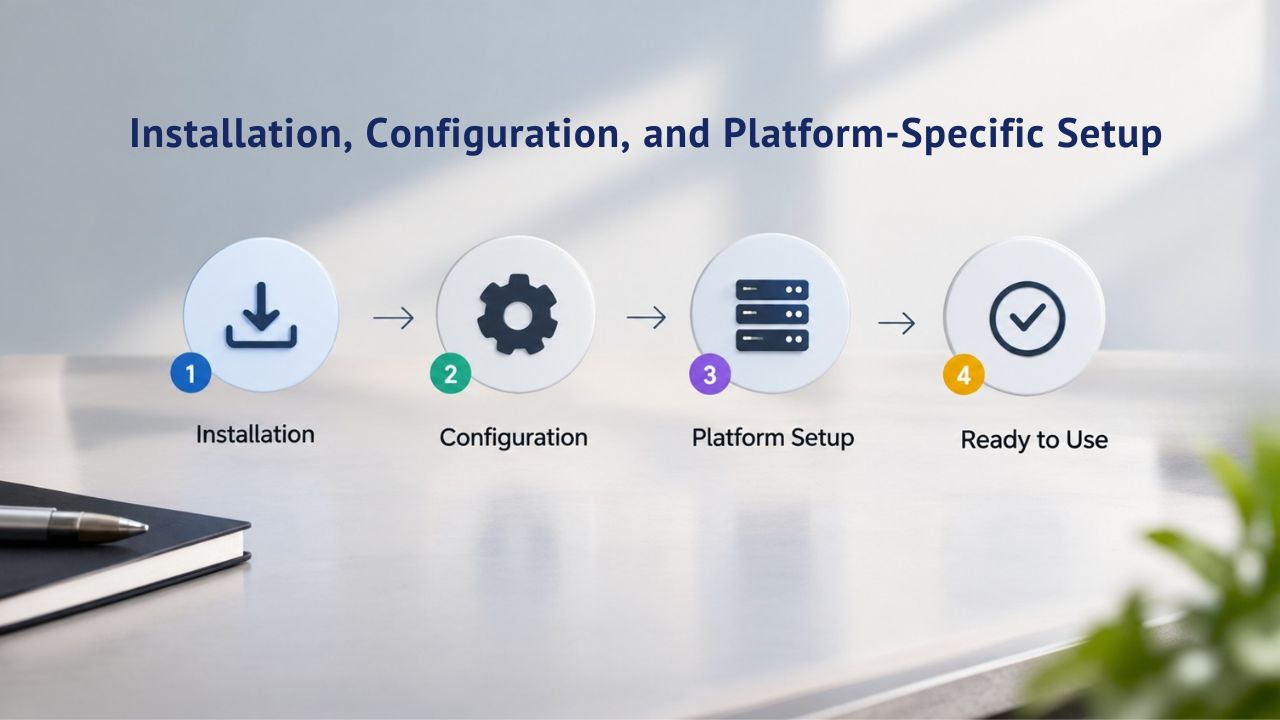
Installation, Configuration, and Platform-Specific Setup
Installing an SSL certificate isn’t just a one-time setup task; it requires proper configuration on your web server to encrypt traffic. A certificate on your server that isn’t properly linked to your domain doesn’t protect anything. Understanding the general principles of SSL installation helps you troubleshoot problems and communicate effectively with your hosting provider about certificate deployment and management.
The Basic Installation Workflow
SSL installation starts after certificate issuance. Your hosting provider or certificate reseller (Niya Digital) provides three files: the certificate file (.crt or .cer), the private key (.key), and often an intermediate certificate chain. You must place these files in specific directories on your web server and configure your server software (Apache, Nginx, IIS) to bind them to your domain. Different hosting platforms have different procedures: a cPanel server requires adding the certificate through cPanel’s interface. A WordPress site might use a plugin, and a self-managed server requires manual file editing and configuration.
After installation, your web server listens on port 443 (the standard HTTPS port) and presents the certificate when browsers connect. The browser verifies the certificate chain, checks that the domain name matches, confirms the certificate hasn’t expired, and validates the signature from a trusted CA. Only after all these checks pass does the browser and server proceed to the TLS handshake and establish encryption. A misconfigured installation, wrong private key, missing intermediate certificate, or mismatched domain name can cause browser warnings that look indistinguishable to visitors from a fraudulent certificate, so careful attention to configuration details is critical.
Common Installation Pitfalls
The most common mistakes occur during certificate request and installation. When requesting a certificate, you generate a Certificate Signing Request (CSR) containing your domain name and organizational details. If you use the wrong domain name in the CSR, the resulting certificate won’t match your actual domain, and browsers will warn visitors. If you lose the private key (generated during CSR creation and stored securely), you cannot use the certificate and must request a new one.
Another pitfall is incomplete certificate chain installation. Browsers trust only root certificates (the top of the chain). Your server certificate is issued by an intermediate CA, which the root signs. You must install both your certificate and the intermediate certificate for browsers to see the complete, verified chain. A missing intermediate certificate causes warnings even though the certificate itself is valid. Hosting providers and CDNs sometimes provide scripts or guides, but manual troubleshooting often requires technical support. Niya Digital’s team can help verify installation across common platforms, reducing deployment errors.
SSL Certificates and Compliance Requirements
Many industries have regulatory or contractual obligations to encrypt sensitive data in transit. PCI DSS (Payment Card Industry Data Security Standard) requires HTTPS for any site handling credit card data. GDPR (General Data Protection Regulation) and HIPAA (Health Insurance Portability and Accountability Act) also mandate encryption for personal data. However, compliance requirements vary by jurisdiction and industry; there is no one-size-fits-all rule. Understanding whether your site is subject to encryption mandates helps you prioritize certificate selection and maintenance.
When Encryption Is Legally or Contractually Required
If your site processes payments, handles healthcare information, stores Social Security numbers or financial data, or serves customers in the EU under GDPR, you almost certainly must use HTTPS with a valid SSL certificate. PCI DSS, which applies to any merchant accepting credit cards (even indirectly through payment gateways), explicitly mandates TLS 1.2 or higher and forbids outdated, weak encryption. GDPR article 32 calls for “encryption of personal data” as appropriate to risk level, and HTTPS is the standard implementation. HIPAA requires encryption for patient data in transit and at rest.
Non-compliance carries real penalties. A data breach at a PCI-non-compliant merchant can result in fines, lawsuits, and mandatory credit-monitoring costs for affected customers. GDPR violations carry fines up to 4% of global annual revenue. While these frameworks don’t mandate a specific certificate validation level (DV, OV, or EV), they do require HTTPS, which necessitates an SSL certificate from a trusted CA. Meeting compliance obligations requires not just installing a certificate, but maintaining it through renewal cycles and ensuring correct configuration.
Assessing Your Site’s Compliance Obligations
Not every website falls under these frameworks. A personal blog with no data collection, no payments, and no registration requirements may not trigger encryption mandates, though installing SSL is still recommended for trust and SEO. A small business that collects email addresses or contact forms should evaluate whether GDPR, CCPA, or other privacy laws apply based on where customers are located and what data is collected. Legal and compliance teams can advise on obligations specific to your industry and geography.
Niya Digital’s SSL Certificates Service supports all validation levels (DV, OV, EV), certificate types (single-domain, wildcard, multi-domain), and renewal management, providing the infrastructure for compliance. However, SSL certificates alone do not ensure compliance; they must be part of a broader security and privacy program including secure data storage, access controls, and incident response. Working with a trusted SSL reseller ensures your certificates meet current standards and are renewed before expiration, removing a common compliance failure point.
Choosing the Right SSL Certificate for Your Website
The decision framework for selecting an SSL certificate depends on three factors: the type of data your site handles, the trust signals your business model requires, and your operational capacity. A small blog has different needs than an e-commerce platform or a financial institution. Understanding your use case helps you avoid overpaying for certificates you don’t need or undersecuring sensitive data.
| Validation Level | Verification Process | Typical Issuance Time | Trust Signals | Market Share (Volume) | Best For |
|---|---|---|---|---|---|
| DV | Proves domain control via DNS or email | Minutes to hours | Padlock icon, HTTPS | 94.4% | Blogs, informational sites, low-risk domains |
| OV | Verifies domain + organization identity & address | 1–2 business days | Padlock + org name in certificate details | 5.5% | Small-to-medium business sites, customer-facing properties |
| EV | Verifies domain + legal business status, background checks | 3–5 business days | Padlock (historically green address bar) | 0.1% | E-commerce, financial, healthcare, regulated industries |
Decision Framework: Use Case, Data Sensitivity, and Trust Signals
Start by assessing what data your site handles. Does your site collect payment information, login credentials, personal health data, or customer contact information? If so, encryption (HTTPS) is essential, and you should consider an OV or EV certificate to signal organizational legitimacy and reduce phishing risk. If your site is purely informational (a blog, a portfolio, or a product catalog with no forms or transactions), a DV certificate provides encryption. It removes the “Not Secure” warning, which matters for SEO and user trust, even if organizational validation isn’t critical.
Next, consider your audience and industry. E-commerce sites, financial services, healthcare providers, and any business handling sensitive customer data benefit from OV or EV certificates because they verify organizational identity and reduce the likelihood that visitors mistake your site for a phishing clone. If you operate multiple related sites or subdomains, a Wildcard or Multi-Domain certificate reduces management overhead and ensures consistency. Budget and issuance speed are also factors; DV certificates are low-cost and issue quickly, while OV and EV take longer and cost more but provide stronger trust signals.
Niya Digital’s SSL Certificates Service as Your Partner
Niya Digital’s SSL Certificates Service helps you navigate this decision by offering all certificate types and validation levels, professional installation support, and managed renewal services. Instead of leaving certificate selection to guesswork, Niya Digital’s team can match your site’s needs to the right certificate type and validation level, avoiding unnecessary cost and complexity. Installation guidance for cPanel, WordPress, and general web servers reduces deployment friction. Managed SSL service (where available) automates renewal and redeployment, eliminating the risk of expired certificates disrupting your business.
Whether you’re launching your first website or managing dozens of domains for a growing business, choosing the right SSL certificate partner is an investment in site reliability, visitor trust, and compliance. Niya Digital’s experienced team has supported countless websites in selecting, installing, and renewing certificates, turning a potentially confusing process into a straightforward workflow that protects your site and your visitors’ data. The goal is simple: give you one less thing to worry about while keeping your site secure.
Ready to Secure Your Website with SSL?
Installing an SSL certificate is one of the most impactful security decisions you can make for your website. It encrypts visitor data, removes browser warnings, improves SEO, and builds trust. Niya Digital’s SSL Certificates Service makes the process straightforward, guiding you through certificate selection, handling installation, and automating renewal so your site stays secure without ongoing manual effort. Explore Niya Digital’s full range of certificate options and start protecting your visitors today.
Frequently Asked Questions
What’s the difference between SSL and TLS?
SSL (Secure Sockets Layer) was the original encryption standard; TLS (Transport Layer Security) is its modern successor. People often use the terms interchangeably today, but TLS is the current, more secure protocol. When you buy an “SSL certificate,” you’re actually getting a TLS certificate. The distinction is mostly historical; what matters is that your certificate supports modern TLS versions (1.2 or 1.3) to ensure strong encryption and compatibility with current browsers worldwide.
How long does it take to get an SSL certificate?
Domain Validation (DV) certificates are issued in minutes to hours once you prove domain control. Organization Validation (OV) certificates typically take 1–2 business days as the CA verifies your business details. Extended Validation (EV) certificates take 3–5 business days due to deeper vetting, including legal documents and background checks. Speed depends on validation level and how quickly you respond to verification requests from the Certificate Authority.
Can I use one SSL certificate for multiple domains?
Yes, depending on certificate type. A Wildcard certificate protects one domain and all its subdomains (*.example.com secures blog.example.com, shop.example.com, etc.). A Multi-Domain (SAN) certificate protects multiple unrelated domains under a single certificate. A Multi-Domain Wildcard combines both features. Single-domain certificates cover only one specific domain; for multiple unrelated domains, you’d typically use a Multi-Domain or SAN certificate to simplify management.
What happens if my SSL certificate expires?
Browsers immediately display a “Not Secure” warning and may block access entirely. Visitors are unlikely to proceed past the warning, causing traffic loss and abandoned transactions. Even after renewal, some browsers cache the expired certificate, so visitors may need to clear their cache to see the site as secure again. The key is to renew proactively 30–60 days before expiration to ensure uninterrupted protection.
Do I need an SSL certificate if my site doesn’t handle payments?
Yes. Even informational sites benefit from SSL/HTTPS for several reasons: Google prioritizes HTTPS sites in search rankings, visitors increasingly expect the padlock icon as a trust signal, and HTTPS protects all data, including form submissions and login attempts, from interception. Browsers no longer display “Not Secure” warnings only for payment sites; they flag any non-HTTPS site as potentially risky.
What’s the difference between DV, OV, and EV certificates?
Domain Validation (DV) verifies only domain control; it’s fast and low-cost but doesn’t confirm organizational identity. Organization Validation (OV) verifies both domain and business legitimacy; it takes longer and costs more but provides stronger trust signals. Extended Validation (EV) involves the deepest vetting, including legal documents and background checks, and was historically marked with a green address bar. OV and EV are preferred for e-commerce and high-trust sites.
What is mixed content, and why does it matter?
Mixed content occurs when an HTTPS page loads resources like images, scripts, and stylesheets over unencrypted HTTP. This undermines encryption and allows attackers to inject malicious code or steal data. Browsers block or warn about mixed content to protect users. Fix it by systematically changing all resource URLs from http:// to https:// or using protocol-relative URLs starting with //.
Can I move my SSL certificate to a different hosting provider?
SSL certificates are tied to domain names, not hosting providers. When you renew or move to a new host, you need to reissue or reinstall the certificate for the new server. You cannot simply copy a certificate between servers if the private key is different. Your hosting provider or certificate reseller (like Niya Digital) handles reissuance and installation during migration to ensure smooth transitions.
What is Certificate Transparency, and why is it important?
Certificate Transparency (CT) is a system where all issued certificates are logged in public databases. This allows detection of fraudulently or mistakenly issued certificates. All publicly trusted SSL certificates must now be logged to CT logs per CA/Browser Forum requirements. CT protects the ecosystem by ensuring no CA can secretly misissue a certificate for a domain it doesn’t control.
Is an OV or EV certificate worth the extra cost?
For e-commerce, financial services, healthcare, or any business handling sensitive customer data, OV or EV certificates are worth the investment. They verify organizational identity, reduce phishing risk, and signal trustworthiness to visitors. For low-risk sites, blogs, portfolios, and informational pages, DV is sufficient. Budget and use case determine the right choice. Niya Digital’s team can advise on ROI based on your specific business model.
How do I install an SSL certificate on my WordPress site?
Most WordPress sites use hosting platforms that install SSL automatically or with a single-click process. Many provide free DV certificates. For premium certificates, you receive certificate files from the reseller (Niya Digital), then install them through your hosting control panel (cPanel, Plesk, etc.) or use a WordPress SSL plugin. Installation typically takes minutes with guidance from your hosting provider or certificate reseller.
What should I do if I see a certificate error in my browser?
First, confirm you’re on the correct website URL; phishing sites often use similar domain names. Check if your computer’s date/time is correct, as certificate validation depends on it. If the error persists and the site is legitimate, contact the website owner to report the certificate issue. Common causes include expired certificates, misconfigured domain names, or missing intermediate certificates. Don’t ignore the warning.
Can a single private key be used for multiple certificates?
No. Each SSL certificate has its own unique private key generated during the Certificate Signing Request (CSR) process. If you need to protect multiple domains, you use a single Multi-Domain or Wildcard certificate (which has one private key) rather than multiple single-domain certificates with different keys. If you lose a private key, you can’t use the certificate; you must request a new one.
How often should I renew my SSL certificate?
SSL certificates typically have a validity period of 1–2 years. Best practice: renew 30–60 days before expiration to allow time for validation and installation. Set calendar reminders and enable renewal alerts from your certificate reseller. Industry ballots are phasing down maximum validity to as little as 47 days by 2029, so renewals will become more frequent, making automation increasingly important.
What does it mean when a CA is “distrusted” or removed from a root store?
If a Certificate Authority demonstrates security lapses or misissues certificates, browsers can remove its root from their trust stores. Sites with certificates from a distrusted CA will show security warnings even if the certificate is technically valid. This is rare but serious. Using certificates from established, audited CAs, like GoDaddy/Starfield, resold through Niya Digital, substantially reduces this risk.
Glossary
- Certificate Authority (CA): A trusted third-party organization that issues, validates, and signs digital SSL/TLS certificates. CAs undergo rigorous security audits and are included in browser root stores only after meeting strict criteria. GoDaddy and Starfield Technologies are Certificate Authorities whose certificates Niya Digital resells.
- Chain of Trust: The hierarchy of certificates linking a website’s SSL certificate back to a root certificate trusted by the browser. If any certificate in the chain is expired or from an untrusted CA, the chain breaks and the browser displays a security warning.
- Domain Validation (DV): The simplest SSL certificate validation level, verifying only that the certificate applicant controls the domain. DV certificates issue in minutes and are low-cost but do not verify organizational identity.
- Extended Validation (EV): The highest SSL certificate validation level, requiring verification of legal business documents, address, and background checks. EV certificates take several days to issue and were historically displayed with a green address bar in browsers.
- Mixed Content: An HTTPS page loading resources (images, scripts, stylesheets) over unencrypted HTTP. Browsers block or warn about mixed content because it creates security vulnerabilities and can allow code injection attacks.
- Organization Validation (OV): A mid-level SSL certificate validation requiring verification of the business’s legal identity and address. OV certificates take 1–2 business days to issue and suit customer-facing business sites.
- Public Key Cryptography: An encryption method using two mathematically related keys, a public key (shared openly) and a private key (kept secret). Data encrypted with the public key can only be decrypted with the private key, solving the problem of secure communication between parties who’ve never met.
- SAN (Subject Alternative Name): An X.509 certificate extension that allows a single SSL certificate to protect multiple domain names. Multi-domain certificates and wildcard certificates use SAN entries to specify which domains the certificate covers.