
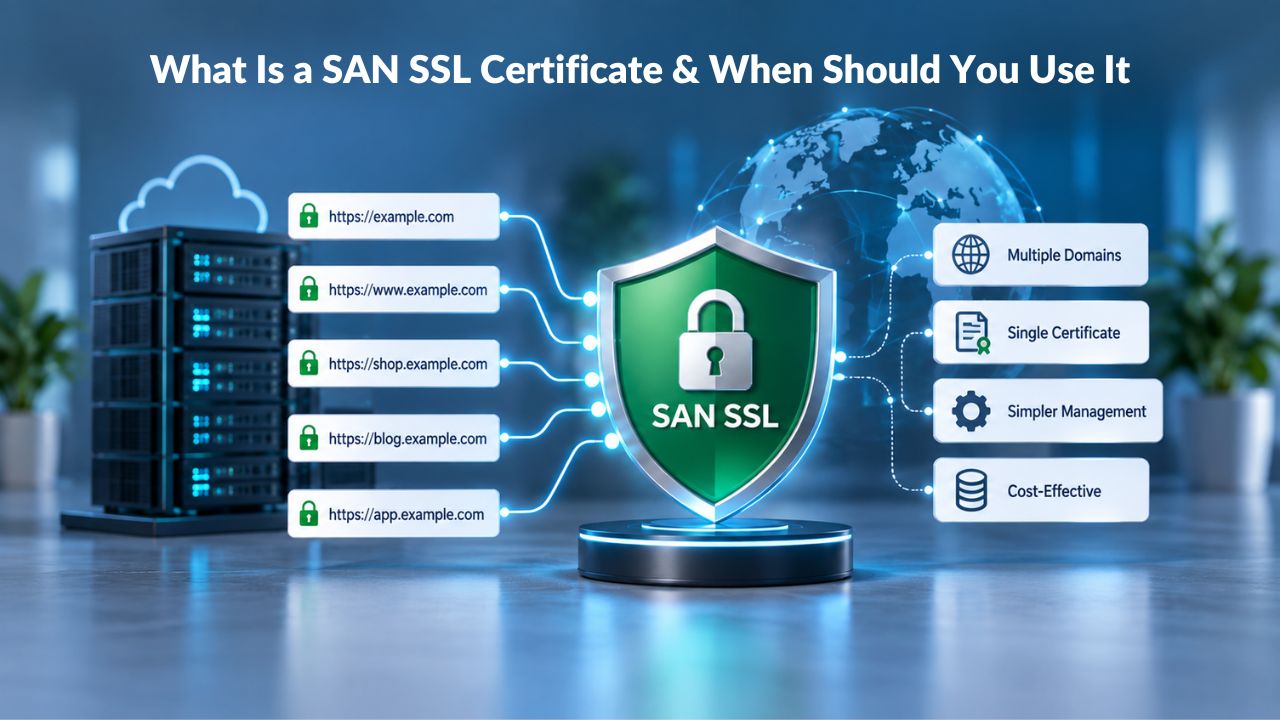
Understanding SAN SSL Certificates
A Subject Alternative Name (SAN) SSL certificate is an X.509 certificate extension that allows one certificate to secure multiple distinct hostnames. Instead of buying separate certificates for each domain, you list all the domain names you want to protect within a single certificate’s Subject Alternative Name field. The SAN extension has been part of the X.509 certificate standard (RFC 5280) since before 1999, and it is now standard practice for modern SSL certificates, gradually replacing the common name field for hostname matching.
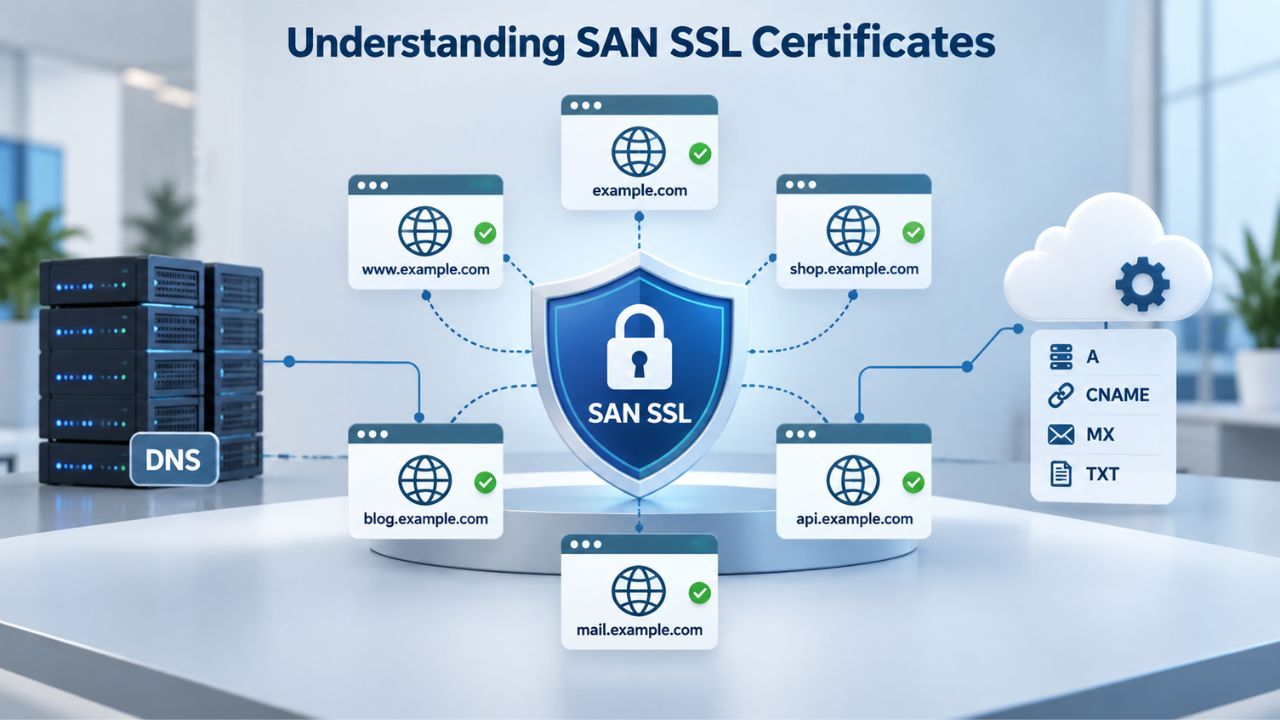
The Structure of a SAN Certificate
A SAN certificate’s power lies in its flexibility. Securing multiple domains and even subdomains with a single SSL certificate makes it a versatile, cost-effective choice for those managing multiple sites. You can secure www.example.com, example.com, shop.example.com, and even completely different domains like example.net on one certificate. Each domain name is explicitly listed in the certificate’s Subject Alternative Name field.
When a visitor browses to any of these domains over HTTPS, the browser checks the certificate’s SAN list. If the domain appears there, the connection validates, and the address bar shows the padlock icon. If the domain is missing from the SAN list, the browser shows a certificate mismatch error and warns users the connection may be unsafe. This verification happens automatically, with no additional client-side configuration required.
How Modern Browsers Trust SAN Certificates
Trust in SAN certificates follows the same chain-of-trust model as any SSL certificate. All major browsers recognize Starfield Technologies’ SSL certificates without additional installation steps because the root certificate is pre-installed in browser trust stores. The Certificate Authority, in this case, GoDaddy/Starfield, signs the certificate with its own trusted root using cryptographic signing, creating an unbroken chain from the certificate back to the root.
The CA/Browser Forum Baseline Requirements make SAN a mandatory component in all publicly trusted SSL certificates, as modern browsers rely exclusively on the SAN field for domain validation. This universal adoption means you never need to worry about compatibility when deploying a SAN certificate. Whether your visitors use Chrome, Firefox, Safari, Edge, or any other browser, the certificate is automatically recognized as valid and trustworthy.
SSL Certificate Plans & Pricing
Choose from a selection of SSL certificates designed to meet different website security and validation requirements. Find the right certificate to secure your website, protect sensitive information, improve search visibility, and build trust with your visitors.
Domain Validated (DV) SSL
(1-Site)
Protect 1 site.
- Domain validation
- SHA-2 & 2048-bit encryption.
- Boost SEO rankings
- Fast issuance in 5min
- Display HTTPS & padlock
- Security trust seal
- Support unlimited servers
- Free unlimited reissues
- $100,000 USD warranty
Domain Validated (DV) SSL
(5-Site)
Protect 5 sites.
- Domain validation
- SHA-2 & 2048-bit encryption.
- Boost SEO rankings
- Fast issuance in 5min
- Display HTTPS & padlock
- Security trust seal
- Support unlimited servers
- Free unlimited reissues
- $100,000 USD warranty
Extended Validation (EV) SSL
(1-Site)
Protect 1 site.
- Extended validation
- SHA-2 & 2048-bit encryption.
- Boost SEO rankings
- Display HTTPS & padlock
- Green address bar
- Security trust seal
- Support unlimited servers
- Free unlimited reissues
- $1,000,000 USD warranty
Extended Validation (EV) SSL
(5-Site)
Protect 5 sites.
- Extended validation
- SHA-2 & 2048-bit encryption.
- Boost SEO rankings
- Display HTTPS & padlock
- Green address bar
- Security trust seal
- Support unlimited servers
- Free unlimited reissues
- $1,000,000 USD warranty
Domain Validated (DV) SSL
(Wildcard)
Protect unlimited sub-domains.
- Domain validation
- SHA-2 & 2048-bit encryption.
- Boost SEO rankings
- Fast issuance in 5min
- Display HTTPS & padlock
- Security trust seal
- Support unlimited servers
- Free unlimited reissues
- $100,000 USD warranty
How SAN Certificates Work
Understanding the technical foundation helps you see why SAN certificates solve the multi-domain problem elegantly. When you purchase a SAN SSL certificate, the process begins with a Certificate Signing Request (CSR), a file generated on your server that contains all the domain names you want to protect, your organization details, and your public key. You submit this CSR to the Certificate Authority, which verifies your control of each domain listed.
Domain Verification for Multiple Hostnames
You must verify each domain in your SAN certificate before issuance. The verification method depends on the certificate type you choose: Domain Validation (DV), Organization Validation (OV), or Extended Validation (EV). For a Domain Validation (DV) SAN certificate, the CA sends verification emails to administrative addresses on each domain you’ve listed, or you prove control via DNS records or an HTTP file upload on each domain.
This per-domain verification ensures that no one can slip an unrelated domain into your certificate and impersonate legitimate websites. The CA/Browser Forum Baseline Requirements require CAs to verify all certificate contents to a minimum degree of diligence. For domain-only certificates, the CA must confirm that the applicant either is the domain registrant or has control over each FQDN listed. This validation step protects the entire SSL ecosystem from unauthorized certificate issuance.
Installation & Server Configuration
After the CA issues your SAN certificate, install it on your web server and configure your web server software (Apache, Nginx, IIS, or others) to use it for all protected domains. Modern servers support SNI (Server Name Indication). This TLS extension lets multiple HTTPS sites run on a single IP address using a single certificate with multiple domain names.
Once installed and enabled, every HTTPS request to any domain on your SAN certificate uses the same encryption tunnel and triggers the same trust signals, including the padlock icon and green address bar. Visitors see no difference between a SAN-protected domain and a single-domain SSL site; the security is equally strong, but your operational overhead drops dramatically compared to managing multiple separate certificates.
SAN vs. Wildcard vs. Single-Domain SSL Certificates
The decision between SAN, wildcard, and single-domain certificates hinges on your domain structure and how it will evolve. Each option solves a different problem, and picking the wrong one means reissuing your certificate later at additional cost and effort. Let’s walk through the key differences so you can make an informed decision.
Coverage & Flexibility Comparison
A SAN certificate covers different hostnames and domains, while a wildcard certificate covers many subdomains of one domain (for example, *.example.com) but not other domains like example.net. This distinction matters when choosing the right certificate type. A wildcard certificate automatically protects all first-level subdomains under one domain; *.example.com covers api.example.com, blog.example.com, shop.example.com, and any future subdomain you create, all without requiring a certificate reissue.
A SAN certificate, by contrast, lists specific domains you choose at issuance time. A SAN is ideal if you have multiple domains and subdomains; for example, if you run multiple websites that each have subdomains such as blog.example.com and support.example.com, it’s best to use one SAN certificate to protect them all at once. The flexibility to mix and match unrelated domains is a key advantage of SAN over wildcard.
| Aspect | Single-Domain SSL | SAN/Multi-Domain SSL | Wildcard SSL |
|---|---|---|---|
| Covers different domains? | No (one domain only) | Yes (multiple distinct domains) | No (one domain’s subdomains only) |
| Covers new subdomains automatically? | N/A | No (must reissue to add) | Yes (covers all first-level subdomains) |
| Covers root domain + subdomains? | Yes, but only one | Yes (list them explicitly) | No (needs separate entry for root) |
| Best for stable domain list? | ✓ Very (cost-effective) | ✓ Yes (list only what you need) | ✗ Overkill if subdomains are stable |
| Best for frequent subdomain creation? | ✗ No | ✗ Requires reissue | ✓ Yes (automatic coverage) |
| Typical cost comparison | N/A (base case) | ~40–60% savings vs. separate certs | ~20–40% savings vs. separate certs |
| Reissue needed to add domain? | Yes | Yes | No |
| Private key compromise impact | One domain affected | All listed domains affected | All subdomains affected |
| Renewal management | Simple but scattered | Centralized (one cert) | Centralized (one cert) |
Cost & Management Trade-offs
Cost-wise, a SAN SSL certificate is more economical than buying separate certs for each site and saves administrative time. If you operate five to ten distinct domains on different servers, purchasing a SAN certificate instead of multiple single-domain certs reduces your certificate portfolio complexity significantly and eliminates the need to track multiple renewal dates.
However, there’s a trade-off: if you need to add a new domain after issuing your SAN certificate, you must reissue the entire certificate. A wildcard avoids this by automatically covering all future subdomains under *.example.com. If your business launches new subdomains frequently, such as api.example.com, v2.api.example.com, staging.example.com every week, a wildcard’s automatic coverage becomes more cost-effective than a SAN’s per-domain rigidity, since you avoid the administrative overhead of periodic reissues.
Common Use Cases for SAN Certificates
Real-world scenarios show why businesses choose SAN certificates and when they fit different organizational structures and growth patterns.
Multi-Domain E-Commerce & Marketing Ecosystem
A mid-sized e-commerce company might operate www.example.com (main site), shop.example.com (storefront), blog.example.com (content hub), support.example.com (help center), and partners.example.net (partner portal), all on different servers, all requiring HTTPS encryption, and each with different purposes and audiences. Buying five single-domain certificates means five separate renewal dates to track, five installation procedures to coordinate, and five annual billing cycles to manage.
One SAN certificate listing all five domains consolidates this operational overhead into one purchase, one annual renewal, and one management dashboard. The company can view exactly which names any certificate covers by reading its SAN list, making audits transparent and simple. Support teams have a single point of reference for all domain-to-certificate mappings.
Virtual Hosting & Cloud Infrastructure
Before SNI (Server Name Indication) became universal, hosting multiple HTTPS websites on one server required a unique IP address for each site, an expensive infrastructure constraint. With SAN certificates, a single IP address can serve several websites, each with its own SSL certificate, which is ideal for virtual or cloud hosting like Amazon AWS, where one IP address is allocated per server by default.
Today’s servers support SNI natively, making this less of a hard requirement. Still, a SAN certificate remains the most cost-effective and operationally simple path for SMBs running three to ten websites on a single cloud instance. You avoid the expense and complexity of spinning up new IP addresses, and you manage all domain protections from one certificate installation.
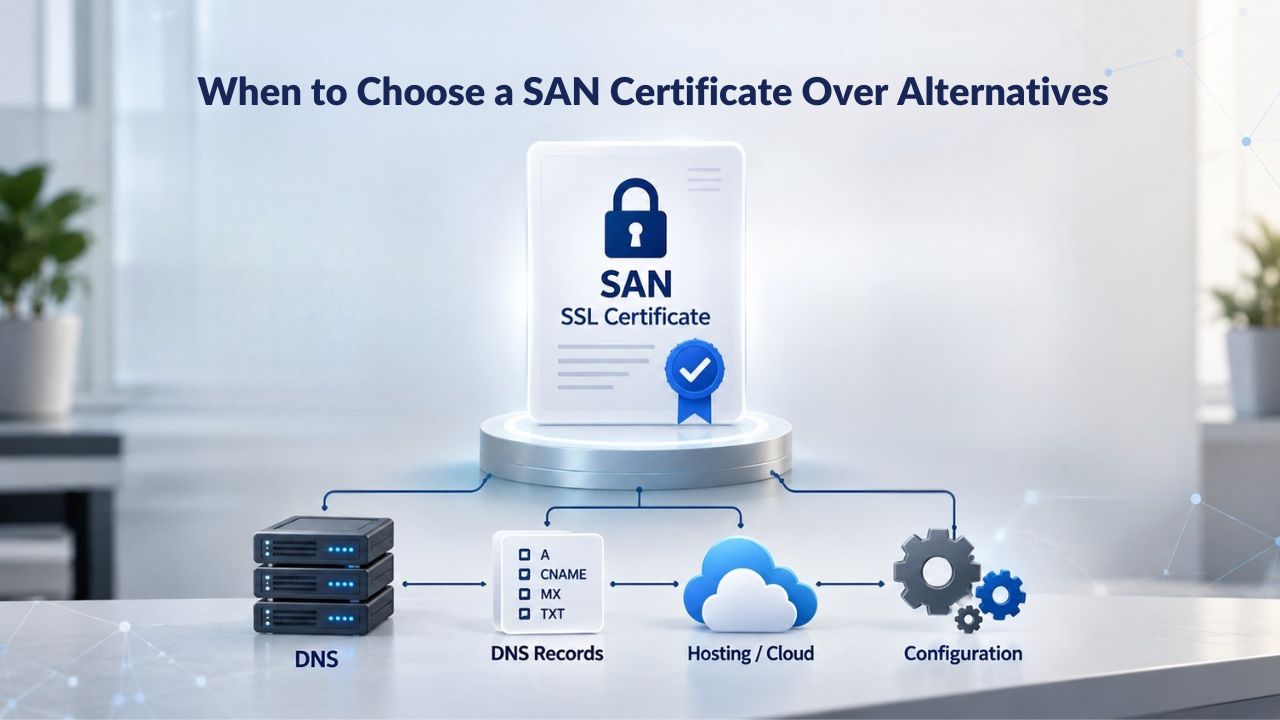
When to Choose a SAN Certificate Over Alternatives
This section lays out a simple decision framework to help you pick the right certificate type for your specific situation and growth trajectory.
Evaluating Your Domain Structure
Ask yourself three key questions to determine if a SAN certificate is the right fit. First: how many distinct domain names do I currently manage, and how many do I plan to add in the next one to three years? If the answer is one or two, a single-domain or wildcard cert is simpler to manage. If it’s five or more, or if you anticipate adding multiple new domains within your certificate’s validity period, SAN becomes more economical and manageable.
Second: how are these domains organized across your infrastructure? If they’re all subdomains of example.com, such as api.example.com, blog.example.com, staging.example.com, a wildcard certificate is elegantly simple and requires zero reissues when new subdomains are created. If they span different domains entirely, such as example.com, example.net, partners.example.org, subsidiaryname.org, a SAN certificate is your only option, since wildcards operate only on a single domain.
Third: how frequently do I add new domains or subdomains to my infrastructure? If you launch new subdomains or domains monthly, a wildcard shields you from the reissue overhead and administrative burden. If you rarely add new domains, perhaps once or twice per year, SANs’ upfront specificity is fine and allows you to control exactly which domains are encrypted.
When SAN Is Not the Right Choice
Use a wildcard certificate if you run one domain with many subdomains and you create new subdomains regularly. Wildcard certificates automatically cover future subdomains without reissue, let you accept that all subdomains share one private key (and thus one compromise risk scope), and work best when DNS automation is in place and the private key lives on a single, well-controlled origin.
Use a single-domain certificate if you operate only one website, you need the lowest possible upfront complexity, or you rarely manage multiple sites and have no near-term growth plans. Niya Digital’s team has found that many growing businesses underestimate how quickly their domain portfolio expands, leading them to upgrade from single-domain to SAN certificates within 12–18 months; choosing a SAN certificate upfront is a practical way to avoid this administrative churn.
Validation Levels & Issuance Speed
Not all SAN certificates are equal in how quickly they’re issued or what level of organization information they display to visitors. The validation type you choose determines how quickly you get your certificate, how much organization information appears to visitors, and how much trust the certificate signals.
Domain Validation (DV), Fast & Lightweight
Domain Validation (DV) confirms that the requester controls the domain on the certificate. The CA emails an approved address on the domain or uses an alternative method such as DNS or HTTP file validation, and the requester confirms the request by responding to the challenge. Issuance typically takes minutes, making DV the fastest option for businesses that need SSL encryption deployed quickly.
DV certificates are ideal for personal blogs, development sites, staging environments, and any web property that needs encryption without broadcasting organization details to visitors. If you provide all the requested documentation and the CA can quickly authenticate it, a DV certificate can be issued within minutes to a few hours. The trade-off is that the certificate displays no organization name to visitors, just the padlock icon and HTTPS indicator, but the encryption strength is identical to higher validation levels.
A DV SAN certificate can protect multiple domains under the same fast timeline, typically issuing within hours if you respond quickly to verification emails for each domain listed. This makes DV SAN certificates ideal for small businesses managing multiple sites that don’t require formal organization verification.
Organization Validation (OV) & Extended Validation (EV)
Organization Validation goes deeper than DV and verifies both domain control and the legitimacy of the organization behind the domain. The CA checks business registration documents, typically calls a phone number listed in public business directories to confirm the request, and may request additional verification documents. Issuance typically takes one to several business days, depending on how quickly you provide verification documents and how quickly the CA completes phone verification.
OV certificates typically take two to five business days to verify and issue if you provide all the requested documentation promptly. The organizational benefit is that the organization’s verified name appears in the certificate details visible to visitors, strengthening visitor confidence and trust for business and e-commerce sites. This additional trust signal can meaningfully reduce cart abandonment and increase conversion rates.
Extended Validation (EV) demands the most rigorous scrutiny and offers the highest trust signal. EV verification requires checking the organization’s legal name, registered address, phone number, signing authority, and other identifying details, often followed by extensive email correspondence with SSL specialists. EV certificates can take seven to ten business days or longer to issue, and the process may involve phone calls, document uploads, and follow-up clarifications to resolve any discrepancies.
| Validation Level | What Is Verified | Typical Issuance Time | Best For | Renewal Frequency |
|---|---|---|---|---|
| Domain Validation (DV) | Domain control only (automated verification via email/DNS/HTTP) | Minutes to hours | Personal sites, blogs, development, non-commercial | Every 1 year (CA/Browser Forum max 39 months) |
| Organization Validation (OV) | Domain control + business registration & identity (phone calls during business hours) | 2–5 business days | Business websites, SMB e-commerce, service providers | Every 2–3 years (up to 39-month max) |
| Extended Validation (EV) | Domain control + extensive company vetting (legal name, address, phone, executives, extensive documentation) | 7–10+ business days | High-trust e-commerce, financial services, legal firms | Every 1–2 years (often shorter for compliance) |
Get Started with Multi-Domain SSL Protection
If your business manages multiple websites, a SAN SSL certificate from Niya Digital’s SSL Certificates Service can consolidate your certificate management, reduce renewal complexity, and lower your total cost of ownership compared to managing multiple single-domain certificates. Explore how a multi-domain approach fits your site infrastructure and take the first step toward streamlined encryption across all your domains.
Certificate Installation & Deployment
Buying a SAN certificate is one step in the process. Installing it on your servers and configuring them to use it correctly is equally important. Here’s a high-level overview of the installation and deployment process for businesses new to SAN certificates.
Generating a Certificate Signing Request (CSR)
The installation process begins on your server by generating a Certificate Signing Request (CSR), a file containing your public key, the domain names you want to protect, your organization details, and your location information. Using your web server software, whether Apache, Nginx, IIS, or another platform, you generate the CSR and never disclose the private key that accompanies it. You send the CSR to the Certificate Authority for processing.
When creating the CSR, you specify all the domains and subdomains you want the certificate to cover. This is where you list every hostname in the SAN. Common examples might include: www.example.com, example.com, api.example.com, www.example.net, and mail.example.org. The CA uses this list to generate your certificate’s SAN extension, ensuring a single certificate protects each listed domain.
Installing the Certificate & Enabling HTTPS
After you submit the CSR, the CA sends verification emails or creates DNS and HTTP verification challenges for each domain you’ve listed. Once all domains pass verification, the CA issues your certificate. You receive the certificate file along with any intermediate certificates needed to chain back to a trusted root, and you install these files on your server.
Your web server software then uses this certificate for HTTPS connections on all the protected domains. Once installed, you configure automatic redirects from HTTP to HTTPS, update internal links to use HTTPS throughout your site, and test all domains thoroughly to ensure the browser displays the padlock icon and no certificate warnings or errors appear.
Security Considerations for SAN Certificates
A SAN certificate’s strength is also a consideration when thinking about security scope. Because one certificate protects multiple domains, the security of that certificate’s private key becomes more critical than with single-domain certificates.
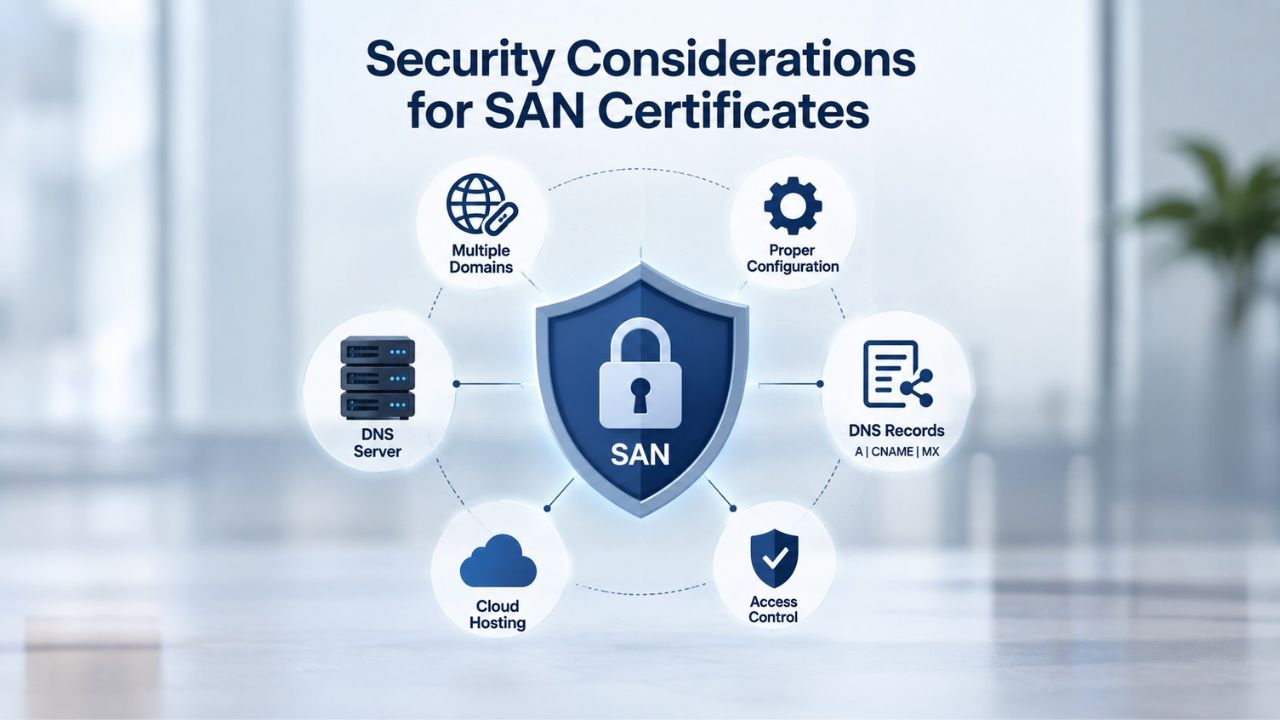
Private Key Protection & Compromise Scope
If an attacker steals or compromises your single-domain certificate’s private key, only one domain is exposed to interception or impersonation attacks. If an attacker steals your SAN certificate’s private key, they compromise all domains listed in the SAN; they could intercept traffic for any of them or forge new identities for the protected domains.
This reality shouldn’t discourage you from using SAN certificates; it simply means you must protect the private key carefully and follow security best practices. Store it in a hardware security module (HSM) or secrets-management system with restricted access and comprehensive logging. Never commit the private key to version control systems or send it via unencrypted email. Follow your Certificate Authority’s and your organization’s guidance on key rotation and backup procedures.
Certificate Chain & Browser Compatibility
Your web server must serve not only your SAN certificate but also any intermediate certificates issued by the CA. Starfield Technologies’ multi-domain SAN certificates provide unlimited server licensing, permitting deployment across unlimited servers without additional fees or licensing costs.
Chain-of-trust problems are rare with modern CAs and browsers. Still, if your intermediate chain is incomplete, visitors will see certificate warnings even though your certificate is valid and properly configured. When you receive your certificate from the CA, install any intermediate certificate files they provide along with the main certificate. Test the certificate on multiple browsers, devices, and operating systems before deploying to production to ensure the complete chain is recognized.
Managing & Renewing SAN Certificates
Long-term certificate management is where SAN certificates shine operationally. You have one certificate, one renewal date, one management dashboard, and one point of accountability, dramatically simpler than managing multiple single-domain certificates across different vendors and renewal cycles.
Lifecycle Tracking & Renewal Reminders
Set calendar reminders for your certificate’s expiration date, typically 30, 60, and 90 days before expiry. Most Certificate Authorities send automated reminders via email, but do not rely solely on those notifications for such a critical date. Maintain a simple spreadsheet or document listing all your certificates, their expiration dates, validation levels, and which domains each one protects. This audit trail proves invaluable for compliance audits and operational continuity.
When the renewal date approaches, start the renewal process with your CA early; renewal can sometimes take days or weeks if documentation needs to be re-verified, particularly for OV and EV certificates. Plan rather than discovering an expiration with days remaining. Most CAs let you request renewal before the current certificate expires, so you can stage the new certificate and test it before the old one expires.
Adding or Removing Domains (Reissue Workflow)
If you add a new domain to your business after your SAN certificate was issued, you need to reissue the certificate to include the new domain in the SAN list. Contact your Certificate Authority, provide the new domain along with the existing ones, verify control of the new domain via email/DNS/HTTP validation, and the CA issues a new certificate with the expanded SAN list. You install the new certificate file on your server, and the new domain is protected immediately.
Conversely, if you retire a domain or move it to a different vendor, you don’t need to do anything immediately; the old certificate continues to protect the remaining domains. At the next renewal, you can omit the retired domain from the SAN list. This simplicity and flexibility beat managing dozens of single-domain certificates where retiring one certificate still requires coordinating with the vendor and managing the lifecycle of each separate cert.
SAN Certificates & Long-Term Cost Effectiveness
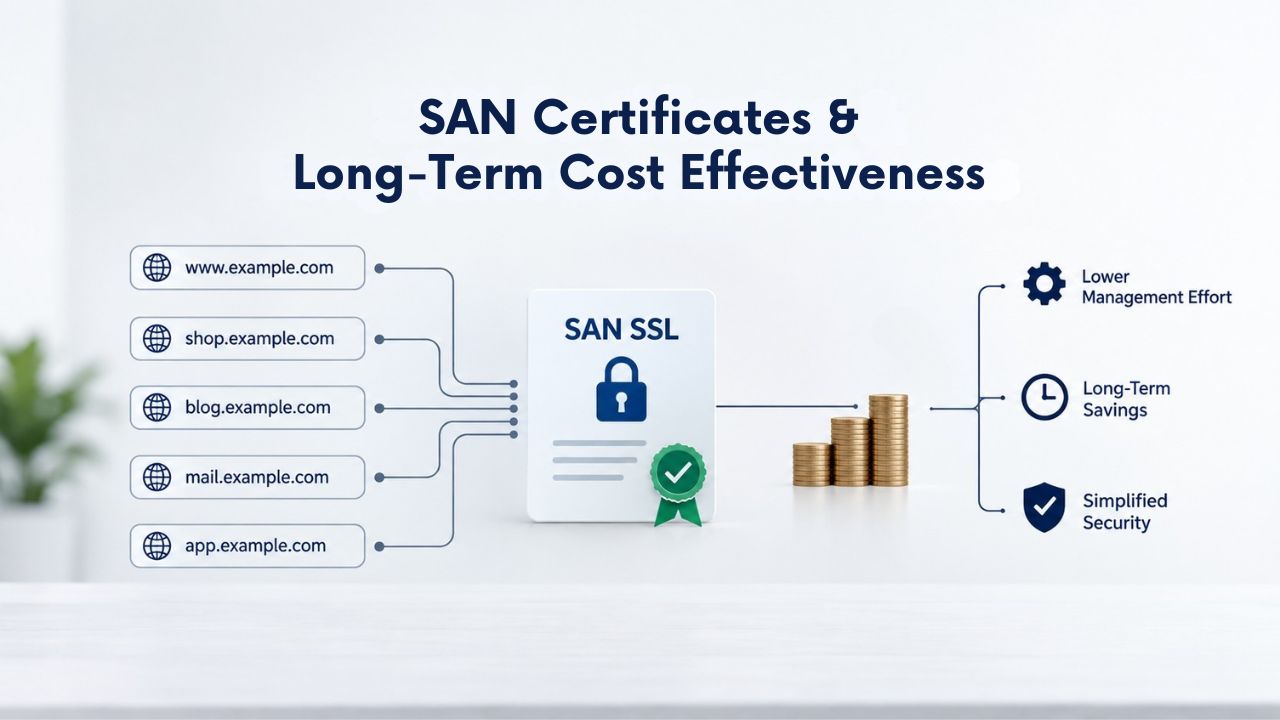
Let’s put the value of SAN certificates into perspective. Managing multiple SSL certificates across different domains creates operational burden; a single SAN SSL certificate simplifies this workflow significantly.
Multi-Year Term Advantages & Value Comparison
SAN certificates are typically priced per included domain and per selected validity period. A multi-domain SAN SSL certificate protects multiple websites on a single certificate, with plans starting at securing five websites and scaling up to one hundred or more depending on the provider. Compare this to buying single-domain certificates for five separate domains. Multiple single-domain certs can spread costs and scatter billing; one SAN certificate that covers those domains consolidates billing and simplifies cost tracking.
Factor in the time cost of managing renewal dates for five separate certificates every year, tracking which certs are due for renewal, and coordinating installations across different departments or vendors, and the SAN’s value becomes apparent. Over three years, the administrative time savings alone justify choosing a multi-domain approach. Your security team can spend that time on actual hardening rather than certificate chasing.
ROI & Operational Simplification
The real win is operational simplicity and reduced error risk. One renewal date instead of five, one support contact instead of multiple, one certificate manager instead of scattered ownership, and one invoice instead of multiple billing lines. You eliminate the risk of accidentally letting one certificate expire, which would trigger browser warnings on that domain while the rest of your portfolio remains secure.
You gain a single point of visibility into your encryption posture across all managed domains, making compliance audits faster and more thorough. For businesses managing five to one hundred websites, this simplification translates to hours saved annually on certificate administration, time your security team can spend on actual security hardening, policy development, and proactive threat monitoring.
Protect Multiple Domains with One Certificate
Simplify SSL certificate management and reduce your total security infrastructure cost. Niya Digital’s SSL Certificates Service makes it easy to purchase, install, and renew multi-domain SAN certificates tailored to your business needs. Start managing all your domains under a single certificate today.
Frequently Asked Questions
What’s the difference between a SAN certificate and a wildcard certificate?
A SAN certificate lists specific domain names you choose at purchase, such as example.com, shop.example.com, and example.net. In contrast, a wildcard certificate uses an asterisk (*.example.com) to automatically cover all first-level subdomains of one domain. A SAN is ideal if you manage several distinct domains; a wildcard is better if you have one domain with many subdomains you create frequently.
How many domains can a single SAN certificate protect?
Most Certificate Authorities allow SAN certificates to protect anywhere from two to one hundred or more distinct domain names on one certificate, depending on the plan and provider you choose. GoDaddy’s offering, for example, starts at five domains and scales up to one hundred. You specify which domains at purchase, and adding new ones later requires reissue of the certificate.
Can I use a SAN certificate on multiple servers?
Yes, you can deploy a SAN certificate across multiple servers without restriction. Once you install the SAN certificate on one server, you can copy the certificate and private key files to additional servers and configure each server to use them. No reissue is needed; one certificate can protect the same domains across as many servers as your organization operates.
How long does it take to issue a SAN certificate?
Issuance time depends on the validation level you choose. A Domain Validation (DV) SAN certificate can be issued within minutes to hours if you respond quickly to verification emails for each domain. An Organization Validation (OV) certificate typically takes two to five business days. An Extended Validation (EV) certificate can take seven to ten business days or longer.
What happens if I need to add a new domain to my SAN certificate after purchase?
You must reissue the certificate. Contact your Certificate Authority, provide the new domain in addition to the existing ones, verify control of the new domain through email/DNS/HTTP validation, and the CA will issue an updated certificate with the expanded SAN list. You install the new certificate on your server and test it across all domains.
Is a SAN certificate safe if multiple domains share one private key?
Yes, it’s as safe as any SSL certificate when properly protected. The private key is secured through encryption, secure storage practices, and access controls. The security consideration with a shared private key is that compromise affects all domains, not just one. Still, this risk is manageable if you follow best practices for key storage, rotation, and access logging.
Do all browsers recognize SAN certificates?
Yes. SAN is now the universal standard for SSL certificates, mandated by the CA/Browser Forum Baseline Requirements and supported by every major browser. You’ll encounter no compatibility issues with modern Chrome, Firefox, Safari, Edge, or any other mainstream browser or platform.
Can I get a SAN certificate with Extended Validation (EV)?
Yes. You can combine any certificate type, DV, OV, or EV, with a multi-domain SAN structure. An EV SAN certificate will show the organization’s verified name and the green address bar for every domain listed in the SAN, providing the highest trust signal available.
How do SAN certificates compare in cost to single-domain certificates?
SAN certificates are typically more economical than buying separate single-domain certs for the same number of domains, especially when you calculate multi-year terms and factor in administrative overhead. Exact savings depend on the Certificate Authority, validation level, and the number of domains included, so compare current offerings directly.
What should I do if one of my SAN-protected domains is compromised?
A compromised domain doesn’t invalidate the certificate itself. You can revoke the certificate, issue a new one without the compromised domain, and deploy it to your servers. The other domains on the old certificate remain secure during the transition. Alternatively, reissue a new SAN certificate once you clean and secure the compromised domain.
Can I use a SAN certificate on a shared hosting plan?
Many shared hosting providers support SAN certificates. Check with your host to confirm they allow custom certificate installation and support SNI (Server Name Indication), which enables multiple HTTPS sites on one IP. If your provider doesn’t support SNI, you’d need dedicated IP addresses for each domain or a different approach.
How do SAN certificates handle the www vs. non-www problem?
By including both www.example.com and example.com as separate entries in the SAN list. Many sites forget the non-www version, causing browser warnings when users navigate directly to example.com. A SAN certificate solves this by explicitly covering both variants in a single certificate.
Are SAN certificates compliant with PCI DSS requirements?
Yes. PCI DSS requires SSL/TLS encryption for all cardholder data in transit. A SAN certificate provides the same encryption strength and security as any other SSL certificate. The key requirement is that the certificate be valid and match the domain, which a SAN certificate does for all its listed domains.
How do SAN certificates appear in browser certificate viewers?
When visitors click the padlock icon in their browser, they can view certificate details, including the Subject Alternative Name field listing all protected domains. A well-configured SAN certificate clearly shows every domain it covers, building visitor confidence that multiple business properties are legitimately protected.
What’s the advantage of a SAN certificate over a separate wildcard and single-domain cert?
A SAN covers specific domains you choose, while a wildcard covers all subdomains of one domain automatically. If you manage multiple distinct domains (not all subdomains of a single domain), a SAN is more flexible and cost-effective than buying both a wildcard and separate single-domain certs. You get one certificate, one renewal, and one place to manage everything.
Glossary
- Certificate Authority (CA): An organization authorized to issue, validate, sign, and manage SSL/TLS certificates. GoDaddy and Starfield Technologies are the CAs behind Niya Digital’s SSL Certificates Service and handle certificate issuance and validation.
- Certificate Signing Request (CSR): A file generated on your server containing your public key, domain names, organization details, and location information. You submit the CSR to the Certificate Authority to request a certificate.
- Domain Validation (DV): The simplest SSL certificate validation method, confirming only that you control the domain through automated email, DNS, or HTTP verification. Issuance is typically within minutes to hours.
- Extended Validation (EV): The highest SSL certificate validation level, requiring extensive verification of the organization’s legal identity, location, executives, and legitimacy. Displays the organization name and a green address bar in browsers, providing the strongest trust signal.
- Organization Validation (OV): A mid-level validation method confirming both domain control and the legitimacy of the organization behind the domain through business registration checks and phone calls. Displays the organization’s verified name in certificate details.
- Subject Alternative Name (SAN): An X.509 certificate extension field that lists multiple domain names and/or IP addresses that a single SSL/TLS certificate can protect simultaneously, allowing one certificate to secure many domains.
- Wildcard Certificate: An SSL certificate using an asterisk (*) in the domain name (for example, *.example.com) to automatically protect all first-level subdomains of that domain without requiring reissue for new subdomains.