
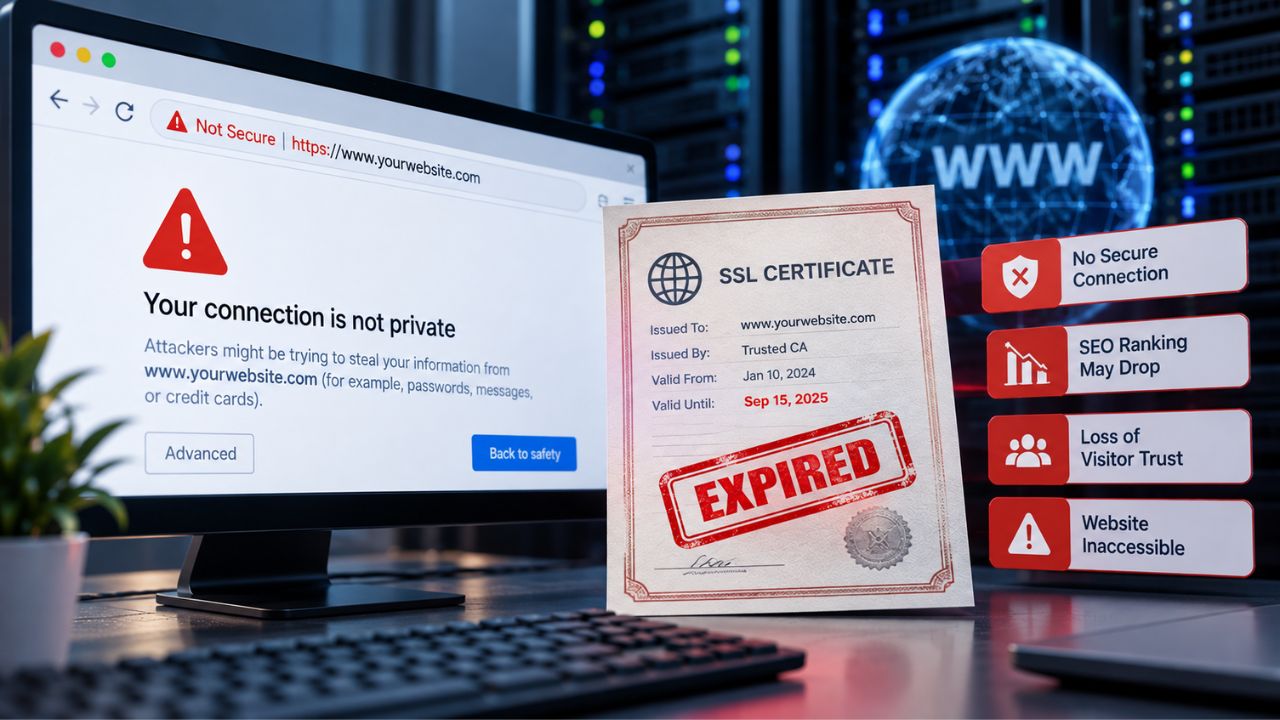
What Happens Technically When an SSL Certificate Expires
When a browser connects to your website, it performs an SSL handshake in milliseconds to verify that the certificate is valid, current, and trustworthy. The certificate contains an expiration timestamp called the notAfter field. Once that date passes, the certificate is no longer cryptographically valid to any client attempting to connect. This is not a warning or a degraded state; it is an immediate, binary failure that affects every visitor simultaneously.
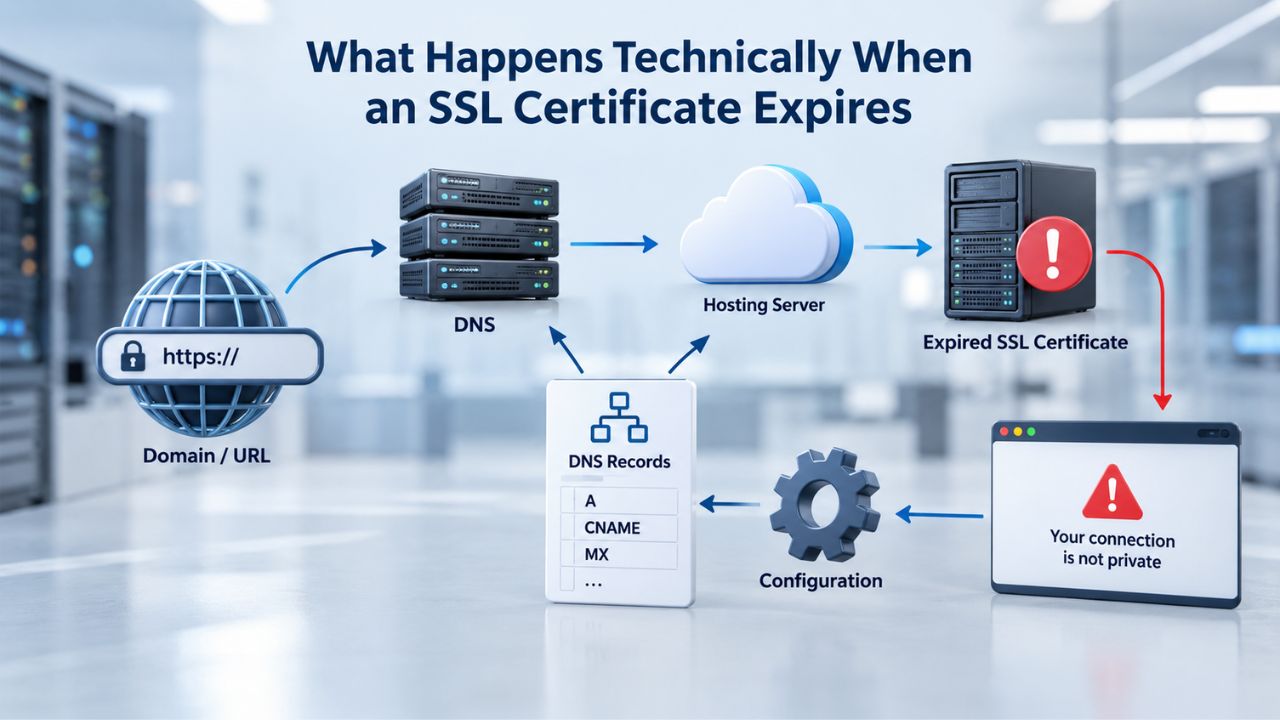
The TLS Handshake Fails Immediately
During the TLS handshake, the client and server negotiate an encrypted connection by exchanging cryptographic information. The server presents its certificate chain to the client for validation. The browser checks multiple properties: Is the certificate signed by a trusted Certificate Authority? Does the domain name on the certificate match the domain in the address bar? Is the certificate still within its validity period? If any check fails, the entire handshake stops and the connection is refused.
An expired certificate fails the validity-period check at the cryptographic protocol level. The system compares the notAfter timestamp against the system clock. When the current date exceeds the notAfter date, the certificate fails validation. This check happens within the SSL/TLS protocol itself: no application-level logic, no business rules, no exceptions. The protocol refuses to proceed with the handshake, and the browser displays an error.
Every Connection Is Affected Immediately and Simultaneously
The server continues running normally because it has no way to detect that its own certificate has expired. The certificate is just a file on the server disk. The server does not continuously validate itself against time. The problem is entirely on the client side: every client, every browser, every API, every automated system rejects the connection the moment expiration occurs. No errors appear in server logs, no backend alerts trigger, and nothing indicates on the server side that anything is wrong.
This is why the impact is so sudden and complete. One second before expiration, connections succeed normally. One second after, every single connection fails. There is no warning period, no slow degradation, no opportunity to fix the problem before it impacts users. The transition is binary and instantaneous across all clients worldwide.
SSL Certificate Plans & Pricing
Choose from a selection of SSL certificates designed to meet different website security and validation requirements. Find the right certificate to secure your website, protect sensitive information, improve search visibility, and build trust with your visitors.
Domain Validated (DV) SSL
(1-Site)
Protect 1 site.
- Domain validation
- SHA-2 & 2048-bit encryption.
- Boost SEO rankings
- Fast issuance in 5min
- Display HTTPS & padlock
- Security trust seal
- Support unlimited servers
- Free unlimited reissues
- $100,000 USD warranty
Domain Validated (DV) SSL
(5-Site)
Protect 5 sites.
- Domain validation
- SHA-2 & 2048-bit encryption.
- Boost SEO rankings
- Fast issuance in 5min
- Display HTTPS & padlock
- Security trust seal
- Support unlimited servers
- Free unlimited reissues
- $100,000 USD warranty
Extended Validation (EV) SSL
(1-Site)
Protect 1 site.
- Extended validation
- SHA-2 & 2048-bit encryption.
- Boost SEO rankings
- Display HTTPS & padlock
- Green address bar
- Security trust seal
- Support unlimited servers
- Free unlimited reissues
- $1,000,000 USD warranty
Extended Validation (EV) SSL
(5-Site)
Protect 5 sites.
- Extended validation
- SHA-2 & 2048-bit encryption.
- Boost SEO rankings
- Display HTTPS & padlock
- Green address bar
- Security trust seal
- Support unlimited servers
- Free unlimited reissues
- $1,000,000 USD warranty
Domain Validated (DV) SSL
(Wildcard)
Protect unlimited sub-domains.
- Domain validation
- SHA-2 & 2048-bit encryption.
- Boost SEO rankings
- Fast issuance in 5min
- Display HTTPS & padlock
- Security trust seal
- Support unlimited servers
- Free unlimited reissues
- $100,000 USD warranty
Browser Warnings & Visitor Behavior
Within seconds of expiration, every major web browser displays an alarming, full-page security warning that completely obscures the website content. Chrome shows “Your connection is not private” with error code NET::ERR_CERT_DATE_INVALID. Firefox displays “Warning: Potential Security Risk Ahead.” Safari warns that the connection is not private. In every case, the entire page content is completely hidden behind this warning. The user cannot see any part of the website, any products, any information, until they take action on the warning.
Click-Through Rates Drop to Near Zero
These messages are deliberately engineered to frighten users away from the site, and the engineering works extremely well. Users can click “Advanced” to see additional details, and then locate and click “Proceed to [site] (unsafe)” to bypass the warning, but research shows that most users do not. Users interpret these warnings as signals of a compromised site or an active hacking attack, not merely an outdated certificate. Most users hit the back button immediately and visit a competitor instead.
The average visitor has only seconds to decide: Is this website worth the security risk? For first-time visitors, the answer is almost always no. Even loyal users who know and trust the site hesitate when confronted with alarming security language. Studies show most users will not click through certificate warnings, and when they do, it’s often after significant delays or multiple attempts to access the site. The warning creates a high psychological barrier.
Visual Impact Creates Total Traffic Loss
Mobile users are especially likely to abandon the site because navigating warning dialogs on a phone is friction-heavy and time-consuming. Time-pressured users do not stay long enough to read the full warning. Users unfamiliar with technical jargon can’t tell whether the warning signals a real security issue or just a certificate management failure. The green padlock that normally signals safety is gone, replaced by red warnings, alarming language, and visual cues that scream “do not proceed.”
This is why traffic collapse is nearly total and happens within milliseconds of expiration. A single expired certificate can reduce site traffic from normal levels to near-zero within milliseconds. This is not a gradual degradation or a performance issue; it is an abrupt, complete shutdown of visitor access that affects 95%+ of users.
SEO & Search Ranking Consequences
Google announced HTTPS as an official ranking signal in 2014 and has only increased its emphasis on SSL certificate validity since then. Sites with valid HTTPS certificates and proper security configurations rank slightly higher than equivalent HTTP sites when all other factors are equal. The inverse is also true: Google treats expired-certificate sites the same as unencrypted HTTP sites. Google flags both as insecure, and both incur ranking penalties that reduce visibility in search results.
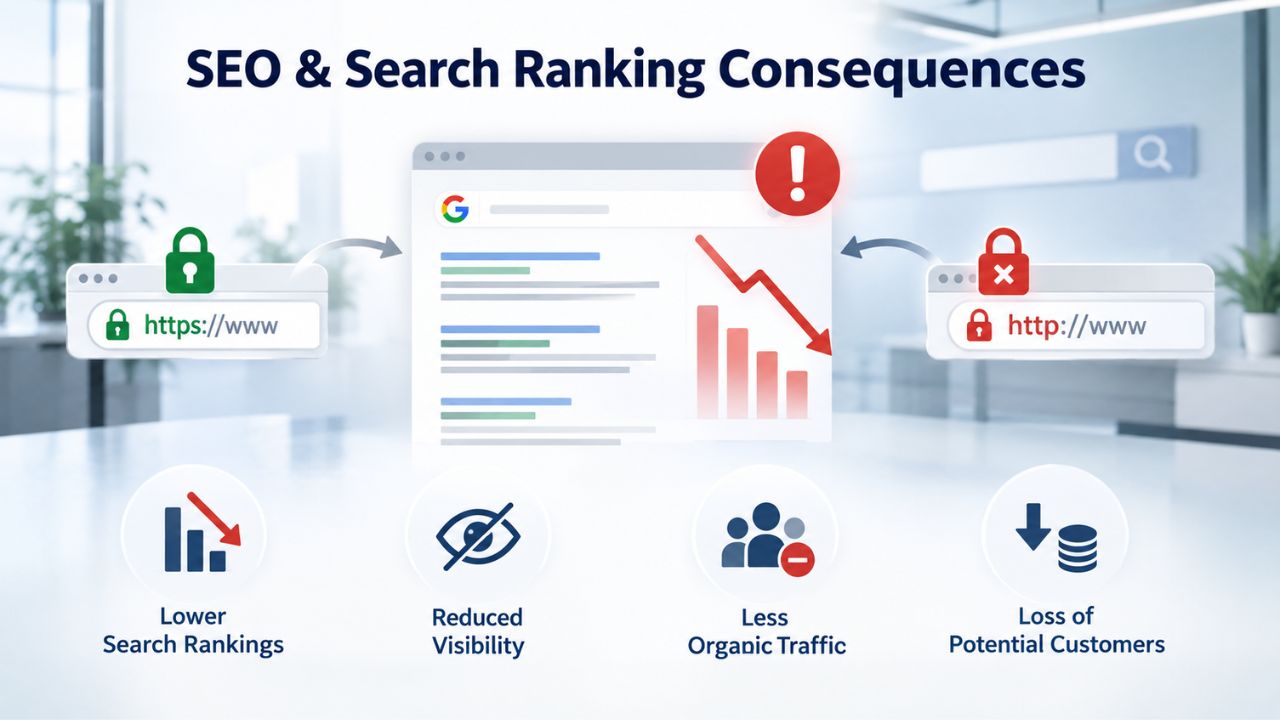
Crawlers Refuse to Index Expired Sites
When Googlebot crawls your site and encounters an expired certificate, it sees a TLS validation error and cannot establish a secure connection. The bot does not index that page. Pages already indexed in Google’s search index remain there briefly, but Google deprioritizes them and marks them as potentially unsafe. Within hours of a certificate expiring during an active crawl window, your search visibility begins to drop noticeably in Google’s search results.
Search rankings typically begin dropping within 24 hours if the certificate remains expired, and the drops become clearly visible in search results within 2–7 days. This isn’t theoretical; it’s a measurable, documented impact on search traffic. Every hour the certificate remains expired is another hour of reduced search visibility and lost organic traffic from Google and other search engines.
Recovery Takes Weeks After Replacement
Once you replace the expired certificate with a valid one, recovery is not immediate or automatic. Google must recrawl your site, validate that the new certificate is current and properly configured, and then reinstate trust signals for your domain. The full recovery period typically takes 4–8 weeks from the moment you install the replacement certificate. During this recovery period, your pages remain deprioritized in search results compared to their pre-expiration rankings, resulting in lost traffic and reduced visibility.
One e-commerce business documented a certificate expiration on a Friday evening that went unnoticed until Monday morning. By then, Googlebot had encountered the expired certificate multiple times during its weekend crawl windows. Key product pages had dropped from page one of Google’s search results to page three for their most competitive, high-value keywords. The business replaced the certificate within minutes of discovery, but search rankings took nearly two weeks to recover fully. The loss of search traffic and associated lost revenue during that recovery period was substantial and measurable.
Compliance & Regulatory Risks
PCI DSS (the Payment Card Industry Data Security Standard), HIPAA (the Health Insurance Portability and Accountability Act), SOC 2, and most other data-protection compliance frameworks explicitly require valid encryption for covered systems and data in transit. An expired SSL certificate means you no longer maintain encryption in transit, which is a direct, documentable compliance violation. If you operate an e-commerce site and accept credit card payments directly, PCI DSS mandates encryption; an expired certificate is an immediate, provable compliance breach.
Visibility in Public Logs Creates Reputational Risk
Certificate Transparency logs record all issued certificates and their expiration dates on immutable public ledgers that are visible to anyone on the internet. When your certificate expires, this is logged permanently and publicly. Security researchers, vulnerability scanners, automated monitoring services, and threat intelligence systems all monitor these logs. Partners and customers who monitor your SSL certificate status may discover the expiration before you do. This affects your reputation with security-conscious organizations, particularly those in highly regulated industries who trust your security posture.
Compliance monitoring services track certificate expirations across thousands of domains and flag those that are due to expire. Your domain may be flagged in security audits and vulnerability reports. Third-party vendors and integration partners may see these flags and question your operational controls. This can affect your standing with business partners, investors, and regulatory bodies who assess your overall security posture and operational discipline.
Violations Trigger Audits and Financial Penalties
In regulated industries, compliance violations are not theoretical concerns; they carry real legal and financial consequences. A compliance violation can trigger regulatory audits, financial penalties, or loss of certifications required to operate in certain sectors.
Organizations must ensure certificates do not expire as a compliance control requirement, not merely as a performance or customer-experience issue. Allowing a certificate to lapse is classified as a control failure with organizational liability, not just an operational oversight or technical mistake.
Backend Failures & API Disruption
While browsers display visual warnings that some users can click through, API clients and automated systems behave very differently. An API client cannot click through a browser warning or bypass certificate validation. When an API caller connects to your server and encounters an expired certificate, it receives a TLS error and refuses the connection entirely. This happens silently: no HTTP response is sent back, no error page is displayed, and no user-facing alert is generated. The connection fails.

System Integration Breakdowns Are Silent
Microservices that communicate over HTTPS fail immediately when the certificate expires. TLS-secured database connections break. Webhooks that your application sends to third-party services begin bouncing with certificate errors. Email servers relying on TLS for SMTP connections stop sending mail. Internal systems like Wi-Fi networks using certificate-based authentication lose connectivity. The expiration cascades through your entire technology stack, affecting multiple systems simultaneously and creating a cascading failure pattern.
These API failures are completely silent; there are no user-facing errors, no warning messages, no obvious indicators that certificate expiration is the root cause. Developers might spend hours debugging API failures, looking at code, checking database connections, reviewing logs, only to discover the root cause is a certificate that expired hours earlier. By the time the root cause is discovered, the impact has already compounded as multiple dependent systems failed in sequence.
Cascading System Failures Compound the Outage
A single expired certificate can bring down multiple dependent systems at once. Payment processors refuse API connections, and cart checkout breaks. Analytics and monitoring tools cannot reach your servers to collect data. Backup systems that rely on secure connections fail. Log aggregation systems cannot reach your servers to ingest logs. You lose observability of the outage itself while it’s happening; your monitoring tools are blind to the cause because they cannot connect to the servers they are supposed to monitor.
This cascading failure pattern is why even a few hours of certificate expiration can cause total system outages that affect not just website availability, but also backend operations and infrastructure visibility. The outage compounds because you cannot see it, diagnose it quickly, or resolve the underlying cause until you discover it is a certificate expiration.
Protect Your Site Before Expiration Happens
An expired SSL certificate is one of the most preventable yet devastating outages on the internet. The expiration date is known months in advance, written on the certificate itself, yet organizations continue to ship this incident to production. Whether you manage one website or dozens of sites, establishing a certificate expiration prevention strategy is essential to your business continuity. Niya Digital’s SSL Certificates Service offers certificate selection guidance, installation support, and managed SSL options designed to keep your certificates current automatically.
HSTS Makes Total Inaccessibility Worse
HTTP Strict Transport Security (HSTS) is a security header that tells browsers to access a domain only over HTTPS, never over unencrypted HTTP. It also prevents users from clicking through certificate warnings or overriding certificate validation errors. HSTS is a strong security practice because it prevents SSL stripping attacks and cookie hijacking. But it has a severe and critical consequence: if your SSL certificate expires while HSTS is enabled, your entire site becomes 100% inaccessible to browsers.
Non-Bypassable Errors Block All Users
When a browser encounters an HSTS-protected domain and the certificate is invalid or expired, it displays a non-bypassable error message. No “Proceed Anyway” button appears. No “Advanced” option appears. No escape hatch or workaround exists. The browser blocks access completely. For users who have visited your site before and have the HSTS policy cached in their browser, the site is completely inaccessible until either the certificate is replaced or the HSTS max-age directive expires (which could be months or years in the future).
From the visitor’s perspective, the user experience is horrifying. They arrive at your site, see an error message, and have no way to proceed. They cannot bypass it. They cannot check if the site is temporarily down. They cannot access any content. The site appears completely broken. Users may never return after such an experience because they conclude the site is permanently unavailable or seriously compromised.
HSTS Preload Amplifies the Impact Significantly
Many organizations submit their domains to the HSTS Preload List, which Google maintains and Chrome, Firefox, Edge, and Safari use. Domains on the preload list have HSTS enforced by default in browsers, even on a user’s very first visit to the domain; there is no grace period or first-visit exception. If your certificate expires and your domain is on the HSTS Preload List, every user immediately sees a completely non-bypassable, non-clickable error message.
You cannot work around the inaccessibility by redirecting to HTTP; HSTS forces HTTPS. You cannot serve an error page or redirect users to another URL. The browser refuses to connect to your domain. The only solution is to replace the certificate immediately. An HSTS preload-listed domain with an expired certificate is a complete catastrophe: zero users can access the site, and there is no workaround.
Understanding Subscription vs. Validity Periods
A critical concept many site owners misunderstand: the subscription period for an SSL certificate and the certificate’s validity period are not the same. You might purchase a 2-year subscription to an SSL certificate service, but the actual cryptographic certificate is only valid for 199–200 days as of 2026, per CA/Browser Forum requirements. When the 199-day validity period ends, the certificate expires, and browsers no longer trust it, even though your subscription contract is still active and you are still paying for service.
How Reissuance Works
When the certificate’s validity period expires, the Certificate Authority automatically issues a reissue, a new certificate with a new validity period covering the remaining time on your subscription. If you purchased a 1-year subscription and 199 days have passed, the Certificate Authority reissues the certificate with a validity period covering the remaining approximately 166–167 days of your subscription. This cycle continues: 199 days of validity, then automatic reissuance, then another 199 days, until your subscription period ends. The subscription is the contract between you and the provider; the certificate is the implementation that must be renewed every 199 days.
Understanding this distinction matters because you cannot simply buy a certificate and forget it. Even with a multi-year subscription, you must manage certificate reissuances every 199 days. The subscription pays for the service, but the certificate reissue is a separate operational event that must happen regularly.
Validity Periods Are Shrinking Rapidly and Require Automation
The CA/Browser Forum (the standards body for public SSL/TLS certificates) approved Ballot SC-081v3 in April 2025, establishing a phased reduction in maximum certificate validity periods that affects the entire industry. Starting March 15, 2026, the maximum validity is 200 days. Starting March 15, 2027, the maximum drops to 100 days. Starting March 15, 2029, the maximum becomes 47 days.
These are industry-wide mandates affecting every Certificate Authority and every reseller. This means manual renewal workflows, annual calendar reminders, spreadsheets tracking expiration dates, and manual installation of renewed certificates are no longer viable management strategies.
GoDaddy and Starfield Renewal Windows & Processes
GoDaddy and Starfield Technologies, which are the Certificate Authorities that issue certificates sold through Niya Digital’s SSL Certificates Service, offer a standard renewal window for customers. You can purchase a renewal credit 60 days before your certificate expires up to 30 days after expiration, giving you a 90-day window to complete the renewal process. If you set auto-renew on your certificate, GoDaddy automatically initiates renewal 60 days before expiration, which gives you time to complete domain validation before the current certificate expires.
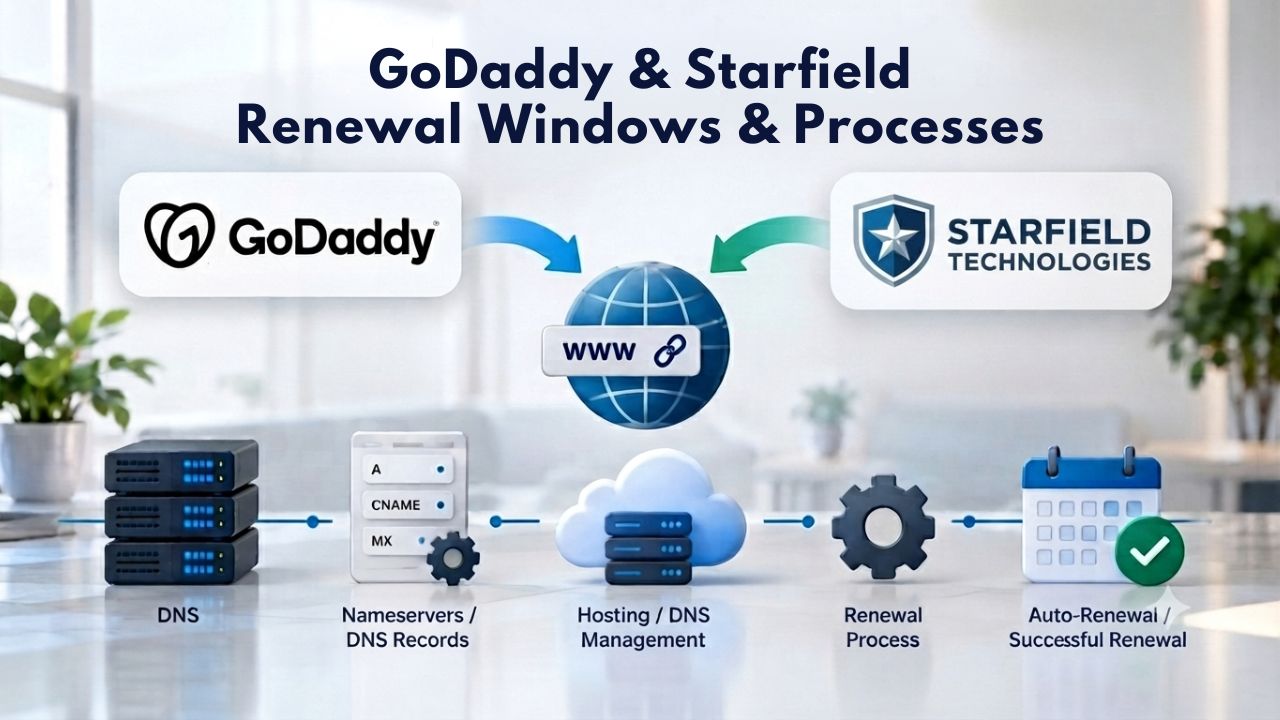
The Standard Renewal Sequence
Here is the typical renewal sequence: GoDaddy sends a renewal notification 60 days before the certificate expires. You (or the auto-renew mechanism) submit the renewal request. GoDaddy validates domain ownership for DV certificates or organization details for OV/EV certificates. GoDaddy reissues the certificate 30 days before the current certificate expires, which provides time to install the new certificate on your server before the old one stops being trusted.
If you do not complete the renewal and installation before the expiration date, your website becomes inaccessible. The critical window is the last 30 days before expiration. During this period, the new certificate is available for installation, but the old certificate has not yet expired. You must install the new certificate during this window. If you wait until the expiration date itself, it is too late; your site will already be inaccessible by then.
Different Hosting Scenarios Have Different Requirements
For domains registered with GoDaddy and websites hosted on GoDaddy’s own servers, GoDaddy automatically handles revalidation and reinstallation of renewed certificates each year. You do nothing; the process is completely transparent and requires no action.
For domains registered elsewhere but using a GoDaddy-issued certificate, GoDaddy reissues the certificate annually. Still, you must verify domain ownership to complete the reissuance, and you may need to manually reinstall the new certificate files on your server. For sites hosted on third-party hosting (cPanel, Plesk, dedicated servers, VPS), you must manually request renewal from GoDaddy and manually install the new certificate files on your server.
Managed SSL & Automated Renewal Services
A managed SSL service (such as GoDaddy’s Managed SSL Service) handles the entire certificate lifecycle automatically: installation, validation, monitoring, and automatic renewal. GoDaddy’s Managed SSL Service installs the certificate within 48 hours or less for most requests, monitors it continuously, automatically reissues it every 90 days, and installs the renewed certificate without any action on your part. This approach is particularly suitable for organizations that want to eliminate the manual work and overhead of certificate management.
Automatic Lifecycle Management Eliminates Manual Work
Once you set up a managed SSL service for your domain, it requires no ongoing action. You receive a notification when the initial setup is complete and everything is functioning correctly. The certificate renews automatically before it expires. The new certificate is installed automatically on your server. Your site remains secure and accessible without any manual work on your part.
This approach eliminates the most common root cause of certificate-expiration outages: human oversight, missed deadlines, or certificates slipping through the cracks due to staffing changes. The managed service model shifts the responsibility entirely to the provider. You do not need to track dates, watch for alerts, or coordinate installation. The provider’s systems do all of this automatically, every day, for every certificate. This is why managed SSL services are so effective at preventing expiration outages.
Automation Shifts Responsibility to the Provider
Niya Digital’s team has found that customers who bundle certificate purchases with managed SSL services experience fewer certificate renewal delays and far less expiration-related downtime than those managing the certificate lifecycle themselves.
This pattern reflects a broader principle: when you use a managed service, you shift the burden from your team to the provider’s infrastructure. The provider’s systems are built specifically to handle renewal deadlines at scale and with 100% reliability. Human memory and manual processes cannot compete with automated, always-on monitoring and renewal systems.
Monitoring, Alerts & Prevention Strategies
A comprehensive certificate expiration prevention strategy requires automated monitoring with multi-tiered alert thresholds. A monitoring tool checks your certificate validity daily and sends notifications at 60 days before expiration, 30 days before, 14 days before, 7 days before, and 1 day before expiration. If you miss the 60-day alert, the 30-day alert catches it. If you miss that one, the 14-day alert reminds you. Multiple alerts at different thresholds ensure that at least one alert reaches the right person and prompts action.
| Decision Factor | Why It Matters | What To Do |
|---|---|---|
| Number of domains/subdomains | Manual tracking becomes impossible beyond \~5 domains | Implement automated monitoring for 6+ domains |
| Certificate validity period | 199–200 days now (was 398 days pre-2026) | Plan for renewal frequency; automation essential |
| HSTS enablement status | HSTS removes bypass option for certificate errors | Expiration = total inaccessibility if HSTS is on |
| E-commerce or payment processing | PCI DSS requires valid encryption at all times | Compliance violation if expired; processor restrictions likely |
| HIPAA, SOC 2, or regulated data | All require valid encryption for covered systems | Regulatory breach if certificate expires; audit trigger |
| SLA or uptime commitment | Any downtime violates SLA terms | Cost of expiration (SLA penalties + lost revenue) is high |
| High search traffic volume | SEO impact visible within 24–48 hours of expiration | Expiration = measurable ranking drops and lost visibility |
Multi-Tiered Monitoring Catches Forgotten Certificates
Manual spreadsheets and calendars tracking expiration dates are unreliable, especially as validity periods shrink to 47 days by 2029. With a 47-day certificate, a single missed renewal means the certificate expires; there is no margin for error or recovery time.
Automated monitoring tools integrate with email, SMS, Slack, Microsoft Teams, and other communication platforms so alerts reach the right person reliably. Some advanced tools also trigger automated actions directly: automatically reordering a new certificate, automatically requesting renewal from the Certificate Authority, or automatically deploying a new certificate to the server.
Automation Is No Longer Optional
Traditionally, manual renewal processes worked because certificates lasted 1–2 years and a single annual email reminder sufficed for most sites. With 47-day certificates coming by 2029 and domain validation reuse periods shrinking to 10 days, manual processes will become completely impossible to maintain.
The industry is rapidly adopting full automation: Certificate Transparency log monitoring to detect certificate changes, ACME (Automated Certificate Management Environment) protocols to automate issuance and renewal, and managed services that handle the entire certificate lifecycle in the background without human intervention. Organizations that don’t adopt automation will face repeated certificate-expiration outages as validity periods continue to shorten over the next few years.
| Time After Expiration | What Fails | Visible Effect |
|---|---|---|
| Within seconds (0–5 sec) | Browser validation | Users see “Your connection is not private” on every page load |
| Within minutes (1–30 min) | Search crawlers | Googlebot refuses to crawl; no new index updates |
| Within hours (1–6 hours) | API clients, webhooks | Backend integrations fail silently with TLS errors |
| Within hours (4–12 hours) | Mobile apps using pinning | Apps that pin the certificate refuse to connect |
| Within 1–2 days | Search rankings visible | Keyword positions drop; SERP CTR decreases |
| Within 1–7 days | Full ranking drop | Loss of visibility for competitive keywords |
| If HSTS enabled | All browser access | 100% of users cannot access site; no bypass option |
Stop Certificate Expiration Before It Starts
Certificate expiration is preventable, completely preventable. The expiration date is always known in advance, printed on the certificate itself months before it happens. The problem is coordinating and following up across teams and systems. Whether you manage one website or dozens, a certificate expiration prevention strategy is essential to your business continuity. Niya Digital’s SSL Certificates Service offers managed SSL options, automated renewal monitoring, and installation support designed to eliminate expiration risk.
Frequently Asked Questions
What is the exact error code shown when an SSL certificate expires?
Chrome displays NET::ERR_CERT_DATE_INVALID with the message “Your connection is not private.” Firefox shows “Warning: Potential Security Risk Ahead” with error code MOZILLA_PKIX_ERROR_ADDITIONAL_POLICY_CONSTRAINT_FAILED. Safari displays “This Connection is Not Private” with a message indicating the certificate is invalid. Each browser’s error message differs in wording and visual presentation. Still, they all mean the same fundamental thing: the certificate’s expiration date has passed, the certificate is no longer valid, and the browser does not trust the connection.
How long does a typical SSL certificate last today?
As of March 2026, the maximum validity for newly issued SSL certificates is 200 days per CA/Browser Forum requirements, with most Certificate Authorities issuing at 199 days to maintain a compliance margin. This period shortens to a maximum of 100 days starting March 15, 2027. Starting March 15, 2029, the maximum validity becomes 47 days.
Subscription periods, how long you pay for certificate service, remain separate from validity periods. You might pay for a 2-year subscription but receive certificates with 199-day validity that must be renewed 6–7 times during the subscription period.
Will my site show a warning before the certificate fully expires?
No. The browser warning appears instantly once the expiration timestamp passes; there is no grace period, no countdown, no escalating warnings. Within milliseconds of expiration, browsers begin displaying security warnings to every visitor. If your certificate expires at 11:59:59 PM on December 31st, users accessing the site at 12:00:01 AM on January 1st will see a security warning immediately.
Can I renew my certificate after it expires, or must I renew before expiration?
You must renew before expiration. Technically, you can generate a renewal request after the certificate expires, but by then your website is already inaccessible to visitors because browsers refuse to connect. The best practice is to renew your certificate 30–60 days before expiration, which gives the Certificate Authority time to validate the request and issue the renewed certificate.
Does an expired certificate affect SEO immediately?
Yes, but the SEO impact depends on when Google’s crawlers encounter the expired certificate. If Googlebot crawls your site while the certificate is expired, it encounters a TLS validation error and does not index that page. Pages already indexed in Google’s search index remain briefly but are deprioritized. Rankings typically begin dropping within 24 hours and become clearly visible within 2–7 days if the certificate remains expired.
If I replace an expired certificate quickly, how long does recovery take?
Recovery after replacing an expired certificate typically takes 4–8 weeks from the moment you install the new certificate. This recovery period assumes the site was only expired briefly. During the recovery period, your pages remain deprioritized in search results compared to their pre-expiration rankings, resulting in lost traffic and reduced visibility.
What happens to API integrations when an SSL certificate expires?
API clients receive TLS errors when attempting to connect to your server. Unlike browsers, API clients cannot click through security warnings or bypass certificate validation errors. They refuse to connect. This failure is silent; no HTTP response is sent, and no error page is displayed.
Will HSTS completely block access to my site if the certificate expires?
Yes. If HSTS (HTTP Strict Transport Security) is enabled and the certificate expires, browsers display a completely non-bypassable error and block access entirely. Users cannot click “Advanced” and “Proceed Anyway” like they can with regular certificate warnings.
Can I downgrade from HTTPS to HTTP to work around an expired certificate?
Not if HSTS is enabled. HSTS forces HTTPS and prevents browsers from downgrading to HTTP, even if you try to serve HTTP. Browsers still try HTTPS and get the same certificate error. The only real solution is to replace the certificate immediately.
What is the difference between my subscription period and my certificate’s validity period?
The subscription period is how long you pay for coverage, typically 1 year, 2 years, or longer. The validity period is how long the issued certificate is valid for browser trust, currently a maximum of 199–200 days. When the validity period expires, the Certificate Authority automatically reissues a new certificate with a new validity period that covers the remaining time on your subscription.
Do I need to do anything when my certificate is reissued?
It depends on your hosting setup. For GoDaddy-hosted sites, installation is automatic. For third-party hosting, you must manually reinstall the reissued certificate. For managed SSL services, installation is automatic. Always confirm your certificate is installed correctly by checking that your site displays a green padlock.
How does managed SSL prevent certificate expiration outages?
Managed SSL monitors your certificate continuously, automatically reissues it before expiration (typically every 90 days), automatically installs the new certificate on your server, and sends status notifications. You do not need to track expiration dates or manually install certificates. The service handles the entire lifecycle, eliminating human error and missed deadlines.
Can a certificate expire without any warning?
Only if you ignore all renewal notifications. Reputable Certificate Authorities send renewal reminders, though some have begun discontinuing automatic email reminders. The real issue is that manual tracking via email reminders is inherently unreliable. Automated monitoring tools with multi-tiered alert thresholds are far more effective at catching expirations before they happen.
What compliance frameworks are affected by an expired certificate?
PCI DSS (Payment Card Industry Data Security Standard), HIPAA (Health Insurance Portability and Accountability Act), SOC 2, and most data-protection standards require valid encryption for covered systems. An expired certificate violates these requirements. This can trigger compliance audits, financial penalties, or loss of required certifications depending on your industry.
How often should I monitor my SSL certificates?
Continuous automated monitoring is best. A monitoring tool should check your certificates daily and alert you on fixed schedules: 60 days before expiration, 30 days before, 14 days before, 7 days before, and 1 day before. Manual monitoring is prone to error. Do not rely on calendar reminders alone, especially as validity periods shrink to 47 days by 2029.
Glossary
- Certificate Authority (CA): An organization that issues and validates SSL/TLS certificates. GoDaddy and Starfield Technologies are the Certificate Authorities issuing certificates sold through Niya Digital’s SSL Certificates Service. A Certificate Authority verifies domain ownership for DV certificates or organizational identity for OV/EV certificates before issuing a certificate.
- Domain Validation (DV): A certificate validation level that verifies only domain ownership. The Certificate Authority sends a verification email to the domain’s registered contact address, or the domain owner proves ownership via DNS records or an HTTP challenge. DV certificates are the fastest and least expensive to obtain, typically issued within hours.
- Extended Validation (EV): The highest certificate validation level. The Certificate Authority verifies domain ownership, organizational identity, physical location, and legal right to operate the domain. EV certificates require 2–7 days for issuance and display the organization name in some browsers’ address bars, providing the strongest visual trust signal to website visitors.
- HSTS (HTTP Strict Transport Security): A security header that instructs browsers to access a domain only over HTTPS and removes the user’s ability to bypass certificate warnings. If a certificate expires on an HSTS-enabled site, the site becomes completely inaccessible because the browser cannot proceed and the user has no bypass option.
- SSL/TLS Certificate: A digital certificate that encrypts data in transit between a browser and a web server, enables HTTPS connections, and authenticates the website’s identity to visitors. SSL (Secure Sockets Layer) is the older protocol; TLS (Transport Layer Security) is the modern standard, though both terms are used interchangeably.
- Validity Period: The length of time a certificate is valid for browser trust. As of 2026, the maximum validity is 200 days; this shortens to 100 days in 2027 and 47 days in 2029. This is separate from the subscription period (how long you pay for coverage).