
The Trust & Conversion Case for SSL
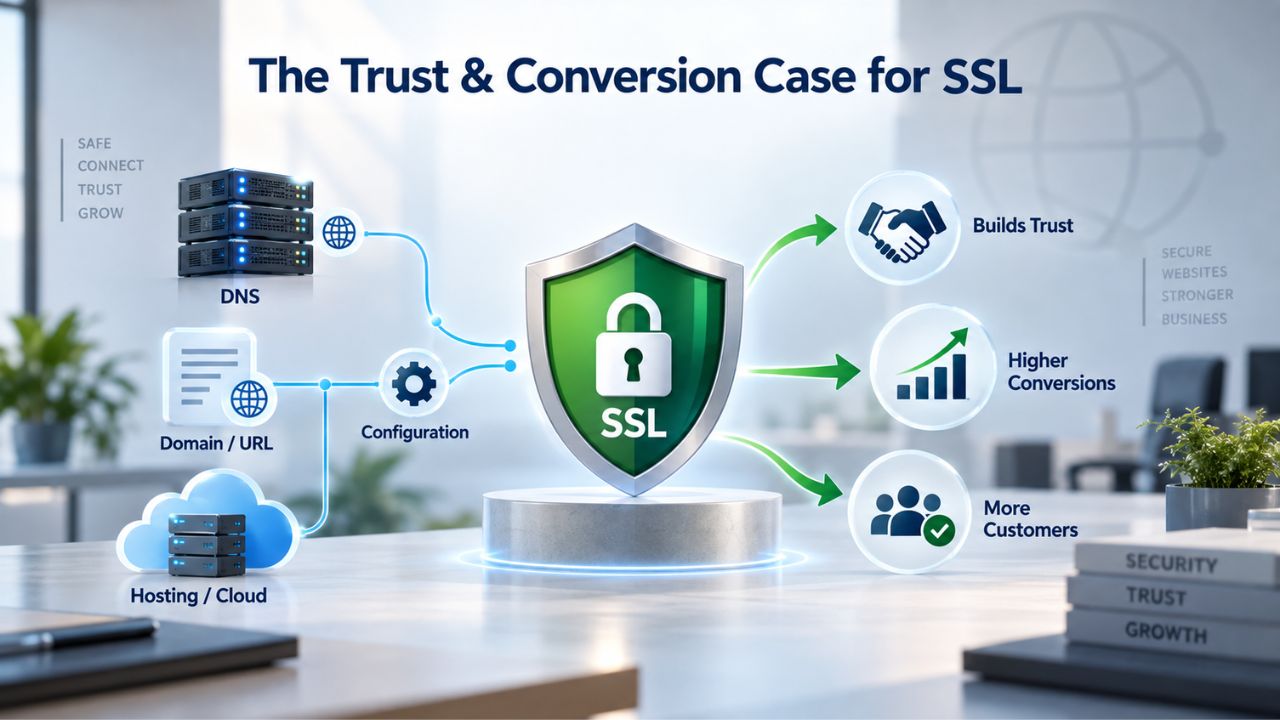
An SSL Certificate does one essential job: it encrypts the connection between a visitor’s browser and your web server so sensitive data stays private during transmission. But the real value for small businesses isn’t technical; it’s about human behavior. Visitors see a padlock icon and trust your site more. Payment processors accept transactions. Search engines rank your site higher. That trust translates directly into revenue.
Why Browser Warnings Destroy Visitor Confidence
Modern browsers no longer hide the security status of your website. Since Chrome 68 in July 2018, every HTTP page is marked “Not Secure” in the address bar, and this warning appears in a visible, prominent location that visitors can’t miss. Firefox and Safari take a similar approach, showing users that unencrypted connections are unsafe and outdated. When a visitor lands on your site without HTTPS, they see that security warning before they see your product, your services, or your value proposition. Many of them don’t stick around long enough to learn what you offer.
The warning is intentional and strategic; browsers are training users globally to expect encryption as a default security feature of the modern web. A small business without an SSL Certificate isn’t just lagging on security best practices; it’s fighting visitor expectations shaped by years of browser warnings and security education. Customers shopping for services or products from two competing small businesses will choose the one that doesn’t trigger a security warning, all else being equal. In a market where trust is currency, being marked “Not Secure” is a handicap you can’t afford.
The Revenue Impact of HTTPS vs. HTTP
Trust signals aren’t just psychological; they have measurable business impact. Research suggests SSL can boost conversion rates by up to 30% through increased customer trust, meaning every tenth customer who would have abandoned your checkout or contact form might now complete the transaction. Real-world accounts from small-business forums document companies “hemorrhaging customers” the moment an expired SSL certificate takes their site offline or stops showing the security padlock.
Visitors who see a broken padlock, a “Not Secure” label, or a browser warning abandon checkout flows, skip contact forms entirely, and bounce to competitors’ sites without hesitation. The cost of an SSL Certificate, which Niya Digital offers competitively as part of its SSL Certificates Service, is trivial compared with the revenue lost from a single day of “Not Secure” warnings or the catastrophic impact of an expiration that takes your site completely offline. The math is simple: investing in SSL protection pays for itself through increased conversions and visitor confidence.
SSL Certificate Plans & Pricing
Choose from a selection of SSL certificates designed to meet different website security and validation requirements. Find the right certificate to secure your website, protect sensitive information, improve search visibility, and build trust with your visitors.
Domain Validated (DV) SSL
(1-Site)
Protect 1 site.
- Domain validation
- SHA-2 & 2048-bit encryption.
- Boost SEO rankings
- Fast issuance in 5min
- Display HTTPS & padlock
- Security trust seal
- Support unlimited servers
- Free unlimited reissues
- $100,000 USD warranty
Domain Validated (DV) SSL
(5-Site)
Protect 5 sites.
- Domain validation
- SHA-2 & 2048-bit encryption.
- Boost SEO rankings
- Fast issuance in 5min
- Display HTTPS & padlock
- Security trust seal
- Support unlimited servers
- Free unlimited reissues
- $100,000 USD warranty
Extended Validation (EV) SSL
(1-Site)
Protect 1 site.
- Extended validation
- SHA-2 & 2048-bit encryption.
- Boost SEO rankings
- Display HTTPS & padlock
- Green address bar
- Security trust seal
- Support unlimited servers
- Free unlimited reissues
- $1,000,000 USD warranty
Extended Validation (EV) SSL
(5-Site)
Protect 5 sites.
- Extended validation
- SHA-2 & 2048-bit encryption.
- Boost SEO rankings
- Display HTTPS & padlock
- Green address bar
- Security trust seal
- Support unlimited servers
- Free unlimited reissues
- $1,000,000 USD warranty
Domain Validated (DV) SSL
(Wildcard)
Protect unlimited sub-domains.
- Domain validation
- SHA-2 & 2048-bit encryption.
- Boost SEO rankings
- Fast issuance in 5min
- Display HTTPS & padlock
- Security trust seal
- Support unlimited servers
- Free unlimited reissues
- $100,000 USD warranty
Browser Security Standards Have Changed
Ten years ago, HTTPS was a luxury feature reserved for high-risk transactions like online banking or credit-card processing. Today, encryption is the enforced baseline, and sites without HTTPS are treated as exceptions to the rule. This shift didn’t happen by accident; browsers, certificate authorities, search engines, and web standards organizations deliberately coordinated to make encryption universal.
From HTTP Default to HTTPS Mandate
The turning point came when browsers began actively warning users as they entered sensitive data. In January 2017, Chrome started showing “Not Secure” warnings on HTTP pages where users entered passwords or submitted forms. By July 2018, Chrome expanded that warning to all HTTP pages, without exception, signaling that the transition from optional encryption to mandatory encryption had reached a critical threshold. Firefox and Safari followed suit with nearly identical strategies. The message was unmistakable: the web is moving to encryption by default, and sites without HTTPS are no longer the norm; they’re the anomaly.
This transformation is reflected in adoption statistics that tell the story of a complete industry shift. By 2026, 98.6% of human web traffic was encrypted (HTTPS), with only 87.8% of bot traffic unencrypted, according to Cloudflare Radar data measuring actual requests. HTTPS adoption has accelerated from 50% of websites in 2017 to over 85% by 2024. The unencrypted web is shrinking rapidly, and sites without SSL are increasingly isolated on the wrong side of a security divide.
The Modern Visitor Expectation for HTTPS
Customers and visitors now look for the padlock icon before entering any personal information or payment details. They expect HTTPS before entering a password, credit card, or personal information, and that expectation is now universal across all major browsers and devices. For e-commerce sites, this expectation isn’t a preference; it’s a prerequisite for any visitor who wants to complete a purchase. But even for a simple blog, informational site, or service business, the absence of that padlock signals amateurism, carelessness, or worse, it tells visitors you don’t care about their security.
Niya Digital’s team has found that small-business owners often underestimate how much their audience now expects HTTPS as a baseline security marker, frequently treating it as a technical afterthought rather than a must-have business requirement. Visitors trust padlocked sites more, stay longer, and convert at higher rates on sites with visible security indicators. The padlock has become a visual proxy for professionalism and reliability.
Which Certificate Type Is Right for Your Business
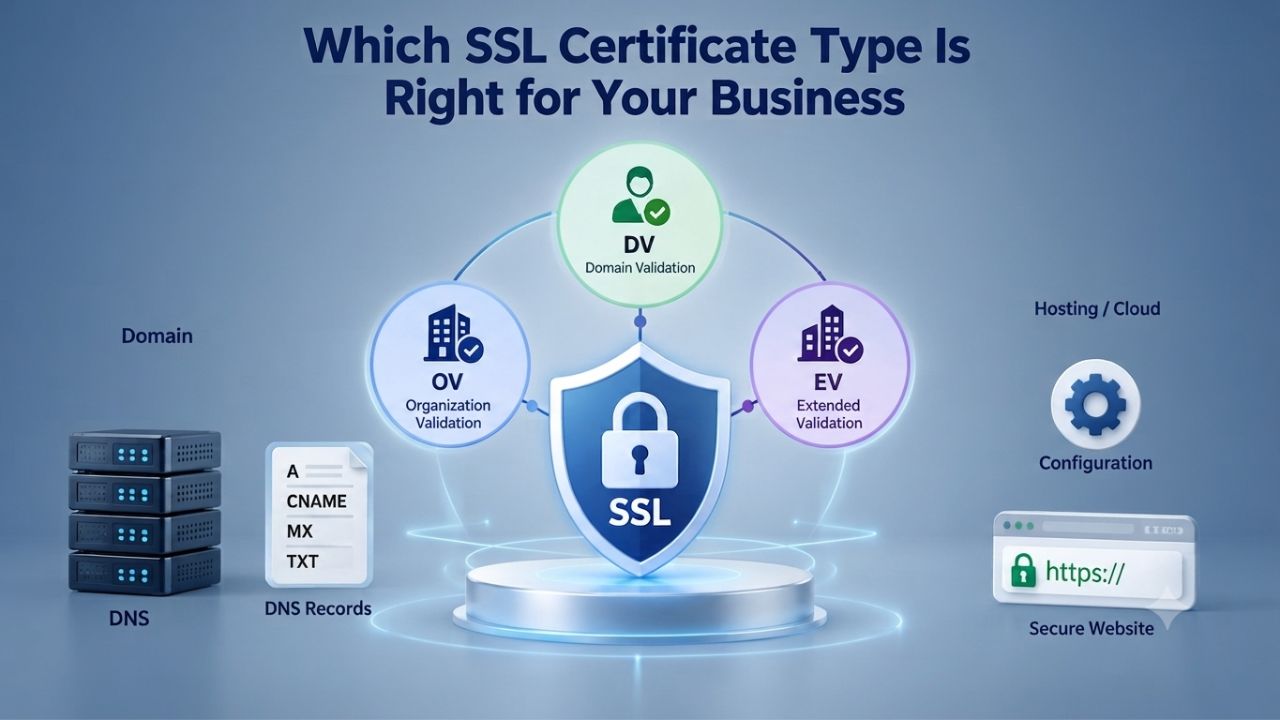
SSL certificates come in three main validation levels, each with different verification depth, issuance speed, and what they communicate to your visitors. The right choice depends on your business type, the data you handle, and the trust signal you want to display.
Domain Validation (DV) for Simpler Websites
A Domain Validation (DV) SSL certificate verifies only that you own or control the domain name you’re protecting. The Certificate Authority confirms this through automated checks; you prove domain ownership via email confirmation, a DNS record update, or by placing a file on your web server. You can receive a DV certificate in minutes to hours, making it the fastest option for businesses that need encryption immediately. Visitors see a padlock icon in their browser address bar when they visit your site, providing basic security assurance.
DV certificates are ideal for personal blogs, portfolios, hobbyist projects, and informational sites where you’re not collecting payment information or sensitive customer data. Many providers, including Niya Digital, offer DV certificates as part of their SSL Certificates Service with rapid issuance and straightforward setup. The trade-off with DV is that the certificate shows no organization name or business details; visitors can verify the connection is encrypted, but they can’t confirm your business legitimacy just by clicking the certificate details.
Organization Validation (OV) for Business Credibility
An Organization Validation (OV) SSL certificate goes one step further than DV by verifying that your domain is owned by a real, registered business with legal standing. The Certificate Authority manually verifies that your business registration is authentic, checks your company address and phone number, and confirms your organization details by cross-referencing public business registries and calling your business phone line directly. This manual verification process takes 1–3 business days compared to DV’s immediate automated checks, but the added time brings real credibility value to your business.
OV certificates are the sweet spot for most small-to-medium business websites, B2B platforms, consulting firms, and professional service sites where you’re asking visitors to fill out contact forms, download resources, or trust you with their business. The visitor still sees a padlock, but when they click the certificate details, they can see your organization’s name, which signals legitimate business operation and professional standing. This extra validation layer is particularly valuable if you’re asking for email addresses, phone numbers, or other contact information. You’re not asking for payment yet, but you’re building trust through visible credential verification.
Small Business Security & Compliance Responsibilities
Beyond trust and conversion metrics, there’s a legal and regulatory layer that makes SSL certificates mandatory for many businesses. Small businesses that collect personal data, process payments, or operate in regulated industries have specific statutory responsibilities, and SSL is often the foundation of compliance.
Data Protection & Legal Risk
When a visitor submits their email, phone number, or personal details through your website, you become responsible for protecting that data from interception and misuse. A data breach, especially one caused by the absence of encryption, can expose you to customer lawsuits, regulatory fines, reputational damage, and loss of business trust that takes years to recover from. SSL encryption protects that data in transit, preventing attackers from intercepting sensitive information as it travels between your visitor’s browser and your server.
In jurisdictions with privacy regulations like GDPR in Europe or similar data protection frameworks worldwide, the absence of basic encryption during data transmission can constitute negligence or breach of duty. While SSL alone isn’t enough for full compliance, it’s a foundational security requirement that shows reasonable care and good security practice. Without encryption, you leave the security door wide open and expose yourself to legal liability that far exceeds the cost of implementing SSL protection.
PCI DSS & Payment Processing Requirements
If your small business accepts online payments, whether directly or through a third-party payment processor like Stripe or PayPal, you must comply with PCI DSS (Payment Card Industry Data Security Standard), a comprehensive security framework created and enforced by the major payment card companies. This standard requires any website that transmits payment information or sensitive login credentials to encrypt that data using HTTPS throughout the entire transaction flow.
Here’s the non-negotiable part: if you don’t have an SSL Certificate installed and active, payment gateways won’t let you process transactions, and your checkout will be blocked. Compliance isn’t a business decision; it’s a legal requirement and an operational prerequisite. Non-compliance can bring fines, payment processor penalties, card-processing bans, and potential liability for customer data breaches. For any small business that relies on online sales, SSL isn’t optional; it’s a legal requirement.
Common SSL Challenges Small Businesses Face
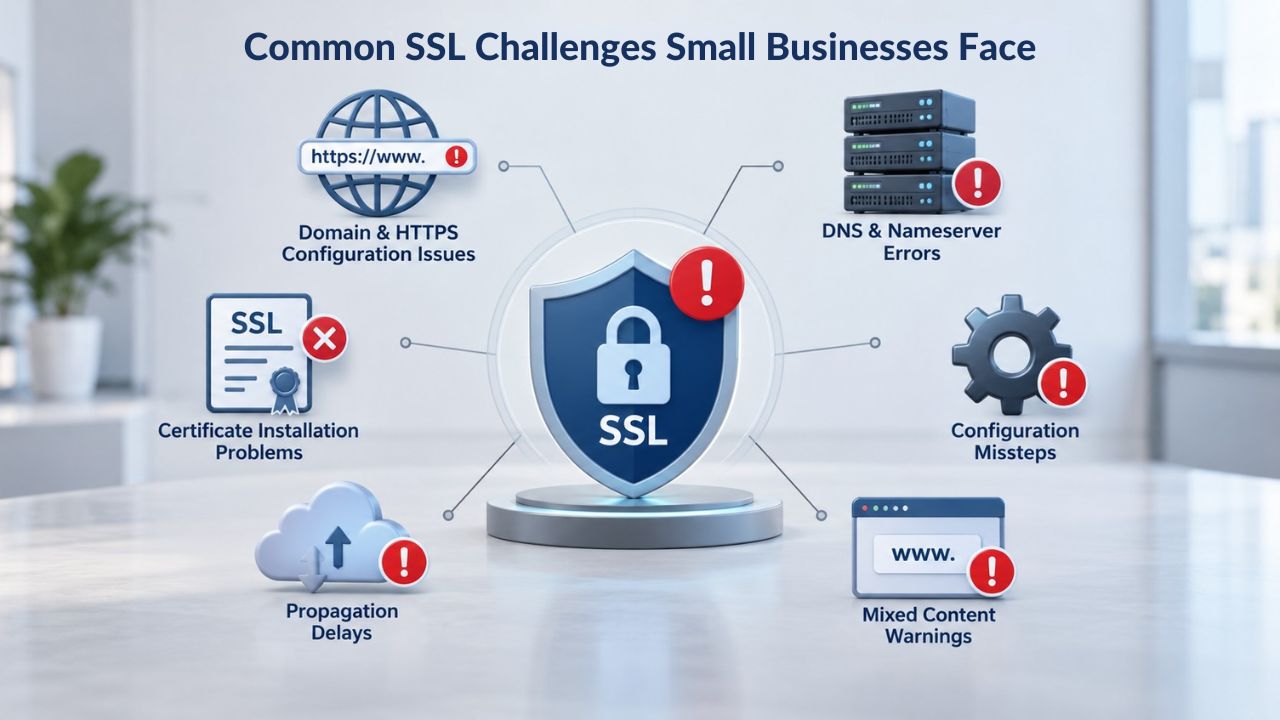
SSL implementation isn’t a “set it and forget it” one-time purchase. Real-world challenges often catch small-business owners off guard, but knowing what to expect helps you avoid costly downtime and revenue loss.
Certificate Expiration & Renewal Management
SSL certificates expire by design; they’re valid for one year by default, a deliberate security measure that forces regular validation updates and keeps certificate information current. When a certificate expires, browsers treat the site as unencrypted, mark it “Not Secure,” and block many visitors from accessing it. An expired SSL certificate is catastrophic for online business: the site appears broken or compromised, visitors leave, and revenue stops immediately.
Unlike domain registrations, which renew automatically, SSL renewal isn’t automatic; it requires an active step on your part. You receive a renewal invoice, pay it, the Certificate Authority re-validates your domain or organization details (depending on certificate type), and then you install the new certificate on your server. Forget this process, and your site goes down. Real small businesses report massive customer loss when an expiration takes their online presence offline unexpectedly. The solution is to set calendar reminders 30–60 days before expiration, or choose a provider like Niya Digital that offers renewal management support to eliminate this manual burden.
Mixed Content Errors After HTTPS Migration
A common stumbling block happens when migrating a site from HTTP to HTTPS. Your site now has an SSL Certificate installed; visitors see the padlock, but pages still load resources (images, scripts, stylesheets) from old HTTP URLs that were never updated. Browsers see this mismatch between an encrypted page and unencrypted resources and display a broken padlock icon or a security warning. Visitors see “Not Secure” even though the site technically uses an SSL Certificate, defeating the purpose of encryption.
Mixed content errors most commonly occur when hard-coded HTTP URLs are left in code templates, database entries, or third-party plugins after migration. If you hire a developer to migrate your site to HTTPS, make sure they scan for and fix all internal HTTP links. If you’re using plugins, especially on WordPress or other CMS platforms, verify that they’re HTTPS-compatible and don’t load external resources insecurely. This is where quality installation support from your SSL provider, like Niya Digital’s guidance, saves significant time and prevents frustration.
Which Certificate Type Fits Your Business?
| Business Type | Primary Security Concern | Recommended Certificate | Why This Works |
|---|---|---|---|
| Personal Blog / Portfolio Site | Basic encryption and trust signal | DV | Fastest issuance, simple setup, provides encryption security and padlock icon for visitors |
| Service Business (Consultant, Agency, Freelancer) | Professional credibility and visitor confidence | OV | Validates your business legitimacy; organization name visible in certificate details; shows you’re established and trustworthy |
| E-commerce Store (Small to Medium) | PCI compliance and customer payment trust | OV or EV | PCI DSS requires encryption; OV provides sufficient validation for most small online retailers; EV for high-ticket or luxury items |
| SaaS or Web Application | Data security and user trust | OV | Shows commitment to protecting user data; moderate validation time; appropriate for handling sensitive user information |
| Multi-site Operation or Startup Growth | Scalability and operational efficiency | Wildcard or Multi-Domain (SAN) | One certificate covers multiple subdomains or domains; reduces renewal complexity and management burden |
| Financial, Healthcare, or Regulated Industry | Maximum trust and audit compliance | EV | Highest verification level; often required by regulatory frameworks; essential for handling sensitive financial or health data |
| Newsletter or Membership Site | Trust in data collection and handling | DV or OV | DV sufficient if no payment processing; OV recommended if collecting payment information or extensive personal data |
Ready to Protect Your Small Business Website
An SSL Certificate is a straightforward investment in visitor trust, business credibility, and legal compliance. Whether you’re protecting a blog, running a service business, or processing payments, having an SSL Certificate is essential for modern web operations. Niya Digital’s SSL Certificates Service makes it simple to find the right certificate type, get fast issuance, and access ongoing support so you never face unexpected downtime or compliance gaps.
The Real Cost of Not Having SSL
The financial case for SSL protection extends far beyond intangible trust signals. The actual cost of operating without an SSL Certificate, in lost sales, regulatory fines, liability, and reputational damage, often exceeds the investment in SSL protection many times over.
Lost Sales from “Not Secure” Warnings
A potential customer lands on your website, immediately sees the “Not Secure” warning, and leaves without learning what you offer, who you are, or what problems you solve. This scenario repeats thousands of times a day across small businesses that haven’t implemented SSL protection. Security warnings are a primary reason visitors abandon websites, especially at checkout, on contact forms, and on any page that asks for personal information.
For e-commerce sites, the impact is measurable and severe. Customers won’t enter payment details on a site marked “Not Secure.” They might not even enter an email address to receive a quote or consultation. The browser warning isn’t a minor inconvenience; it’s a revenue barrier that eliminates sales before visitors even see your offer. Studies suggest conversion rate improvements of 30% or more through SSL trust signals, which translates directly to additional income for your business.
Regulatory Fines & Breach Liability
If your site handles customer data and suffers a security breach because it lacks basic encryption, you face legal liability that extends far beyond the immediate incident. Regulatory bodies and data protection authorities fine businesses for non-compliance with data protection standards. In jurisdictions with privacy law, a breach can trigger mandatory customer notification, customer compensation obligations, and legal action from affected individuals.
For e-commerce sites, liability exposure is exponentially higher. PCI DSS violations can result in significant fines from payment processors, penalties from card-issuing banks, and restrictions on your ability to process credit card payments. A single unencrypted transaction that leaks customer payment data can trigger legal costs and settlements that far exceed any SSL certificate investment.
Installation, Migration, and Ongoing Management
Getting SSL right involves more than just purchasing and installing a certificate. Understanding the full process and having proper support prevents costly downtime, security errors, and revenue loss.
Getting SSL Installed Correctly
Most hosting providers offer straightforward installation for DV and OV certificates through their control panel interfaces like cPanel, Plesk, or similar hosting management tools. The typical process involves generating a Certificate Signing Request (CSR) on your server, submitting it to the Certificate Authority or your reseller like Niya Digital, waiting for approval, and then installing the issued certificate file on your server. For WordPress or other CMS platforms, many providers offer plugins that partially automate this process, though manual verification and testing are still necessary.
The critical follow-up steps after installation are often overlooked but essential for full security: set up HTTP-to-HTTPS redirects so all traffic automatically routes to the encrypted version of your site, scan your entire site for hard-coded HTTP links to avoid mixed content warnings, and test thoroughly across multiple browsers to ensure the padlock appears correctly and all resources load securely. Quality providers include detailed installation guides specific to popular platforms, which is invaluable for small-business owners who may not have a dedicated IT team.
Managing Renewals Without Downtime
Annual renewal happens every year as your certificate approaches expiration. The Certificate Authority sends a renewal reminder, you process payment, they re-validate your domain or organization details, and you install the new certificate before the old one expires. This overlap period, between old certificate expiration and new certificate installation, is where downtime risks arise if renewal is delayed or forgotten.
The solution is planning and automation. Set reminders 60 days before expiration. For businesses without dedicated IT staff, managed SSL services from providers like Niya Digital can handle renewals automatically, eliminating manual steps and reducing the risk of accidental expiration. This is where a service-focused SSL provider adds real value.
SEO & Search Ranking Benefits
Search engines reward sites that protect their users and implement current security standards. HTTPS isn’t just a visitor trust signal; it’s also a ranking signal that affects your visibility in search results.
HTTPS as a Google Ranking Factor
Google has long prioritized HTTPS as a ranking signal in its search algorithm, meaning that all else being equal, an HTTPS site will rank higher than an HTTP site for the same keywords. This isn’t a minor ranking tweak; it’s a consistent, documented advantage that applies across all search queries and all industries.
The logic behind this ranking preference is straightforward: search engines want to show their users safe, encrypted websites that protect their privacy and security. By favoring HTTPS in rankings, they incentivize adoption globally and make the web safer for everyone. For small businesses competing in crowded markets with hundreds or thousands of competitors for the same search terms, that extra ranking lift can mean the difference between being found on page one or page three of search results. This difference directly impacts traffic and revenue.
Organic Visibility Improvements Over Time
HTTPS adoption correlates strongly with higher organic search visibility, particularly for commercial keywords where visitors are actively searching for products or services to purchase. This benefit works at multiple levels: partly through a direct ranking boost, partly through improved user behavior (visitors trust and click on HTTPS sites more often), and partly through improved site metrics that signal relevance to search engines.
The cumulative effect of these factors is measurable: an SSL Certificate doesn’t just protect data and build visitor trust; it makes your site more visible to potential customers actively searching for what you offer. In competitive markets, this SEO advantage is often the most valuable benefit of SSL implementation.
E-Commerce Specific: Payment Processing & PCI Compliance
For businesses accepting online payments, SSL isn’t a nice-to-have feature; it’s the legal and technical foundation for accepting payments.
Why Payment Gateways Require SSL
Payment processors like Stripe, PayPal, and Authorize.net will not process transactions on non-HTTPS sites. This isn’t a preference or a suggested best practice; it’s a hard technical requirement. Attempting to submit a payment form from an HTTP page will be rejected and blocked by the gateway’s security systems.
This requirement exists for PCI DSS compliance. Any site handling payment card data must encrypt that data in transit using HTTPS from the moment the customer starts entering their information. This is non-negotiable and legally mandatory. Small e-commerce businesses sometimes assume they can operate without SSL while they’re starting up; they can’t. The payment gateway won’t let them.
Protecting Customer Payment Data
E-commerce sites must comply with PCI DSS Requirement 4, which mandates secure transmission of cardholder data using TLS 1.2 or higher. An SSL Certificate provides the foundational encryption layer that makes this requirement possible. Without it, attackers on unsecured networks can intercept customer credit card numbers, expiration dates, and CVV security codes.
The liability exposure from payment data breaches is enormous. A breach exposing cardholder data triggers mandatory customer notification, regulatory investigation, potential fines from payment processors, and civil lawsuits from affected customers. The cost of a single payment data breach often exceeds the investment cost of securing your site with SSL for many years. For any business handling payments, this math is simple: SSL isn’t an expense category; it’s insurance.
Getting Started: Choosing Your First SSL Certificate
Ready to protect your site with SSL and join the secure web? Here’s how to choose the right certificate type for your business needs and what to expect during issuance and installation.
How to Select the Right Certificate Type
Use this straightforward decision tree: If you’re running a personal blog with no payments and no customer data collection.
Domain Validation (DV) is sufficient. It’s fast to issue, simple to install, and provides the encryption security that builds basic visitor confidence. If you’re a small service business with a corporate website, contact forms, or client inquiries,
Organization Validation (OV) is the better choice; the extra validation time is worth the added credibility it communicates about your business. If you’re processing significant e-commerce transactions, handling financial data, or operating in a regulated industry like healthcare or finance,
Extended Validation (EV) provides the highest trust level, though the validation takes longer.
For most small businesses, OV strikes the optimal balance: moderate validation requirements, faster issuance than EV, and enough business verification to show customers you’re a legitimate, registered business. The decision matrix below helps you identify the right certificate type based on your specific business scenario, security needs, and trust requirements.
Certificate Type Comparison & Business Decision Matrix
| Factor | Domain Validation (DV) | Organization Validation (OV) | Extended Validation (EV) |
|---|---|---|---|
| Validates | Domain ownership only | Domain + organization existence | Domain + legal/physical organization existence |
| Issuance Time | Minutes to hours | 1–3 business days | 5–14 business days |
| Visual Indicator | Padlock icon | Padlock + organization name in certificate details | Padlock (historical green bar deprecated in modern browsers) |
| Best For | Blogs, personal sites, portfolios | Small/medium business websites, B2B platforms | Financial institutions, high-value e-commerce, regulated industries |
| Installation Complexity | Simple | Simple | Simple |
| Browser Support | Universal | Universal | Universal |
What to Expect During Issuance & Installation
Once you purchase an SSL Certificate from Niya Digital’s SSL Certificates Service, here’s the typical process flow.
First, you (or your hosting provider) generate a Certificate Signing Request (CSR) on your server using standard tools; this file contains your domain information and public key.
Second, Niya Digital submits your CSR to GoDaddy/Starfield, the Certificate Authority, which then validates your domain ownership (for all certificate types) or your business details (for OV and EV certificates).
Third, once validation passes, which can take minutes for DV or 1–3 days for OV, the certificate file is issued to you.
Fourth, you install the certificate on your server, typically through your hosting control panel.
Fifth, your site switches to HTTPS, the padlock appears in visitors’ browsers, and your connection is encrypted.
Finally, you configure HTTP-to-HTTPS redirects and test thoroughly for mixed content issues.
The entire DV process can complete in just hours. OV typically takes 1–3 business days due to manual business verification. EV takes longer still because of extensive legal and identity checks. During this issuance period, your website remains live and operational; the shift to HTTPS occurs only after the certificate is installed.
Secure Your Business with the Right SSL Certificate
Choosing an SSL Certificate doesn’t have to be complicated. Niya Digital’s SSL Certificates Service guides you through selecting the right validation level for your business, handles issuance, and manages renewals. Hence, your site stays protected year after year. Whether you need DV simplicity, OV business credibility, or EV maximum trust, Niya Digital delivers fast issuance, clear installation support, and ongoing protection without the headache.
Frequently Asked Questions
What exactly is an SSL Certificate?
An SSL (Secure Sockets Layer) certificate, also called an HTTPS Certificate, is a small digital file installed on your web server that encrypts the connection between your website and visitors’ browsers. It’s the technology behind the padlock icon and the “https://” protocol shown in browser address bars.
SSL is technically an older protocol; modern certificates use TLS (Transport Layer Security), but the industry still calls them SSL Certificates. The certificate includes your domain name, your organization details (for OV/EV), your public encryption key, and digital signatures from the Certificate Authority that prove its authenticity.
Do I really need an SSL Certificate for my small business website?
Yes. Browsers now mark all non-HTTPS sites with “Not Secure” warnings, and visitors expect encryption as a baseline security standard. If you handle any customer data, emails, phone numbers, contact information, or want your site to rank well in search results, an SSL Certificate is essential.
Even a simple informational blog benefits from HTTPS for credibility, visitor trust, and SEO performance. In today’s web environment, SSL isn’t optional; it’s fundamental.
What’s the difference between DV, OV, and EV SSL Certificates?
Domain Validation (DV) verifies only that you own or control the domain name, using automated checks that issue in minutes. Organization Validation (OV) verifies domain ownership plus your business’s legal registration and details, requiring manual CA verification that takes 1–3 days.
Extended Validation (EV) is the most rigorous, verifying your organization’s legal status, physical address, right to use the domain, and applicant authority, a process taking 5–14 days. DV is sufficient for blogs; OV is ideal for small business sites; EV is for high-trust or financial operations.
How long does it take to get an SSL Certificate?
Domain Validation (DV) certificates are issued in minutes to hours after purchase. Organization Validation (OV) takes 1–3 business days because the Certificate Authority manually verifies your business details.
Extended Validation (EV) takes 5–14 business days because of rigorous legal and operational existence checks. Once issued, installation on your server is typically immediate, and your site goes live with HTTPS within hours of installation completion.
What happens when my SSL Certificate expires?
Your site stops displaying as secure to visitors. Browsers display prominent “Not Secure” warnings, and many visitors will immediately leave. Payment gateways block transactions.
Expired certificates effectively take sites offline or make them appear compromised, damaging your reputation and stopping revenue immediately. This is why calendar reminders 30–60 days before expiration are critical, or why using a provider like Niya Digital with automatic renewal management eliminates this risk.
What is mixed content, and how do I fix it?
Mixed content occurs when your HTTPS-encrypted page loads some resources (images, scripts, stylesheets) over insecure HTTP connections. Browsers see this mismatch and show a broken padlock or security warning.
This most commonly happens after migrating from HTTP to HTTPS if old HTTP URLs remain in your code, database, or plugins. Fix it by finding and updating all HTTP URLs to HTTPS throughout your site code, especially in plugins and templates.
Is an SSL Certificate required for PCI compliance?
Yes. PCI DSS mandates that any site handling payment card data encrypt that data in transit using HTTPS. This is a baseline requirement, not optional or negotiable. Without an SSL Certificate, you cannot legally accept credit card payments, and payment processors will block your transactions.
Will an SSL Certificate improve my search engine ranking?
Yes. Google includes HTTPS as a ranking factor in its search algorithm, all else being equal. An HTTPS site ranks higher than an HTTP competitor site in search results. This is part of Google’s broader effort to encourage encryption across the web and protect user privacy at scale.
What should I do immediately after installing an SSL Certificate?
Set up an HTTP-to-HTTPS redirect so all traffic automatically routes to the secure version. Check your site for mixed content issues by opening your browser’s developer console (right-click → Inspect → Console).
Fix any insecure resource URLs you find, especially in plugins and hardcoded links. Update your sitemap to reflect HTTPS URLs. Update analytics and tracking tools. Test your site in multiple browsers to ensure the padlock appears and everything loads correctly.
Does Niya Digital help with SSL Certificate installation and support?
Yes. Niya Digital’s SSL Certificates Service includes installation guidance for common platforms and ongoing renewal management support to help small businesses avoid downtime and manage the full certificate lifecycle securely.
What’s the difference between a Wildcard and Multi-Domain (SAN) SSL Certificate?
A Wildcard SSL Certificate covers a domain and all of its subdomains under a single certificate; for example, one certificate secures example.com, secure.example.com, mail.example.com, and any other subdomain.
A Multi-Domain (SAN) SSL Certificate covers several completely separate domains in a single certificate; for example, one certificate protects example.com, yourotherdomain.com, and thirdsite.com. Both options simplify management if you operate multiple properties or subdomains.
Why do SSL Certificate validation times vary so much?
Domain Validation (DV) is instant because the CA only needs automated verification that you control the domain; a simple email confirmation, DNS record check, or HTTP file upload suffices.
Organization Validation (OV) takes 1–3 days because the CA manually verifies your business registration, address, phone number, and organizational details through registry lookups and direct contact. Extended Validation (EV) is slowest (5–14 days) because it requires the highest verification level, including legal status checks and applicant authority confirmation per CA/Browser Forum standards.
Is an EV Certificate necessary for an e-commerce site?
No. Most small e-commerce sites operate successfully with OV certificates, which balance trust with reasonable validation time. EV is primarily for banks, payment processors, and high-value luxury retailers where maximum trust signals are business-critical. For typical small-business e-commerce, OV meets PCI DSS requirements and visitor expectations equally well.
How often do I need to renew my SSL Certificate?
Annually. SSL certificates are valid for one year by default, so you renew every 12 months. This annual renewal requirement is intentional; it forces regular re-validation to keep certificate information current and security practices up to date.
Glossary
- Certificate Authority (CA): An organization that issues and validates SSL/TLS certificates after verifying domain ownership and business details. GoDaddy and Starfield Technologies are examples; Niya Digital resells certificates issued by these CAs rather than issuing them itself.
- Domain Validation (DV): An SSL validation level that confirms only domain ownership via automated checks like email confirmation, DNS record creation, or HTTP file upload. Fast and inexpensive but does not verify the business behind the domain.
- Extended Validation (EV): The highest SSL validation level, requiring verification of domain ownership, organization legal status, physical address, right to use the domain, and applicant authority. Provides maximum trust signals but takes 5–14 days.
- HTTPS: HTTP over SSL/TLS; the encrypted version of the web protocol that protects data in transit between browsers and servers. Indicated by a padlock icon in the browser address bar.
- Mixed Content: A security issue where an HTTPS webpage loads some resources (images, scripts, stylesheets) over insecure HTTP, causing browser warnings and a broken padlock icon.
- Organization Validation (OV): An SSL validation level that confirms domain ownership plus legal existence and business registration of the organization. Takes 1–3 days and displays the organization name in certificate details.
- SSL/TLS Certificate: A digital file that encrypts data between a website and visitor browsers, providing both encryption security and identity verification. SSL (Secure Sockets Layer) is the older name; TLS (Transport Layer Security) is the modern standard.
- TLS (Transport Layer Security): The modern encryption protocol used by all current SSL Certificates. TLS 1.2 and TLS 1.3 are the secure versions; older versions are no longer acceptable per PCI DSS standards.