
Understanding SSL/TLS: What It Is and Why Your Website Needs It
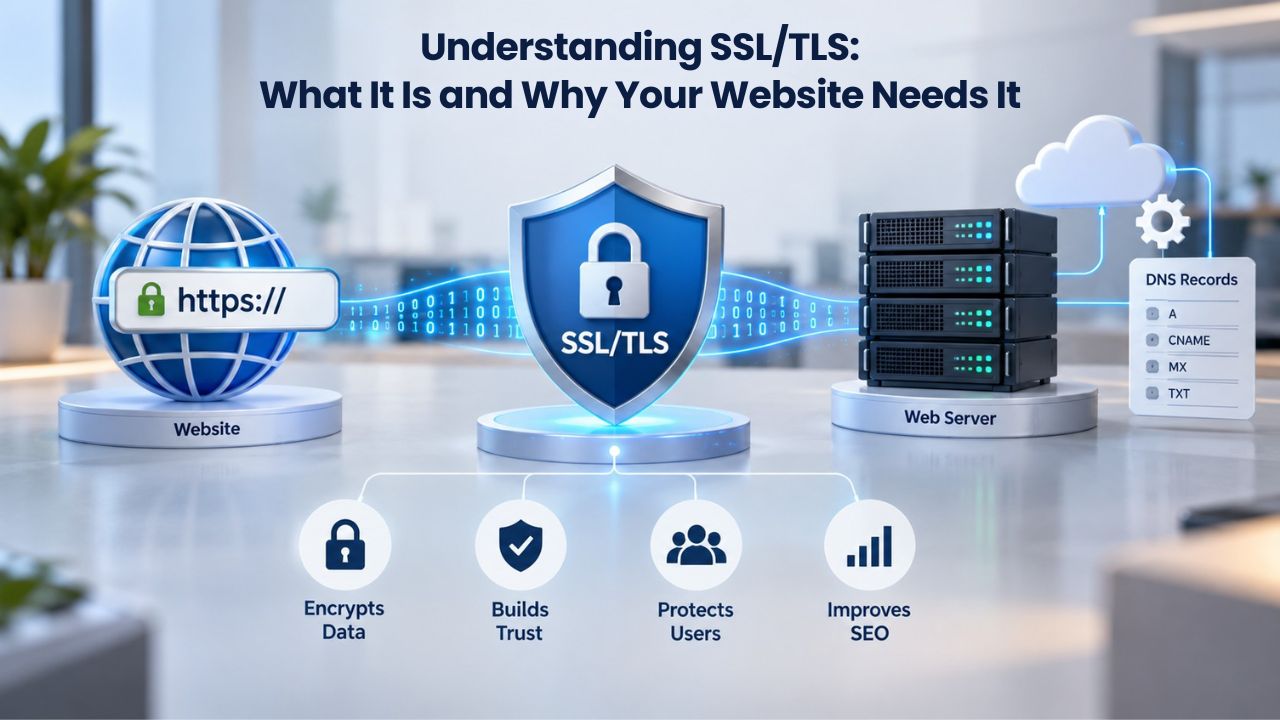
SSL (Secure Sockets Layer) and its modern successor TLS (Transport Layer Security) are cryptographic protocols that encrypt data traveling between a user’s browser and your web server. People often use the terms interchangeably, though TLS is technically the current standard. An SSL certificate is the digital credential that proves your domain’s identity to browsers and enables that encrypted connection.
When visitors land on your site, their browser checks for a valid certificate. If one exists and is trusted, you see a padlock icon and the HTTPS prefix in the address bar. This signals to visitors that their connection is secure and that you’ve verified your identity as the site owner or organization. When no valid certificate is present, modern browsers display a prominent “Not Secure” or “Your connection is not private” warning, which can significantly deter visitors and cause them to abandon checkout flows on e-commerce sites.
What SSL/TLS Encryption Actually Protects
An SSL/TLS certificate protects data in transit, meaning the information traveling between your visitor’s browser and your web server is encrypted and unreadable to third parties. This is critical for protecting passwords, payment information, personal data, and any sensitive communication. Without encryption, data sent over HTTP (unencrypted) can be intercepted by attackers on shared networks, public WiFi, or compromised network infrastructure.
The encryption works through a handshake process: your certificate contains a public key that the browser uses to encrypt data, and your web server holds the private key to decrypt it. Only the private key holder can read the encrypted messages. This mutual verification between browser and server is why the certificate itself, and the certificate authority that issued it, matters so much. Browsers trust a limited set of certificate authorities whose root certificates are built into their trust stores.
Why Browsers and Visitors Care About SSL
Modern browsers treat HTTPS as a baseline expectation, not a luxury. Google and other major search engines have reinforced this by giving minor ranking signals to sites that use HTTPS, though this is not a primary ranking factor and should not be the sole driver of an SSL decision. The real driver is user trust and regulatory compliance. Visitors consciously or unconsciously recognize the padlock as a trust signal, and sites without it see higher bounce rates, lower conversions, and more cart abandonment.
From a compliance perspective, any site collecting personal data, processing payments, or handling regulated information (healthcare, financial, educational records) needs SSL to meet legal and industry requirements. PCI DSS (Payment Card Industry Data Security Standard) mandates encryption for payment card data. GDPR and similar privacy frameworks require reasonable security measures, and SSL is a foundational component. Niya Digital’s team has found that businesses often underestimate how SSL intersects with their compliance obligations until a security audit surfaces it.
SSL Certificate Plans & Pricing
Choose from a selection of SSL certificates designed to meet different website security and validation requirements. Find the right certificate to secure your website, protect sensitive information, improve search visibility, and build trust with your visitors.
Domain Validated (DV) SSL
(1-Site)
Protect 1 site.
- Domain validation
- SHA-2 & 2048-bit encryption.
- Boost SEO rankings
- Fast issuance in 5min
- Display HTTPS & padlock
- Security trust seal
- Support unlimited servers
- Free unlimited reissues
- $100,000 USD warranty
Domain Validated (DV) SSL
(5-Site)
Protect 5 sites.
- Domain validation
- SHA-2 & 2048-bit encryption.
- Boost SEO rankings
- Fast issuance in 5min
- Display HTTPS & padlock
- Security trust seal
- Support unlimited servers
- Free unlimited reissues
- $100,000 USD warranty
Extended Validation (EV) SSL
(1-Site)
Protect 1 site.
- Extended validation
- SHA-2 & 2048-bit encryption.
- Boost SEO rankings
- Display HTTPS & padlock
- Green address bar
- Security trust seal
- Support unlimited servers
- Free unlimited reissues
- $1,000,000 USD warranty
Extended Validation (EV) SSL
(5-Site)
Protect 5 sites.
- Extended validation
- SHA-2 & 2048-bit encryption.
- Boost SEO rankings
- Display HTTPS & padlock
- Green address bar
- Security trust seal
- Support unlimited servers
- Free unlimited reissues
- $1,000,000 USD warranty
Domain Validated (DV) SSL
(Wildcard)
Protect unlimited sub-domains.
- Domain validation
- SHA-2 & 2048-bit encryption.
- Boost SEO rankings
- Fast issuance in 5min
- Display HTTPS & padlock
- Security trust seal
- Support unlimited servers
- Free unlimited reissues
- $100,000 USD warranty
The Three Validation Levels: DV, OV, and EV, What Each Verifies
SSL certificates come in three validation levels, each representing a different depth of identity verification by the certificate authority. Understanding these differences is essential to choosing the right certificate for your business, because the validation level you select affects not only issuance time but also the trust signals your site presents and the regulatory or compliance expectations your industry may have.
Domain Validation (DV): Speed and Simplicity
Domain Validation (DV) certificates verify only that you own or control the domain name you’re requesting a certificate for. The process typically involves one of three methods: responding to an email sent to an administrative contact at the domain, adding a DNS record to the domain’s DNS settings, or placing a file on your web server. This verification can take minutes to hours, making DV certificates the fastest to issue.
A DV certificate is sufficient for most personal blogs, portfolios, small business sites, and informational websites that don’t collect or process sensitive data. The certificate still provides full encryption; visitors to a DV-protected site see the same padlock and HTTPS connection as visitors to an EV-protected site. The difference is in what the certificate tells visitors about the entity behind the domain. With DV, the browser only confirms that someone with control of the domain ordered the certificate; it says nothing about whether a legitimate business, individual, or organization is behind that domain.
DV certificates are also the most economical option, which helps explain their popularity with startups, developers, and resource-constrained teams. Since validation is lightweight and automated, issuance is predictable and reliable. Many hosting platforms and CDNs offer free DV certificates through automated provisioning, making them an accessible entry point into HTTPS encryption.
Organization Validation (OV), Verified Business Identity
Organization Validation (OV) certificates verify both domain ownership and the legitimacy of the requesting organization. The certificate authority conducts additional checks beyond domain control: verifying business registration with government records, confirming the physical address, validating the phone number, and confirming that the person requesting the certificate has authority to act on behalf of the organization.
This deeper verification process typically takes one to three business days, depending on how quickly the organization responds to validation requests and whether any information requires clarification. OV certificates suit small-to-medium businesses, SaaS platforms, software-as-a-service providers, and any organization that collects customer data or processes transactions. The OV certificate signals to visitors that a verified business stands behind the site, which increases trust compared to a DV certificate alone.
From a compliance perspective, OV certificates are often required or expected in regulated industries. Many financial services, healthcare platforms, and e-commerce operations choose OV as a baseline because it provides an additional layer of identity verification that aligns with security and trust standards in those sectors.
Extended Validation (EV), Maximum Identity Verification
Extended Validation (EV) certificates require the most comprehensive verification process. In addition to domain ownership and organizational identity, the CA verifies operational control, legal authorization, and sometimes even conducts call-backs or in-person verification for particularly sensitive business contexts. EV issuance typically takes three to five business days or longer, depending on the organization’s complexity and the CA’s validation procedures.
Historically, EV certificates displayed a green bar in browser address bars along with the organization name, providing an immediately visible trust signal. Modern browsers have deprecated the green bar display, but the EV validation level itself remains and carries weight with security-conscious users and compliance auditors. Financial institutions, health-related organizations, e-commerce sites handling high transaction volumes, and any business where customer trust and verification are paramount typically choose EV certificates.
The CA/Browser Forum’s EV Guidelines outline a rigorous verification framework to prevent impersonation and ensure that only legitimate, authorized organizations can obtain EV certificates. This rigor makes EV certificates a credible choice for businesses that need to demonstrate the highest level of identity verification to regulators, partners, or customers.
Comparison Table: Validation Levels
| Factor | Domain Validation (DV) | Organization Validation (OV) | Extended Validation (EV) |
|---|---|---|---|
| Verification Scope | Domain ownership only | Domain ownership + organizational identity | Domain ownership + organizational identity + legal authorization + operational control |
| Typical Issuance Time | Minutes to hours | 1–3 business days | 3–5 business days or longer |
| Trust Signals Displayed | Padlock icon and HTTPS | Padlock icon and HTTPS | Padlock icon and HTTPS (green-bar display deprecated in modern browsers, but validation level remains) |
| Best For | Personal blogs, portfolios, small informational sites | Small-to-medium businesses, SaaS platforms, customer-data sites | Financial institutions, healthcare providers, high-transaction e-commerce, sectors with maximum trust requirements |
| Operational Context | Fast deployment, suitable for rapid launches | Advance planning needed for verification; appropriate for established businesses | Most rigorous; best for organizations where identity verification is non-negotiable |
| Regulatory Alignment | Suitable for compliance baseline (encryption required) | Aligned with OV expectations in many regulated industries | Often required or expected in highly regulated sectors (finance, healthcare) |
Choosing a Validation Level for Your Business
The right validation level depends on your business model, the type of data you collect, your industry’s regulatory environment, and how much additional trust signals you need beyond basic encryption. No single validation level is universally “best”; each serves specific business contexts effectively.
Alignment with Business Type and Data Sensitivity
A personal blog or portfolio site that collects no personal data and processes no payments can operate effectively with a DV certificate. The encryption protects the session itself, and visitors to a personal blog typically don’t require organizational verification. A WordPress blog or static site secured with DV is entirely appropriate and represents responsible security practice.
In contrast, a SaaS platform where customers log in with credentials, store files, or manage business data should use at least OV to signal that a verified organization operates the service. E-commerce sites that process payments should consider OV as a minimum; if the store operates in a regulated industry or processes high transaction volumes, EV may be warranted. Financial institutions, healthcare providers, and legal services almost universally use OV or EV, as their regulatory frameworks and customer trust expectations demand it.
Your industry’s standards matter. If competitors and similar businesses in your sector use OV or EV, matching or exceeding that standard makes sense. If DV is the norm in your space and you collect minimal data, DV is appropriate. Ask yourself: what data do I collect? What would happen if that data were intercepted? What does my industry expect? What do my customers reasonably expect?
Validation Time and Operational Planning
If you need your certificate issued quickly, perhaps you’re launching a site on a tight timeline, a DV certificate allows you to go live within hours. OV and EV certificates require planning because their validation processes take days and depend on your ability to respond quickly to the CA’s verification requests. You’ll need to have authorized signatories available, business registration documents accessible, and accurate business contact information on file.
This is where Niya Digital’s SSL Certificates Service shines for businesses seeking support: the platform guides you to the validation level that fits your use case. It helps you prepare the necessary documentation before ordering, reducing validation delays and ensuring smooth issuance. For organizations without in-house expertise, this support can be the difference between a straightforward approval and a stalled process.
Single-Domain, Wildcard, and Multi-Domain Certificates: How to Pick
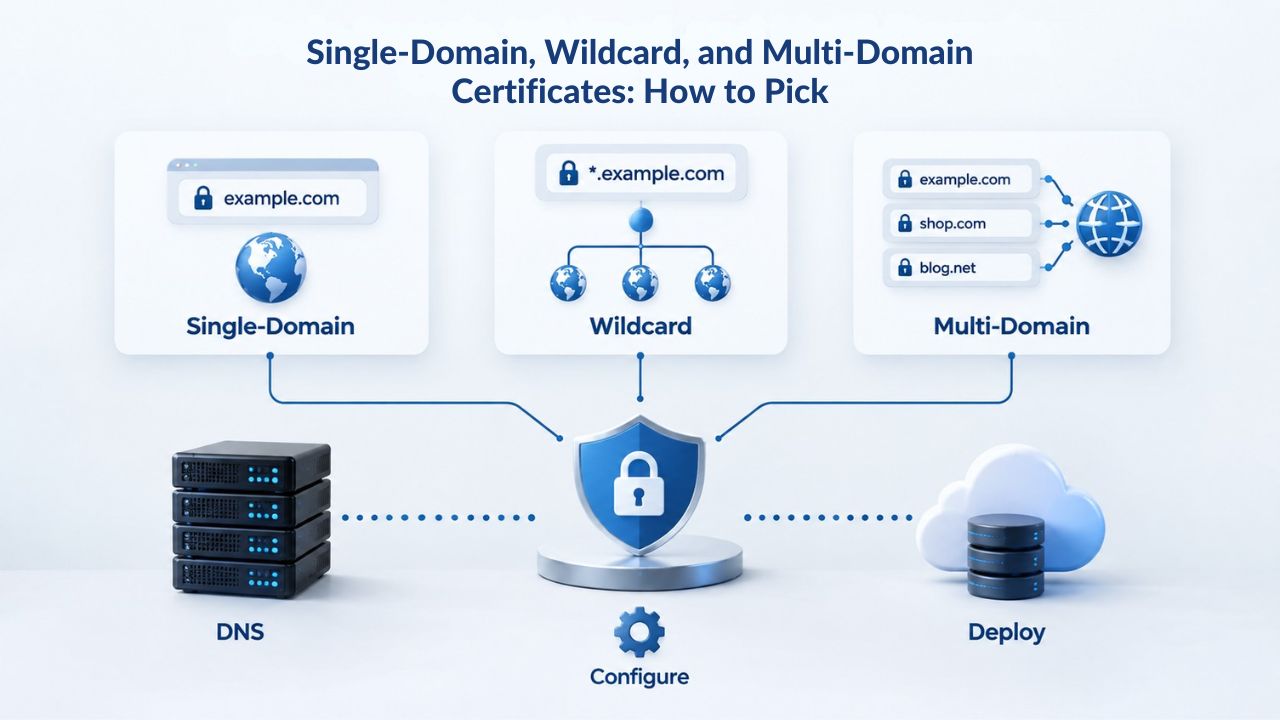
Beyond validation level, you need to choose which domain(s) your certificate will secure. Three main options exist: single-domain certificates, wildcard certificates, and multi-domain (SAN) certificates. Each serves different deployment architectures and comes with different management implications.
Single-Domain Certificates: The Baseline Option
A single-domain certificate secures exactly one fully qualified domain name. If you purchase a certificate for www.example.com, it protects only that domain. A visitor accessing blog.example.com or shop.example.com would see a domain-mismatch warning because the certificate doesn’t include those subdomains. A single-domain certificate suits sites with a single entry point or organizations that can manage multiple separate certificates.
The advantage of single-domain certificates is simplicity: one certificate, one domain, straightforward deployment. The disadvantage emerges if your architecture grows. Adding a new subdomain means purchasing a new certificate, renewing it on a separate schedule, and managing multiple certificate files and private keys across your infrastructure. For small sites that won’t scale or for organizations with dedicated certificate-management practices, single-domain is perfectly adequate.
Wildcard Certificates: Economy at Scale for Subdomains
A wildcard certificate uses the asterisk (*) wildcard to secure a domain and all its first-level subdomains. A wildcard certificate for *.example.com protects www.example.com, blog.example.com, shop.example.com, api.example.com, and any other first-level subdomain, but it does not protect example.com itself (the bare domain) or second-level subdomains like admin.api.example.com.
Wildcard certificates are cost-efficient for businesses with many subdomains because one certificate covers them all, reducing management overhead and renewal tracking. A startup that anticipates spinning up multiple services (customer portal, blog, API, documentation) can deploy a wildcard certificate and add subdomains without certificate provisioning delays. If your architecture relies on subdomains and you want operational simplicity, a wildcard is typically more economical than purchasing and managing individual single-domain certificates.
Multi-Domain (SAN) Certificates: Multiple Distinct Domains on One Certificate
A multi-domain certificate, also called a Subject Alternative Name (SAN) certificate, secures multiple distinct domain names on a single certificate. You might secure example.com, shop.example.com, example-eu.com, and my-brand.co.uk on one certificate. Multi-domain certificates are ideal for corporate entities managing several brands, holding companies managing subsidiary domains, or organizations expanding internationally.
The advantage is consolidation: instead of managing four separate certificates on four different schedules, you manage one. The disadvantage is that if you need to replace or reissue the certificate, all domains are affected, and you’ll need to coordinate deployment across multiple properties. For organizations with relatively stable domain portfolios (not constantly adding new properties), multi-domain certificates simplify administration.
Certificate Type & Deployment Scenario Matrix
| Business Scenario | Recommended Certificate Type | Why This Works | Deployment Notes |
|---|---|---|---|
| Personal blog or portfolio with one domain | Single-Domain DV | Fast issuance, low cost, full encryption for a single property | Simple deployment; manage one certificate on one renewal schedule |
| E-commerce store with multiple brand subdomains (shop.example.com, support.example.com, blog.example.com) | Wildcard OV or EV | One certificate covers all subdomains; organizational verification signals trust; appropriate for payment processing | Deploy once; all subdomains automatically secured; renewal affects all subdomains |
| Corporate entity managing multiple distinct domain names (example.com, example-eu.com, example-subsidiary.co.uk) | Multi-Domain (SAN) OV or EV | Consolidates management of distinct properties; organizational verification credible across portfolio; single renewal cycle | Deploy once; coordinate across multiple properties; all domains dependent on one renewal schedule |
| Startup planning rapid subdomain growth | Wildcard + upgrade path | Wildcard accommodates near-term growth; plan to upgrade to more comprehensive solution as portfolio stabilizes | Initial deployment is fast; wildcard doesn’t cover bare domain if needed separately |
| Non-profit or resource-constrained organization with one domain and minimal data collection | Single-Domain DV | Cost-effective; issuance is quick; encryption is full-strength despite lower validation level | Suitable if organizational verification isn’t required by stakeholders; reassess if data sensitivity increases |
| Mission-critical financial, healthcare, or high-value e-commerce site | Multi-Domain EV (or separate EV certificates) | Maximum identity verification; regulatory and customer expectations demand EV; multi-domain allows consolidation if multiple properties exist | Requires advance planning for EV validation; coordinate renewal across critical systems; highest trust signaling |
Installation, Configuration, and Getting Your Certificate Live
An SSL certificate alone doesn’t encrypt traffic; you must install it properly on your web server, CDN, or hosting environment. Installation involves generating a Certificate Signing Request (CSR), submitting it during certificate purchase, receiving the signed certificate and any intermediate certificates from the CA, and uploading those files to your server.
Typical Installation Process and Platforms
The installation process varies by platform. On cPanel-based hosting (a common control panel for shared hosting), you can typically generate a CSR directly in the interface, purchase a certificate, and install it through the same control panel without touching command-line tools. WordPress sites using a hosting provider with integrated SSL support (many modern hosts offer one-click SSL installation) can activate a certificate from the hosting dashboard. CDN providers like Cloudflare or AWS CloudFront have their own certificate-installation workflows.
For businesses deploying certificates on generic Linux or Windows servers, the process requires more technical skill: generating a CSR using OpenSSL or the Windows Certificate Manager, submitting it to the CA, receiving the certificate and intermediates, and configuring your web server (Apache, Nginx, IIS) to use the new certificate files. This is where Niya Digital’s installation support becomes valuable; the platform provides step-by-step guidance for common deployment scenarios and offers direct support for customers who need technical assistance.
CSR Generation and Certificate Chain
A Certificate Signing Request (CSR) is a text file containing your domain information and a key pair generated on your server. You submit the CSR to the CA (in this case, GoDaddy/Starfield, which Niya Digital resells certificates from), and the CA returns a signed certificate and intermediate certificates. Your server needs all three components: the private key (generated when you created the CSR), the signed certificate for your domain, and the intermediate certificates that link your certificate back to the CA’s trusted root.
If any of these components are missing or mismatched, your certificate won’t work correctly. Browsers need the full chain to verify trust, and incomplete chains result in warnings. That is why correct installation matters as much as the certificate itself. Many installation problems trace back to incomplete chain deployment, not certificate quality.
Validation of Certificate Installation
After installation, test your certificate with browser developer tools or online SSL checkers. Open your site in a browser and confirm the padlock appears and the connection is marked as secure.
Verify that all resources (images, scripts, stylesheets) load over HTTPS, not mixed HTTP/HTTPS. Certificate installation typically takes minutes to an hour to propagate after upload, so allow time before troubleshooting if the certificate doesn’t immediately appear.
Get Installation Support and Deploy With Confidence
Installation can feel technical, but you don’t have to navigate it alone. Niya Digital’s SSL Certificates Service includes step-by-step installation guidance for popular hosting platforms, custom server environments, and CDN deployments. Whether you’re comfortable with command-line tools or prefer hands-on support, you’ll find the resources and assistance to get your certificate live without delays or errors.
Troubleshooting Mixed-Content Errors After SSL Installation
After installing an SSL certificate, you may notice browser warnings or broken elements on your site. The most common culprit is mixed content: a page served securely over HTTPS but containing resources loaded insecurely over HTTP. Browsers block or warn about these insecure resources, preventing them from loading and breaking page functionality.
Identifying and Fixing Mixed-Content Problems
Mixed-content errors appear as browser console warnings or as broken images and non-functional scripts on your site. To identify mixed-content issues, open your browser’s developer tools (F12 in most browsers), navigate to the Console tab, and look for warnings about insecure content. The warnings will tell you exactly which resources load over HTTP.
Common sources of mixed content include image tags pointing to HTTP URLs instead of HTTPS, embedded videos or iframes from external services, CSS and JavaScript files loaded from HTTP CDNs, and third-party widgets (analytics, chat tools, commenting systems) that don’t support HTTPS. Fixing these requires auditing your HTML and replacing HTTP URLs with HTTPS equivalents, or asking your hosting provider or third-party service to support HTTPS.
Automation and Search Capability
Some content management systems and hosting platforms offer tools that automatically rewrite HTTP URLs to HTTPS. WordPress plugins, for instance, can scan your site and update internal links. Use these tools cautiously: they work well for internal resources but may cause issues with third-party services if those services don’t support HTTPS or if mixed content is intentional (though it rarely is). For third-party services, contact the provider to request HTTPS support, or replace the service with an HTTPS-compatible alternative.
Mixed-content errors are a one-time resolution task: once you’ve identified and fixed all insecure resources, the errors won’t recur unless you add new insecure content. That is why installation and auditing go hand in hand with certificate deployment. Niya Digital’s installation support includes guidance on identifying and resolving mixed-content issues, so customers aren’t left troubleshooting alone.
Certificate Renewal and Lifecycle Management: Staying Compliant
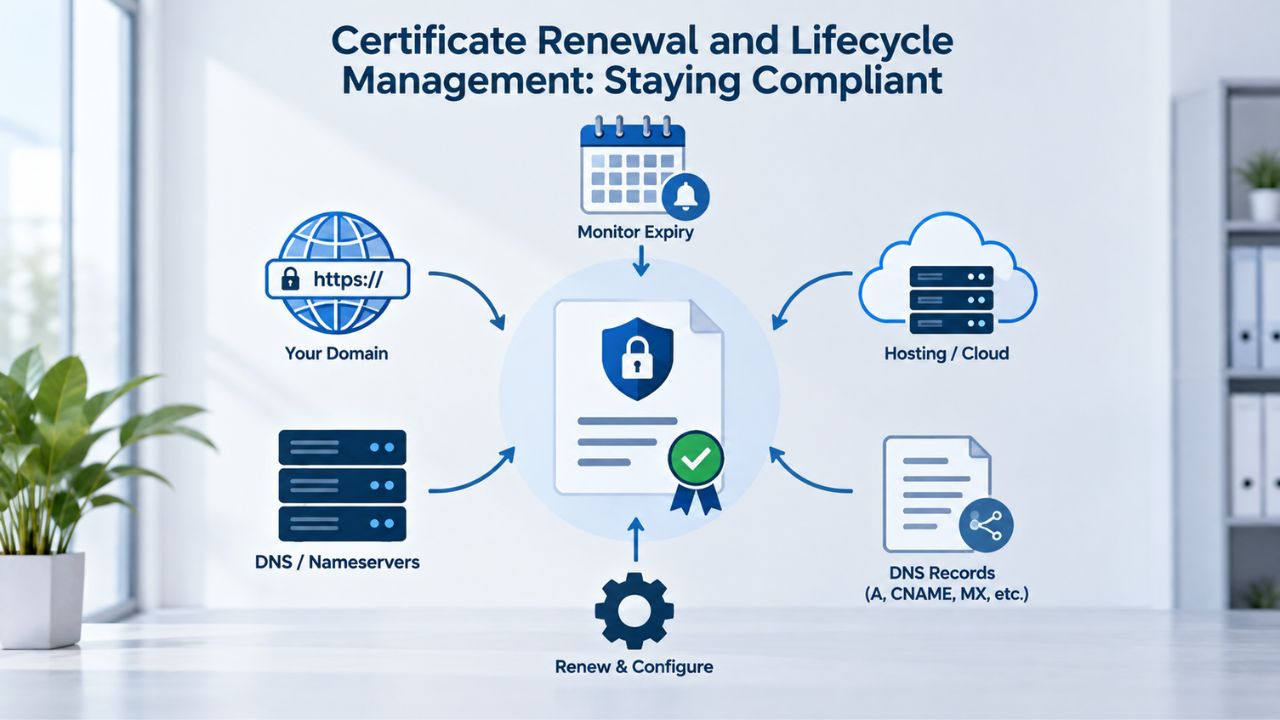
SSL/TLS certificates expire. Modern certificates issued by major CAs like GoDaddy/Starfield are valid for a maximum of one year, as enforced by the CA/Browser Forum’s Baseline Requirements. This means you must renew every certificate before it expires, or your site will display security warnings again. Renewal is a recurring operational task that many organizations overlook until a certificate lapses.
When and How to Renew
Start the renewal process 30 to 60 days before expiration. Renewing in this window ensures your new certificate is issued and installed well before the old one expires, with no risk of downtime. Some platforms send renewal reminders; others do not. If you’re not receiving renewal notifications, add the expiration date to your calendar and set a reminder.
Renewal typically involves requesting a new certificate from your CA or reseller, providing the same information (domain, organization, authorized contact), and completing the appropriate validation for your certificate type. For DV certificates, renewal is fast; you verify domain control again and receive the new certificate within hours. For OV and EV certificates, renewal may require re-verifying organizational information, though many CAs streamline this for returning customers.
Once you have the new certificate, install it on your server or ask your hosting provider or managed-SSL service to handle deployment. The old certificate will keep working until it expires, but best practice is to deploy the renewal as soon as it’s ready. This gives you buffer time to troubleshoot if any deployment issues arise.
Consequences of Expired Certificates and Proactive Management
If a certificate expires before renewal, browsers will display a security warning, “Your connection is not private” or similar, and many visitors will abandon your site rather than click through the warning. For e-commerce sites, payment processors won’t process transactions over expired certificates. For API endpoints, mobile apps, or service-to-service integrations, they may fail because they don’t display a browser warning; they reject the expired certificate.
Certificate expiration is one of the most avoidable yet common causes of website downtime. Organizations with mature security practices treat certificate renewal as scheduled maintenance, on par with server patches. Set calendar reminders, assign responsibility to a team member, and treat renewal as non-negotiable. Niya Digital’s managed-SSL service handles certificate renewal on behalf of customers, removing this recurring task from their to-do list, a valuable service for organizations without dedicated IT staff.
Self-Managed vs. Managed SSL: Which Approach Is Right for You?
When you purchase an SSL certificate, you have two deployment models: self-managed installation (you or your team handle all setup and renewal) or managed SSL (a service provider handles installation and renewal). Each model suits different organizational capabilities and priorities.
Self-Managed SSL: Full Control, Full Responsibility
With self-managed SSL, you generate the CSR on your server, purchase the certificate from a reseller like Niya Digital, receive the certificate and intermediates, and install them yourself. You’re responsible for monitoring expiration dates, initiating renewals, and deploying new certificates when they’re issued. You control deployment timing and server configuration.
Self-managed SSL is appropriate for organizations with in-house technical staff, for developers comfortable with server administration, and for businesses that prefer to own the entire deployment process. The upside is control and transparency; you know exactly what’s installed and where. The downside is operational burden: certificate renewal becomes a recurring task that requires attention and coordination, especially if you’re managing certificates across multiple servers, CDNs, or properties.
Managed SSL: Simplicity at the Cost of Control
Managed SSL services handle the entire certificate lifecycle on your behalf. You provide your domain and organizational information; the service generates the CSR, purchases and installs the certificate, and automatically handles future renewals. You don’t need to touch certificate files or track expiration dates; the service does this for you.
Managed SSL is ideal for small businesses, non-technical site owners, and organizations without dedicated IT resources. If managing SSL certificates feels outside your core business, managed SSL removes this friction. Niya Digital offers managed SSL options as part of its SSL Certificates Service, making it an accessible choice for businesses that want encryption without the operational overhead.
Hybrid: Managed with Staging and Testing
Some organizations use a hybrid approach: managed SSL in production (reducing day-to-day burden) with self-managed certificates in staging or development environments for testing. This balances operational simplicity with development flexibility.
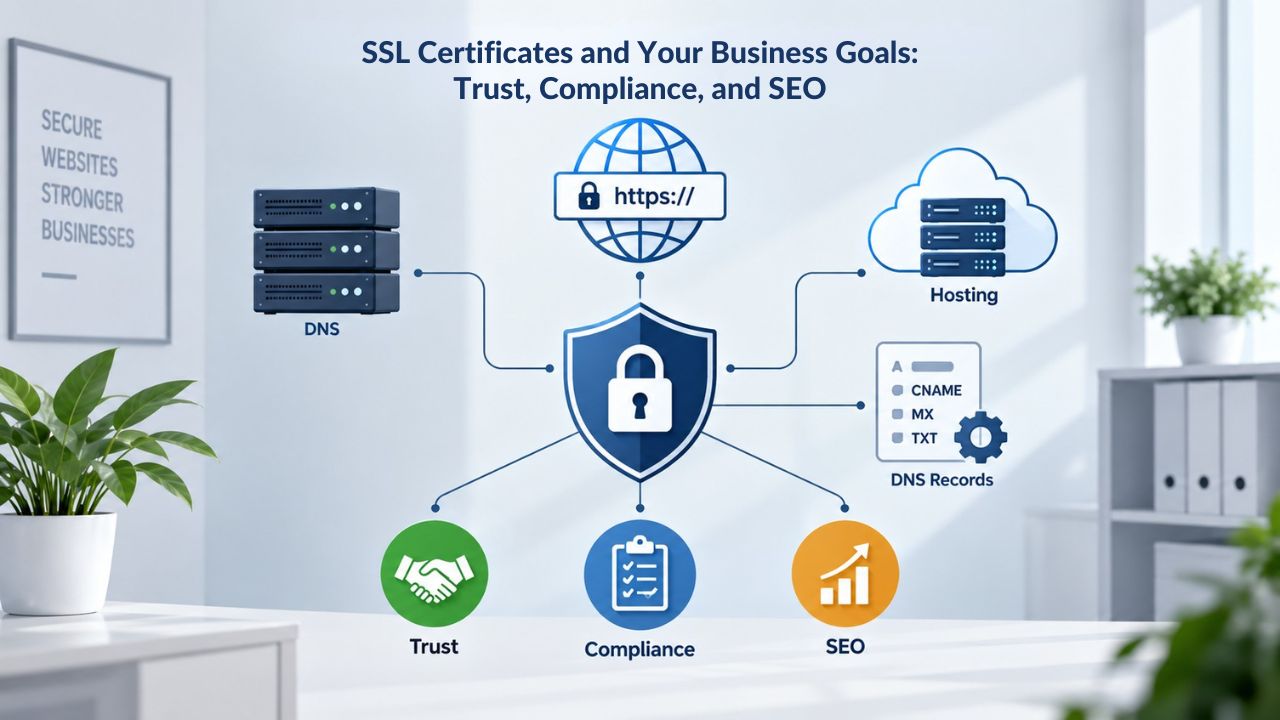
SSL Certificates and Your Business Goals: Trust, Compliance, and SEO
SSL certificates serve multiple business objectives beyond encryption: they build visitor trust, support regulatory compliance, and signal website security to search engines. Understanding these broader benefits helps justify the investment and reinforces why SSL is non-negotiable for any modern website.
Trust and Visitor Confidence
The padlock icon and HTTPS connection are trust signals that have become baseline expectations. Visitors, particularly on e-commerce or financial sites, consciously look for these signals before entering personal information or payment details. Sites without valid certificates lose this trust signal, resulting in higher bounce rates and lower conversion.
Research from security organizations shows that visitors are significantly more likely to abandon transactions on sites displaying security warnings than on secure sites. This isn’t just an e-commerce concern: SaaS platforms, healthcare sites, financial services, and any site collecting sensitive data benefit from the trust reinforcement that SSL provides. Niya Digital’s team has observed that customers who previously delayed SSL deployment report measurable improvements in visitor retention and transaction completion after implementing it.
Regulatory and Compliance Requirements
Multiple regulatory and compliance frameworks expect or mandate encryption for protected data. PCI DSS requires encryption for payment card information in transit. GDPR and similar privacy regulations expect organizations to implement reasonable security measures, of which encryption is a foundational component. HIPAA (in healthcare) mandates encryption for protected health information. Industry-specific standards (SOC 2, ISO 27001, etc.) often require HTTPS as a baseline security control.
These requirements aren’t universal or one-size-fits-all; your specific obligations depend on your industry, the jurisdiction(s) you operate in, the types of data you collect, and applicable laws. However, SSL/TLS encryption is consistently expected. If your business handles regulated data, confirm your compliance obligations with legal counsel or a compliance expert, and treat SSL as part of your compliance foundation.
SEO and Search Engine Rankings
Google and other search engines give websites using HTTPS a minor positive signal in their ranking algorithms. This isn’t a primary ranking factor; content quality, relevance, and links matter far more, but it’s a recognized signal search engines consider. HTTPS alone won’t boost your rankings, but combined with good content and a solid SEO strategy, it removes a minor negative signal. It reinforces security to search algorithms and users alike.
The SEO benefit of SSL should not be the primary driver of an SSL decision, but it’s worth noting as one of several reasons to implement it. Treat SSL primarily as a security and trust measure, and view the SEO benefit as secondary.
Common SSL Certificate Mistakes and How to Avoid Them
Even with careful planning, organizations often make avoidable mistakes during SSL implementation and management. These mistakes can undermine the security and trust benefits that certificates are meant to provide. Understanding the most common pitfalls and how to avoid them will help you deploy and maintain your Website Security infrastructure confidently and keep your site protected from preventable issues.
Neglecting Certificate Renewal Until It’s Too Late
One of the most common SSL certificate mistakes is failing to plan for renewal far enough in advance. Many organizations only think about renewal when browsers start displaying security warnings, meaning the certificate has already expired and visitor trust has already been damaged. This is entirely preventable but happens often because certificate renewal isn’t visible day to day; it’s an invisible, scheduled task that’s easy to overlook.
The remedy is to treat certificate renewal as scheduled maintenance, on par with server patches or security updates. Set calendar reminders 60 days before expiration, assign responsibility to a specific team member or group, and document the renewal process so you can repeat it consistently. If your team lacks bandwidth or technical capacity, a managed-SSL service removes this recurring task entirely. Niya Digital’s SSL Certificates Service handles automatic renewal and deployment on behalf of customers, ensuring certificates stay current without manual intervention or the risk of lapse.
Deploying Without Testing or Validating the Certificate Chain
Another common mistake is installing a certificate and assuming it works without testing it. The certificate may install without error messages, but if the certificate chain (the full sequence of certificates linking your domain certificate back to a trusted root) is incomplete, browsers will display warnings when visitors connect. Similarly, forgetting to update HTTP references to HTTPS after installation leaves mixed-content errors, causing browsers to block insecure resources.
Testing takes minutes but prevents hours of troubleshooting. After installation, open your site in a browser and confirm the padlock appears. Use free SSL-testing tools (such as SSL Labs or your browser’s developer tools) to verify the certificate chain is complete and there are no warnings. Check that all images, scripts, and resources load over HTTPS, not HTTP. This validation step catches installation mistakes before visitors encounter them and protects the trust signal your certificate is meant to provide.
Explore Your Options and Get Started
Choosing the right SSL certificate requires understanding your business context: which validation level aligns with your industry and data sensitivity, which certificate type fits your domain architecture, and whether self-managed or managed installation makes sense for your team.
Niya Digital’s SSL Certificates Service simplifies this decision with expert guidance, straightforward purchase options, and installation support to get your certificate live without friction. Whether you need a DV certificate for a small blog or an OV multi-domain certificate for a growing business, the right SSL solution is accessible.
Frequently Asked Questions
What’s the difference between SSL and TLS, and which one do I need?
SSL (Secure Sockets Layer) is an older, deprecated protocol; TLS (Transport Layer Security) is the modern standard that replaced it. In everyday conversation, people use SSL and TLS interchangeably, but modern implementations use TLS.
You don’t need to choose between them. When you purchase an SSL certificate, you’re getting a TLS certificate that works with current browsers and security standards. The certificate itself handles the technical protocol details; you need a valid certificate from a trusted CA.
How long does it take to get an SSL certificate after I order?
Issuance time depends on your certificate type. Domain Validation (DV) certificates are typically issued within minutes to hours after you verify domain ownership (via email, DNS, or HTTP challenge). Organization Validation (OV) certificates usually take one to three business days while the CA verifies your business registration and organizational details.
Extended Validation (EV) certificates typically take three to five business days or longer due to more comprehensive verification. Plan accordingly if you have a launch deadline; DV is fastest, while OV/EV require advance notice.
Can I use a single certificate on multiple domains, or do I need separate certificates?
A single-domain certificate protects only one domain. If you have multiple domains, you have two options: purchase individual certificates for each domain (more expensive and complex to manage), or purchase a multi-domain (SAN) certificate that covers multiple specific domains on one certificate.
A wildcard certificate covers one domain and all its first-level subdomains (e.g., *.example.com covers www.example.com, blog.example.com, etc.). Choose based on your domain structure and management preferences.
What happens if my SSL certificate expires?
Browsers will display a security warning (“Your connection is not private” or similar), and many visitors will leave instead of proceeding.
Payment processors won’t process transactions over expired certificates. Your site won’t be “hacked,” but it will be inaccessible to cautious visitors and will fail security checks. Renewal is a simple, proactive task: start the process 30 to 60 days before expiration and deploy the new certificate before the old one lapses.
Do I need an EV certificate, or is DV enough?
It depends on your business. DV (Domain Validation) is sufficient for personal blogs, portfolios, small business sites, and information-only websites. OV (Organization Validation) suits small-to-medium businesses that handle customer data or process transactions.
EV (Extended Validation) is typically chosen by financial institutions, healthcare providers, e-commerce sites with high transaction volumes, and businesses where customer trust and identity verification are paramount. Consider your industry norms, data sensitivity, and regulatory requirements.
What’s a mixed-content error, and how do I fix it?
Mixed content occurs when a page is served over HTTPS but contains resources (images, scripts, stylesheets, videos) loaded over HTTP. Browsers block or warn about these insecure resources.
Fix it by identifying the insecure resources in your browser’s developer console and updating the URLs from HTTP to HTTPS. This is a one-time task after certificate installation; use an automated scanner or manual audit to find all instances.
Can I move an SSL certificate from one server to another?
Yes. Your certificate is tied to your domain and private key, not to a specific server. You can install it on a new server by uploading the certificate file, private key, and intermediates to the new location.
If you move to a different hosting provider, you may be able to reissue the certificate on the new server with the CA’s support. Work with your new host or certificate provider to ensure a smooth transition.
What’s the difference between a certificate chain and a self-signed certificate?
A certificate chain is the sequence of certificates linking your domain certificate back to a trusted root Certificate Authority (CA). Your certificate references an intermediate CA, which references the root.
Browsers verify this chain to confirm trust. A self-signed certificate is one you create yourself that a trusted CA doesn’t issue; browsers don’t recognize it as valid. For production websites, always use a certificate from a trusted CA, never a self-signed certificate.
How often do I need to renew my SSL certificate?
Modern SSL certificates are valid for up to one year. Renew about 30 to 60 days before expiration to ensure the new certificate is issued and installed before the old one lapses. Renewal is typically faster than initial issuance because validation can often be reused. Set calendar reminders and treat renewal as scheduled maintenance.
Are free SSL certificates as secure as paid ones?
Free certificates (like those from Let’s Encrypt) use the same encryption and validation standards as paid certificates. The difference is typically in validation depth and issuer reputation. Free DV certificates provide full encryption but don’t verify organizational identity.
Paid OV and EV certificates offer organizational verification and may include additional support or warranty terms. For many sites, a free DV certificate is perfectly adequate; for businesses that want organizational verification, a paid OV or EV certificate is necessary.
Do I need an SSL certificate if I’m not collecting sensitive data?
Modern best practice is to use HTTPS for all websites, regardless of data collection. Browsers now treat non-HTTPS sites as inherently insecure, and visitors may distrust sites without the padlock.
Even if you’re not collecting sensitive data, SSL improves visitor confidence and removes the “Not Secure” warning that deters some visitors. It’s also simple and inexpensive to implement.
Can I purchase an SSL certificate for a subdomain only, or does it need to cover the main domain?
You can purchase a certificate for a subdomain (e.g., api.example.com), but it won’t cover the main domain (example.com). If you need both the main domain and subdomains, use a wildcard certificate (*.example.com, though this doesn’t cover the bare domain either; you may need to specify both) or a multi-domain certificate that explicitly lists both. Plan your certificate scope based on which domains and subdomains you need to secure.
What’s the difference between a self-managed and managed SSL certificate?
Self-managed means you handle CSR generation, certificate installation, and renewal yourself (or with your hosting provider’s tools). You’re responsible for tracking expiration and initiating renewals.
Managed SSL means a service provider handles all of this for you: generation, installation, and automatic renewal. Managed SSL is simpler and removes recurring tasks; self-managed gives you more control. Choose based on your team’s technical capability and preference.
Can I renew my SSL certificate early, before it expires?
Yes. You can renew your certificate at any time during its validity period (typically anytime in the final year). Early renewal is useful if you’re migrating hosts or want to consolidate renewal dates across multiple certificates. The new certificate will expire one year from the renewal date, not the original expiration date.
What should I do if my certificate gets compromised or I suspect a security issue?
Contact your certificate issuer (in this case, GoDaddy/Starfield, whose certificates Niya Digital resells) or your reseller immediately. You can request an emergency reissue or revocation of the compromised certificate.
Revocation removes the certificate from trust lists, ensuring visitors can’t access your site with the old certificate (which can cause downtime if not handled carefully). Work with your provider to coordinate revocation and reissuance with minimal impact.
Are wildcard certificates more or less secure than single-domain certificates?
Wildcard and single-domain certificates use the same encryption strength and security standards. The difference is scope: a wildcard secures a domain and all first-level subdomains, while a single-domain secures one specific domain. Neither is more secure than the other; the difference is operational (how many domains one certificate protects) and management complexity.
Glossary
- Certificate Authority (CA): An organization trusted by web browsers to issue and validate digital certificates. The CA verifies your identity (depending on certificate type) and signs your certificate, confirming to browsers that you legitimately control the domain and, for OV/EV, represent a real organization.
- Chain of Trust: The sequence of certificates linking your domain certificate back to a trusted root CA. Your certificate references an intermediate CA, which references the root; browsers verify this chain to confirm that your certificate is legitimate and issued by a trusted authority.
- Certificate Signing Request (CSR): A text file generated on your web server containing your domain information and a public key. You submit the CSR to a CA to request a signed certificate. The CA signs the CSR and returns your certificate; your server keeps the matching private key, which you’ll use to decrypt traffic.
- Domain Validation (DV): A certificate validation level verifying only domain ownership. The CA confirms you control the domain via email, DNS, or HTTP verification; it doesn’t check organizational identity. DV is the fastest and most economical certificate type.
- Extended Validation (EV): A certificate validation level requiring the most comprehensive verification: domain ownership, organizational identity, legal authorization, and sometimes additional verification steps. EV issuance is the slowest but conveys the highest level of organizational verification to users and compliance auditors.
- HTTPS: HTTP (Hypertext Transfer Protocol) over TLS/SSL; the secure, encrypted version of the HTTP protocol. Sites using HTTPS encrypt data in transit, protecting information from interception.
- Mixed Content: A page served securely over HTTPS that contains insecure resources (images, scripts, stylesheets) loaded over HTTP. Browsers block or warn about mixed content; you must fix it after SSL installation for pages to function correctly.
- Organization Validation (OV): A certificate validation level verifying both domain ownership and organizational identity. The CA confirms business registration, physical address, and authorized signatories. OV suits businesses and offers a middle ground between DV speed and EV rigor.
- SAN (Subject Alternative Name) / Multi-Domain Certificate: A single certificate that secures multiple distinct domain names. Useful for businesses managing several brands or domain names and wanting to consolidate certificate management.
- TLS (Transport Layer Security): The modern cryptographic protocol encrypting data between a browser and web server. TLS has replaced SSL (an older, deprecated protocol); people often use the terms interchangeably in casual conversation, but TLS is the current standard.
- Wildcard Certificate: A certificate using the asterisk (*) wildcard to secure a domain and all its first-level subdomains (e.g., *.example.com secures www.example.com, blog.example.com, api.example.com, etc., but not the bare domain or second-level subdomains).